Introduction
Subtitle and captioning tools are specialized software applications or services designed to convert spoken audio into synchronized text that appears on a video screen. While the terms are often used interchangeably, subtitles generally refer to a translation of the dialogue for viewers who don’t speak the language, whereas closed captions (CC) include non-speech information like sound effects and speaker identification for the d/Deaf and hard-of-hearing community. These tools range from AI-powered automated transcription engines to professional manual editing suites that allow for pixel-perfect timing and styling.
The importance of these tools has skyrocketed as video content dominates global communication. Beyond accessibility compliance (such as the ADA or FCC requirements), captioning is vital for “silent viewing” on social media platforms where users often watch videos with the sound off. Key real-world use cases include global companies translating training videos into dozens of languages, filmmakers preparing their work for international distribution, and educators ensuring their lectures are accessible to all students. When evaluating a tool, users should prioritize accuracy rates, the speed of the transcription engine, the ability to export various file formats (like SRT, VTT, or SCC), and the robustness of the built-in text editor.
Best for: Video editors, content creators, marketing agencies, e-learning providers, and media production houses. It is a critical investment for any organization that prioritizes accessibility, global reach, and social media engagement.
Not ideal for: Individual users sharing short, private clips with family or friends where the manual effort of captioning outweighs the benefit. It is also less necessary for purely audio-based content that requires a static transcript rather than synchronized video text.
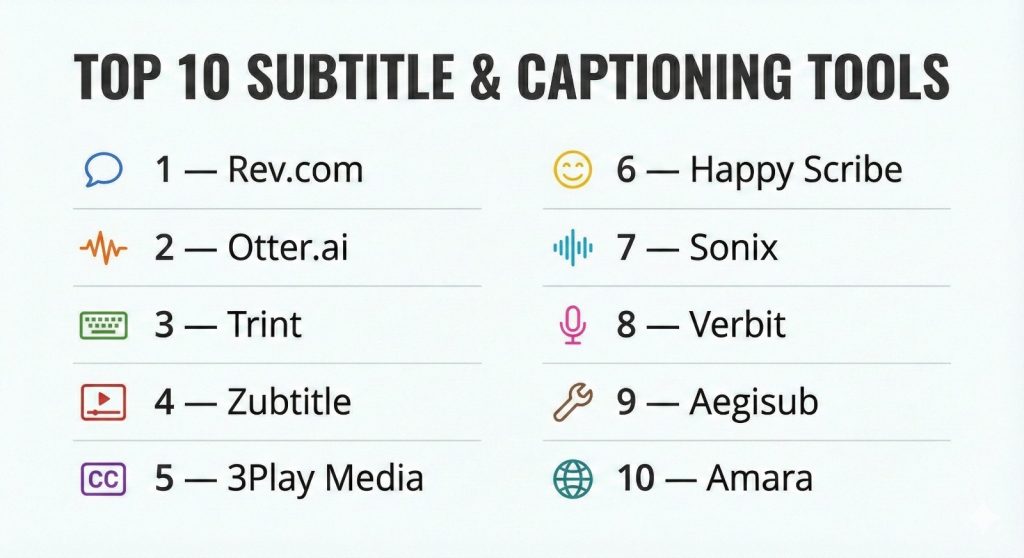
Top 10 Subtitle & Captioning Tools
1 — Rev.com
Rev is a market leader known for combining advanced AI-driven speech recognition with a massive network of over 70,000 human transcriptionists. It is designed for those who need high accuracy and fast turnaround times.
- Key features
- AI-powered automated transcription with nearly instant results.
- Human-verified captioning services with a 99% accuracy guarantee.
- Integrated web-based editor to refine text and timing.
- Support for foreign language subtitles in over 15 languages.
- Direct integrations with YouTube, Vimeo, and Adobe Premiere Pro.
- Burned-in captions (Open Captions) availability for social media.
- API access for high-volume enterprise automation.
- Pros
- The best balance of AI speed and human precision in the industry.
- Highly intuitive interface that requires almost no learning curve.
- Cons
- Human services can become expensive for long-form content.
- AI-only accuracy varies significantly with heavy accents or background noise.
- Security & compliance: SOC 2 Type II, GDPR compliant, and secure file encryption.
- Support & community: 24/7 customer support, extensive help center, and dedicated enterprise account managers.
2 — Otter.ai
Otter.ai is primarily known as a meeting assistant, but its live transcription and captioning capabilities make it an excellent tool for educators and corporate teams who need real-time text.
- Key features
- Real-time live captioning for Zoom, Microsoft Teams, and Google Meet.
- Automated speaker identification and “vocabulary” training.
- Collaborative editing that allows multiple users to highlight and comment on text.
- Mobile app for recording and captioning on the go.
- Summary and keyword extraction powered by AI.
- Calendar integration to automatically join and caption scheduled meetings.
- Searchable library of all historical transcripts and captions.
- Pros
- Exceptional for live events and spontaneous collaboration.
- Very affordable pricing model for students and small teams.
- Cons
- Transcription is only automated; there is no human-verification option.
- Not specifically designed for high-end cinematic subtitle styling.
- Security & compliance: SOC 2 Type II, GDPR, and standard TLS encryption.
- Support & community: Responsive help desk, community forum, and detailed webinars.
3 — Trint
Trint is an AI-powered platform tailored for journalists and media professionals. It focuses on turning audio and video into “verbatim” text that is easy to search, edit, and share.
- Key features
- High-speed AI transcription engine in over 30 languages.
- “Story” builder that allows users to pull quotes from transcripts into a script.
- Mobile app that can record audio and upload for instant transcription.
- Collaborative workflows with time-coded comments and highlights.
- Integrated caption editor with SRT and VTT export capabilities.
- Vocabulary lists to help the AI recognize industry-specific jargon.
- Adobe Premiere Pro extension for seamless editing.
- Pros
- Built specifically for the fast-paced workflow of newsrooms and media.
- The interface makes it incredibly easy to verify and correct AI errors.
- Cons
- Pricing is on the higher side compared to basic AI tools.
- Does not offer human-made captioning services.
- Security & compliance: ISO 27001, GDPR compliant, and secure data hosting in the EU/US.
- Support & community: Personal onboarding for teams and 24/5 support.
4 — Zubtitle
Zubtitle is a specialized tool built for social media creators. It focuses on “Open Captions” (captions burned into the video) and adding stylistic elements to stop the scroll on platforms like Instagram and TikTok.
- Key features
- Automatic speech-to-text specifically optimized for short-form video.
- Stylish headline additions and progress bar overlays.
- Automated video resizing for Square, Vertical, or Widescreen formats.
- “Caption animations” that highlight words as they are spoken.
- Simple point-and-click editor for adjusting text and timing.
- Library of pre-made styling templates.
- Support for multi-language transcription.
- Pros
- The fastest way to create “social-media ready” captioned videos.
- eliminates the need for complex video editing software for simple captions.
- Cons
- Limited feature set for long-form documentaries or feature films.
- Does not support “Closed Captioning” (sidecar files) as its primary focus.
- Security & compliance: GDPR compliant and standard web encryption.
- Support & community: Email support and a blog focused on social media marketing tips.
5 — 3Play Media
3Play Media is an enterprise-level accessibility platform. It is designed for high-security environments like government, healthcare, and universities that require strict ADA/Section 508 compliance.
- Key features
- Guaranteed 99%+ accuracy for human-reviewed captioning.
- Audio description services for the visually impaired.
- Live auto-captioning for large-scale broadcasts and events.
- Interactive “searchable” video plugins for website players.
- Translation and subtitling in 20+ languages.
- Automated workflows with integrations like Brightcove, Panopto, and Kaltura.
- Advanced analytics on caption usage and accessibility metrics.
- Pros
- The highest standard for legal and accessibility compliance.
- Robust API and integration suite for massive institutional scale.
- Cons
- Pricing is significantly higher than “casual” captioning tools.
- The interface is dense and geared toward professional administrators.
- Security & compliance: SOC 2 Type II, HIPAA, GDPR, and FedRAMP (Varies).
- Support & community: Dedicated account managers and 24/7 technical support.
6 — Happy Scribe
Happy Scribe is a versatile platform that offers both AI-generated and human-made transcription and subtitling. It is a favorite among freelancers due to its clean UI and no-limit file size policy.
- Key features
- Support for over 120 languages and dialects.
- Specialized Subtitle Editor with visual waveform synchronization.
- Automatic “Subtitle Generator” that breaks text into readable blocks.
- Hardcoded subtitle options for social media.
- Team workspace for collaborative project management.
- API for developers to integrate transcription into their apps.
- Support for almost all video and audio formats.
- Pros
- Incredible language support compared to almost any other tool.
- Very transparent pricing and no expiration on “credits.”
- Cons
- The automated timing sometimes requires manual adjustment for fast-talking speakers.
- AI accuracy is average; human review is still needed for professional work.
- Security & compliance: GDPR compliant and end-to-end data encryption.
- Support & community: Live chat support and an active blog for video creators.
7 — Sonix
Sonix is an AI-only transcription and captioning tool that focuses on speed and cost-effectiveness. It is one of the most accurate automated tools for clear, high-quality audio.
- Key features
- In-browser editor that links text directly to the audio waveform.
- Multi-track transcription for recording with multiple microphones.
- Automated translation into 40+ languages.
- Word-by-word timestamps and confidence scores for every word.
- Automated speaker labeling.
- Custom dictionary for technical or brand terms.
- Export options for SRT, VTT, and even Adobe Premiere markers.
- Pros
- One of the most affordable options for high-volume automated work.
- The “Confidence Score” helps editors quickly find and fix errors.
- Cons
- No human service; you are responsible for final accuracy.
- struggles with overlapping voices or heavy background noise.
- Security & compliance: SOC 2 Type II, GDPR, and SSO support.
- Support & community: Email-based support and a detailed knowledge base.
8 — Verbit
Verbit is a specialized platform targeting the legal and higher education sectors. It uses a unique “hybrid” model of two AI layers followed by human review to ensure extreme accuracy.
- Key features
- Specialized engines for Legal (depositions) and Higher Ed (lectures).
- Real-time captioning for live webinars and virtual classrooms.
- Integration with Canvas, Blackboard, and various LMS platforms.
- Searchable video transcripts for student revision.
- Progress tracking for high-volume institutional projects.
- Audio description and translation services.
- Custom formatting for specialized legal transcripts.
- Pros
- Tailored specifically for the terminology of law and academia.
- High-level institutional reporting and compliance features.
- Cons
- Not ideal for creative marketing or social media “aesthetic” captions.
- Pricing is opaque and requires a sales consultation.
- Security & compliance: SOC 2, HIPAA, GDPR, and ISO 27001.
- Support & community: Strategic account management and 24/7 live support.
9 — Aegisub
Aegisub is the industry-standard free, open-source tool for advanced subtitle styling. It is the weapon of choice for the “Fansub” community and professional typesetters who need absolute control.
- Key features
- Powerful styling tools (ASS/SSA format) for custom fonts, colors, and positions.
- Real-time video preview for checking subtitle placement.
- Waveform and spectrum analyzer for precise timing to the millisecond.
- Automation scripting via Lua for complex subtitle effects.
- Built-in spell checker and translation assistant.
- Completely free and cross-platform (Windows, Mac, Linux).
- No limit on file size or project length.
- Pros
- Unlimited creative freedom for subtitle styling and placement.
- Completely free; no subscriptions or per-minute fees.
- Cons
- No automated transcription; everything must be typed or imported.
- Extremely steep learning curve for non-technical users.
- Security & compliance: Open-source transparency (Varies / N/A).
- Support & community: Massive community-led Wiki and dedicated enthusiast forums.
10 — Amara
Amara is a non-profit tool focused on community-led subtitle translation. It is the platform used by organizations like TED to translate videos into hundreds of languages via volunteers.
- Key features
- Cloud-based collaborative subtitle editor.
- “Amara Public” for community-driven volunteer translation.
- Enterprise tools for managing large teams of paid linguists.
- Support for accessibility standards and formatting.
- Integration with YouTube, Vimeo, and Kaltura.
- “Amara On Demand” for professional human subtitle services.
- Robust version history for collaborative projects.
- Pros
- The best tool for crowd-sourced or volunteer-based translation.
- Strong ethical focus on digital accessibility.
- Cons
- The free version is public; private projects require a paid tier.
- Not as “automation-heavy” as AI-first competitors like Sonix or Rev.
- Security & compliance: GDPR compliant and secure data protocols.
- Support & community: Large global community and dedicated support for non-profits.
Comparison Table
| Tool Name | Best For | Platform(s) Supported | Standout Feature | Rating |
| Rev.com | Speed & Precision | Web / Mobile | 99% Human Accuracy | 4.7/5 |
| Otter.ai | Meetings & Lectures | Web / iOS / Android | Real-time Live Captions | 4.5/5 |
| Trint | News & Media | Web / iOS | Story-builder Scripting | 4.3/5 |
| Zubtitle | Social Media | Web | Animated Style Templates | 4.6/5 |
| 3Play Media | Institutional Compliance | Web / API | 508/ADA Compliance Tools | 4.8/5 |
| Happy Scribe | Freelancers | Web | 120+ Language Support | 4.5/5 |
| Sonix | Budget AI | Web | Waveform-linked Editor | 4.4/5 |
| Verbit | Legal & Academic | Web / API | Hybrid Dual-AI Model | 4.6/5 |
| Aegisub | Advanced Styling | Desktop (Win/Mac/Lin) | Lua Automation Scripting | 4.2/5 |
| Amara | Global Translation | Web | Community Collaboration | 4.4/5 |
Evaluation & Scoring of Subtitle & Captioning Tools
To provide a clear objective view, we have evaluated these platforms based on a weighted rubric that reflects the priorities of modern video professionals.
| Category | Weight | Evaluation Highlights |
| Core Features | 25% | Accuracy, language support, and export formats. |
| Ease of Use | 15% | UI design, editor speed, and mobile capability. |
| Integrations | 15% | Direct links to YouTube, Adobe, and LMS platforms. |
| Security & Compliance | 10% | Data encryption, SOC 2, and HIPAA readiness. |
| Performance | 10% | Transcription speed and API uptime. |
| Support & Community | 10% | 24/7 access and quality of training materials. |
| Price / Value | 15% | Cost per minute vs. accuracy and time saved. |
Which Subtitle & Captioning Tool Is Right for You?
Solo Users vs SMB vs Mid-Market vs Enterprise
If you are a Solo User or freelancer, Happy Scribe or Zubtitle offer the most flexibility without requiring huge monthly commitments. SMBs and marketing agencies will find the speed and accuracy of Rev.com indispensable for client deadlines. Mid-Market media companies should look to Trint for its newsroom-ready workflows. At the Enterprise or Institutional level, 3Play Media and Verbit are the only logical choices due to their focus on legal compliance and massive volume handling.
Budget-Conscious vs Premium Solutions
For those on a tight budget, Aegisub is completely free if you have the time to do the manual work. Sonix offers the best “low-cost” automated solution for clear audio. On the Premium end, Rev and 3Play Media represent a higher investment but drastically reduce the time spent on manual editing, which often results in a lower “total cost of ownership.”
Feature Depth vs Ease of Use
If you want a tool that “just works” for social media, Zubtitle is incredibly simple. If you need Feature Depth—such as millisecond timing, custom font kerning, and automated effects—Aegisub is the power-user’s choice. Rev and Happy Scribe occupy the middle ground, offering professional features without the steep learning curve.
Integration and Scalability Needs
If your workflow lives in Adobe Premiere Pro, look for tools like Rev or Trint that offer native extensions. For educational institutions scaling to thousands of hours of video, ensure the tool integrates with your LMS (like Canvas or Blackboard), which makes Verbit and 3Play Media the top contenders.
Security and Compliance Requirements
Companies in the legal or healthcare sectors must prioritize HIPAA and SOC 2 compliance. In these cases, avoid the “free” or social-media-focused tools and stick with enterprise solutions like 3Play Media, Verbit, or the Enterprise tier of Sonix.
Frequently Asked Questions (FAQs)
What is the difference between an SRT and a VTT file?
SRT (SubRip Subtitle) is the most common, basic subtitle format supported by almost all players. VTT (WebVTT) is the standard for HTML5 web players and allows for more advanced styling like text positioning and colors.
How accurate is AI transcription?
Generally, AI accuracy ranges from 80% to 95%. It works best with high-quality audio and a single speaker with a clear accent. For professional or legal work, human review is always recommended to catch the remaining 5%.
Are automated captions ADA compliant?
Usually, no. ADA compliance for d/Deaf and hard-of-hearing viewers requires nearly 100% accuracy, including sound effects and speaker IDs. Most automated AI tools fail this bar without human editing.
Can I use these tools for live events?
Yes, tools like Verbit, 3Play Media, and Otter.ai offer live captioning features that sync with platforms like Zoom or broadcast hardware.
What are “Open Captions” vs. “Closed Captions”?
Open captions are permanently “burned” into the video file and cannot be turned off. Closed captions are stored in a separate file and can be toggled on or off by the viewer.
Does captioning help with Video SEO?
Absolutely. Search engines cannot “watch” a video, but they can crawl the text in a caption file. Adding captions makes your video searchable for more keywords.
Can these tools translate my video into other languages?
Most tools like Happy Scribe, Sonix, and Rev offer automated or human-led translation services that turn your original transcript into foreign-language subtitles.
What happens if my video has heavy background noise?
AI accuracy drops significantly with background noise. In these cases, using a human service like Rev or 3Play Media is necessary to ensure the captions are usable.
What is a “Sidecar” file?
A sidecar file is the subtitle file (like an .srt) that sits next to your video file. When you upload a video to YouTube, you often upload the video and the sidecar file separately.
How long does it take to caption a 10-minute video?
With AI, it takes about 5 minutes. With a human-verified service, it typically takes 12 to 24 hours. Manual captioning from scratch usually takes 5 to 10 times the length of the video.
Conclusion
Choosing the right subtitle and captioning tool is no longer just a technical decision—it is a strategic one that impacts your audience’s accessibility and your brand’s global reach. For social media creators, the visual flair of Zubtitle is unbeatable. For those requiring the gold standard of accuracy, Rev.com and 3Play Media remain the top choices.
Ultimately, the best tool is one that fits seamlessly into your existing editing workflow. Whether you choose the free, high-control environment of Aegisub or the AI-driven speed of Sonix, adding captions is the single most effective way to ensure your content is heard by everyone, everywhere—regardless of whether they have the sound on or off.