Introduction
Strategic planning tools are digital platforms that help leaders turn big ideas into reality. Instead of leaving a company’s goals in a dusty paper file or a messy spreadsheet, these tools provide a digital home for a company’s vision. They allow teams to set high-level goals, track progress using specific numbers (like KPIs), and assign tasks to ensure everyone is working toward the same finish line. By using these platforms, organizations can stop “guessing” if they are on track and start using real data to drive their daily decisions.
The importance of strategic planning software has grown as teams become more remote and markets change faster. Without a central tool, communication breaks down, and employees often lose sight of why their work matters. Key real-world use cases include a CEO tracking a three-year growth plan, a marketing head aligning team projects with quarterly sales targets, or a non-profit managing its impact goals across different regions. When choosing a tool, you should look for ease of use, the ability to visualize data clearly, and how well it connects to the apps your team already uses every day.
Key Real-World Use Cases
- Corporate Growth: A mid-sized tech company uses a tool to track its move into new international markets, ensuring that product, sales, and legal teams all meet their specific deadlines.
- OKRs (Objectives and Key Results): A startup sets a goal to “Improve Customer Happiness” and uses the tool to track three specific numbers: response time, churn rate, and net promoter score.
- Mergers and Acquisitions: Two companies joining together use a strategic platform to merge their different cultures and workflows without losing sight of their financial targets.
- Public Sector Planning: A city government tracks its 10-year “Green City” initiative, showing citizens real-time progress on tree planting and carbon reduction.
- Project Alignment: A manufacturing firm ensures that every new machine bought on the factory floor directly supports the company’s long-term goal of increasing production by 20%.
What to Look For (Evaluation Criteria)
- Goal Cascading: Can you link a small daily task to a huge corporate goal? This helps everyone see how they contribute to the big picture.
- Visual Dashboards: The tool should offer clean charts and “traffic light” indicators (red, yellow, green) so you can see status at a glance.
- Framework Support: Does it support popular methods like SWOT (Strengths, Weaknesses, Opportunities, Threats), Balanced Scorecard, or OKRs?
- Collaboration Features: Strategy shouldn’t happen in a vacuum. Look for commenting, tagging, and automated email updates.
- Progress Tracking: It must be easy to update numbers. If it’s too hard to put data in, the team will stop using it.
Best for: CEOs, Chief Strategy Officers, Department Heads, and Project Managers in companies ranging from small startups to global giants. It is also perfect for non-profits and government agencies that must prove their progress to stakeholders.
Not ideal for: Individual freelancers with very simple “to-do” lists or tiny businesses that only need to track a few tasks a week. For them, a basic digital calendar or a simple notes app is usually enough.
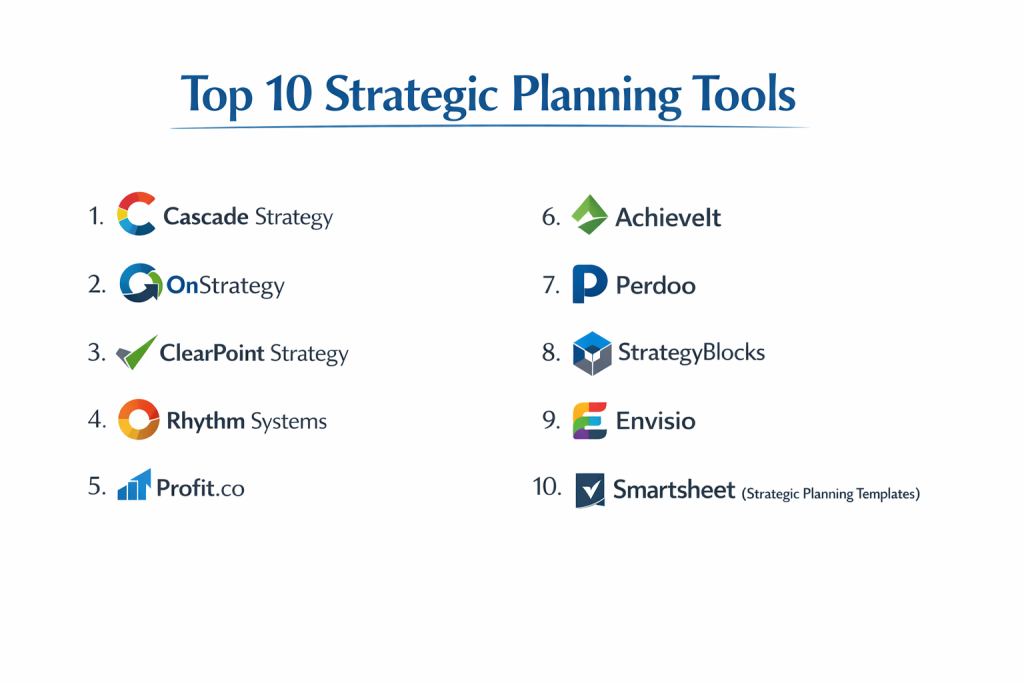
Top 10 Strategic Planning Tools
1 — Cascade Strategy
Cascade is a powerful, modern platform designed to help organizations execute their strategy rather than just document it. It is built to bridge the gap between “planning” and “doing.”
- Key features:
- Strategy Planner for building visual maps of your goals.
- Automated data snapshots to see how goals change over time.
- Drag-and-drop dashboards for executive reporting.
- Goal alignment features to link team plans to corporate vision.
- Integration with thousands of apps via Zapier.
- Multi-plan management for different departments.
- Pros:
- Very beautiful and clean design that makes strategy feel less boring.
- Excellent at showing the “links” between different goals across the company.
- Cons:
- Can be a bit expensive for very small teams.
- Some of the advanced reporting features take time to learn.
- Security & compliance: SOC 2 Type II, GDPR, SSO, and data encryption.
- Support & community: High-quality help center, dedicated success managers for larger plans, and a “Strategy Academy” for learning.
2 — OnStrategy
OnStrategy is a veteran in the field, offering a mix of easy-to-use software and expert consulting advice. It is designed for leaders who want a structured, guided approach to planning.
- Key features:
- Step-by-step “Strategy Wizard” to help you build your plan.
- Support for Balanced Scorecard and OKR frameworks.
- Automated email reminders for team members to update their progress.
- Performance dashboards for board-level reporting.
- Strategic health checks to see if your plan is actually working.
- Mobile app for quick status updates on the go.
- Pros:
- The guided workflow is perfect for teams that have never done formal strategic planning.
- Excellent customer service that feels more like a partnership than just a software help desk.
- Cons:
- The interface feels a bit older compared to “SaaS-native” tools like Cascade.
- Less flexibility for highly custom, non-traditional planning styles.
- Security & compliance: SOC 2, SSO, and 256-bit encryption.
- Support & community: Exceptional personalized onboarding and regular webinars on strategy best practices.
3 — ClearPoint Strategy
ClearPoint is known for its heavy-duty reporting and its ability to handle massive amounts of data. It is a favorite for government agencies and large healthcare systems.
- Key features:
- Advanced automated reporting that can generate entire PDF board books.
- Customizable “Calculated Fields” for complex data tracking.
- Strategy maps that show the “cause and effect” of your goals.
- Granular permission levels for hundreds of users.
- Automatic data loading from Excel, SQL, and other sources.
- Project and task tracking that links directly to high-level KPIs.
- Pros:
- Incredible reporting power; it can save weeks of manual work every quarter.
- Very stable and reliable for organizations with very strict compliance needs.
- Cons:
- The setup process is very long and usually requires a dedicated administrator.
- The interface is functional but not as “pretty” as newer competitors.
- Security & compliance: SOC 2 Type II, HIPAA compliant, GDPR, and ISO 27001.
- Support & community: Famous for their “Legendary Support” and active user conferences.
4 — Rhythm Systems
Rhythm is built for high-growth companies that use specific business coaching methods. It focuses on “Vertical and Horizontal Alignment” to keep everyone focused on “Winning Moves.”
- Key features:
- “Strategy Screen” for long-term (3-5 year) planning.
- Weekly 13-week dashboards to track “Quarterly Priorities.”
- Collaborative “Weekly Meeting” tool to discuss roadblocks.
- KPI tracking with “Red/Yellow/Green” status lights.
- Role-based dashboards for every employee.
- Specific modules for core values and mission statements.
- Pros:
- Exceptional at moving from “big goals” to “weekly execution.”
- The software is built around a proven methodology that helps teams work better together.
- Cons:
- Most effective if you follow their specific coaching style; less useful for “freestyle” planning.
- Can be pricey for companies that don’t need the extra coaching features.
- Security & compliance: SOC 2, encryption at rest, and SSO support.
- Support & community: Deep coaching expertise and a very helpful “Success Academy.”
5 — Profit.co
Profit.co is a leading OKR (Objectives and Key Results) platform that helps companies focus on measurable results. It is highly flexible and works for teams of all sizes.
- Key features:
- 400+ built-in KPIs to help you start tracking immediately.
- “Alignment Dashboards” to see how goals flow from top to bottom.
- Employee engagement tools like “Awards” and “Recognition.”
- Performance reviews integrated with goal progress.
- Task management that sits directly inside each Key Result.
- Mobile app with “Check-in” reminders.
- Pros:
- Very fast to set up and start using.
- The price is very fair for the amount of features you get.
- Cons:
- The sheer number of options can be overwhelming for a small team.
- The interface can feel a bit “busy” with many menus and buttons.
- Security & compliance: SOC 2 Type II, ISO 27001, HIPAA, and GDPR.
- Support & community: 24/7 live support and a very large library of OKR templates.
6 — AchieveIt
AchieveIt focuses on “Execution Management.” It is designed for large organizations that find it hard to track thousands of different initiatives across different departments.
- Key features:
- Automated “Status Updates” that collect data from employees via email.
- Multi-plan views to see every department’s strategy in one place.
- Dashboard builders for executive-level oversight.
- Tagging and filtering to find specific projects across the whole company.
- Built-in history logs to see who changed what and when.
- Professional services to help you build your first plan.
- Pros:
- Best-in-class for reducing the “boring” work of chasing people for updates.
- Very strong for large-scale “transformation” projects.
- Cons:
- Too powerful and complex for small businesses.
- Requires a significant time commitment to set up correctly.
- Security & compliance: SOC 2, HIPAA, and data encryption.
- Support & community: High-touch implementation support and a dedicated success team.
7 — Perdoo
Perdoo is a simple, elegant tool that combines OKRs and “Strategies” (long-term goals). It is designed to be the “internal home” for every employee to see what the company is doing.
- Key features:
- “Strategy Map” to visualize the path to your 5-year vision.
- OKR tracking for quarterly goals.
- “KPI” tracking for the “business as usual” numbers.
- Weekly “Check-ins” to keep goals top-of-mind.
- Integration with Slack and MS Teams.
- Public “Roadmaps” for transparency.
- Pros:
- Extremely easy to use; most employees can learn it in 5 minutes.
- Great “Free” version for very small teams just getting started.
- Cons:
- Lacks some of the advanced data-crunching power of ClearPoint or AchieveIt.
- Reporting is simple and might not satisfy very demanding boards.
- Security & compliance: GDPR compliant and SOC 2 (Varies/Check status).
- Support & community: Excellent “OKR Guide” and a very helpful customer success team.
8 — StrategyBlocks
StrategyBlocks is a highly visual tool that uses “Blocks” to represent different parts of a strategy. It is perfect for people who think in pictures rather than just lists.
- Key features:
- Visual cascading of goals using colored blocks.
- “Risk Management” tools to flag potential problems.
- Budget tracking integrated with strategic initiatives.
- Customizable icons and colors to brand your strategy.
- Easy “What-if” scenario planning.
- Automated alerts for goal changes.
- Pros:
- The most visual tool on this list; great for presentations.
- Very easy to see “at a glance” which parts of the plan are failing.
- Cons:
- The visual style might not appeal to everyone.
- Not as strong for detailed, day-to-day task management.
- Security & compliance: SOC 2 and data encryption.
- Support & community: Personalized support and a solid knowledge base.
9 — Envisio
Envisio is the leading strategy tool for local governments and public sector organizations. It is built to help these groups be more transparent with their residents.
- Key features:
- “Public Dashboards” to show citizens the progress of city goals.
- Strategic planning and performance management in one tool.
- Automated “Update Requests” for department heads.
- Integration with budgeting and finance software.
- Built-in “Employee Performance” reviews.
- High-level reporting for city councils and boards.
- Pros:
- The only tool on this list specifically built for the “Public Sector” workflow.
- Excellent for building trust with the public through data transparency.
- Cons:
- Not a great fit for private, high-growth tech startups.
- Pricing is geared toward government budgets.
- Security & compliance: SOC 2, GDPR, and ISO 27001.
- Support & community: Huge community of local government users and specific “Public Sector” events.
10 — Smartsheet (Strategic Planning Templates)
While Smartsheet is a general “work platform,” its specialized strategic planning templates are used by thousands of companies to manage their vision.
- Key features:
- Flexible “Grid,” “Gantt,” and “Card” views for any plan.
- Automated workflows to trigger alerts when a goal is hit.
- Dynamic “Dashboards” that pull data from multiple sheets.
- Secure “Proofing” for collaborating on strategy documents.
- Enterprise-grade security and admin controls.
- Massive library of free strategic planning templates.
- Pros:
- If you already use Smartsheet for projects, it’s very easy to add strategy.
- Unrivaled flexibility; you can build exactly what you want.
- Cons:
- It is a “Build-Your-Own” tool; it doesn’t guide you through strategy like OnStrategy.
- Can become a “mess” of sheets if not managed by an expert.
- Security & compliance: SOC 2 Type II, ISO 27001, HIPAA, and GDPR.
- Support & community: Massive user forum, “Smartsheet University,” and global support.
Comparison Table
| Tool Name | Best For | Platform(s) Supported | Standout Feature | Rating |
| Cascade | Modern Teams | Web / Cloud | Strategy Execution | 4.7 / 5 |
| OnStrategy | First-Timers | Web / Cloud | Guided Wizard | 4.8 / 5 |
| ClearPoint | Government / Health | Web / Cloud | Auto-PDF Reporting | 4.6 / 5 |
| Rhythm Systems | High-Growth | Web / Cloud | Weekly Focus | 4.5 / 5 |
| Profit.co | OKR Experts | Web / Cloud | 400+ Built-in KPIs | 4.8 / 5 |
| AchieveIt | Enterprise | Web / Cloud | Chasing Updates | 4.4 / 5 |
| Perdoo | Simplicity | Web / Cloud | Free Starter Plan | 4.7 / 5 |
| StrategyBlocks | Visual Thinkers | Web / Cloud | Block Visuals | 4.3 / 5 |
| Envisio | Public Sector | Web / Cloud | Public Dashboard | 4.6 / 5 |
| Smartsheet | Customization | Web / Cloud | Total Flexibility | 4.5 / 5 |
Evaluation & Scoring of Strategic Planning Tools
| Criteria | Weight | What We Look At |
| Core Features | 25% | Goal cascading, KPI tracking, and dashboarding. |
| Ease of Use | 15% | How fast can a new employee learn the tool? |
| Integrations | 15% | Does it connect with Slack, MS Teams, and Excel? |
| Security & Compliance | 10% | SOC 2 status and data privacy protections. |
| Performance | 10% | System speed and mobile app quality. |
| Support & Community | 10% | Quality of help docs and speed of support. |
| Price / Value | 15% | Does the price match the power of the tool? |
Which Strategic Planning Tool Is Right for You?
Solo Users vs SMB vs Mid-Market vs Enterprise
If you are a small business or just one person, start with Perdoo or the free templates in Smartsheet. They are low-risk and easy to start. Mid-Market companies (50-500 people) should look at Cascade or OnStrategy because they offer the right balance of guidance and power. Enterprise organizations (500+ people) with many departments almost always need AchieveIt or ClearPoint Strategy to handle the massive amount of data and users.
Budget-Conscious vs Premium Solutions
If you have no budget, Perdoo has a great free tier. If you have a small budget, Profit.co offers a lot of “bang for your buck.” If you have a premium budget, Cascade and Rhythm Systems provide a high-end experience and often include expert consulting or coaching that can be worth more than the software itself.
Feature Depth vs Ease of Use
If you want simplicity, Perdoo and OnStrategy are the winners. They are designed to stay out of your way so you can focus on work. If you need feature depth—meaning you want to run complex math on your KPIs or generate 50-page reports for a board—ClearPoint Strategy is the tool you want.
Integration and Scalability Needs
If you plan to grow fast, you need a tool that connects with everything else. Cascade and Smartsheet have the best integration ecosystems. If you are in a specific niche like city government, Envisio is the only tool that scales specifically to the needs of public administration and citizen transparency.
Security and Compliance Requirements
If you are in Healthcare, you must choose a tool that is HIPAA compliant, like ClearPoint Strategy or AchieveIt. For most other corporate uses, SOC 2 Type II is the “gold standard” you should look for to ensure your company’s secret plans don’t end up in the wrong hands.
Frequently Asked Questions (FAQs)
What is the difference between project management and strategic planning tools?
Project management tools (like Trello or Asana) focus on “tasks” and “to-dos.” Strategic planning tools focus on “goals,” “KPIs,” and “vision.” One is about the how, the other is about the why.
Do I need a strategy tool if I have Excel?
Excel is great for numbers, but it’s terrible for communication. A strategy tool sends alerts, shows visual maps, and keeps everyone updated automatically without someone having to email a file.
How long does it take to set up?
Simple tools like Perdoo take a few hours. Enterprise tools like AchieveIt can take 2-3 months to fully roll out across a large company.
Can these tools help with OKRs?
Yes! Most modern tools (especially Profit.co and Perdoo) are built specifically to handle the OKR (Objectives and Key Results) method.
Are these tools secure?
Top-tier tools are very secure. Look for “SOC 2 Type II” and “ISO 27001” labels to be sure your data is protected with bank-level security.
Can I use these for a non-profit?
Absolutely. OnStrategy and BoardEffect (part of Diligent) are very popular with non-profits who need to show their impact to donors.
Do they have mobile apps?
Most do, but they are usually for “checking in” on status. The big planning work is almost always done on a desktop or laptop.
Can I invite my board of directors to see the plan?
Yes. Most tools allow you to create “View-Only” users so your board can see progress without accidentally changing your data.
What happens if we change our strategy halfway through the year?
These tools are built for “Agile Strategy.” You can easily update your goals, and the tool will automatically show the “pivot” to the whole team.
What is the most common reason strategy tools fail?
Lack of “check-ins.” If leaders don’t update the tool every week or month, the data becomes old, and the team stops looking at it.
Conclusion
Choosing a strategic planning tool is one of the most important things a leader can do to ensure their team is working on the right things. The “best” tool isn’t the one with the most buttons; it’s the one that your team will actually open every Monday morning.
If you want a modern, exciting experience, Cascade is a great choice. If you are a city leader, Envisio is your best friend. If you just want to get started with OKRs without a headache, Perdoo is the way to go. No matter which you choose, the goal remains the same: stop talking about the future and start building it with data-driven execution.