Introduction
Storage Management Tools are specialized software platforms designed to optimize the performance, capacity, and reliability of an organization’s data storage infrastructure. These tools provide a centralized interface to monitor and manage diverse storage assets, including physical hard drives, Network Attached Storage (NAS), Storage Area Networks (SAN), and hybrid cloud environments. By providing deep visibility into how data is stored and accessed, these solutions help IT teams prevent bottlenecks, automate provisioning, and ensure that critical data remains available and secure.
The importance of effective storage management has skyrocketed as global data volumes explode. Without these tools, organizations often suffer from “storage sprawl,” where expensive hardware sits underutilized while other systems face critical shortages. Key real-world use cases include automating the migration of “cold” data to cheaper cloud tiers, identifying performance “hotspots” in a database cluster, and forecasting future capacity needs to prevent emergency hardware purchases. When evaluating tools, users should look for multi-vendor support, real-time analytics, automated policy enforcement, and cloud-native integration capabilities.
Best for: Storage Administrators, IT Directors, and Systems Engineers in mid-sized to large enterprises, particularly in data-heavy industries like media, healthcare, finance, and telecommunications.
Not ideal for: Small businesses with a single server or solo entrepreneurs using basic cloud storage. In these cases, the built-in management tools provided by the operating system or the cloud provider (like Google Drive or Microsoft OneDrive) are usually sufficient and far less complex.
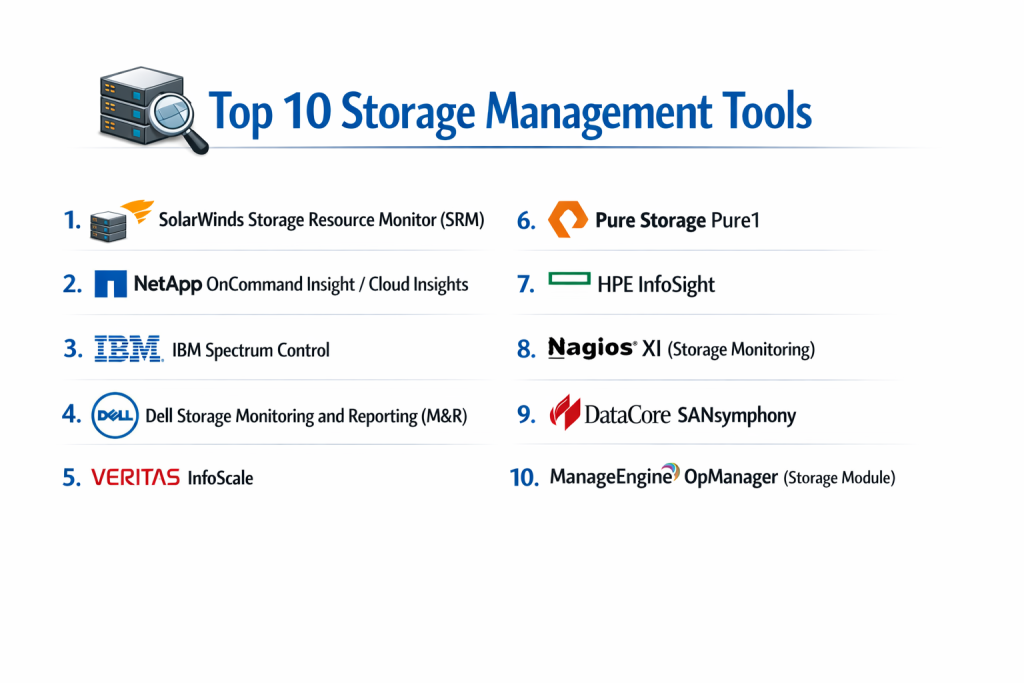
Top 10 Storage Management Tools
1 — SolarWinds Storage Resource Monitor (SRM)
SolarWinds SRM is an industry staple that provides a unified view into the health and performance of multi-vendor storage arrays, helping admins quickly pinpoint bottlenecks.
- Key Features:
- Unified Monitoring: Manage Dell, HP, NetApp, IBM, and more from a single pane of glass.
- Capacity Planning: Predictive analytics to determine when you will run out of space.
- Performance Hotspot Detection: Identifies specific LUNs or volumes causing latency.
- Automated Alerting: Customizable triggers for hardware health and capacity thresholds.
- Storage Stack Mapping: See the relationship between a VM, its host, and the backing storage.
- Agentless Monitoring: Connects via standard protocols without installing software on every server.
- Pros:
- Exceptional visibility across diverse hardware brands, which is rare in this category.
- Excellent reporting tools that are easy to share with non-technical management.
- Cons:
- Can be resource-heavy for the server hosting the management software.
- The pricing model can get expensive as the number of managed drives increases.
- Security & compliance: Supports SSO, encrypted communication, audit logs, and is compliant with various NIST and GDPR standards.
- Support & community: Very strong community (THWACK), extensive online documentation, and 24/7 premium enterprise support.
2 — NetApp OnCommand Insight (OCI) / Cloud Insights
NetApp has transitioned its legendary storage management expertise into a cloud-first platform that excels at managing hybrid cloud data fabrics.
- Key Features:
- Hybrid Cloud Visibility: Monitor on-premise arrays alongside AWS, Azure, and Google Cloud storage.
- Cost Optimization: Identifies wasted cloud storage and suggests cheaper alternatives.
- Ransomware Detection: Behavioral analytics that flags unusual data access patterns.
- Workload Troubleshooting: Correlates infrastructure performance with specific application demands.
- Automated Resource Provisioning: Dynamically scales storage based on real-time metrics.
- Open APIs: Easy to integrate with third-party monitoring tools like Grafana.
- Pros:
- Unrivaled for organizations already invested in the NetApp ecosystem.
- The AI-driven insights are genuinely helpful for preventing downtime.
- Cons:
- Some of the most advanced features are locked behind higher-tier SaaS subscriptions.
- Can be complex to configure for non-NetApp hardware.
- Security & compliance: SOC 2, HIPAA, GDPR, and ISO 27001 compliant. Features robust encryption at rest and in transit.
- Support & community: Professional NetApp support services, extensive certification programs, and a dedicated partner portal.
3 — IBM Spectrum Control
IBM Spectrum Control (now part of the Storage Insights family) offers comprehensive monitoring and management for virtualized, software-defined, and physical storage.
- Key Features:
- End-to-End Visualizer: Graphical maps showing how data flows from server to switch to disk.
- Policy-Based Tiering: Automatically moves data between high-speed Flash and low-cost Tape.
- Unified Management: Handles block, file, and object storage in one environment.
- Capacity Reclamation: Finds orphaned volumes and deleted data that is still consuming space.
- Multi-Tenant Support: Allows different departments to see only their specific storage assets.
- Cognitive Analytics: Uses IBM Watson-lite features to predict hardware failures.
- Pros:
- The best choice for massive enterprises with legacy IBM hardware mixed with modern cloud.
- Strong emphasis on data lifecycle management, reducing overall storage costs.
- Cons:
- The user interface can feel dated and overwhelming for newer IT professionals.
- Installation and initial setup often require professional services or consulting.
- Security & compliance: FIPS 140-2, GDPR, HIPAA, and SOC 2.
- Support & community: World-class IBM support infrastructure, Redbooks documentation, and global user groups.
4 — Dell Storage Monitoring and Reporting (M&R)
Dell’s solution is specifically optimized to manage the massive PowerStore, PowerMax, and Unity ecosystems, providing deep-dive telemetry.
- Key Features:
- Deep Telemetry: Captures hundreds of performance metrics specific to Dell hardware.
- Impact Analysis: Shows exactly which applications will be affected by a storage outage.
- Historical Trend Analysis: Review years of performance data to identify long-term patterns.
- Automated Provisioning: Integration with Dell’s orchestrators to spin up new LUNs quickly.
- Health Scores: Simplified “scorecard” for every storage array in the fleet.
- Customizable Dashboards: Tailor the view for C-level executives or system admins.
- Pros:
- If you run an “all-Dell” shop, this tool provides the most granular data possible.
- Highly reliable and backed by one of the largest hardware vendors in the world.
- Cons:
- Limited usefulness for managing hardware from competitors like HPE or Pure.
- Licensing is often tied to specific hardware purchases, making it less flexible.
- Security & compliance: ISO 27001, SOC 2, and GDPR compliant. Supports Active Directory/LDAP integration.
- Support & community: Extensive Dell ProSupport options and a massive global community of certified engineers.
5 — Veritas InfoScale
Veritas focuses on “Software Defined Storage” and high availability, ensuring that storage stays connected to applications even during failures.
- Key Features:
- Storage Virtualization: Abstracts physical disks into a flexible pool of software-managed storage.
- Clustering & High Availability: Automatically switches data paths if a storage controller fails.
- SmartIO: Intelligent caching that uses local SSDs to speed up slow SAN storage.
- Multi-Cloud Disaster Recovery: Replicates storage volumes across different cloud regions.
- Thin Provisioning: Consumes physical space only when data is actually written.
- Deduplication: Integrated data reduction to save on physical capacity.
- Pros:
- The most robust tool for mission-critical databases like Oracle or SAP.
- Excellent at managing storage at the “Operating System” level.
- Cons:
- Can be extremely expensive; pricing is aimed at Tier-1 banking and healthcare.
- Steeper learning curve than standard “monitoring” tools.
- Security & compliance: FIPS 140-2, GDPR, HIPAA, and SOC 2 Type II.
- Support & community: Veritas University training, 24/7 global technical support, and extensive whitepapers.
6 — Pure Storage Pure1
Pure1 is a cloud-based management platform that pioneered the “Self-Managing Storage” movement, emphasizing ease of use and AI-driven support.
- Key Features:
- AI-Driven Analytics (Meta): Predicts capacity and performance needs months in advance.
- Cloud-to-Cloud Monitoring: Manage FlashArray (on-prem) and Cloud Block Store (AWS/Azure) together.
- Snapshot Management: Orchestrates backups and snapshots across the entire fleet.
- Workload Simulation: “What if” scenarios to see how a new app will affect existing storage.
- Mobile App: Fully functional management from a smartphone.
- Sustainability Metrics: Tracks power and cooling consumption of your hardware.
- Pros:
- The cleanest, most modern user interface in the storage industry.
- The proactive support model often identifies hardware issues before the user does.
- Cons:
- Only works with Pure Storage hardware or their specific cloud instances.
- Less granular “manual” control compared to legacy tools like IBM or Dell.
- Security & compliance: SOC 2 Type II, ISO 27001, HIPAA, and GDPR. Data is encrypted via AES-256.
- Support & community: Industry-leading Net Promoter Score (NPS), 24/7 chat support, and a very modern documentation portal.
7 — HPE InfoSight
InfoSight is the “brain” of HPE’s storage line, using machine learning to resolve infrastructure issues automatically.
- Key Features:
- Predictive Support: Automatically opens support tickets when a failure is imminent.
- Cross-Stack Analytics: Diagnoses issues that happen between the storage and the VM.
- Global Visibility: See the health of every HPE array in your organization worldwide.
- Resource Sizing: Recommends specific hardware upgrades based on actual usage.
- Cloud Bank Storage: Manages the movement of backup data to low-cost cloud tiers.
- Automation Engine: Can execute “self-healing” scripts when it detects common errors.
- Pros:
- Dramatically reduces the time IT teams spend on “firefighting” storage issues.
- Included for free with most HPE storage contracts (Nimble, 3PAR, Alletra).
- Cons:
- Limited to the HPE ecosystem.
- Requires a persistent connection to HPE’s cloud to function fully.
- Security & compliance: SOC 2, GDPR, HIPAA, and FIPS 140-2.
- Support & community: Integrated directly into the HPE support portal; active user forums.
8 — Nagios XI (Storage Monitoring)
Nagios is the “Swiss Army Knife” of IT monitoring. While not a storage tool by default, its plugins allow for deep customization of storage management.
- Key Features:
- Open Source Core: Thousands of community-built plugins for every disk type imaginable.
- Custom Alerting: Scriptable alerts via email, SMS, or Slack.
- SNMP Monitoring: Can pull data from almost any legacy storage array.
- Capacity Dashboards: Visual representations of disk usage trends.
- Cross-Infrastructure Correlation: See how storage health affects web and mail servers.
- Log Monitoring: Ingests storage logs to find hidden error codes.
- Pros:
- Infinitely customizable; if it has an IP address, Nagios can monitor its storage.
- Very affordable compared to enterprise-specific tools from Dell or IBM.
- Cons:
- Requires a high level of Linux expertise and manual configuration.
- Lacks the “AI” and “Self-Healing” features of modern vendor tools.
- Security & compliance: SSO, audit logs, and encrypted communications. (Compliance depends on configuration).
- Support & community: The largest community in the IT monitoring space; professional support available for the “XI” version.
9 — DataCore SANsymphony
DataCore focuses on “Storage Virtualization,” allowing you to manage disparate hardware brands as if they were a single, high-performance pool.
- Key Features:
- Hardware Agnostic: Use any disk, from any vendor, on any server.
- Parallel I/O: Accelerates storage performance by processing data across multiple CPU cores.
- Auto-Tiering: Real-time movement of data to the fastest available storage media.
- Synchronous Mirroring: Zero-downtime failover between two storage sites.
- Snapshot & Replication: Integrated backup and disaster recovery.
- In-Line Deduplication: Real-time space savings as data is written.
- Pros:
- Exceptional for extending the life of old hardware by adding new software features.
- Solves “Vendor Lock-in” by allowing a mix-and-match hardware approach.
- Cons:
- Adds a layer of complexity to the storage path.
- Pricing is based on capacity, which can scale up quickly.
- Security & compliance: SOC 2, HIPAA, and GDPR.
- Support & community: Dedicated support engineers, a partner-heavy community, and comprehensive training.
10 — ManageEngine OpManager (Storage Module)
ManageEngine provides a highly accessible, web-based tool for mid-market companies that need a simple way to track storage health.
- Key Features:
- Multi-Vendor Support: Compatible with RAID, Tape Libraries, and SAN/NAS.
- Disk Read/Write Latency Monitoring: Real-time tracking of IOPS and throughput.
- Fabric Switch Monitoring: Includes the ability to manage the fibre channel switches in the SAN.
- Forecast Reports: Simple graphs showing when disks will hit 80% and 90% capacity.
- Mobile App: Real-time alerts and basic health checks on the go.
- Inventory Management: Tracks serial numbers, firmware versions, and warranty status.
- Pros:
- Very easy to install; usually up and running in under 30 minutes.
- One of the most affordable commercial tools for small-to-mid enterprises.
- Cons:
- Lacks the deep “predictive AI” found in HPE InfoSight or Pure1.
- The UI can become cluttered if managing hundreds of arrays.
- Security & compliance: ISO 27001, SOC 2, GDPR, and HIPAA.
- Support & community: 24/5 support, extensive video library, and a large global user base.
Comparison Table
| Tool Name | Best For | Platform(s) Supported | Standout Feature | Rating (Gartner) |
| SolarWinds SRM | Multi-Vendor Visibility | Win, Cloud, NAS/SAN | Storage Stack Mapping | 4.4 / 5 |
| NetApp Insights | Hybrid Cloud Fabrics | Cloud, On-Prem, SaaS | Ransomware Detection | 4.6 / 5 |
| IBM Spectrum | Legacy + Modern Hybrid | IBM, Virtual, Cloud | Policy-Based Tiering | 4.3 / 5 |
| Dell M&R | All-Dell Environments | Dell Hardware ONLY | Deep Dell Telemetry | 4.2 / 5 |
| Veritas InfoScale | High Availability / DBs | Unix, Linux, Cloud | clustering/Failover | 4.5 / 5 |
| Pure1 | “Self-Managing” Ease | Pure Hardware / SaaS | Mobile Management App | 4.8 / 5 |
| HPE InfoSight | Predictive AI Support | HPE Hardware / SaaS | Predictive Self-Healing | 4.7 / 5 |
| Nagios XI | Budget / Customization | Linux, Any SNMP | Massive Plugin Library | 4.3 / 5 |
| DataCore | Hardware Agnosticism | Virtual, Software-Def | Parallel I/O Speed | 4.5 / 5 |
| ManageEngine | Mid-Market Ease | Win, NAS, SAN | Fabric Switch Tracking | 4.1 / 5 |
Evaluation & Scoring of Storage Management Tools
The following table evaluates the category based on a weighted rubric reflecting the priorities of modern IT departments.
| Category | Weight | Evaluation Criteria |
| Core Features | 25% | Capacity planning, performance monitoring, and automated tiering. |
| Ease of Use | 15% | Dashboard clarity, mobile access, and setup complexity. |
| Integrations | 15% | Multi-vendor support and cloud (AWS/Azure) connectivity. |
| Security & Compliance | 10% | Encryption, SSO, audit logs, and regulatory certifications. |
| Performance | 10% | Resource overhead of the tool and real-time data accuracy. |
| Support & Community | 10% | Quality of documentation and availability of 24/7 support. |
| Price / Value | 15% | Transparency of licensing and overall cost-to-benefit ratio. |
Which Storage Management Tool Is Right for You?
Solo Users vs SMB vs Mid-Market vs Enterprise
- Solo/Small Team: You likely don’t need a dedicated tool. Use the built-in management software provided with your NAS (like Synology DSM) or your cloud provider.
- SMB: ManageEngine or SolarWinds offer great value without requiring a PhD in storage engineering.
- Enterprise: IBM Spectrum, NetApp, or Veritas are necessary for the scale and compliance required in large data centers.
Budget-Conscious vs Premium Solutions
- Budget: Nagios XI is the winner if you have the time to configure it. It provides professional-level monitoring for a fraction of the cost.
- Premium: Veritas InfoScale and Pure1 are premium offerings. You are paying for “peace of mind” and the elimination of manual labor.
Feature Depth vs Ease of Use
If you want total control, choose Veritas or DataCore. They allow you to manipulate storage at a granular level. If you want zero effort, choose Pure1 or HPE InfoSight, which use AI to make decisions for you.
Integration and Scalability Needs
For multi-cloud strategies, NetApp Cloud Insights is the clear leader. If you are a Windows-focused shop, SolarWinds or ManageEngine will integrate most seamlessly with your existing active directory and server environment.
Frequently Asked Questions (FAQs)
1. What is the difference between SAN and NAS?
NAS (Network Attached Storage) is a file-level storage device that connects to a network. SAN (Storage Area Network) is a high-speed network of storage devices that provides block-level storage. Management tools often handle both, but SAN management is generally more complex.
2. Why do I need a management tool if my hardware has a web interface?
Individual hardware interfaces only show you that specific device. Storage management tools provide a “global” view, allowing you to see how different devices interact, forecast capacity across the whole office, and find bottlenecks that individual interfaces miss.
3. What is “Deduplication” and why should I care?
Deduplication identifies identical chunks of data and only stores one copy. This can save up to 90% of your physical storage space, especially in virtual machine environments, significantly lowering your hardware costs.
4. Can these tools prevent ransomware?
Some modern tools, like NetApp Insights and Pure1, monitor for “abnormal” data activity. If they see thousands of files being encrypted at once, they can send an alert or even shut down the storage path to prevent the infection from spreading.
5. Do these tools work with cloud storage like AWS S3?
Yes. Tools like NetApp and Druva are specifically built to treat cloud storage as just another “tier” of your infrastructure, allowing you to manage it exactly like your physical disks.
6. What is “Thin Provisioning”?
Thin provisioning allows you to “over-allocate” storage. For example, you can tell a server it has 10TB of space even if you only have 2TB of physical disk. The tool monitors usage and alerts you to add more disks only when the physical 2TB is actually getting full.
7. How much do these tools typically cost?
Pricing is highly variable. Entry-level tools can start around $500–$1,000, while enterprise-grade systems for large data centers can cost tens of thousands of dollars per year based on the amount of data managed.
8. Can I manage different brands of hardware with one tool?
Yes, tools like SolarWinds SRM, ManageEngine, and DataCore are “vendor-agnostic,” meaning they use standard protocols (like SNMP or SMI-S) to talk to hardware regardless of whether it’s Dell, HP, or IBM.
9. Is training required to use these tools?
For mid-market tools like ManageEngine, no. For enterprise platforms like IBM Spectrum or Veritas, professional certification is highly recommended to avoid misconfigurations that could cause data loss.
10. What is “IOPS” and why does it matter?
IOPS stands for Input/Output Operations Per Second. It measures the “speed” of your storage. Storage management tools track IOPS to ensure your database or application isn’t “starving” for data speed, which causes lag for users.
Conclusion
Effective Storage Management is the difference between an IT department that is constantly “putting out fires” and one that is driving business value. By implementing a tool that provides visibility into capacity, performance, and cost, you can stop guessing and start making data-driven infrastructure decisions.
If your environment is diverse and multi-vendor, SolarWinds SRM or DataCore are your best bets. If you are cloud-first, NetApp is the gold standard. For those who prioritize ease of use and AI automation, Pure1 and HPE InfoSight represent the future of storage management.
The “best” tool isn’t necessarily the one with the most features—it’s the one that fits your specific hardware mix and your team’s technical expertise. Start by identifying your biggest pain point (is it cost? performance? downtime?) and choose the tool that addresses that need first.