Introduction
Stock media libraries are massive digital warehouses that store millions of high-quality photos, videos, music tracks, and graphic templates created by professional artists. These platforms act as a middleman, allowing businesses and creators to “rent” or buy the rights to use these assets instead of hiring a photographer or film crew for every single project. In a fast-paced digital environment, these libraries provide the visual and auditory building blocks needed to create professional content in a matter of seconds.
These libraries are important because they save an incredible amount of time and money. Whether you are building a website, designing a social media ad, or editing a corporate video, having access to ready-made media ensures you can maintain a high production value on a limited budget. Key real-world use cases include bloggers finding the perfect header image, marketing agencies creating video commercials, and small business owners designing flyers. When evaluating a stock media library, you should look for the size and variety of the collection, the clarity of the licensing terms (to avoid legal trouble), the quality of the search engine, and the overall cost of the subscription or individual downloads.
Key Real-World Use Cases
- Digital Marketing: Creating eye-catching Facebook or Instagram ads using professional lifestyle photography.
- Content Creation: YouTubers and documentary filmmakers using stock footage to fill gaps in their stories where they couldn’t film themselves.
- Web Design: Using high-resolution textures and icons to make a website look modern and polished.
- Corporate Presentations: Pitch decks that use professional charts and clean background images to impress investors.
- Podcast Production: Adding high-quality intro music and sound effects to improve the listening experience.
Best for
- Creative Professionals: Graphic designers, video editors, and social media managers who need constant access to fresh assets.
- Small to Mid-Market Businesses: Companies that need professional marketing materials but don’t have the budget for custom photoshoots.
- Agencies: Teams managing multiple clients who require a wide variety of visual styles and genres.
Not ideal for
- Highly Specialized Industries: Companies that require very specific technical or proprietary imagery (like a specific surgical procedure or a secret piece of machinery) may still need custom photography.
- High-End Luxury Brands: Brands that rely on a 100% unique “signature look” may find that stock media feels too generic for their core identity.
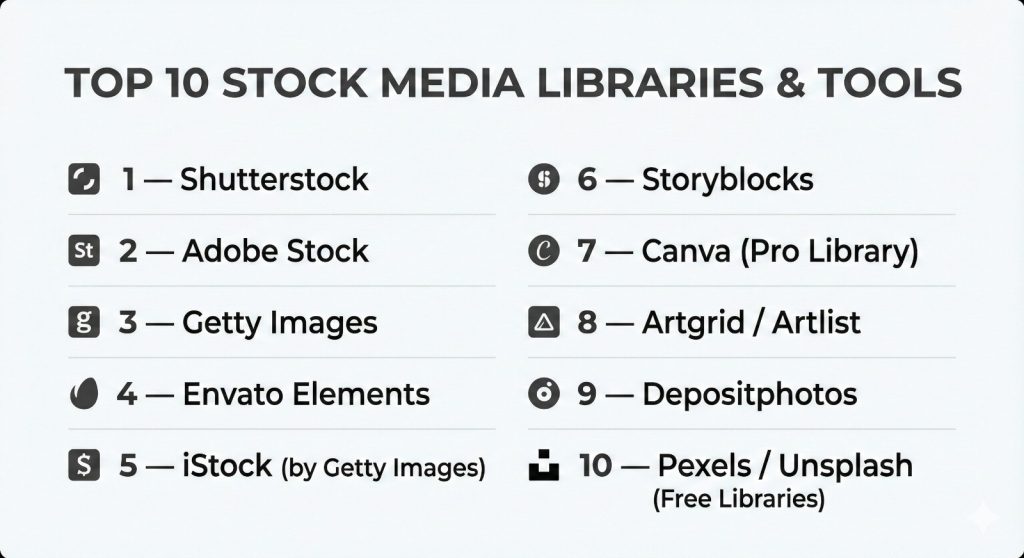
Top 10 Stock Media Libraries Tools
1 — Shutterstock
Shutterstock is one of the oldest and most recognizable names in the stock world. It is built for speed and volume, offering a massive database that covers almost every topic imaginable. It is the go-to choice for marketing departments that need a reliable, “all-in-one” source for images, videos, and music.
- Key features:
- Massive library of over 400 million images and videos.
- Integrated “Shutterstock Editor” for quick graphic design.
- AI-powered search tool that helps find visually similar content.
- Wide selection of 3D models and editorial content.
- Music and sound effect library with curated playlists.
- “Predict” tool that uses data to suggest which images will perform best.
- Advanced plugins for Adobe Creative Cloud and Google Slides.
- Pros:
- Incredibly diverse selection; you will almost always find what you need.
- Very fast and intuitive website interface.
- Cons:
- Monthly subscription costs can be high if you don’t use all your credits.
- Some of the most popular photos can feel “overused” across the internet.
- Security & compliance: GDPR compliant, offers SSO for enterprise, and $10,000+ indemnification for commercial use.
- Support & community: Excellent documentation, 24/7 customer support for enterprise, and a massive contributor community.
2 — Adobe Stock
Adobe Stock is uniquely powerful because it is built directly into the Adobe Creative Cloud apps like Photoshop and Premiere Pro. It is designed for professional designers who want to find and license media without ever leaving the software they are working in.
- Key features:
- Deep integration with Photoshop, Illustrator, and InDesign.
- “Search by Image” feature using Adobe Sensei AI.
- Large collection of “Stock Templates” for layouts and motion graphics.
- 4K and HD video footage curated for professional editors.
- 3D assets and vector illustrations.
- Editorial collection featuring news and sports imagery.
- Ability to preview “watermarked” images in your designs for free.
- Pros:
- The most seamless workflow for professional creatives.
- Extremely high-quality “Premium” and “Editorial” collections.
- Cons:
- Requires an Adobe ID and works best within their ecosystem.
- The pricing is often tied to Creative Cloud, which can be expensive.
- Security & compliance: ISO 27001, SOC 2, and GDPR compliant.
- Support & community: Integration with the massive Adobe user forums and enterprise-level technical support.
3 — Getty Images
Getty Images is the “prestige” choice for high-end media. It is world-famous for its editorial, news, and historical archives. It is designed for large media corporations, publishers, and high-budget advertising agencies that need exclusive or rare content.
- Key features:
- Unrivaled historical and archival photo collection.
- Exclusive rights options for high-stakes advertising.
- Deep “Editorial” coverage of global events and celebrities.
- Custom Content service where they can shoot specifically for your brand.
- Advanced rights management and legal protection.
- High-end video footage and 4K creative content.
- Detailed metadata for historical accuracy.
- Pros:
- Content that you simply cannot find anywhere else.
- The highest level of legal protection and indemnification.
- Cons:
- The most expensive option on the market.
- The pricing structure is complex and often requires a sales rep.
- Security & compliance: HIPAA, GDPR, and SOC 2 (enterprise tiers) compliant.
- Support & community: High-touch account management for enterprise clients.
4 — Envato Elements
Envato Elements is the disruptor in the industry, offering “unlimited downloads” for a single monthly price. It is designed for freelancers and digital creators who need everything from website themes to sound effects and stock video without counting credits.
- Key features:
- Unlimited downloads of over 10 million assets.
- Includes WordPress themes, plugins, and web templates.
- Massive library of graphic templates and fonts.
- 3D renders and presentation templates.
- Stock video, music, and sound effects included.
- Simple, one-page commercial license.
- Constant influx of new content from global contributors.
- Pros:
- The best value for money for high-volume creators.
- Covers a much wider variety of asset types than competitors.
- Cons:
- The search engine isn’t as accurate as Shutterstock or Adobe.
- Quality can vary significantly between different assets.
- Security & compliance: GDPR compliant and standard data encryption.
- Support & community: Strong community forums and helpful documentation.
5 — iStock (by Getty Images)
iStock is the affordable sibling of Getty Images. It offers a curated experience, dividing its library into “Essential” (budget-friendly) and “Signature” (exclusive, high-quality) collections. It is a great middle-ground for small businesses that want Getty quality at a lower price.
- Key features:
- “Signature” collection offers exclusive content not on other sites.
- AI-powered search filters by color, orientation, and ethnicity.
- Boards for organizing and sharing collections with teammates.
- Roll-over of unused subscription credits.
- Mobile app for searching and downloading on the go.
- Video and audio assets are available at tiered pricing.
- Video editor tool for basic browser-based editing.
- Pros:
- “Signature” content feels much more unique and less “stocky.”
- Backed by the legal expertise and reputation of Getty Images.
- Cons:
- Signature credits can be expensive compared to other budget sites.
- The library is smaller than Shutterstock.
- Security & compliance: GDPR compliant and offers standard legal indemnification.
- Support & community: Global support in multiple languages and clear licensing guides.
6 — Storyblocks
Storyblocks focuses specifically on video and audio. It is designed for video editors and YouTubers who need a fast, affordable way to get unlimited B-roll, background music, and motion graphics without paying per clip.
- Key features:
- Unlimited downloads of 4K and HD video footage.
- Comprehensive library of music, SFX, and loops.
- After Effects, Premiere Pro, and Apple Motion templates.
- “Maker” browser-based video editor.
- Plugin for Adobe Premiere Pro for direct import.
- Rights-cleared content for YouTube and commercial use.
- Curated collections for specific video themes.
- Pros:
- Unlimited video downloads save massive amounts for film editors.
- Very high-quality motion graphics and templates.
- Cons:
- Photo and illustration library is much weaker than the video side.
- Some of the music can feel repetitive for long-term users.
- Security & compliance: SOC 2 (Enterprise) and GDPR compliant.
- Support & community: Dedicated support for enterprise and helpful video tutorials.
7 — Canva (Pro Library)
While Canva is a design tool, its “Pro” subscription includes access to a massive library of stock media. It is designed for non-designers and small business owners who want to find an image and turn it into a social media post in seconds.
- Key features:
- Millions of premium photos, videos, and audio tracks.
- One-click background remover for stock photos.
- Magic Resize to turn one image into multiple social formats.
- Thousands of templates that use the stock library assets.
- Brand Kit for applying your company colors to stock graphics.
- Direct publishing to social media platforms.
- Collaborative folders for team design.
- Pros:
- The easiest tool for non-professionals to create content.
- Extremely high value because it includes both the software and the media.
- Cons:
- Professional editors will find the media management too simple.
- Licensing is tied to the Canva platform, which can be confusing for external use.
- Security & compliance: ISO 27001, SOC 2, and GDPR compliant.
- Support & community: Massive global community and “Canva Design School” for learning.
8 — Artgrid / Artlist
Artgrid (video) and Artlist (music/SFX) are the “cinematic” choice. They focus on artistic, high-end footage and music that feels like it belongs in a movie rather than a commercial. It is the favorite of high-end YouTubers and filmmakers.
- Key features:
- Story-driven footage clips (multiple shots from the same scene).
- Music from real indie artists, not “elevator music.”
- Unlimited downloads with a yearly subscription.
- High-end codecs including ProRes and RAW for color grading.
- Simple “Universal License” that covers everything forever.
- Hand-picked “Staff Picks” for the highest quality.
- Powerful filters by mood, genre, and instrument.
- Pros:
- The most “filmic” and artistic content in the stock industry.
- The licensing is the simplest and most generous in the business.
- Cons:
- No photos or static graphics; purely video and audio.
- Yearly billing only; no monthly subscription options.
- Security & compliance: GDPR compliant.
- Support & community: Very strong presence in the filmmaking community.
9 — Depositphotos
Depositphotos is a solid, reliable, and budget-friendly alternative to the bigger names. It is designed for marketers and small agencies who need a large variety of high-quality assets but want to save money compared to Shutterstock.
- Key features:
- Library of over 230 million files.
- Frequent “deals” and flexible “on-demand” pricing.
- Reverse image search for finding similar styles.
- Specific collection for “Editorial” and “News.”
- Video and music sections with affordable pricing.
- Background remover and image upscaler tools.
- API for developers to integrate the library into other apps.
- Pros:
- Excellent balance of price and library size.
- Very user-friendly website with fast search results.
- Cons:
- The quality can be inconsistent; you have to search a bit harder for the “gems.”
- Not as many advanced AI features as Adobe or Shutterstock.
- Security & compliance: GDPR compliant and standard encryption.
- Support & community: 24/7 support in 20 languages.
10 — Pexels / Unsplash (Free Libraries)
Pexels and Unsplash (now owned by Canva and Getty respectively) are the kings of the “free” world. They are designed for students, bloggers, and startups who have zero budget but still want high-quality, modern-looking photography.
- Key features:
- 100% free to download and use for commercial projects.
- High-quality, artistic photography that feels very “Instagram-like.”
- Simple “Do whatever you want” license (no attribution required).
- Pexels includes a growing library of free stock video.
- Community-driven with millions of amateur and pro contributors.
- Easy integration with tools like Figma and WordPress.
- Curated collections for popular trends like “Remote Work.”
- Pros:
- You cannot beat the price of “Free.”
- The aesthetic is very modern and less “stiff” than traditional stock.
- Cons:
- Much smaller library than paid sites; you won’t find specific niche topics.
- Everyone else is using these photos, so your brand won’t look unique.
- Security & compliance: GDPR compliant.
- Support & community: Entirely community-driven with forums and photo challenges.
Comparison Table
| Tool Name | Best For | Platform(s) Supported | Standout Feature | Rating |
| Shutterstock | All-in-one Volume | Web, Mobile, API | Predictive AI Search | 4.4/5 |
| Adobe Stock | Adobe Users | Web, Adobe CC Apps | Native Software Sync | 4.6/5 |
| Getty Images | High-end Editorial | Web, API | Archival/Exclusive Rights | 4.1/5 |
| Envato Elements | Freelancers/Web | Web | Unlimited Downloads | 4.8/5 |
| iStock | Small Biz Quality | Web, Mobile | Exclusive Signature Content | 4.3/5 |
| Storyblocks | Video Editors | Web, Premiere Plugin | Unlimited Video Footage | 4.5/5 |
| Canva Pro | Non-Designers | Web, Mobile App | Design Tool Integration | 4.7/5 |
| Artlist | Filmmakers | Web | Cinematic Music & Video | 4.6/5 |
| Depositphotos | Budget Agencies | Web, API | On-Demand Pricing Deals | 4.2/5 |
| Pexels | Beginners/Startups | Web, Mobile App | 100% Free Collection | N/A |
Evaluation & Scoring of Stock Media Libraries
| Criteria | Weight | Adobe Stock | Envato Elements | Shutterstock | Storyblocks |
| Core Features | 25% | 10/10 | 9/10 | 10/10 | 8/10 |
| Ease of Use | 15% | 9/10 | 9/10 | 10/10 | 9/10 |
| Integrations | 15% | 10/10 | 7/10 | 9/10 | 8/10 |
| Security | 10% | 10/10 | 9/10 | 10/10 | 10/10 |
| Reliability | 10% | 10/10 | 9/10 | 10/10 | 9/10 |
| Support | 10% | 9/10 | 8/10 | 9/10 | 9/10 |
| Price / Value | 15% | 7/10 | 10/10 | 7/10 | 10/10 |
| Final Score | 100% | 9.1 | 8.8 | 9.1 | 8.7 |
Which Stock Media Library Tool Is Right for You?
Solo Users vs SMB vs Mid-Market vs Enterprise
If you are a solo freelancer or a student, start with Pexels or Unsplash. If you need more variety, Envato Elements is the best bang for your buck. Small and Mid-market businesses usually benefit most from iStock or Shutterstock because of the balance between quality and price. Large enterprises that need strict legal control, multi-user access, and exclusive content should invest in Adobe Stock (for their creative teams) or Getty Images (for their corporate communications).
Budget-conscious vs Premium Solutions
For those watching every dollar, Envato Elements and Storyblocks offer unlimited models that make your per-asset cost almost zero. On the premium side, Adobe Stock and Getty Images charge more, but they provide content that is significantly more professional and unique, ensuring your brand stands out from the “cheap” look of common stock.
Feature Depth vs Ease of Use
If you want the most “features,” Adobe Stock wins because of its AI integration and software synchronization. If you want “ease of use,” Canva is the clear winner because it doesn’t just give you the photo; it helps you build the actual finished graphic in the same window.
Integration and Scalability Needs
If your team already uses Photoshop and Premiere, Adobe Stock is the only logical choice for scalability. If you are a tech company building an app and need to pull in stock media via code, Shutterstock and Depositphotos have the most robust APIs for developers.
Security and Compliance Requirements
If you are in a high-risk industry like finance or healthcare, you need “Indemnification.” This is a legal promise that the stock site will protect you if someone sues you for using a photo. Getty Images and Shutterstock offer the highest levels of legal protection, whereas free sites offer none.
Frequently Asked Questions (FAQs)
1. What is the difference between “Royalty-Free” and “Free”?
“Free” means you don’t pay anything. “Royalty-Free” means you pay a one-time fee to use the asset as many times as you want without paying a “royalty” every time it is seen.
2. Can I use stock photos for my logo?
Generally, no. Most stock licenses forbid using their assets as part of a trademark or logo because you don’t own the copyright—the library does.
3. Do I have to give credit to the photographer?
For most paid sites like Shutterstock or Envato, you do not need to provide attribution. For free sites, it is appreciated but usually not required by law.
4. What is an “Editorial” license?
Editorial images are for news or educational purposes. You cannot use them in an advertisement or to sell a product because the people in the photos haven’t signed a “Model Release.”
5. What happens if I cancel my subscription?
For most sites, you can keep using the assets you downloaded and licensed while your subscription was active. However, you cannot download new things once the sub ends.
6. Is 4K video really better than HD for stock?
Yes. Even if you only need HD, 4K gives you the ability to “zoom in” and crop the footage without losing quality, making the stock clip much more versatile.
7. Are there stock media libraries for 3D printing and VR?
Yes, sites like Shutterstock and Adobe Stock have started adding 3D models specifically for use in VR, AR, and 3D design software.
8. Can I use stock music on YouTube without getting a copyright strike?
Yes, as long as you use a reputable site like Artlist or Storyblocks. They provide “clearance” that tells YouTube you have the right to use the music.
9. What is “Model Release”?
It is a legal document signed by the person in a photo giving permission for their likeness to be used for commercial purposes. Paid sites verify these; free sites often do not.
10. Why are some stock photos so “cheesy”?
Older stock photography focused on very literal concepts (like “happy businessman shaking hands”). Modern stock libraries are moving toward “authentic” and “lifestyle” imagery that feels more real.
Conclusion
The “perfect” stock media library is a myth; the right choice depends entirely on your specific project and budget. If you are a high-volume video creator, Storyblocks or Artlist will save you thousands. If you are a professional designer, Adobe Stock will save you hours of time. And if you are just starting out, free tools like Pexels are an incredible gift to help you learn the ropes.
When choosing, remember that the “value” of a library isn’t just the price per month—it’s the legal protection, the quality of the search engine, and how well it fits into your existing workflow. A cheaper site might cost you more in the long run if it takes you three hours to find one good photo. By selecting a partner from this list that matches your technical needs and artistic style, you can ensure that your content always looks professional, legal, and polished.