Introduction
Software Composition Analysis (SCA) Tools are automated security solutions designed to identify, manage, and secure open-source components and third-party libraries within a software project. Unlike Static Analysis (SAST), which looks at the code you wrote yourself, SCA focuses on the “ingredients” you imported from elsewhere. These tools scan manifest files and binaries to create a comprehensive “bill of materials,” flagging known vulnerabilities (CVEs) and checking for license compliance issues.
The importance of SCA lies in its ability to prevent supply chain attacks—similar to the infamous Log4j vulnerability. Real-world use cases include identifying outdated libraries in a legacy Java application, ensuring a new React project doesn’t accidentally use a “GPL-licensed” component that could force the company to open-source its proprietary code, and automating security gates in a Jenkins or GitHub Actions pipeline. When evaluating tools in this category, users should look for vulnerability database depth, false positive reduction, reachability analysis (checking if the vulnerable code is actually being executed), and automated remediation capabilities.
- Best for: DevOps engineers, security architects, and compliance officers in mid-sized to enterprise organizations. They are particularly critical in highly regulated industries like FinTech, Healthcare, and Defense, where software transparency is a legal requirement.
- Not ideal for: Solo developers building small, non-commercial internal utilities with minimal dependencies, or organizations that do not use any open-source or third-party libraries (an increasingly rare scenario).
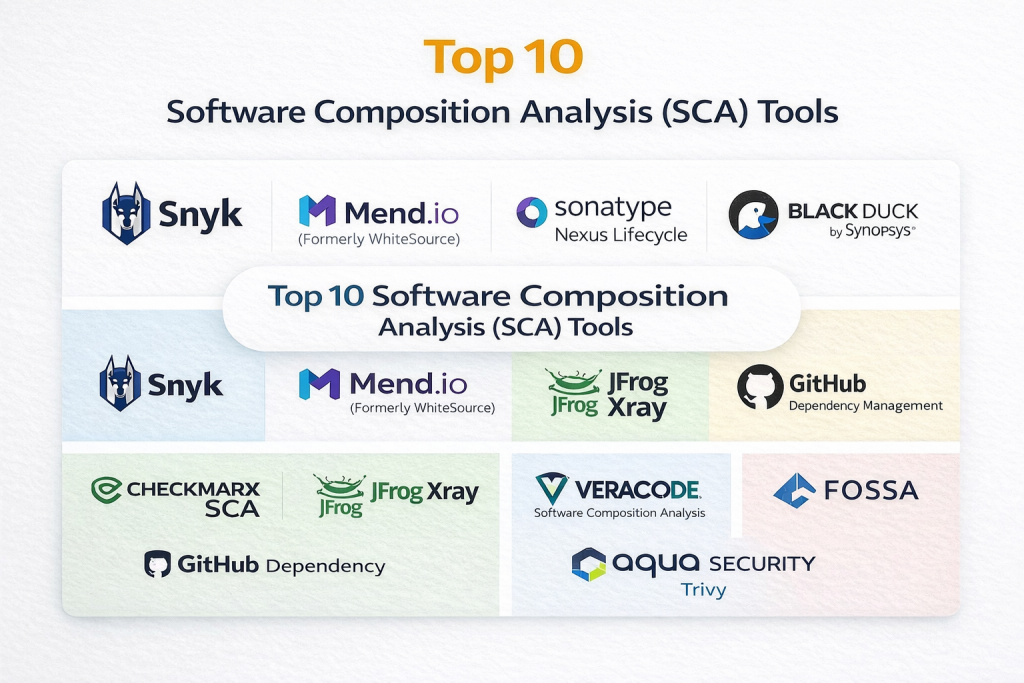
Top 10 Software Composition Analysis (SCA) Tools
1 — Snyk
Snyk is widely considered the pioneer of “developer-first” security. It is designed to be integrated directly into the developer’s workflow, providing real-time feedback in the IDE and automated fix suggestions.
- Key Features:
- Vulnerability Database: Maintains a proprietary, curated database that often flags issues before they appear in the official NVD.
- Automated Fix PRs: Automatically generates Pull Requests to upgrade a vulnerable library to the first safe version.
- Container & IaC Scanning: Extends SCA capabilities to Docker images and Infrastructure as Code.
- Reachability Analysis: Determines if your code actually calls the vulnerable function within a library.
- License Compliance: Flags risky open-source licenses based on company policy.
- Deep IDE Integration: Supports VS Code, IntelliJ, and Eclipse for on-the-fly scanning.
- Pros:
- Exceptional developer adoption rates due to its low-friction interface.
- The “fix” suggestions save hours of manual research and testing.
- Cons:
- Pricing can scale quickly for large organizations with many repositories.
- Some users find the “reachability” analysis is limited to specific languages like Java and JS.
- Security & compliance: SOC 2 Type II, ISO 27001, and GDPR compliant. Supports SAML SSO and detailed audit logging.
- Support & community: Massive community of users; excellent documentation; 24/7 enterprise support tiers available.
2 — Mend.io (Formerly WhiteSource)
Mend.io is a heavy-duty enterprise solution known for its robust policy engine and extensive language support. It is built for large organizations that need to manage security at a massive scale.
- Key Features:
- Mend Renovate: Industry-standard automated dependency update tool.
- Prioritization Engine: Uses “Smart Evidence” to show which vulnerabilities are actually reachable and exploitable.
- Malicious Package Detection: Identifies “typosquatting” and other malicious open-source packages in real-time.
- Broad Language Support: Analyzes over 200 programming languages and millions of packages.
- Custom Policy Workflows: Set different rules for different teams (e.g., blocking “High” severity in production but allowing in dev).
- Offline Scanning: Supports air-gapped environments for high-security government or defense work.
- Pros:
- The most sophisticated policy management for complex enterprise hierarchies.
- Renovate is widely praised as the best tool for keeping dependencies up-to-date.
- Cons:
- The UI can feel more “corporate” and complex compared to Snyk.
- Initial setup and configuration of policies can take significant time.
- Security & compliance: SOC 2 Type II, ISO 27001, HIPAA, and GDPR compliant. Features multi-tenant isolation.
- Support & community: Strong enterprise support; dedicated customer success managers for large accounts.
3 — Sonatype Nexus Lifecycle
Sonatype is the company behind Maven Central, giving them an unparalleled “inside look” at the open-source ecosystem. Their SCA tool, Nexus Lifecycle, is focused on supply chain hygiene.
- Key Features:
- Nexus Intelligence: Direct access to the world’s largest database of open-source component data.
- Full Spectrum Analysis: Covers security, license, and architectural quality of components.
- InnerSource Repository: Helps manage internal shared components with the same rigor as external ones.
- Automated Enforcement: Blocks bad components at the “proxy” level before they even enter the building.
- Legal Dashboard: Specialized views for legal teams to review license risks and attribution.
- Pros:
- Unrivaled accuracy in component identification, leading to very low false positives.
- Blocks vulnerabilities at the source (the repository manager) rather than just at the build stage.
- Cons:
- Requires a significant investment in the Sonatype ecosystem (Nexus Repo) to get the full value.
- Can be heavy for smaller teams who just want a simple CI-based scanner.
- Security & compliance: FIPS 140-2, SOC 2, and GDPR compliant. Supports PIV/CAC card authentication for government use.
- Support & community: Extensive library of webinars; professional onboarding and 24/7 technical support.
4 — Black Duck (By Synopsys)
Black Duck is one of the oldest and most established names in SCA. It is frequently used by M&A (Mergers and Acquisitions) teams to audit software before a sale.
- Key Features:
- Rapid Scan: A lightweight version of the engine designed for fast developer feedback.
- Snippet Analysis: Can identify open-source code fragments even if they weren’t imported via a package manager.
- Black Duck KnowledgeBase: A massive repository of millions of open-source projects.
- Security Advisories: Provides Synopsys-curated vulnerability data that goes beyond the NVD.
- SBOM Generation: One of the strongest tools for generating standardized Software Bill of Materials (SPDX, CycloneDX).
- Pros:
- The industry leader for detecting “shadow” open source (code copied and pasted without a manifest).
- Highly trusted by legal departments for complex licensing audits.
- Cons:
- The “Deep” scanning process can be significantly slower than modern rivals.
- License costs are on the high end of the market spectrum.
- Security & compliance: ISO 27001, SOC 2, and GDPR compliant. Features encrypted data at rest and in transit.
- Support & community: Excellent professional services for auditing; mature documentation and technical support.
5 — GitHub Dependency Management
For teams already hosting code on GitHub, the native dependency management tools (Dependabot and Dependency Graph) provide a “free” and seamless entry into the world of SCA.
- Key Features:
- Dependabot Alerts: Notifies you immediately when a new CVE is discovered in your dependencies.
- Dependabot Security Updates: Automatically creates PRs to patch the vulnerability.
- Dependency Review: Shows the impact of adding a new library during the Pull Request stage.
- Vulnerability Database: Aggregates data from the GitHub Advisory Database and other public sources.
- Version Updates: Keeps your dependencies fresh even if they don’t have a security flaw.
- Pros:
- Completely free for public repositories; included in Enterprise plans.
- Zero configuration required; it works natively within the UI developers already use.
- Cons:
- Lacks the “snippet scanning” and deep license analysis of specialized tools like Black Duck.
- Reporting and dashboarding are basic compared to full enterprise SCA platforms.
- Security & compliance: SOC 1/2/3, ISO 27001, and GDPR compliant. Inherits GitHub’s enterprise-grade security.
- Support & community: Backed by the world’s largest developer community; documentation is part of GitHub Docs.
6 — Checkmarx SCA
Checkmarx, famous for its Static Analysis (SAST), offers a highly integrated SCA tool that allows teams to see the relationship between their custom code and their open-source libraries.
- Key Features:
- Exploitable Path Analysis: Correlates SAST and SCA to show if your custom code actually allows an attacker to reach a library vulnerability.
- Supply Chain Security: Scans for malicious packages and contributor reputation.
- Unified Dashboard: View all application security risks (custom and open-source) in one place.
- Vulnerability Lab: Provides detailed walkthroughs of how vulnerabilities work for developer education.
- Seamless CI Integration: Plugs into ADO, GitLab, Jenkins, and GitHub.
- Pros:
- The “correlation” feature is a game-changer for reducing the noise of unexploitable vulnerabilities.
- Excellent for teams that want a “Single Pane of Glass” for all security issues.
- Cons:
- Individual SCA module performance can feel slightly behind “pure-play” SCA tools.
- The full suite is quite expensive.
- Security & compliance: FIPS 140-2, SOC 2, and GDPR compliant. Offers on-premise and cloud deployment.
- Support & community: High-quality professional services; training through Checkmarx University.
7 — JFrog Xray
JFrog Xray is the security component of the JFrog Platform. It is built to work natively with Artifactory, providing security throughout the entire binary lifecycle.
- Key Features:
- Deep Recursive Scanning: Unpacks jars, wars, and docker images to find hidden “transitive” dependencies.
- Impact Analysis: Shows you exactly which production environments are affected by a newly discovered CVE.
- Fine-Grained Policies: Create “Watch” lists for specific high-risk projects.
- IDE & Git Integration: Provides feedback early in the shift-left cycle.
- Hybrid & Multi-Cloud: Supports scanning across different cloud providers and on-premise.
- Pros:
- If you use JFrog Artifactory, Xray is the most logical and integrated choice.
- Unrivaled at scanning “binaries” rather than just source code manifest files.
- Cons:
- Limited value for teams that don’t use the wider JFrog ecosystem.
- The configuration for “Watches” and “Policies” can be non-intuitive for beginners.
- Security & compliance: SOC 2, ISO 27001, and HIPAA compliant. Used by some of the world’s largest banks.
- Support & community: Professional support available 24/7; active user group and forum.
8 — Veracode Software Composition Analysis
Veracode is a cloud-native pioneer. Its SCA tool is unique because it uses a proprietary “vulnerability database” and data-mining techniques to find vulnerabilities that haven’t been reported to the NVD yet.
- Key Features:
- Vulnerable Method Detection: Precisely identifies if the vulnerable part of a library is being called.
- Automatic Remediation Advice: Tells you the specific version to move to for maximum safety with minimum breaking changes.
- Ecosystem Scanning: One scan covers security, license, and library health (e.g., is the project abandoned?).
- Developer Training: Integrated “Security Labs” help developers learn to write safer code.
- Compliance Reporting: Ready-made reports for PCI, HIPAA, and GDPR.
- Pros:
- Consistently high marks for accuracy and low false-positive rates.
- Completely cloud-based, meaning zero infrastructure to manage.
- Cons:
- The scan times can be slower than lightweight, developer-focused tools.
- The UI is functional but feels less “modern” than Snyk or GitHub.
- Security & compliance: FedRAMP authorized, SOC 2, and GDPR compliant. Ideal for government-adjacent work.
- Support & community: Excellent customer success program; extensive webinars and security research.
9 — FOSSA
FOSSA is a specialist tool that made its name in the license compliance space. While it does security scanning, it is the tool of choice for legal departments and large-scale license management.
- Key Features:
- Deep License Discovery: Scans deep into the dependency tree to find “hidden” sub-licenses.
- Attribution Reports: Automatically generates the “Open Source Credit” pages required by many licenses.
- Jira & Slack Integration: Routes security alerts directly to the relevant developers.
- Compliance Workflows: Built-in legal review workflows for approving or denying specific licenses.
- Quick Scan: Designed to be lightweight and fast for high-velocity CI/CD.
- Pros:
- Arguably the best tool on the market for pure open-source license management.
- Very clean, intuitive user interface.
- Cons:
- Its vulnerability database is slightly less comprehensive than Snyk or Sonatype.
- Advanced features are locked behind higher price tiers.
- Security & compliance: SOC 2 Type II and GDPR compliant. Focused on data privacy and local processing.
- Support & community: Great documentation; fast-responding customer support for paid users.
10 — Aqua Security (Trivy)
While Aqua is a full “Cloud Native” security platform, its open-source tool Trivy has become a developer favorite for lightweight, fast SCA and container scanning.
- Key Features:
- Multi-Target Scanning: Scans file systems, git repos, container images, and Kubernetes.
- Lightweight & Fast: Can be run as a standalone binary with no database setup required.
- SBOM Support: Can generate and scan CycloneDX and SPDX files.
- Misconfiguration Detection: Checks for insecure settings in Dockerfiles and Terraform.
- WASM-Based Plugins: Highly extensible for custom checks.
- Pros:
- Incredibly fast; perfect for running in every single “Git Push” event.
- Completely free and open-source (Trivy), with an enterprise version (Aqua) for more features.
- Cons:
- The free version lacks a centralized dashboard for managing multiple projects.
- Limited automated “Remediation” compared to Snyk or Mend.
- Security & compliance: Varies (Open source vs Enterprise); Aqua Enterprise is SOC 2 and GDPR compliant.
- Support & community: Massive GitHub community for Trivy; professional support via Aqua Security.
Comparison Table
| Tool Name | Best For | Platform(s) Supported | Standout Feature | Rating (Gartner) |
| Snyk | Developer Adoption | Cloud, On-Prem, IDE | Automated Fix PRs | 4.7 / 5 |
| Mend.io | Dependency Updates | Cloud, On-Prem | Renovate Integration | 4.6 / 5 |
| Sonatype | Supply Chain Hygiene | Cloud, On-Prem | Proxy-level Blocking | 4.5 / 5 |
| Black Duck | M&A / Snippet Scan | Cloud, On-Prem | Fragment Detection | 4.5 / 5 |
| GitHub | Small Teams / Free | Cloud | Native UI Integration | 4.8 / 5 |
| Checkmarx | Unified AppSec | Cloud, On-Prem | Correlation with SAST | 4.5 / 5 |
| JFrog Xray | Binary/Artifact Scan | Cloud, Hybrid | Native Artifactory Sync | 4.4 / 5 |
| Veracode | Compliance/Accuracy | Cloud-Native | Reachability Analysis | 4.6 / 5 |
| FOSSA | License Compliance | Cloud, On-Prem | Attribution Reporting | 4.5 / 5 |
| Trivy (Aqua) | CI/CD / Speed | CLI, Kubernetes | Ultra-fast CLI Scanning | N/A |
Evaluation & Scoring of SCA Tools
To help you decide, we have ranked these tools based on a weighted rubric that reflects the real-world needs of a modern development organization.
| Category | Weight | Evaluation Criteria |
| Core Features | 25% | Vulnerability database depth, license detection, and reachability analysis. |
| Ease of Use | 15% | Time to integrate, UI/UX, and the friction caused to developers. |
| Integrations | 15% | Support for IDEs, CI/CD, and repository managers. |
| Security & Compliance | 10% | Certifications (SOC 2/ISO), SSO, and audit capabilities. |
| Performance | 10% | Scan speed, false positive rate, and system impact. |
| Support & Community | 10% | Documentation, forums, and customer support availability. |
| Price / Value | 15% | ROI for the team and licensing flexibility. |
Which SCA Tool Is Right for You?
Solo Users vs. SMBs vs. Mid-Market vs. Enterprise
- Solo Users: Stick to GitHub Dependabot or Trivy. They are free, fast, and provide the essential security you need without the overhead.
- SMBs: Snyk is the winner here. The “Fix PRs” are like having an extra developer on staff specifically dedicated to security.
- Mid-Market: Mend.io or FOSSA are excellent for companies that are beginning to worry about legal compliance alongside security.
- Enterprise: Sonatype or Black Duck provide the “Guardrails” and “Inventory” management that massive organizations with thousands of apps require.
Budget-Conscious vs. Premium Solutions
If you have zero budget, you can assemble a powerful SCA pipeline using Trivy and GitHub. However, premium solutions like Veracode and Snyk provide “Reachability” data that saves developers from wasting time on vulnerabilities that aren’t actually dangerous.
Feature Depth vs. Ease of Use
If your priority is “zero friction,” go with GitHub or Snyk. If your priority is “finding every single snippet of GPL code hidden in my repo,” you will have to trade some speed for the depth of Black Duck.
Frequently Asked Questions (FAQs)
1. What is a Software Bill of Materials (SBOM)?
An SBOM is like an ingredients list for your software. It lists every library, its version, and its license. Many governments now require an SBOM for any software they purchase.
2. Can SCA tools fix the code for me?
Some can! Tools like Snyk and Mend (Renovate) can automatically create a Pull Request that updates the vulnerable library to a safe version.
3. Does SCA replace Static Analysis (SAST)?
No. SAST finds bugs in the code you wrote. SCA finds bugs in the libraries other people wrote. You need both for a complete security program.
4. What is a “False Positive” in SCA?
This happens when a tool says a library is vulnerable, but it’s actually not—either because the version was misidentified or the vulnerable code path isn’t used in your app.
5. Are free SCA tools good enough?
For small projects, yes. For large companies, the “noise” and lack of policy management in free tools often lead to them being ignored by developers.
6. What is “Reachability” in SCA?
It’s a feature that checks if your code actually uses the part of a library that has the flaw. If you don’t “reach” that code, the vulnerability might not be exploitable.
7. Do I need SCA if I use containers?
Yes! Containers often have many OS-level libraries (like OpenSSL) that need scanning just as much as your application code.
8. How often should I scan my code?
At minimum, on every Pull Request. However, you should also scan daily even if the code hasn’t changed, because new vulnerabilities are discovered every day.
9. Can SCA detect “Malicious Packages”?
Modern tools like Checkmarx and Mend now look for signs of “protestware” or “typosquatting” where attackers hide malware in popular package names.
10. How long does a typical SCA scan take?
Most modern SCA scans take between 30 seconds and 3 minutes. Legal-grade audits (like Black Duck) can take significantly longer.
Conclusion
SCA is no longer just a checkbox for compliance; it is a fundamental part of responsible software engineering. In 2026, the “best” tool is the one that your developers will actually use. If a tool is too slow or produces too much noise, it will be bypassed, leaving your application vulnerable.
For most modern teams, Snyk and GitHub provide the perfect balance of speed and security. However, if you are in a highly regulated industry or handling complex legal audits, the depth of Black Duck or Sonatype is worth the investment.