Introduction
A Smart Home Platform is a centralized software ecosystem that connects and coordinates various “smart” devices—such as lights, thermostats, security cameras, and locks—allowing them to work together as a unified system. These platforms serve as the “brain” of the home, providing a single interface (usually via a smartphone app or voice assistant) to control hardware from different manufacturers. Without a platform, a user would be forced to use a separate app for every brand of light bulb or plug they own, leading to a fragmented and frustrating experience.
these platforms are more critical than ever due to the massive surge in IoT (Internet of Things) adoption. They enable complex automations—like your coffee machine starting when your smart mattress detects you’ve woken up—and provide a critical layer of security and energy management. The modern smart home is no longer just about convenience; it is about creating an environment that is energy-efficient, secure, and personalized to the user’s lifestyle.
Key Real-World Use Cases
- Automated Security: Integrating smart locks, doorbells, and outdoor lights so that all doors lock and lights turn on if a “person” is detected by an AI camera after midnight.
- Energy Management: Coordinating smart blinds and HVAC systems to lower cooling costs by closing shades when the sun is at its peak and the house is empty.
- Senior Care: Using motion sensors and bed pressure pads to alert family members if an elderly relative hasn’t moved or gotten out of bed by their usual time.
- Immersive Entertainment: Syncing smart lighting with a TV or gaming console to match the colors on the screen, creating a theater-like atmosphere.
What to Look For (Evaluation Criteria)
When selecting a platform, the most important factor is Protocol Support. Look for platforms that support Matter and Thread, the newest industry standards that ensure cross-brand compatibility. You should also evaluate Local vs. Cloud Processing; local processing ensures your home works even if the internet is down. Finally, consider the Ecosystem Breadth—ensure the platform supports the specific brands and device types you plan to install.
Best for: Homeowners looking to simplify their daily routines, tech enthusiasts building complex automations, and energy-conscious individuals. It is ideal for residential environments ranging from small apartments to large estates.
Not ideal for: Industrial facility managers or large-scale commercial building operators who require specialized Building Energy Management Systems (BEMS) or enterprise-grade security protocols that go beyond residential needs.
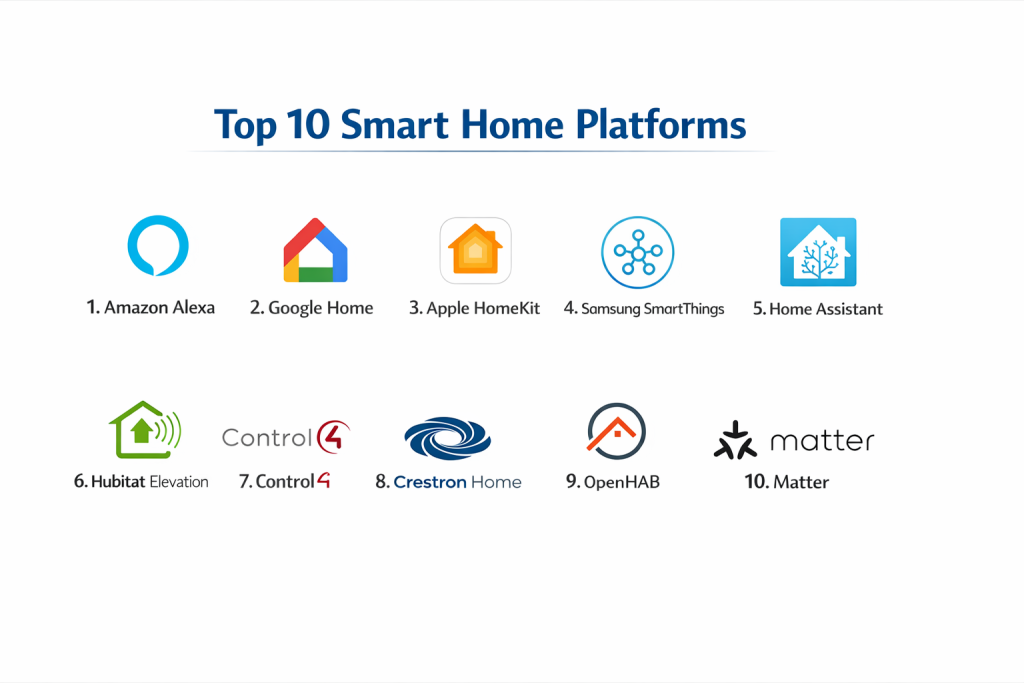
Top 10 Smart Home Platforms Tools
1 — Amazon Alexa
Amazon Alexa remains the most popular voice-first smart home platform, known for its massive device compatibility and the ubiquity of its “Echo” smart speaker hardware.
- Key features
- Alexa Plus: Advanced AI-driven natural language processing for complex queries.
- Frustration-Free Setup: Automated device discovery and connection for compatible hardware.
- Hunche’s: Proactive automation suggestions based on your daily habits.
- Guard Plus: Uses Echo speakers to listen for breaking glass or smoke alarms.
- Extensive Skills Marketplace: Thousands of third-party integrations for everything from food delivery to car starts.
- Matter Controller Support: Full integration for Matter-over-Wi-Fi and Matter-over-Thread devices.
- Pros
- The widest range of supported third-party devices in the world.
- Frequent hardware discounts make Echo devices the most affordable entry point.
- Cons
- Significant privacy concerns due to heavy cloud-based data processing.
- The app interface can feel cluttered with advertisements and shopping suggestions.
- Security & compliance: Multi-factor authentication (MFA), end-to-end encryption for video, and “Privacy Hub” for data deletion.
- Support & community: Massive online knowledge base, 24/7 phone/chat support, and an enormous global user community.
2 — Home Assistant
Home Assistant is the premier open-source platform for power users who want 100% local control, privacy, and unlimited customization.
- Key features
- Local Control: Automations run on your own hardware, not in the cloud.
- Home Assistant SkyConnect: Native support for Zigbee, Thread, and Matter.
- Advanced Dashboards: Fully customizable UI using “Lovelace” cards.
- Energy Dashboard: Detailed tracking of solar production and appliance consumption.
- Massive Integration Library: Supports over 2,500 different brands and services.
- Blueprints: One-click automation templates shared by the community.
- Pros
- The most powerful automation engine available, capable of logic that other platforms can’t touch.
- Absolute privacy—no data leaves your house unless you want it to.
- Cons
- Steep learning curve; requires a dedicated computer (like a Raspberry Pi) and technical setup.
- No official “support line”—you rely entirely on the community and documentation.
- Security & compliance: Local-only by default, supports SSO, and provides frequent security patches.
- Support & community: One of the most active developer communities on GitHub and Reddit, with extensive “official” documentation.
3 — Apple Home (HomeKit)
Apple Home is a privacy-first platform designed to work seamlessly across the Apple ecosystem, including iPhone, iPad, Mac, and Apple Watch.
- Key features
- HomeKit Secure Video: Encrypted cloud storage for security cameras using iCloud.
- Adaptive Lighting: Automatically adjusts the color temperature of bulbs throughout the day.
- Apple TV/HomePod as Hubs: High-performance local processing and Thread border routing.
- Siri Integration: High-quality voice control across all Apple devices.
- Control Center Integration: Quick access to lights and locks from the iPhone lock screen.
- Matter Support: Seamless pairing of Matter devices via QR code.
- Pros
- The best user experience (UX) and most polished interface of any platform.
- Market-leading privacy standards with end-to-end encryption.
- Cons
- Limited to users who own Apple hardware (no Android support).
- Compatible devices are often more expensive than those for Alexa or Google.
- Security & compliance: End-to-end encryption, local processing, and strict Apple hardware security standards.
- Support & community: Excellent in-store support (Apple Genius Bar), detailed online guides, and a dedicated enthusiast community.
4 — Google Home
Google Home leverages the power of Google Assistant and the company’s vast search and AI capabilities to provide a highly intelligent smart home experience.
- Key features
- AI-Generated Scripts: Uses Gemini AI to help users write complex automation routines in plain English.
- Nest Integration: Deep control over Nest thermostats, doorbells, and Wi-Fi systems.
- Proactive Notifications: Alerts you if you left the garage door open or if the oven is still on.
- Household Routines: Shared automations that work for every member of the family.
- Fast Pair: Simplifies the setup of Matter and Bluetooth devices on Android.
- Media Ducking: Lowers volume of speakers when you are speaking to the Assistant.
- Pros
- The best voice assistant for answering general knowledge questions and managing calendars.
- Excellent integration with Chromecast and YouTube Music.
- Cons
- Google has a history of discontinuing products and features (product “sunsetting”).
- Privacy-conscious users may dislike Google’s data-gathering for ad-targeting.
- Security & compliance: Google Account security (MFA), SOC 2 (for Nest Pro), and GDPR compliance.
- Support & community: 24/7 Google Nest support and a large community of Android-based smart home users.
5 — Samsung SmartThings
SmartThings is a versatile, multi-protocol platform that works on both Android and iOS and is built into many Samsung TVs and appliances.
- Key features
- SmartThings Hub: Supports Zigbee, Z-Wave, and Matter out of the box.
- SmartThings Find: Helps you locate lost Galaxy devices and Galaxy SmartTags.
- Energy Service: Monitors and manages the energy use of connected Samsung appliances.
- Map View: Creates a 3D digital twin of your home to control devices visually.
- Edge Processing: Moves many automations from the cloud to the local hub for speed.
- Galaxy Watch Control: Full smart home control from your wrist.
- Pros
- One of the few platforms that still supports the “Z-Wave” protocol natively (with a hub).
- Great for people who already own Samsung appliances (fridges, washers, TVs).
- Cons
- The transition from their “Classic” app to the new version frustrated many long-time users.
- Requires a physical hub to get the most out of Zigbee and Z-Wave devices.
- Security & compliance: Protected by Samsung Knox (hardware-level security), GDPR, and SSO.
- Support & community: Professional customer support and a very large, helpful community forum.
6 — Hubitat Elevation
Hubitat is a “pro-sumer” hub that strikes a balance between the power of Home Assistant and the hardware-simplicity of SmartThings.
- Key features
- 100% Local Logic: No internet connection is required for your automations to run.
- Rule Machine: A incredibly powerful, menu-driven automation builder.
- Built-in Zigbee & Z-Wave Radios: Connects to thousands of older and newer devices.
- Hub Mesh: Allows multiple Hubitat hubs to work together in larger homes.
- Matter Controller Support: Currently supported on the C-8 and newer models.
- Dashboards: Basic, fast-loading web dashboards for device control.
- Pros
- Faster response times than cloud-based systems like Alexa or Google.
- No subscription fees—you buy the hardware once and own the system.
- Cons
- The user interface (UI) looks very dated and utilitarian compared to Apple or Google.
- Not as “plug-and-play” as the big-tech platforms; requires some tinkering.
- Security & compliance: Local processing prevents cloud data leaks; no mandatory account tracking.
- Support & community: Exceptional community forum where developers share custom “drivers” for unsupported devices.
7 — Homey Pro
Homey Pro is a premium, all-in-one hub designed in Europe that supports almost every wireless protocol imaginable.
- Key features
- Seven Wireless Technologies: Supports Wi-Fi, Bluetooth, Zigbee, Z-Wave, 433MHz, Infrared, and Matter.
- Homey Flow: A highly intuitive “If-This-Then-That” visual automation builder.
- Homey Insights: Beautifully rendered graphs of your home’s historical data.
- App Store: Third-party “apps” for specific brands (e.g., a Sonos app, a Philips Hue app).
- Homey Energy: Real-time power monitoring and smart meter integration.
- Advanced Flow: A professional-grade, canvas-based automation tool for the web.
- Pros
- The most “universal” hub—it can even control your old TV via Infrared or your garage door via 433MHz.
- Extremely high build quality and a beautiful software interface.
- Cons
- The hardware is significantly more expensive than an Echo or a Google Nest.
- Some advanced features require a “Homey Premium” subscription.
- Security & compliance: GDPR compliant (European based), local-first processing, and encrypted backups.
- Support & community: Professional support team and a growing, high-end enthusiast community.
8 — Tuya Smart / Smart Life
Tuya is a global IoT platform that powers millions of “white-label” smart devices sold under thousands of different brand names.
- Key features
- Massive Device Library: If you buy a cheap smart bulb on Amazon, it likely runs on Tuya.
- Scene Management: Simple “Tap-to-Run” and automated scenes.
- Global Cloud Infrastructure: Ensures low latency for cloud-based devices worldwide.
- Matter-Enabled: New Tuya devices are increasingly Matter-compatible.
- Cross-App Compatibility: Devices work in the Tuya Smart app or the nearly identical Smart Life app.
- Basic Voice Integration: Works with Alexa and Google Assistant out of the box.
- Pros
- The most affordable way to build a smart home; Tuya-compatible devices are everywhere.
- Extremely easy to set up for basic use cases.
- Cons
- Privacy concerns regarding data being stored on Tuya’s servers.
- Advanced automation logic is quite limited compared to Hubitat or Home Assistant.
- Security & compliance: ISO 27001, GDPR, and SOC 2 Type II.
- Support & community: Basic customer support; community is fragmented across many different “re-branded” versions.
9 — Control4
Control4 is a professional-grade, “installed-only” platform designed for high-end luxury homes where reliability is the top priority.
- Key features
- Professional Installation: Systems are designed and programmed by certified dealers.
- Intercom Anywhere: Unified video intercom for gates, doors, and room-to-room.
- Whole-Home Audio/Video: High-performance distribution of 4K video and Hi-Res audio.
- Custom Engraved Switches: Physical keypads that can be programmed for any scene.
- Enterprise-Grade Networking: Often paired with Pakedge networking hardware for 100% uptime.
- Halo Remote: A premium physical remote with voice control and a touchscreen.
- Pros
- “Single-app” experience that covers everything from pool pumps to home theaters.
- The highest level of reliability; if it breaks, a professional comes to fix it.
- Cons
- Not “DIY” friendly; you cannot add new devices or change complex logic yourself.
- Extremely expensive—system costs can easily reach tens of thousands of dollars.
- Security & compliance: Secure remote access (4Sight), encrypted communications, and professional monitoring options.
- Support & community: Dealer-based support model; 24/7 priority support available via service contracts.
10 — Aqara Home
Aqara is a rising star in the smart home world, focusing on high-quality, beautifully designed sensors and locks that prioritize the Apple Home ecosystem.
- Key features
- Native Matter over Thread Support: Many new Aqara hubs and sensors use the latest standards.
- Precision Sensors: Industry-leading motion, presence, and leak sensors.
- Camera Hubs: Security cameras that also act as Zigbee/Matter controllers.
- Local Automations: Automations between Aqara devices run even without internet.
- Magic Pair: One-click pairing with Aqara hardware.
- Luxury Hardware: High-end finishes on wall switches and smart locks.
- Pros
- Best-in-class sensors (like the FP2 presence sensor) that can detect even small movements.
- Very affordable given the high build quality and feature set.
- Cons
- The ecosystem is mostly limited to Aqara-branded hardware.
- Requires an Aqara hub for the best experience.
- Security & compliance: GDPR, encryption for video feeds, and local storage options (SD card/NAS).
- Support & community: Responsive technical support and a very active enthusiast community on Discord and Reddit.
Comparison Table
| Tool Name | Best For | Platform(s) Supported | Standout Feature | Rating |
| Amazon Alexa | Beginners / Value | iOS, Android, Web | Largest Ecosystem | 4.6 / 5 |
| Home Assistant | Tech Enthusiasts | Web, iOS, Android | Local Privacy | 4.9 / 5 |
| Apple Home | Apple Users | iOS, macOS, watchOS | Privacy & UX | 4.7 / 5 |
| Google Home | AI & Search Users | Android, iOS | Gemini AI Integration | 4.5 / 5 |
| SmartThings | Samsung Users | Android, iOS, TV | 3D Map View | 4.4 / 5 |
| Hubitat | Local DIY | Web, iOS, Android | Rule Machine Logic | 4.7 / 5 |
| Homey Pro | Universal Support | iOS, Android, Web | 433MHz / IR Support | 4.8 / 5 |
| Tuya / Smart Life | Budget Buyers | iOS, Android | Low Device Cost | 4.2 / 5 |
| Control4 | Luxury / Hands-off | Proprietary, Mobile | Professional Install | 4.3 / 5 |
| Aqara Home | Sensor Performance | iOS, Android | Presence Detection | 4.6 / 5 |
Evaluation & Scoring of Smart Home Platforms
| Category | Weight | Score (1-10) | Evaluation Rationale |
| Core Features | 25% | 9 | Most platforms now support the basics (Matter, scheduling). |
| Ease of Use | 15% | 7 | Big tech (Apple/Google) wins here; local tools (HA) struggle. |
| Integrations | 15% | 10 | Alexa and Home Assistant set the gold standard for compatibility. |
| Security & Privacy | 10% | 8 | Huge disparity between local (HA/Apple) and cloud (Tuya/Alexa). |
| Performance | 10% | 9 | Local hubs (Hubitat/Homey) offer much faster response times. |
| Support | 10% | 7 | Professional support is rare outside of premium/paid ecosystems. |
| Price / Value | 15% | 8 | Tuya/Alexa are best for budget; Apple/Control4 for premium. |
Which Smart Home Platforms Tool Is Right for You?
Solo Users vs SMB vs Mid-Market vs Enterprise
If you are a Solo User or a beginner, Amazon Alexa or Google Home are the best starting points because of their low cost and ease of setup. For SMBs (like small Airbnb hosts or office managers), Samsung SmartThings or Aqara provide enough reliability and “remote management” features without needing a professional installer. Enterprise/Luxury users should look at Control4, which offers the stability required for multi-million dollar properties.
Budget-Conscious vs Premium Solutions
If you are on a strict budget, focus on Tuya/Smart Life devices paired with an Alexa ecosystem. You can often outfit a whole apartment for under $200. If you want a premium experience, Homey Pro or Apple Home provide a much cleaner interface and higher-quality hardware, though the cost per device will be 2-3x higher.
Feature Depth vs Ease of Use
If you want to spend your Saturday morning writing complex code to make your home perfectly intelligent, Home Assistant is your only real choice. However, if you want your grandmother to be able to use the lights without a manual, stick with Apple Home or Amazon Alexa.
Integration and Scalability Needs
If you plan to have 100+ devices, you must move away from Wi-Fi-based cloud systems and toward a local-control hub like Hubitat or Homey Pro. Scalability requires a strong “mesh” network (Zigbee or Thread), which these hubs manage much better than a standard home router.
Security and Compliance Requirements
If privacy is your top priority, avoid any system that requires a cloud login for basic tasks. Home Assistant and Apple Home are the market leaders in ensuring your data stays within your four walls. If you are using cameras, ensure you choose a platform that supports End-to-End Encryption (E2EE).
Frequently Asked Questions (FAQs)
1. What is “Matter” and why does it matter in 2026?
Matter is a new industry standard that allows smart home devices from different brands to work together locally. It ensures that a bulb bought today will work with Alexa, Apple, and Google simultaneously.
2. Do I really need a “Hub”?
If you only have a few Wi-Fi bulbs, no. But if you want a reliable, fast home with sensors and locks, a hub (like SmartThings or Hubitat) manages the network more efficiently and works without internet.
3. Can I mix different platforms?
Yes, especially with Matter. You can use an Alexa speaker for voice commands while using the Apple Home app on your phone to control the same set of lights.
4. What happens if my internet goes out?
On cloud-based platforms (Alexa, Google, Tuya), most automations will stop. On local platforms (Home Assistant, Hubitat, Apple Home), your scheduled lights and sensors will continue to work normally.
5. Is my smart home listening to me?
Smart speakers listen for their “wake word” (e.g., “Alexa”) locally. Only after they hear that word do they begin recording and sending data to the cloud. Most have physical mute switches for privacy.
6. Which platform has the best smart locks?
Apple Home is often cited as the best for locks because it supports “Home Key,” allowing you to unlock your door by just tapping your iPhone or Apple Watch against the lock.
7. How do I prevent my smart home from being hacked?
Use a dedicated Wi-Fi network for IoT devices, enable Multi-Factor Authentication (MFA) on all accounts, and prioritize platforms that use local processing and encryption.
8. Can I use these platforms in an apartment?
Absolutely. Focus on “plug-in” devices like smart plugs and bulbs that don’t require rewiring. Tuya and Alexa are particularly popular for renters.
9. What is “Thread”?
Thread is a low-power wireless mesh protocol designed specifically for smart homes. It is faster and more reliable than Zigbee and is a core part of the Matter standard.
10. How much does a professional smart home cost?
A professionally installed system like Control4 typically starts at $5,000 and can go up to $50,000+ depending on the size of the home and the amount of integrated AV.
Conclusion
The “best” Smart Home Platform is no longer a question of which one has the most features—it’s about which one fits your technical comfort level and privacy values. For the average user, the convenience and vast ecosystem of Amazon Alexa are hard to beat. For those deeply invested in the Apple world, Apple Home offers a level of polish and privacy that is unmatched.
However, as the industry moves toward Matter and local control, we are seeing a shift toward “pro-sumer” hubs like Homey Pro and Home Assistant. These platforms offer the longevity and reliability that cloud-based systems simply cannot guarantee. When choosing your platform, think about the next five years, not just the next five devices. Build on a foundation that is open, secure, and—most importantly—compatible with the way you live.