Introduction
Single Sign-On, commonly known as SSO, is a technology that allows you to use one set of login details—like a single username and password—to access all your different work applications. Instead of logging into your email, then your chat app, and then your project tool separately, you log in once to a central “hub.” This hub then tells all your other apps that you are who you say you are, letting you in instantly without asking for your password again.
This is important because it solves the headache of “password fatigue.” When people have too many passwords to remember, they often use simple ones or write them down, which makes it easy for hackers to break in. SSO acts as a high-security “master key” for your digital life. In the real world, businesses use SSO to make the first day of work easier for new employees and to ensure that when someone leaves the company, their access to every single app is turned off immediately with one click. When choosing an SSO tool, you should look for how many apps it connects to, how easy it is for your team to use, and if it offers extra security like a code sent to your phone.
Who is this for?
- Best for: Businesses with growing teams, companies that use many different cloud apps (like Slack, Zoom, or Salesforce), and IT managers who want to centralize security. It is essential for any office that wants to balance high security with a fast, easy workday.
- Not ideal for: Very small shops that only use one or two basic apps, or individuals who are just looking for a way to store their personal passwords at home. In those cases, a simple password manager is often enough.
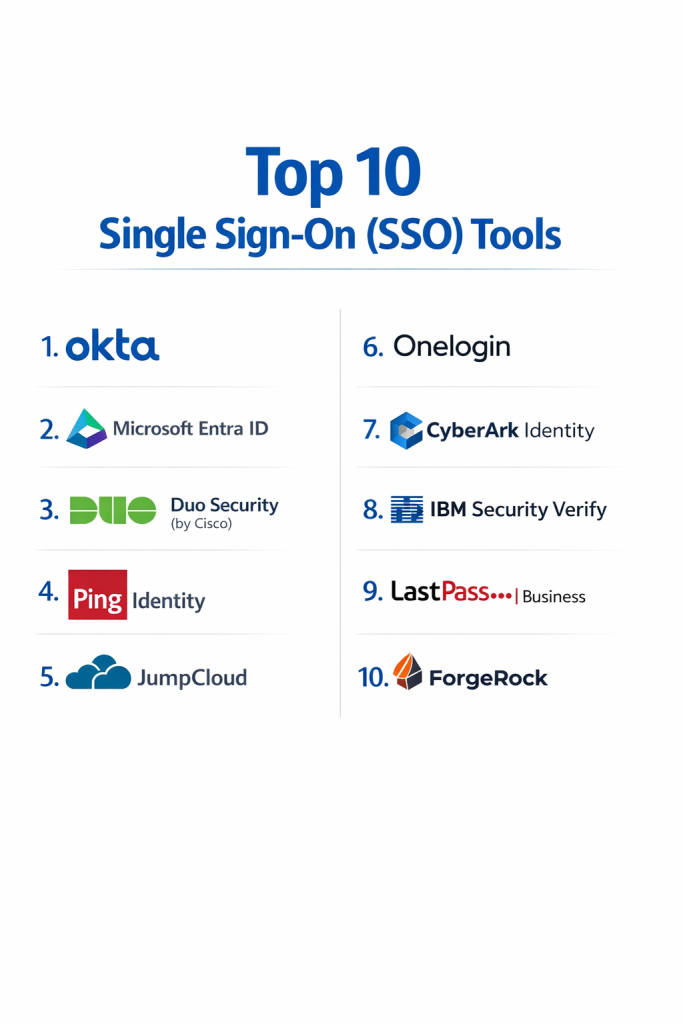
Top 10 Single Sign-On (SSO) Tools
1 — Okta
Okta is widely considered the leading choice for SSO. It is a cloud-based platform that is famous for being “neutral,” meaning it is built to work perfectly with any software you use, whether it’s from Google, Microsoft, or a small startup.
- Key Features:
- Access to over 7,000 pre-made connections to popular apps.
- A central dashboard where users can see all their apps in one place.
- Adaptive security that only asks for extra proof of identity if a login looks suspicious.
- Automated “Onboarding” to set up new employees in minutes.
- Detailed reports that show exactly who logged in and when.
- Passwordless options that let you log in using your fingerprint or a secure link.
- Pros:
- It is very reliable and almost never goes down.
- Extremely easy to add new users as your business grows.
- Cons:
- It is one of the more expensive options available.
- Some of the most advanced settings require a technical expert to set up.
- Security & Compliance: SOC 2 Type II, GDPR, HIPAA, and ISO 27001. All data is protected with high-level encryption.
- Support & Community: Excellent help guides, a large community of users, and 24/7 support for businesses.
2 — Microsoft Entra ID
This tool (formerly known as Azure AD) is the top choice for any business that already runs on Microsoft 365. Since it is built by Microsoft, it fits perfectly into the tools your team likely uses every day, like Teams and Outlook.
- Key Features:
- Built-in integration with all Microsoft business software.
- “Conditional Access” rules that can block logins from unsafe locations.
- A way for users to fix their own locked accounts without calling IT.
- Security that automatically spots if a hacker is trying to guess a password.
- Support for both cloud apps and old servers kept in the office.
- Pros:
- Often included in the Microsoft subscriptions you already pay for.
- Very high security trusted by large government organizations.
- Cons:
- The setup menus are very large and can be confusing for beginners.
- Not quite as smooth when connecting to apps not made by Microsoft.
- Security & Compliance: Meets strict global standards including FedRAMP, HIPAA, and GDPR.
- Support & Community: Backed by Microsoft’s massive global help network and very detailed manuals.
3 — Duo Security (by Cisco)
Duo is focused on making security simple. Most people know Duo for its phone app that sends a “Push” notification. You just tap “Approve” on your phone screen, and you are logged in. It is designed to be the most user-friendly tool on the market.
- Key Features:
- The easiest “one-tap” login process for employees.
- Checks if a user’s laptop is updated and safe before allowing a login.
- A simple dashboard to find all your work software.
- Secure access for people working from home without needing a VPN.
- Fast setup that doesn’t require complex hardware.
- Pros:
- Most employees find it very easy to use with almost no training.
- Very quick to install for small and medium-sized businesses.
- Cons:
- It doesn’t manage user accounts as deeply as a full system like Okta.
- Some of the best features require you to use other Cisco products.
- Security & Compliance: SOC 2, HIPAA, and GDPR compliant.
- Support & Community: Very clear documentation and helpful customer service.
4 — Ping Identity
Ping Identity is built for very large corporations with complex needs. It is famous for its flexibility and its ability to handle millions of users at once, making it a favorite for big banks and global retailers.
- Key Features:
- A visual tool that lets you design exactly how the login process works.
- Support for both your employees and your outside customers.
- Can be installed on your own private servers or used in the cloud.
- High-speed performance even when millions of people log in at the same time.
- Strong tools for “Zero Trust” security.
- Pros:
- Highly customizable to fit unique or complicated business rules.
- Proven to work for the world’s largest companies.
- Cons:
- It has a steep learning curve and requires a skilled IT team.
- The look of the tool can feel more technical and less modern.
- Security & Compliance: ISO 27001, SOC 2, and FIDO2 certified.
- Support & Community: High-tier support for large businesses and a network of experts.
5 — JumpCloud
JumpCloud is a modern tool that helps small and medium businesses manage their users and their computers from one place. It is a great choice for teams that don’t want to buy expensive office servers.
- Key Features:
- Manages Windows, Mac, and Linux computers all from the cloud.
- A built-in password manager for the whole company.
- Simple Single Sign-On for all your cloud software.
- Automated rules to keep all company laptops updated and safe.
- A clear list of every device and user in the company.
- Pros:
- Excellent value for money, especially for smaller teams.
- One tool that handles both logins and computer management.
- Cons:
- Might not have enough “heavy-duty” features for massive global corporations.
- Fewer pre-made connections to outside apps compared to Okta.
- Security & Compliance: SOC 2 Type II and GDPR compliant.
- Support & Community: Active user forums and helpful chat and email support.
6 — OneLogin
OneLogin is a strong competitor to Okta that focuses on being fast and easy to use. It is a great middle-ground choice for companies that want a powerful cloud system without the highest price tag.
- Key Features:
- Smart security that only asks for extra ID when it detects a risk.
- Real-time syncing with your company’s employee records.
- A very clean dashboard for users to find their apps.
- Tools to automatically remove a worker’s access the moment they leave.
- Good tools for developers to build their own security rules.
- Pros:
- The user screens are very modern and easy to understand.
- Offers very fast performance with almost no login delays.
- Cons:
- It doesn’t have as many pre-made app connections as the market leaders.
- Has had some security challenges in its past history.
- Security & Compliance: ISO 27001 and SOC 2 Type II compliant.
- Support & Community: Solid help articles and 24/7 support for business clients.
7 — CyberArk Identity
CyberArk is a leader in protecting the most sensitive “admin” accounts. Their SSO tool brings that high level of safety to every employee, making it ideal for industries that handle secret or very private data.
- Key Features:
- Extra protection for accounts that have power over the whole system.
- AI that notices if a user starts acting strangely.
- Secure ways to work from home without needing extra software.
- Detailed recordings and logs for security audits.
- Strong rules for passwords across the entire company.
- Pros:
- One of the most secure choices for banks or hospitals.
- Great if your company already uses other CyberArk security tools.
- Cons:
- It can feel a bit slow or “heavy” for a normal office worker.
- Setup is complex and usually requires an IT specialist.
- Security & Compliance: Meets the highest government and banking security standards.
- Support & Community: Professional enterprise support for high-security clients.
8 — IBM Security Verify
IBM Security Verify is a stable, reliable tool that uses artificial intelligence to help keep logins safe. It is a solid choice for large organizations that need a trusted, global partner.
- Key Features:
- Uses AI to spot the difference between a real user and a hacker.
- Allows logging in using a fingerprint or face scan on your phone.
- Tools to make sure employees only see the files they need for their job.
- Can be used in the cloud or on your own office hardware.
- Deep reporting for companies that need to pass legal audits.
- Pros:
- Very reliable and built to handle thousands of users.
- Excellent for finding and fixing security gaps in the company.
- Cons:
- The user screens can look a bit old-fashioned.
- Pricing can be difficult to understand without a sales call.
- Security & Compliance: Fully compliant with global privacy laws and security rules.
- Support & Community: World-class support for large-scale business customers.
9 — LastPass Business
While many people know LastPass for personal use, their Business version is a full SSO and security tool. It is a great choice for companies that have some modern apps and some older apps that still need regular passwords.
- Key Features:
- A secure “vault” to store passwords for older websites.
- Unlimited Single Sign-On for modern cloud applications.
- Rules that allow admins to control how employees share passwords.
- Multi-factor security using codes or smartphone apps.
- Automatic account creation when a new person joins the team.
- Pros:
- Excellent for companies that aren’t 100% in the cloud yet.
- Very easy for employees to understand and start using quickly.
- Cons:
- Not as many advanced automation features as Okta or Microsoft.
- Has dealt with security news in the past that required updates.
- Security & Compliance: SOC 2 Type II and SOC 3 compliant.
- Support & Community: Large library of video guides and standard business support.
10 — ForgeRock
ForgeRock is a highly technical tool built for people who build their own software. It offers incredible power for companies that want to build a very specific, custom login experience for their users.
- Key Features:
- A visual “tree” system to draw out the path a user takes to log in.
- Supports “smart” devices like connected cameras or office equipment.
- Built to handle millions of people logging in at the exact same time.
- High-level tools for customer privacy and data choice.
- Can be run in any type of cloud environment.
- Pros:
- Complete control over how the security and login look and act.
- One of the best tools for companies managing customer accounts.
- Cons:
- Too complex for a small business without a team of developers.
- Requires a lot of time and expertise to set up correctly.
- Security & Compliance: ISO 27001 and SOC 2 compliant.
- Support & Community: Specialized support for technical teams and developers.
Comparison Table
| Tool Name | Best For | Platform(s) Supported | Standout Feature | Rating |
| Okta | Growing cloud-first teams | Cloud, Web, Mobile | 7,000+ app connections | 4.6 / 5 |
| Microsoft Entra ID | Microsoft Office users | Cloud, Hybrid | Part of Office 365 | 4.5 / 5 |
| Duo Security | Ease of use | Cloud, Mobile | One-tap phone approval | 4.5 / 5 |
| Ping Identity | Global corporations | Cloud, On-prem | Custom login journeys | 4.4 / 5 |
| JumpCloud | Small businesses | Cloud, Win/Mac/Linux | Manages laptops too | 4.6 / 5 |
| OneLogin | High speed and value | Cloud, Web | Smart risk detection | 4.5 / 5 |
| CyberArk Identity | High security needs | Cloud, Web | Focus on admin safety | 4.4 / 5 |
| IBM Security Verify | Large audits | Cloud, On-prem | AI-powered security | 4.2 / 5 |
| LastPass Business | Password + SSO mix | Cloud, Web | Secure password vault | 4.3 / 5 |
| ForgeRock | Software developers | Cloud, Hybrid | Visual login “Trees” | 4.4 / 5 |
Evaluation & Scoring of Single Sign-On (SSO)
We use a scoring system to help you understand what makes a tool “good.” We look at these seven areas and give them different weights based on how much they impact your workday.
| Category | Weight | What We Look For |
| Core Features | 25% | Does it connect apps, provide a portal, and handle new hires? |
| Ease of Use | 15% | Is it easy for a normal worker to use every morning? |
| Integrations | 15% | Does it connect to all the software your company uses? |
| Security | 10% | Does it use high encryption and follow privacy laws? |
| Reliability | 10% | Is the system always “up” and working fast? |
| Support | 10% | Is there good help available if something breaks? |
| Price / Value | 15% | Is the cost fair for the features you are getting? |
Which Single Sign-On (SSO) Tool Is Right for You?
Choosing an SSO tool is an important step for your business. Here is a simple guide to help you decide:
1. Check Your Current Technology
If your office runs on Microsoft Word, Teams, and Outlook, the easiest choice is Microsoft Entra ID. It fits right into what you already use. If you use a mix of different brands (like Google, Zoom, and Slack), then a neutral tool like Okta or OneLogin is a better fit.
2. Look at Your Team Size
- Small Teams: Look at Duo or JumpCloud. They are simpler to set up and don’t require an expert to run every day.
- Medium Companies: Okta or OneLogin are great because they offer more features but are still easy to use.
- Large Enterprises: Ping Identity or IBM are built for the complicated needs of thousands of people in many countries.
3. Consider Ease of Use vs. Power
Do you want something that “just works” with no training? Duo is the clear winner for simplicity. Do you want to be able to change every little detail of how people log in? ForgeRock or Ping Identity give you that power, but they take more work to manage.
4. Think About Your Budget
Most tools charge a small monthly fee for every user. A simple app like Duo is very affordable. A full system like Okta costs more because it does much more. Make sure you pick a tool that fits your budget as you hire more people.
Frequently Asked Questions (FAQs)
1. What is the main benefit of SSO?
The main benefit is that employees only have to remember one password, which makes them faster and keeps the company safer.
2. Does SSO make my company less safe?
No. While there is only one password, SSO always adds a second step (like a phone code), which is much safer than having dozens of unprotected passwords.
3. What if the SSO system stops working?
Top tools are built to be “always on.” They have backups so that even if one part fails, you can still log in and get your work done.
4. Can I use SSO for apps that don’t support it?
Yes. Tools like LastPass Business or Okta have a “vault” that stores passwords for older websites and fills them in for you automatically.
5. How long does it take to set up?
For a small team, it can take just a few days. For a very large company with hundreds of apps, it can take a few weeks or months to get everything perfect.
6. Do I still need a VPN?
Sometimes no. Many modern SSO tools allow you to work from home safely without the slow speeds of a traditional VPN.
7. Can employees use SSO on their phones?
Yes. Most SSO tools have a mobile app or a mobile website so your team can work securely from their phones or tablets.
8. What is “Provisioning”?
Provisioning is a feature that automatically creates accounts in apps like Slack or Zoom the moment a new person is added to the SSO system.
9. Is SSO expensive?
It usually costs a few dollars per person per month. Most businesses find it pays for itself by saving time and preventing security problems.
10. What is a common mistake when starting SSO?
A common mistake is not checking if the tool connects to all your important software. Make sure your most-used apps are on the list before you buy.
Conclusion
Finding the right Single Sign-On (SSO) tool is one of the best ways to make your business more secure and your employees happier. By removing the need to remember dozens of passwords, you stop “password fatigue” and close a major door for hackers.
There is no “one size fits all” tool. If you are a Microsoft-heavy office, Entra ID is your best choice. If you want a powerful, neutral system that works with everything, Okta is the leader. For small teams that want the simplest setup possible, Duo Security is excellent.
The most important step is to choose a system and start using it. Even a simple SSO setup will make your digital office much safer than it is today.