Introduction
Shopping cart software is the specialized technology that powers the “checkout” portion of an online store. While it is often bundled within larger e-commerce platforms, the shopping cart itself is the specific engine that allows customers to select products, review their choices, calculate taxes and shipping, and securely transmit payment information. It acts as the bridge between a website’s front-end catalog and the back-end payment processor. Modern shopping cart software has evolved to do much more than just tallying prices; it now facilitates abandoned cart recovery, manages complex discount logic, and ensures that the user journey remains frictionless across mobile and desktop devices.
The importance of selecting the right shopping cart software cannot be overstated, as the checkout page is where most customer drop-offs occur. A clunky or untrustworthy interface can lead to high cart abandonment rates, directly impacting a business’s bottom line. Key real-world use cases include a boutique clothing brand offering “one-click” checkout to repeat customers, a digital software vendor delivering instant download links after a successful transaction, and a subscription-based health company managing recurring monthly billing cycles. When evaluating these tools, users should look for mobile responsiveness, guest checkout options, localized currency support, and robust security protocols that instill confidence in the buyer.
Key Real-World Use Cases
- Frictionless Guest Checkout: A first-time shopper wants to buy a single item without the hassle of creating a full account; the software allows them to complete the purchase using only an email address.
- International Expansion: A merchant in the UK sells to a customer in Japan; the shopping cart automatically calculates the Yen equivalent, applies Japanese consumption tax, and provides localized shipping rates.
- Abandoned Cart Recovery: A customer adds a high-value item to their cart but leaves before paying; the software triggers an automated email with a 10% discount code to entice them back.
- Bundle and Upsell: During the checkout process, the cart detects a camera in the basket and suggests a compatible memory card, increasing the average order value (AOV).
- Digital Goods Delivery: A photographer sells digital presets; the shopping cart processes the payment and instantly generates a unique, time-sensitive download link for the customer.
What to Look For (Evaluation Criteria)
- Mobile Optimization: The checkout process must be seamless on smartphones, featuring large buttons and minimal form fields to prevent user frustration.
- Security & Trust Signals: Look for built-in SSL support and the ability to display trust badges (like PCI compliance logos) that reassure customers their data is safe.
- Payment Gateway Integration: The ability to connect with diverse processors such as Stripe, PayPal, Square, and regional providers without high additional fees.
- Calculation Accuracy: Robust engines for real-time tax (VAT, Sales Tax) and shipping calculations based on the customer’s specific location.
- Customizability: The flexibility to change the “look and feel” of the checkout page to match the brand’s identity, reducing the visual jar when a user leaves the product page for the cart.
Best for: Small to mid-sized e-commerce business owners, digital product creators, and enterprise retailers who need a reliable, secure way to process online transactions. It is essential for any business transitioning from a static website to an active sales portal.
Not ideal for: Service providers who work exclusively on a quote-and-invoice basis (like construction firms) or B2B manufacturers who require complex negotiated contracts before any payment is initiated.
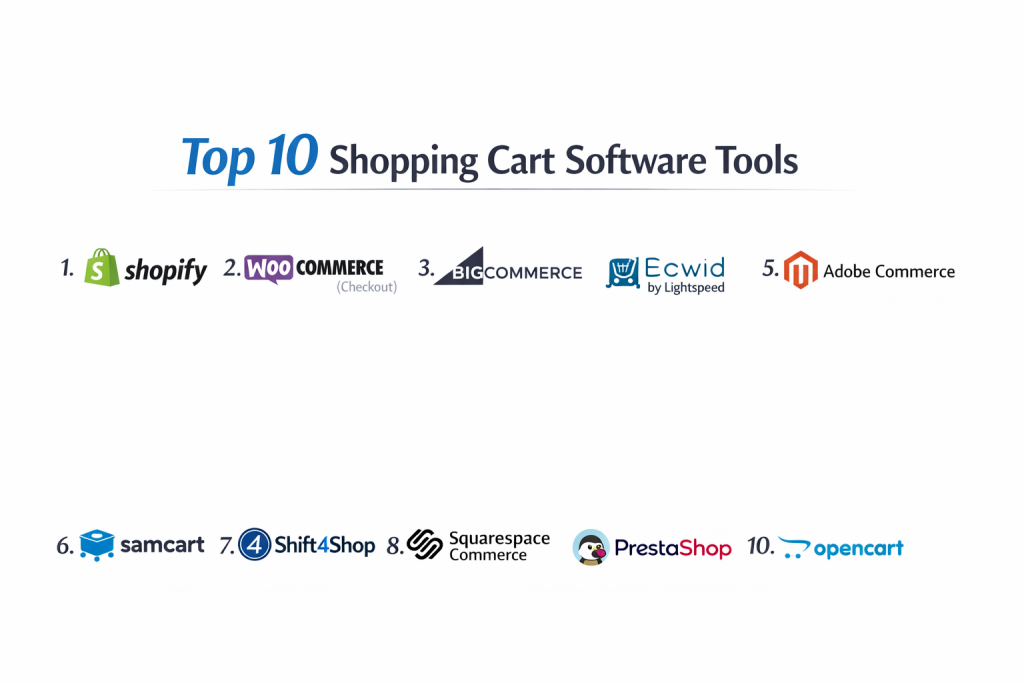
Top 10 Shopping Cart Software Tools
1 — Shopify
Shopify is a comprehensive e-commerce platform that includes what many consider the industry’s most optimized shopping cart. It is a hosted solution designed to handle everything from the initial click to the final shipment.
- Key features:
- “Shop Pay” for accelerated one-tap checkouts.
- Automatic tax and shipping rate calculations.
- Integrated abandoned cart recovery emails.
- Mobile-responsive checkout by default.
- Support for 100+ payment gateways globally.
- Built-in discount code and gift card engine.
- Seamless integration with social media “buy buttons.”
- Pros:
- Incredibly high conversion rates due to a polished, trusted checkout design.
- Zero maintenance for the merchant; security and updates are handled by Shopify.
- Cons:
- Monthly subscription costs can be high for very small businesses.
- Transaction fees apply if you don’t use the native Shopify Payments.
- Security & compliance: PCI DSS Level 1 compliant, SOC 2, and GDPR ready.
- Support & community: 24/7 global support via chat and phone; massive ecosystem of “Shopify Experts.”
2 — WooCommerce (Checkout)
WooCommerce is the shopping cart of choice for WordPress users. It is an open-source plugin that allows for total control over the checkout experience.
- Key features:
- Fully customizable checkout fields and flow.
- Large library of “Checkout Add-ons” for upselling.
- Geolocation support for accurate tax and shipping.
- Support for physical, digital, and subscription products.
- Open-source code for deep developer customizations.
- Seamless integration with the WordPress content ecosystem.
- Free core software (extensions may have costs).
- Pros:
- No monthly platform fee, making it highly cost-effective for tech-savvy users.
- Limitless flexibility; if you can code it, you can build it.
- Cons:
- Requires the user to manage their own hosting, security, and SSL.
- Too many plugins can slow down the checkout speed, leading to abandonment.
- Security & compliance: Varies by host; GDPR compliant via plugins; PCI compliance is the user’s responsibility.
- Support & community: Massive community forums and third-party developer support.
3 — BigCommerce
BigCommerce is a SaaS platform known for having an extremely powerful “out-of-the-box” shopping cart that caters particularly well to mid-market and enterprise retailers.
- Key features:
- Single-page checkout to reduce friction and abandonment.
- Native multi-currency and multi-language support.
- Integrated “Buy Now, Pay Later” (BNPL) options.
- Persistent cart functionality (items stay in cart across devices).
- No transaction fees on any plan, regardless of the gateway used.
- Robust B2B features like bulk pricing and quote requests.
- Pros:
- Excellent scalability for businesses with high sales volumes.
- More built-in features than Shopify, reducing reliance on paid apps.
- Cons:
- Steeper learning curve for the administrative back-end.
- Sales caps on plans mean you must upgrade as you grow.
- Security & compliance: ISO 27001, SOC 2 Type II, PCI DSS compliant, and GDPR.
- Support & community: 24/7 technical support and a dedicated enterprise account team.
4 — Ecwid (by Lightspeed)
Ecwid is a unique “widget” style shopping cart that can be added to any existing website (WordPress, Wix, or a custom HTML site) without rebuilding the entire store.
- Key features:
- “Add to any site” functionality via a simple code snippet.
- Mobile app to manage orders and scan barcodes.
- Automated language translation for international shoppers.
- Point-of-Sale (POS) integration for in-person sales.
- Synchronized sales across Facebook, Instagram, and TikTok.
- Free plan available for up to five products.
- Pros:
- The best choice for those who already have a blog or site and just want to add a cart.
- Very lightweight and doesn’t interfere with existing site speed.
- Cons:
- Limited SEO customization compared to full-platform solutions.
- The visual design is somewhat restricted by the “widget” container.
- Security & compliance: PCI DSS Level 1 compliant and GDPR.
- Support & community: Live chat and phone support available on paid tiers.
5 — Adobe Commerce (Magento)
Formerly Magento, Adobe Commerce is an enterprise-grade shopping cart solution used by major global brands who require a “headless” or highly complex commerce architecture.
- Key features:
- Massive SKU capacity for global inventories.
- Rule-based product relations for intelligent upselling.
- Multi-site, multi-language, and multi-currency management.
- Powerful B2B quote-to-cash workflows.
- Flexible API for headless commerce implementations.
- Advanced reporting and customer segmentation.
- Pros:
- Total control over every aspect of the transaction and customer data.
- Highly scalable for multi-billion dollar retail operations.
- Cons:
- Extremely high total cost of ownership (TCO) including hosting and developers.
- Not suitable for small businesses without a technical team.
- Security & compliance: SOC 2, PCI DSS, ISO 27001, and GDPR.
- Support & community: Enterprise-level support and a worldwide developer community.
6 — SamCart
SamCart is a specialized “checkout-focused” platform designed for creators, coaches, and digital entrepreneurs who prioritize high-converting “one-page” sales funnels.
- Key features:
- “Order Bumps” to add items at the very last second.
- One-click upsells after the initial purchase.
- A/B testing for different checkout page designs.
- Subscription “Saver” to prevent churn from failed credit cards.
- Pay-what-you-want and “Name your price” options.
- Integrated affiliate management center.
- Pros:
- Optimized specifically for conversion and maximizing profit per customer.
- Extremely simple to set up for single-product or digital-product businesses.
- Cons:
- Lacks a traditional “storefront” (it is a series of checkout pages).
- Not designed for businesses with large inventories (e.g., 100+ items).
- Security & compliance: PCI compliant and GDPR.
- Support & community: Email support and an active community of digital marketers.
7 — Shift4Shop
Formerly known as 3dcart, Shift4Shop offers a feature-rich shopping cart experience with a unique pricing model that is free for US merchants who use their payment processing.
- Key features:
- Over 200 built-in features including SEO and marketing tools.
- Integrated fraud protection and secure payment processing.
- Subscription and recurring billing management.
- Advanced shipping carrier integrations (UPS, FedEx, USPS).
- Product waitlists and backorder management.
- Highly customizable CSS/HTML themes.
- Pros:
- Incredible value—access to enterprise features for “free” (via processing).
- Very strong SEO performance “out of the box.”
- Cons:
- The interface can feel cluttered and dated compared to Shopify.
- Customer support response times can be inconsistent.
- Security & compliance: PCI DSS Level 1 compliant and GDPR.
- Support & community: 24/7 technical support and online documentation.
8 — Squarespace Commerce
Squarespace is the premier choice for visual-heavy brands. Its shopping cart is integrated into its stunning website builder, providing a polished and high-end feel.
- Key features:
- Beautiful, mobile-responsive checkout templates.
- Integrated email marketing and social media tools.
- Simple inventory and variant management.
- Support for memberships and gated content.
- Built-in tax and shipping calculation engines.
- Native integration with ShipStation for label printing.
- Pros:
- The most aesthetically pleasing checkout process in the industry.
- Extremely stable; as a “walled garden,” it rarely breaks or crashes.
- Cons:
- Limited payment gateway options (mainly Stripe, PayPal, Square).
- Not ideal for complex B2B or high-volume wholesale needs.
- Security & compliance: PCI DSS compliant, SSL included, and GDPR.
- Support & community: 24/7 email support and live chat during business hours.
9 — PrestaShop
PrestaShop is a popular European open-source platform that offers a high degree of localization, making it ideal for merchants selling across borders.
- Key features:
- One-page checkout for speed and simplicity.
- Advanced localization for taxes, currencies, and languages.
- Abandoned cart management via specialized modules.
- Inventory management across multiple warehouses.
- Over 3,000 modules available in the official marketplace.
- Integrated customer service and ticketing tools.
- Pros:
- Exceptional for European retailers needing to comply with complex VAT laws.
- No monthly platform subscription (software is free).
- Cons:
- Many “essential” modules for a professional store are paid and can be expensive.
- Requires technical knowledge to set up and host securely.
- Security & compliance: GDPR compliant; user responsible for PCI and server security.
- Support & community: Large global community and paid support tickets.
10 — OpenCart
OpenCart is an easy-to-use, open-source shopping cart system that provides a middle ground between the complexity of Adobe Commerce and the simplicity of WooCommerce.
- Key features:
- Multi-store management from a single administrative interface.
- Support for unlimited products and categories.
- Integrated affiliate system to drive external sales.
- 20+ payment gateways and 8+ shipping methods built-in.
- Sales reports and detailed order history.
- Large library of extensions (both free and paid).
- Pros:
- Very lightweight software that runs well on affordable hosting.
- Simple dashboard that is easy for non-developers to navigate.
- Cons:
- Customizing the core checkout often requires “VQC” or “OCMod” knowledge.
- The default themes are quite basic and usually require a paid update.
- Security & compliance: GDPR compliant; user responsible for PCI compliance.
- Support & community: Community forums and dedicated “Cloud” support on paid plans.
Comparison Table
| Tool Name | Best For | Platform(s) Supported | Standout Feature | Rating |
| Shopify | Growth-Oriented SMBs | SaaS / Cloud | Shop Pay 1-Tap Checkout | 4.8 / 5 |
| WooCommerce | WordPress Users | Self-Hosted / WP | Open-Source Flexibility | 4.5 / 5 |
| BigCommerce | High-Volume Retail | SaaS / Cloud | No Transaction Fees | 4.6 / 5 |
| Ecwid | Existing Sites | Widget / SaaS | Add-to-Any-Site | 4.4 / 5 |
| Adobe Commerce | Global Enterprise | Self-Hosted / Cloud | B2B Quote Management | 4.1 / 5 |
| SamCart | Digital Creators | SaaS / Cloud | Conversion-Focused Funnels | 4.4 / 5 |
| Shift4Shop | Budget-Conscious US | SaaS / Cloud | Free Enterprise Features | 4.2 / 5 |
| Squarespace | Visual Boutiques | SaaS / Cloud | Aesthetic Design | 4.3 / 5 |
| PrestaShop | Euro Localization | Self-Hosted | Advanced VAT Handling | 4.0 / 5 |
| OpenCart | Multi-Store SMBs | Self-Hosted | Multi-Store Dashboard | 4.1 / 5 |
Evaluation & Scoring of Shopping Cart Software
| Criteria | Weight | Evaluation Rationale |
| Core Features | 25% | Tax/shipping logic, checkout speed, and upselling tools. |
| Ease of Use | 15% | Time to set up and intuitiveness of the buyer journey. |
| Integrations | 15% | Connection to payment gateways, ERPs, and marketing tools. |
| Security & Compliance | 10% | PCI DSS status, SSL handling, and data privacy (GDPR). |
| Performance | 10% | Uptime reliability and mobile page-load speeds. |
| Support & Community | 10% | Quality of documentation and availability of help. |
| Price / Value | 15% | Monthly costs vs. transaction fees and features. |
Which Shopping Cart Software Tool Is Right for You?
Solo Users vs SMB vs Mid-Market vs Enterprise
If you are a solo user selling a few digital downloads, SamCart or Ecwid offer the lowest technical hurdles. SMBs looking for a scalable, “set-it-and-forget-it” solution will find the most value in Shopify. Mid-market retailers with complex inventory needs should lean toward BigCommerce or Shift4Shop. For Enterprise organizations requiring a global, multi-site architecture, Adobe Commerce is the necessary heavy-hitter.
Budget and Value
For those on a strict budget, WooCommerce, PrestaShop, and OpenCart have no software costs, though you must pay for hosting. Shift4Shop provides the best “value” for US-based merchants who can utilize their payment processor to unlock all features for free. If you prioritize time over money, the monthly fee for Shopify or Squarespace is a bargain because it includes security and updates.
Technical Depth vs. Simplicity
If you have no technical skills, avoid self-hosted open-source tools. Stick to Squarespace or Shopify. If you are a developer or have one on staff, WooCommerce and Adobe Commerce provide the “technical depth” to build a proprietary, one-of-a-kind checkout experience that gives you a competitive edge.
Security and Compliance Requirements
Businesses operating in the European Union must prioritize GDPR compliance and VAT handling, which makes PrestaShop and Shopify very attractive. If your business handles extremely high-risk or high-value transactions, the SOC 2 and ISO certifications provided by Adobe Commerce and BigCommerce are essential for your peace of mind and legal protection.
Frequently Asked Questions (FAQs)
What is the difference between a shopping cart and an e-commerce platform?
An e-commerce platform is the entire system (website builder, blog, inventory). The shopping cart is the specific “checkout engine” that calculates totals and processes payments.
Can I use a shopping cart with my existing blog?
Yes. Tools like Ecwid and SamCart allow you to add a “Buy Now” button or a checkout widget to an existing site without moving your entire blog to a new platform.
What are transaction fees?
These are percentages (usually around 2.9% + 30¢) taken by the payment processor (like Stripe or PayPal) for every successful sale. Some platforms like Shopify charge an additional fee if you don’t use their own processor.
Do I need a SSL certificate?
Yes. An SSL certificate encrypts customer data. Most SaaS providers (Shopify, Squarespace) include it for free. For open-source tools, you must purchase and install it on your server.
What is “Cart Abandonment”?
This is when a customer adds an item to their cart but leaves before paying. Good shopping cart software uses automated emails to try and win these customers back.
How do I handle international sales?
Look for a cart with “Multi-Currency” and “Multi-Language” features. PrestaShop and BigCommerce are particularly strong in this area.
Can I sell digital products?
Yes. Most carts (especially SamCart and Shopify) have specific workflows to deliver a download link to the customer immediately after payment.
What is PCI Compliance?
It stands for Payment Card Industry Data Security Standard. It is a set of security standards designed to ensure that all companies that accept credit card information maintain a secure environment.
How do I calculate sales tax?
Many carts have built-in engines like Avalara or TaxJar integrations that automatically calculate the correct tax based on the customer’s zip code or country.
What is a “One-Click” checkout?
This is a feature (like Apple Pay or Shop Pay) that saves a customer’s payment and shipping info, allowing them to buy future items with a single tap.
Conclusion
The checkout experience is the most critical touchpoint in the digital customer journey. It is the moment where browsing ends and revenue begins. The “best” shopping cart software is the one that removes every possible obstacle between the customer’s intent and their completed purchase.
For most growing brands, Shopify remains the benchmark for conversion and ease of use. However, for those who value freedom above all else, WooCommerce is a powerful ally. If your focus is purely on selling high-ticket digital courses, SamCart‘s conversion-first approach is hard to beat. Ultimately, the right choice depends on your volume, your technical comfort, and your specific customer base.