Introduction
Shader Authoring Tools are specialized software environments—often node-based—that allow users to design the visual properties of 3D objects. These tools manage the complex math of light reflection, refraction, subsurface scattering, and procedural noise, translating visual “graphs” into code that a graphics card can execute.
The importance of these tools lies in their ability to bridge the gap between technical engineering and creative art. By using a visual interface, designers can iterate in real-time, seeing the results of their changes instantly. Real-world use cases are vast: from creating the shimmering scales of a dragon in a video game to simulating the metallic flake in a car’s paint for an industrial configuration tool, or even generating “glitch” effects for a music video.
Evaluation Criteria
When choosing a shader authoring tool, experts typically look for:
- Node Library Depth: The variety of mathematical and utility nodes available.
- Real-time Preview: The speed and accuracy of the “viewport” where you see the shader.
- Extensibility: The ability to write custom code nodes when the visual graph isn’t enough.
- Compiler Efficiency: How optimized the resulting code is for the GPU.
Best for: Technical artists, VFX designers, game developers, and industrial visualization specialists. It is essential for teams working in Unity, Unreal Engine, or standalone film production pipelines.
Not ideal for: 2D UI designers who don’t work with 3D space, or low-level graphics engineers who prefer manual coding for extreme micro-optimization of shaders.
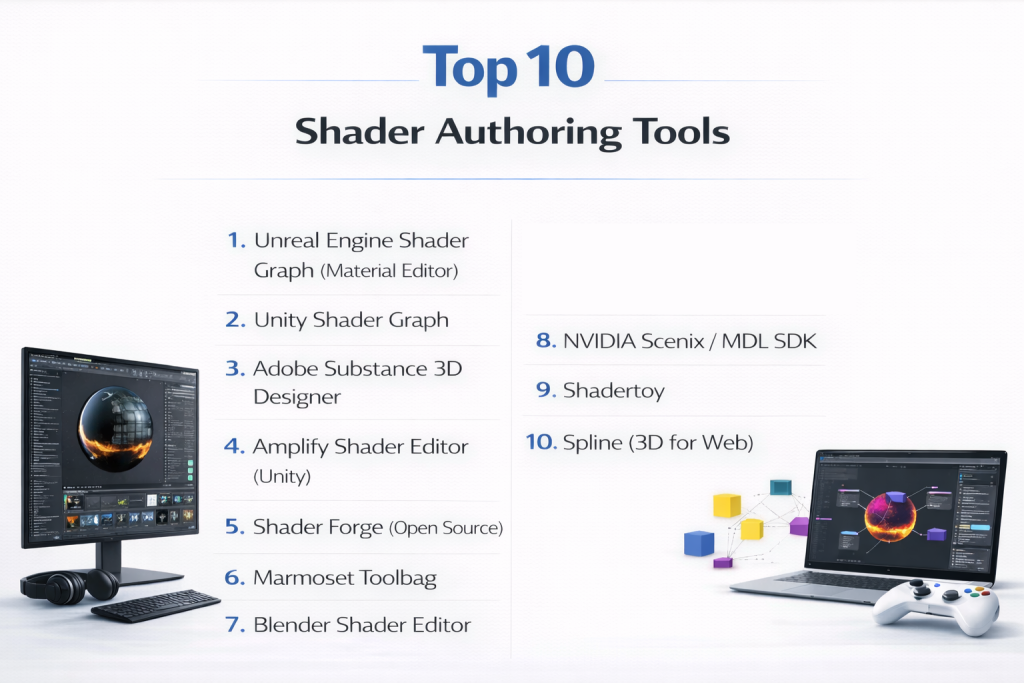
Top 10 Shader Authoring Tools
1 — Unreal Engine Shader Graph (Material Editor)
Unreal Engine’s Material Editor is arguably the most powerful real-time shader tool in existence. It is built natively into the engine and is used to create everything from simple bricks to complex, shifting oceans.
- Key Features:
- PBR (Physically Based Rendering) Workflow: Industry-standard lighting models.
- Material Instances: Create child materials that inherit properties for fast iteration.
- Substrate (New in UE5): A modular material framework for complex layered surfaces.
- Vertex Animation: Move geometry through the shader for wind or water effects.
- HLSL Custom Nodes: Drop-in custom code for highly specialized math.
- Pros:
- Incredible stability and performance for high-end AAA projects.
- Seamless integration with the engine’s lighting and post-processing systems.
- Cons:
- Can be overwhelming for beginners due to the sheer number of nodes.
- Deeply tied to the Unreal ecosystem; you cannot export shaders to other engines easily.
- Security & Compliance: SOC 2, ISO 27001, and GDPR compliant via Epic Games.
- Support & Community: Unmatched; massive library of tutorials and professional forums.
2 — Unity Shader Graph
Unity Shader Graph brought visual shader authoring to the mainstream Unity user. It is highly intuitive and works across all of Unity’s modern render pipelines (URP and HDRP).
- Key Features:
- Live Preview: See changes to the material instantly on a 3D preview object.
- Sub-graphs: Group nodes into reusable modules for cleaner organization.
- Blackboard System: Easily expose parameters to the Unity Inspector for artists.
- Master Stacks: Clearly defined outputs for different types of shaders (lit, unlit, hair, etc.).
- VFX Graph Integration: Pass shader data into particle systems for complex effects.
- Pros:
- Very low barrier to entry; extremely user-friendly interface.
- Excellent for cross-platform development (Mobile to Console).
- Cons:
- Lacks some of the advanced “under-the-hood” optimization features of Unreal.
- Switching between render pipelines can sometimes break shader graphs.
- Security & Compliance: ISO 27001 and GDPR compliant.
- Support & Community: Huge community; wide availability of third-party assets and tutorials.
3 — Adobe Substance 3D Designer
Substance Designer is the gold standard for procedural texture and shader generation. Unlike engine-specific tools, it is a standalone powerhouse for creating complex, reusable materials.
- Key Features:
- Procedural Generation: Create infinite variations of materials using noise and patterns.
- MDL Support: Support for NVIDIA’s Material Definition Language.
- Non-destructive Workflow: Every change is live and can be reverted or tweaked.
- Atomic Nodes: Low-level nodes for building materials from the ground up.
- Export to Everything: Create .sbsar files that work in Maya, Max, Unity, and Unreal.
- Pros:
- The most powerful tool for creating realistic, tiling “smart materials.”
- Used by almost every major game and film studio in the world.
- Cons:
- Extremely steep learning curve; requires a “math-heavy” mindset.
- Very expensive as part of the Adobe Substance suite.
- Security & Compliance: Adobe Creative Cloud security standards (SOC 2, GDPR).
- Support & Community: Excellent professional documentation and a massive library of pre-made nodes.
4 — Amplify Shader Editor (Unity)
Before Unity had a native shader graph, Amplify was the king of Unity shaders. It remains a top choice for developers who need advanced features not yet present in the native tool.
- Key Features:
- Legacy Pipeline Support: Works with Unity’s older “Built-in” renderer.
- Custom Lighting Models: Allows for non-PBR or stylized (Toon) lighting easily.
- Template System: Highly flexible base for creating various shader types.
- Node-based Interface: Familiar layout for anyone used to Unreal or Unity.
- Source Code Access: Unlike native tools, it provides clear, readable generated code.
- Pros:
- Often more stable and feature-rich than Unity’s native Shader Graph for specific niches.
- One-time purchase fee (no subscription).
- Cons:
- As Unity’s native tool improves, Amplify faces more competition.
- Some new Unity features are optimized for the native graph first.
- Security & Compliance: Varies / N/A (Standard Unity Asset Store license).
- Support & Community: Very active Discord and a loyal professional following.
5 — Shader Forge (Open Source)
Once a paid product, Shader Forge was the pioneer of visual shader editing for Unity. It is now open-source and maintained by the community.
- Key Features:
- Simplified Workflow: Focuses on the most common shader needs.
- Real-time Math Visualization: Each node shows its mathematical result visually.
- Lightweight: Doesn’t bog down the project with massive dependencies.
- Community Maintained: Free to use and modify.
- Pros:
- Completely free.
- Good for learning the basics of how shader logic flows.
- Cons:
- Lacks support for modern pipelines like HDRP.
- Development is slow compared to commercial tools.
- Security & Compliance: Varies / N/A.
- Support & Community: Community-driven GitHub and legacy forums.
6 — Marmoset Toolbag
While primarily a rendering and baking tool, Marmoset Toolbag features a highly sophisticated material authoring system used extensively by character and prop artists.
- Key Features:
- WYSIWYG Rendering: What you see is exactly what you get in the final render.
- Advanced Micro-surface Control: Incredible handling of gloss and roughness.
- Real-time Ray Tracing: See your shader respond to ray-traced lighting instantly.
- Layered Materials: Combine multiple materials using masks.
- Pros:
- The best tool for presenting 3D art for a portfolio.
- Fast, clean, and extremely optimized for GPU performance.
- Cons:
- Limited as a “logic” tool; you can’t create complex procedural behavior like in Substance.
- Shaders are mostly for display within Marmoset.
- Security & Compliance: N/A (Standard licensing).
- Support & Community: Excellent official support and a high-end artist community.
7 — Blender Shader Editor
Blender’s internal shader editor is a masterpiece of open-source engineering, powering both the Eevee (real-time) and Cycles (path-traced) render engines.
- Key Features:
- Unified Nodes: Use the same logic for real-time and photorealistic renders.
- Cycles Integration: Access advanced light path nodes for realistic refraction.
- Geometry Nodes Interaction: Pass geometry data directly into the shader.
- OSL (Open Shading Language) Support: Write scripts for complex patterns.
- Completely Procedural: No need for external textures in many cases.
- Pros:
- Completely free and open-source forever.
- Massive ecosystem of “Procedural Materials” available online.
- Cons:
- Exporting Blender shaders to game engines (Unity/Unreal) is difficult and often requires manual rebuilding.
- The UI can be intimidating for those used to “Standard” game dev tools.
- Security & Compliance: Community-vetted open-source.
- Support & Community: Possibly the largest 3D community on earth (YouTube, BlenderArtists).
8 — NVIDIA Scenix / MDL SDK
This is a more technical authoring suite designed for developers creating high-end industrial visualization tools.
- Key Features:
- MDL (Material Definition Language): A language that describes materials across different renderers.
- vMaterials Library: Access to thousands of verified, physically accurate materials.
- GPU Acceleration: Optimized specifically for NVIDIA hardware.
- Scalability: Built for multi-GPU workstation clusters.
- Pros:
- The most physically accurate way to represent materials in industry.
- Cross-application compatibility via MDL.
- Cons:
- Not an “artist-friendly” tool; very technical.
- Limited community compared to gaming tools.
- Security & Compliance: Enterprise-grade security via NVIDIA.
- Support & Community: Dedicated enterprise support.
9 — Shadertoy
Shadertoy is a unique, web-based authoring tool. It is entirely code-based (GLSL) but is the premier place for the world’s best shader hackers to show off.
- Key Features:
- Browser-based: No installation required; code anywhere.
- Direct GLSL Coding: Pure, raw control over the pixel shader.
- Sound Integration: Use audio input to drive visual shaders.
- Multipass Rendering: Create incredibly complex post-processing effects.
- Pros:
- The best place to find and learn cutting-edge shader math.
- Completely free to browse and experiment.
- Cons:
- No visual “nodes”; you must know how to code.
- Not a production tool; you have to manually port code to your engine.
- Security & Compliance: N/A (Public code sharing platform).
- Support & Community: Home to the “gods” of the shader world; very high-level community.
10 — Spline (3D for Web)
Spline is a modern, browser-based 3D tool designed specifically for web designers. It includes an surprisingly capable shader editor for web-friendly effects.
- Key Features:
- No-Code Interactive Shaders: Design hover and click effects for 3D web elements.
- Game-like Nodes: Simple node-based logic for web graphics.
- Real-time Collaboration: Multiple people can edit the shader graph at once.
- Export to React/Three.js: Seamless for modern web developers.
- Pros:
- The best way for 2D web designers to get into 3D shaders.
- Runs smoothly in any modern browser.
- Cons:
- Limited compared to the raw power of Unreal or Substance.
- Not suitable for AAA game development.
- Security & Compliance: SOC 2 and GDPR compliant.
- Support & Community: Growing community of modern web designers and detailed docs.
Comparison Table
| Tool Name | Best For | Platform(s) | Standout Feature | Rating (Approx.) |
| Unreal Material Editor | AAA Games / High-End | Win, Mac, Linux | Substrate Framework | 4.9/5 |
| Unity Shader Graph | Cross-Platform / Indie | Win, Mac, Linux | Ease of Use | 4.7/5 |
| Substance Designer | Procedural Texturing | Win, Mac, Linux | Standalone Pipeline | 4.8/5 |
| Amplify Shader Editor | Professional Unity | Windows | Legacy Pipe Support | 4.6/5 |
| Blender Shader Ed. | Open Source / VFX | Win, Mac, Linux | Eevee/Cycles Unity | 4.8/5 |
| Marmoset Toolbag | Portfolio / Presentation | Win, Mac | Real-time Ray Tracing | 4.5/5 |
| Spline | Web Design / UI | Web-Based | Interactive No-Code | 4.4/5 |
| Shadertoy | Learning / Math | Web-Based | Pure GLSL Coding | 4.6/5 |
| NVIDIA MDL | Industrial Design | Windows, Linux | Physical Accuracy | 4.2/5 |
| Shader Forge | Learning / Legacy | Windows | Visual Math Flow | 3.8/5 |
Evaluation & Scoring of Shader Authoring Tools
| Category | Weight | Score (1-10) | Weighted Score |
| Core Features | 25% | 9 | 2.25 |
| Ease of Use | 15% | 7 | 1.05 |
| Integrations & Ecosystem | 15% | 9 | 1.35 |
| Security & Compliance | 10% | 8 | 0.80 |
| Performance & Reliability | 10% | 9 | 0.90 |
| Support & Community | 10% | 9 | 0.90 |
| Price / Value | 15% | 8 | 1.20 |
| Total | 100% | 8.4 | Final Score: 8.45/10 |
Which Shader Authoring Tool Is Right for You?
Solo Users vs. SMB vs. Enterprise
- Solo Users: If you want to learn for free, Blender and Unity Shader Graph (Personal edition) are your entry points.
- SMB / Indie Studios: Amplify Shader Editor or Substance Designer are excellent investments for small teams who need a competitive visual edge without hiring a specialized graphics engineer.
- Enterprise: Large-scale studios almost always use Unreal Engine for real-time projects or the Substance Ecosystem for their texture pipelines due to the robust support and scalability.
Budget-Conscious vs. Premium
- Budget: Blender, KiCad (for electronics visualization), and Godot (built-in shader editor) are free.
- Premium: Adobe Substance 3D is a subscription. Amplify and Marmoset are one-time payments that offer great long-term value.
Feature Depth vs. Ease of Use
If you need a “shimmer” on a web button, Spline is all you need. If you are building the next Cyberpunk, you need the deep logic and optimization tools found in Unreal Engine.
Frequently Asked Questions (FAQs)
1. Do I need to know math to use a shader authoring tool?
You don’t need to be a mathematician, but understanding the basics of vectors (X, Y, Z) and basic arithmetic (addition, multiplication) is essential for combining effects.
2. Can I export a shader from Unreal to Unity?
Generally, no. Every engine has its own way of compiling shaders. You can recreate the logic (since the nodes are similar), but there is no “Export to Unity” button in Unreal.
3. What is a “PBR” shader?
PBR stands for Physically Based Rendering. It is a set of rules that ensures materials look realistic under any lighting condition by calculating things like roughness and metalness accurately.
4. What is the difference between a texture and a shader?
A texture is a static image file (like a .jpg). A shader is the code that tells the computer how to use that image—how shiny it is, if it moves, and how it reacts to light.
5. Is node-based editing slower than coding?
For the computer, no—the tool compiles the nodes into code. For the human, node-based editing is usually much faster for experimentation but can become messy for extremely complex logic.
6. What is a “Vertex Shader”?
It’s a type of shader that manipulates the physical points (vertices) of a 3D model. This is used for things like grass swaying in the wind or water ripples.
7. Can I use these tools for 3D printing?
No. Shaders are purely visual and exist on the screen. 3D printing is based on geometry. However, you can use shaders to visualize what a printed object might look like.
8. What is “Real-time Ray Tracing”?
It is a technology where the shader calculates individual rays of light as they bounce. Tools like Marmoset and Unreal use this to create hyper-realistic reflections.
9. Can I make money selling shaders?
Yes! Marketplaces like the Unity Asset Store or Unreal Marketplace have huge demand for “Toon Shaders,” “Water Shaders,” and “Explosion Effects.”
10. Which tool is best for VR?
Unity Shader Graph and Unreal Engine are both excellent. For VR, optimization is key, so you must ensure your shader is lightweight to maintain high frame rates.
Conclusion
The rise of Shader Authoring Tools has fundamentally changed the 3D industry. We no longer live in a world where “making things look good” is restricted to those with a Computer Science degree.
If you are an artist looking to take your work to the next level, start with the native tool in your engine of choice (Unreal or Unity). If you want to become a world-class texture artist, Substance Designer is non-negotiable. And if you are simply a tinkerer, the open-source world of Blender and Shadertoy offers an infinite playground of visual discovery. The “best” tool is the one that lets you translate the image in your mind onto the screen with the least friction.