Introduction
Session replay tools are specialized analytics solutions that record and play back a user’s journey on a website or mobile application. Think of it as a “DVR for your website.” These tools capture mouse movements, clicks, scrolls, and keystrokes, allowing businesses to see exactly how real people interact with their digital products. Unlike traditional analytics that tell you what happened (e.g., a bounce rate of 40%), session replay tools show you why it happened. By watching these recordings, teams can identify bugs, uncover confusing navigation, and understand the emotional friction users experience when they encounter a hurdle.
The importance of session replay lies in its ability to provide immediate, qualitative context to quantitative data. It bridges the gap between raw numbers and human behavior. Key real-world use cases include troubleshooting a broken checkout button that only fails on specific browsers, identifying “rage clicks” where users click a frustrated number of times on a non-responsive element, and helping customer support teams see exactly what a user saw before they submitted a ticket. When choosing a tool, users should evaluate the impact on site performance (latency), data privacy controls (masking sensitive info), search and filtering capabilities, and how long the data is stored.
Key Real-World Use Cases
- Bug Reproducing: Developers can watch a session to see the exact steps a user took leading up to a crash, eliminating the need for “back and forth” emails with the user.
- Conversion Rate Optimization (CRO): Marketers can watch sessions of users who abandoned their cart to see if a specific form field or shipping cost caused the exit.
- Customer Support: Support agents can watch a live or recent session to understand a customer’s problem without asking them to take screenshots.
- User Experience (UX) Research: Designers can observe how users interact with a new feature to see if the placement of a button is as intuitive as they planned.
- Security & Fraud Detection: Security teams can monitor for suspicious bot-like behavior or “account takeover” patterns by reviewing unusual session activities.
What to Look For (Evaluation Criteria)
- Performance Impact: The tool should use a lightweight script (usually a “shadow DOM” approach) to ensure it doesn’t slow down your website’s load time.
- Privacy & Masking: Robust tools must automatically mask sensitive data like credit card numbers or passwords to comply with global privacy laws.
- Search & Filtering: With thousands of sessions recorded, the ability to filter by “Rage Click,” “Dead Click,” geography, or specific URL is vital.
- Live Replay: The ability to watch a user in near real-time can be a game-changer for high-stakes customer support.
- Integration Ecosystem: Does it talk to your existing stack, such as Jira, Slack, Salesforce, or Google Analytics?
Best for: Product Managers, UX Designers, Developers, and Customer Support leads in E-commerce, SaaS, and Fintech industries. It is essential for teams that prioritize data-driven decision-making and rapid bug fixing.
Not ideal for: Websites with very low traffic where statistical significance is hard to reach, or strictly static informational sites where user interaction is minimal. It may also be overkill for personal blogs or hobbyist projects where a simple, free heatmapping tool would suffice.
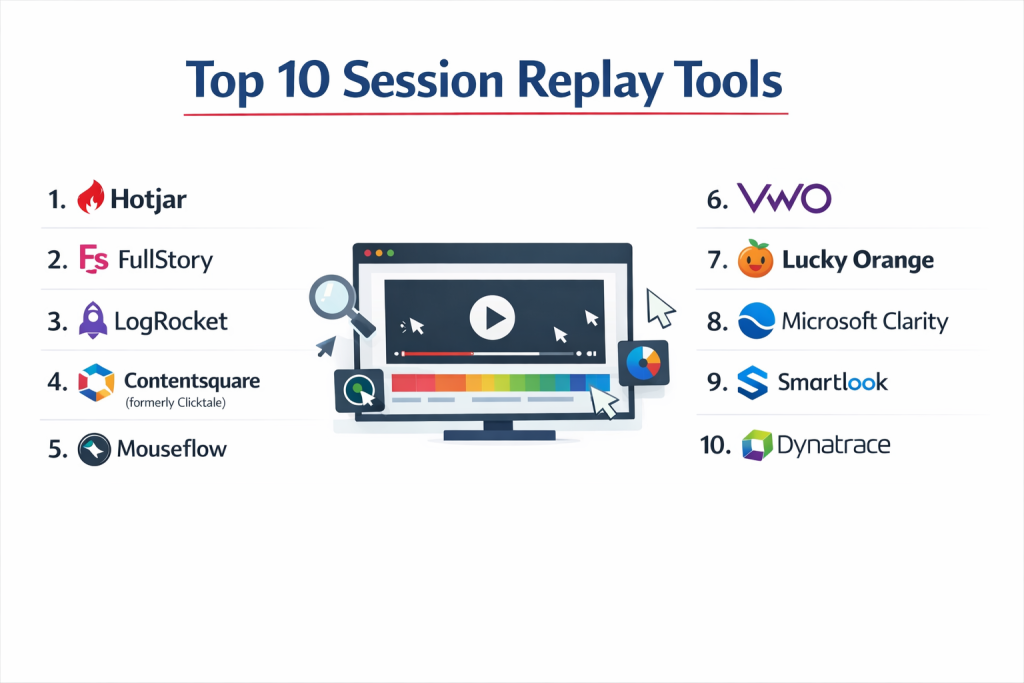
Top 10 Session Replay Tools
1 — Hotjar
Hotjar is one of the most popular all-in-one behavior analytics tools, combining session replays with heatmaps, surveys, and feedback widgets. It is designed for marketers and UX researchers who want an easy-to-use visual suite.
- Key features:
- High-quality session recordings with automated “frustration” triggers.
- Heatmaps (Click, Move, and Scroll) that integrate with replay data.
- Feedback widgets that allow users to rate their experience while on the page.
- User attribute filtering to segment recordings by customer type.
- “Rage Click” and “U-turn” smart filters.
- Trends and Funnels to see where users drop off at scale.
- Pros:
- Extremely intuitive interface that requires almost zero training.
- The combination of qualitative feedback (surveys) and replays provides a full picture.
- Cons:
- The sampling limits on cheaper plans can lead to missing important sessions.
- Does not offer deep technical debugging features compared to developer-focused tools.
- Security & compliance: GDPR, CCPA, and PCI compliant; SOC 2 Type II; data masking by default.
- Support & community: Extensive “Hotjar Learning” portal, active blog, and responsive email support.
2 — FullStory
FullStory is a premium “Digital Experience Intelligence” (DXI) platform. It is famous for its powerful search engine, “Omnisearch,” which allows you to find any event or element interaction across millions of sessions.
- Key features:
- “Omnisearch” for indexing every single click and state change on your site.
- “Frustration Signals” (Rage Clicks, Dead Clicks, Thrashed Cursors).
- Robust DevTools for inspecting console logs and network errors within a replay.
- Private-by-default architecture that ensures sensitive data never leaves the browser.
- Journey mapping and funnel analytics.
- Heatmaps integrated with session segments.
- Pros:
- Perhaps the most powerful search and filtering capabilities in the industry.
- Exceptional for large-scale enterprise sites with complex user flows.
- Cons:
- One of the most expensive options on the market.
- Can be “overwhelming” for small teams who only need basic recordings.
- Security & compliance: SOC 2 Type II, GDPR, CCPA, HIPAA (with BAA), and ISO 27001.
- Support & community: High-touch enterprise support, dedicated success managers, and “FullStory University.”
3 — LogRocket
LogRocket is built specifically for software engineers and product teams. It combines session replay with frontend monitoring, allowing developers to see the exact state of the application when a bug occurred.
- Key features:
- Integrated Session Replay with Redux state and network logs.
- Error tracking and automated alerting for frontend crashes.
- Performance monitoring (First Contentful Paint, etc.) linked to sessions.
- Product analytics to track feature adoption and conversion.
- Integration with Jira and Linear for seamless bug reporting.
- Support for mobile apps (iOS and Android).
- Pros:
- Best-in-class for technical troubleshooting and reproducing “impossible” bugs.
- Links the “human” view of the replay with the “technical” view of the console.
- Cons:
- Less focused on the “marketing” or “survey” side of user behavior.
- The interface is designed for technical users and may intimidate non-devs.
- Security & compliance: SOC 2 Type II, GDPR, HIPAA, and PCI.
- Support & community: Comprehensive technical docs, active developer blog, and Slack community.
4 — Contentsquare (formerly Clicktale)
Contentsquare is a heavy-duty enterprise platform that focuses on the financial impact of user behavior. It uses AI to automatically highlight the biggest “opportunities” for revenue growth.
- Key features:
- AI-powered “Opportunity Analysis” to prioritize which UX issues to fix first.
- Zone-based heatmaps that show the revenue value of specific buttons.
- Advanced session replay with side-by-side comparison capabilities.
- Error analysis that calculates the dollar amount lost to specific bugs.
- Native mobile app and mobile web support.
- Merchandising analytics for e-commerce teams.
- Pros:
- The only tool that effectively ties “UX friction” directly to “Lost Revenue.”
- Massive scale and reliability for Fortune 500 companies.
- Cons:
- Pricing is generally opaque and very high (Enterprise only).
- Implementation requires significant time and often professional services.
- Security & compliance: ISO 27001, SOC 2 Type II, GDPR, and CCPA.
- Support & community: Global enterprise support, Contentsquare University, and huge annual user conferences.
5 — Mouseflow
Mouseflow is a versatile tool that balances session replay with automated funnel analysis and form optimization. It is a favorite for mid-market E-commerce sites.
- Key features:
- “Friction Scores” that automatically rate sessions based on user frustration.
- Form Analytics to see which specific field causes users to abandon a signup.
- Funnel tracking to see where users drop off between pages.
- 6 types of heatmaps (Click, Scroll, Attention, Geography, etc.).
- Variable storage duration for historical data.
- Feedback campaigns and surveys.
- Pros:
- The “Friction Score” is a great time-saver for finding relevant recordings.
- Form Analytics is significantly better than most competitors.
- Cons:
- The UI feels a bit dated compared to Hotjar or FullStory.
- Mobile app recording is not as advanced as LogRocket.
- Security & compliance: GDPR, CCPA, and SOC 2 (Varies by plan).
- Support & community: Detailed knowledge base, email support, and personalized demos.
6 — VWO (Visual Website Optimizer)
VWO is primarily an A/B testing platform that has integrated session replay and heatmaps into its “VWO Insights” module. It is best for teams focused on experimentation.
- Key features:
- Link session replays directly to specific A/B test variations.
- Advanced segmentation based on test participation.
- Combined Heatmaps and Clickmaps.
- Funnels and form analytics integrated with testing data.
- Surveys and polls to ask users “why” they chose a specific variant.
- Observations and annotations for team collaboration.
- Pros:
- Watching a replay of a user failing in a test variation is incredibly powerful.
- Eliminates the need for a separate “siloed” replay tool if you already test with VWO.
- Cons:
- The replay tool is an add-on; it may not be as deep as standalone solutions.
- Can be expensive if you only want the replay features without the testing suite.
- Security & compliance: SOC 2 Type II, ISO 27001, GDPR, and HIPAA.
- Support & community: 24/7 support, dedicated account managers, and an extensive testing library.
7 — Lucky Orange
Lucky Orange is known for its “Real-Time” focus. It allows you to see who is on your site right now and engage them via live chat while watching their session.
- Key features:
- Real-time visitor dashboard showing active sessions.
- Integrated Live Chat that allows you to “co-browse” with the user.
- Dynamic Heatmaps that work on menus and pop-ups.
- Funnel and form analytics.
- Daily email summaries of top friction points.
- Announce and Survey widgets.
- Pros:
- Highly affordable for small businesses and Shopify owners.
- The live “co-browsing” feature is a massive advantage for customer support.
- Cons:
- The visual interface can feel “cluttered” compared to cleaner apps like Hotjar.
- Data retention is shorter on base plans.
- Security & compliance: GDPR, CCPA, and PCI compliant.
- Support & community: Responsive chat support, video tutorials, and a strong Shopify community.
8 — Microsoft Clarity
Clarity is a completely free session replay and heatmap tool from Microsoft. It is designed to be high-performance and easy to deploy for any website.
- Key features:
- 100% Free with no traffic limits or “pro” tiers.
- “Quick Backs” and “Rage Clicks” dashboard metrics.
- Google Analytics integration (see replays for specific GA segments).
- Lightweight script with minimal impact on site speed.
- Automatic privacy masking.
- Heatmaps for both mobile and desktop views.
- Pros:
- Unbeatable price (Free forever).
- The integration with Google Analytics makes it very powerful for data-driven teams.
- Cons:
- Lacks advanced “DevTools” (like network logs) found in LogRocket.
- No feedback widgets or survey capabilities.
- Security & compliance: GDPR, CCPA, and SOC 2.
- Support & community: Documentation and community-driven help; no dedicated account managers.
9 — SmartLook
SmartLook is a specialist in cross-platform recording. It is one of the few tools that offers high-quality session replay for both websites and native mobile apps (iOS, Android, Unity).
- Key features:
- Native mobile SDKs for iOS, Android, Flutter, and React Native.
- “Wireframe” mode for mobile to ensure privacy while seeing interactions.
- Events and Funnels tracked across web and mobile.
- Heatmaps for mobile app screens.
- DevTools for mobile (crash reports, logs).
- Integration with Slack and Zendesk.
- Pros:
- The top choice for companies with a mobile-first product strategy.
- Very competitive pricing for the mobile features provided.
- Cons:
- The web-based features are good but not as “rich” as FullStory’s.
- Some mobile frameworks can be tricky to implement initially.
- Security & compliance: GDPR, ISO 27001, and SOC 2 Type II.
- Support & community: Online documentation, email support, and developer-focused API guides.
10 — Dynatrace (Session Replay)
Dynatrace is an “Application Performance Monitoring” (APM) giant. Its session replay is part of a much larger ecosystem that monitors servers, databases, and code performance.
- Key features:
- Full-stack monitoring (links a session replay to a specific database error).
- AI-driven “Davis” engine for automatic root-cause analysis.
- Visual replay of every user action with high-fidelity playback.
- Privacy-by-design with granular masking controls.
- Real-user monitoring (RUM) combined with synthetic monitoring.
- Enterprise-scale management and security.
- Pros:
- The most powerful “Full Stack” view; see how a server lag affected a user’s click.
- Built for massive organizations with complex hybrid-cloud environments.
- Cons:
- Extremely complex and expensive; requires an IT team to manage.
- Overkill for anyone just looking for “marketing” insights.
- Security & compliance: FedRAMP, SOC 2 Type II, ISO 27001, GDPR, and HIPAA.
- Support & community: Premium enterprise support, Dynatrace University, and global consultants.
Comparison Table
| Tool Name | Best For | Platform(s) Supported | Standout Feature | Rating |
| Hotjar | Marketers & SMBs | Web | Surveys + Replay | 4.5 / 5 |
| FullStory | Large Enterprise | Web & Mobile | Omnisearch Engine | 4.7 / 5 |
| LogRocket | Developers | Web & Mobile | Redux/Console Logs | 4.6 / 5 |
| Contentsquare | High-Volume E-com | Web & Mobile | Revenue Attribution | 4.4 / 5 |
| Mouseflow | Form Optimization | Web | Form Analytics | 4.3 / 5 |
| VWO | A/B Testing Teams | Web | Experiment Linking | 4.5 / 5 |
| Lucky Orange | Real-Time Support | Web | Live Co-browsing | 4.2 / 5 |
| Microsoft Clarity | Budget-Conscious | Web | Free / No Limits | 4.4 / 5 |
| SmartLook | Mobile App Focus | Web & Native App | Mobile Wireframing | 4.5 / 5 |
| Dynatrace | Full-Stack IT | Web & Enterprise | Root-Cause AI | 4.6 / 5 |
Evaluation & Scoring of Session Replay Tools
| Criteria | Weight | Evaluation Logic |
| Core Features | 25% | Fidelity of replay, search filters, and frustration signals. |
| Ease of Use | 15% | Time to value and intuitiveness of the dashboard. |
| Integrations | 15% | Depth of connection with GA, Jira, Slack, and CRM. |
| Security & Compliance | 10% | PII masking, SOC 2 status, and GDPR controls. |
| Performance | 10% | Minimal impact on DOM and page load speed. |
| Support & Community | 10% | Quality of documentation and responsiveness of help. |
| Price / Value | 15% | Scalability of the pricing model relative to traffic. |
Which Session Replay Tool Is Right for You?
Solo Users vs SMB vs Mid-Market vs Enterprise
If you are a solo user or a tiny startup, Microsoft Clarity is the undisputed winner because it is free and effective. SMBs often prefer Hotjar or Lucky Orange because they offer “all-in-one” bundles (surveys/chat) that save on extra software costs. Mid-Market companies with complex apps should look at LogRocket or Mouseflow. Enterprise giants like banks or global retailers should lean toward FullStory, Contentsquare, or Dynatrace for their superior security, data governance, and AI-driven insights.
Budget-conscious vs Premium Solutions
For those with zero budget, Microsoft Clarity is the only logical choice. If you have a moderate budget, Hotjar offers great middle-ground pricing. If you are looking for a premium solution where money is no object but data power is everything, FullStory provides the best “search and find” experience on the market.
Feature Depth vs Ease of Use
If you want simplicity, Hotjar and Clarity are designed for people who aren’t technical. You can set them up and understand them in an hour. If you need technical depth (seeing exactly why a JavaScript error occurred or how the server responded), LogRocket and Dynatrace provide a level of detail that marketing-focused tools cannot match.
Integration and Scalability Needs
If your site has millions of monthly visitors, scalability is your biggest concern. Contentsquare and FullStory are built to handle massive traffic without crashing your browser or their servers. If your workflow relies on Jira, LogRocket’s integration is the most seamless for “Record-to-Ticket” workflows.
Security and Compliance Requirements
For Fintech and Healthcare, security is non-negotiable. Ensure you choose a tool that offers a HIPAA BAA and “Private by Default” masking. FullStory and LogRocket are highly regarded in this space. If you are a government contractor, Dynatrace with its FedRAMP authorization is often the preferred choice.
Frequently Asked Questions (FAQs)
What is a session replay tool?
It is software that records how users move, click, and interact with your website, allowing you to watch the “video” of their visit to find bugs or UX issues.
Does session replay slow down my website?
Modern tools use “shadow DOM” recording, which only sends tiny bits of text data to the server. While there is a tiny impact, most users will never notice it.
Is session replay legal under GDPR?
Yes, as long as you mask personally identifiable information (PII), mention the tool in your privacy policy, and provide a way for users to opt out if required.
Can I see passwords and credit card numbers?
No. High-quality tools automatically mask input fields. Most tools won’t even let the password data reach their servers.
What is a “Rage Click”?
It is when a user clicks the same spot multiple times in rapid succession, usually indicating they are frustrated because a button or link isn’t working.
How is this different from Google Analytics?
GA tells you the “What” (100 people visited). Session replay tells you the “Why” (50 of them left because the ‘Buy’ button was hidden behind a banner).
Can I record mobile apps?
Yes, but you need a specific mobile SDK. Tools like LogRocket, SmartLook, and FullStory are the leaders in mobile recording.
How long is the data stored?
It varies by plan, but typically between 30 days and 1 year. Some enterprise plans allow for longer storage for compliance reasons.
What is “sampling”?
To save money or performance, some tools only record a percentage of your visitors (e.g., 10%). Premium tools allow you to record 100% of sessions.
Do I need to be a coder to install this?
Usually not. Most involve simply copying and pasting a small piece of code into your website’s <head> tag or using Google Tag Manager.
Conclusion
Choosing a session replay tool is about finding the right balance between “Marketing Insight” and “Technical Debugging.” There is no single winner, but there is a “best fit” for every situation.
If you want the most beautiful and easy experience for a small team, Hotjar is a safe bet. If you are a developer trying to squash bugs in a complex SaaS app, LogRocket will save you hundreds of hours. If you have a large enterprise budget and need to find the “needle in the haystack” of user behavior, FullStory is worth every penny. Finally, if you just want to see what’s happening on your site for free, Microsoft Clarity is an incredible gift to the internet. Start with your primary goal—be it fixing bugs, increasing sales, or understanding users— and let that guide your choice.