Introduction
Server Management Tools are software solutions designed to oversee the administrative tasks associated with maintaining a server’s health, performance, and security. These tools act as a central nervous system for IT infrastructure, allowing administrators to monitor hardware metrics (like CPU and RAM), automate software updates, manage configurations, and troubleshoot issues remotely. By centralizing these tasks, these platforms reduce the risk of human error and ensure that services remain highly available to end-users.
The importance of these tools lies in their ability to turn reactive fire-fighting into proactive infrastructure management. Key real-world use cases include:
- Infrastructure as Code (IaC): Deploying identical server configurations across hundreds of instances with a single script.
- Security Patching: Automatically rolling out critical security updates to close vulnerabilities across a global fleet.
- Performance Optimization: Identifying resource bottlenecks before they cause a service outage.
- Compliance Management: Ensuring every server in the network adheres to strict regulatory standards like HIPAA or PCI DSS.
When evaluating a server management tool, users should prioritize scalability, ease of integration, security protocols, and the quality of the user interface.
Best for: System administrators, DevOps engineers, and Managed Service Providers (MSPs). They are essential for mid-market to enterprise companies, as well as high-traffic tech startups that require 99.99% uptime across distributed environments.
Not ideal for: Hobbyists with a single personal website or very small businesses with a single local file server. In these cases, the native management tools provided by the operating system (like Windows Admin Center or the Linux Terminal) are often sufficient and more cost-effective.
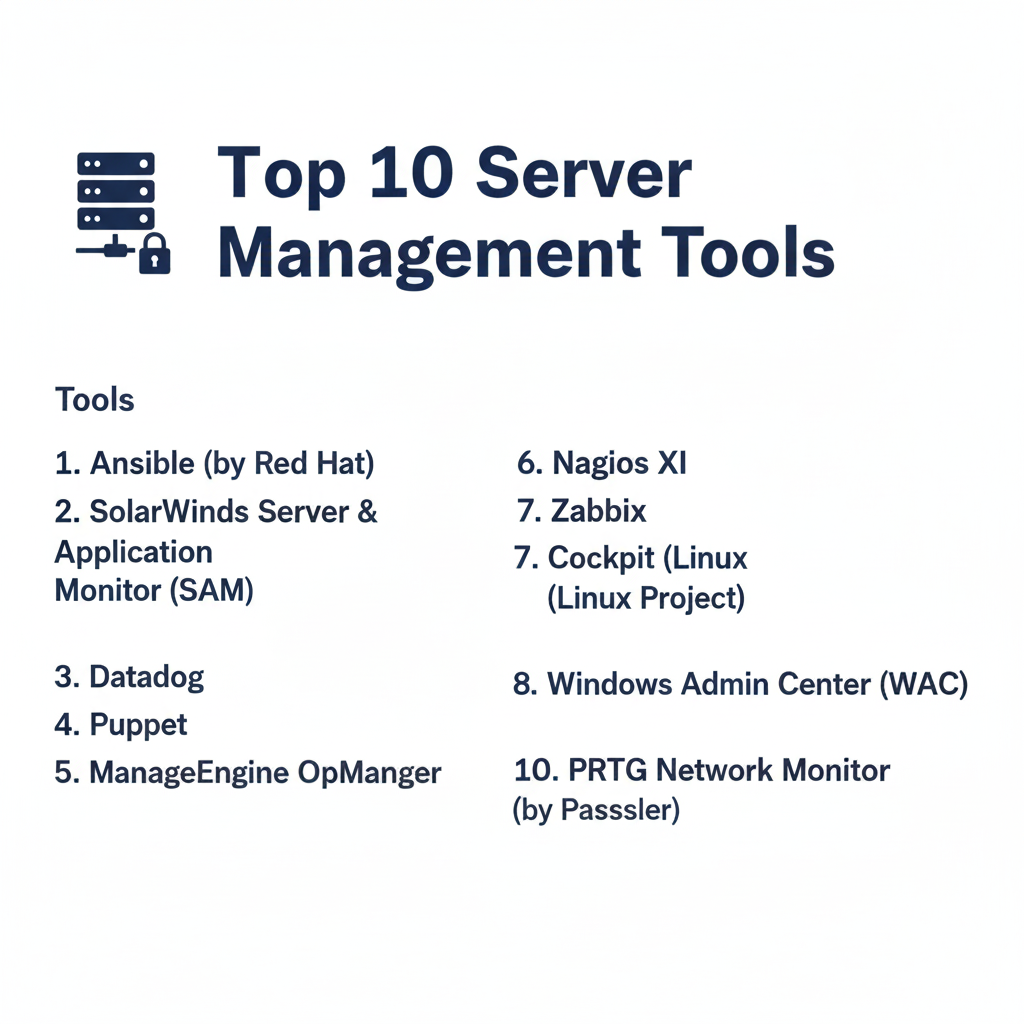
Top 10 Server Management Tools
1 — Ansible (by Red Hat)
Ansible is an open-source automation engine that specializes in configuration management and application deployment. It is world-renowned for its “agentless” architecture, meaning you don’t need to install any software on the target servers to manage them.
- Key Features:
- Agentless Architecture: Connects via SSH (Linux) or WinRM (Windows), reducing overhead and security risk.
- Playbooks: Uses human-readable YAML files to define server configurations.
- Idempotency: Ensures that the system reaches a desired state without repeating tasks unnecessarily.
- Ansible Galaxy: A massive library of community-contributed roles and automation content.
- Push-based Execution: Administrators “push” changes to servers instantly from a central node.
- Pros:
- Extremely low barrier to entry for those familiar with basic command-line tools.
- Massive community support ensures that almost any automation task already has a template.
- Cons:
- Can experience performance lag when managing thousands of servers simultaneously.
- Lacks a sophisticated native GUI (unless you upgrade to the paid Ansible Automation Platform).
- Security & Compliance: Supports SSH keys, Kerberos, and encrypted “vaults” for secrets; SOC 2 and GDPR compliant architectures.
- Support & Community: One of the largest open-source communities in the world; enterprise-grade 24/7 support available through Red Hat.
2 — SolarWinds Server & Application Monitor (SAM)
SolarWinds SAM is a heavy-duty monitoring solution built for large-scale enterprise environments. It provides deep visibility into both the hardware layer and the applications running on top of it.
- Key Features:
- AppStack Dashboard: Visualizes the relationship between applications, servers, and storage.
- Over 1,200 Templates: Pre-built monitoring for applications like SQL Server, Exchange, and IIS.
- Cloud Infrastructure Monitoring: Unified view for Azure, AWS, and on-premises servers.
- Hardware Health Monitoring: Tracks fan speeds, power supply status, and temperature.
- Intelligent Alerting: Reduces “alert fatigue” by using statistical baselines to define what is “normal.”
- Pros:
- Comprehensive “single pane of glass” for very diverse hardware environments.
- Excellent reporting tools for executive-level compliance and capacity planning.
- Cons:
- The interface can feel dated and overwhelming for new users.
- High cost of ownership makes it less accessible for small businesses.
- Security & Compliance: SSO integration, FIPS 140-2 compatibility, and detailed audit logging.
- Support & Community: Strong professional support and a dedicated user community portal (THWACK).
3 — Datadog
Datadog is a cloud-native monitoring and security platform that has become the standard for companies born in the cloud. It excels at observing ephemeral infrastructure like containers and auto-scaling groups.
- Key Features:
- Unified Observability: Combines metrics, logs, and traces in one interface.
- Auto-Discovery: Automatically detects new servers and begins monitoring them instantly.
- Service Map: A real-time visual graph of how your servers and services are communicating.
- Anomaly Detection: Uses machine learning to find “weird” behavior that standard alerts might miss.
- Watchdog: An AI engine that automatically points out the root cause of an infrastructure failure.
- Pros:
- Incredibly modern, fast, and responsive user interface.
- Unmatched integration with cloud providers like AWS, Google Cloud, and Azure.
- Cons:
- Pricing is complex and can scale very quickly as you add more features.
- High dependency on its SaaS platform; not ideal for air-gapped environments.
- Security & Compliance: SOC 2, HIPAA, GDPR, ISO 27001, and FedRAMP authorized.
- Support & Community: Extensive documentation, live chat support, and a growing community of cloud-native engineers.
4 — Puppet
Puppet is a veteran in the configuration management space. Unlike Ansible, it typically uses an “agent-based” model where a small piece of software on the server ensures it always stays in the correct state.
- Key Features:
- Puppet Forge: A repository of over 6,000 modules for automating various server tasks.
- Declarative Language: You describe the “state” you want, and Puppet handles how to get there.
- Continuous Compliance: Automatically “corrects” a server if a user manually changes a setting.
- Role-Based Access Control (RBAC): Fine-grained permissions for different IT teams.
- Puppet Query Language (PQL): Advanced data querying to find specific server information across the fleet.
- Pros:
- Ideal for massive enterprises where “configuration drift” is a major risk.
- Very stable and mature, with a long history of managing mission-critical infrastructure.
- Cons:
- Requires learning Puppet’s specific DSL (Domain Specific Language).
- Agent management adds an extra layer of maintenance for the IT team.
- Security & Compliance: Integrated secret management; SOC 2 and HIPAA compliant reporting features.
- Support & Community: Dedicated enterprise support team and a large, established open-source community.
5 — ManageEngine OpManager
ManageEngine OpManager is an all-in-one network and server management software that provides a great balance between feature depth and affordability.
- Key Features:
- Real-time Monitoring: Tracks CPU, memory, and disk utilization with high-frequency polling.
- Workflow Automation: Drag-and-drop builder to automate routine troubleshooting steps.
- Virtualization Management: Dedicated monitoring for VMware, Hyper-V, and Nutanix.
- Mobile App: Allows administrators to manage alerts and server status from their smartphones.
- Customizable Dashboards: Over 200 widgets to create specific views for different IT roles.
- Pros:
- Much more affordable than SolarWinds while offering similar core features.
- Simple installation process that can have you monitoring servers within an hour.
- Cons:
- The user interface can feel “clunky” when managing high-density environments.
- Some advanced features require purchasing additional modules.
- Security & Compliance: Multi-factor authentication, audit trails, and GDPR compliance tools.
- Support & Community: 24/5 technical support and a very helpful online knowledge base.
6 — Nagios XI
Nagios is the “grandfather” of server monitoring. Nagios XI is the commercial version of the famous open-source project, offering a much more user-friendly experience while maintaining its legendary power.
- Key Features:
- The Nagios Core Engine: The industry’s most battle-tested monitoring engine.
- Configuration Wizards: Simplifies the process of adding new servers and services.
- Advanced Graphs: Capacity planning tools that predict when you will run out of disk space.
- Multi-tenant Capabilities: Allows different departments to see only their own servers.
- Plugin Architecture: Thousands of community plugins to monitor literally anything.
- Pros:
- Extremely flexible; if it has an IP address, Nagios can monitor it.
- Very low resource consumption on the monitoring server itself.
- Cons:
- The configuration logic can be difficult for beginners to grasp.
- The UI, while improved, is still less modern than Datadog or ManageEngine.
- Security & Compliance: Varies by configuration; supports secure tunneling and encrypted alerts.
- Support & Community: Massive community and professional ticket-based support for XI users.
7 — Zabbix
Zabbix is an enterprise-class, 100% open-source monitoring solution. It is unique because it offers “enterprise” features for free, making it the top choice for budget-conscious but highly technical teams.
- Key Features:
- Auto-Discovery: Scans your network and automatically starts monitoring new hardware.
- Agent/Agentless/SNMP: Multiple ways to collect data from Linux, Windows, and Network gear.
- Distributed Monitoring: Uses “Zabbix Proxies” to monitor remote office locations.
- Advanced Trigger Logic: Can create very complex alert conditions using math and logic.
- Native Encryption: All communication between the server and agents is secured.
- Pros:
- Zero licensing costs, regardless of how many servers you monitor.
- Highly scalable; used by some of the largest telecommunications companies in the world.
- Cons:
- Very steep learning curve; requires significant time to master.
- The setup of distributed proxies and advanced templates can be time-consuming.
- Security & Compliance: Supports LDAP/AD, secret vaults, and encrypted communication.
- Support & Community: Huge community; professional support and training are available via Zabbix partners.
8 — Cockpit (Linux Project)
Cockpit is a web-based graphical interface for Linux servers. It is designed to make Linux server management accessible to those who are not command-line experts.
- Key Features:
- Zero Footprint: It uses the existing system APIs and doesn’t run a heavy daemon in the background.
- Web-based Terminal: Access the full power of the command line through your browser.
- Storage Management: Easily create RAID arrays, manage volume groups, and format disks.
- Network Configuration: Manage bridges, VLANs, and firewall settings via a GUI.
- Software Updates: One-click management for system packages and patches.
- Pros:
- Included by default in many distributions like Fedora and RHEL.
- Makes managing individual Linux servers as easy as managing a Windows PC.
- Cons:
- Not a “fleet” management tool; it is designed for managing one server at a time.
- Lacks advanced automation and historical long-term reporting.
- Security & Compliance: Uses standard system permissions; works over SSH/HTTPS.
- Support & Community: Backed by the Fedora/Red Hat community; documentation is excellent.
9 — Windows Admin Center (WAC)
WAC is Microsoft’s modern, browser-based evolution of the traditional “Server Manager” and “MMC” tools. It is the essential tool for any Windows Server environment.
- Key Features:
- Unified Management: Manage Windows Server, Windows 10/11, and clusters.
- Hybrid Cloud Integration: Easily connect on-premises servers to Azure services like Backup.
- Resource Monitoring: Real-time performance counters for CPU, RAM, and Disk.
- Certificate Management: Simplified tool for managing and renewing SSL/TLS certificates.
- Hyper-V Management: Powerful GUI for managing virtual machines and virtual switches.
- Pros:
- Completely free for Windows Server license holders.
- Lightweight and modern; replaces dozens of old, clunky Microsoft management tools.
- Cons:
- Only manages Windows and Azure environments; no support for Linux.
- Best suited for small-to-midsize fleets; not a replacement for System Center in massive enterprises.
- Security & Compliance: Integrated with Entra ID (Active Directory), RBAC, and gateway logging.
- Support & Community: Full support from Microsoft and a vast community of Windows Sysadmins.
10 — PRTG Network Monitor (by Paessler)
PRTG is a sensor-based monitoring tool that is famous for its ease of use and its visual “sunburst” charts that show the health of your entire server room at a glance.
- Key Features:
- Sensor-based Pricing: You pay based on what you monitor (e.g., one CPU sensor, one Disk sensor).
- Auto-Discovery: Incredibly effective at finding every device on your network.
- Multiple User Interfaces: Windows desktop app, web browser, and highly rated mobile apps.
- Integrated Push Notifications: Get server alerts directly on your phone or Apple Watch.
- Cluster Support: Two PRTG servers can work together to ensure your monitoring never goes down.
- Pros:
- Probably the most “beautiful” and intuitive UI in the server management world.
- Very easy to set up “Maps” that show your server status on a real office floor plan.
- Cons:
- Pricing can become expensive if you monitor too many individual parameters (sensors).
- Limited automation/configuration management compared to Ansible or Puppet.
- Security & Compliance: SSL/TLS support, user groups, and comprehensive audit logs.
- Support & Community: Excellent ticket-based support and a very deep knowledge base.
Comparison Table
| Tool Name | Best For | Platform(s) Supported | Standout Feature | Rating (Gartner) |
| Ansible | DevOps Automation | Linux, Windows, Cloud | Agentless / YAML | 4.8 / 5 |
| SolarWinds SAM | Large Enterprise | Windows, Linux, Cloud | Deep AppStack Visibility | 4.4 / 5 |
| Datadog | Cloud-Native / SaaS | All Platforms | AI-driven Observability | 4.6 / 5 |
| Puppet | Compliance Heavy | Linux, Windows | Configuration Drift Fix | 4.5 / 5 |
| OpManager | SMB / Mid-Market | All Platforms | Easy Workflow Builder | 4.4 / 5 |
| Nagios XI | Customization | Linux, Windows, SNMP | Unlimited Plugin Power | 4.3 / 5 |
| Zabbix | Technical / Budget | Linux, Windows, SNMP | Free Enterprise Features | 4.5 / 5 |
| Cockpit | Linux Beginners | Linux Only | Web GUI for Terminal | N/A |
| Windows Admin | Windows Shops | Windows & Azure | Native Azure Integration | 4.5 / 5 |
| PRTG | Ease of Use | All Platforms | Visual Sunburst Maps | 4.6 / 5 |
Evaluation & Scoring of Server Management Tools
To provide an objective overview, we have evaluated the top tools using a weighted scoring rubric that reflects the priorities of modern IT departments.
| Category | Weight | Top Performer | Rationale |
| Core Features | 25% | SolarWinds SAM | Unmatched depth in application and hardware metrics. |
| Ease of Use | 15% | PRTG | Most intuitive interface for non-technical users. |
| Integrations | 15% | Datadog | Seamless connectivity with modern cloud stacks. |
| Security | 10% | Puppet | Best for maintaining strict compliant states. |
| Performance | 10% | Ansible | Agentless design minimizes target server impact. |
| Support | 10% | SolarWinds / MS | 24/7 global enterprise availability. |
| Price / Value | 15% | Zabbix | High-end features for zero licensing cost. |
Which Server Management Tool Is Right for You?
Choosing the right tool depends heavily on your team’s technical skills and the specific environment you are managing.
1. Solo Users vs. SMBs vs. Enterprises
- Solo Users: Stick with Cockpit (for Linux) or Windows Admin Center. They are free, simple, and require zero infrastructure to run.
- SMBs: PRTG or ManageEngine OpManager are ideal. They offer “one-stop-shop” monitoring without the complexity of a specialized DevOps tool.
- Enterprises: Ansible and SolarWinds are the standard. They provide the scalability and audit trails necessary for large-scale operations.
2. Budget-Conscious vs. Premium Solutions
- On a Budget: Zabbix is the clear winner if you have the technical skill to set it up. It provides $100k worth of features for $0.
- Premium: Datadog is the premium choice for teams who want to spend their time building products rather than managing their monitoring software.
3. Feature Depth vs. Ease of Use
If your team lives in the terminal and loves code, Ansible or Puppet will provide the most power. If your team is made of generalist IT staff who prefer a visual dashboard, PRTG or OpManager will be much better received.
4. Integration and Scalability Needs
If you are 100% in the cloud, Datadog is almost always the right answer. If you have a “Hybrid” mess of old servers and new cloud instances, Consul or Rancher (for containers) or SolarWinds (for physical) are your best bets.
Frequently Asked Questions (FAQs)
1. What is the difference between monitoring and management?
Monitoring is about watching (observing metrics and alerts). Management is about doing (changing configurations, updating software, and restarting services). Most modern tools, like Ansible or SolarWinds, do both.
2. Can I manage Linux servers from a Windows computer?
Absolutely. Most tools today are web-based (like Zabbix or PRTG) or run through a browser. Even command-line tools like Ansible can be run on Windows via the Windows Subsystem for Linux (WSL).
3. Do these tools slow down my servers?
“Agent-based” tools (like Puppet or Zabbix Agent) use a small amount of CPU and RAM on the target server. “Agentless” tools (like Ansible) have no permanent impact but use CPU power temporarily during a management task.
4. Is Ansible really better than Puppet?
It’s not “better,” but it is “different.” Ansible is easier to learn and great for quick tasks. Puppet is better at ensuring a server stays in a specific configuration 24/7 without human intervention.
5. Why is Datadog so expensive?
Datadog charges for every feature separately (logs, metrics, traces, etc.). While it’s expensive, it saves companies money by reducing the number of engineers needed to build and maintain a custom monitoring system.
6. Can I use these tools for home use?
Yes! Zabbix, Nagios Core, and Cockpit are all free and great for learning system administration. PRTG also offers a free version for up to 100 sensors.
7. How do I secure my server management tool?
Always use Multi-Factor Authentication (MFA). Since these tools have “the keys to the kingdom,” an attacker who gains access could take down your entire company. Use SSH keys instead of passwords whenever possible.
8. Do these tools work with virtual machines (VMs)?
Yes, they treat VMs exactly like physical servers. Most tools (like OpManager or WAC) even have special features to monitor the “health” of the underlying virtualization host (like VMware or Hyper-V).
9. What is “Configuration Drift”?
This happens when a server’s settings are changed manually by a human, making it different from its original “correct” state. Tools like Puppet and Ansible are designed to detect and fix this automatically.
10. Do I need these tools if I only have five servers?
If those five servers are critical to your business, then yes. A simple, free tool like Cockpit or Zabbix will ensure you know about a disk failure before it becomes a disaster.
Conclusion
The “best” server management tool is the one that your team will actually use. While Datadog and SolarWinds offer the most features, they are only effective if your budget and technical expertise can support them.
For the modern DevOps team, Ansible is the most versatile tool for automation. For the traditional IT department, PRTG or ManageEngine offers the best visual oversight. Regardless of your choice, the goal remains the same: move away from manual server management and toward a future of automated, self-healing infrastructure.