Introduction
Security Information and Event Management (SIEM) is the central nervous system of a modern cybersecurity operations center. It is a comprehensive security solution that provides real-time monitoring, event correlation, and analysis of security alerts generated by applications and network hardware. By collecting data from a vast array of sources—including firewalls, antivirus software, server logs, and endpoint devices—a SIEM platform aggregates and normalizes this information to help security teams identify patterns of behavior that indicate a potential breach. In short, it turns billions of lines of raw log data into actionable security intelligence.
The importance of SIEM lies in its ability to provide a “single pane of glass” view of an organization’s security posture. Without it, security analysts would have to manually check dozens of different consoles to find a single threat. Key real-world use cases include detecting insider threats (such as an employee downloading sensitive files at 2 AM), identifying advanced persistent threats (APTs) that move slowly through a network, and automating compliance reporting for regulations like GDPR, HIPAA, or PCI-DSS. When choosing a SIEM, organizations must evaluate the tool’s data ingestion capabilities, the quality of its out-of-the-box correlation rules, and its ability to integrate with orchestration tools (SOAR) to respond to threats automatically.
Best for: SIEM tools are primarily designed for mid-to-large enterprises that have a dedicated Security Operations Center (SOC) or at least a specialized IT security team. Industries that are highly regulated, such as finance, healthcare, and government, find SIEM essential for meeting audit requirements.
Not ideal for: Very small businesses or solo entrepreneurs typically do not need a full SIEM. The high cost of licensing, hardware, and the specialized expertise required to manage the “noise” of a SIEM often makes it a poor investment for small teams. For these users, Managed Detection and Response (MDR) services or basic log management tools are often better alternatives.
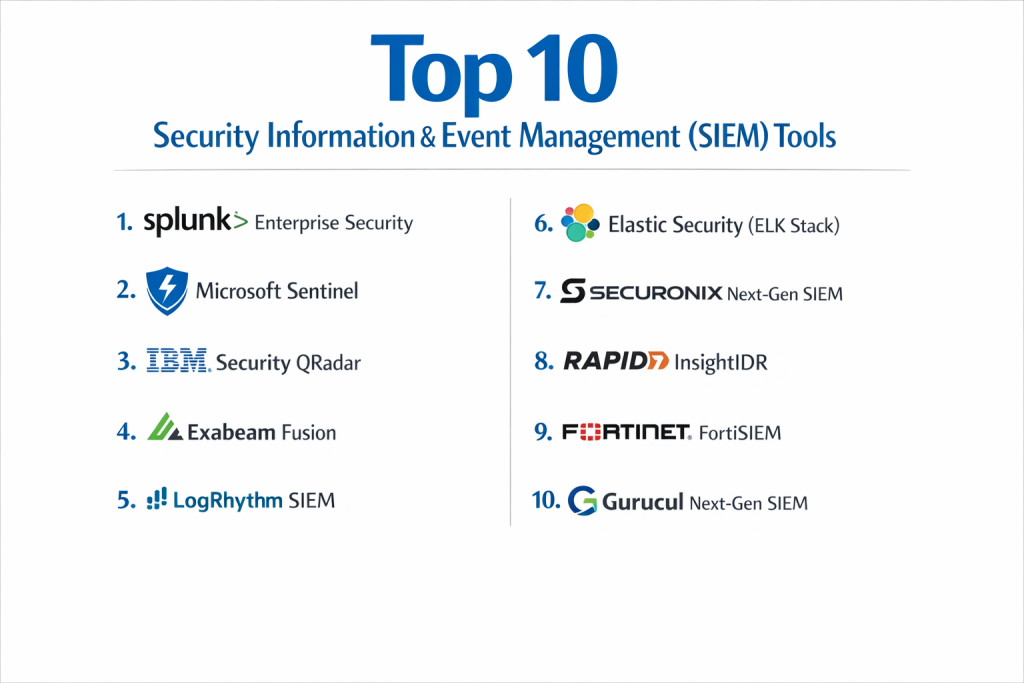
Top 10 Security Information & Event Management (SIEM) Tools
1 — Splunk Enterprise Security
Splunk is widely considered the “gold standard” for big data analytics in security. Its SIEM platform is famous for its ability to index almost any type of data and provide incredibly deep search capabilities.
- Key Features:
- Search Processing Language (SPL): A powerful language for querying and visualizing massive datasets.
- Risk-Based Alerting (RBA): Reduces alert fatigue by focusing on cumulative risk scores.
- Behavioral Analytics: Uses machine learning to detect anomalies in user behavior.
- Splunkbase: A massive ecosystem of thousands of pre-built apps and integrations.
- Automated Playbooks: Integration with Splunk SOAR for rapid incident response.
- Pros:
- Unmatched flexibility; if it generates data, Splunk can analyze it.
- Extensive community support and a large pool of certified professionals.
- Cons:
- Notoriously expensive, with pricing often based on data ingestion volume.
- Requires significant expertise to configure and optimize effectively.
- Security & Compliance: SOC 2 Type II, ISO 27001, FedRAMP, HIPAA, and GDPR compliant.
- Support & Community: World-class documentation, a massive “Splunk Answers” community, and 24/7 premium enterprise support.
2 — Microsoft Sentinel
Microsoft Sentinel is a cloud-native SIEM (and SOAR) platform that has rapidly gained market share due to its seamless integration with the Azure and Microsoft 365 ecosystems.
- Key Features:
- Cloud-Native Architecture: No hardware to manage; scales automatically with your cloud needs.
- AI and Automation: Leverages Microsoft’s massive global threat intelligence data.
- Kusto Query Language (KQL): A modern, performant language for data analysis.
- Free Office 365 Log Ingestion: Offers significant cost savings for Microsoft-heavy shops.
- Fusion AI: Automatically correlates millions of low-fidelity alerts into high-fidelity incidents.
- Pros:
- Very easy to set up for organizations already using Azure.
- Predictable pricing models with a focus on cloud economics.
- Cons:
- Can be difficult to ingest data from non-Microsoft/non-cloud sources compared to Splunk.
- Advanced customization requires deep knowledge of KQL.
- Security & Compliance: Meets global Azure compliance standards (FedRAMP, HIPAA, GDPR, etc.).
- Support & Community: Rapidly growing community on GitHub and extensive Microsoft Learn resources.
3 — IBM Security QRadar
IBM QRadar is a mature, robust SIEM platform known for its “Pulse” dashboard and its ability to automatically correlate diverse security events into “Offenses.”
- Key Features:
- QFlow & NetFlow Analysis: Deep visibility into network traffic as well as log data.
- Watson AI Integration: Uses IBM’s cognitive computing to assist in threat investigation.
- App Exchange: A marketplace for extending QRadar capabilities with third-party tools.
- Automated Asset Discovery: Keeps an updated inventory of devices on your network.
- Data Privacy Management: Specific modules to help with GDPR and other data laws.
- Pros:
- Excellent at reducing thousands of alerts into a handful of actionable incidents.
- Solid reputation for stability in large-scale on-premise deployments.
- Cons:
- The user interface can feel dated and clunky compared to modern cloud tools.
- Installation and upgrades can be technically demanding.
- Security & Compliance: ISO 27001, SOC 2, and specialized compliance reporting templates for global markets.
- Support & Community: Strong enterprise-level support and a dedicated “IBM Security Learning Academy.”
4 — Exabeam Fusion
Exabeam is a leader in the “Next-Gen SIEM” movement, focusing heavily on User and Entity Behavior Analytics (UEBA) to find threats that traditional correlation rules miss.
- Key Features:
- Smart Timelines: Automatically stitches together every action a user takes into a single visual story.
- Behavioral Baselines: Learns what “normal” looks like for every user and machine.
- Out-of-the-Box Content: Hundreds of pre-built use cases for common threats.
- Cloud-First Architecture: Designed for high-performance log storage and search.
- Exabeam Alert Triage: Helps analysts focus on the most critical threats first.
- Pros:
- Exceptional at identifying compromised credentials and insider threats.
- User-friendly interface that prioritizes visual storytelling over raw logs.
- Cons:
- Older on-premise versions were complex; the best features are now cloud-only.
- Can be challenging to tune behavioral models for highly irregular environments.
- Security & Compliance: SOC 2 Type II, GDPR, and HIPAA compliant.
- Support & Community: Strong professional services team and a well-regarded “Exabeam Community” portal.
5 — LogRhythm SIEM
LogRhythm is designed specifically for the Security Operations Center (SOC) workflow, offering a platform that guides analysts from detection to remediation.
- Key Features:
- SmartResponse: Automated actions to isolate hosts or block IPs.
- Precision Search: High-speed querying of structured and unstructured data.
- NetworkXDR: Integrated network traffic analysis.
- Case Management: Built-in tools for tracking and documenting investigations.
- Risk-Based Prioritization: Assigns a “Threat Risk Score” to every incident.
- Pros:
- Very strong focus on workflow automation and analyst productivity.
- Flexible deployment options (Cloud, Software, or Appliance).
- Cons:
- The learning curve for the “AI Engine” configuration can be steep.
- Some users report that the documentation could be more comprehensive.
- Security & Compliance: FIPS 140-2, SOC 2, HIPAA, and PCI-DSS compliance modules.
- Support & Community: Active “LogRhythm University” and a dedicated customer portal.
6 — Elastic Security (ELK Stack)
Elastic is the commercial entity behind the famous ELK Stack. It offers an open-core SIEM that is highly popular with technical teams who want to build custom security solutions.
- Key Features:
- Elastic Common Schema (ECS): Standardizes data from all sources for easy analysis.
- Free Tier Available: Start with the open-source version and upgrade for enterprise features.
- Cross-Cluster Search: Query data across different geographic locations effortlessly.
- Integrated EDR: Built-in endpoint protection that feeds directly into the SIEM.
- Machine Learning: Automated anomaly detection for logs and metrics.
- Pros:
- Exceptional search speed and performance for large-scale data.
- Lower entry cost compared to traditional “big box” SIEMs.
- Cons:
- Requires “Do-It-Yourself” effort to set up and manage the infrastructure.
- Lacks some of the pre-built compliance “wizards” found in IBM or LogRhythm.
- Security & Compliance: SOC 2, ISO 27001, and HIPAA (depending on hosting).
- Support & Community: One of the largest developer communities in the world.
7 — Securonix Next-Gen SIEM
Securonix is a cloud-native platform that pioneered the use of “Security Data Lakes” based on Snowflake architecture, allowing for massive data retention at lower costs.
- Key Features:
- Snowflake Integration: Uses a highly scalable backend for long-term data storage.
- Advanced UEBA: Deep behavioral analytics for users and cloud resources.
- Threat Content-as-a-Service: Regular updates on the latest threat hunting patterns.
- SaaS Delivery: Zero-infrastructure management for the end-user.
- SOAR Capabilities: Native automation for incident response.
- Pros:
- Very cost-effective for organizations that need to store years of data for compliance.
- Strong focus on cloud-centric threats (SaaS, IaaS, PaaS).
- Cons:
- Dependence on third-party data lake performance (Snowflake).
- Can be complex to migrate from a traditional on-premise SIEM.
- Security & Compliance: SOC 1 & 2, HIPAA, GDPR, and ISO 27001.
- Support & Community: Proactive customer success managers and robust training programs.
8 — Rapid7 InsightIDR
InsightIDR is part of the Rapid7 “Insight” platform. It is designed to be a “low-maintenance” SIEM that provides immediate value with minimal configuration.
- Key Features:
- Cloud SIEM: Fully hosted and managed by Rapid7.
- Attacker Behavior Analytics (ABA): Focuses on the techniques used by real hackers.
- Endpoint Interrogation: Integrated with Rapid7’s Insight Agent for deep host visibility.
- Deception Technology: Includes “honey pots” and “honey credentials” to trap attackers.
- Centralized Log Management: Fast search and visualization of system logs.
- Pros:
- Very fast deployment time; often up and running in days.
- Great for teams that are “short on staff” but need enterprise-grade security.
- Cons:
- Less “customizable” than heavyweight tools like Splunk or Elastic.
- Pricing is based on the number of assets (endpoints), which may be expensive for some.
- Security & Compliance: SOC 2 Type II and GDPR compliant.
- Support & Community: High-quality technical support and a very active user forum.
9 — Fortinet FortiSIEM
FortiSIEM is unique because it combines security monitoring with performance monitoring (NOC + SOC), making it a favorite for IT teams that manage their own infrastructure.
- Key Features:
- NOC/SOC Convergence: Monitors server performance alongside security events.
- Self-Learning CMDB: Automatically maps the topology of your network.
- Scalable Architecture: Uses a “Super/Worker” model for high-speed processing.
- Multi-Tenant Support: Ideal for Managed Service Providers (MSPs).
- Contextual Alerts: Combines performance data with security data for better accuracy.
- Pros:
- Excellent visibility into the “health” of the network as well as security.
- Very strong integration with the Fortinet Security Fabric (Firewalls, etc.).
- Cons:
- The UI is quite technical and may be intimidating for new analysts.
- Can be difficult to integrate with niche non-Fortinet products.
- Security & Compliance: ISO 27001, GDPR, and HIPAA reporting templates.
- Support & Community: Backed by the global Fortinet support network.
10 — Gurucul Next-Gen SIEM
Gurucul is a rising star in the SIEM market, known for having a “Data Science first” approach to security, with a massive library of machine learning models.
- Key Features:
- Identity-Centric SIEM: Focuses on the “who” behind the security events.
- Risk Analytics: Aggregates risk from multiple tools into a single score.
- Self-Service Studio: Allows analysts to build their own ML models without coding.
- Data Ingestion Freedom: Ingests data from any source with no proprietary limits.
- Threat Hunting: Advanced visualization for manual threat investigations.
- Pros:
- One of the most advanced analytical engines on the market.
- Flexible licensing models that don’t penalize for data volume.
- Cons:
- Smaller community and fewer third-party “apps” compared to Splunk.
- Requires a high level of analytical skill to get the full value.
- Security & Compliance: SOC 2, ISO 27001, and HIPAA compliant.
- Support & Community: High-touch boutique support and growing documentation.
Comparison Table
| Tool Name | Best For | Platform(s) Supported | Standout Feature | Rating (Gartner) |
| Splunk | Large Enterprises | SaaS, On-prem | SPL Search Language | 4.4 / 5 |
| MS Sentinel | Microsoft Shops | Cloud (Azure) | Native M365 Integration | 4.6 / 5 |
| IBM QRadar | Mature SOC Teams | SaaS, On-prem | Correlation/Offenses | 4.3 / 5 |
| Exabeam | Insider Threats | SaaS, Hybrid | Smart Timelines | 4.5 / 5 |
| LogRhythm | Workflow/Analyst Productivity | SaaS, On-prem | SmartResponse SOAR | 4.4 / 5 |
| Elastic | Technical/Dev-Centric Teams | SaaS, Self-Hosted | Search Speed | 4.6 / 5 |
| Securonix | Cloud-First/Data Lake | SaaS | Snowflake Backend | 4.7 / 5 |
| Rapid7 | Rapid Deployment/SMBs | SaaS | Deception (Honeypots) | 4.5 / 5 |
| FortiSIEM | NOC + SOC Management | On-prem, SaaS | Self-Learning CMDB | 4.2 / 5 |
| Gurucul | Identity/Risk Analytics | SaaS, Hybrid | ML Model Library | 4.8 / 5 |
Evaluation & Scoring of [Security Information & Event Management (SIEM)]
The following table evaluates the general performance of the SIEM category based on industry-standard weightings. Use this to guide your own evaluation process.
| Metric | Weight | Evaluation Criteria |
| Core Features | 25% | Search speed, correlation engine, and UEBA capabilities. |
| Ease of Use | 15% | Intuitiveness of the dashboard and analyst workflow. |
| Integrations | 15% | Breadth of the ecosystem and API quality. |
| Security & Compliance | 10% | Encryption, RBAC, and out-of-the-box audit reports. |
| Performance | 10% | Stability at high EPS (Events Per Second) and uptime. |
| Support & Community | 10% | Quality of documentation and community expertise. |
| Price / Value | 15% | Licensing transparency and long-term TCO (Total Cost). |
Which [Security Information & Event Management (SIEM)] Tool Is Right for You?
Choosing a SIEM is a decision that will impact your team for years. Use this guide to narrow down your choices:
Solo Users vs SMB vs Mid-Market vs Enterprise
- SMBs (under 500 employees): Look for SaaS-first solutions like Rapid7 InsightIDR or Microsoft Sentinel. You want something that doesn’t require a hardware specialist.
- Mid-Market: LogRhythm or Exabeam offer a great balance of features and usability for teams of 5-10 analysts.
- Enterprise: Splunk, IBM QRadar, or Securonix are the only ones capable of handling the massive scale of Fortune 500 data.
Budget-Conscious vs Premium Solutions
- Budget-Conscious: Elastic (ELK Stack) is your best bet if you have the internal skills to build it. Securonix is great for long-term storage costs.
- Premium: Splunk is the ultimate “premium” tool. You pay a lot, but you get the most powerful search engine in existence.
Feature Depth vs Ease of Use
- If you want Ease of Use, go with Rapid7 or Microsoft Sentinel.
- If you want Feature Depth, go with Splunk or IBM QRadar.
Integration and Scalability Needs
If you are moving 100% to the cloud, don’t buy an on-premise SIEM. A cloud-native tool like Sentinel or Securonix is a must. If you have significant on-premise legacy hardware, Fortinet or QRadar might be more stable.
Frequently Asked Questions (FAQs)
1. What is the difference between SIEM and log management?
Log management is just storage. SIEM is storage plus intelligence. SIEM correlates data from different logs to find a single story (e.g., connecting a failed login on a server with a successful login from a foreign IP).
2. How much does a SIEM cost?
Pricing varies wildly. Some charge by the volume of data (GB/day), some by the number of events per second (EPS), and some by the number of devices (assets). Expect to pay anywhere from $15,000 to over $1,000,000 per year.
3. Is SIEM dead? I heard about XDR.
SIEM is not dead, but it is evolving. XDR (Extended Detection and Response) is more focused on automatic detection and response across specific endpoints and networks, while SIEM remains the broader platform for compliance and enterprise-wide log aggregation.
4. How long does it take to implement a SIEM?
A cloud SIEM can be ingest data in hours, but “tuning” the rules to avoid false positives usually takes 3 to 6 months of constant refinement.
5. Do I need a SOC to have a SIEM?
You don’t need a 24/7 SOC, but someone needs to be responsible for the alerts. If no one is looking at the SIEM, it’s just an expensive hard drive.
6. Can SIEM help with GDPR?
Yes. SIEMs have pre-built reports that track who accessed sensitive data, when they accessed it, and if any data was moved out of the network—all of which are required for GDPR audits.
7. What is “EPS” in SIEM terminology?
EPS stands for Events Per Second. It is a common way vendors measure the “speed” and “load” of a SIEM. A high-EPS environment (e.g., 20,000 EPS) requires very powerful hardware.
8. Is Microsoft Sentinel really free?
The platform has no upfront cost, but you pay for the data you ingest and store. However, ingesting Office 365 audit logs and Azure Activity logs is currently free, which is a massive perk.
9. What is “UEBA”?
User and Entity Behavior Analytics. It’s a feature that uses machine learning to find “weird” behavior. For example, if a developer suddenly starts accessing payroll databases, UEBA will flag it.
10. Can I build my own SIEM?
Yes, many companies use the open-source ELK Stack (Elastic, Logstash, Kibana) to build their own. However, you will spend a lot of money on engineer salaries to maintain it.
Conclusion
A SIEM is the single most important investment for an organization looking to reach “Security Maturity.” While the landscape is shifting toward the cloud and AI-driven automation, the core mission remains the same: Visibility.
There is no “perfect” SIEM, only the one that fits your team’s skills and your company’s budget. If you are a Microsoft shop, Sentinel is an easy win. If you have a massive budget and need to search through petabytes of data, Splunk is unrivaled. For those focusing on insider threats and user behavior, Exabeam or Gurucul provide the best analytical depth.
The key to a successful SIEM deployment is not the tool itself, but the strategy. Start with small, high-value data sources, tune your alerts to avoid noise, and slowly grow your visibility.