Introduction
Security Awareness Training Platforms are educational ecosystems designed to transform employees from a company’s greatest security risk into its strongest line of defense. These platforms provide structured learning modules, simulated cyberattacks, and behavioral analytics to teach staff how to recognize and avoid digital threats. In a world where technical firewalls can often be bypassed by a single poorly judged click, these tools focus on the “human firewall.” They cover critical topics such as phishing, social engineering, password hygiene, and physical security, ensuring that security becomes a cultural habit rather than just an IT department initiative.
The importance of these platforms cannot be overstated, as industry data consistently shows that the vast majority of successful data breaches involve some form of human error. By implementing a dedicated training platform, organizations can move away from “one-and-done” annual slideshows and toward a model of continuous learning. This not only significantly reduces the likelihood of a successful ransomware or business email compromise (BEC) attack but also helps businesses meet strict regulatory compliance standards that demand proof of employee training.
Key Real-World Use Cases
- Phishing Simulations: Sending “fake” malicious emails to employees to see who clicks, providing instant remedial training to those who fall for the bait.
- Compliance Certification: Providing documented proof for auditors that every employee has completed training required by GDPR, HIPAA, or PCI-DSS.
- Vishing and Smishing Prep: Training remote workers to handle fraudulent phone calls and text messages designed to steal corporate credentials.
- Tailgating Awareness: Educating office-based staff on the risks of allowing unauthorized individuals to follow them through secure physical doors.
- Executive Protection: Specialized training for high-value targets (like CEOs and CFOs) who are frequently targeted by sophisticated “Whaling” attacks.
What to Look For (Evaluation Criteria)
When choosing a platform, you should prioritize Content Quality and Variety—if the videos are boring, employees won’t pay attention. Automation Capabilities are also vital; the software should be able to automatically enroll new hires and trigger “booster” training for people who fail simulations. Finally, look for Detailed Analytics that allow you to track the “Risk Score” of different departments over time, helping you focus your efforts where they are needed most.
Best for:
These tools are highly beneficial for CISOs, IT Managers, and HR Directors across all industries. They are essential for organizations of any size that handle sensitive customer data, financial information, or intellectual property.
Not ideal for:
Extremely small businesses with no digital footprint or those that do not use email or cloud-based software. If your team is very small and handles zero sensitive data, basic free online security guides may suffice in place of a full enterprise platform.
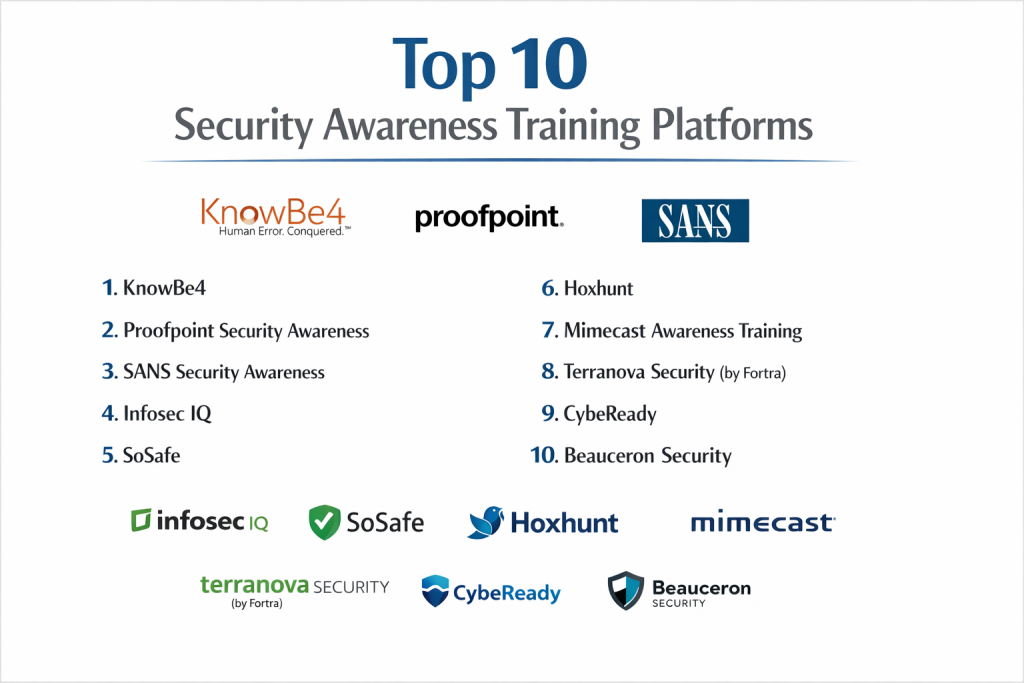
Top 10 Security Awareness Training Platforms
1 — KnowBe4
KnowBe4 is the world’s largest security awareness training platform, known for its massive library of content and its “Kevin Mitnick” inspired training modules. It is designed for organizations that want the most variety and the most sophisticated phishing simulations available.
- Key features:
- Access to the world’s largest library of security awareness content (ModVentures, The Security Awareness Company, etc.).
- Fully automated phishing simulations with thousands of templates.
- “Artificial Intelligence Driven Agent” (AIDA) that creates personalized phishing attacks.
- Advanced reporting and “Risk Scoring” for every employee.
- PhishER tool for automating the analysis of user-reported emails.
- Compliance manager for tracking mandatory regulatory training.
- Pros:
- Unrivaled content library ensures training never feels repetitive or outdated.
- Excellent automation features reduce the time IT managers spend on admin tasks.
- Cons:
- The platform can feel overwhelming and cluttered due to the sheer volume of options.
- Pricing can be higher than competitors, especially when adding premium content tiers.
- Security & compliance: SOC 2 Type II, GDPR, HIPAA, and ISO 27001 compliant; supports SSO (SAML 2.0).
- Support & community: Extensive documentation, a dedicated customer success manager for most tiers, and a very active user community.
2 — Proofpoint Security Awareness
Proofpoint leverages its position as a top-tier email security provider to offer a training platform that uses “real-world” threat intelligence. It is designed for companies that want their training to reflect the actual attacks hitting their network.
- Key features:
- Training based on real-world threat data seen by Proofpoint’s email filters.
- Targeted “Vulnerable User” reporting to identify at-risk individuals.
- Micro-learning modules that are short (2-5 minutes) and highly engaging.
- Teachable moments that provide feedback the instant a user fails a simulation.
- Global content available in 40+ languages.
- Seamless integration with the Proofpoint email security stack.
- Pros:
- Excellent at focusing training on the “Very Attacked People” (VAPs) in your organization.
- Content is highly professional and educationally sound.
- Cons:
- Works best when you are already using Proofpoint’s other security products.
- The administration interface is less modern than some of the newer SaaS rivals.
- Security & compliance: SOC 2, GDPR, and HIPAA compliant; uses enterprise-grade encryption for all data.
- Support & community: Strong enterprise support and a robust knowledge base for technical admins.
3 — SANS Security Awareness
SANS is a legendary name in cybersecurity training. Their awareness platform is built by expert practitioners and is designed for organizations that value technical accuracy and deep educational foundations above all else.
- Key features:
- “MGT433” based methodology developed by world-renowned security experts.
- A massive range of training for specific roles (Developers, Engineers, Executives).
- Multi-lingual support with cultural adaptation, not just translation.
- Nudge-based learning to reinforce habits without disrupting work.
- Detailed maturity modeling to track the growth of your security culture.
- High-quality video content that avoids cheesy “corporate” tropes.
- Pros:
- The most educationally rigorous content in the industry.
- Highly respected by technical teams and security professionals.
- Cons:
- Can be more expensive than “simpler” phishing-focused tools.
- The platform lacks some of the flashy “gamification” found in newer tools.
- Security & compliance: ISO 27001 and SOC 2 compliant; adheres to strict global data privacy standards.
- Support & community: Access to the world-class SANS community and expert-led webinars.
4 — Infosec IQ
Infosec IQ (by Infosec Institute) focuses on making security training a continuous, automated process. It is a favorite for mid-market and enterprise companies that need a balance of ease-of-use and deep reporting.
- Key features:
- Over 2,000+ training resources including videos, posters, and newsletters.
- Personalized learning paths that adapt based on user performance.
- “Choose Your Own Adventure” style interactive games.
- Automated phishing simulations that trigger based on specific events.
- Deep integration with Azure AD and other identity providers.
- Support for “Security Culture Surveys” to measure employee sentiment.
- Pros:
- The “Choose Your Own Adventure” content has very high employee engagement.
- Extremely easy to manage once the initial automation is set up.
- Cons:
- The reporting interface can sometimes be slow to load with large datasets.
- Customization of some phishing templates can be technically tricky.
- Security & compliance: SOC 2 Type II compliant; GDPR and CCPA ready; supports robust SSO.
- Support & community: Dedicated client success managers and an extensive online library of free resources.
5 — SoSafe
SoSafe is a European leader that emphasizes behavioral science and psychology. It is designed for companies that want a non-intrusive, “human-centric” approach to security training.
- Key features:
- Gamified learning platform that feels like a modern app.
- Cyber-risk scoring based on psychological data and user behavior.
- Automated “Phishing Report Button” for Outlook and Google Workspace.
- Storytelling-based training modules that use real-world scenarios.
- GDPR-compliant “Privacy by Design” architecture (very strong for European firms).
- Automated content updates to reflect the latest regional threats.
- Pros:
- One of the best user experiences for employees; it doesn’t feel like “work.”
- Exceptional adherence to strict European privacy laws.
- Cons:
- Content library is smaller than global giants like KnowBe4.
- Less focus on highly technical or developer-specific training.
- Security & compliance: ISO 27001, GDPR (German standard), and SOC 2 compliant.
- Support & community: High-touch European support and active user workshops.
6 — Hoxhunt
Hoxhunt takes a unique approach by focusing on “Positive Reinforcement.” Instead of just catching people who fail, it rewards people for reporting threats, creating a game-like environment for security.
- Key features:
- Personalized phishing paths that adapt to the user’s skill level.
- Instant “Micro-Learning” delivered only when a user interacts with a simulation.
- Global leaderboard and rewards system to drive healthy competition.
- Fully automated platform that requires very little manual IT work.
- Real-time reporting on the “Resilience” of the organization.
- Enterprise-grade security integrations for automated user provisioning.
- Pros:
- Incredible engagement rates because employees enjoy “leveling up.”
- Virtually zero administrative overhead for IT teams.
- Cons:
- Not ideal for organizations that want a traditional “classroom style” training feel.
- The focus is heavily on phishing, with less emphasis on other GRC topics.
- Security & compliance: ISO 27001 and GDPR compliant; uses SOC 2 audited data centers.
- Support & community: Excellent customer success and strategic advisory services.
7 — Mimecast Awareness Training
Mimecast (well known for email security) provides training through high-production, humorous videos. It is designed for companies that struggle with “training fatigue” and want to keep employees entertained while they learn.
- Key features:
- “The Quest” video series—short, funny sitcom-style episodes.
- Monthly training updates that only take 2-3 minutes.
- Predictive analytics to identify which users are most likely to click.
- Seamless integration with the Mimecast Secure Email Gateway.
- Automated phishing simulations based on actual intercepted threats.
- Risk scoring that benchmarks your company against industry peers.
- Pros:
- The humor-based content is highly memorable and builds positive sentiment.
- Integration with Mimecast email security creates a powerful “defense in depth.”
- Cons:
- The humor might not translate perfectly to every global culture.
- Less customization available for the video content itself.
- Security & compliance: SOC 2, GDPR, and HIPAA compliant; high-standard data encryption.
- Support & community: Strong technical support and regular security insight reports.
8 — Terranova Security (by Fortra)
Terranova is known for its “Human-Centric” approach and its partnership with Microsoft. It is a great choice for Microsoft 365 users who want a high-quality, globally-focused training program.
- Key features:
- Official training provider for Microsoft’s “Attack Simulation Training.”
- Diverse content library with 40+ languages and cultural adaptations.
- “Security Awareness 5-Step” framework for building a mature program.
- Interactive modules, games, and infographics.
- Highly customizable phishing templates.
- Robust reporting that focuses on ROI and risk reduction.
- Pros:
- The direct integration with Microsoft 365 simplifies everything for IT admins.
- Content is inclusive and accessible to users with different learning styles.
- Cons:
- Interface can feel a bit more “traditional corporate” than Hoxhunt or SoSafe.
- Some of the advanced reporting features require higher-tier plans.
- Security & compliance: ISO 27001 and SOC 2 Type II compliant; GDPR ready.
- Support & community: Excellent onboarding and “Customer Success” programs.
9 — CybeReady
CybeReady is an “Autonomous” platform. It is designed for busy IT teams who want the software to run the entire security awareness program on autopilot without human intervention.
- Key features:
- Fully automated training and simulation cycles.
- AI-driven content delivery that targets the right user at the right time.
- Data-driven “KPI” dashboards for executives.
- Multi-lingual support with automatic localized content.
- “Just-in-Time” training that appears exactly when a mistake is made.
- Zero-management required after initial setup.
- Pros:
- The “set and forget” nature is a lifesaver for small IT teams.
- Focuses purely on data and behavioral change.
- Cons:
- Less control over the specific “look and feel” of individual campaigns.
- Not ideal for teams that want to manually design their own unique training paths.
- Security & compliance: SOC 2 and GDPR compliant; uses high-grade encryption.
- Support & community: Reliable technical support and quarterly business reviews.
10 — Beauceron Security
Beauceron takes a “Risk Management” approach to training. It treats every employee as a “Risk Manager” and provides them with their own personal security dashboard.
- Key features:
- Personalized “Security Scorecards” for every single employee.
- Automated phishing, vishing, and smishing simulations.
- Incident reporting module for employees to flag real threats.
- Detailed survey tools to measure the “Security Climate.”
- Gamification and badges for high-performing users.
- Executive-level risk reporting that links training to business impact.
- Pros:
- Empowers employees by showing them their own progress and score.
- The link between training and overall risk management is very clear.
- Cons:
- The dashboard can be data-heavy for less-technical employees.
- Content library is smaller than some of the older industry giants.
- Security & compliance: SOC 2 Type II compliant; focuses heavily on data privacy.
- Support & community: Highly praised for their personalized customer support.
Comparison Table
| Tool Name | Best For | Platform(s) Supported | Standout Feature | Rating |
| KnowBe4 | Massive Variety | Web / SaaS | World’s Largest Content Library | 4.8/5 |
| Proofpoint | Real-World Intel | Cloud / Email | VAP (Very Attacked People) Tracking | 4.5/5 |
| SANS | Educational Depth | Web / SaaS | Practitioner-Led Academic Content | 4.6/5 |
| Infosec IQ | Engagement | Cloud / Web | “Choose Your Own Adventure” Content | 4.7/5 |
| SoSafe | EU Privacy/UX | Cloud / Mobile | Psychology-Based Gamification | 4.8/5 |
| Hoxhunt | Automation/Fun | Web / Email | Positive Reinforcement Loop | 4.9/5 |
| Mimecast | Training Fatigue | Cloud / Email | Humorous Sitcom Video Modules | 4.4/5 |
| Terranova | Microsoft Users | M365 / Cloud | Microsoft Attack Simulation Partner | 4.5/5 |
| CybeReady | Busy IT Teams | Autonomous SaaS | Fully “Hands-Off” Training | 4.6/5 |
| Beauceron | Risk Management | Cloud / Web | Individual Employee Scorecards | 4.5/5 |
Evaluation & Scoring of Security Awareness Platforms
| Criteria | Weight | Evaluation Method |
| Core features | 25% | Quality of phishing sims, content library, and automated enrollment. |
| Ease of use | 15% | Admin dashboard simplicity and employee “portal” friction. |
| Integrations | 15% | Ability to sync with AD, Azure, Google Workspace, and SSO. |
| Security & compliance | 10% | Internal standards (SOC 2) and ability to meet GDPR/HIPAA. |
| Performance | 10% | Email deliverability of simulations and platform uptime. |
| Support & community | 10% | Speed of support response and quality of documentation. |
| Price / value | 15% | Does the reduction in risk justify the per-user licensing cost? |
Which Security Awareness Training Platform Is Right for You?
Solo Users vs. SMB vs. Mid-Market vs. Enterprise
A solo user rarely needs a platform, but an SMB should look for ease of use and low admin overhead—Hoxhunt or CybeReady are perfect here. Mid-Market firms usually need better reporting to satisfy stakeholders, making Infosec IQ or SoSafe great choices. Large Enterprises with complex hierarchies and global offices will almost always require the massive scale and customization of KnowBe4 or Proofpoint.
Budget-Conscious vs. Premium Solutions
If you are on a strict budget, look for tools that offer “modular” pricing where you only pay for the phishing simulator or the training videos, not both. Cookiebot (mentioned in other privacy contexts) is not for this category, but look for Hoxhunt’s basic tiers or KnowBe4’s entry-level plans. Premium solutions like SANS are expensive but provide a level of expertise that can prevent multi-million dollar breaches.
Feature Depth vs. Ease of Use
If you have a dedicated security team, you might want the feature depth of KnowBe4 to build your own custom simulations. If you are a one-person IT shop, you need ease of use and should choose an autonomous tool like CybeReady or Hoxhunt that does the work for you.
Integration and Scalability Needs
If your company is entirely on Microsoft 365, choosing Terranova is a logical step due to their partnership. If you are a high-growth company, ensure the tool allows for automated user provisioning (via SCIM) so you don’t have to manually add every new employee.
Security and Compliance Requirements
If you operate in Germany or the EU, SoSafe is often the top choice due to their extreme focus on privacy. If you need to satisfy HIPAA (healthcare) or PCI (payments), ensure the tool you pick has pre-built training paths for those specific laws.
Frequently Asked Questions (FAQs)
1. How often should employees be trained?
Instead of one long annual session, modern best practices suggest “micro-learning” for 2-5 minutes every month. This keeps security at the front of their minds without causing “training fatigue.”
2. Is phishing simulation a good idea?
Yes, but it must be handled carefully. It should never be used to “punish” or shame employees. It is a learning tool to help them recognize threats in a safe environment before a real hacker strikes.
3. What happens if an employee fails a simulation?
They should immediately be shown a “teachable moment”—a quick 1-minute video or infographic explaining what they missed. Some companies also assign a mandatory 5-minute booster module.
4. Can these tools help with compliance like SOC 2?
Absolutely. One of the main reasons companies buy these platforms is to provide auditors with a spreadsheet showing that 100% of employees have completed security training.
5. How much do these platforms cost?
Most charge “per user, per year.” Prices typically range from $10 to $30 per user for small teams, dropping significantly for large enterprises with thousands of employees.
6. Do I need an IT person to run this?
While someone needs to oversee it, “autonomous” tools like CybeReady and Hoxhunt require very little technical skill once they are connected to your email system.
7. Can I customize the phishing emails?
Yes, most platforms allow you to edit templates to look like they are coming from your internal HR department, a local pizza shop, or a common tool like Microsoft Teams.
8. Is the content available in different languages?
Top-tier tools like KnowBe4 and Terranova offer content in 30 to 40+ languages, often with “cultural” adjustments to ensure the examples make sense locally.
9. What is “Vishing” and “Smishing”?
Vishing is voice-phishing (fraudulent phone calls), and smishing is SMS-phishing (fraudulent texts). Many platforms now include simulations for these mobile-based threats.
10. How do I measure if the training is working?
The most common metric is your “Phish-Prone %”—the percentage of employees who click on a simulated attack. A successful program should see this number drop significantly over 6-12 months.
Conclusion
A Security Awareness Training Platform is no longer a “nice to have”—it is a critical business necessity. As technical security grows stronger, hackers are shifting their focus almost entirely toward deceiving people. Choosing the right platform means finding a balance between content that actually engages your staff and a management system that doesn’t burn out your IT team.
The “best” tool isn’t necessarily the one with the most videos; it’s the one that successfully changes the behavior of your specific workforce. Whether you choose a humor-based approach, a psychology-focused European model, or a massive global library, the goal is the same: building a culture where security is everyone’s responsibility.