Introduction
A Secure Web Gateway (SWG) is a security solution that sits between an organization’s employees and the internet. Think of it as a digital checkpoint. When a worker tries to visit a website or download a file, the gateway checks it first to make sure it is safe. It blocks viruses, stops people from visiting dangerous sites, and ensures that sensitive company data is not being uploaded to unauthorized places.
This tool is very important because the internet is where most security threats live. Without a gateway, a single employee clicking on a “bad” link could allow a hacker to enter the entire company network. Modern gateways do more than just block bad sites; they also scan encrypted traffic and help companies follow privacy laws. As more people work from home, these gateways have moved to the cloud so they can protect workers no matter where they are.
Key Real-World Use Cases
- Blocking Harmful Sites: Automatically preventing users from visiting “phishing” sites that try to steal passwords.
- Filtering Content: Stopping employees from visiting non-work-related or inappropriate websites during work hours.
- Preventing Data Leaks: Checking files being uploaded to the web to make sure they do not contain social security numbers or private company plans.
- Safe Remote Work: Providing the same level of security to a person working in a coffee shop as they would have in the main office.
Evaluation Criteria
When choosing a gateway, you should look for:
- Threat Detection: How good is the tool at finding new, unknown viruses?
- Speed and Latency: Does the security check make the internet feel slow for the workers?
- SSL Inspection: Can the tool scan encrypted traffic (the “HTTPS” sites) without breaking privacy?
- Ease of Management: Is it simple for the IT team to set up new rules and read reports?
Best for: Medium to large companies, government agencies, and businesses with remote teams. It is essential for IT managers who need to protect hundreds or thousands of people connecting to the web.
Not ideal for: Very small businesses with only one or two computers, or individuals who can get enough protection from a simple antivirus program and a basic browser filter.
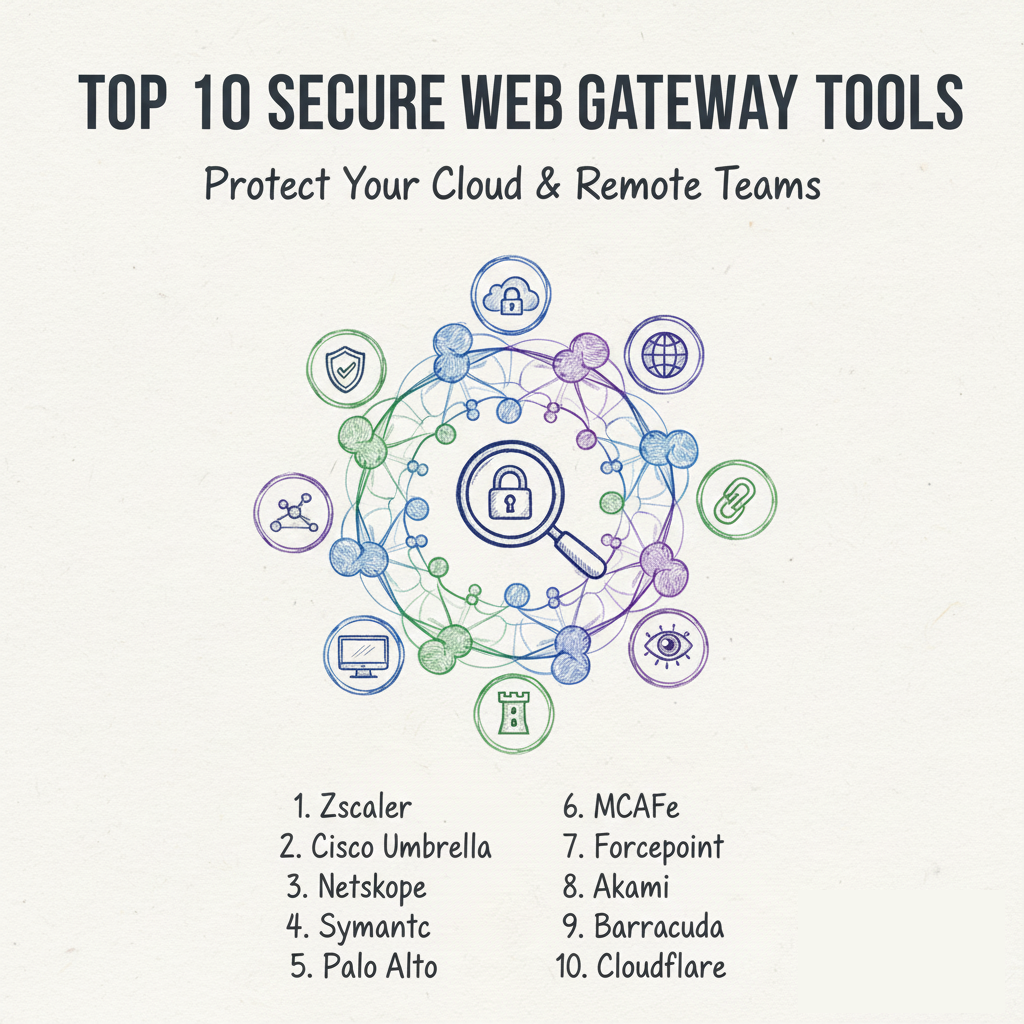
Top 10 Secure Web Gateway (SWG) Tools
1 — Zscaler Internet Access (ZIA)
Zscaler is often considered the leader in cloud security. It is built entirely in the cloud, meaning you do not have to buy any hardware. It is designed for large, global companies with many remote workers.
Key Features
- Full cloud-native architecture with no hardware required.
- Inspection of all encrypted traffic at very high speeds.
- Integrated sandbox to test suspicious files in a safe place.
- Protection against data loss (DLP) for web uploads.
- Global network of data centers to keep the internet fast.
- Advanced threat intelligence that updates in real-time.
Pros
- It is very reliable for companies with people working all over the world.
- It scales easily as your company grows without needing new equipment.
Cons
- It can be more expensive than other options on the market.
- The number of settings can be overwhelming for a small IT team.
Security & Compliance: Meets SOC 2, ISO 27001, and GDPR. Includes SSO and deep audit logs.
Support & Community: Offers 24/7 global support and a very large community of certified professionals.
2 — Cisco Umbrella
Cisco Umbrella is a very popular choice because it is easy to set up. It uses the “DNS” system—the phonebook of the internet—to block threats before a connection is even made to a bad website.
Key Features
- DNS-layer security for fast, simple protection.
- Full web proxy for deeper inspection of risky sites.
- Built-in firewall to control different types of internet traffic.
- Interactive threat intelligence powered by Cisco Talos.
- Simple dashboard that shows all security events in one place.
- Easy integration with Cisco routers and Wi-Fi points.
Pros
- You can get basic protection running for your whole office in minutes.
- It is very lightweight and does not slow down the user’s computer.
Cons
- The basic version lacks the deep “file scanning” features of more expensive tools.
- Advanced reporting can require a higher-priced subscription.
Security & Compliance: SOC 2 Type II and HIPAA compliant. High-level data encryption.
Support & Community: Massive library of documentation and a very active user forum.
3 — Netskope SWG
Netskope is known for its focus on “cloud apps.” It is a modern gateway that understands not just websites, but exactly what people are doing inside apps like Slack, Google Drive, and Box.
Key Features
- Deep visibility into thousands of cloud applications.
- Protection for users on and off the company network.
- Advanced data loss prevention (DLP) with “image” scanning.
- Granular controls (e.g., allow someone to view Slack but not upload files).
- Threat protection against “cloud-native” viruses.
- Fast global network to reduce lag.
Pros
- The best choice for companies that use a lot of different cloud software.
- Very powerful at identifying sensitive data hidden in screenshots or PDFs.
Cons
- It requires a bit of a learning curve to set up the specific app rules.
- Can be overkill for a company that does not use many cloud apps.
Security & Compliance: GDPR, HIPAA, and ISO 27001 compliant. Very strong privacy controls.
Support & Community: Excellent onboarding support and a growing online knowledge base.
4 — Broadcom Symantec Web Gateway
Symantec is a classic name in security. Their gateway is built for the largest organizations that need extreme depth and have complex, high-security requirements.
Key Features
- Hybrid options (can be used as hardware or in the cloud).
- Advanced “Web Isolation” that runs risky sites in a virtual container.
- Very deep inspection of encrypted web traffic.
- Integration with Symantec’s famous antivirus technology.
- Sophisticated reporting for audit and legal purposes.
- Support for very large, high-traffic corporate networks.
Pros
- Proven reliability in the world’s largest banks and government offices.
- The “Web Isolation” feature is excellent at stopping 100% of web-based attacks.
Cons
- The software can feel old-fashioned and “heavy” compared to newer tools.
- Management can be difficult without a dedicated security team.
Security & Compliance: Meets all major global security certifications, including FIPS.
Support & Community: Premium enterprise support available, though focus is on very large clients.
5 — Palo Alto Networks Prisma Access
Palo Alto Networks is famous for firewalls, and Prisma Access is their cloud version. It provides the same high level of security as a physical firewall but for users everywhere.
Key Features
- Consistent security policies across the office and remote locations.
- Built-in “Zero Trust” access to keep internal apps safe.
- Inspection of all ports and protocols, not just web traffic.
- Automated scaling to handle spikes in internet use.
- Global coverage using major cloud provider networks.
- Deep integration with the Palo Alto security ecosystem.
Pros
- Great if you already use Palo Alto firewalls in your office.
- Provides a very high level of protection for all types of internet use.
Cons
- It can be very expensive for smaller organizations.
- Configuration is complex and usually requires a trained engineer.
Security & Compliance: SOC 2, GDPR, and HIPAA compliant. Top-tier encryption.
Support & Community: World-class support and a massive community of expert users.
6 — McAfee (Trellix) Enterprise Security Manager
McAfee (now under the Trellix brand) offers a gateway that focuses on “unified” security. It is a good choice for companies that want to manage web, email, and computer safety in one place.
Key Features
- Proactive threat detection using global data.
- Strong protection for users working from home.
- Simplified management of web filtering rules.
- Integrated sandbox to catch “sneaky” viruses.
- Detailed compliance reporting for various industries.
- Hybrid deployment (cloud and on-premise) support.
Pros
- A solid, reliable choice for medium-sized businesses.
- Good balance of security features without being too complex.
Cons
- The brand has gone through many changes, which can be confusing for support.
- Not as “cloud-native” as newer competitors like Zscaler or Netskope.
Security & Compliance: Meets all standard compliance rules (SOC 2, GDPR).
Support & Community: Wide network of resellers and technical partners for help.
7 — Forcepoint SWG
Forcepoint is a specialist in “human-centric” security. Their gateway looks at how people behave to figure out if they are doing something dangerous or if their account has been stolen.
Key Features
- Risk-based scoring for every user in the company.
- Unified policy management for all office locations.
- Excellent data loss prevention (DLP) built-in.
- Protection against “Zero-Day” (brand new) threats.
- Remote browser isolation for high-risk users.
- High-performance scanning of encrypted traffic.
Pros
- Very good at spotting “insider threats” (employees doing the wrong thing).
- The dashboard is clean and easy to read for managers.
Cons
- Setup for the “behavioral” features takes time and planning.
- Some users find the rules can be a bit too strict if not tuned correctly.
Security & Compliance: Strong focus on data privacy laws like GDPR and CCPA.
Support & Community: Responsive customer support and a helpful technical portal.
8 — Akamai Enterprise Threat Protector
Akamai runs a huge part of the internet’s infrastructure. Their gateway uses this unique position to stop threats very far away from your company network.
Key Features
- Uses Akamai’s massive global network for speed and safety.
- Quick deployment without needing to change your whole network.
- Simple DNS-based blocking for quick wins.
- Protection against “command and control” attacks from hackers.
- Very low “false alarm” rate for security alerts.
- Minimal impact on the user’s internet speed.
Pros
- The internet feels very fast because of Akamai’s global servers.
- It is very effective at stopping hackers from “talking” to stolen computers.
Cons
- It is not as deep as some “full proxy” gateways for checking files.
- Best suited for very large companies that already use Akamai products.
Security & Compliance: High-level enterprise certifications for global use.
Support & Community: Enterprise-grade support with global coverage.
9 — Barracuda CloudGen WAN
Barracuda is a favorite for small and medium businesses. Their gateway is built to be simple to buy, simple to install, and simple to use every day.
Key Features
- All-in-one cloud security and network optimization.
- Built-in protection against web threats and viruses.
- Simple control over which apps employees can use.
- Easy to manage through a web-based dashboard.
- Affordable pricing for companies on a budget.
- Integrated reporting on user activity.
Pros
- Perfect for IT teams that are small and have many other jobs to do.
- Excellent value for money compared to the “big” enterprise tools.
Cons
- It lacks some of the advanced AI features of the high-end tools.
- Reporting is basic and might not satisfy very strict auditors.
Security & Compliance: GDPR and SOC 2 compliant. Uses secure encryption.
Support & Community: Known for very friendly and accessible customer support.
10 — Cloudflare Gateway
Cloudflare has become a giant in internet safety. Their gateway is part of a “Zero Trust” platform that is very modern and popular with tech startups and remote-heavy teams.
Key Features
- Extremely fast internet connection through Cloudflare’s network.
- Simple setup for remote workers via a small app.
- DNS and HTTP filtering in one place.
- Browser isolation to keep local computers safe from bad code.
- Built-in logging of all internet requests for safety checks.
- Integrated with Cloudflare’s other famous security tools.
Pros
- It is very fast—sometimes it even makes the internet feel faster.
- Very modern interface that is easy for young IT teams to use.
Cons
- Some advanced features are still being developed compared to older brands.
- Can be complex to set up “Zero Trust” policies for the first time.
Security & Compliance: ISO 27001, SOC 2, and GDPR compliant.
Support & Community: Large online community and helpful technical guides.
Comparison Table
| Tool Name | Best For | Platform(s) Supported | Standout Feature | Rating |
| Zscaler | Large Remote Teams | Cloud-Native | Global Scale | 4.6 / 5.0 |
| Cisco Umbrella | Quick Setup | Cloud, DNS | DNS-Layer Speed | 4.5 / 5.0 |
| Netskope | Cloud App Users | Cloud | App Visibility | 4.7 / 5.0 |
| Symantec | High Security | Hybrid, Cloud | Web Isolation | 4.3 / 5.0 |
| Palo Alto | Network Security | Cloud, Firewall | Zero Trust Built-in | 4.6 / 5.0 |
| McAfee | Medium Business | Hybrid | Unified Management | 4.4 / 5.0 |
| Forcepoint | Behavior Monitoring | Cloud, Hybrid | User Risk Scores | 4.4 / 5.0 |
| Akamai | Global Speed | Cloud | Infrastructure Scale | 4.5 / 5.0 |
| Barracuda | SMB / Budget | Cloud, WAN | Simplicity | 4.4 / 5.0 |
| Cloudflare | Tech Startups | Cloud | Modern Speed | 4.6 / 5.0 |
Evaluation & Scoring of [Secure Web Gateway (SWG)]
We use this weighted rubric to judge how these tools perform. Some features are more important than others for a successful deployment.
| Criteria | Weight | What it Evaluates |
| Core Features | 25% | Ability to block threats, filter content, and inspect SSL. |
| Ease of Use | 15% | How simple it is to manage rules and read reports daily. |
| Integrations | 15% | How well it talks to your existing apps and servers. |
| Security/Compliance | 10% | The safety of the tool itself and audit capabilities. |
| Performance | 10% | Reliability and impact on internet speed for users. |
| Support | 10% | Quality of help books and human support response. |
| Price / Value | 15% | Is the protection worth the money spent? |
Which Secure Web Gateway (SWG) Tool Is Right for You?
The right choice depends on your company’s size, budget, and technical skills.
By Company Size
- Solo Users: You likely do not need a full gateway. A good browser extension and a standard antivirus are usually enough.
- Small Businesses (SMB): Look at Barracuda or Cisco Umbrella. They are easier to set up and do not require a full-time security expert to manage.
- Large Enterprises: You need the power of Zscaler, Palo Alto, or Symantec. These tools can handle thousands of users and very complex safety rules.
By Need and Budget
- If you are on a budget: Barracuda offers great protection for a lower price. Cloudflare also has a very competitive free tier for very small teams.
- If speed is your priority: Cloudflare and Akamai use their own global networks to make sure your internet stays fast.
- If you use many cloud apps: Netskope is the specialist here. It gives you the best control over what people do inside apps like Slack and Google Drive.
- If you have a remote workforce: Zscaler was built specifically for this. It ensures every worker is safe no matter where they are in the world.
Frequently Asked Questions (FAQs)
1. Is a Secure Web Gateway the same as a Firewall?
No. A firewall is like a fence around your office. A gateway is like a security guard who looks inside every package (or website) to make sure it is safe. Most companies use both.
2. Does a gateway slow down my internet?
In the past, yes. But modern cloud-based gateways (like Cloudflare or Zscaler) are so fast that most workers never even know they are being protected.
3. Do I need to buy hardware?
Most modern gateways are “cloud-native,” which means you do not have to buy any physical boxes. You just connect your computers to their cloud service.
4. Can the gateway see my private passwords?
No. While these tools can scan “HTTPS” traffic for viruses, they are set up to ignore sensitive things like bank passwords or private medical info to protect your privacy.
5. How long does it take to set up?
A simple tool like Cisco Umbrella can be set up in an hour. A complex enterprise tool like Palo Alto can take several weeks to configure perfectly.
6. Does it work on smartphones?
Yes. Most gateways have a small app you can put on company phones to keep them safe when they are using public Wi-Fi.
7. Can it block social media?
Yes. You can set rules to block sites like Facebook or YouTube during work hours, or only allow certain teams (like Marketing) to use them.
8. Is it better to have a hybrid or cloud-only tool?
If you have a traditional office, “hybrid” (part hardware, part cloud) is good. If your team is mostly remote, “cloud-only” is much easier to manage.
9. Why is SSL inspection important?
Over 90% of web traffic is encrypted (the lock icon in your browser). If your gateway cannot “look inside” that encrypted traffic, it cannot find the viruses hidden there.
10. What is a “false positive”?
This is when a security tool blocks a “good” website by mistake. A good gateway makes it easy for the IT team to “unblock” those sites quickly.
Conclusion
Choosing a Secure Web Gateway is one of the most important decisions for a modern IT team. It is the best way to stop threats before they ever touch your company’s computers.
Remember, the “best” tool is not necessarily the one with the most features. It is the one that your team can actually manage and that does not slow down your business. If you are small, prioritize simplicity. If you are large, prioritize visibility and scale. By choosing the right gateway, you are giving your employees the freedom to use the internet without putting the company at risk.