Introduction
Search Relevance Tuning Tools are specialized software platforms and frameworks designed to optimize the accuracy of search results by aligning them with user intent. Unlike basic search engines that simply match keywords, these tools allow developers and business users to adjust the mathematical “weight” of different data fields (like title vs. description), incorporate behavioral data (like what users actually clicked on), and leverage AI to understand the semantic meaning behind a query. By using these tools, organizations can ensure that when a customer searches for “lightweight jacket,” they aren’t buried under results for “heavy winter coats” or “light bulbs.”
The importance of search relevance tuning has reached a critical point in an era where users expect “Google-like” precision in every app and website they use. Poor search relevance leads to “search abandonment,” where users leave a site because they cannot find what they need, directly impacting revenue and user retention. Today, these tools are the backbone of modern digital experiences, enabling sophisticated features like typo tolerance, synonym handling, and personalized results that adapt to a user’s location or past behavior.
Key Real-World Use Cases
- E-commerce Product Discovery: Ensuring that high-margin or trending products appear at the top of search results while filtering out irrelevant stock.
- Enterprise Knowledge Management: Helping employees find specific internal documents, Slack threads, or HR policies across vast, fragmented company wikis.
- Media and Streaming: Powering “search-as-you-type” features that help users find movies or articles based on actors, genres, or even vague plot descriptions.
- Customer Support Deflection: Automatically surfacing relevant help articles when a user starts typing a support ticket, reducing the load on human agents.
- Academic and Legal Research: Providing high-precision retrieval for technical terms, citations, and case law where exactness is legally or scientifically mandatory.
What to Look For (Evaluation Criteria)
When selecting a tool, prioritize Precision Control, which allows you to manually “boost” certain attributes without breaking the entire algorithm. Learning-to-Rank (LTR) capabilities are essential for teams that want the system to automatically improve based on click-stream data. Additionally, evaluate Semantic Support—the ability to handle natural language and “vector-based” searches that understand concepts rather than just characters. Finally, check for A/B Testing Infrastructure, which lets you test new ranking rules on a small percentage of traffic before a full rollout.
Best for: Search engineers, product managers in e-commerce, and enterprise IT leaders who need to bridge the gap between “finding results” and “finding the right results” to drive business KPIs.
Not ideal for: Owners of small, static websites (like a 5-page portfolio) or basic blogs where the native search function of a CMS like WordPress or Squarespace is more than sufficient.
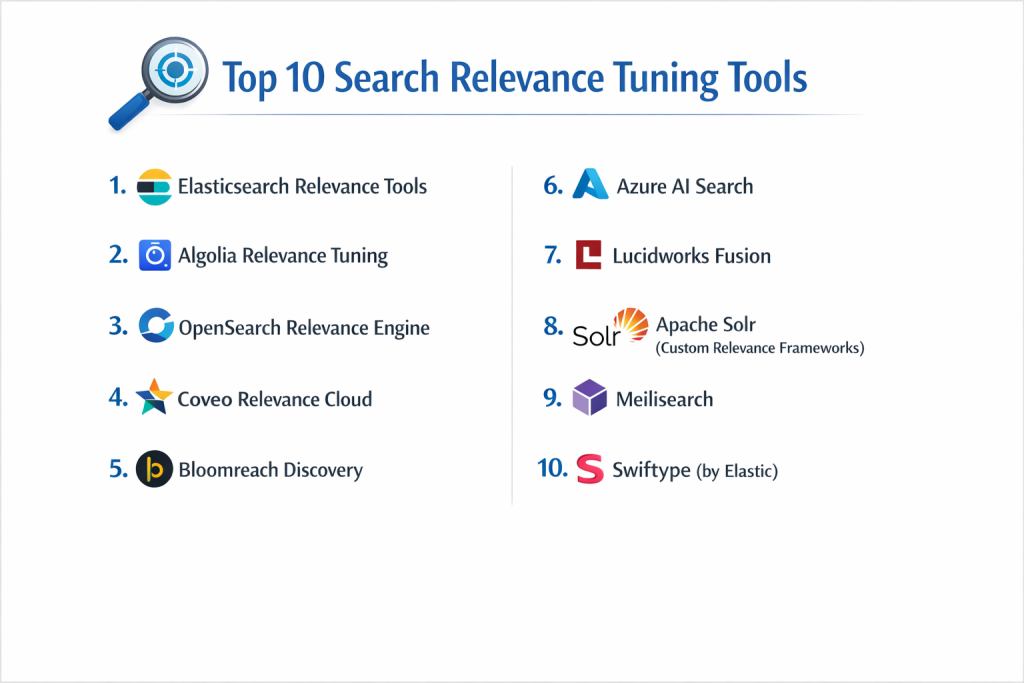
Top 10 Search Relevance Tuning Tools
1 — Elasticsearch Relevance Tools
Elasticsearch is the industry heavyweight for search, offering a deep suite of tools designed to fine-tune relevance through its powerful Query DSL (Domain Specific Language).
- Key features:
- Function Score Query: Allows for complex mathematical formulas to modify the score of every document.
- Learning-to-Rank (LTR): A plugin that uses machine learning to rank search results based on historical click data.
- Elasticsearch Relevance Engine (ESRE): Specifically built for AI-powered search, including vector database capabilities.
- Field-Level Boosting: Easily assign higher importance to titles over body text or tags.
- Custom Analyzers: Fine-grained control over how text is broken down (tokenized) and indexed.
- Pros:
- Unparalleled flexibility for developers who want to control every micro-interaction of the search experience.
- A massive global community means you can find a pre-built solution for almost any relevance problem.
- Cons:
- Extremely high learning curve; requires dedicated “Search Engineers” to manage effectively.
- Relevance tuning is done primarily through code, making it difficult for non-technical users.
- Security & compliance: SOC 2 Type II, HIPAA, GDPR, and ISO 27001 compliant; features robust role-based access control (RBAC).
- Support & community: Extensive documentation, a worldwide user base, and premium enterprise support tiers from Elastic NV.
2 — Algolia Relevance Tuning
Algolia is a hosted “Search-as-a-Service” platform known for its extreme speed and user-friendly visual interface for tuning relevance.
- Key features:
- Visual Ranking Formula: A non-technical interface to drag and drop ranking criteria like “Typo Tolerance” and “Proximity.”
- Dynamic Re-Ranking: AI-powered feature that automatically adjusts results based on real-time user trends.
- Rules Engine: Allows business users to create “if-then” logic (e.g., “if query is ‘shoes’, boost ‘Nike'”).
- A/B Testing: Built-in capability to split-test two different relevance configurations.
- Synonym Management: An easy dashboard to link related terms like “cellphone” and “mobile.”
- Pros:
- The best choice for teams where marketing or product managers need to tune search without writing code.
- Instant, sub-100ms search results out of the box with minimal configuration.
- Cons:
- Pricing can become prohibitively expensive as your record count and search volume grow.
- “Black box” nature; you have less control over the underlying indexing logic compared to open-source tools.
- Security & compliance: SOC 3, ISO 27001, HIPAA, and GDPR compliant; includes multi-factor authentication and data encryption.
- Support & community: High-quality documentation and responsive customer support, though the community is smaller than the open-source giants.
3 — OpenSearch Relevance Engine
Born as a fork of Elasticsearch, OpenSearch has evolved into a community-driven powerhouse with a specific focus on making “Neural Search” accessible.
- Key features:
- Search Pipelines: Allows you to intercept and modify queries or results at different stages.
- Neural Search Plugin: Simplifies the integration of language models for semantic relevance.
- Hybrid Search: Seamlessly combines traditional keyword scores with vector similarity scores.
- Ranker Profiles: Define different relevance strategies for different parts of your app (e.g., blog vs. store).
- Observability Tools: Detailed dashboards to see exactly why a specific document ranked where it did.
- Pros:
- Completely open-source and free to use, offering enterprise-grade features without licensing fees.
- Strong focus on “Next-Gen” search trends like RAG (Retrieval-Augmented Generation).
- Cons:
- Requires significant DevOps effort to host and scale if not using a managed service like AWS.
- The ecosystem of third-party plugins is still catching up to the original Elasticsearch.
- Security & compliance: Inherits AWS-grade security features; supports encryption, fine-grained access control, and audit logging.
- Support & community: Rapidly growing community backed by major tech firms; documentation is comprehensive and improving daily.
4 — Coveo Relevance Cloud
Coveo is an AI-first platform that specializes in “Personalized Relevance,” particularly for large enterprise and B2B commerce environments.
- Key features:
- Intent Detection: Uses machine learning to guess what a user wants even with vague queries.
- Automatic Query Suggestions: Predicts the user’s search based on their specific profile and behavior.
- Case Deflection AI: Specifically tuned for support sites to solve issues before a ticket is filed.
- Unified Indexing: Pulls data from Salesforce, Jira, and SharePoint to provide a single relevant search.
- Usage Analytics: Deep insights into “Content Gaps”—queries that returned no relevant results.
- Pros:
- Strongest tool for “Contextual Search” (results change based on who is searching).
- Enterprise-ready with pre-built connectors for almost every major corporate data source.
- Cons:
- Very high entry price point; geared strictly toward the enterprise market.
- Implementation can be complex and often requires professional services.
- Security & compliance: SOC 2 Type II, ISO 27001, HIPAA, and GDPR compliant; specialized for highly regulated industries.
- Support & community: White-glove enterprise support, dedicated account managers, and an active customer advisory board.
5 — Bloomreach Discovery
Bloomreach is a specialized search and merchandising platform designed specifically for the complex needs of high-volume e-commerce retailers.
- Key features:
- Semantic Vector Search: Understands the “why” behind a shopper’s query (e.g., “formal wedding attire”).
- Visual Merchandising: Drag-and-drop tools for retailers to manually pin or hide products.
- 1:1 Personalization: Tailors search results to each individual shopper’s taste and past purchases.
- Loomi AI: A proprietary AI engine built specifically for commerce-related language.
- Global Expansion: Optimized for multi-language, multi-currency, and multi-region search.
- Pros:
- The definitive choice for e-commerce “Merchandisers” who need to blend AI with business strategy.
- Proven to significantly increase conversion rates (CVR) and revenue per visit (RPV).
- Cons:
- Not a general-purpose tool; lacks the flexibility for non-commerce use cases like legal or medical search.
- Requires a mature data team to fully leverage the AI personalization features.
- Security & compliance: SOC 2 and GDPR compliant; robust data isolation for multi-tenant environments.
- Support & community: Excellent support for retailers, including strategy consulting and technical onboarding.
6 — Azure AI Search
Formerly known as Azure Cognitive Search, this is Microsoft’s cloud-native search service that excels in AI-driven content enrichment.
- Key features:
- Skillsets: Automatically extracts text, identifies faces, or translates languages during indexing.
- Semantic Ranker: Uses Microsoft’s Bing-powered models to re-rank results for better intent matching.
- Knowledge Store: Saves the AI-enriched data for use in other applications.
- Integrated Vector Search: First-class support for storing and searching embeddings.
- Synonym Maps: Easily upload and manage thousands of synonym pairs.
- Pros:
- Unbeatable integration for companies already using the Azure ecosystem and Microsoft 365.
- The “Skillsets” feature makes it easy to make “unsearchable” files (like handwritten notes or images) searchable.
- Cons:
- Performance and features can lag behind specialized search-only competitors.
- The pricing model can be confusing due to the many sub-services (AI enrichment, storage, etc.).
- Security & compliance: Part of the Azure “Trust Center”; includes nearly every major global compliance certification (ISO, SOC, HIPAA, FedRAMP).
- Support & community: Backed by Microsoft’s global support network; extensive technical documentation.
7 — Lucidworks Fusion
Lucidworks Fusion is an enterprise-grade platform that sits on top of Apache Solr to provide advanced AI and “Signals” processing.
Solr is the “original” enterprise search engine, offering the most transparent and customizable relevance framework for those who want to build their own tool.
- Key features:
- Signal Processing: Captures and analyzes user clicks, adds-to-cart, and hovers to train relevance models.
- Predictive Merchandising: Predicts future trends and adjusts search results before they happen.
- Smart Answers: A RAG-based feature that provides direct answers to questions within the search bar.
- Pipeline Stages: A highly visual way to chain together different relevance-tuning logic.
- Natural Language Query (NLQ): Translates human questions into formal search queries.
- Pros:
- Provides the scale of Solr with the modern AI features of a SaaS platform.
- Excellent for large organizations that need “Hybrid Search” (keyword + semantic) at a massive scale.
- Cons:
- Can be quite “heavy” to deploy; typically requires a dedicated platform team.
- The user interface for tuning can feel dated compared to newer platforms like Algolia.
- Security & compliance: SOC 2 Type II compliant; supports advanced encryption and secure enterprise connectors.
- Support & community: Robust professional services and a dedicated “Lucidworks Academy” for training.
8 — Apache Solr (Custom Relevance Frameworks)
- Key features:
- Explicit Boosting: Unrivaled control over per-field and per-query boosting via the DisMax parser.
- Spatial Search: Built-in relevance tuning for location-based search (e.g., “closest to me”).
- Result Grouping: Collects related results together to prevent one source from dominating the top spots.
- Text Analysis UI: A visual tool to see exactly how a word is processed during search.
- Extensible Plugins: Write your own Java plugins to implement custom ranking math.
- Pros:
- The most “stable” and battle-tested search engine in the world; used by NASA and Wikipedia.
- Completely free and open-source with no vendor lock-in.
- Cons:
- Modern AI features (like vector search) are often more “manual” to set up than in Elasticsearch.
- Requires deep Java expertise to truly customize and tune.
- Security & compliance: Varies (self-hosted); supports Kerberos, SSL, and Basic Auth but requires manual configuration.
- Support & community: One of the oldest and most helpful communities in the tech world; millions of forum posts and tutorials.
9 — Meilisearch
Meilisearch is a “new wave” search engine focused on providing the best possible developer experience and “default” relevance.
- Key features:
- Typo Tolerance: Best-in-class handling of misspellings out of the box.
- Search-as-you-type: Optimized for providing instant results with every keystroke.
- Ranking Rules: A simplified list of rules (Typo, Words, Proximity) that you can re-order.
- Filtering & Faceting: Extremely fast and simple to implement for developers.
- Multi-language: Built-in support for nearly all major world languages including CJK (Chinese, Japanese, Korean).
- Pros:
- The easiest tool to get running; you can have relevant search in 5 minutes.
- Incredible performance for small to medium datasets without needing a cluster.
- Cons:
- Lacks the advanced “Learning-to-Rank” and AI features needed for massive enterprises.
- Not designed for multi-billion document datasets (yet).
- Security & compliance: Supports API keys and secure hosting; GDPR compliant.
- Support & community: Friendly, modern community on Discord and GitHub; documentation is incredibly clear and concise.
10 — Swiftype (by Elastic)
Swiftype is a hosted search platform that takes the power of Elasticsearch and puts it behind a very simple, non-technical dashboard.
- Key features:
- Drag-and-Drop Reordering: Literally click and drag a search result to the top spot for a specific query.
- Weighting Sliders: Adjust field importance (e.g., “Title” vs “Content”) using simple sliders.
- Crawl-based Indexing: Simply enter your URL, and the tool builds the search index for you.
- Real-time Analytics: See what people are searching for and what is returning “zero results.”
- Automatic Synonyms: AI-powered suggestions for related words.
- Pros:
- The “easiest” enterprise search tool; perfect for marketing teams with no dev resources.
- Great for site search on content-heavy websites and university portals.
- Cons:
- Less “extensible” than the core Elasticsearch it is built on.
- The simplicity comes at the cost of being able to do complex, custom ranking math.
- Security & compliance: Inherits the security of the Elastic Cloud; SOC 2 and GDPR compliant.
- Support & community: Professional support from the Elastic team; strong documentation for non-developers.
Comparison Table
| Tool Name | Best For | Platform(s) Supported | Standout Feature | Rating (Gartner/True) |
| Elasticsearch | Developer-led teams | Cloud, On-Prem, Local | Query DSL Flexibility | 4.8 / 5 |
| Algolia | High-speed E-commerce | SaaS / API | Visual Tuning Dashboard | 4.7 / 5 |
| OpenSearch | Open-source AI | Cloud, On-Prem | Neural Search Pipelines | 4.6 / 5 |
| Coveo | Enterprise Personalization | SaaS | Contextual AI Ranking | 4.8 / 5 |
| Bloomreach | Retail Merchandising | SaaS | Loomi AI for Commerce | 4.7 / 5 |
| Azure AI Search | Microsoft Ecosystem | Azure Cloud | Built-in AI Enrichment | 4.5 / 5 |
| Lucidworks | Solr-based Enterprise | Cloud, On-Prem | Behavioral Signals Engine | 4.6 / 5 |
| Apache Solr | Battle-tested stability | On-Prem, Local | DisMax Query Tuning | 4.7 / 5 |
| Meilisearch | SMB & Quick Setup | Local, SaaS | Out-of-the-box Relevance | 4.9 / 5 |
| Swiftype | Content-heavy sites | SaaS | Drag-and-Drop Tuning | 4.5 / 5 |
Evaluation & Scoring of Search Relevance Tuning Tools
| Tool Name | Core Features (25%) | Ease of Use (15%) | Integrations (15%) | Security (10%) | Performance (10%) | Community (10%) | Value (15%) | Total Score |
| Elasticsearch | 10 | 5 | 10 | 10 | 9 | 10 | 8 | 8.7 |
| Algolia | 8 | 10 | 9 | 9 | 10 | 7 | 6 | 8.3 |
| OpenSearch | 9 | 6 | 9 | 9 | 9 | 8 | 10 | 8.6 |
| Coveo | 10 | 7 | 9 | 10 | 9 | 7 | 6 | 8.3 |
| Meilisearch | 6 | 10 | 7 | 8 | 10 | 9 | 9 | 8.2 |
| Bloomreach | 9 | 8 | 8 | 9 | 9 | 7 | 7 | 8.2 |
Which Search Relevance Tuning Tool Is Right for You?
Small to Mid-Market vs. Enterprise
For Solo Users and SMBs, the priority is usually “Time to Value.” Tools like Meilisearch or Swiftype allow you to have high-quality search without a dedicated team. For Mid-Market companies, Algolia offers the best balance of speed and visual tuning. Enterprises, however, usually need the “power tools” like Elasticsearch, Coveo, or Lucidworks to handle millions of records and complex security permissions across multiple departments.
Budget and Value
If you are Budget-Conscious, sticking to open-source like OpenSearch or Apache Solr is the clear path. While the software is free, remember that you will pay in “human capital” to set it up. If you are looking for a Premium Solution where the software does the work for you, Bloomreach or Algolia represent a high upfront cost that is often offset by the significant lift in revenue they provide.
Technical Depth vs. Simplicity
If your team has strong Technical Depth (Java/Python developers), you will find the “visual” tools too restrictive. You should opt for the Elasticsearch or Solr route. If you value Simplicity—perhaps you are a marketing-heavy team—Swiftype or Algolia will save you months of frustration by giving you a dashboard that “just works.”
Security and Compliance Requirements
If you operate in a Highly Regulated Industry (Health, Finance, Gov), you cannot compromise. Azure AI Search and Coveo are built for these environments from the ground up. If you require Air-Gapped security (no internet connection), you must choose a self-hosted option like Elasticsearch or OpenSearch, as SaaS tools like Algolia require your data to leave your servers.
Frequently Asked Questions (FAQs)
1. What is the difference between “Ranking” and “Relevance”?
Ranking is the order of results. Relevance is the quality of that order. Tuning relevance means adjusting the ranking so the most helpful items appear at the very top.
2. Do I need AI to have good search relevance?
No. Most relevance issues can be fixed with basic “boosting” and synonym management. However, AI is essential if you want your search to understand user intent rather than just words.
3. Is search relevance tuning a “one-and-done” task?
Never. Relevance tuning is a continuous loop. You must monitor analytics to see what users search for and fail to find, then adjust your rules accordingly.
4. How does “Typo Tolerance” work?
It uses an algorithm (like Levenshtein distance) to find words that are “close” to the query. For example, if someone types “jacet,” the tool knows they probably mean “jacket.”
5. What is “Boosting”?
Boosting is the act of giving a specific data field more importance. For example, a word found in the “Product Name” should usually be “boosted” higher than a word found in the “Product Description.”
6. Can non-technical people use these tools?
Yes, if you choose “Search-as-a-Service” tools like Algolia, Swiftype, or Bloomreach, which provide visual dashboards instead of code.
7. How much do these tools cost?
Open-source is free. SMB tools like Algolia start at around $100/mo. Enterprise platforms like Coveo or Bloomreach can cost tens of thousands of dollars per year.
8. Will these tools slow down my website?
If configured correctly, no. SaaS tools like Algolia actually make your site faster by offloading the search processing from your server to their high-speed global network.
9. What is “Learning-to-Rank” (LTR)?
LTR is a machine learning technique where the search engine looks at thousands of past searches to see which results people actually clicked on, then automatically moves those results to the top.
10. Do these tools support multiple languages?
Most do, but some (like Meilisearch and Bloomreach) have specialized logic for “Stemming” (breaking down words) in difficult languages like Arabic or Chinese.
Conclusion
Finding the “perfect” Search Relevance Tuning Tool is a balance of your technical ability, your budget, and the specific needs of your users. For the developer who wants total control, Elasticsearch remains the undisputed king. For the retailer who needs to move products, Bloomreach is a clear winner. And for the developer who needs a beautiful search experience in minutes, Meilisearch is the rising star.
Ultimately, remember that the “best” tool is the one your team will actually use. A powerful engine like Solr is useless if nobody on your team knows how to tune its configuration. Start with your users: look at your current search analytics, identify where people are getting stuck, and choose the tool that offers the specific features (like synonyms, boosting, or AI re-ranking) to solve those specific problems.