Introduction
School timetabling software is a specialized type of scheduling tool designed to solve the complex puzzle of matching teachers, students, rooms, and subjects within a school week. In the past, school administrators spent weeks with giant whiteboards, colored sticky notes, and pencils trying to create a master schedule. One small change—like a teacher going on maternity leave or a science lab becoming unavailable—could ruin the entire plan. Modern timetabling software uses advanced algorithms to process these thousands of variables in minutes, ensuring there are no “clashes” where two classes are assigned to the same room or the same teacher at the same time.
The importance of these tools cannot be overstated. A well-constructed timetable ensures that student learning time is maximized and that teacher workloads are balanced fairly. Beyond just placing classes in slots, these platforms consider complex constraints like “no more than two double-periods of math per week” or “ensuring a specific teacher has Friday afternoons off.” By automating the heavy lifting, school leaders can spend less time on paperwork and more time on improving the quality of education.
Key Real-World Use Cases
- Master Schedule Creation: Generating the primary yearly or term-based schedule for the entire school body across all departments.
- Room Optimization: Ensuring high-demand facilities, like computer labs or gymnasiums, are used efficiently without overlaps.
- Teacher Constraint Management: Automatically honoring part-time teacher contracts, specific day-off requests, and specialized subject qualifications.
- Exam Scheduling: Creating high-stakes testing schedules that ensure students don’t have three exams in one day and that proper supervision is assigned.
- Daily Substitution (Cover): Handling short-term changes when a teacher calls in sick, finding the best available internal substitute instantly.
What to Look For (Evaluation Criteria)
When choosing a platform, the first thing to evaluate is the Algorithm Strength. The software should be able to handle “impossible” constraints and suggest the best possible solutions rather than just giving up. Secondly, check for Student Information System (SIS) Integration. You do not want to manually type in every student and teacher name; the software should pull this data automatically. Lastly, look for Cloud Access. A modern school requires a timetable that teachers and students can view on their phones in real-time if a room changes at the last minute.
Best for: School principals, dedicated timetablers, and administrative heads in K-12 schools, colleges, and large multi-campus universities.
Not ideal for: Individual tutors or very small after-school clubs with only one or two rooms, where a simple digital calendar (like Google Calendar) would be faster and cheaper.
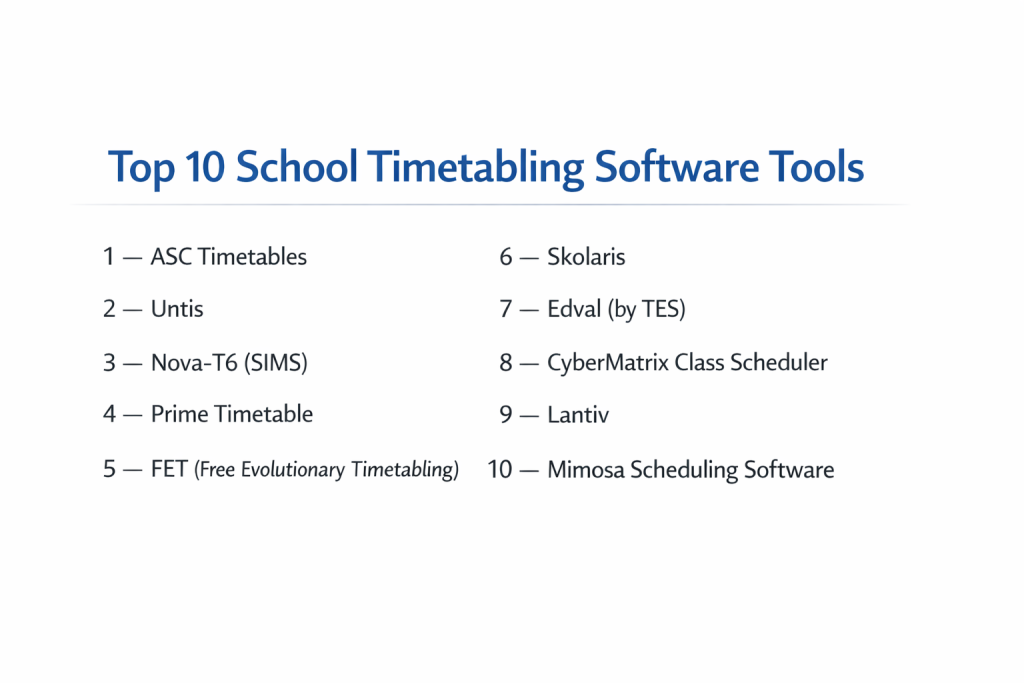
Top 10 School Timetabling Software Tools
1 — ASC Timetables
ASC Timetables is one of the most popular and long-standing solutions globally. It is famous for its powerful automatic generator that can solve even the most complex scheduling problems that would take a human weeks to figure out.
- Key features:
- Automatic Generator: One-click scheduling that resolves thousands of constraints.
- ASC Substitutions: A dedicated module for managing daily teacher absences.
- Room Supervision: Tracks and schedules teacher duties in hallways and lunchrooms.
- Electronic Class Registers: Integration for attendance tracking once the schedule is live.
- Mobile App: Real-time schedule viewing for parents and students.
- Pros:
- The algorithm is incredibly fast and reliable.
- Very high flexibility for specific, “weird” school rules and local requirements.
- Cons:
- The user interface looks a bit like older Windows software.
- The sheer number of settings can be intimidating for beginners.
- Security & compliance: Password protection, local database encryption, and GDPR compliance for the cloud-hosted version.
- Support & community: Excellent tutorial videos and a very responsive international email support team.
2 — Untis
Untis is a premium European solution known for its precision and modularity. It is particularly strong for large schools that need to manage not just a schedule, but an entire daily digital ecosystem including homework and exams.
- Key features:
- Multi-User Access: Multiple administrators can work on the same schedule simultaneously.
- Optimization Engine: Fine-tunes existing schedules to improve teacher satisfaction.
- Untis Mobile: Highly rated app for instant notifications of schedule changes.
- WebUntis: A browser-based platform for decentralized school management.
- Integration Modules: Connects easily with major school administration software.
- Pros:
- Extremely stable and capable of handling massive university-sized data.
- Offers a “What-If” mode to test schedule changes before making them live.
- Cons:
- One of the more expensive options on the market.
- Requires significant training to master the full suite of modules.
- Security & compliance: ISO 27001 certified, GDPR compliant, and features robust audit logs for changes.
- Support & community: Strong network of local partners providing on-site training and support.
3 — Nova-T6 (SIMS)
For schools in the UK and Commonwealth, Nova-T6 is the standard. It is part of the SIMS (School Information Management System) ecosystem, making it the natural choice for institutions already using SIMS for their student data.
- Key features:
- Deep SIMS Integration: No data transfer needed; it shares the student database.
- Visual Drag-and-Drop: An intuitive grid for making manual adjustments.
- Curriculum Planning: Helps align the timetable with the school’s budget and staffing.
- Conflict Highlighting: Instantly shows red flags if a teacher is double-booked.
- Analysis Tools: Provides reports on room usage and teacher contact hours.
- Pros:
- Perfect data synchronization for SIMS users.
- Highly structured approach that follows traditional academic planning.
- Cons:
- Primarily designed for the UK market; less flexible for international systems.
- Can feel “heavy” and slow compared to modern cloud-only tools.
- Security & compliance: Compliant with strict Department for Education (UK) standards and GDPR.
- Support & community: Massive user base in the UK with endless forums and professional training consultants.
4 — Prime Timetable
Prime Timetable is a modern, cloud-based solution that prioritizes a beautiful user experience. It is designed to work in any web browser, making it accessible for schools that don’t want to install complex local software.
- Key features:
- Cloud Sync: Works across Mac, PC, and tablets seamlessly.
- Automatic Generation: Uses high-performance cloud servers to crunch numbers.
- Collaborative Editing: Allows several teachers to view and suggest changes in real-time.
- Easy Import: Simple Excel/CSV import for teachers and students.
- Multi-Day Cycles: Supports 5-day, 7-day, or even 10-day school cycles.
- Pros:
- Perhaps the most beautiful and easy-to-read interface in the industry.
- No installation required; it’s always updated to the latest version.
- Cons:
- The automatic generator is good but can struggle with extremely niche, complex constraints.
- Features for “Daily Cover/Substitution” are not as deep as ASC or Untis.
- Security & compliance: Uses SSL encryption and is GDPR compliant; servers are hosted in secure data centers.
- Support & community: Offers a helpful online chat and an extensive library of “how-to” articles.
5 — FET (Free Evolutionary Timetabling)
FET is a unique entry because it is open-source and completely free. It is developed by a dedicated community and is surprisingly powerful, often outperforming paid tools in its ability to solve difficult logic puzzles.
- Key features:
- Open Source: Completely free to use forever with no license fees.
- Highly Complex Constraints: Allows for very specific mathematical logic rules.
- Cross-Platform: Runs on Windows, Linux, and macOS.
- Export Options: Can export to XML, CSV, and HTML for website display.
- Algorithm Transparency: Users can see exactly how the schedule is being built.
- Pros:
- Zero cost makes it ideal for schools in developing regions or those on a tiny budget.
- The algorithm is one of the most advanced and fastest in the world.
- Cons:
- The interface is very basic and looks like software from the 1990s.
- There is no official “customer support” phone line or chat.
- Security & compliance: Varies / N/A (Since it is local software, security depends on the school’s own computer network).
- Support & community: Very active online forum where developers and veteran users answer questions quickly.
6 — Skolaris
Skolaris is a next-generation timetabling tool that uses AI-driven optimization. It is built for the modern age, focusing on making the schedule as “human-friendly” as possible by avoiding gaps in teacher schedules.
- Key features:
- AI Optimization: Focuses on teacher well-being (e.g., minimizing “holes” in their day).
- Online Collaboration: Administrators can leave comments for each other within the schedule.
- Constraint Weighting: Users can tell the AI which rules are “must-have” vs. “nice-to-have.”
- SIS Connectors: Pre-built integrations for many popular student databases.
- Automated Room Booking: Allows teachers to book free rooms on the fly.
- Pros:
- Produces schedules that teachers generally like better because of the AI’s focus on “flow.”
- Very modern, clean, and fast web interface.
- Cons:
- Being a newer tool, it has a smaller community than giants like ASC.
- Advanced AI features require a higher-tier subscription.
- Security & compliance: GDPR compliant, uses SSO (Single Sign-On) for staff, and data encryption.
- Support & community: High-quality email support and personalized onboarding sessions.
7 — Edval (by TES)
Edval is an Australian-born platform that has taken the world by storm. It describes itself as “Timetabling with Intelligence,” focusing heavily on how the schedule affects the school’s overall budget and student choice.
- Key features:
- Option Blocking: Optimizes student subject choices to ensure the most people get their first picks.
- Staffing Analysis: Shows where the school is overstaffed or understaffed.
- Daily Organiser: A powerful tool for managing daily variations and “on-calls.”
- Student Portal: Students can pick their electives directly within the platform.
- Cloud-First: Built for the browser from day one.
- Pros:
- Exceptional at managing student subject preferences and “electives.”
- Saves schools money by identifying where they can reduce unnecessary class sections.
- Cons:
- Can be quite expensive for smaller schools.
- The setup process is very rigorous and requires a significant time investment.
- Security & compliance: ISO 27001 certified and GDPR compliant; very strong data privacy standards.
- Support & community: Excellent training via “Edval Academy” and a very professional support desk.
8 — CyberMatrix Class Scheduler
CyberMatrix is a straightforward, reliable tool designed for schools that want something more powerful than a spreadsheet but less complex than a full enterprise AI system.
- Key features:
- Conflict Checking: Real-time alerts as you manually move classes around.
- Room Capacity Tracking: Ensures you don’t put 40 students in a room for 20.
- Multi-User Version: Allows different department heads to manage their own schedules.
- Simple Reports: Quick printing of teacher, student, and room schedules.
- Customizable Time Slots: Supports any lesson length, including “break-out” sessions.
- Pros:
- Much easier to learn than the high-end European tools.
- Very affordable for mid-sized private schools or vocational centers.
- Cons:
- The automatic generation is not as “smart” as ASC or Edval.
- Limited integration with modern, cloud-based SIS platforms.
- Security & compliance: Password-based security and local data storage.
- Support & community: Standard email support and a detailed online manual.
9 — Lantiv
Lantiv is a highly flexible web-based scheduler that works well for both traditional schools and specialized institutions like music schools or language academies.
- Key features:
- Universal Access: Fully web-based; nothing to install.
- Drag-and-Drop Interface: Very intuitive for those who like to “tweak” their schedules.
- Real-Time Clashes: Visual indicators that show exactly why a move is forbidden.
- Resource Management: Tracks non-human resources like projectors or lab kits.
- Flexible Term Structures: Handles semesters, trimesters, or irregular block dates.
- Pros:
- Great for non-traditional schedules that don’t follow a standard 5-day week.
- Very responsive interface that feels like a desktop app but in the browser.
- Cons:
- Lacks some of the deep “pedagogical” rules found in dedicated K-12 software.
- Reporting features could be more customizable.
- Security & compliance: SSL encryption and GDPR compliant; offers audit trails for admin actions.
- Support & community: Good documentation and personalized demo sessions for new users.
10 — Mimosa Scheduling Software
Mimosa is a powerhouse for vocational schools, universities, and large training centers. It is designed to handle massive amounts of data and can create schedules for tens of thousands of students at once.
- Key features:
- Massive Capacity: No limit on the number of students or courses.
- Optimization Algorithms: Multiple different engines to solve different types of schedules.
- Booking System: Integrates a general room booking system with the academic timetable.
- Multi-Language Support: Available in dozens of languages for global use.
- Data Integrity Checks: Scans your input data for errors before you start generating.
- Pros:
- Extremely fast, even with very large databases.
- Highly customizable—you can change almost every part of how the software behaves.
- Cons:
- The interface is very dense and can be overwhelming for a single user.
- It is a “heavy-duty” tool that might be overkill for a small primary school.
- Security & compliance: Strong internal security roles (SSO support) and local/cloud data options.
- Support & community: Excellent technical support and a long history of reliability in the industry.
Comparison Table
| Tool Name | Best For | Platform(s) Supported | Standout Feature | Rating |
| ASC Timetables | All K-12 Schools | Windows / Cloud | “Impossible” Logic Solver | 4.8/5 |
| Untis | Large Enterprise Schools | Windows / Web / App | Modular Multi-User Support | 4.7/5 |
| Nova-T6 | UK SIMS Schools | Windows | Native SIMS Integration | N/A |
| Prime Timetable | Visual Ease of Use | Web (Cloud) | Beautiful, Clean Interface | 4.6/5 |
| FET | Budget/Open Source | Win / Mac / Linux | Completely Free / High Logic | N/A |
| Skolaris | Teacher Well-being | Web (Cloud) | AI Schedule Optimization | 4.5/5 |
| Edval | Student Electives | Web (Cloud) | Automated Option Blocking | 4.7/5 |
| CyberMatrix | Mid-Market / Private | Windows | Simplicity & Reliability | 4.2/5 |
| Lantiv | Irregular Schedules | Web (Cloud) | Drag-and-Drop Flexibility | 4.3/5 |
| Mimosa | Large Universities | Windows / Web | Massive Data Throughput | 4.4/5 |
Evaluation & Scoring of School Timetabling Software
To choose the right software, we have analyzed the market using a weighted scoring rubric. This table represents how a high-quality “Top Tier” tool generally performs across these categories.
| Category | Weight | Score (Avg) | Detailed Evaluation |
| Core Features | 25% | 9.5/10 | Most top tools solve 99% of scheduling conflicts effortlessly. |
| Ease of Use | 15% | 7.0/10 | This remains a challenge; complex tools have steep learning curves. |
| Integrations | 15% | 8.0/10 | Modern cloud tools are much better at talking to SIS databases. |
| Security | 10% | 9.0/10 | Industry standards for student data privacy are very high. |
| Performance | 10% | 9.5/10 | Generation speed has improved massively with cloud computing. |
| Support | 10% | 8.5/10 | Premium tools offer great training; free tools rely on forums. |
| Price / Value | 15% | 8.0/10 | The ROI is high because of the massive time savings for staff. |
Which School Timetabling Software Tool Is Right for You?
Solo Users vs. SMB vs. Mid-Market vs. Enterprise
If you are a solo user (one person making a schedule for a small learning center), FET or Prime Timetable are great places to start. Small to Mid-Market (SMB) schools, like local private academies, will find Skolaris or CyberMatrix to be a great balance of power and price. For Enterprises (large public school districts or universities), Untis, Edval, or Mimosa are the only tools with enough “horsepower” to manage the complexity of thousands of people.
Budget-Conscious vs. Premium Solutions
If your budget is $0, FET is your only choice, but it requires a lot of technical self-learning. If you have a moderate budget, Prime Timetable offers great value. If you are a premium institution that wants the best possible “teacher-friendly” schedules and a dedicated consultant to help you, Edval or Untis are well worth the investment.
Feature Depth vs. Ease of Use
This is the most important trade-off. ASC Timetables has incredible depth, but it looks complex and takes time to learn. On the other hand, Lantiv or Prime Timetable are much easier to look at and use on day one, but they might lack that one specific, complex rule your school needs (like a “science lab cleaning hour” that must happen between 1 PM and 2 PM on Tuesdays).
Integration and Scalability Needs
Do not buy a tool that doesn’t talk to your Student Information System (SIS). If you use SIMS, Nova-T6 is the logical choice. If you use a modern web SIS like Wisenet or PowerSchool, look for tools with a REST API or pre-built connectors like Skolaris. Scalability is also key—if your school is growing from 200 students to 1,000, you need a tool that won’t slow down as the database grows.
Security and Compliance Requirements
If you are in the European Union, GDPR compliance is non-negotiable. Ensure the software provider will sign a Data Processing Agreement. If you are in the United States, you must ensure the cloud provider follows FERPA guidelines to protect student records. Always opt for tools that offer Single Sign-On (SSO) so your teachers can use their existing school email to log in, which is much more secure than sharing passwords.
Frequently Asked Questions (FAQs)
1. How long does it take to learn school timetabling software?
For most professional tools, it takes about 10 to 20 hours of focused training to become proficient. Many administrators take a 2-day course during the summer break to prepare.
2. Can these tools handle part-time teacher schedules?
Yes, this is one of their main strengths. You can set specific “unavailability” windows for every teacher, and the algorithm will never book them during those times.
3. Does the software “auto-generate” the whole thing?
Most do, but it is rarely 100% perfect on the first try. Usually, the software gets to about 98%, and then the human administrator makes the last few manual “tweaks” to suit personal preferences.
4. What is a “clash” in timetabling?
A clash is a scheduling error where a teacher, student, or room is assigned to two different things at the exact same time. Modern software makes it impossible to accidentally create a clash.
5. Can I import my data from Excel?
Almost all modern tools allow you to import your lists of teachers, students, rooms, and subjects from a CSV or Excel file to save time.
6. Is cloud-based or desktop software better?
Cloud-based is generally better for sharing the schedule with students and teachers instantly. Desktop software is sometimes faster for the person actually building the schedule because it doesn’t rely on internet speed.
7. Can the software help with “daily cover” when teachers are sick?
Tools like ASC and Untis have specific modules for this. They show you who is free that hour and who has the least “extra duty” so you can assign the cover fairly.
8. What happens if the algorithm can’t find a solution?
The software will usually stop and show you the “stuck” classes. It will tell you which rule is causing the problem (e.g., “You have more science classes than science labs”) so you can fix it.
9. Can these tools schedule exams?
Yes, most have an “Exam Mode” that ensures students have enough “rest time” between tests and that siblings or specific student groups are split or joined as needed.
10. Do these tools work for universities?
Yes, though universities often choose “Enterprise” versions (like Mimosa or Untis) because they need to manage “elective” courses where students have thousands of different possible path combinations.
Conclusion
The days of manual scheduling with pencils and erasers are over. Choosing the right school timetabling software is one of the most effective ways a school leader can improve the daily rhythm of their institution. By automating the puzzle of rooms, teachers, and time, you not only reduce administrative stress but also ensure that students and staff are in the right place at the right time, every single day.
When making your final decision, remember that the “best” tool is the one that fits your specific workflow. If you value a beautiful interface, Prime Timetable is excellent. If you have an impossible logic puzzle to solve, ASC Timetables is likely your best friend. And if you are already using SIMS, Nova-T6 remains the industry standard for a reason. Take advantage of free trials, watch a few demo videos, and choose the tool that makes your complex school life feel just a little bit simpler.