Introduction
SBOM Generation Tools are specialized software solutions designed to automatically discover, catalog, and document the components of a software product. These tools scan source code, manifest files, binary artifacts, and container images to create a machine-readable inventory. By providing a clear view of direct and transitive dependencies, they enable organizations to identify known vulnerabilities (CVEs) and ensure license compliance before software is shipped.
The importance of these tools lies in transparency and velocity. In the event of a zero-day vulnerability (like the infamous Log4j crisis), an organization with an up-to-date SBOM can identify affected systems in seconds rather than weeks. Key real-world use cases include meeting federal procurement requirements, conducting due diligence during mergers and acquisitions, and automating security “gates” within a CI/CD pipeline.
When evaluating these tools, users should look for format support (SPDX and CycloneDX are the industry standards), accuracy in transitive dependency detection, ease of integration with build tools, and the ability to produce VEX (Vulnerability Exploitability eXchange) documents to reduce false-positive noise.
- Best for: Security engineers, DevOps teams, and compliance officers at organizations that build their own software or manage complex third-party vendor relationships. It is essential for those in regulated sectors like finance, healthcare, and government.
- Not ideal for: Purely low-code/no-code businesses that do not develop custom software, or very small teams that only use a handful of well-known, high-level frameworks where manual tracking is still feasible.
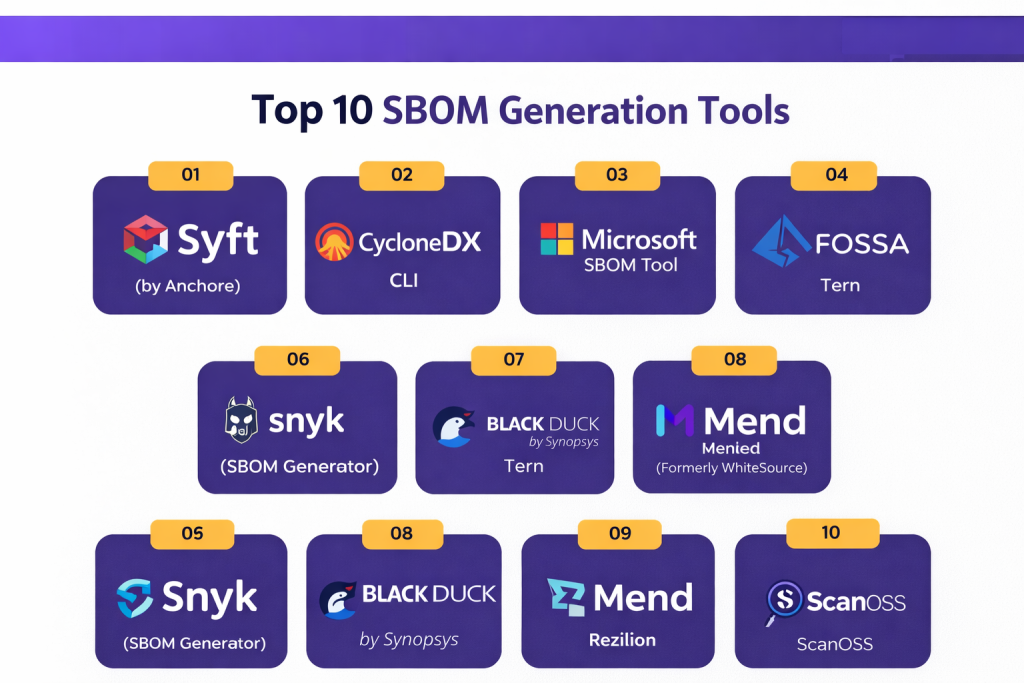
Top 10 SBOM Generation Tools
1 — Syft (by Anchore)
Syft is a powerful, open-source CLI tool and library specifically designed for generating SBOMs from container images and filesystems. It is widely regarded as the industry standard for lightweight, developer-focused generation.
- Key Features:
- Cataloging Power: Deeply scans various package managers including APK, DEB, RPM, NPM, Go, and PyPI.
- Multi-Format Output: Supports CycloneDX, SPDX, and a highly detailed Syft-native JSON format.
- Container Support: Works seamlessly with Docker, OCI images, and various registry formats.
- Integration Ready: Easily pipes data into Grype for immediate vulnerability scanning.
- Filesystem Scanning: Can analyze local directories without needing a built image.
- Active Community: Maintained by Anchore with frequent updates to support new ecosystems.
- Pros:
- Extremely fast and lightweight, making it ideal for CI/CD pipelines.
- High accuracy in identifying Linux distribution packages and language-specific libraries.
- Cons:
- Lacks a native GUI; users must be comfortable with the command line.
- Does not provide a centralized management dashboard for historical SBOM storage.
- Security & compliance: Varies / N/A (Open-source; follows standard GitHub security protocols).
- Support & community: Excellent documentation; very active GitHub community with 5,000+ stars; professional support available via Anchore’s enterprise offerings.
2 — CycloneDX CLI
The CycloneDX CLI is a dedicated tool produced by the OWASP Foundation. It is built specifically to create, transform, and validate SBOMs in the CycloneDX format, which is optimized for security use cases.
- Key Features:
- Format Conversion: Converts between various versions of CycloneDX (JSON, XML, Protobuf).
- Validation: Built-in schema validation to ensure generated SBOMs meet strict industry standards.
- Diffing: Ability to compare two SBOMs to see what changed between builds.
- Merge Capabilities: Combines multiple SBOMs (e.g., from different microservices) into one master document.
- VEX Support: Helps generate Vulnerability Exploitability eXchange data.
- High Interoperability: Designed to work with the broader OWASP security ecosystem.
- Pros:
- The “gold standard” for ensuring CycloneDX compliance and valid data structures.
- Free and vendor-neutral, avoiding any risk of proprietary lock-in.
- Cons:
- Focuses more on manipulation and validation than the initial discovery of components.
- Can be complex for beginners to set up within a multi-language pipeline.
- Security & compliance: Standard OWASP security protocols; follows transparent open-source governance.
- Support & community: Strong community backing from OWASP; extensive technical documentation available online.
3 — Microsoft SBOM Tool
Microsoft’s SBOM Tool is a highly scalable, open-source solution designed for large-scale enterprise projects. It is the same tool Microsoft uses internally to generate SBOMs for its vast software portfolio.
- Key Features:
- Enterprise Scale: Proven to handle projects with tens of thousands of dependencies without performance degradation.
- SPDX Specialist: Strictly follows the SPDX 2.2 format, preferred by many legal and government entities.
- Broad Ecosystem Support: Automatically detects components from NuGet, npm, PyPI, Maven, Rust, and more.
- Cross-Platform: Binaries available for Windows, Linux, and macOS.
- CI/CD Integration: Native support for GitHub Actions and Azure DevOps.
- Telemetry Options: Can be configured to provide insights into build-time component detection.
- Pros:
- Incredibly robust and reliable for massive codebases.
- Standardizes on the SPDX format, which is an ISO-recognized standard.
- Cons:
- Less focus on the CycloneDX format, which some security teams prefer for vulnerability management.
- CLI-only, requiring technical expertise to configure properly.
- Security & compliance: Designed for Microsoft’s internal compliance requirements; follows SDL (Security Development Lifecycle) practices.
- Support & community: Supported by Microsoft Open Source; active GitHub issue tracking and documentation.
4 — FOSSA
FOSSA provides a commercial-grade platform that automates SBOM generation with a heavy emphasis on the intersection of security and open-source license compliance.
- Key Features:
- Dependency Graphing: Visualizes deep transitive dependencies to show exactly how a package entered your system.
- License Auditing: Automatically flags components with “copyleft” or high-risk licenses.
- Policy Engine: Define what is allowed in your SBOMs and block builds that violate those rules.
- Vulnerability Correlation: Automatically enriches the SBOM with CVE data.
- Report Exporting: One-click generation of PDF or machine-readable SBOMs for customers.
- Cloud & On-Prem: Offers flexible deployment options for high-security environments.
- Pros:
- Superior user interface and dashboard for non-technical stakeholders (Legal/Compliance).
- Best-in-class license detection and attribution reporting.
- Cons:
- Enterprise features require a paid subscription, which can be expensive for startups.
- Can sometimes be overly sensitive, requiring manual triage of license “false alarms.”
- Security & compliance: SOC 2 Type II, ISO 27001, and GDPR compliant. Supports SAML SSO.
- Support & community: Premium 24/7 support for enterprise customers; extensive training and onboarding resources.
5 — Tern
Tern is an open-source tool maintained under the Linux Foundation that focuses on a “layer-by-layer” inspection of container images.
- Key Features:
- Docker Analysis: Inspects container layers and extracts metadata about installed packages at each step.
- Provenance Tracking: Identifies which specific Dockerfile instruction introduced a dependency.
- SPDX Output: Generates detailed SPDX tag-value or JSON files.
- Extensible Architecture: Allows users to add custom “finders” for niche package managers.
- Hardware BOM: Capable of assisting with basic hardware/firmware inventory in certain configurations.
- Pros:
- Provides unparalleled visibility into how a container was built, not just what is in the final image.
- Strongly aligned with Linux Foundation standards.
- Cons:
- Can be significantly slower than Syft because it inspects every layer.
- Documentation can be dense and highly technical for newcomers.
- Security & compliance: Varies / N/A (Maintained under the Linux Foundation).
- Support & community: Active mailing lists and Slack channel; primarily a community-driven project.
6 — Snyk (SBOM Generator)
Snyk is a leader in developer-first security. Their SBOM generator is a specialized tool that leverages Snyk’s massive proprietary vulnerability database to add context to the generated inventory.
- Key Features:
- Dependency Tree Analysis: Maps out nested dependencies with high precision.
- Reachability Context: Not only lists the package but identifies if your code actually calls the vulnerable function.
- API-First: Easily integrated into existing security orchestration platforms.
- Continuous Monitoring: Can be set to alert you if a component in an old SBOM suddenly gains a new vulnerability.
- Format Versatility: Supports CycloneDX and SPDX across 20+ languages.
- Pros:
- The “Developer-First” approach makes it very easy for engineers to fix issues identified in the SBOM.
- Proprietary vulnerability data is often more accurate and faster than the public NVD.
- Cons:
- Full SBOM management features are tied to the broader Snyk ecosystem (SCA).
- Pricing is based on “contributing developers,” which can scale up quickly.
- Security & compliance: SOC 2, ISO 27001, GDPR, and HIPAA compliant.
- Support & community: Massive community of millions of developers; 24/7 enterprise support tiers.
7 — Black Duck (by Synopsys)
Black Duck is an enterprise heavyweight in Software Composition Analysis (SCA) and SBOM management. It is often the choice for massive organizations requiring rigorous audit trails.
- Key Features:
- Snippet Scanning: Can detect open-source code fragments that were “copy-pasted” without a formal manifest.
- Black Duck KnowledgeBase: Access to data on over 5 million open-source projects.
- Compliance Dashboard: Built-in tools for legal teams to review license risks.
- Automated Policy Enforcement: Automatically triggers alerts or build failures based on custom rules.
- Integration Depth: Deep hooks into IDEs, build tools, and container registries.
- Pros:
- Most comprehensive tool for detecting “shadow” open source that other tools miss.
- Highly trusted by legal departments for M&A and regulatory audits.
- Cons:
- High cost of entry and a steeper learning curve than lightweight CLI tools.
- Scanning process can be slower due to the depth of analysis.
- Security & compliance: FedRAMP authorized, SOC 2, and ISO 27001 compliant.
- Support & community: Dedicated customer success managers; professional onboarding services.
8 — Mend (Formerly WhiteSource)
Mend provides an automated SBOM generation solution that emphasizes speed and the reduction of “noise” in the security inventory.
- Key Features:
- Reachability Analysis: Identifies which vulnerabilities are actually exploitable in your specific code.
- Mend Renovate: Industry-standard tool for automated dependency updates included in the suite.
- Dynamic SBOM: Updates the bill of materials in real-time as the application changes.
- Broad Language Support: Covers over 200 programming languages.
- Malicious Package Detection: Flags packages that might be part of a supply chain attack (e.g., typosquatting).
- Pros:
- Excellent at reducing developer “alert fatigue” by filtering for reachable vulnerabilities.
- The Renovate integration makes patching vulnerabilities nearly effortless.
- Cons:
- The UI can be complex for small teams that only need basic SBOM generation.
- Some users report a high initial effort to configure the policy engine.
- Security & compliance: SOC 2, GDPR, and ISO 27001 compliant.
- Support & community: Strong enterprise support; comprehensive documentation and user forums.
9 — Rezilion
Rezilion uses a unique “dynamic” approach to SBOM generation, focusing on what is actually running in memory versus what is just sitting on the disk.
- Key Features:
- Dynamic SBOM: Captures the software components that are actually loaded and executed at runtime.
- Vulnerability Validation: Automatically filters the SBOM to show only “exploitable” risks.
- CI/CD + Runtime Correlation: Bridges the gap between what was built and what is currently deployed.
- VEX Automation: Automatically generates VEX reports based on its runtime findings.
- Artifact Analysis: Scans binaries and containers for hidden dependencies.
- Pros:
- Significantly reduces the number of “urgent” fixes by proving a vulnerability isn’t exploitable.
- Highly innovative approach for teams struggling with massive vulnerability backlogs.
- Cons:
- The “dynamic” agent-based approach may not be suitable for all environments (e.g., highly restricted air-gapped systems).
- Newer player in the market compared to giants like Black Duck.
- Security & compliance: SOC 2 compliant; follows industry-standard encryption and GDPR.
- Support & community: Responsive customer success team; clear technical documentation.
10 — ScanOSS
ScanOSS is an open-source alternative that prides itself on being the “Wikipedia of Open Source” for the security world. It offers a completely open-source database and engine.
- Key Features:
- Open Database: Uses a massive, publicly accessible database for component identification.
- Snippet Identification: Like Black Duck, it can find copied code blocks using its matching engine.
- CycloneDX & SPDX: Supports both major industry standards.
- GCP & AWS Integration: Easily deploys within major cloud environments.
- Zero Proprietary Lock-in: The entire stack is open, ensuring you always own your data.
- Pros:
- The best choice for organizations that want to avoid vendor lock-in and support the open-source ecosystem.
- Powerful snippet-matching capabilities for a free tool.
- Cons:
- Requires more manual effort to set up and maintain compared to “all-in-one” platforms.
- The UI is functional but lacks the polish of high-end enterprise competitors.
- Security & compliance: Varies / N/A (Standard open-source security model).
- Support & community: Active GitHub community; growing documentation library and community Discord.
Comparison Table
| Tool Name | Best For | Platform(s) Supported | Standout Feature | Rating (Gartner/G2) |
| Syft | Container Devs | Win, Mac, Linux | Ultra-fast image scanning | 4.6 / 5 |
| CycloneDX CLI | Format Validation | Win, Mac, Linux | Standard validation & diffing | N/A (OSS) |
| Microsoft SBOM | Enterprise Scalability | Win, Mac, Linux | Massive project performance | 4.5 / 5 |
| FOSSA | Legal & Compliance | Cloud, On-prem | Best-in-class license engine | 4.5 / 5 |
| Tern | Container Forensics | Linux | Layer-by-layer provenance | N/A (OSS) |
| Snyk | Developer Workflow | Cloud, On-prem | Reachability analysis | 4.7 / 5 |
| Black Duck | M&A / Audit | Cloud, On-prem | Snippet matching (copy-paste) | 4.5 / 5 |
| Mend | Security Automation | Cloud, On-prem | Automated remediation (Renovate) | 4.4 / 5 |
| Rezilion | Vulnerability Reduction | Cloud, Hybrid | Dynamic/Runtime SBOM | 4.8 / 5 |
| ScanOSS | Open-Source Purists | Cloud, Self-hosted | Fully open-source database | 4.4 / 5 |
Evaluation & Scoring of SBOM Generation Tools
To choose the right tool, we have evaluated these solutions against a weighted rubric that reflects current industry demands for security, compliance, and developer speed.
| Category | Weight | Evaluation Criteria |
| Core Features | 25% | Depth of dependency detection, format support (SPDX/CycloneDX), and VEX generation. |
| Ease of Use | 15% | CLI simplicity, GUI quality, and time-to-first-SBOM. |
| Integrations | 15% | Native support for CI/CD (GitHub, GitLab, Jenkins) and container registries. |
| Security & Compliance | 10% | SOC 2/ISO certifications, SSO, and license audit depth. |
| Performance | 10% | Scanning speed and impact on build times. |
| Support & Community | 10% | Documentation quality, active forums, and enterprise support response. |
| Price / Value | 15% | ROI, transparency of pricing, and availability of a free/open-source tier. |
Which SBOM Generation Tool Is Right for You?
Solo Users vs. SMBs vs. Mid-Market vs. Enterprise
- Solo Users: If you just need a one-time SBOM for a container, Syft is your best bet. It’s free, fast, and requires almost zero configuration.
- SMBs: Snyk or FOSSA offer a great middle ground. They provide enough automation to keep a small team secure without requiring a full-time security engineer to manage the tool.
- Mid-Market: Organizations with multiple apps should look at Mend or Rezilion. These tools are excellent for teams that need to prioritize which “fixes” actually matter to avoid drowning in security alerts.
- Enterprise: Large firms with legal requirements and complex supply chains should invest in Black Duck or Microsoft’s SBOM tool. These provide the audit trails and scalability required for global compliance.
Budget-Conscious vs. Premium Solutions
If budget is your primary concern, an open-source stack using Syft, CycloneDX CLI, and ScanOSS can provide enterprise-grade results for free—if you have the technical expertise to manage the integration. Premium solutions like FOSSA and Black Duck are expensive, but they pay for themselves by automating the legal and manual audit work that would otherwise take hundreds of man-hours.
Feature Depth vs. Ease of Use
- High Ease of Use: Syft, Snyk, Microsoft SBOM Tool. These are “set it and forget it” tools for developers.
- High Feature Depth: Black Duck, Tern, Mend. These provide the granular data needed for deep security forensics.
Frequently Asked Questions (FAQs)
1. What is the difference between SPDX and CycloneDX?
SPDX (Software Package Data eXchange) is an ISO standard often preferred by legal teams for its focus on licenses. CycloneDX is a security-focused standard optimized for vulnerability management and threat modeling.
2. Does an SBOM automatically fix my vulnerabilities?
No. An SBOM is just a list. You need a separate tool (like an SCA tool or a scanner like Grype) to compare that list against a vulnerability database to find and fix issues.
3. How often should I generate an SBOM?
Best practice is to generate a new SBOM with every single build. Software dependencies change frequently, and an SBOM from three months ago is often useless for modern security.
4. Can an SBOM tool find code that I copy-pasted from the internet?
Only specialized tools with “snippet scanning” capabilities, like Black Duck or ScanOSS, can find code fragments that weren’t installed through a package manager.
5. What is VEX and why do I need it?
VEX (Vulnerability Exploitability eXchange) is a companion document to an SBOM. It tells users, “Yes, we use this library, but the vulnerability is NOT exploitable in our app,” which saves everyone time.
6. Do I need an SBOM if I already use an SCA (Software Composition Analysis) tool?
Yes. While SCA tools find vulnerabilities, an SBOM is a standardized document you can share with customers or regulators to prove your software’s transparency.
7. Is there a “government-approved” SBOM tool?
No, but the NTIA (National Telecommunications and Information Administration) has published “minimum elements” for an SBOM. Most tools on this list are designed to meet those requirements.
8. Can I generate an SBOM from a compiled binary (.exe or .dll)?
Yes, tools like Syft and Black Duck have binary analysis capabilities, though they are generally less accurate than scanning source code or manifest files.
9. How do I store and manage thousands of SBOMs?
Most enterprises use an SBOM Manager or a platform like Dependency-Track to ingest, store, and continuously monitor the SBOMs generated by their build tools.
10. What is the most common mistake when starting with SBOMs?
Trying to be perfect. Start by generating a basic SBOM for your most critical app using a tool like Syft, then gradually add more apps and more complex features like VEX or license auditing.
Conclusion
The “best” SBOM generation tool is not a universal winner; it is a choice that depends on your specific goals. If you are a developer looking for speed and container security, Syft is the modern gold standard. If you are a compliance officer concerned with legal risk and “shadow” open source, Black Duck or FOSSA are the superior choices.
Ultimately, the goal of an SBOM is confidence. By choosing a tool that integrates seamlessly into your existing workflow, you ensure that security becomes a byproduct of your development process rather than a roadblock. Start with a lightweight tool today to gain visibility, and scale to an enterprise platform as your compliance requirements grow.