Introduction
SaaS Security Posture Management (SSPM) is a type of computer tool that helps keep business software safe. Most businesses today use software over the internet, like email, chat apps, and file storage. These are called “SaaS” apps. Every one of these apps has many settings. If a setting is wrong, your private data might be open for anyone to see. SSPM tools look at these settings all the time to make sure they are correct and safe.
This is important because one person cannot check every setting in every app every day. If an employee leaves the company but still has access to a file, or if a folder is accidentally made “public,” the SSPM tool will find the mistake. It acts like a digital security guard that never sleeps.
Key Real-World Use Cases
- Fixing Mistakes: Finding and fixing settings that were turned on or off by accident.
- Managing Access: Making sure only the right people can see sensitive company files.
- Finding Hidden Apps: Spotting apps that employees are using without telling the IT department.
- Checking Compliance: Making sure the company follows basic rules for data safety.
Evaluation Criteria
When you look for an SSPM tool, you should check these things:
- App Connections: Does the tool work with the specific apps your company uses?
- Easy Fixes: Does the tool tell you how to fix a problem, or does it fix it for you?
- Clear Alerts: Does it give you useful information, or does it send too many confusing messages?
- Setup Speed: How fast can you connect the tool to your systems?
Best for: Medium and large companies that use many cloud apps, and managers who need to keep company data private.
Not ideal for: Very small shops that only use one or two basic apps, or people who do not store any data on the internet.
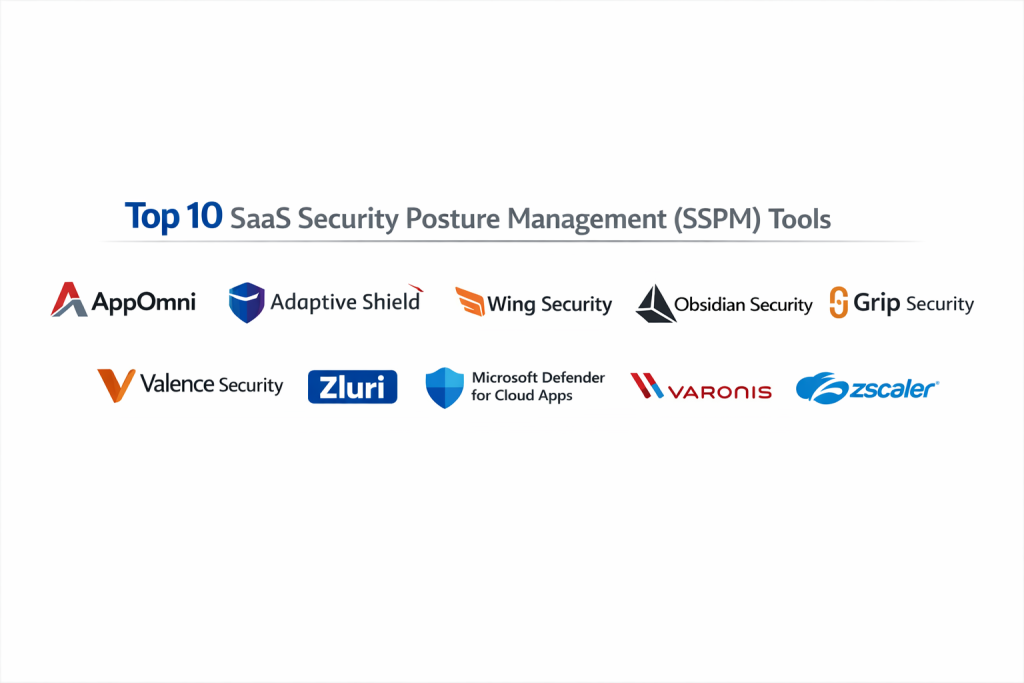
Top 10 SaaS Security Posture Management (SSPM) Tools
1 — AppOmni
AppOmni is a tool made for large businesses. It focuses on the most common and complex apps used by big teams. It is built to show deep details about who can see what data.
Key Features
- Constant checking of security settings.
- Alerts when a setting is changed.
- Monitoring of how different apps talk to each other.
- Simple guides on how to fix security holes.
- Reports for people who check company rules.
- Listing of all user roles and their powers.
Pros
- Very good at managing complex apps like Salesforce.
- Gives very detailed reports for bosses to read.
Cons
- It can cost more than some other choices.
- It takes some time to learn how to use it.
Security & Compliance: Uses SSO, data encryption, and meets SOC 2 and GDPR rules.
Support & Community: Offers phone support, online help books, and expert help for big companies.
2 — Adaptive Shield
Adaptive Shield is known for working with a very long list of different apps. It gives you one screen where you can see the security status of all your software at once.
Key Features
- Works with over 100 different apps.
- Tells you which security problem is the most dangerous.
- Gives a list of steps to fix a mistake.
- Finds apps that the company did not officially approve.
- Checks if the computers being used are safe.
- Connects with other security software you might already have.
Pros
- It is easy to move around the dashboard.
- It covers almost any app you might use.
Cons
- Now part of a larger brand, so it works best if you buy their other tools too.
- Some features are only in the expensive versions.
Security & Compliance: Follows SOC 2 Type II and keeps logs of all activities.
Support & Community: Good customer service and a helpful group of users.
3 — Wing Security
Wing Security is made to be simple. It helps find apps that are connected to your company email and helps you remove the ones that look risky.
Key Features
- Finds all apps being used by the team.
- Lets you fix common risks with one click.
- Checks the permissions apps use to share data.
- Finds files that are shared with too many people.
- Finds accounts that are no longer being used.
- Asks users if they still need an app via a simple message.
Pros
- It is very fast to set up and use.
- Good at cleaning up “app clutter.”
Cons
- It might not be as deep as some specialized tools.
- The automatic fixes might be too fast for some teams.
Security & Compliance: Meets GDPR and SOC 2 safety standards.
Support & Community: Has an online help center and email support.
4 — Obsidian Security
Obsidian looks at what people are doing inside the apps. It looks for strange behavior that might mean an account has been stolen by a bad actor.
Key Features
- Watches how users act in the apps.
- Spots if someone is moving between apps in a suspicious way.
- Shows a timeline of what happened during a security event.
- Checks settings against a list of safe practices.
- Alerts you if an account is acting like a hacker.
- Reviews who has the most power in the system.
Pros
- Excellent at spotting stolen accounts.
- Helpful for investigating what happened after a problem occurs.
Cons
- Focuses more on behavior than just settings.
- Might be too much for a company that just wants a simple checklist.
Security & Compliance: Follows HIPAA, SOC 2, and GDPR rules.
Support & Community: Provides technical help and online training videos.
5 — Grip Security
Grip Security follows the user’s email address. It finds every app an employee has ever signed into, even if the IT department does not know about it.
Key Features
- Finds apps without needing to install anything on computers.
- Lists every person and every app they use.
- Helps remove access when a worker leaves the company.
- Gives a risk score to every app it finds.
- Connects to the company email to see new app sign-ups.
Pros
- The best for finding “secret” apps used by employees.
- Does not slow down the company computers.
Cons
- Does not look as deeply into the settings of the apps.
- Mostly focuses on finding apps, not fixing all settings.
Security & Compliance: SOC 2 compliant and protects user privacy.
Support & Community: Offers help with getting started and a clear plan for new features.
6 — Valence Security
Valence looks at the “links” between apps. It makes sure that one app does not have a hidden door into your most important data.
Key Features
- Finds all the ways apps are linked together.
- Helps remove links that are old or not used.
- Sets rules for how apps can share information.
- Gives a safety score to other companies you work with.
- Alerts you if a link has too much power.
Pros
- Fixes the specific problem of apps talking to other apps.
- Helps different departments take part in security.
Cons
- It has a narrower focus than “all-in-one” tools.
- You need to understand a bit about how apps connect.
Security & Compliance: SOC 2 and GDPR compliant.
Support & Community: Provides expert help and technical guides.
7 — Zluri
Zluri is a tool that helps manage both the cost and the security of apps. It is good for companies that want to save money and stay safe at the same time.
Key Features
- Finds thousands of different apps.
- Gives each app a safety score.
- Helps add or remove workers from apps automatically.
- Shows if people are actually using the apps you pay for.
- Tracks if the company is following data laws.
Pros
- Helps you save money by finding unused apps.
- Has a very large list of known software.
Cons
- Because it does many things, the security part might not be as deep as others.
- The screen can look very busy with a lot of numbers.
Security & Compliance: SOC 2, GDPR, and ISO 27001 compliant.
Support & Community: Support is available 24/7.
8 — Microsoft Defender for Cloud Apps
This tool is built by Microsoft. It is a natural choice for companies that already use Windows and Office 365.
Key Features
- Works perfectly with Microsoft Office and other apps.
- Can stop people from logging in from unsafe places.
- Watches files being moved in and out of the cloud.
- Can block apps that look dangerous.
- Has ready-made lists of security rules.
Pros
- It is often cheaper if you already pay for Microsoft.
- You do not have to learn a whole new system.
Cons
- It can be hard to set up the first time.
- It is not as strong for apps that are not made by Microsoft.
Security & Compliance: Follows the highest government and global rules.
Support & Community: Large amount of help books and a big user group.
9 — Varonis
Varonis is all about the files. It focuses on finding where sensitive information is kept and making sure only the right people can open those files.
Key Features
- Finds sensitive data like credit card numbers or IDs.
- Watches who is looking at or sharing files.
- Automatically stops files from being open to everyone.
- Alerts you if someone starts downloading too many files at once.
- Keeps a record of every action taken in an app.
Pros
- The best for protecting the actual data inside your files.
- Very strong at fixing permissions automatically.
Cons
- It is one of the most expensive choices.
- You need a trained person to run it every day.
Security & Compliance: Meets almost every major data safety rule.
Support & Community: Offers top-level support and professional help.
10 — Zscaler
Zscaler is a large security company. Their tool is part of a bigger system that controls how people connect to the internet from anywhere.
Key Features
- One tool for web, cloud, and app security.
- Stops data from being leaked or stolen.
- Finds settings that are not safe in the cloud.
- Built to work entirely over the internet.
- Protects against viruses and other threats.
Pros
- Good for companies that want one tool for everything.
- Reliable for very large teams around the world.
Cons
- It can be complicated if you don’t use their other products.
- Made mostly for very big corporations.
Security & Compliance: Certified for government and large business use.
Support & Community: Support is available all day and night worldwide.
Comparison Table
| Tool Name | Best For | Platform(s) Supported | Standout Feature | Rating |
| AppOmni | Large Teams | Big Cloud Apps | Very deep checks | 4.6 / 5.0 |
| Adaptive Shield | Many Apps | 100+ Applications | Large app library | 4.7 / 5.0 |
| Wing Security | Simple Use | All SaaS | Easy one-click fixes | 4.8 / 5.0 |
| Obsidian | Spotting Hackers | Identity/Behavior | Watching user actions | 4.5 / 5.0 |
| Grip Security | Hidden Apps | Any SaaS | Identity-based search | 4.6 / 5.0 |
| Valence | App Links | SaaS-to-SaaS | Checking app-to-app links | 4.4 / 5.0 |
| Zluri | Managing Costs | 200k+ Apps | Finance + Security | 4.8 / 5.0 |
| MS Defender | Microsoft Users | M365 + More | Native Microsoft feel | 4.4 / 5.0 |
| Varonis | File Safety | Data-Heavy Apps | Deep file protection | 4.8 / 5.0 |
| Zscaler | Global Security | Web + SaaS | All-in-one platform | 4.5 / 5.0 |
Evaluation & Scoring of SSPM Tools
We use this table to score how well a tool works. Each part has a “weight,” which means some parts are more important than others.
| Criteria | Weight | What it Means |
| Core Features | 25% | How well it finds and fixes risks. |
| Ease of Use | 15% | How easy it is for a person to use. |
| Integrations | 15% | How many different apps it works with. |
| Security/Compliance | 10% | How safe the tool itself is. |
| Performance | 10% | If the alerts are correct and fast. |
| Support | 10% | How good the help and books are. |
| Price / Value | 15% | If it is worth the money you pay. |
Which SSPM Tool Is Right for You?
The right tool for you depends on how your business works.
By Company Size
- Solo Users: You probably do not need these tools. Just make sure your passwords are strong and your settings are private.
- Small Businesses: Look at Wing Security or Zluri. They are simple to understand and do not need a large team to run.
- Large Companies: You should look at AppOmni, Varonis, or Adaptive Shield. These tools are built for the complex needs of big organizations.
By Your Main Goal
- To find hidden apps: Use Grip Security. It finds things other tools miss.
- To save money and stay safe: Use Zluri. It shows you what you are paying for and if it is safe.
- To protect sensitive files: Use Varonis. It is the strongest at watching your actual data.
- If you use mostly Office 365: Use Microsoft Defender. It is already built to work with what you have.
Frequently Asked Questions (FAQs)
1. Is this different from regular cloud security?
Yes. Regular cloud security protects the “servers.” SSPM protects the “apps” like email and chat that you use every day.
2. Is it hard to set up?
No. Most of these tools connect through the internet in about 30 minutes. You do not need to install anything on your personal computers.
3. Will it slow down my internet or apps?
No. These tools work in the background. They do not slow down your email, chat, or files.
4. Does the tool fix the problems for me?
Some do. You can often choose to have the tool fix a setting automatically or have it send you a message so you can fix it yourself.
5. Why do I need this if I have a firewall?
A firewall stops people from entering your network. SSPM checks the settings inside your apps, which a firewall cannot see.
6. Does the tool read my private emails?
No. Most tools only look at the “settings” and “logs” (lists of who logged in). They do not usually read the content of your messages.
7. Does it help with data laws?
Yes. It can show you a report that proves you are keeping customer data safe according to the rules.
8. How much does it cost?
The price changes based on how many workers you have or how many apps you use. Some are affordable for small shops, while others are for big corporations.
9. Can I use more than one tool?
You can, but it is usually better to find one tool that does everything you need to avoid getting too many alerts.
10. What happens if an employee leaves?
The tool will show you if the person still has access to company files. This helps you remove them so they cannot see data after they leave.
Conclusion
SSPM tools are a helpful way to keep your cloud software safe without having to check every setting yourself. The most important thing is to choose a tool that works with the apps your team uses every day.
Remember, the “best” tool is the one that is easiest for your team to use and gives you the most peace of mind. Start by looking at what apps you use most, then pick a tool that fits your budget and your needs.