Introduction
Route Optimization Tools are advanced software platforms designed to determine the most efficient sequence of stops for a vehicle or a fleet. Unlike standard navigation apps that find the best path between two points, these tools use complex algorithms to analyze hundreds of variables simultaneously, including delivery windows, vehicle load capacities, driver shifts, and live traffic patterns. By solving the “Traveling Salesperson Problem” at scale, these tools transform chaotic delivery lists into streamlined, logical paths that save time and reduce operational overhead.
The importance of these tools cannot be overstated for businesses managing the “last mile” of logistics. Effective routing reduces fuel consumption, minimizes vehicle wear and tear, and significantly improves customer satisfaction through accurate ETAs. Key real-world use cases include e-commerce parcel delivery, food and beverage distribution, field service technician scheduling, and waste management services. When evaluating tools in this category, users should look for multi-stop sequencing logic, dynamic re-optimization (the ability to adjust routes mid-day), proof of delivery (POD) capabilities, and seamless API integrations with existing orders or CRM systems.
Best for: Fleet managers, dispatchers, and independent contractors in the delivery, logistics, and field service industries. It is ideal for mid-market to enterprise companies managing 5+ vehicles, as well as high-volume solo couriers.
Not ideal for: Long-haul truckers moving a single load from city to city, or casual commuters who are better served by free navigation apps like Google Maps or Waze.
Key Real-World Use Cases
- Last-Mile Delivery: Ensuring e-commerce packages reach doorsteps via the shortest possible path, even with 100+ stops per driver.
- Service Appointment Scheduling: Coordinating HVAC, plumbing, or electrical technicians so they spend more time fixing and less time driving.
- B2B Distribution: Managing heavy-duty trucks delivering wholesale goods to retail outlets with strict receiving hours.
- Healthcare Logistics: Optimizing the pick-up and delivery of medical samples or home-health equipment where time-sensitivity is critical.
What to Look For (Evaluation Criteria)
Selecting the right tool requires balancing technical power with operational simplicity. Consider these critical factors:
- Algorithmic Strength: Can the tool handle “soft” and “hard” constraints like time windows and vehicle weight limits?
- Mobile Accessibility: Is the driver-facing app intuitive enough for workers to use without extensive training?
- Real-Time Visibility: Does the dispatcher have a live map view of every driver’s progress?
- Customer Communication: Does it offer automated SMS or email alerts to keep recipients informed?
- Data Portability: Can you easily import stop lists from Excel, Shopify, or a custom ERP?
Best for: Rapidly growing delivery teams that need a balance of ease-of-use and professional-grade routing features.Not ideal for: Global shipping conglomerates requiring heavy-duty ocean or air freight logistics management.
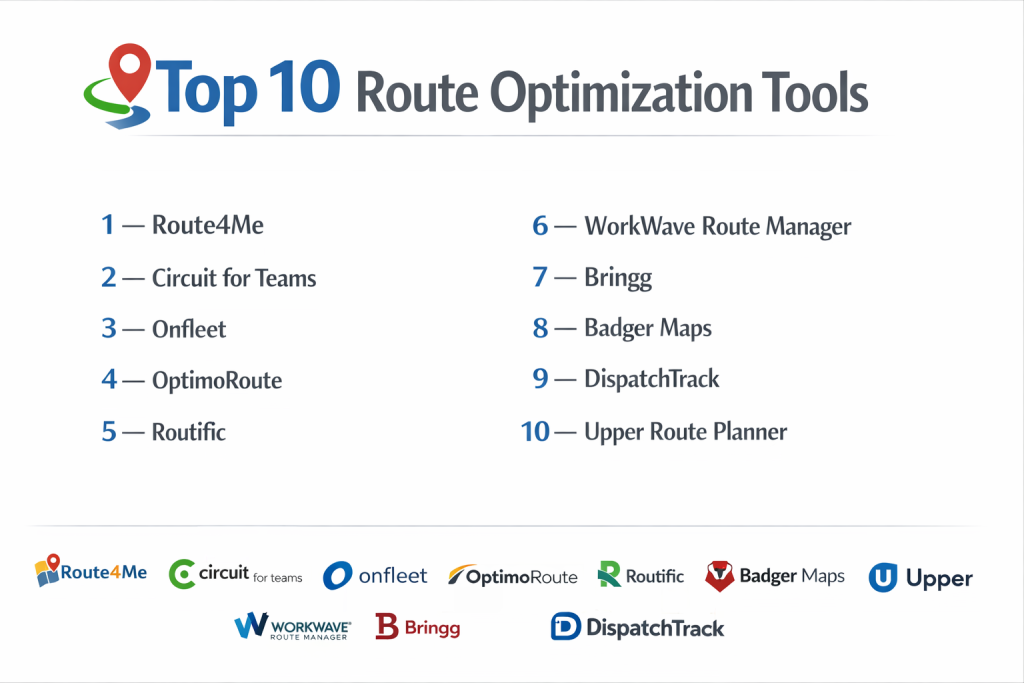
Top 10 Route Optimization Tools
1 — Route4Me
Route4Me is one of the most established players in the market, offering a highly modular platform that scales from single-driver startups to massive enterprise fleets.
- Key features:
- Dynamic Route Planning: Instantly re-sequences stops for the shortest travel time.
- Territory Management: Draw zones on a map to assign specific areas to certain drivers.
- Marketplace Add-ons: Pay only for the features you use (e.g., curbside delivery or voice-guided navigation).
- Voice-Guided Navigation: Native app features to keep drivers’ hands on the wheel.
- Proof of Delivery: Captures signatures, photos, and notes at every stop.
- Pros:
- Extremely fast processing of routes with thousands of stops.
- Highly flexible pricing model based on specific business needs.
- Cons:
- The interface can feel a bit dated and cluttered due to the sheer number of modules.
- Customer support response times can vary for users on lower-tier plans.
- Security & compliance: SOC 2 Type II, GDPR compliant, and data encryption at rest.
- Support & community: Extensive video library, 24/7 technical support for higher tiers, and a robust user knowledge base.
2 — Circuit for Teams
Circuit focuses on a “driver-first” experience, prioritizing a clean, modern mobile interface that minimizes the time drivers spend interacting with their phones.
- Key features:
- Live Driver Tracking: Real-time visibility for dispatchers on a unified map.
- Recipient Notifications: Automatically sends tracking links to customers.
- Fast Stop Entry: Drivers can add or skip stops on the fly with minimal taps.
- Delivery Windows: Ensures drivers reach high-priority stops within specified times.
- Inventory Tracking: Links specific packages to specific routes for accountability.
- Pros:
- Superior user experience that leads to high driver adoption.
- Transparent, per-driver pricing that is easy for SMBs to calculate.
- Cons:
- Lacks some of the deep “industrial” constraints like vehicle weight balancing.
- Analytics and reporting are less comprehensive than enterprise-focused competitors.
- Security & compliance: GDPR compliant and secure cloud hosting via AWS.
- Support & community: Quick chat-based support and a helpful blog for small business owners.
3 — Onfleet
Onfleet is a premium last-mile delivery platform known for its beautiful design and powerful automated communication tools, making it a favorite for consumer-facing brands.
- Key features:
- Automated Dispatch: Uses AI to assign tasks to the nearest available driver.
- Predictive ETAs: Real-time arrival estimates based on historical traffic and drive times.
- Anonymized Communication: Drivers and customers can call each other without sharing private numbers.
- Feedback Collection: Automatically prompts customers for a rating after a delivery.
- White-Label Tracking: Branded tracking pages that match your company’s look and feel.
- Pros:
- Best-in-class customer engagement and communication features.
- Extremely clean dispatcher dashboard that is easy to learn.
- Cons:
- One of the more expensive options on the market.
- Limited features for service-based businesses (e.g., technician skill-matching).
- Security & compliance: SOC 2 Type II, HIPAA-ready, and GDPR compliant.
- Support & community: High-touch enterprise support and dedicated success managers for larger accounts.
4 — OptimoRoute
OptimoRoute is a highly sophisticated tool that excels in complex sequencing and balancing, particularly for field service and wholesale distribution.
- Key features:
- Technician Skill Matching: Routes jobs based on the specific qualifications of the driver.
- Multi-Day Planning: Plans schedules that span across an entire week or month.
- Load Balancing: Accounts for vehicle volume and weight capacities automatically.
- Work-Life Balance: Limits driver hours and ensures mandatory break times are met.
- Analytics: Tracks planned vs. actual performance to identify efficiency gaps.
- Pros:
- Handles complex constraints (weight, volume, skills) better than most competitors.
- Very competitive pricing for the level of algorithmic power provided.
- Cons:
- The mobile app is functional but not as modern-looking as Circuit or Onfleet.
- Initial setup of constraints can be time-consuming.
- Security & compliance: GDPR compliant and data encryption at rest and in transit.
- Support & community: Direct email support and a comprehensive help center.
5 — Routific
Routific prides itself on being the “easiest” route optimization tool, designed specifically for small businesses that want to get up and running in minutes.
- Key features:
- Smart Route Planning: A fast engine that focuses on reducing miles and time.
- Driver Mobile App: A minimalist app for seeing stops and marking completions.
- Customer Notifications: Automated SMS alerts with accurate arrival times.
- API Access: Simple integration points for developers.
- Live Progress Tracking: See which drivers are ahead or behind schedule.
- Pros:
- One of the lowest learning curves in the industry.
- Excellent for “non-technical” business owners who need immediate results.
- Cons:
- Lacks some advanced enterprise features like 3PL management.
- Pricing is per vehicle, which can become costly for larger fleets.
- Security & compliance: SOC 2 Type II and GDPR compliant.
- Support & community: Highly responsive chat support and a very active educational blog.
6 — WorkWave Route Manager
WorkWave is an industry veteran that offers a robust route manager as part of its larger field service and pest control software ecosystem.
- Key features:
- Drag-and-Drop Scheduling: Easily move stops between different drivers on a timeline.
- Telematics Integration: Connects with vehicle GPS hardware for deep tracking.
- Violation Alerts: Notifies dispatchers if a driver is predicted to miss a time window.
- Custom Forms: Drivers can fill out work orders and checklists within the app.
- Historical Replay: Review exactly where a driver was at any given time.
- Pros:
- Deeply integrated for businesses already using WorkWave’s field service tools.
- Strong focus on accountability and driver performance metrics.
- Cons:
- The interface feels a bit “legacy” compared to newer SaaS competitors.
- Can be complex to set up for simple delivery-only businesses.
- Security & compliance: SOC 2 compliant and standard data encryption.
- Support & community: Robust telephone support and a long-standing user community.
7 — Bringg
Bringg is an enterprise-grade “Delivery Hub” designed for retailers and 3PLs managing a mix of internal fleets and third-party couriers.
- Key features:
- Multi-Carrier Orchestration: Manages internal drivers alongside Uber Direct or DoorDash.
- Real-time Inventory Tracking: Monitors stock levels from warehouse to doorstep.
- Machine Learning Optimization: Learns from historical data to improve future routes.
- BOPIS Support: Specialized workflows for “Buy Online, Pick Up In Store.”
- Customer Portals: Advanced tracking with real-time driver chat.
- Pros:
- Unmatched for large-scale operations with complex fulfillment needs.
- Highly scalable architecture built to handle millions of transactions.
- Cons:
- Far too complex and expensive for a typical small business.
- Implementation requires significant time and technical resources.
- Security & compliance: ISO 27001, SOC 2, HIPAA, and GDPR.
- Support & community: 24/7 global support and an extensive partner ecosystem.
8 — Badger Maps
Badger Maps is a unique hybrid of a CRM and a route optimizer, designed specifically for outside sales teams who drive to meet clients.
- Key features:
- Lead Generation: Finds new potential clients on the map near current stops.
- CRM Integration: Syncs with Salesforce, HubSpot, and Microsoft Dynamics.
- Check-In Feature: Reps can log meeting notes immediately after a stop.
- Lasso Tool: Draw a circle around a group of clients to create a route instantly.
- Color-Coding: Visualize accounts based on revenue or priority.
- Pros:
- The absolute best tool for field sales representatives.
- Helps reps fit in more meetings per day, directly increasing revenue.
- Cons:
- Not designed for “delivery” or “courier” workflows at all.
- Lacks proof of delivery or weight-based routing.
- Security & compliance: GDPR compliant and standard SSL encryption.
- Support & community: High-touch customer success and a “Sales Hall of Fame” training program.
9 — DispatchTrack
DispatchTrack is specialized for “Big and Bulky” delivery (furniture, appliances), offering tools for scheduled appointments and high-touch service.
- Key features:
- Self-Service Scheduling: Allows customers to pick their own delivery window.
- Route Visibility: Real-time tracking with two-way communication.
- Billing Automation: Links delivery completion directly to invoicing.
- Returns Management: Handles the pick-up and grading of returned items.
- Contractor Management: Tools to track and pay third-party delivery teams.
- Pros:
- The industry standard for furniture and appliance retailers.
- Exceptional customer experience tools for “white glove” service.
- Cons:
- Very specialized; not efficient for standard small-parcel couriers.
- Pricing is generally opaque and requires a sales consultation.
- Security & compliance: SOC 2, GDPR, and ISO standards.
- Support & community: Professional implementation teams and 24/7 technical support.
10 — Upper Route Planner
Upper is a fast-growing tool that focuses on high-speed planning for small to mid-sized delivery teams that need to get on the road quickly.
- Key features:
- Bulk Address Import: Upload stop lists from Excel or CSV with ease.
- Multi-Route Scheduling: Optimizes for several drivers simultaneously.
- Proof of Delivery: Supports photo capture and digital signatures.
- Stop Priority: Allows you to mark “must-do” stops at specific times.
- One-Click Dispatch: Sends optimized routes to drivers’ phones instantly.
- Pros:
- Very affordable for smaller teams compared to Onfleet or Bringg.
- Extremely fast route generation—no waiting around for the algorithm.
- Cons:
- Lacks advanced “customer engagement” features like branded tracking pages.
- Minimal integration options compared to enterprise platforms.
- Security & compliance: Standard data encryption and GDPR compliance.
- Support & community: Responsive email support and a clear help center.
Comparison Table
| Tool Name | Best For | Platform(s) Supported | Standout Feature | Rating (Gartner) |
| Route4Me | High-Volume Couriers | Cloud / Mobile | Modular Marketplace | 4.6 / 5 |
| Circuit for Teams | SMB Delivery Teams | Cloud / Mobile | Driver-First Interface | 4.8 / 5 |
| Onfleet | Branded Last-Mile | Cloud / Mobile | Branded Tracking Pages | 4.7 / 5 |
| OptimoRoute | Field Service Ops | Cloud / Mobile | Skill/Weight Balancing | 4.5 / 5 |
| Routific | Small Business | Cloud / Mobile | Effortless Dashboard | 4.6 / 5 |
| WorkWave | Pest & Lawn Care | Cloud / Mobile | Telematics Integration | 4.4 / 5 |
| Bringg | Global Retailers | Cloud / Mobile | Multi-Carrier Orchestration | 4.2 / 5 |
| Badger Maps | Outside Sales | Cloud / Mobile | CRM & Lead Generation | 4.7 / 5 |
| DispatchTrack | Furniture & Bulky | Cloud / Mobile | Appointment Scheduling | 4.5 / 5 |
| Upper | Quick Daily Planning | Cloud / Mobile | Bulk Excel Importing | N/A |
Evaluation & Scoring of Route Optimization Tools
| Category | Weight | Evaluation Logic |
| Core Features | 25% | Multi-stop sequencing, time windows, and POD tools. |
| Ease of Use | 15% | Training time for drivers and speed of route generation. |
| Integrations | 15% | Strength of API and native links to CRMs/Shopify. |
| Security & Compliance | 10% | Support for GDPR, SOC 2, and data encryption. |
| Performance | 10% | Algorithm speed and real-time tracking accuracy. |
| Support & Community | 10% | Quality of documentation and support response times. |
| Price / Value | 15% | ROI via fuel savings vs. monthly subscription cost. |
Which Route Optimization Tool Is Right for You?
Small to Mid-Market vs. Enterprise
If you are an SMB with 1-5 drivers, focus on Routific or Upper. These tools don’t require an IT department and provide immediate ROI through fuel savings. Mid-market service companies with specialized technicians should look at OptimoRoute. Enterprises managing global supply chains or thousands of deliveries daily require the industrial power of Bringg or Onfleet, which offer the security and scalability necessary for large-scale operations.
Budget and Value
For those on a tight Budget, Upper and Routific offer the best bang for your buck by providing the core “optimization” engine without expensive marketing bells and whistles. If you value Value over raw price, Onfleet is worth the premium because its customer-facing alerts can significantly reduce the number of customer service calls you have to handle.
Technical Depth vs. Simplicity
If you have a dedicated dispatcher who loves data, Route4Me and OptimoRoute provide the Technical Depth needed to fine-tune every variable. If you have high driver turnover and need a system that is “idiot-proof,” Simplicity is your priority—choose Circuit for Teams, as its mobile app is the most intuitive for new hires.
Security and Compliance Requirements
Companies handling sensitive medical deliveries or high-value goods must prioritize Security. Look for SOC 2 Type II and HIPAA compliance. Onfleet and Bringg are the leaders here, providing the audit logs and data protection standards required by corporate legal departments.
Frequently Asked Questions (FAQs)
1. How is route optimization different from Google Maps?
Google Maps finds the best way between two points. Route optimization takes 50 points and tells you the best sequence to visit them in, accounting for traffic, weight, and time.
2. Can these tools save me money on fuel?
Yes. On average, businesses see a 15–20% reduction in total mileage, which translates directly to fuel savings and reduced vehicle wear.
3. Do my drivers need special hardware?
No. Almost all modern tools run on standard iOS and Android smartphones. Some enterprise tools also integrate with hard-wired vehicle telematics.
4. Can I set specific delivery windows?
Yes. You can input “Stop A must be done between 1 PM and 3 PM,” and the algorithm will force that stop into that specific time slot.
5. How long does it take to plan a route?
Manually planning 100 stops takes hours. With these tools, it takes between 30 seconds and 2 minutes.
6. Does the software handle returns?
Yes. Tools like DispatchTrack and Onfleet have specific “Reverse Logistics” or “Pick Up” workflows built-in.
7. Can I track my drivers in real-time?
Yes. Every tool on this list provides a “Dispatcher Map” where you can see every driver’s live GPS location and their progress through their stops.
8. What is “Proof of Delivery” (POD)?
It is digital evidence that a delivery was made. This usually includes a photo of the package on the porch, a digital signature, and a GPS timestamp.
9. Can I integrate these tools with Shopify?
Yes. Many tools like Routific and Onfleet have native Shopify apps that pull your orders directly into the routing system.
10. Is route optimization worth it for only two drivers?
Yes. Even with two drivers, the reduction in planning time and the savings from optimized paths typically pay for the software within the first month.
Conclusion
The “best” Route Optimization Tool depends entirely on the unique shape of your business. If you are an outside sales rep, Badger Maps will change your life. If you are a high-end delivery brand, Onfleet is your partner. For most small delivery businesses, the simplicity of Routific or Circuit provides the fastest path to profitability.
The most important step is to stop manual planning today. By automating your routes, you free up your time to focus on growth while ensuring your drivers are working smarter, not harder.