Introduction
Robotics Simulation Tools are sophisticated software environments that allow engineers and researchers to design, program, and test robots in a virtual 3D space. These platforms replicate the laws of physics—including gravity, friction, and torque—enabling a “digital twin” of a robot to interact with its surroundings just as it would in the physical world. By using these tools, developers can iterate on complex algorithms for navigation, computer vision, and manipulation without the risk of damaging expensive hardware or causing safety hazards. Modern simulators often incorporate advanced rendering engines to create photorealistic environments, which are essential for training AI models through reinforcement learning.
The importance of robotics simulation cannot be overstated in a world moving toward rapid automation. It serves as a bridge between a conceptual design and a functional machine, significantly reducing development costs and time-to-market. In a virtual environment, one can simulate thousands of hours of robot operation in a matter of minutes through parallelization. This capability is vital for edge-case testing—simulating rare or dangerous scenarios that would be nearly impossible to recreate safely in a laboratory. Whether it is a warehouse drone or a surgical robotic arm, simulation ensures that the first time a robot moves in the real world, it does so with a proven, validated brain.
Key Real-World Use Cases
- Autonomous Vehicle Training: Testing self-driving cars in diverse weather conditions and complex urban traffic patterns without endangering pedestrians.
- Industrial Automation: Planning the layout of a robotic assembly line to ensure that robotic arms do not collide with each other or human workers.
- Space Exploration: Simulating rover landings and lunar surface operations where physical testing environments are impossible to access.
- Drone Swarm Coordination: Developing algorithms that allow hundreds of aerial vehicles to fly in formation without mid-air collisions.
- Surgical Robotics: Providing a high-fidelity training ground for doctors to practice procedures using robotic assistance before entering an operating room.
What to Look For (Evaluation Criteria)
When selecting a robotics simulator, the first priority should be Physics Engine Accuracy. If the simulation doesn’t respect real-world dynamics, the code will fail when transferred to hardware (the “sim-to-real gap”). Look for ROS/ROS 2 Integration, as the Robot Operating System is the industry standard for communication. Sensor Simulation quality is also critical; the tool must accurately replicate LiDAR, depth cameras, and IMUs. Finally, consider Scalability, specifically the ability to run “headless” simulations in the cloud to train machine learning models at scale.
Best for: Robotics engineers, AI researchers, embedded systems developers, and hardware manufacturing companies ranging from high-growth startups to Fortune 500 aerospace firms.
Not ideal for: Pure software developers building non-physical applications (like web or mobile apps) or hobbyists looking for simple 2D logic games where physics and spatial interaction are irrelevant.
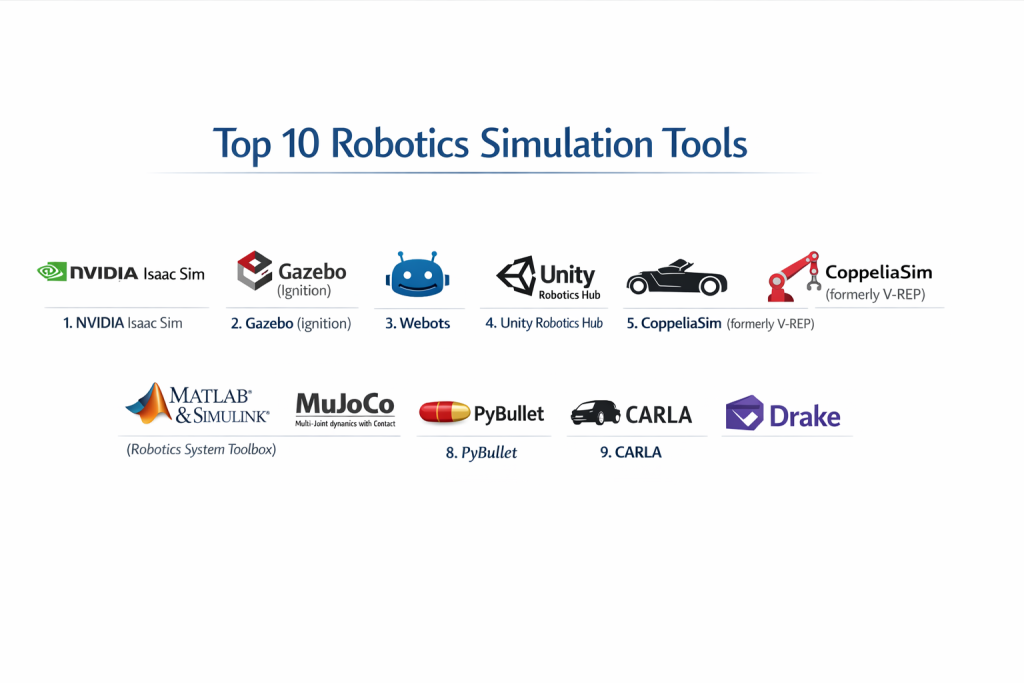
Top 10 Robotics Simulation Tools
1 — NVIDIA Isaac Sim
Built on the NVIDIA Omniverse platform, Isaac Sim is a powerful, photorealistic robotics simulator designed for training and testing AI-based robots in complex environments.
- Key features:
- PhysX 5 Support: Advanced multi-body dynamics for high-fidelity physics.
- RTX Rendering: Photorealistic lighting and materials for training computer vision models.
- Isaac Gym: Specialized environment for massive parallel reinforcement learning.
- ROS/ROS 2 Bridge: Seamless communication with standard robotics middleware.
- Replicator: Synthetic data generation tool to create vast datasets for AI training.
- Pros:
- Unmatched visual fidelity, making it the best choice for vision-based robotics.
- Leverages GPU acceleration to simulate thousands of robots simultaneously.
- Cons:
- Requires high-end NVIDIA hardware to run effectively.
- Significant learning curve for users not familiar with the Omniverse ecosystem.
- Security & compliance: Supports enterprise-grade security within the Omniverse Enterprise suite; includes encryption and SSO.
- Support & community: Extensive developer forums, high-quality documentation, and direct enterprise support for licensed users.
2 — Gazebo (Ignition)
Gazebo is the “gold standard” of open-source robotics simulation, deeply integrated with the Robot Operating System (ROS) and used by millions worldwide.
- Key features:
- Multiple Physics Engines: Supports ODE, Bullet, Simbody, and DART.
- Rich Plugin Ecosystem: Easily add sensors, controllers, and custom physics.
- Cloud Simulation: Capability to run simulations on remote servers via GazeboWeb.
- Vibrant Library: Access to thousands of pre-made robot models and environments.
- Programmatic API: Control every aspect of the simulation via C++ or Python.
- Pros:
- The most widely supported tool in the academic and research communities.
- Completely free and open-source, ensuring no vendor lock-in.
- Cons:
- Visual rendering quality lags behind modern game-engine-based simulators.
- Can be prone to performance bottlenecks when simulating high-count robot swarms.
- Security & compliance: Varies / N/A (Being open-source, security depends on the implementation and network environment).
- Support & community: Massive global community; thousands of tutorials, StackOverflow answers, and ROS-Answers support.
3 — Webots
Webots is a mature, user-friendly, and professional-grade simulator that provides a clean balance between ease of use and technical depth.
- Key features:
- Ode Physics: Reliable and fast physics engine for rigid body dynamics.
- Cross-Platform: Runs natively on Windows, macOS, and Linux.
- Large Asset Library: Includes models for robots like Spot (Boston Dynamics) and Universal Robots.
- Robot Supervisor: A specialized node to control the simulation flow and data collection.
- VRML Support: Standardized format for importing 3D models.
- Pros:
- Much easier to install and get running than Gazebo or Isaac Sim.
- Excellent documentation that is consistently updated and easy to follow.
- Cons:
- Not as optimized for “Deep Learning” as the newer NVIDIA or Unity-based tools.
- The UI can feel a bit dated compared to modern 3D design software.
- Security & compliance: Generally used in local environments; enterprise versions support standard corporate security protocols.
- Support & community: Professional support from Cyberbotics Ltd; active user community and GitHub discussions.
4 — Unity Robotics Hub
Unity has transitioned from a pure game engine to a serious robotics contender, offering high-end graphics and a massive developer pool.
- Key features:
- URDF Importer: Easily bring robot descriptions from ROS into the Unity environment.
- Unity Sensors: High-performance sensor SDK for LiDAR and RGB-D cameras.
- TCP Connector: Specialized bridge for high-speed communication with ROS 2.
- Articulations: Native support for robotic joints and constraints.
- C# Scripting: Powerful, modern programming language for simulation logic.
- Pros:
- Extremely fast rendering and the ability to create vast, beautiful worlds.
- Access to the Unity Asset Store for thousands of environmental objects.
- Cons:
- The physics engine (PhysX) can require significant tuning for high-precision robotics.
- It is a general-purpose engine first, so robotics-specific features are “add-ons.”
- Security & compliance: SOC 2 Type II compliant for cloud services; includes SSO and robust data privacy controls.
- Support & community: Largest developer community in the world; extensive robotics-specific tutorials on GitHub.
5 — CoppeliaSim (formerly V-REP)
CoppeliaSim is known for its incredible versatility, allowing users to choose from multiple physics engines and programming languages.
- Key features:
- Four Physics Engines: Switch between Bullet, ODE, Newton, and Vortex on the fly.
- Multi-Language Support: Script in Lua, Python, C/C++, or Java.
- Inverse/Forward Kinematics: Built-in solvers for complex robotic limbs.
- Particle Physics: Ability to simulate liquids, air jets, and suction cups.
- Remote API: Control the simulator from an external application or specialized hardware.
- Pros:
- Excellent for “Manipulator” robots (arms) due to its superior IK solvers.
- Portable; the entire simulator can often be run from a USB stick.
- Cons:
- The interface is cluttered with many buttons and can be intimidating for beginners.
- Documentation can sometimes be fragmented between old and new versions.
- Security & compliance: N/A (Primarily a standalone desktop application).
- Support & community: Active developer forum; used extensively in European universities and labs.
6 — MATLAB & Simulink (Robotics System Toolbox)
For engineers who value mathematical rigor and control theory over 3D visuals, MATLAB remains the industry standard for algorithm development.
- Key features:
- Control System Tuner: Automatically tune PID and complex controllers.
- Stateflow: Model complex robot logic using state machines.
- Hardware Support: Deploy code directly to Raspberry Pi, Arduino, and industrial PLCs.
- Path Planning: Built-in algorithms for RRT, PRM, and A* navigation.
- Simscape: Simulate multi-domain physical systems (mechanical, electrical, hydraulic).
- Pros:
- The best tool for rigorous mathematical verification and control law design.
- Seamless path from simulation to real-time embedded code generation.
- Cons:
- Extremely expensive; the licensing costs are the highest on this list.
- 3D visualization is not as immersive as Isaac Sim or Unity.
- Security & compliance: SOC 2 compliant; enterprise versions offer robust access controls and audit logs.
- Support & community: World-class professional support; MathWorks’ “File Exchange” has thousands of community-shared models.
7 — MuJoCo (Multi-Joint dynamics with Contact)
MuJoCo is a physics engine designed for research and development in areas where contact physics are paramount, such as walking robots and prosthetic limbs.
- Key features:
- Generalized Coordinates: Unique mathematical approach to physics for extreme stability.
- Contact Modeling: Superior handling of friction and complex contact surfaces.
- XML Modeling: Simple, human-readable format for defining robots (MJCF).
- Python Bindings: First-class support for the most popular AI programming language.
- Headless Mode: Optimized for high-speed reinforcement learning in the cloud.
- Pros:
- Widely considered the most “stable” physics engine for legged locomotion.
- Recently made open-source by Google (DeepMind), making it accessible to everyone.
- Cons:
- Focuses on physics; lacks the “world-building” tools found in Isaac Sim or Unity.
- Not designed for high-fidelity visual rendering.
- Security & compliance: Varies (Open-source); enterprise support via Google Cloud integration.
- Support & community: Deeply embedded in the AI research community (OpenAI, DeepMind); excellent GitHub documentation.
8 — PyBullet
PyBullet is a Python-based wrapper for the Bullet Physics SDK, specifically tailored for robotics and deep reinforcement learning.
- Key features:
- Easy Installation: Can be installed via
pipin seconds. - Virtual Reality Support: Connect VR headsets to interact with the robot in real-time.
- Inverse Dynamics: Fast calculation of forces and torques.
- Collision Detection: Highly optimized GJK and EPA algorithms.
- C++ Core: Python convenience with the speed of C++ underlying it.
- Easy Installation: Can be installed via
- Pros:
- The most “no-nonsense” tool for AI researchers who just want to get to the coding.
- Very low system requirements compared to Isaac Sim.
- Cons:
- Rendering is very basic; not suitable for camera-based AI training.
- Documentation is a bit sparse compared to Webots or MATLAB.
- Security & compliance: N/A (Standalone library).
- Support & community: Strong presence in the Reinforcement Learning (RL) community; widely used in academic papers.
9 — CARLA
CARLA is an open-source simulator specifically designed for autonomous driving research, providing a massive scale urban environment.
- Key features:
- Unreal Engine 4 Base: Stunningly realistic urban environments and lighting.
- Traffic Manager: Simulates realistic behavior for hundreds of other cars and pedestrians.
- Weather Customization: Change rain, sun, fog, and time of day dynamically.
- Sensor Suite: Detailed models for LiDAR, GPS, Radar, and multiple cameras.
- Map Editor: Support for OpenDRIVE standards to create custom city layouts.
- Pros:
- The undisputed leader for “Outdoor/Automotive” simulation.
- Built-in support for autonomous driving protocols like AUTOSAR.
- Cons:
- Not suitable for general robotics (arms, industrial robots).
- Extremely demanding on system resources (requires high-end GPU).
- Security & compliance: N/A (Community-driven open-source project).
- Support & community: Backed by Intel and Toyota; very active Discord and GitHub community.
10 — Drake
Developed by MIT’s Computer Science and Artificial Intelligence Lab (CSAIL), Drake is a C++ toolbox for robot dynamics and control.
- Key features:
- Optimization-Based Control: Designed for robots that need to move with extreme precision.
- Mathematical Program Interface: Powerful tools for solving trajectory optimization.
- System Modeling: Model the robot as a set of dynamical systems.
- Contact Mechanics: Rigorous mathematical handling of collisions.
- Python/C++ Hybrid: Develop in Python while keeping C++ performance.
- Pros:
- The best tool for “Model-Based” design and formal verification.
- Highly respected in the academic community for its mathematical correctness.
- Cons:
- Very steep learning curve; requires a strong background in linear algebra and dynamics.
- Visualization is functional but minimal.
- Security & compliance: N/A (Open-source research project).
- Support & community: Managed by TRI (Toyota Research Institute); high-quality technical documentation for advanced users.
Comparison Table
| Tool Name | Best For | Platform(s) Supported | Standout Feature | Rating (TrueReviewnow.com) |
| NVIDIA Isaac Sim | AI & Photorealism | Linux, Windows | RTX Rendering | 4.8 / 5 |
| Gazebo | ROS Development | Linux | ROS 2 Integration | 4.7 / 5 |
| Webots | Education/Professional | Windows, Mac, Linux | Ease of Use | 4.6 / 5 |
| Unity Robotics | Large Environments | Windows, Mac, Linux | Asset Ecosystem | 4.5 / 5 |
| CoppeliaSim | Manipulator Arms | Windows, Mac, Linux | Diverse Physics Engines | 4.4 / 5 |
| MATLAB | Control Theory | Windows, Mac, Linux | Math Rigor | 4.9 / 5 |
| MuJoCo | Legged Locomotion | Linux, Windows, Mac | Stable Contact Physics | 4.7 / 5 |
| PyBullet | Quick AI Research | Windows, Mac, Linux | pip Install Simplicity | 4.3 / 5 |
| CARLA | Autonomous Cars | Linux, Windows | Urban Traffic Sim | 4.8 / 5 |
| Drake | Math Optimization | Linux, Mac | Trajectory Optimization | N/A |
Evaluation & Scoring of Robotics Simulation Tools
| Category | Weight | Evaluation Logic |
| Core Features | 25% | Presence of ROS support, sensor models, and physics accuracy. |
| Ease of Use | 15% | Installation process, UI intuitiveness, and scripting ease. |
| Integrations | 15% | Compatibility with CAD, game engines, and cloud providers. |
| Security & Compliance | 10% | Enterprise features like SSO, data residency, and audit logs. |
| Performance | 10% | GPU acceleration and ability to run parallel simulations. |
| Support & Community | 10% | Quality of documentation and responsiveness of the community. |
| Price / Value | 15% | Open-source accessibility vs. high-end licensing costs. |
Which Robotics Simulation Tool Is Right for You?
Solo Users vs SMB vs Mid-Market vs Enterprise
If you are a Solo User or a student, Webots or PyBullet are the best choices because they run on standard laptops and have a gentle learning curve. For SMBs and startups, Gazebo is often the default due to its zero-cost entry and deep ROS support. Mid-Market companies focusing on AI-driven robotics should gravitate toward NVIDIA Isaac Sim for its synthetic data capabilities. Enterprises in highly regulated fields like aerospace or medical devices will likely find the mathematical verification and support of MATLAB/Simulink essential for compliance and safety.
Budget-Conscious vs Premium Solutions
If you have Zero Budget, the open-source community provides incredible value through Gazebo, MuJoCo, and CARLA. These tools are used by top-tier researchers and are highly capable. If you have a Premium Budget, the investment in MATLAB or an NVIDIA Omniverse Enterprise license pays for itself through reduced engineering hours, professional support, and advanced features like automatic code generation and photorealistic synthetic data.
Feature Depth vs Ease of Use
There is a direct trade-off here. Webots and CoppeliaSim prioritize Ease of Use, providing a GUI where you can drag and drop components. On the other end, Drake and MuJoCo offer immense Feature Depth in terms of physics and math but require you to be comfortable with advanced coding and dynamical systems. Unity sits in the middle, offering a modern UI with high-depth potential via C# scripting.
Integration and Scalability Needs
For those needing to scale to Cloud Training, MuJoCo, Isaac Sim, and Gazebo are the most mature, offering “headless” modes that can run inside Docker containers on AWS or Azure. If your robot needs to integrate with a wider ecosystem of Industrial Automation (like PLCs), MATLAB is the clear winner. If you need to simulate a robot within a vast Urban Environment, CARLA or Unity are the only tools built to handle that scale efficiently.
Security and Compliance Requirements
While most simulation is done in “safe” development environments, Enterprises often need to protect their proprietary robot designs. Unity Enterprise, NVIDIA Omniverse, and MATLAB offer the best security features, including SSO, encrypted data storage, and the ability to run in completely “air-gapped” local networks, ensuring your intellectual property never leaves your facility.
Frequently Asked Questions (FAQs)
1. What is the “Sim-to-Real Gap”?
This refers to the discrepancy between how a robot acts in a simulator and how it acts on hardware. It is caused by imperfect physics modeling or sensor noise. Tools like Isaac Sim and MuJoCo work hard to minimize this gap.
2. Do I need a high-end GPU for robotics simulation?
For photorealistic tools like Isaac Sim or CARLA, a modern GPU (like an NVIDIA RTX series) is mandatory. For physics-heavy tools like MuJoCo or PyBullet, you can often get by with a standard high-end CPU.
3. Is ROS (Robot Operating System) required?
It is not strictly required, but it is highly recommended. Most simulators listed here provide a “bridge” to ROS because it is the primary way robots communicate in the real world.
4. Can I simulate soft or flexible robots?
Yes, but it is much harder. MuJoCo and specialized plugins for CoppeliaSim are better at “soft robotics” than standard engines like PhysX which are optimized for rigid bodies.
5. How much does MATLAB cost?
Standard commercial licenses can cost several thousand dollars per year, per user. However, they offer significantly cheaper “Student” and “Home” versions for non-commercial use.
6. Is MuJoCo free?
Yes. MuJoCo was acquired by DeepMind (Google) and was subsequently made open-source. It is now free for everyone to use under the Apache 2.0 license.
7. Which simulator is best for drones?
Gazebo and AirSim (a tool often used with Unity/Unreal) are very popular for drone simulation because they have mature aerodynamics models and support for flight controllers like PX4.
8. Can I import my 3D designs from CAD into these simulators?
Yes. Most simulators support standard formats like STL, OBJ, or URDF. Tools like Isaac Sim also support the newer USD (Universal Scene Description) format.
9. What programming language should I learn for robotics simulation?
Python is the most common language for AI and high-level logic, while C++ is essential for high-performance physics and low-level control.
10. Can I simulate human-robot interaction?
Yes, tools like Unity and Isaac Sim have detailed human character models that can be programmed to walk around and interact with the robot, allowing you to test safety sensors.
Conclusion
Choosing the right Robotics Simulation Tool is one of the most consequential decisions an engineering team can make. It dictates not just how fast you can develop, but the very nature of the problems you can solve. For those pushing the boundaries of AI and vision, the photorealism of NVIDIA Isaac Sim is transformative. For those building the next generation of walking robots, the stability of MuJoCo is unparalleled. And for the vast majority of engineers building standard industrial applications, the open-source reliability of Gazebo remains a cornerstone of the industry.
Ultimately, the “best” tool is the one that minimizes the friction between your code and the physical world. It should be accurate enough to trust, fast enough to iterate, and secure enough to protect your innovation. As the sim-to-real gap continues to shrink, the line between the digital twin and the physical robot is blurring—making these tools not just a luxury, but the very foundation of modern robotics.