Introduction
Revenue recognition software is a specialized type of financial technology. It is designed to help businesses automatically record their income according to official accounting rules. These rules, known as ASC 606 in the United States and IFRS 15 internationally, provide strict guidelines on when and how revenue should be reported in financial statements. This process ensures that companies recognize revenue as they fulfill their promises to customers, not just when they receive cash.
This software is critical because manual revenue tracking, often done with spreadsheets, is highly prone to errors. Mistakes in revenue reporting can lead to serious consequences. These include regulatory penalties, the need to restate financial results, loss of investor confidence, and flawed business decision-making based on inaccurate data. By automating calculations, journal entries, and reporting, the software creates a consistent, audit-ready process that saves time and reduces risk.
Key real-world use cases are varied: A software company uses it to automatically recognize monthly subscription fees over the term of a contract. A construction firm applies it to recognize revenue gradually as milestones are completed on a multi-year project. A manufacturer uses it to allocate revenue from a bundled sale that includes both equipment and a maintenance service. Any business dealing with complex contracts, discounts, promotions, or long-term service agreements can benefit from this automation.
When evaluating these tools, users should focus on several core criteria. Automation depth is paramount—how much of the process is truly hands-off. Compliance assurance is non-negotiable; the software must be built for and updated with the latest accounting standards. Integration capability determines practical value; the tool should connect fluidly with your Customer Relationship Management system and your Enterprise Resource Planning or general ledger software. Additionally, consider the user experience for your finance team, the system’s ability to scale with your company’s growth, and the quality and responsiveness of customer support.
Best for: This software delivers the most value to accounting professionals, financial controllers, and Chief Financial Officers in companies that have transitioned to accrual-based accounting. It is especially vital for businesses with subscription models, long-term customer contracts, or complex performance obligations. Industries like Software as a Service, telecommunications, media, construction, and consulting find it indispensable. Mid-sized growth companies and enterprises that face audits or require precise, timely financial reporting benefit enormously.
Not ideal for: Very small businesses, sole proprietors, or freelancers who operate on a simple cash-accounting basis and have infrequent, straightforward sales transactions. For example, a consultant who invoices upon project completion and records revenue when the payment arrives might not need this specialized software. In such cases, a capable invoicing application or standard small business accounting software often provides sufficient functionality at a lower cost and complexity.
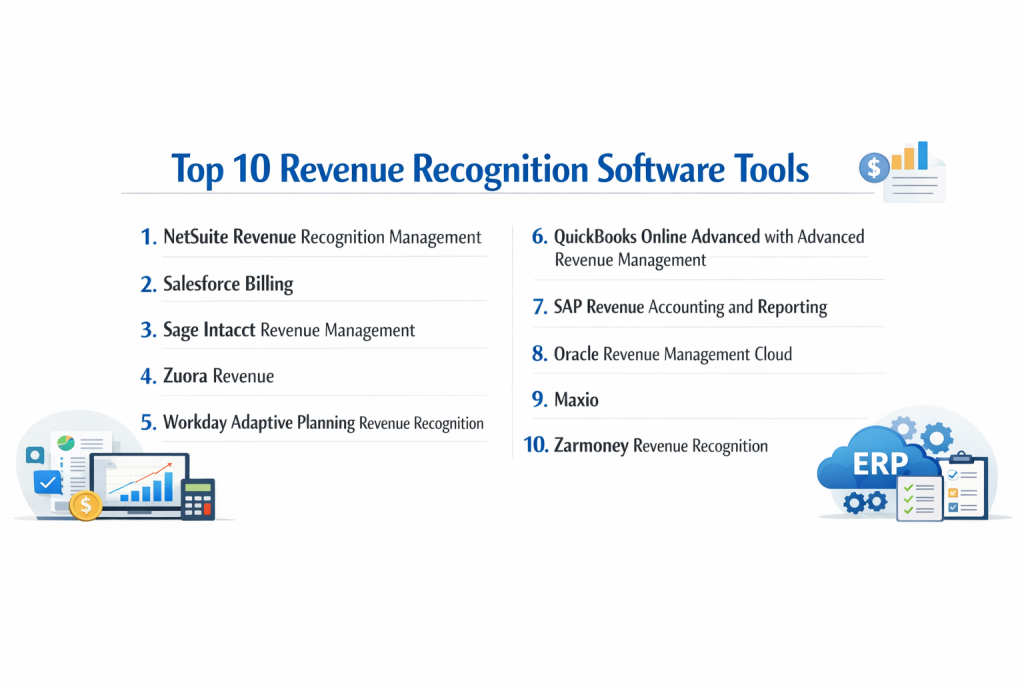
Top 10 Revenue Recognition Software Tools
1 — NetSuite Revenue Recognition Management
NetSuite Revenue Recognition Management is an integrated module within the NetSuite cloud Enterprise Resource Planning suite. It is purpose-built for mid-sized to large organizations that already utilize NetSuite to unify their financial management, customer relations, inventory, and e-commerce on a single platform.
Key features:
- Delivers comprehensive automation for revenue scheduling and compliance with ASC 606 and IFRS 15 standards directly within the NetSuite environment.
- Dynamically generates amortization schedules for deferred revenue, seamlessly updating the general ledger.
- Capably manages intricate revenue scenarios including multi-element arrangements, bundled products and services, and contracts with variable consideration like bonuses or penalties.
- Provides native, bidirectional integration with NetSuite’s own CRM, subscription billing, and order management systems, ensuring a single source of truth.
- Maintains a complete, time-stamped audit trail for every change and offers customizable reporting dashboards for real-time revenue visibility.
- Facilitates the definition and tracking of distinct performance obligations and can handle post-contract modifications.
Pros:
- Unified system advantage: For existing NetSuite customers, implementation is streamlined as it is a native component, eliminating complex data synchronization challenges between separate systems.
- End-to-end process management: It effectively oversees the entire continuum from initial sales quote through to revenue recognition, all within a cohesive business management ecosystem.
Cons:
- Vendor lock-in: The solution is exclusively available and logically viable for companies that have selected NetSuite as their core operational and financial system.
- Potential over-engineering: The full power and cost of the NetSuite platform can be excessive for businesses that do not require its extensive range of ERP capabilities.
Security & compliance: As an Oracle NetSuite application, it inherits enterprise-level security protocols. This includes support for Single Sign-On, robust data encryption both in transit and at rest, comprehensive system access audit logs, and adherence to key certifications such as SOC 1, SOC 2, and ISO 27001. Tools for managing data privacy in line with GDPR are also incorporated.
Support & community: Technical support is accessed through NetSuite’s standard customer service channels. The platform is backed by extensive online administrator and user documentation. A large, active global community of NetSuite customers and solution partners offers additional peer-driven advice and troubleshooting. Dedicated enterprise support agreements are available for larger clients.
2 — Salesforce Billing
Salesforce Billing is a native application built on the Salesforce platform. It is engineered for sales and finance departments in organizations that leverage Salesforce as their primary customer relationship management system and seek to integrate quoting, subscription management, invoicing, and revenue accounting into one cohesive workflow.
Key features:
- Integrates tightly with Salesforce CPQ to create a seamless, automated quote-to-cash pipeline, from initial proposal to recognized revenue.
- Automatically constructs revenue recognition schedules triggered by subscription terms, billing cycles, and specific invoicing events.
- Supports sophisticated billing models including usage-based pricing, tiered subscriptions, and one-time charges, all feeding into the revenue engine.
- Delivers real-time revenue analytics, forecasts, and key metric dashboards within the familiar Salesforce reporting environment.
- Systematically creates revenue schedules and the corresponding journal entries ready for export to external accounting general ledgers.
Pros:
- Paradigm for Salesforce-centric operations: Provides an unparalleled unified view of customer and financial data for companies whose commercial processes are deeply embedded in the Salesforce ecosystem.
- Eliminates departmental silos: Dramatically reduces manual handoffs and errors by closing the loop between the sales contract and revenue accounting within one system.
Cons:
- Ecosystem dependency: Its utility and return on investment diminish considerably if an organization does not heavily utilize Salesforce CRM and Salesforce CPQ.
- Cost accumulation: Represents a significant additional licensing cost on top of an existing investment in Salesforce core and add-on products.
Security & compliance: It operates on the trusted Salesforce security infrastructure, benefiting from features like Single Sign-On, granular data encryption, and a publicly transparent security status portal. The platform complies with major standards including SOC 2, ISO 27001, and GDPR, with specific compliance features aligning with the core Salesforce services.
Support & community: Support is delivered through Salesforce’s standard support framework. Users have access to the vast Trailhead online learning platform, a massive global community of administrators and developers for crowd-sourced knowledge, and premium support plans tailored for large enterprise needs.
3 — Sage Intacct Revenue Management
Sage Intacct Revenue Management is a dedicated module within the Sage Intacct cloud financial management system. It targets growing small to mid-sized businesses, particularly prevalent in the software, SaaS, and professional services sectors, that require both robust core accounting and sophisticated revenue automation.
Key features:
- Offers specialized automation engineered explicitly for compliance with ASC 606 and IFRS 15 requirements.
- Efficiently handles diverse revenue models including subscriptions, term licenses, and consumption-based or usage billing.
- Automatically produces detailed audit trails and generates necessary footnote disclosures for financial statements.
- Features a visual, drag-and-drop rules engine that allows finance teams to model complex revenue scenarios without writing code.
- Provides real-time executive dashboards and standard reports like Deferred Revenue Rollforwards.
- Integrates with leading CRM systems, most notably Salesforce, to automatically import contract data for recognition processing.
Pros:
- Sophisticated yet approachable: Combines deep revenue automation functionality with Sage Intacct’s reputation for a user-friendly and intuitive interface tailored for accounting professionals.
- Comprehensive financial core: It is not a standalone point solution but a module within a highly regarded, full-scale financial management system, offering a unified platform for all accounting needs.
Cons:
- Optimal as an integrated suite: While it offers integrations, its strengths are most fully realized when deployed as part of the complete Sage Intacct financial suite.
- Mid-market positioning: May offer more power than a very small business needs but could lack some of the ultra-advanced, global features found in the largest ERP solutions.
Security & compliance: Employs bank-level security measures including Single Sign-On, detailed role-based permissions, IP address restrictions, and data encryption. It maintains SOC 1 and SOC 2 Type II certifications and provides features to assist with GDPR compliance obligations.
Support & community: Customer support is provided by Sage and its accredited network of value-added reseller partners. The platform is supported by strong online documentation, an active user community forum, and dedicated account management for mid-market and larger clients.
4 — Zuora Revenue
Zuora Revenue is a standalone, best-of-breed application from the company synonymous with the Subscription Economy. It is architected for large, sophisticated subscription-based businesses across all sectors that must manage high volumes of complex revenue scenarios at a global scale.
Key features:
- Utilizes artificial intelligence for contract analysis to automatically identify performance obligations, variable consideration, and other key terms from sales agreements.
- Excels at handling the most intricate subscription, usage-based, and hybrid business models at high transaction volumes.
- Incorporates a “Smart Predict” analytics engine that forecasts revenue outcomes and proactively flags potential compliance risks before they become issues.
- Serves as a centralized system of record for all revenue data, operating as a specialized sub-ledger that feeds summary entries into the general ledger.
- Generates extensive, audit-ready reporting packages and disclosure reports required for quarterly and annual filings.
- Offers deep, pre-built bi-directional integrations with major ERP systems and CRM platforms, particularly NetSuite, Oracle, SAP, and Salesforce.
Pros:
- Best-in-class for complex subscriptions: Widely recognized as the market leader for large-scale, high-volume, and intricate subscription revenue management.
- Deep domain specialization: The product and company are focused exclusively on modern revenue operations, driving continuous innovation in automation and compliance.
Cons:
- Premium cost and complexity: The solution can be prohibitively expensive and overly complex for smaller companies or those with simple, linear revenue streams.
- Significant implementation commitment: Deployment typically necessitates a substantial implementation project, often requiring dedicated internal administrators and external consultants.
Security & compliance: Provides enterprise-grade security encompassing Single Sign-On, data encryption, and a comprehensive set of certifications including SOC 1, SOC 2, ISO 27001, and GDPR readiness. It is designed to meet the stringent compliance demands of public companies and global enterprises.
Support & community: Clients have access to professional implementation services, 24/7 premium enterprise support, and a detailed online knowledge base. The broader Zuora community connects users across the Zuora platform suite, including Billing and Collections.
5 — Workday Adaptive Planning Revenue Recognition
This tool is a specialized extension of Workday Adaptive Planning, a leading corporate performance management platform. It is tailored for finance teams in mid-sized to large enterprises that already employ Adaptive Planning for budgeting, forecasting, and reporting, and wish to integrate revenue data directly into their planning models.
Key features:
- Embeds revenue recognition workflows directly into the financial planning, forecasting, and management reporting processes.
- Automates compliance with ASC 606 and IFRS 15 to ensure revenue figures used in plans and forecasts are accurate and standards-compliant.
- Enables finance teams to model the financial impact of different revenue recognition scenarios and hypothetical changes to contracts or business models.
- Pulls source revenue data from underlying ERP or CRM systems to build a unified, accurate planning and revenue model.
- Produces detailed management and board-level reports that analyze recognized versus deferred revenue within the planning platform’s reporting framework.
Pros:
- Strategic planning integration: Ideal for finance teams whose priority is to tightly couple their revenue accounting outcomes with their forward-looking financial plans, budgets, and what-if scenario models in a single environment.
- Powerful scenario analysis: Excellent capability for projecting how changes in contract terms or new product launches will impact future revenue streams and overall financial performance.
Cons:
- Specialized use case: Its primary strength lies in planning integration; it may not serve as a comprehensive, operational revenue automation engine for day-to-day accounting compared to dedicated tools.
- Ecosystem requirement: Its value proposition is maximized only for organizations that have already invested in the Workday Adaptive Planning platform.
Security & compliance: Leverages the robust security model of the Workday platform, which includes Single Sign-On, data encryption, and compliance with certifications such as SOC 1 and SOC 2. GDPR compliance tools are integrated into the platform.
Support & community: Support is provided through Workday’s customer support organization. Comprehensive product documentation, formal training courses, and an active user community focused on Adaptive Planning are available resources.
6 — QuickBooks Online Advanced with Advanced Revenue Management
This functionality is part of the QuickBooks Online Advanced subscription tier, aimed at small to mid-sized businesses that are outgrowing the capabilities of basic QuickBooks. It introduces more structured tools for revenue management within the familiar QuickBooks accounting environment.
Key features:
- Allows accountants or bookkeepers to set up customized, recurring journal entry templates to systematically amortize deferred revenue over time.
- Provides enhanced account tracking and management tools for deferred revenue and other related balance sheet accounts within the QuickBooks interface.
- Includes improved standard reports and the ability to create custom reports to track recognized revenue and remaining deferred balances over specific periods.
- Offers batch transaction processing and a suite of exclusive advanced reports not available in lower-tier QuickBooks plans.
- Connects with numerous third-party applications available in the QuickBooks App Store to extend functionality for specific needs like advanced subscription billing.
Pros:
- Familiarity and accessibility: For businesses already operating on QuickBooks Online, it adds a layer of revenue management structure without forcing teams to learn an entirely new and complex software system.
- Cost-effective progression: Provides a logical and relatively affordable step up from basic accounting for SMBs needing better revenue tracking without a massive investment.
Cons:
- Limited automation: Functions more as a structured management and reminder tool rather than a fully automated, rules-driven revenue recognition engine that proactively handles complex calculations.
- Scalability constraints: Likely insufficient for the transaction volume, contract complexity, or reporting needs of a rapidly scaling SaaS company or a larger mid-market organization.
Security & compliance: Utilizes Intuit’s established security standards for the QuickBooks Online platform, including data encryption and multi-factor authentication options. The broader platform undergoes SOC 1 audits. Features to assist with data privacy regulations like GDPR are present.
Support & community: Subscribers gain access to prioritized customer support, a dedicated account manager (on higher-tier plans), and can tap into the vast QuickBooks user community and ProAdvisor network of accounting professionals for assistance.
7 — SAP Revenue Accounting and Reporting
SAP Revenue Accounting and Reporting is a solution deeply embedded within the SAP S/4HANA enterprise resource planning ecosystem. It is engineered for large, multinational corporations, frequently in manufacturing, industrial services, or industries with highly complex project-based revenue, that standardize their global operations on SAP.
Key features:
- Provides deep, real-time integration with core SAP modules: Sales and Distribution for orders, Project Systems for long-term contracts, and Financial Accounting for the general ledger.
- Manages exceptionally complex, high-volume, and multinational revenue scenarios involving intercompany transactions and multiple currencies.
- Automates revenue postings in real-time directly into the SAP Universal Journal, the single source of truth for all financial data in S/4HANA.
- Specializes in project-based revenue recognition methods like Percentage of Completion for long-term construction or service contracts.
- Delivers comprehensive operational and financial reporting through embedded SAP analytics tools such as SAP Analytics Cloud.
- Supports intricate intercompany revenue elimination and complex multi-currency revaluation requirements.
Pros:
- Enterprise-scale power: Built to handle the sheer scale, complexity, and global regulatory requirements of the world’s largest corporations.
- Unified data foundation: When deployed within a full SAP S/4HANA landscape, it eliminates data reconciliation issues by creating a seamless, real-time flow from sales order to recognized revenue.
Cons:
- Extreme complexity and cost: Entirely unsuitable and economically unfeasible for any business that is not already a committed SAP enterprise licensee.
- Implementation magnitude: Requires deep SAP functional and technical expertise and typically involves a multi-year, high-cost implementation program with major consulting involvement.
Security & compliance: Security is integral to the SAP platform, featuring granular access controls, comprehensive audit logging, and compliance with a wide array of global standards including GDPR, various ISO certifications, and industry-specific regulations like those in aerospace or pharmaceuticals.
Support & community: Support is accessed through SAP’s own support channels and its extensive worldwide network of system integration and consulting partners. There is deep, technical product documentation and a global community of SAP finance experts and user groups.
8 — Oracle Revenue Management Cloud
Oracle Revenue Management Cloud is a comprehensive component of the Oracle Fusion Cloud Enterprise Resource Planning suite. It is a full-featured solution for large organizations utilizing Oracle’s cloud applications, delivering robust revenue automation that aligns with Oracle’s financials, project management, and subscription management modules.
Key features:
- Enables end-to-end automation from the point of contract capture in Oracle CX applications through to revenue reporting in the financial statements.
- Centralizes a configurable rules engine for defining and enforcing corporate revenue policies in compliance with ASC 606 and IFRS 15.
- Handles hybrid revenue models that mix subscriptions, perpetual licenses, project deliverables, and professional services.
- Employs intelligent contract interpretation capabilities to help automate the identification of distinct performance obligations.
- Offers detailed revenue analytics, performance dashboards, and the necessary disclosure reporting for external audits.
- Designed for tight data and process integration across the Oracle Fusion Cloud suite, including ERP, Enterprise Performance Management, and Customer Experience applications.
Pros:
- Strategic choice for the Oracle ecosystem: The natural, native selection for large enterprises that have standardized their operations on the Oracle Fusion Cloud application family.
- Holistic and unified approach: Manages revenue recognition consistently across all business lines within a unified cloud platform, data model, and user experience.
Cons:
- Ecosystem-specific utility: Similar to NetSuite and SAP, its primary appeal and seamless operation are intrinsically linked to an organization’s commitment to the Oracle application stack.
- Enterprise-scale focus: The solution’s scope and pricing are oriented toward large enterprises, making it overwhelming and not cost-justified for the mid-market.
Security & compliance: Leverages the security infrastructure of Oracle Cloud Infrastructure, which includes strong data encryption, advanced identity and access management, and compliance with a broad spectrum of standards such as SOC 1, SOC 2, ISO 27001, and GDPR. It is built for regulated industry requirements.
Support & community: Users have access to Oracle’s global support services, a comprehensive online knowledge base, and user community forums. Implementation is typically led by Oracle Consulting or a network of certified implementation partners.
9 — Maxio
Maxio is a dedicated financial operations platform born from the merger of SaaSOptics and Chargify, tailored explicitly for B2B SaaS companies. It converges subscription billing, revenue recognition, and SaaS metric reporting into one system designed from the ground up for the SaaS business model.
Key features:
- Unifies the core financial operations stack by combining subscription billing and invoicing with GAAP-compliant revenue recognition and key SaaS metric reporting.
- Automates ASC 606 compliance specifically for the nuances of SaaS contracts, including handling mid-term upgrades, downgrades, and cancellations.
- Delivers real-time dashboards tracking essential SaaS financial and operational metrics like Annual Recurring Revenue, Monthly Recurring Revenue, Customer Churn, and Lifetime Value.
- Manages complex pricing tables, prorations, and mid-cycle subscription changes seamlessly, with those changes flowing automatically into revenue calculations.
- Integrates with popular accounting systems and CRM platforms, notably QuickBooks Online, NetSuite, Xero, and Salesforce.
- Generates investor-ready financial statements and provides tailored audit support packages to simplify year-end reviews.
Pros:
- Built by and for SaaS: The platform’s design reflects an intimate understanding of B2B SaaS operations, avoiding generic features that add bloat without value for this vertical.
- Financial ops efficiency: Combining billing and revenue in a single platform eliminates reconciliation work between separate systems, creating significant efficiency for finance teams at scaling SaaS companies.
Cons:
- Vertical specialization: Its focus on SaaS can be a limitation for companies with significant non-subscription revenue, project-based income, or physical product sales.
- Integration evolution: As a product from a recent merger, some users may encounter areas where the integration of the former separate platforms is still being refined.
Security & compliance: The platform offers enterprise security features including Single Sign-On, comprehensive data encryption, and holds SOC 1 & SOC 2 Type II compliance certifications. Tools to support GDPR compliance are available.
Support & community: Maxio provides dedicated customer success management, professional implementation services, and a detailed online knowledge base. The company actively cultivates a community focused on sharing best practices in SaaS finance and operations.
10 — Zarmoney Revenue Recognition
Zarmoney offers a revenue recognition module as part of its broader cloud-based accounting and business management software suite. It is targeted at small to medium-sized businesses seeking an affordable, all-in-one system that includes foundational automation for revenue tracking.
Key features:
- Automates the creation of basic revenue schedules based on contract start and end dates, along with defined billing plans.
- Supports straightforward subscription revenue recognition and service contract amortization.
- Allows for manual overrides and adjustments to automated schedules when unique situations arise.
- Tracks deferred revenue balances and generates corresponding recognition journal entries automatically.
- Integrates with Zarmoney’s own built-in modules for CRM, project management, time tracking, and inventory.
- Provides essential revenue recognition reports and summary dashboards for management review.
Pros:
- All-in-one affordability: Presents a cost-effective entry point for small businesses to adopt basic revenue automation within a comprehensive but modestly priced business suite.
- Simplicity and ease of use: The interface and workflows are designed for simplicity, making it accessible for small business owners and finance staff without requiring deep technical or accounting expertise.
Cons:
- Foundational functionality: Lacks the advanced automation, complex scenario handling, and deep reporting capabilities required by larger, high-growth, or intricate subscription businesses.
- Limited external ecosystem: The all-in-one approach means its deep integrations are primarily with its own modules; connections to best-of-breed external CRM or ERP systems may be less developed.
Security & compliance: Provides standard cloud application security with data encryption and user role-based access controls. The availability of specific, independent compliance certifications like SOC 2 is less commonly emphasized; prospective customers should inquire directly. Basic data privacy features aligned with principles like GDPR are typically included.
Support & community: Customer support is offered via standard channels, supplemented by online help documentation and instructional webinars. The user community is smaller and less formalized compared to those of the major platform vendors like Salesforce or Intuit.
Comparison Table
| Tool Name | Best For | Platform(s) Supported | Standout Feature |
|---|---|---|---|
| NetSuite Revenue Management | Mid-market to enterprises using NetSuite ERP. | Native NetSuite module; Cloud. | Deep, native integration within the NetSuite ecosystem. |
| Salesforce Billing | Companies deeply invested in the Salesforce CRM & CPQ stack. | Native Salesforce platform; Cloud. | Seamless quote-to-cash within Salesforce. |
| Sage Intacct Revenue Management | Growing SMBs & mid-market companies needing strong core financials + revenue. | Cloud; Integrates with Salesforce, others. | Powerful revenue automation in a user-friendly accounting system. |
| Zuora Revenue | Large, complex subscription businesses (SaaS, media, etc.). | Cloud; Deep ERP/CRM integrations. | AI-powered contract analysis for complex subscriptions. |
| Workday Adaptive Planning Rev Rec | Finance teams using Adaptive Planning for integrated revenue forecasting. | Cloud; part of Workday Adaptive Planning. | Tight integration of revenue recognition with financial planning. |
| QuickBooks Online Advanced | SMBs growing out of basic QuickBooks needing more structure. | QuickBooks Online Advanced; Cloud. | Familiar QuickBooks interface with enhanced revenue tracking. |
| SAP Revenue Accounting & Reporting | Large global enterprises running on SAP S/4HANA. | SAP S/4HANA; On-premise/Cloud. | Real-time integration with complex SAP SD, PS, and FI modules. |
| Oracle Revenue Management Cloud | Large enterprises standardized on Oracle Fusion Cloud Apps. | Oracle Fusion Cloud; Cloud. | Centralized rules engine across Oracle ERP, EPM, and CX. |
| Maxio | B2B SaaS companies of various sizes. | Cloud; Integrates with major ERPs/CRMs. | Unified billing & revenue recognition with SaaS metrics. |
| Zarmoney Revenue Recognition | Small businesses wanting an affordable all-in-one suite. | Zarmoney cloud platform. | Cost-effective revenue management within a business suite. |
Evaluation & Scoring of Revenue Recognition Software
To make a systematic and objective comparison, use the following weighted scoring rubric. Evaluate each software tool you are considering on a scale of 1 to 5 for each criterion, where 1 is Poor and 5 is Excellent. Multiply the score by the weight to calculate the weighted score for each line. The tool with the highest total weighted score represents the strongest overall fit based on your prioritized needs.
| Criteria | Weight | What to Look For | Score (1-5) | Weighted Score |
|---|---|---|---|---|
| Core Features | 25% | The depth of automation for your specific revenue models (subscription, project-based, etc.). Flexibility of the rules engine. Quality and detail of the audit trail. Ability to handle contract amendments. | ||
| Ease of Use | 15% | Intuitiveness of the user interface for daily operators. Clarity of reports and dashboards for management. Overall simplicity of the initial setup and ongoing configuration. | ||
| Integrations & Ecosystem | 15% | Availability and robustness of native or pre-built connectors to your essential systems (CRM like Salesforce, ERP/GL like NetSuite or QuickBooks). Quality and documentation of the API for custom integration needs. | ||
| Security & Compliance | 10% | Possession of key certifications (SOC 2 Type II is a benchmark). Implementation of data encryption, Single Sign-On, and detailed audit logs. Support for specific regulations relevant to your industry or region (GDPR, HIPAA, etc.). | ||
| Performance & Reliability | 10% | Historical uptime and service level agreements. Processing speed for large batches of transactions or complex calculations. Architectural scalability to support your company’s anticipated growth. | ||
| Support & Community | 10% | Quality and availability of onboarding and training resources. Responsiveness and expertise of customer support channels. Existence of an active user community or partner network for peer assistance. | ||
| Price / Value | 15% | Total cost of ownership (licensing, implementation, training, maintenance) relative to the features, risk reduction, and time savings the software provides. Transparency and flexibility of the pricing model. | ||
| TOTAL | 100% | FINAL SCORE |
Which Revenue Recognition Software Tool Is Right for You?
Selecting the optimal tool is a strategic decision that must align with your company’s unique profile. This guide breaks down the decision process by key dimensions.
- By Company Size & Stage:
- Solo Users / Very Small Businesses: If your revenue streams are simple and you use cash-basis accounting, a dedicated tool is likely unnecessary. Basic accounting software suffices. If you need mild structure, QuickBooks Online Advanced is a logical, low-friction upgrade.
- SMBs & Growth-Stage Startups: You need genuine automation without enterprise-level complexity. Sage Intacct Revenue Management offers an excellent balance of power and usability. If you are a pure B2B SaaS company, Maxio is a specialist built for your model. For businesses running on Salesforce, Salesforce Billing demands evaluation.
- Mid-Market Companies: Scalability and integration become critical. If you are a NetSuite user, its native module is the default path. Otherwise, Zuora Revenue provides best-of-breed power for complex models, while Sage Intacct remains a strong unified financial system contender.
- Enterprises: Choice is often dictated by your core ERP architecture. SAP and Oracle customers will leverage their respective embedded solutions. Large, complex subscription businesses may select Zuora Revenue for its specialized depth irrespective of their ERP. Workday Adaptive Planning is key if integrated revenue forecasting is a primary goal.
- By Budget Priority:
- Budget-Conscious: Zarmoney and QuickBooks Advanced offer entry-level, cost-effective functionality for basic needs.
- Value-Oriented (Mid-Range): Maxio (for SaaS) and Sage Intacct provide strong features and automation for their price points.
- Premium/Enterprise Investment: Zuora, NetSuite, SAP, and Oracle represent the high-investment tier, justified by scale, complexity, and deep ecosystem integration.
- By Feature Priority:
- Maximum Feature Depth & Complexity: Zuora and the large ERP modules offer the deepest functionality but come with associated implementation and operational complexity.
- Balanced Power & Usability: Sage Intacct and Maxio aim to deliver sophisticated automation through a more approachable user experience.
- Simplicity & Familiarity: QuickBooks Advanced and Zarmoney prioritize ease of use and a gentle learning curve over deep, hands-off automation.
- By Integration Need: Be pragmatic about your core systems. If your operations are deeply rooted in Salesforce, NetSuite, SAP, or Oracle, strongly prioritize their native tools for seamless data flow. If you use a diverse “best-of-breed” stack, prioritize tools like Zuora or Maxio that have robust, pre-built connectors to your key applications.
- By Security & Compliance Requirement: Public companies, firms in regulated industries, or those handling sensitive data must prioritize vendors with proven SOC 2 Type II reports and clear certifications (ISO 27001). For global operations, GDPR readiness is essential. Always request and verify compliance documentation directly from the vendor.
Frequently Asked Questions (FAQs)
1. What is the main purpose of revenue recognition software?
Its primary purpose is to automate the accounting process of recording revenue in compliance with standards like ASC 606 and IFRS 15. This ensures accuracy, saves significant manual effort, reduces errors, and creates a clear, defensible audit trail.
2. Can’t I just use spreadsheets for revenue recognition?
While possible for very simple cases, spreadsheets become high-risk as business grows. They are manually intensive, prone to formula errors, difficult to audit at scale, and lack the automation needed for complex contracts or high transaction volumes, increasing compliance risk substantially.
3. How long does it take to implement this software?
Implementation time varies dramatically. A basic setup in a cloud-native tool for a simple business can take a few weeks. A complex enterprise implementation involving data migration, custom rules, and deep ERP integrations can take six months to over a year.
4. Is this software only for public companies?
No. While public companies are legally required to comply with ASC 606/IFRS 15, private companies, startups seeking investment, and any organization wanting GAAP-compliant financials use it for accuracy, audit readiness, and to build credibility with stakeholders.
5. How does it connect to my CRM and accounting system?
Most modern tools offer pre-built, configurable connectors or application programming interfaces. Typically, the software imports contract and customer data from your CRM. After performing its calculations, it exports summarized revenue journal entries to your general ledger in your accounting system or ERP.
6. What is the typical pricing model?
Pricing is almost universally a recurring subscription, billed monthly or annually. Cost drivers can include the number of users, the volume of revenue processed, the number of contracts, or the level of product tier. Enterprise deals are often custom-quoted.
7. Can it handle subscription changes or contract amendments?
Yes, a critical capability of robust software is managing mid-term changes like upgrades, downgrades, or cancellations. It automatically recalculates the remaining revenue schedule using a “catch-up” adjustment as prescribed by the accounting standards, ensuring ongoing accuracy.
8. What should I prepare before talking to a vendor?
Prepare a clear summary of your revenue models, approximate monthly contract volume, your current tech stack, your team’s size and accounting expertise, and specific pain points in your current process. This allows for a more productive and tailored discussion.
9. What’s a common mistake when choosing a tool?
A frequent error is selecting a tool that matches today’s needs but cannot scale for the next 3-5 years, or conversely, buying an overpowered enterprise system that is too complex and expensive, leading to poor adoption and low return on investment.
10. Are there alternatives to dedicated software?
For extremely simple businesses, advanced spreadsheet templates or the basic revenue features in some mid-level accounting software can be alternatives. However, for any company with recurring revenue, complex contracts, or growth aspirations, a dedicated tool is strongly recommended for efficiency and risk management.
Conclusion
Selecting the right revenue recognition software is a critical business decision that directly impacts financial accuracy, operational efficiency, and regulatory compliance. The overarching lesson from this detailed analysis is that there is no universal “best” solution. The ideal tool is entirely contingent upon your company’s specific size, industry, revenue model complexity, and existing technological ecosystem.
Small businesses with straightforward models should seek simplicity and cost-effectiveness. High-growth SaaS companies must prioritize tools built for their unique subscription dynamics. Mid-market organizations need a balance of automation and scalability, while large enterprises will typically align with the solution embedded within their global ERP platform.
The decision process should be anchored by a few non-negotiable priorities: the depth of automation must match the complexity of your revenue streams; seamless integrations with your core sales and financial systems are essential for practical utility; and the platform must demonstrably scale to support your strategic growth plans. Diligently verify the vendor’s security and compliance posture, and ensure their customer support model aligns with your internal capabilities and expectations.
Investing time in a thorough requirements analysis, involving key stakeholders in product demonstrations, and applying a structured scoring rubric will lead to a more confident and successful selection. The correct revenue recognition software is not merely an operational tool—it is a foundational component of a trustworthy financial reporting framework. It reduces risk, saves valuable time, and provides the clear financial insight necessary for sustainable growth. Begin by introspectively defining your needs, and let those specific requirements guide you to the precise tool designed to meet them.