Introduction
Retail workforce scheduling is the strategic process of managing employee shifts to ensure that a store has the right number of staff members with the right skills at the right time. In the modern retail environment, this has evolved from simple pen-and-paper rosters to sophisticated, AI-driven platforms. These tools analyze historical sales data, foot traffic patterns, and employee availability to create optimized schedules that balance labor costs with customer service levels. By automating the “who, when, and where” of staffing, retailers can eliminate the manual headache of manager-led scheduling while ensuring compliance with local labor laws and fair work regulations.
The importance of these tools is underscored by the volatility of the retail market. Understaffing leads to long queues and lost sales, while overstaffing eats directly into profit margins. Key real-world use cases include a department store scaling up staff during a “Black Friday” event based on predictive analytics, a grocery manager handling an influx of last-minute “sick calls” through an automated shift-swap marketplace, and a regional manager ensuring that all 50 locations are adhering to “clopening” (closing then opening) restrictions. When evaluating these tools, users should look for mobile-first designs, labor law compliance modules, integration with POS (Point of Sale) systems, and the ability to handle complex shift bidding.
Key Real-World Use Cases
- Demand-Based Staffing: A clothing retailer integrates their POS data with the scheduling tool to automatically increase staffing levels on Saturday afternoons when sales velocity historically peaks.
- Employee Self-Service: A cashier needs to change their Friday shift due to a personal conflict; they post the shift to a digital board where a qualified colleague claims it, and the manager is automatically notified.
- Compliance Auditing: A retail chain in a jurisdiction with “Fair Work” laws uses the tool to flag schedules that violate mandatory rest periods between shifts, preventing heavy fines.
- Multi-Location Floating: A manager at one storefront is short-handed and “borrows” a trained employee from a nearby sister location, with the system handling the cross-location labor cost allocation.
- Time and Attendance Verification: Employees use geofenced mobile apps to clock in, ensuring that staff are actually on the premises before they can begin their paid shift.
What to Look For (Evaluation Criteria)
- Predictive Scheduling: The ability to use AI to forecast labor needs based on sales, weather, and seasonal trends.
- Mobile Accessibility: A high-quality app for employees to view schedules, request time off, and swap shifts on the go.
- Labor Law Compliance: Built-in rules for overtime, mandatory breaks, and predictable scheduling laws (e.g., Oregon or NYC fair work laws).
- Communication Hub: Integrated messaging to keep the team informed of store updates or emergency shift needs without using personal social media.
- POS & Payroll Integration: Seamless data flow between sales (to track labor percentage) and payroll (to ensure accurate pay).
Best for: Store Managers, HR Directors, and Operations Executives in retail, hospitality, and healthcare sectors. It is essential for mid-market to enterprise-level retailers with more than 20 employees across multiple locations.
Not ideal for: Very small “mom and pop” shops with 2-3 fixed-schedule employees, or corporate offices where employees work a standard 9-to-5 Monday through Friday. For these, a simple shared calendar is often sufficient.
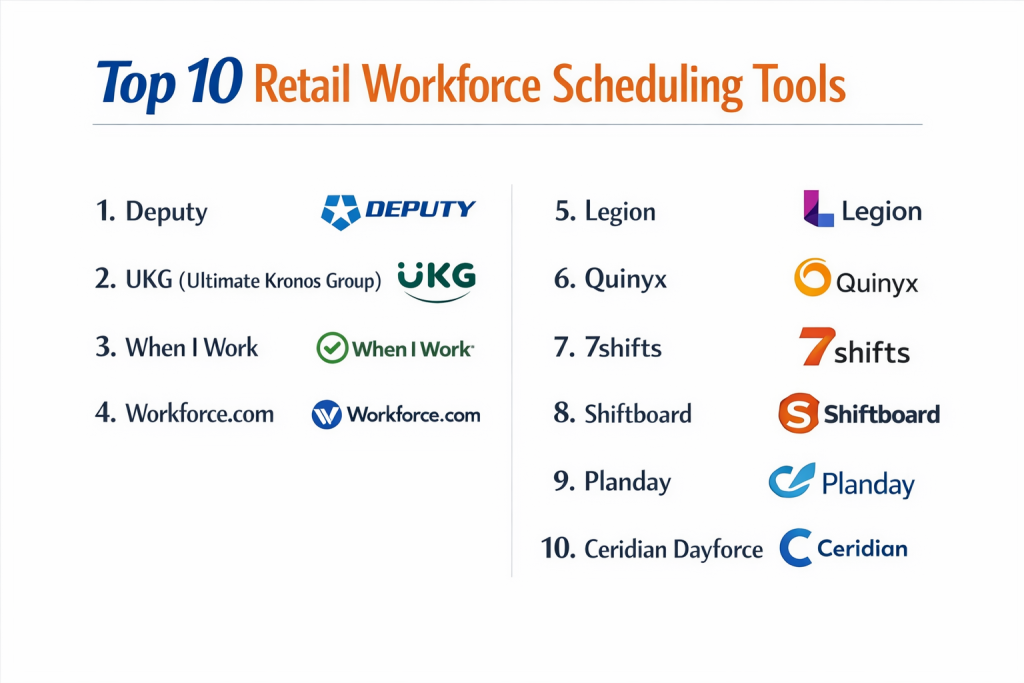
Top 10 Retail Workforce Scheduling Tools
1 — Deputy
Deputy is a popular, user-friendly workforce management platform designed specifically for shift-based businesses. It focuses on simplicity, mobile connectivity, and compliance.
- Key features:
- AI-based auto-scheduling to fill shifts based on demand.
- Mobile clock-in with GPS and photo verification.
- Real-time communication via “Newsfeeds” and task assignments.
- Stress-profile monitoring to prevent employee burnout.
- Integration with major payroll providers like ADP and Xero.
- Fair Work compliance engine for automated break and overtime rules.
- Pros:
- Extremely easy for employees to learn; the mobile app is top-tier.
- Great for SMBs and mid-market retailers needing to move fast.
- Cons:
- Higher-tier features for demand-based scheduling can be pricey.
- Reporting can be somewhat limited compared to enterprise giants.
- Security & compliance: SOC 2 Type II, GDPR, SSO (SAML), and data encryption.
- Support & community: 24/7 chat support, extensive help center, and a growing community of retail users.
2 — UKG (Ultimate Kronos Group)
UKG is an enterprise-level powerhouse that provides deep, data-heavy workforce management for the world’s largest retail brands.
- Key features:
- Advanced AI (UKG Bryte) for deep labor forecasting.
- Complex compliance management for international labor laws.
- Strategic workforce planning for long-term labor budgeting.
- Attestation features for employees to confirm they took their breaks.
- Enterprise-grade payroll and HR functionality.
- Mobile-first “Dimensions” interface for modern users.
- Pros:
- Unrivaled for massive retailers with 10,000+ employees.
- Incredibly robust compliance and auditing features for high-risk industries.
- Cons:
- Implementation is a massive project requiring months and consultants.
- The system can be overwhelming for store-level managers.
- Security & compliance: ISO 27001, SOC 2, HIPAA, GDPR, and FedRAMP (for certain modules).
- Support & community: Global professional services, 24/7 enterprise support, and a massive user forum.
3 — When I Work
When I Work is a highly accessible, cloud-based scheduling tool that is particularly favored by small to medium-sized retail businesses for its straightforward interface.
- Key features:
- Simple “drag-and-drop” schedule builder.
- Shift bidding and open shift notifications for staff.
- Integrated time clock and attendance tracking.
- Team messaging and announcements.
- Multi-site management for growing retailers.
- Labor cost forecasting against sales targets.
- Pros:
- One of the fastest implementation times; you can be live in a day.
- Excellent value for money for smaller retail teams.
- Cons:
- Lacks the advanced AI forecasting of enterprise tools.
- Customer support is primarily digital/ticket-based.
- Security & compliance: GDPR, PCI compliance, and data encryption at rest/transit.
- Support & community: Online knowledge base, email support, and webinars.
4 — Workforce.com
Workforce.com (formerly Tanda) is a modern, data-centric platform that emphasizes using “real-time” labor data to drive store profitability.
- Key features:
- Live labor insights showing “Sales vs. Labor” percentages.
- Automatic award interpretation for complex pay rates.
- Employee onboarding and document management.
- Qualifications tracking (ensures only trained staff work specific shifts).
- Predictive scheduling based on historical foot traffic.
- Integrated feedback loops for shift performance.
- Pros:
- Exceptional for managers who want to see their labor costs in real-time.
- Very strong at handling complex wage rules and “award” compliance.
- Cons:
- UI can feel a bit data-heavy for non-technical managers.
- Better suited for mid-market than very small boutiques.
- Security & compliance: SOC 2, GDPR, and SSO support.
- Support & community: Personal account managers (for higher tiers) and 24/5 support.
5 — Legion
Legion is an “AI-First” workforce management platform that aims to automate the entire scheduling process while giving employees more flexibility.
- Key features:
- Automated labor forecasting with 95%+ accuracy.
- Legion WFM mobile app for “Gig-like” shift flexibility.
- Automated shift-matching based on skills and preferences.
- Compliance-as-a-service for all 50 US states.
- Performance-based scheduling (rewarding top sellers).
- Earned Wage Access (EWA) integration.
- Pros:
- The AI is truly proactive, reducing manual manager work by up to 50%.
- Great for improving employee retention through flexible options.
- Cons:
- Newer to the market compared to giants like Kronos.
- Requires a significant amount of historical data for the AI to be effective.
- Security & compliance: SOC 2 Type II, GDPR, and data encryption.
- Support & community: High-touch enterprise onboarding and technical support.
6 — Quinyx
Quinyx is a European-born enterprise solution that has become a global leader in AI-driven workforce management for large-scale retail and hospitality.
- Key features:
- Strategic planning for long-term labor budgeting.
- AI-optimized scheduling with “fairness” algorithms.
- Integrated employee engagement and pulsing surveys.
- Task management and store audit tools.
- Advanced analytics for labor productivity.
- Budget-to-actual tracking in real-time.
- Pros:
- Beautifully designed user interface (both web and mobile).
- Strong emphasis on employee wellbeing and “Human-centric” WFM.
- Cons:
- Pricing is generally geared toward larger organizations.
- Configuration can be complex for specific US regional labor quirks.
- Security & compliance: ISO 27001, ISO 9001, GDPR, and SOC 2.
- Support & community: 24/7 support, dedicated customer success, and Quinyx Academy.
7 — 7shifts
While often associated with restaurants, 7shifts is an excellent tool for “retail-food” hybrids (like specialty grocers or bakeries) that need simple, effective scheduling.
- Key features:
- Drag-and-drop schedule builder with templates.
- Logbook for managers to communicate daily store notes.
- Labor budget tracking and real-time sales integrations.
- Employee health checks and safety features.
- Tip pool management (useful for certain retail types).
- Integration with Square, Lightspeed, and Shopify.
- Pros:
- Very affordable and specialized for smaller footprints.
- The “Logbook” feature is exceptional for cross-shift communication.
- Cons:
- Lacks deep enterprise compliance features (like international union rules).
- Not designed for massive multi-department department stores.
- Security & compliance: SOC 2, GDPR, and standard encryption.
- Support & community: Great blog, 24/7 support, and extensive video training.
8 — Shiftboard
Shiftboard is designed for organizations with complex, high-stakes scheduling needs where coverage is mandatory and rules are intricate.
- Key features:
- Two specialized products: SchedulePro and ScheduleFlex.
- Fatigue management and work-hour limitation tracking.
- Highly configurable “rule-based” scheduling.
- Credential and certification tracking.
- Automated backfilling for call-outs.
- Robust union and CBA (Collective Bargaining Agreement) compliance.
- Pros:
- The best for retailers with unionized workforces or high-security needs.
- Extremely reliable and customizable logic.
- Cons:
- The interface is more “utility” and less “modern app” than Deputy.
- Overkill for a standard retail clothing shop.
- Security & compliance: SOC 2, HIPAA, GDPR, and SSO.
- Support & community: Comprehensive enterprise onboarding and priority support.
9 — Planday
Owned by Xero, Planday is a modern workforce management platform that focuses on transparency and smooth payroll connectivity.
- Key features:
- Punch clock with GPS and WiFi-locking.
- Collaborative scheduling with shift-swapping.
- Built-in communication via in-app chat.
- Contract management and e-signatures.
- Real-time labor cost visibility.
- Deep, native integration with Xero payroll.
- Pros:
- Perfect for retailers already using Xero for accounting.
- Clean, modern design that employees actually enjoy using.
- Cons:
- Features for complex AI-demand forecasting are less mature.
- Support can be slower for non-European time zones.
- Security & compliance: GDPR, SOC 2, and data encryption.
- Support & community: Planday Help Center, chat support, and partner network.
10 — Ceridian Dayforce
Dayforce is a global HCM (Human Capital Management) platform that combines scheduling with payroll, benefits, and HR in a single, real-time database.
- Key features:
- Single database for WFM and Payroll (no syncing needed).
- Global labor law compliance and multi-currency support.
- Talent management and performance tracking.
- Employee “Power of One” app for all HR needs.
- Labor forecasting and budgeting.
- Real-time calculations of net pay as employees work.
- Pros:
- Eliminates the risk of “sync errors” between scheduling and pay.
- Incredible for massive, international retail brands.
- Cons:
- Very high cost and significant implementation overhead.
- Might be “too much software” for a mid-sized local chain.
- Security & compliance: ISO 27001, SOC 2, HIPAA, GDPR, and more.
- Support & community: Dayforce Community, 24/7 support, and extensive training.
Comparison Table
| Tool Name | Best For | Platform(s) Supported | Standout Feature | Rating |
| Deputy | Growing SMBs | Web, iOS, Android | Fair Work Compliance | 4.6 / 5 |
| UKG | Enterprise Giants | Web, iOS, Android | Deep AI Forecasting | 4.2 / 5 |
| When I Work | Small/Med Retail | Web, iOS, Android | Speed of Setup | 4.4 / 5 |
| Workforce.com | Profit-Focused SMB | Web, iOS, Android | Sales vs. Labor Live Data | 4.5 / 5 |
| Legion | AI Automation | Web, iOS, Android | Gig-style Flexibility | 4.7 / 5 |
| Quinyx | European Enterprise | Web, iOS, Android | Fairness Algorithms | 4.5 / 5 |
| 7shifts | Retail-Food Hybrids | Web, iOS, Android | Manager Logbooks | 4.7 / 5 |
| Shiftboard | Unionized Workforce | Web, iOS, Android | Complex Rule Logic | 4.1 / 5 |
| Planday | Xero Users | Web, iOS, Android | Xero Integration | 4.3 / 5 |
| Dayforce | Global Retailers | Web, iOS, Android | Single-Database Pay/WFM | 4.2 / 5 |
Evaluation & Scoring of Retail Workforce Scheduling
| Criteria | Weight | Evaluation Rationale |
| Core Features | 25% | Scheduling logic, shift-swapping, and time-tracking depth. |
| Ease of Use | 15% | Mobile app quality and manager “drag-and-drop” speed. |
| Integrations | 15% | Connectivity with POS, Payroll, and ERP systems. |
| Security & Compliance | 10% | Handling of regional labor laws and data privacy (GDPR/SSO). |
| Performance | 10% | App stability during peak traffic and real-time syncing. |
| Support & Community | 10% | Quality of onboarding and 24/7 technical assistance. |
| Price / Value | 15% | ROI generated through labor cost savings vs. cost. |
Which Retail Workforce Scheduling Tool Is Right for You?
Solo Users vs SMB vs Mid-Market vs Enterprise
If you are a solo owner with just a few employees, When I Work or 7shifts offer the most affordable and fastest path to organization. Mid-market retailers with 10–50 locations should look toward Deputy or Workforce.com for their balance of power and ease of use. For Enterprise organizations with complex hierarchies and thousands of staff, the “All-in-one” approach of UKG or Dayforce is necessary to maintain global compliance and data integrity.
Budget-conscious vs Premium Solutions
For those on a strict budget, many tools offer “free for X employees” versions, though When I Work is known for its high value at a low price. If you are looking for a Premium solution where the software effectively “pays for itself” by slashing labor costs through AI, Legion and Quinyx provide the most advanced ROI-driven features.
Feature Depth vs Ease of Use
If your primary concern is Ease of Use for a young, tech-savvy workforce, Planday and Deputy are the winners. However, if you require Feature Depth to manage a unionized workforce with 100 different pay rules and mandatory fatigue rest periods, Shiftboard and UKG are built for that level of technical complexity.
Integration and Scalability Needs
For retailers using Xero for accounting, Planday is a natural choice. For those using Shopify or Square, 7shifts and Deputy have the best native connections. If you plan to scale from 10 stores to 500 stores, you need a platform with robust “Template” and “Clustering” features, such as Quinyx or Workforce.com.
Security and Compliance Requirements
Retailers in California, New York, or Oregon, as well as European retailers, must prioritize Compliance. Deputy and Legion have excellent built-in rules for US fair work laws. International retailers must ensure GDPR and ISO certifications are in place, which is where Quinyx and UKG shine.
Frequently Asked Questions (FAQs)
What is predictive scheduling in retail?
It is the use of AI to analyze historical sales data and external factors (like weather) to forecast how many employees you will need to staff the store at any given time.
Can employees swap shifts themselves?
Yes, most modern tools like Deputy and When I Work allow employees to post shifts they can’t work, which can then be claimed by qualified colleagues and approved by managers.
How do these tools help with labor laws?
They have built-in “Compliance Engines” that flag a schedule if it violates overtime limits, mandatory rest periods, or “predictable scheduling” notice requirements.
Do I need a special hardware for clocking in?
No, most tools allow employees to use their own smartphones (with GPS geofencing) or a mounted tablet in the store as a digital punch clock.
What is “Award Interpretation”?
It is a feature (common in Workforce.com) that automatically calculates the correct pay rate for an employee based on their age, the day of the week, and the number of hours already worked.
Can I integrate my POS with my schedule?
Yes, many tools integrate with Square, Shopify, or Lightspeed to show your labor costs as a percentage of your live sales.
Is there a limit to how many employees I can add?
Enterprise tools like UKG and Dayforce can handle hundreds of thousands of employees, while SMB tools may have tiered pricing based on staff count.
What is “geofencing”?
It is a virtual boundary that prevents an employee from clocking in unless their phone’s GPS shows they are actually at the store location.
How long does it take to implement this software?
SMB tools can be set up in a few hours. Enterprise solutions can take 6 to 12 months for full global deployment.
Does scheduling software reduce turnover?
Yes, by providing employees with clear schedules in advance, easy mobile access, and flexible shift-swapping, you can significantly improve job satisfaction.
Conclusion
The “best” workforce scheduling tool is the one that your managers and employees actually use. In a retail environment, friction is the enemy. If a manager spends four hours a week fixing a spreadsheet, that is four hours they aren’t on the floor helping customers. Similarly, if an employee can’t find their schedule on their phone, they are more likely to be late or miss a shift.
For smaller, agile retailers, Deputy and When I Work offer the best path to immediate efficiency. For data-driven mid-market players, Workforce.com and Legion provide the insights needed to maximize margins. And for the enterprise, UKG remains the gold standard for global compliance. Ultimately, moving from manual rosters to an automated platform is no longer a luxury—it is a competitive necessity in the modern retail landscape.