Introduction
A Retail Point of Sale (POS) system is much more than a digital cash register; it is the central nervous system of a modern retail business. At its most basic level, a POS system handles the processing of customer transactions and payments. However, contemporary platforms have evolved into comprehensive management suites that synchronize inventory across multiple locations, manage employee schedules, track customer loyalty, and provide deep data analytics. By integrating hardware (like card readers and receipt printers) with sophisticated cloud-based software, these systems allow retailers to transition seamlessly between physical storefronts and online marketplaces, ensuring that “one version of the truth” exists for stock levels and financial reporting.
The importance of a robust POS system lies in its ability to reduce human error and save time. Manually tracking inventory or reconciling end-of-day sales is a recipe for discrepancy. Key real-world use cases include a boutique clothing store using real-time inventory tracking to prevent overselling a popular item, a multi-location hardware store managing centralized purchasing orders, and a specialty grocer utilizing customer purchase history to send personalized discount codes. When choosing a system, retailers should evaluate the platform’s offline processing capabilities, ease of hardware integration, scalability for future locations, and the transparency of its payment processing fees.
Key Real-World Use Cases
- Omnichannel Synchronization: A retailer sells a pair of shoes on their website, and the POS instantly updates the inventory levels in the physical warehouse to prevent a walk-in customer from trying to buy the same out-of-stock pair.
- Customer Relationship Management (CRM): A wine shop tracks a customer’s previous purchases, allowing the clerk to suggest a new vintage based on the customer’s verified preference for Cabernet.
- Automated Reordering: A convenience store sets “low-stock” triggers; when a product dips below a certain level, the POS automatically generates a purchase order for the vendor.
- Employee Management: Store managers use the POS to track clock-in/out times and analyze sales-per-employee to identify high performers or those needing more training.
- Mobile Checkout: Sales associates use tablets to check out customers in the middle of the sales floor, reducing long queues at the main counter during peak holiday seasons.
What to Look For (Evaluation Criteria)
- Inventory Management Depth: Look for systems that support “matrix” inventory (tracking items by size, color, and material) and multi-location syncing.
- Payment Processing Flexibility: Evaluate whether the system forces you to use their in-house processor or allows you to “Bring Your Own Device” (BYOD) to negotiate better rates.
- User Interface (UI) Speed: In a busy retail environment, every second counts. The interface should be intuitive enough for a new hire to learn in under an hour.
- Hardware Compatibility: Ensure the software works with industry-standard peripherals like Star Micronics printers and Honeywell scanners.
- Reporting & Analytics: The ability to generate “profit-per-item” and “inventory turnover” reports is essential for making informed buying decisions.
Best for: Small boutique owners, mid-market apparel retailers, multi-location specialty shops, and high-volume enterprise retailers who need to bridge the gap between physical and digital sales.
Not ideal for: Service-only businesses (like law firms or consulting agencies) that do not carry inventory, or very large industrial wholesalers who require complex ERP systems rather than a front-end retail interface.
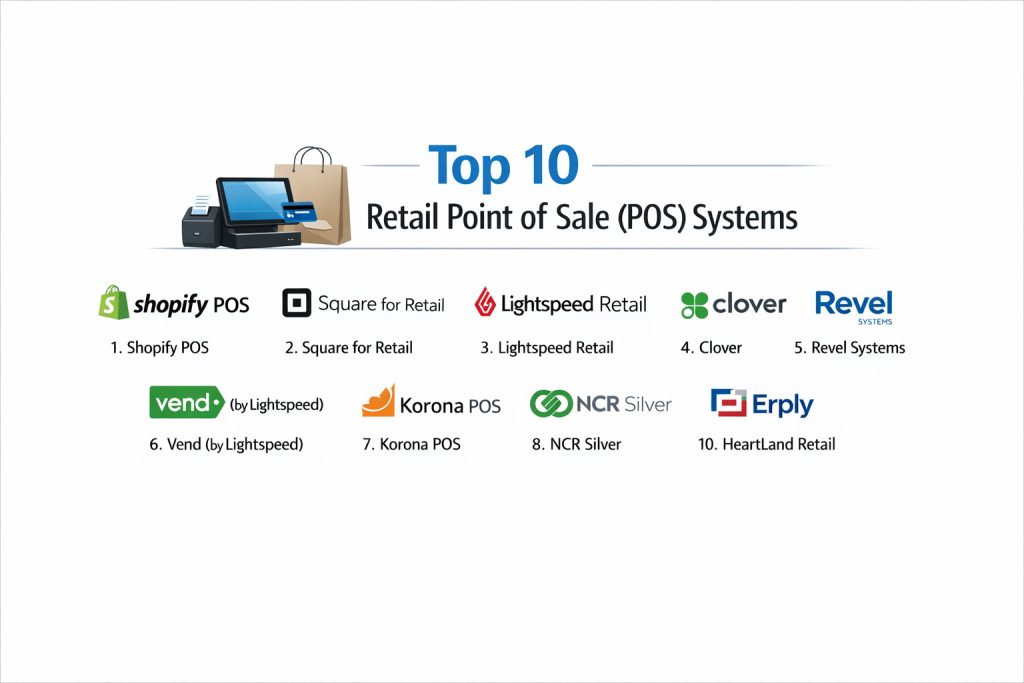
Top 10 Retail Point of Sale (POS) Systems
1 — Shopify POS
Shopify POS is the gold standard for retailers who sell both online and in-person. It seamlessly bridges the gap between a Shopify web store and a physical brick-and-mortar location.
- Key features:
- Unified inventory for online and offline sales.
- Integrated Shopify Payments (no third-party setup required).
- Mobile POS app for iPad and iPhone for line-busting.
- Robust “Buy Online, Pick Up In-Store” (BOPIS) functionality.
- Smart inventory management through the Stocky app integration.
- Advanced customer profiles with cross-channel purchase history.
- Pros:
- Unrivaled ease of use for existing Shopify e-commerce users.
- High-quality, sleek hardware options that look great on a counter.
- Cons:
- To get the best features, you must pay for the “POS Pro” add-on per location.
- Transaction fees are higher if you don’t use Shopify’s own payment gateway.
- Security & compliance: PCI DSS Level 1 compliant, SSO available for Shopify Plus, and end-to-end encryption.
- Support & community: 24/7 global support, massive community forums, and an extensive app marketplace.
2 — Square for Retail
Square is famous for its simple, flat-rate pricing and ease of setup. The “Retail” specific version adds deep inventory features like barcoding and vendor management.
- Key features:
- Advanced inventory tracking with COGS (Cost of Goods Sold) reporting.
- Barcode label printing directly from the dashboard.
- Vendor management and automated purchase orders.
- Exchange management (cross-location and cross-channel).
- Integrated team management with permissions.
- Free online store integration.
- Pros:
- No monthly subscription for the basic version; pay only per transaction.
- Instant setup; you can be taking payments within minutes of downloading the app.
- Cons:
- Flat-rate processing can be expensive for high-volume retailers with high average tickets.
- Customer support can be difficult to reach for users on the free plan.
- Security & compliance: PCI compliant, data encryption, and Two-Factor Authentication (2FA).
- Support & community: Robust help center, community forums, and phone support for paid subscribers.
3 — Lightspeed Retail
Lightspeed is a heavy-duty POS built for complex retail operations like bike shops, jewelry stores, and electronics retailers who manage thousands of SKUs.
- Key features:
- Multi-location management with centralized inventory.
- Integrated supplier catalogs for easy ordering.
- “Matrix” inventory for complex variants (size, color, material).
- Built-in CRM and loyalty programs.
- Work order management for repair-based retail businesses.
- Professional reporting suite with over 40 types of reports.
- Pros:
- Exceptional for niche retailers who need to manage complex inventory lists.
- High degree of customization for hardware and workflow.
- Cons:
- The learning curve is significantly steeper than Square or Shopify.
- Pricing is on the higher end, especially for multi-location setups.
- Security & compliance: PCI DSS compliant, SSO, and SOC 2 Type II.
- Support & community: Dedicated onboarding managers, 24/7 support, and extensive webinars.
4 — Clover
Clover is a versatile hardware-and-software solution typically sold through merchant banks. It is known for its durable, all-in-one hardware “stations.”
- Key features:
- All-in-one hardware (Station, Mini, Flex) with built-in printers.
- Clover App Market with thousands of third-party integrations.
- Physical and digital gift card management.
- Basic employee scheduling and payroll integration.
- Rapid deposit options for quick cash flow.
- Virtual terminal for taking phone payments.
- Pros:
- Some of the most durable and reliable hardware in the retail industry.
- Highly flexible; you can add “apps” to customize the system for almost any need.
- Cons:
- Often tied to long-term contracts through merchant services providers.
- Software can feel fragmented because many features are third-party apps.
- Security & compliance: PCI DSS compliant and P2PE (Point-to-Point Encryption).
- Support & community: Support varies by the bank that sold the unit; typically 24/7 phone support.
5 — Revel Systems
Revel is an enterprise-grade iPad POS designed for high-volume retail and food-service hybrids. It is a “power user” tool for businesses that never want to outgrow their POS.
- Key features:
- Robust iPad-based architecture with local URL sync (offline mode).
- Complex inventory management with ingredient-level tracking.
- Enterprise management for 100+ locations.
- Open API for custom third-party integrations.
- Native delivery management and online ordering.
- Real-time labor and sales analytics.
- Pros:
- One of the best “Always On” offline modes in the industry.
- Highly scalable for rapidly growing franchise models.
- Cons:
- Significant upfront costs for hardware and implementation.
- Can be overly complex for a single-location boutique.
- Security & compliance: PCI DSS compliant, SSO, and audit logs.
- Support & community: 24/7 support, dedicated account managers, and a deep knowledge base.
6 — Vend (by Lightspeed)
Originally an independent tool and now part of the Lightspeed family, Vend is a web-based POS known for its beautiful design and ease of use in fashion and homeware retail.
- Key features:
- Works on Mac, PC, or iPad through a browser or app.
- Multi-outlet inventory with real-time syncing.
- Integrated loyalty program with no extra monthly fee.
- Easy “Quick Keys” for common items.
- Integration with Xero and QuickBooks Online.
- Inventory counts via a mobile app (Scanner).
- Pros:
- Very easy to train staff; the interface is clean and uncluttered.
- Works with a wide range of hardware brands (not locked into one vendor).
- Cons:
- Not as deep in “repair” or “work order” features as the core Lightspeed platform.
- Can experience lag if the internet connection is unstable.
- Security & compliance: PCI compliant and GDPR compliant.
- Support & community: 24/7 global support and an active “Vend University” for training.
7 — Korona POS
Korona is a specialist POS for high-volume retailers, liquor stores, and museums. It is highly valued for its “no-contract” policy and high-speed checkout.
- Key features:
- Unlimited users and unlimited sales transactions.
- Built-in ticketing features for events and museums.
- Franchise-wide inventory management and royalty tracking.
- Automated stock ordering and vendor integration.
- Age verification prompts for liquor and tobacco sales.
- Customizable KPIs on the dashboard.
- Pros:
- No contracts and no hidden fees; very transparent business model.
- One of the fastest checkout interfaces for high-traffic environments.
- Cons:
- The UI looks a bit more “utility-focused” and less modern than Shopify.
- E-commerce integrations are not as native as Shopify or Square.
- Security & compliance: SOC 2, PCI compliant, and audit logs.
- Support & community: Dedicated personal account managers and 24/7 technical help.
8 — NCR Silver
NCR is a legacy giant in the POS world, and NCR Silver is their cloud-based solution for small and medium retail businesses looking for enterprise-level stability.
- Key features:
- iPhone/iPad-based mobile POS.
- Integrated email marketing and social media tools.
- “Silver Concierge” for assisted setup and menu building.
- Multi-store management with high-level reporting.
- Fraud monitoring and employee theft prevention tools.
- Offline credit card processing.
- Pros:
- Backed by NCR’s decades of hardware and security experience.
- The “Concierge” service is excellent for owners who don’t want to do their own setup.
- Cons:
- Subscription costs are higher than “free” competitors like Square.
- Integration with third-party apps is more limited than Clover or Shopify.
- Security & compliance: PCI compliant, E2EE (End-to-End Encryption), and ISO standards.
- Support & community: 24/7 phone support and on-site technician availability.
9 — Erply
Erply is a high-performance retail platform that focuses on “Enterprise Resource Planning” (ERP) features for retail, making it a favorite for large-scale inventory management.
- Key features:
- Multi-currency and multi-language support for international retail.
- Deep inventory warehouse management (WMS) built-in.
- Custom label printing and shipping integrations.
- Scalable for 1,000+ locations.
- CRM with detailed loyalty tiers.
- Promotions engine for complex “Buy X Get Y” sales.
- Pros:
- Unrivaled for international retailers who need to manage different tax laws.
- Extremely powerful inventory tools that go far beyond standard POS features.
- Cons:
- The software is very complex and usually requires a dedicated IT person.
- The user interface is functional but not particularly attractive.
- Security & compliance: GDPR, PCI DSS, and SOC 2.
- Support & community: Professional implementation services and global enterprise support.
10 — HeartLand Retail
HeartLand (formerly Springboard Retail) is a cloud-native POS built by retailers for retailers, focusing heavily on data-driven decision-making for apparel and footwear.
- Key features:
- Real-time data sync across all locations.
- Robust “Attribute” tracking (Size, Color, Season).
- Custom reporting engine with “drag-and-drop” functionality.
- Distributed order management (shipping from the store).
- Mobile-first design for sales floor use.
- Integrated payment processing with high security.
- Pros:
- The reporting engine is one of the most flexible for finding “hidden” insights.
- Excellent at managing the “omnichannel” flow of shipping store stock to online buyers.
- Cons:
- Best suited for soft goods (apparel); less optimized for food/retail hybrids.
- Pricing is less transparent than competitors like Square.
- Security & compliance: PCI DSS compliant and HIPAA (for pharmacies).
- Support & community: Live chat, phone support, and a comprehensive online help center.
Comparison Table
| Tool Name | Best For | Platform(s) Supported | Standout Feature | Rating |
| Shopify POS | Omnichannel Retail | iPad, Android, iPhone | Unified Shopify Sync | 4.6 / 5 |
| Square for Retail | Small/Growing SMBs | iPad, Android, Square Rig | Instant Setup | 4.7 / 5 |
| Lightspeed | Complex Inventory | iPad, Mac, PC | Integrated Supplier Catalogs | 4.5 / 5 |
| Clover | All-in-One Hardware | Clover Proprietary | Durable Hardware | 4.3 / 5 |
| Revel Systems | High Volume/Franchise | iPad | Robust Offline Mode | 4.4 / 5 |
| Vend | Fashion/Homeware | iPad, Mac, PC | User-Friendly CRM | 4.5 / 5 |
| Korona POS | High Speed/Liquor | PC, Mac, Linux | No-Contract Model | 4.8 / 5 |
| NCR Silver | Legacy Stability | iPad, iPhone | Silver Concierge Setup | 4.1 / 5 |
| Erply | Enterprise/Global | Web, iPad, Android | International WMS | 4.0 / 5 |
| HeartLand | Apparel Reporting | Web, iPad | Custom Reporting Engine | 4.4 / 5 |
Evaluation & Scoring of Retail POS Systems
| Criteria | Weight | Evaluation Rationale |
| Core Features | 25% | Inventory depth, payment flexibility, and CRM capabilities. |
| Ease of Use | 15% | Training time for staff and intuitiveness of the interface. |
| Integrations | 15% | Connections with e-commerce, accounting, and marketing tools. |
| Security & Compliance | 10% | PCI status, P2PE, and data privacy (GDPR/SOC 2). |
| Performance | 10% | Speed of checkout and stability of offline modes. |
| Support & Community | 10% | Availability of 24/7 help and documentation quality. |
| Price / Value | 15% | Processing rates vs. monthly subscription benefits. |
Which Retail POS System Is Right for You?
Solo Users vs SMB vs Mid-Market vs Enterprise
If you are a solo entrepreneur selling at a local market or a single-room boutique, Square is the most logical choice due to its zero-dollar monthly fee and portable hardware. SMBs with a growing team and an online presence will find the most value in Shopify POS, as it simplifies the headache of managing two different inventory systems. Mid-market retailers with thousands of SKUs (like a bike shop) need the power of Lightspeed. For Enterprise giants or franchises, Revel Systems or Erply provide the database stability and franchise-level reporting needed to manage hundreds of stores.
Budget-conscious vs Premium Solutions
If you are strictly budget-conscious, Square or Korona are your best bets. Korona offers a low monthly fee with high-volume capabilities, and Square has no entry cost. If you are looking for a Premium solution where the software helps you make more money through efficiency, Lightspeed and Shopify POS Pro are worth the investment for the data insights alone.
Feature Depth vs Ease of Use
For those who prioritize Ease of Use, Vend and Shopify are the winners; their interfaces feel like modern consumer apps. If you prioritize Feature Depth—specifically for technical inventory or complex repairs—Lightspeed and Erply offer a level of detail that simpler tools cannot match.
Integration and Scalability Needs
If you already use QuickBooks or Xero for accounting, look for tools with “native” (not third-party) integrations like Vend or Lightspeed. For scalability, Clover is excellent because its App Market allows you to add features as you go, while Revel is built to grow into a multi-national franchise from day one.
Security and Compliance Requirements
Every retailer must be PCI compliant, but if you deal with sensitive items like prescriptions, HeartLand Retail offers HIPAA-compliant paths. For high-security environments, NCR Silver and Revel Systems offer the most robust audit logs and internal fraud prevention tools.
Frequently Asked Questions (FAQs)
What is a Point of Sale (POS) system?
It is the hardware and software used to process transactions, manage inventory, and track customer data at the time of purchase.
Can I use my existing iPad?
Most modern cloud POS systems like Shopify, Square, and Lightspeed are designed to run on standard iPads, though you will need a specific stand and card reader.
Do I have to pay a monthly fee?
It depends. Square offers a “pay-as-you-go” model with no monthly fee, while platforms like Shopify and Lightspeed charge a monthly subscription in exchange for more advanced features.
What happens if my internet goes out?
“Offline Mode” varies by tool. Revel and Lightspeed can continue to take payments and sync them later, while simpler tools might stop functioning entirely.
Are transaction fees different from subscription fees?
Yes. A subscription fee is what you pay to use the software. A transaction fee (e.g., 2.6% + 10¢) is what the payment processor takes for every card swipe.
Can I keep my current merchant bank?
Some tools like Clover and NCR are tied to specific processors. Others like Lightspeed allow you to “Bring Your Own Processor” (BYOP), though they may charge an extra fee for doing so.
How long does it take to set up?
Square takes minutes. Shopify takes a few hours if you already have an online store. Enterprise systems like Erply or Revel can take weeks of professional implementation.
Do I need a barcode scanner?
For boutiques with few items, you can use the iPad camera. However, for any store with high volume, a dedicated Bluetooth or USB scanner is essential for speed and accuracy.
What is PCI Compliance?
It stands for Payment Card Industry Data Security Standard. It is a set of security standards designed to ensure that all companies that accept credit card information maintain a secure environment.
Can a POS help with my taxes?
Yes. Most systems integrate with accounting software like Xero or QuickBooks, allowing you to export your sales tax data directly to your accountant.
Conclusion
Choosing a Retail POS system is one of the most significant decisions a business owner will make. It isn’t just about swiping cards; it’s about whether you can trust your inventory numbers, whether your staff can checkout customers quickly, and whether you can see your profits in real-time.
If you are a digital-first brand, Shopify POS is the clear path forward. If you are a high-volume specialty retailer with complex inventory, Lightspeed will provide the data depth you need. For those starting today on a shoestring budget, Square remains the champion of accessibility. Ultimately, the “best” system is the one that removes friction from your daily operations and allows you to focus on your customers rather than your computer screen.