Introduction
Restaurant Reservation and Table Management tools are digital systems designed to replace the traditional pen-and-paper booking diary. These platforms allow a restaurant to accept bookings online through their website, social media, or dedicated apps. On the business side, they provide a digital map of the dining room floor, helping hosts see exactly which tables are occupied, which are being cleaned, and how many guests are waiting for a seat. By digitizing this process, restaurants can maximize their seating capacity and ensure that no two groups are accidentally booked for the same table at the same time.
The importance of these tools lies in their ability to streamline operations and increase revenue. When a restaurant is busy, a host might struggle to keep track of wait times or remember which server has too many tables. Table management software automates these calculations, ensuring a smooth flow of service. Furthermore, they help build a “guest database.” Instead of a guest being a stranger every time they walk in, the software remembers their name, their favorite table, and even their food allergies, allowing the restaurant to provide a much more personal and welcoming experience.
Key Real-World Use Cases
- Automating the Waitlist: During a busy Friday night, walk-in guests don’t have to stand in a crowded lobby. The system takes their phone number and sends a text message when their table is ready, allowing them to wait at a nearby bar or in their car.
- Securing Revenue via Deposits: For high-demand days like Valentine’s Day or Mother’s Day, restaurants can use these tools to require a deposit. This ensures that if a guest doesn’t show up, the restaurant doesn’t lose the potential income from that empty table.
- Server Pacing and Rotation: The software tracks how many guests each waiter is currently serving. This prevents “slamming” one server with three large groups at once, which ensures the food comes out faster and the service remains high-quality.
- Special Event Management: If a restaurant hosts a wine tasting or a holiday brunch, these tools can sell “tickets” or “pre-paid packages,” handling the payment and the reservation in one single step.
What to Look For (Evaluation Criteria)
When you are evaluating a tool for your business, you should first look at Ease of Use. If the interface is too complicated, your staff will stop using it during a busy shift. Secondly, check for POS Integration. Ideally, your reservation tool should talk to your cash register so you can see when a bill is paid and the table is about to become free. Lastly, consider Data Ownership. Some companies “own” the guest data and won’t let you see the guest’s email address for your own marketing; always look for a tool that gives you full access to your customer list.
Best for: Full-service dining establishments, busy bistros, hotel restaurants, and large hospitality groups that manage multiple venues and need a centralized way to track guest preferences and seating efficiency.
Not ideal for: Fast-food outlets, coffee shops with open seating, or very small “mom-and-pop” diners where the cost of software would outweigh the benefits of managing a small handful of tables.
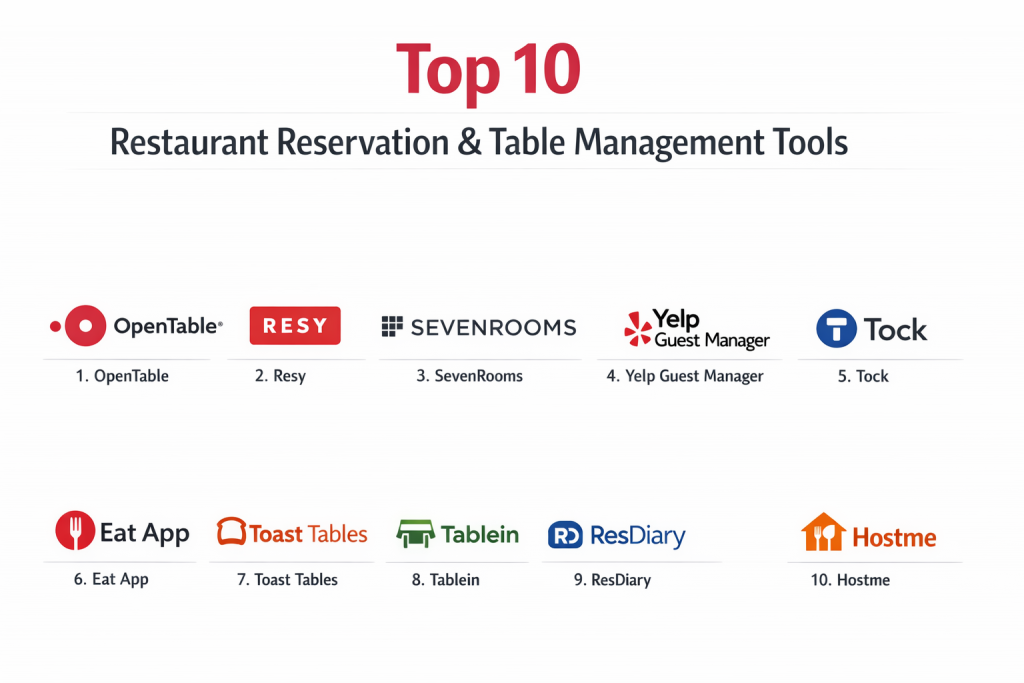
Top 10 Restaurant Reservation & Table Management Tools
1 — OpenTable
OpenTable is the most established player in the market, serving as both a management tool and a marketing platform. It is designed for restaurants that want to be discovered by a massive audience of diners who use the OpenTable app specifically to find their next meal.
- Key features
- A massive global network that puts your restaurant in front of millions of diners.
- Highly detailed floor management with real-time table status updates.
- Automated guest communication, including booking confirmations and reminders.
- Shift summaries that help managers prepare for the night ahead.
- Advanced reporting that tracks guest frequency and spending habits.
- Integration with over 600 Point of Sale (POS) systems.
- Pros
- Unmatched ability to bring in “new” guests through their popular mobile app.
- Extremely stable and reliable, even during the highest-traffic holidays.
- Cons
- The pricing can be high, especially with the “per-cover” fees for guests found via their site.
- You are competing directly with other restaurants on their marketplace.
- Security & compliance: PCI DSS compliant for credit card security and fully GDPR compliant.
- Support & community: 24/7 phone support, a massive online help center, and localized training.
2 — Resy
Resy, now owned by American Express, has built a reputation for being the “cool” and “sleek” alternative. It is favored by trendy, high-volume restaurants that want a modern look and a system that rewards loyal customers.
- Key features
- The “Notify” feature, which lets guests sign up for alerts if a table opens up.
- A clean, iPad-focused interface that is very fast for hosts to navigate.
- Integrated American Express perks for cardholders, like early access to tables.
- Detailed guest profiles that include “tags” for VIPs or regulars.
- A flat-fee pricing structure that doesn’t charge per-guest.
- Advanced “Slotting” logic to maximize how many bookings fit in a night.
- Pros
- The flat monthly fee makes it easy to predict your costs.
- The “Notify” list is incredibly effective at filling last-minute cancellations.
- Cons
- Not as much “built-in” traffic for discovery as OpenTable.
- Some of the best features are only available in the expensive “Enterprise” tier.
- Security & compliance: SOC 2 Type II certified and compliant with global privacy laws.
- Support & community: Highly responsive chat support and a dedicated “Resy OS” training school.
3 — SevenRooms
SevenRooms is built specifically for operators who want to “own” their guests. It focuses heavily on data, marketing, and personalization, making it a favorite for luxury hotels and sophisticated restaurant groups.
- Key features
- Direct booking widgets that live on your own website (no third-party branding).
- Automated marketing that sends emails based on a guest’s specific behavior.
- Detailed guest history including “average spend” and “favorite bottle of wine.”
- Cross-platform tracking for groups with multiple different restaurant brands.
- Integration with social media platforms like Instagram for direct booking.
- Waitlist management that uses data to provide very accurate wait times.
- Pros
- You keep 100% of your guest data for your own email marketing.
- Powerful automation saves time on guest outreach and follow-ups.
- Cons
- The system is very powerful, which can make it feel overwhelming at first.
- Pricing is generally higher, aimed at mid-market and enterprise users.
- Security & compliance: High-level encryption, GDPR, and CCPA compliant.
- Support & community: Dedicated account managers for larger clients and robust digital guides.
4 — Yelp Guest Manager
Yelp Guest Manager is the perfect solution for casual restaurants that thrive on walk-in traffic. It uses the power of Yelp’s search engine to help guests join a waitlist before they even arrive at the building.
- Key features
- Integration with the Yelp app, allowing guests to see live wait times.
- Digital “Waitlist” that texts guests when their table is ready.
- Ability for guests to check-in remotely from their phone.
- Basic floor management and server rotation tools.
- Simple guest profiles with basic history and preferences.
- Pros
- Excellent for casual dining spots where people don’t usually book weeks in advance.
- Very easy for the general public to use since many already have Yelp installed.
- Cons
- Lacks the deep “fine-dining” features like pre-ordered menus.
- The branding is very “Yelp-centric,” which may not fit a luxury brand.
- Security & compliance: Standard web security protocols and data encryption.
- Support & community: Comprehensive online help center and standard telephone support.
5 — Tock
Tock was founded by restaurant owners who wanted to stop “no-shows.” It is unique because it treats a restaurant reservation like a ticket to a concert or a theater show.
- Key features
- Pre-paid reservations where guests pay for their meal upfront.
- Management for “experiences” like kitchen tours or wine pairings.
- Variable pricing, allowing you to charge more for prime-time tables.
- Unified system for reservations, events, and even carry-out orders.
- Sleek, high-end design that appeals to fine-dining enthusiasts.
- Pros
- Virtually eliminates “no-shows” because the guest has already paid.
- Provides the restaurant with cash flow before the guest even arrives.
- Cons
- Some casual guests find it frustrating to have to pay a deposit for a simple dinner.
- The interface is specialized and might take time for staff to learn perfectly.
- Security & compliance: PCI DSS compliant for secure payment handling.
- Support & community: 24/7 technical support and a specialized onboarding team.
6 — Eat App
Eat App is a global platform that focuses on being “easy.” It is an all-in-one solution that provides high-end features like floor plans and marketing at a price point that is accessible to growing businesses.
- Key features
- Visual floor plan with “drag-and-drop” functionality.
- Automated guest tagging based on how often they visit.
- Integration with Google Reserve, allowing bookings directly from Google Maps.
- Personalized SMS and email marketing tools.
- Daily reports sent to the owner’s email every morning.
- Pros
- Very fast setup—you can be up and running in a day.
- The interface is clean and works well on any tablet or computer.
- Cons
- The free version is quite limited, requiring a paid plan for most busy spots.
- Customer support is great, but mostly handled through digital chat.
- Security & compliance: GDPR compliant and uses SSL for all data transfers.
- Support & community: Extensive library of video tutorials and 24/7 chat help.
7 — Toast Tables
Toast Tables is a specific module for restaurants that use the Toast Point of Sale system. Its main strength is that the “front of the house” and the “back of the house” are perfectly synced.
- Key features
- Real-time status sync: When a server closes a check on the POS, the host sees the table is ready.
- Unified guest profiles that track both reservation history and what they actually ordered.
- Simple waitlist management with automated text notifications.
- Integration with Toast’s loyalty and gift card programs.
- Easy-to-use iPad interface that matches the rest of the Toast system.
- Pros
- Eliminates the need for multiple different software subscriptions.
- Very accurate data on how long guests actually stay at their tables.
- Cons
- You must be a Toast POS customer to use it.
- It doesn’t have a large “marketplace” to help new guests find you.
- Security & compliance: Follows the strict security standards of the Toast ecosystem (SOC 2).
- Support & community: Access to Toast’s massive 24/7 support network and user forums.
8 — Tablein
Tablein is designed for the small restaurant owner who hates complicated technology. It is a simple, effective, and affordable tool that focuses on the basics of booking.
- Key features
- Easy-to-install booking widget for any website.
- Simple digital floor plan to track daily bookings.
- Automatic confirmations to reduce the time spent on the phone.
- Basic guest feedback tools to collect reviews after a visit.
- Support for multiple languages, perfect for tourist-heavy areas.
- Pros
- One of the most affordable options on the market.
- No training required; it is as simple as using a digital calendar.
- Cons
- Lacks advanced features like automated marketing or POS integration.
- Not suitable for very large venues with complex seating rules.
- Security & compliance: Fully GDPR compliant.
- Support & community: Friendly email and chat support with quick response times.
9 — ResDiary
ResDiary is a powerful, flat-fee system that is very popular in the UK and Australia. It is known for its “yield management,” which helps restaurants get the most money out of every square inch of their floor.
- Key features
- Sophisticated “logic” for joining tables together for large parties.
- Over 60 integrations with various apps and software.
- Yield management tools that suggest the best seating times to staff.
- Ability to sell vouchers and gift cards through the system.
- Commission-free bookings from your own website and social media.
- Pros
- You aren’t “taxed” for being successful; the monthly price is fixed.
- Highly customizable to fit very specific or unusual restaurant layouts.
- Cons
- The many options can make the initial setup feel quite complex.
- The design of the software is more functional than “beautiful.”
- Security & compliance: PCI DSS and GDPR compliant.
- Support & community: Local support teams and comprehensive online documentation.
10 — Hostme
Hostme is a flexible system that focuses on the “host stand” experience. It is great for balancing reservations with a heavy flow of walk-in guests.
- Key features
- Advanced server rotation to ensure work is spread evenly across the staff.
- Custom “reservation rules” (e.g., “no more than two parties of 8 at once”).
- Loyalty program integration to reward frequent diners.
- Simple waitlist that updates guests on their position in line.
- Analytics that show you which hours of the week are your most profitable.
- Pros
- Very flexible—you can turn features on or off depending on your needs.
- Transparent pricing with a focus on value for smaller venues.
- Cons
- The guest-facing side isn’t as famous as OpenTable or Yelp.
- Some users report the mobile app can be slightly slow on older devices.
- Security & compliance: Standard data protection and encryption.
- Support & community: Helpful online help desk and email-based support.
Comparison Table
| Tool Name | Best For | Platform(s) Supported | Standout Feature | Rating |
| OpenTable | New Guest Discovery | Web, iOS, Android | Huge Diner Network | 4.4 / 5 |
| Resy | Modern/Trendy Spots | iOS, Web | Amex “Notify” List | 4.3 / 5 |
| SevenRooms | Marketing & Data | Web, iPad | Guest Data Ownership | 4.7 / 5 |
| Yelp Guest Manager | High-Volume Walk-ins | iOS, Android, Web | Yelp App Integration | 4.2 / 5 |
| Tock | Fine Dining/Events | Web, iOS | Prepaid Reservations | 4.5 / 5 |
| Eat App | Fast Growth/Global | Web, iPad, Android | “Drag & Drop” Layout | 4.6 / 5 |
| Toast Tables | Toast POS Users | iPad / Toast Hardware | Real-time Table Status | N/A |
| Tablein | Small & Simple Needs | Web, Tablet | Ultra-Simple Setup | 4.8 / 5 |
| ResDiary | Complex Seating Logic | Web, Tablet | Commission-Free | 4.1 / 5 |
| Hostme | Staff Management | Web, iOS, Android | Server Rotation | 4.4 / 5 |
Evaluation & Scoring of Restaurant Reservation & Table Management
| Evaluation Criteria | Weight | Content & Scoring Logic |
| Core Features | 25% | Ability to manage floor plans, reservations, and waitlists effectively. |
| Ease of Use | 15% | How quickly a teenager or a new server can learn to use the host stand. |
| Integrations | 15% | How well it connects to Point of Sale (POS) and social media platforms. |
| Security/Compliance | 10% | Ensuring guest data and credit card info are stored safely. |
| Performance | 10% | System uptime and how fast the app loads during a busy “rush.” |
| Support | 10% | Is there a real human to talk to if the system stops working at 7 PM? |
| Price / Value | 15% | Does the cost of the tool justify the extra revenue it brings in? |
Which Restaurant Reservation & Table Management Tool Is Right for You?
Solo users vs SMB vs mid-market vs enterprise
If you are a solo owner of a tiny bistro, you don’t need a massive system; Tablein provides the basics without the headache. Small and Medium Businesses (SMBs) that are growing fast will benefit from Eat App or Hostme as they offer more “pro” features without enterprise prices. Mid-market and Enterprise groups (those with 5 or more locations) should look at SevenRooms or Resy, as these systems are designed to share data across multiple buildings and manage thousands of guests a day.
Budget-conscious vs premium solutions
If you are on a tight budget, look for “Flat Fee” providers like ResDiary or Tablein. You will pay one set price every month, no matter how many people eat at your restaurant. Premium solutions like OpenTable or SevenRooms have a higher cost, but they provide specialized services like high-end marketing or a massive network of diners that can help justify the price through increased sales.
Feature depth vs ease of use
A tool like SevenRooms has incredible depth—it can automate your entire marketing department—but it takes a long time to learn. On the other hand, Yelp Guest Manager and Toast Tables are designed to be “plug and play.” If your staff turnover is high, you should prioritize Ease of Use so you don’t spend all your time training new employees on the software.
Integration and scalability needs
Always ask: “Does this work with what I already have?” If you use Toast POS, it makes sense to use Toast Tables. If you plan on opening three more restaurants next year, make sure the tool you choose is Scalable, meaning it can easily add new locations to your account without you having to start from scratch.
Security and compliance requirements
Never overlook how a tool handles guest data. In today’s world, privacy is key. Ensure the tool you choose is GDPR compliant if you have European guests and PCI compliant if you take any kind of payment. This protects your restaurant from legal trouble and ensures your guests trust you with their personal information.
Frequently Asked Questions (FAQs)
1. Can I use these tools if I don’t have an iPad?
Most systems are built for iPads because they are portable for the host, but many also work on standard desktop computers, laptops, or Android tablets.
2. How do these tools help with “no-shows”?
They send automated reminders via text or email. Some also allow you to charge a “no-show fee” if a guest doesn’t arrive, which encourages people to cancel in advance instead of just not showing up.
3. Is it possible to keep my own guest list?
Yes, but you must check the terms. Some “marketplace” tools keep the data for themselves. Look for “White-label” or “Direct booking” tools if you want to own your customer’s email addresses.
4. Can I block off certain times so people can’t book?
Yes. All these tools have “Blackout” features. If you have a private party or the kitchen is overwhelmed, you can “close” online bookings with one click.
5. Do I need to pay a commission for every booking?
Not always. Some tools like OpenTable charge a fee per guest, while others like Resy or ResDiary charge a flat monthly subscription with no extra guest fees.
6. Can these tools handle “walk-in” guests?
Yes. They have a “Waitlist” function where you can add someone who just walked in, and the system will give them an estimated wait time based on how the other tables are eating.
7. Will it help me organize my servers?
Most of these tools include “Server Rotation.” This ensures the host gives a fair number of tables to each waiter, so no one is overworked while others are standing around.
8. Can I accept deposits for large groups?
Yes. Most professional systems integrate with payment processors like Stripe to let you take a deposit for groups of, for example, 6 or more people.
9. How do I get my current guest book into the new software?
Usually, you can export your old data to an Excel or CSV file. The support team of your new software will then help you “import” it into their system.
10. Can guests book through my Instagram page?
Yes. Almost all these tools provide a “Booking Link” that you can put in your Instagram bio or a “Book Now” button for your Facebook page.
Conclusion
Choosing a Restaurant Reservation and Table Management tool is a major decision that changes how your business operates every single day. The “best” tool isn’t necessarily the one with the most features or the most famous name; it is the one that fits your specific style of service. If you are a casual spot with a long line out the door, a digital waitlist like Yelp Guest Manager is your best friend. If you are a high-end destination restaurant, a data-heavy tool like SevenRooms or Tock will help you provide the luxury experience your guests expect.
The key is to focus on what matters most to you: Is it getting more new customers, or is it making your current operations smoother? By picking a tool that matches your goals, you can stop worrying about the “book” and start focusing on what really matters—the food and the people.