Introduction
A Restaurant Management System (RMS) is a comprehensive suite of software and hardware designed to streamline the diverse operations of a food service establishment. Gone are the days when a simple cash register sufficed; modern systems integrate Point of Sale (POS) functionality with back-of-house logistics, including inventory tracking, employee scheduling, table management, and financial reporting. By centralizing these functions into a single digital ecosystem, an RMS allows owners to monitor their business in real-time, whether they are on the floor or miles away. These systems act as the central nervous system of a restaurant, ensuring that communication between the kitchen, the waitstaff, and the customer remains seamless and error-free.
In an industry defined by razor-thin margins and high turnover, the importance of an RMS cannot be overstated. It provides the data necessary to identify food waste, optimize labor costs, and enhance the guest experience through personalized loyalty programs. Key real-world use cases include a busy bistro using handheld tablets to send orders instantly to a Kitchen Display System (KDS), a multi-unit franchise managing global inventory levels from a single dashboard, and a quick-service cafe integrating third-party delivery apps like UberEats directly into their workflow. When evaluating these tools, users should look for hardware durability, the intuitiveness of the interface, offline processing capabilities, and the robustness of the integration marketplace.
Key Real-World Use Cases
- Table-Side Ordering: Servers use mobile tablets to take orders at the table, which are instantly categorized and fired to specific kitchen stations (e.g., grill vs. salad bar).
- Automated Inventory Depletion: Every time a burger is sold, the system automatically deducts one bun and five ounces of beef from the digital pantry, alerting managers when stock is low.
- Labor Optimization: The system analyzes historical sales data to predict Tuesday night’s foot traffic, helping managers schedule the exact number of staff needed to avoid overstaffing.
- Unified Delivery Management: Integrating multiple online ordering platforms into one screen, preventing the “tablet farm” chaos commonly seen on restaurant counters.
- Guest CRM & Loyalty: Tracking a regular customer’s preference for a specific vintage of wine and automatically applying a “birthday discount” when they check in.
What to Look For (Evaluation Criteria)
- Hardware Ecosystem: Support for proprietary durable hardware (like spill-resistant screens) or the flexibility to use consumer iPads and tablets.
- Offline Mode: The ability to continue taking payments and processing orders even if the internet connection drops, syncing data once back online.
- Menu Versatility: Ease of creating complex modifiers (e.g., “no onions, extra pickles, sub-gluten-free bun”) and updating prices across multiple locations simultaneously.
- Reporting Granularity: Deep-dive analytics that cover everything from “Cost of Goods Sold” (COGS) to server performance metrics.
- Payment Processing Integration: Flexible options for integrated credit card processing that support EMV, Apple Pay, and Google Pay.
Best for: Restaurant owners, General Managers, and F&B Directors ranging from small independent cafes and food trucks to large-scale fine dining establishments and multi-national franchises.
Not ideal for: General retail stores that do not handle perishable inventory or complex table management, or very small “cash only” kiosks where the cost of software outweighs the operational benefit.
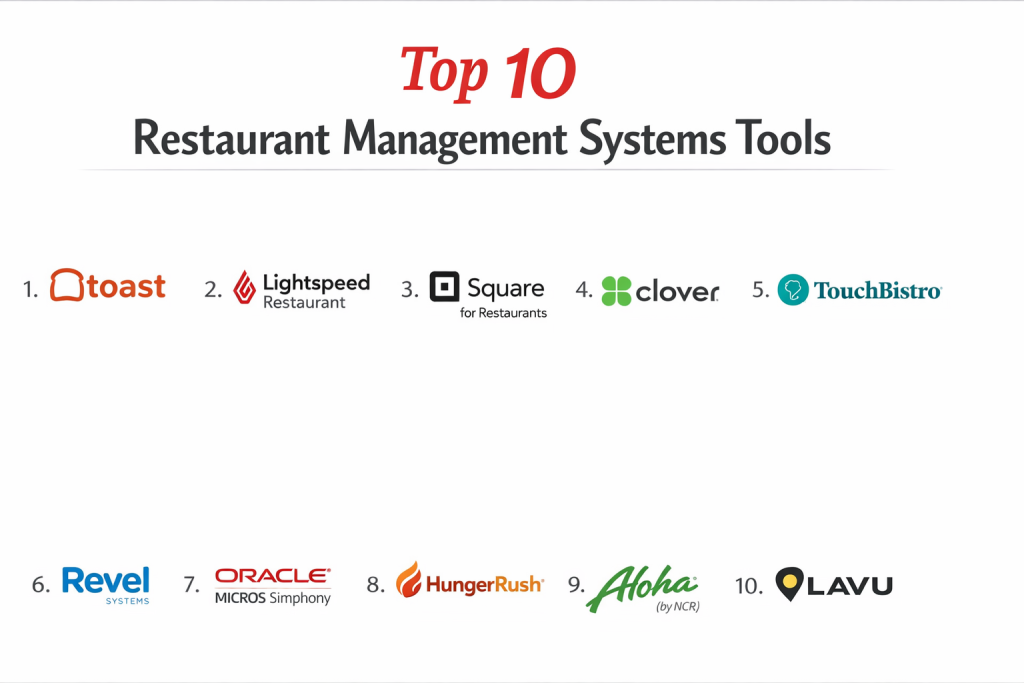
Top 10 Restaurant Management Systems Tools
1 — Toast
Toast is a cloud-based, all-in-one restaurant management system built specifically on the Android platform. It is widely regarded as the industry leader for US-based restaurants due to its robust, industry-specific hardware and software.
- Key features:
- Durable, spill-proof hardware designed for high-heat kitchen environments.
- Integrated “Toast Go” handheld tablets for table-side ordering and payment.
- Powerful Kitchen Display Systems (KDS) with color-coded ticket timers.
- Built-in online ordering and delivery dispatching.
- Advanced payroll and team management modules tailored for hospitality.
- Extensive marketplace for third-party integrations (accounting, scheduling).
- Pros:
- Extremely intuitive interface that minimizes training time for new staff.
- All-in-one ecosystem means fewer vendors to manage for payments and payroll.
- Cons:
- Requires the use of Toast’s proprietary payment processing.
- Proprietary hardware can be a significant upfront investment.
- Security & compliance: PCI DSS Level 1, SSO, data encryption, and SOC 2.
- Support & community: 24/7/365 US-based support, an extensive “Toast University” training portal, and a massive user community.
2 — Lightspeed Restaurant
Lightspeed (following its acquisition of Upserve) offers a sophisticated, iPad-based system that excels in the fine dining and high-end hospitality sectors, focusing heavily on data and analytics.
- Key features:
- “Lightspeed Insights” provides “Magic Menu” data to show which items drive repeat visits.
- Advanced floor plan management with multi-floor support.
- Inventory management at the ingredient level with supplier tracking.
- Integrated contactless payments and digital wallets.
- Multi-location management with centralized menu control.
- Robust offline mode that keeps the restaurant running during outages.
- Pros:
- Some of the most detailed reporting and “big data” analytics in the industry.
- Highly aesthetically pleasing hardware and UI, perfect for modern brands.
- Cons:
- The abundance of features can lead to a steeper learning curve.
- Pricing can become complex with various add-on modules.
- Security & compliance: SOC 2 Type II, GDPR, PCI DSS, and ISO 27001.
- Support & community: Multilingual 24/7 support, dedicated account managers for enterprise, and a comprehensive help center.
3 — Square for Restaurants
Square for Restaurants is the specialized version of Square’s famous payment platform. It is a top choice for SMBs and quick-service establishments that need a low barrier to entry.
- Key features:
- Free version available for single-location establishments.
- Simple “drag-and-drop” menu and floor plan customization.
- Integrated Square KDS and Square Online for delivery.
- Flat-rate, transparent payment processing.
- Auto-gratuity and split-check functionality built-in.
- Integration with Square’s broader ecosystem (Marketing, Payroll, Banking).
- Pros:
- The most transparent pricing in the market with no long-term contracts.
- Hardware is sleek, widely available, and easy to set up yourself.
- Cons:
- Not as deep in features for complex fine dining (e.g., advanced coursing).
- Support is not always as “high-touch” as enterprise-focused rivals.
- Security & compliance: PCI DSS, end-to-end encryption, and GDPR.
- Support & community: Large community forum, extensive self-service documentation, and phone support during business hours.
4 — Clover
Clover is a versatile POS system known for its iconic, stylish hardware. It operates on an “App Market” model, allowing users to customize their system with thousands of third-party apps.
- Key features:
- Broad range of hardware from the Clover Station to the Clover Flex (handheld).
- Highly customizable via the Clover App Market.
- Integrated customer engagement and loyalty tools.
- Basic inventory and employee management out of the box.
- Supports a wide variety of merchant service providers.
- Offline payment processing capabilities.
- Pros:
- Hardware is famously beautiful and adds to the restaurant’s aesthetic.
- Flexibility to work with your preferred bank/processor in many cases.
- Cons:
- Total cost can skyrocket if you rely on many paid third-party apps.
- Consistency of support varies depending on which merchant provider you use.
- Security & compliance: SOC 2, PCI DSS, and P2PE (Point-to-Point Encryption).
- Support & community: 24/7 support via phone and email; large reseller network.
5 — TouchBistro
TouchBistro is an iPad-based system built by restaurant people for restaurant people. It is highly regarded for its reliability and local-network-based architecture.
- Key features:
- Hybrid architecture (local server + cloud) for maximum reliability.
- Specialized features for bars (e.g., “fast bar” mode for high volume).
- Comprehensive table management and reservation system.
- Ingredient-level inventory tracking and recipe cost analysis.
- Customer-facing displays and self-service kiosks.
- Loyalty and gift card programs fully integrated.
- Pros:
- Since it runs on a local network, it is faster and more stable than purely cloud systems.
- Built specifically for food service, avoiding the “generic POS” feel.
- Cons:
- Requires a local Mac Mini as a server for larger setups.
- Remote reporting is not as “real-time” as purely cloud-based systems.
- Security & compliance: PCI DSS, GDPR, and data encryption.
- Support & community: 24/7 technical support and a dedicated onboarding team.
6 — Revel Systems
Revel is an enterprise-grade iPad POS that is particularly strong in the quick-service restaurant (QSR) and coffee shop segments, known for its extreme customizability.
- Key features:
- Robust management of multi-unit franchises.
- Sophisticated inventory management with purchase order automation.
- Mobile order-taking and outdoor “line-busting” capabilities.
- Fully integrated CRM for personalized marketing.
- KDS and specialized “Delivery Management” logic.
- Open API for deep custom integrations.
- Pros:
- Highly scalable; it grows with you from one truck to 100 locations.
- One of the best systems for managing complex, ingredient-heavy inventory.
- Cons:
- The back-end management interface can be complex for beginners.
- Generally higher price point compared to Square or Toast.
- Security & compliance: PCI DSS, SOC 2, and SSO support.
- Support & community: Dedicated enterprise support teams and a wealth of online training videos.
7 — Oracle MICROS Simphony
MICROS is a legacy name that has evolved into a modern cloud platform. It is the gold standard for massive operations like hotels, stadiums, and global chains.
- Key features:
- Massive global scalability across thousands of locations.
- Multi-currency, multi-language, and multi-tax support.
- Deep integration with Oracle’s hotel and ERP software.
- Extremely durable, enterprise-grade proprietary hardware.
- Advanced kitchen automation and labor management.
- Offline resilience for large-scale event venues.
- Pros:
- Unmatched in its ability to handle “mega” operations.
- Offers stability that only a multi-billion dollar tech giant can provide.
- Cons:
- Not user-friendly for small mom-and-pop shops.
- Implementation usually requires a professional services team.
- Security & compliance: ISO 27001, SOC 1 & 2, HIPAA, and GDPR.
- Support & community: 24/7 global support and an expansive network of certified partners.
8 — HungerRush
HungerRush (formerly Revention) is a system designed specifically for the pizza and delivery-centric market, emphasizing speed and logistics.
- Key features:
- Advanced delivery management with driver tracking and mapping.
- Specialized pizza “modifier” logic (half-and-half toppings, etc.).
- Integrated online ordering with “Quick-Order” for repeat guests.
- Text-to-order and AI-driven ordering capabilities.
- Robust loyalty program focused on driving high-frequency orders.
- Inventory and labor management tuned for delivery hubs.
- Pros:
- The best workflow in the industry for high-volume delivery.
- Built-in marketing automation helps increase order frequency.
- Cons:
- Less ideal for fine dining or table-service-heavy restaurants.
- The UI feels more functional than modern/sleek.
- Security & compliance: PCI DSS, data encryption, and GDPR.
- Support & community: 24/7 US-based technical support and on-site installation options.
9 — Aloha (by NCR)
NCR Aloha is one of the most widely used restaurant systems in the world, particularly favored by major mid-market chains and fast-casual brands.
- Key features:
- Proven, battle-tested software that rarely fails in high-pressure situations.
- Comprehensive back-office suite for inventory and financial tracking.
- “Aloha Mobile” for handheld table-side service.
- Integrated contactless payments and mobile pay.
- Advanced security features to prevent employee theft.
- Massive ecosystem of certified hardware and peripherals.
- Pros:
- Known for its extreme reliability; “Aloha never goes down.”
- Very easy to find managers and servers who are already trained on the system.
- Cons:
- The legacy interface can feel dated compared to newer cloud startups.
- Support and updates can be slower due to the massive corporate structure.
- Security & compliance: PCI DSS, SOC 1, and ISO 27001.
- Support & community: Global support network and local resellers for on-site help.
10 — Lavu
Lavu was one of the first iPad-based POS systems and remains a strong contender for small shops, cafes, and bars that want a modern, mobile-first approach.
- Key features:
- Mobile-first design optimized for iPads and iPhones.
- Integrated “Lavu Pay” or 3rd party processor flexibility.
- specialized features for breweries and wineries.
- “Lavu ToGo” for easy online ordering and curbside pickup.
- Inventory management with low-stock alerts via email.
- Detailed labor reporting and shift scheduling.
- Pros:
- Very affordable for small businesses starting with a single terminal.
- Clean, simple interface that is very easy for younger staff to learn.
- Cons:
- May lack the technical depth for massive, multi-national enterprises.
- Add-on features can clutter the simplified user experience.
- Security & compliance: PCI DSS, GDPR, and SSL encryption.
- Support & community: 24/7 phone and email support; active social media presence.
Comparison Table
| Tool Name | Best For | Platform(s) Supported | Standout Feature | Rating |
| Toast | US Full-Service | Android / Proprietary | All-in-one Hardware/Pay | 4.8 / 5 |
| Lightspeed | Fine Dining / Data | iPad / Cloud | “Magic Menu” Insights | 4.7 / 5 |
| Square | SMBs / Quick Service | iPad / Android | No Monthly Fees (Free) | 4.6 / 5 |
| Clover | Aesthetics / Bars | Proprietary Android | Massive App Market | 4.4 / 5 |
| TouchBistro | Connectivity Issues | iPad / Local Server | Local Network Reliability | 4.5 / 5 |
| Revel | QSR / Franchises | iPad / Cloud | Enterprise Inventory | 4.4 / 5 |
| Oracle MICROS | Hotels / Stadiums | Proprietary / Cloud | Global Multi-Tax/Lang | 4.2 / 5 |
| HungerRush | Pizza / Delivery | Windows / Cloud | Delivery Logistics Engine | 4.3 / 5 |
| Aloha (NCR) | Casual Dining Chains | Windows / Hybrid | Industry Standard Reliability | 4.4 / 5 |
| Lavu | Cafes / Bars | iPad / Mobile | Mobile-First Simplicity | 4.1 / 5 |
Evaluation & Scoring of Restaurant Management Systems
| Criteria | Weight | Evaluation Rationale |
| Core Features | 25% | POS, inventory, KDS, and table management depth. |
| Ease of Use | 15% | Training time for staff and intuitiveness of the UI. |
| Integrations | 15% | Breadth of the app marketplace and open API access. |
| Security & Compliance | 10% | PCI status, data encryption, and theft prevention. |
| Performance | 10% | System uptime, offline mode, and hardware durability. |
| Support & Community | 10% | 24/7 availability and quality of onboarding. |
| Price / Value | 15% | Upfront hardware costs vs. monthly SaaS and transaction fees. |
Which Restaurant Management System Is Right for You?
Small to Mid-Market vs. Enterprise
If you are a small independent cafe or food truck, simplicity and low cost are your best friends. Square for Restaurants or Lavu provide a low-barrier entry with minimal hardware requirements. Mid-market casual dining establishments should look toward Toast or Lightspeed for a balance of features and ease of use. However, for Enterprise giants like stadium vendors or global hotel chains, Oracle MICROS or Aloha are the only systems with the structural integrity and global compliance to handle such scale.
Budget and Value
For those on a strict budget, Square is unbeatable because you can start with $0 per month (paying only transaction fees) and use an existing iPad. If you have some capital to invest in efficiency, Toast offers the best value by bundling hardware, software, and payments into a single, highly efficient package. Premium solutions like Lightspeed or Revel cost more upfront but provide the data analytics that can save you thousands in food waste and labor costs over time.
Technical Depth vs. Simplicity
If you want simplicity—a system you can set up in an afternoon—Square and Lavu are designed for you. If you need technical depth (like ingredient-level inventory tracking for a multi-course menu), Lightspeed and TouchBistro offer granular controls. Revel Systems sits in the middle, offering extreme customizability for those who have the technical patience to configure it.
Integration and Scalability Needs
If you plan to scale from one location to fifty, you need a system with a central “Hub.” Revel Systems and Lightspeed excel at multi-unit management. If you rely heavily on third-party integrations (like specialized accounting software or 7shifts for scheduling), Clover and Toast have the most mature app ecosystems to support those connections.
Security and Compliance Requirements
Every restaurant needs PCI DSS compliance to protect credit card data. All tools listed here meet that standard. If you are a global brand, you must prioritize GDPR (Europe) and ISO 27001. Oracle MICROS and Aloha are the most “hardened” systems for high-security environments where data sovereignty is a major concern.
Frequently Asked Questions (FAQs)
What is the difference between a POS and a Restaurant Management System?
A POS (Point of Sale) is where transactions happen. An RMS includes the POS but adds back-office tools like inventory, labor management, and reporting to manage the whole business.
Do I need special internet for a cloud-based RMS?
While high-speed internet is best, the most important feature is an “Offline Mode.” Systems like TouchBistro and Toast can process payments and print kitchen tickets even if your internet goes down.
Is it better to use iPads or proprietary hardware?
iPads are cheaper and familiar to staff, but they can overheat in kitchens. Proprietary hardware (like Toast’s) is built to withstand grease, heat, and spills.
Can these systems help me reduce food waste?
Yes. By using ingredient-level tracking, the system compares what you should have used (based on sales) to what you actually have in stock, highlighting theft or waste.
What are payment processing fees?
Most systems charge between 2.4% and 2.9% + $0.10 per transaction. Some, like Square, are flat-rate, while others allow you to “shop around” for the best rate.
Can I manage my restaurant from my phone?
Most modern cloud systems (Toast, Lightspeed, Square) have a manager app that lets you see real-time sales, labor costs, and voided tickets from anywhere.
How long does it take to train staff?
Modern iPad and Android systems are very intuitive; most servers can learn the basics in 15 to 30 minutes. Legacy systems like Aloha may take a few hours.
What is a KDS?
A Kitchen Display System is a digital screen that replaces paper tickets. It helps the kitchen stay organized and provides data on how long it takes to cook each dish.
Do these systems integrate with delivery apps?
Yes. Most top systems now integrate directly with DoorDash, UberEats, and GrubHub, so those orders appear directly on your POS without manual entry.
What happens if I want to switch systems?
Most platforms allow you to export your menu and customer data via CSV, but you will likely need new hardware, as Toast and Clover hardware is locked to their software.
Conclusion
The “best” restaurant management system is not a universal winner; it is a specialized fit for your specific business model. A pizza shop with a heavy delivery focus has vastly different needs than a high-end steakhouse or a stadium concession stand. Choosing the wrong system can lead to frustration and lost revenue, while the right system act as a silent partner that optimizes your operations.
For the vast majority of modern full-service restaurants, Toast remains the most balanced and powerful choice. Small cafes and budget-conscious startups will find their home with Square. Meanwhile, those looking to master their data and fine-tune their margins should look closely at Lightspeed. Ultimately, focus on a system that your staff will love using and that provides the clear, actionable data you need to grow your bottom line.