Introduction
Restaurant Delivery Dispatch Tools are specialized software platforms that help businesses manage the “last mile” of food delivery. Instead of a manager manually calling drivers or scribbling addresses on paper, these tools automate the entire process. They take orders from your Point of Sale (POS) system and assign them to the best available driver based on their location, current workload, and the delivery route. This technology creates a digital bridge between the kitchen, the driver’s smartphone, and the customer’s front door.
The importance of these tools has grown as customers now expect Amazon-like transparency for their pizza or sushi. Without a dispatch tool, deliveries are often late, food arrives cold, and drivers waste fuel taking inefficient routes. These platforms provide real-time GPS tracking, allowing the restaurant to see where every driver is at any moment. This efficiency not only saves money on labor and gas but also significantly improves customer satisfaction by providing accurate arrival times and instant communication.
Key Real-World Use Cases
- Batching Orders: Automatically grouping three different orders going to the same neighborhood so one driver can deliver them all in a single trip.
- Driver Tracking: Providing a live map to the customer so they can see their delivery driver approaching, reducing “where is my food?” phone calls.
- Proof of Delivery: Requiring drivers to take a photo of the food at the doorstep or collect a digital signature to prevent disputes.
- Managing Third-Party Fleets: Automatically “overflowing” orders to services like DoorDash Drive or Uber Direct when your own in-house drivers are too busy.
What to Look For (Evaluation Criteria)
When evaluating these tools, look for Route Optimization algorithms that actually account for live traffic and weather. Ease of Use for Drivers is also critical; the mobile app should be simple enough to use with one hand while getting in and out of a car. Additionally, ensure the tool has Deep POS Integration so that orders flow from the kitchen to the dispatch screen without any manual typing.
Best for: Restaurants with their own delivery fleets, multi-unit pizza chains, ghost kitchens, and grocery delivery services that want to control the guest experience and reduce high commission fees from third-party apps.
Not ideal for: Very small restaurants that only do 2–3 deliveries a night or businesses that rely 100% on marketplace apps (like UberEats) to handle all their logistics from start to finish.
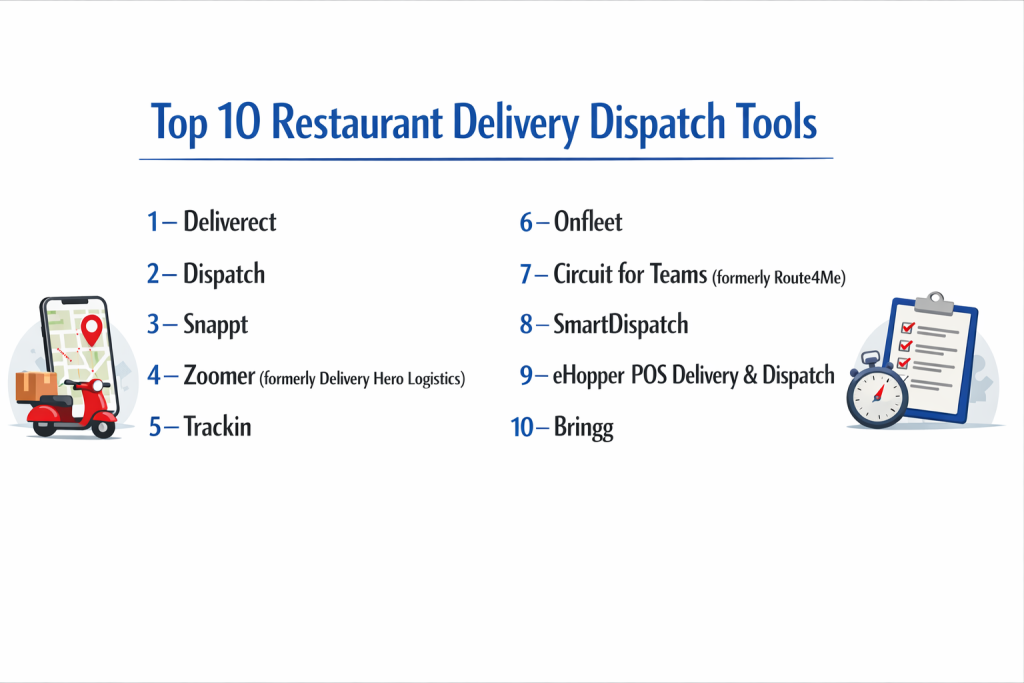
Top 10 Restaurant Delivery Dispatch Tools
1 — Bringg
Bringg is a high-end delivery orchestration platform used by some of the largest food and retail brands in the world. It is built to handle complex, high-volume logistics with extreme precision.
- Key features
- Intelligent auto-dispatching based on driver proximity and vehicle type.
- Real-time tracking with personalized guest notification links.
- Multi-fleet management (internal drivers plus third-party providers).
- Comprehensive driver app with navigation and digital proof of delivery.
- Advanced data analytics to identify bottlenecks in the delivery process.
- Automated customer feedback collection immediately after drop-off.
- Pros
- Incredibly scalable for businesses growing from ten locations to hundreds.
- The most robust “automated dispatch” logic available on the market.
- Cons
- The cost is high, making it difficult for small, single-location bistros to justify.
- Requires a professional setup and training period to fully utilize all features.
- Security & compliance: SOC 2 Type II compliant, GDPR compliant, and uses enterprise-level SSO (Single Sign-On).
- Support & community: 24/7 dedicated support for enterprise clients and an extensive online help center.
2 — Onfleet
Onfleet is widely considered the most user-friendly dispatch tool in the industry. It focuses on a clean interface and a “human-centric” design that makes delivery management feel effortless.
- Key features
- Intuitive “drag-and-drop” dispatch dashboard for manual adjustments.
- Integrated route optimization that calculates the most efficient paths.
- Anonymous driver-to-customer communication (protects privacy).
- Predictive ETAs based on real-time traffic data.
- Easy-to-use mobile app for iOS and Android.
- Robust API for custom integrations with specialized POS systems.
- Pros
- The learning curve is almost zero; hosts and drivers can learn it in minutes.
- Excellent communication tools that keep customers updated automatically.
- Cons
- Pricing is based on “tasks” (deliveries), which can get expensive for high-volume shops.
- Lacks some of the deep “warehouse” management features of larger platforms.
- Security & compliance: GDPR compliant and uses end-to-end encryption for all data transmissions.
- Support & community: Great documentation, email support, and a growing community of logistics professionals.
3 — Tookan (by Hippo Innovations)
Tookan is a highly customizable delivery management suite that works well for a variety of industries, including restaurants and pharmacy delivery. It is known for its flexibility.
- Key features
- Customizable forms for drivers to fill out at the point of delivery.
- Geofencing alerts that notify the kitchen when a driver is returning.
- Automatic scheduling for recurring deliveries.
- In-app chat for drivers, managers, and customers.
- Support for “Agent” wallets to manage driver earnings and tips.
- Extensions marketplace to add features like SMS gateways or specialized maps.
- Pros
- Extremely flexible; you can “build” the tool to fit your specific workflow.
- Offers a free trial and affordable entry-level pricing for startups.
- Cons
- The interface can feel a bit cluttered due to the high number of settings.
- Customer support response times can be inconsistent.
- Security & compliance: GDPR and HIPAA compliant options available; standard encryption.
- Support & community: Extensive video tutorials and a community forum for developers.
4 — Shipday
Shipday is a specialized tool built specifically for small to medium-sized restaurants. It focuses on simplicity and helping local businesses compete with the big delivery apps.
- Key features
- Direct integration with online ordering platforms like GloriaFood and Shopify.
- One-click “Third-party overflow” to call a DoorDash driver if you’re busy.
- Live map tracking for both the restaurant manager and the customer.
- Driver payroll management and tip tracking.
- Simple mobile app for drivers with a “claim order” feature.
- Automated SMS notifications for order status updates.
- Pros
- Very affordable for small businesses, including a free version for low volumes.
- Setup takes minutes, making it ideal for restaurants that need a solution today.
- Cons
- Limited advanced “route batching” compared to enterprise tools.
- Not designed for massive fleets managing hundreds of drivers simultaneously.
- Security & compliance: Varies / Standard web encryption.
- Support & community: Responsive email support and a very helpful “Getting Started” guide.
5 — GetSwift
GetSwift is a veteran in the dispatch space, offering a robust platform designed to optimize every second of the delivery journey through data.
- Key features
- Smart routing that significantly reduces driver idle time.
- Real-time driver performance tracking (speed, route adherence, etc.).
- Global map coverage with support for multiple languages.
- Automated customer feedback prompts.
- Digital signature and photo capture for proof of delivery.
- Detailed reporting on delivery costs per order.
- Pros
- Provides deep insights into where you are losing money in your delivery process.
- Simple “per-delivery” pricing model that scales with your business.
- Cons
- Some users find the mobile app to be slightly “power-hungry” on phone batteries.
- The dashboard design is functional but looks a bit dated.
- Security & compliance: GDPR compliant and uses secure SSL data transmission.
- Support & community: 24/7 global support and an online knowledge base.
6 — Vroom Delivery
Vroom is unique because it is designed specifically for convenience stores and restaurants that also sell “retail” items or alcohol, requiring age verification.
- Key features
- Integrated ID scanning for alcohol and tobacco delivery.
- Full inventory sync between the store and the delivery app.
- Proprietary driver app with built-in navigation.
- Marketing tools to send push notifications to local customers.
- Support for EBT/SNAP payments (where applicable).
- Multi-store management from a single dashboard.
- Pros
- The best choice for businesses that need to follow strict legal rules for alcohol.
- Handles both “food” and “grocery” style orders seamlessly.
- Cons
- Very niche-focused; might have too many features for a standard pizza shop.
- Smaller user community compared to Onfleet or Bringg.
- Security & compliance: High-level compliance for age-restricted sales; PCI compliant.
- Support & community: Dedicated account managers for multi-store owners.
7 — Routific
While Routific is a general route optimization tool, its “Essentials” and “Professional” plans are widely used by restaurants that manage their own morning meal-prep or catering deliveries.
- Key features
- World-class route optimization algorithm that saves up to 20% in fuel costs.
- Simple driver app for following the optimized sequence of stops.
- Customer notifications with “live tracking” links.
- Easy import of delivery addresses via CSV or API.
- “Time window” management to ensure catering arrives exactly on time.
- Photo and signature capture.
- Pros
- Saves an incredible amount of time for managers planning complex catering routes.
- Very clean and visually appealing interface.
- Cons
- Lacks a “live dispatch” feel for on-demand orders (better for scheduled routes).
- No direct POS integration for most standard restaurant software.
- Security & compliance: GDPR compliant and uses standard cloud encryption.
- Support & community: Top-rated customer support and a great library of logistics tips.
8 — DispatchScience
DispatchScience is an enterprise-grade platform that uses Artificial Intelligence to predict and manage delivery routes for massive fleets.
- Key features
- AI-driven “Auto-Dispatch” that learns from previous delivery patterns.
- Highly complex pricing engine for driver pay and customer billing.
- Advanced driver mobile app with offline capabilities.
- Real-time visibility across multiple cities and regions.
- Customer portal for large corporate clients to book their own deliveries.
- Integration with accounting and ERP systems.
- Pros
- Powerful enough to run a national delivery company.
- AI features actually improve efficiency the more you use the system.
- Cons
- Far too complex for a single-location restaurant.
- Long implementation time and higher price point.
- Security & compliance: SOC 2 compliant, ISO 27001 standards, and advanced audit logs.
- Support & community: Enterprise-level support with dedicated engineering help.
9 — QuestTag
QuestTag is a straightforward and dependable dispatch solution that focuses on the core needs of local delivery: tracking, dispatching, and reporting.
- Key features
- Real-time GPS tracking of all drivers on a single map.
- Instant notifications to drivers when a new order is assigned.
- Customer alerts via SMS or Email.
- Delivery history and performance reports.
- Simple “Store Front” option for taking orders online.
- Digital proof of delivery.
- Pros
- Very stable and reliable software with very little “clutter.”
- Pricing is competitive and works well for small businesses.
- Cons
- Lacks the advanced “AI” and “Machine Learning” features of competitors.
- Fewer integrations with international POS systems.
- Security & compliance: Standard data encryption and GDPR compliance.
- Support & community: Responsive email and phone support.
10 — Cartwheel
Cartwheel is a specialized “in-house” delivery tool designed specifically to help restaurants take back control from marketplace giants like DoorDash and UberEats.
- Key features
- Hybrid delivery model (use your own drivers first, then call DoorDash).
- High-quality branded tracking page for customers.
- Driver management and “Gamification” to reward top performers.
- Direct integration with major restaurant tech like Olo and Toast.
- Order batching and smart routing.
- Feedback management to handle negative reviews before they hit Yelp.
- Pros
- Designed specifically with the restaurant industry in mind.
- The “hybrid” model ensures you never have to turn off delivery when it gets busy.
- Cons
- Requires specific integrations to work at its best.
- Primarily focused on the North American market.
- Security & compliance: SOC 2 compliant and handles data with high privacy standards.
- Support & community: Deeply involved in the restaurant tech community; excellent support.
Comparison Table
| Tool Name | Best For | Platform(s) Supported | Standout Feature | Rating |
| Bringg | Enterprise Chains | Web, iOS, Android | Multi-fleet Orchestration | 4.6 / 5 |
| Onfleet | Modern User Experience | Web, iOS, Android | Intuitive Dispatch UI | 4.8 / 5 |
| Tookan | Custom Workflows | Web, iOS, Android | Extensions Marketplace | 4.4 / 5 |
| Shipday | Local Small Restaurants | Web, iOS, Android | Free Tier for Startups | 4.7 / 5 |
| GetSwift | Data-Driven Optimization | Web, iOS, Android | Cost-per-Delivery Metrics | 4.2 / 5 |
| Vroom Delivery | Alcohol/Convenience | Web, iOS, Android | ID Scanning Compliance | N/A |
| Routific | Scheduled Catering | Web, iOS, Android | Route Optimization Logic | 4.9 / 5 |
| DispatchScience | National Logistics | Web, iOS, Android | AI-Powered Dispatching | 4.5 / 5 |
| QuestTag | Basic Reliable Tracking | Web, iOS, Android | Simple “Store Front” | 4.1 / 5 |
| Cartwheel | Hybrid Delivery Models | Web, iOS, Android | Third-party Overflow | 4.8 / 5 |
Evaluation & Scoring of Restaurant Delivery Dispatch Tools
| Evaluation Criteria | Weight | Content & Scoring Logic |
| Core Features | 25% | Presence of auto-dispatch, route optimization, and live tracking. |
| Ease of Use | 15% | How quickly drivers can master the app and managers can dispatch. |
| Integrations | 15% | Compatibility with POS systems and third-party delivery apps. |
| Security/Compliance | 10% | Encryption, GDPR, and age-verification tools for alcohol. |
| Performance | 10% | System uptime and accuracy of GPS location updates. |
| Support | 10% | Quality of documentation and speed of technical assistance. |
| Price / Value | 15% | ROI based on fuel savings, time saved, and improved guest retention. |
Which Restaurant Delivery Dispatch Tool Is Right for You?
Solo users vs SMB vs mid-market vs enterprise
If you are a solo owner running a small pizza shop with two drivers, Shipday is the perfect entry point because it’s simple and often free for low volumes. Small and Medium Businesses (SMBs) that want a more polished look should look at Onfleet or Cartwheel. For Mid-market and Enterprise chains, Bringg or DispatchScience are the only tools capable of managing thousands of orders across different time zones and cities with automated rules.
Budget-conscious vs premium solutions
If you need to keep costs low, choose a tool with “per-delivery” pricing like GetSwift. This way, you only pay for what you use. If you have the budget for a premium solution, Onfleet provides a significantly better customer experience with its sleek tracking pages, which can lead to higher repeat orders and brand loyalty.
Feature depth vs ease of use
A tool like Tookan offers endless depth—you can customize almost every button—but it takes a long time to learn. If you want something that “just works” out of the box so you can focus on cooking, Onfleet or QuestTag are better choices. They prioritize the host’s ability to see the map and move orders around without needing a degree in logistics.
Integration and scalability needs
Do you use Toast, Square, or Olo? If so, your first question should be: “Which tool has a pre-built integration with my POS?” Cartwheel and Onfleet are excellent for this. If you plan on adding twenty more locations next year, ensure the software is Scalable and allows you to manage multiple “hubs” or stores from a single administrator login.
Security and compliance requirements
If you deliver alcohol, Vroom Delivery is almost a mandatory choice due to its integrated ID scanning. For corporate chains, SOC 2 compliance is vital to ensure that your customer’s data (names, addresses, phone numbers) is protected against leaks. Always check if the software offers Audit Logs so you can see who changed a delivery status or driver assignment.
Frequently Asked Questions (FAQs)
1. Do these tools replace DoorDash or UberEats?
No, they work with them. You can use these tools to manage your own drivers for your most loyal customers (saving on commission) and then “push” extra orders to DoorDash if your drivers are too busy.
2. How do drivers see their routes?
Drivers download a specific app on their smartphone. Once a manager assigns an order, the driver gets a notification. They tap it, and the app opens Google Maps or Waze to lead them to the customer.
3. Will this work if my drivers use their own personal cars?
Absolutely. The software doesn’t care about the car; it only tracks the driver’s phone. Most tools also include features to track “mileage” so you can reimburse your drivers fairly.
4. Can customers see my driver’s exact location?
Yes. Most tools send the customer a text message with a link. When they click it, they see a “pizza tracker” style map showing exactly where the driver is and an estimated time of arrival.
5. How much money can I save using dispatch software?
By optimizing routes, most restaurants save about 20% on fuel and labor. You also save money by reducing the number of “remakes” caused by drivers getting lost or delivering food cold.
6. Can I assign specific drivers to specific zones?
Yes. Enterprise tools like Bringg allow you to set “zones.” For example, a driver on a bike might only be assigned orders within 2 miles, while a driver in a car handles the longer trips.
7. Does the software handle driver tips?
Many tools, like Shipday and Tookan, allow drivers to record tips in the app. This makes it much easier for your accountant to settle the books at the end of the night.
8. What happens if a customer isn’t home?
The driver can use the app to call the customer anonymously. If they still can’t find them, they can take a “Proof of Delivery” photo of the food at the door or return the order to the shop, marking it in the system.
9. Is it hard to set up?
Simple tools take about 30 minutes. You just upload your driver’s phone numbers and connect your POS. Enterprise tools can take several weeks because they involve complex “rules” and custom integrations.
10. Do I need to buy special GPS trackers for the cars?
No. Modern dispatch tools use the GPS built into the driver’s smartphone. This eliminates the need for expensive hardware or professional installation in vehicles.
Conclusion
Managing a delivery fleet without a Restaurant Delivery Dispatch Tool is like trying to cook a five-course meal without a stove—it is possible, but it will be messy and inefficient. The right tool acts as the “brain” of your delivery operation, ensuring that every order is assigned to the right person at the right time. For a small local shop, a tool like Shipday or Onfleet can instantly modernize your business. For a large chain, Bringg or Cartwheel provides the level of control and data needed to compete with national delivery giants.
Ultimately, the best tool is the one that your drivers find easy to use and your customers find helpful. By providing transparency and efficiency, you aren’t just delivering food; you are delivering a professional experience that keeps people coming back. Focus on your specific needs—whether it’s alcohol compliance, catering routes, or simple pizza delivery—and choose the partner that helps you take back control of your front door.