Introduction
Resource Management Tools are specialized software solutions that allow managers to plan, schedule, and optimize the use of resources—most commonly human labor, but also equipment, facilities, and budget. While a project management tool tracks what needs to be done, a resource management tool tracks who is doing it and whether they actually have the bandwidth to succeed. These tools provide visibility into team availability, skills tracking, and future demand forecasting.
The importance of these tools lies in their ability to prevent project delays caused by “bottlenecks”—situations where a single specialist is assigned to five different projects at once. Real-world use cases include a software agency balancing developer hours across ten clients, a construction firm scheduling heavy machinery across multiple sites, or a hospital managing nurse rotations. When evaluating tools in this category, users should look for visual capacity heatmaps, skills-based searching, integrated time tracking, and financial forecasting capabilities.
Best for: Resource managers, operations directors, department heads, and project management offices (PMOs) in mid-to-large enterprises, creative agencies, and professional services firms. It is essential for any organization where labor costs are the primary expense.
Not ideal for: Small teams with static workloads or solo freelancers who only manage their own time. If you have a team of five people who all do the same job, a simple shared calendar or a basic task manager is usually more than enough.
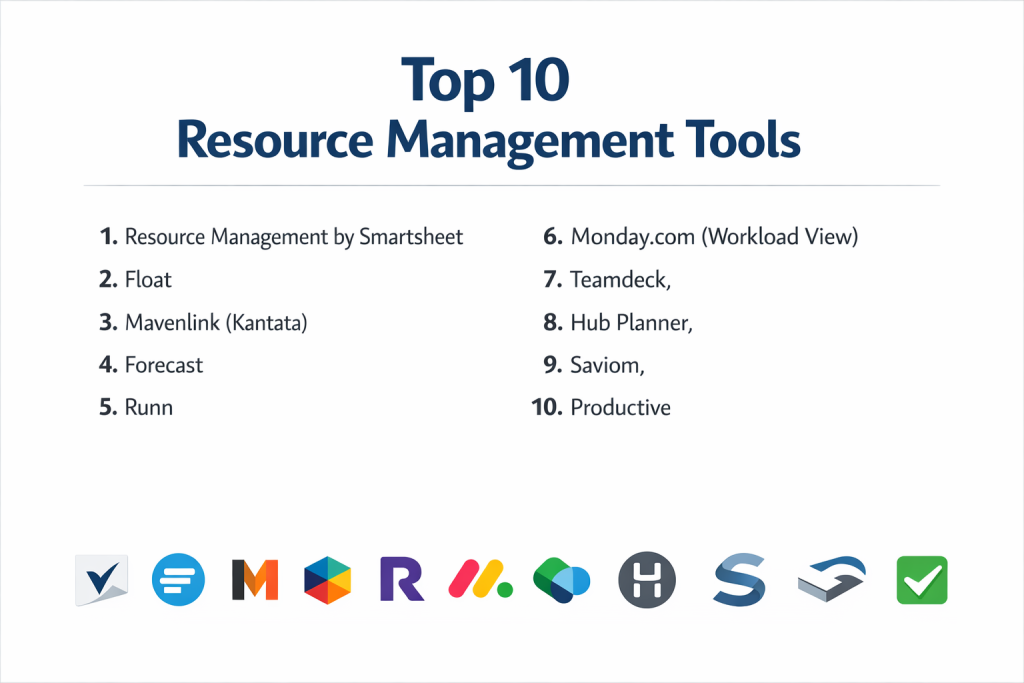
Top 10 Resource Management Tools
1 — Resource Guru
Resource Guru is a “clutter-free” scheduling tool that focuses on a fast, visual way to assign people and equipment to projects. It is designed for teams that find complex enterprise software too slow for daily use.
- Key features:
- Clash Management: Prevents double-booking of any person or resource.
- Availability Bar: A high-level visual indicator showing exactly how much “free time” a team has.
- Non-Human Resources: Allows for the scheduling of meeting rooms, vehicles, or specialized gear.
- Leave Management: Integrates vacation, sick leave, and public holidays into the main schedule.
- Personal Dashboards: Each team member gets a clear view of their individual schedule.
- Custom Permissions: Control who can book resources and who can only view them.
- Pros:
- Exceptionally easy to use; the drag-and-drop interface feels as natural as a paper calendar.
- The “waiting list” feature allows you to log demand even when resources are fully booked.
- Cons:
- It lacks deep project management features like task dependencies or Kanban boards.
- Reporting is useful but not as granular as high-end enterprise solutions.
- Security & compliance: ISO 27001, GDPR compliant, data encryption at rest and in transit, and SSO (on specific plans).
- Support & community: High-quality help center, responsive email support, and a growing library of best-practice webinars.
2 — Float
Float is a dedicated resource scheduling platform used by many of the world’s top creative agencies. It excels at bridging the gap between high-level planning and daily execution.
- Key features:
- Visual Schedule: A real-time view of everyone’s capacity and assigned tasks.
- Phase Tracking: Group tasks into project phases to see long-term resource needs.
- Time Tracking: Compare “estimated hours” vs. “actual hours” logged by the team.
- Skills Tagging: Search for people based on specific expertise or location.
- Budget Tracking: Set project budgets and see how labor costs impact the bottom line in real-time.
- Integration Hub: Native sync with Jira, Asana, Trello, and Slack.
- Pros:
- The UI is incredibly clean and modern, making it a favorite for design-focused companies.
- Very strong at handling “tentative” projects that haven’t been fully confirmed yet.
- Cons:
- The mobile experience is slightly more limited than the desktop version.
- Can become expensive as the team grows, as pricing is per-person.
- Security & compliance: SOC 2 Type II, GDPR, and CCPA compliant. Supports SSO through Okta and Azure AD.
- Support & community: Excellent documentation and a reputation for fast, human customer support.
3 — Kantata (formerly Mavenlink)
Kantata is a professional services automation (PSA) tool that places resource management at the heart of the business. It is designed for large-scale consultancies that need to link resource utilization to profitability.
- Key features:
- Advanced Resource Forecasting: Predict staffing needs and revenue based on the project pipeline.
- Skills-Based Matching: Uses an algorithm to suggest the best person for a task based on skills and availability.
- Scenario Modeling: Test “what-if” staffing scenarios to see their impact on margins.
- Master Planning: A centralized view of all resources across all global departments.
- Utilization Reports: Detailed breakdowns of billable vs. non-billable time.
- Project Accounting: Full financial suite including invoicing and expense tracking.
- Pros:
- Unmatched financial transparency for businesses that sell expert time.
- Professional-grade reporting that satisfies both resource managers and CFOs.
- Cons:
- The interface is very dense and requires significant training to master.
- Not suitable for simple internal teams; it is a “heavy” business management tool.
- Security & compliance: SOC 2 Type II, HIPAA, GDPR, and ISO 27001. Advanced audit logs and permissions.
- Support & community: Dedicated account managers for enterprise clients and an extensive “Kantata University” for training.
4 — Forecast
Forecast uses Artificial Intelligence to automate much of the manual work involved in resource planning. It is a premium tool for organizations that want to use data to drive their scheduling decisions.
- Key features:
- AI Work Automation: Suggests how many hours a task will take based on historical data.
- Auto-Schedule: Automatically assigns the best people to a project with one click.
- Real-Time Capacity: Updates team availability instantly as project dates shift.
- Business Intelligence: Advanced dashboards that predict when you will need to hire new staff.
- Revenue & Cost Tracking: Monitors the financial health of every project in the portfolio.
- Multi-Methodology: Supports Agile, Waterfall, and hybrid work styles.
- Pros:
- Dramatically reduces the time spent on manual data entry through AI suggestions.
- Provides a “single source of truth” for both project progress and resource health.
- Cons:
- The high price point makes it inaccessible for many small to mid-sized agencies.
- The AI needs a significant amount of data before it becomes truly accurate.
- Security & compliance: GDPR compliant, SOC 2, and data is hosted on secure AWS servers with encryption.
- Support & community: Professional onboarding services and a dedicated customer success team.
5 — Saviom
Saviom is an enterprise-grade resource management solution used by multinational corporations. It focuses on the strategic side of resource optimization rather than just day-to-day scheduling.
- Key features:
- Enterprise Resource Planning: Manage thousands of resources across different countries and currencies.
- Capacity vs. Demand Analytics: Visualizes the gap between what work is coming and who is available to do it.
- Employee Portal: Allows staff to update their own skills, availability, and interests.
- Retraining & Upskilling: Tracks the professional development of the workforce.
- Matrix Organization Support: Handles complex reporting lines where an employee has multiple managers.
- Custom Report Builder: Highly granular reporting that can be exported for board meetings.
- Pros:
- Exceptionally powerful for “Portfolio Resource Management” in large companies.
- Very flexible; can be customized to fit almost any specific corporate workflow.
- Cons:
- The user interface feels a bit dated compared to modern SaaS tools like Float.
- Implementation is a major project that can take several months.
- Security & compliance: ISO 27001, SOC 2, GDPR, and HIPAA. Supports complex on-premise or private cloud deployments.
- Support & community: High-touch enterprise support and professional consulting for implementation.
6 — Runn
Runn is a modern, cloud-based tool that excels at long-term forecasting and capacity planning. It is designed to help businesses see the “big picture” of their workforce.
- Key features:
- Capacity Charts: Dynamic heatmaps that show who is over-allocated over months and years.
- Project Planner: Drag-and-drop projects on a timeline to see resource impact.
- Placeholder Resources: Plan for future hires or “to be determined” roles.
- Milestones & Deadlines: Tracks critical project dates alongside resource allocations.
- Financial Modeling: See project revenue, cost, and profit projections as you schedule.
- Timesheets: Lightweight time tracking that populates utilization reports.
- Pros:
- Excellent for “strategic” resource planning rather than just daily task assignment.
- The price is very reasonable for the depth of financial and capacity features offered.
- Cons:
- Lacks the deep “task-level” management found in tools like ClickUp or Asana.
- The integration list is shorter than some of the more established competitors.
- Security & compliance: GDPR compliant and uses secure AWS infrastructure. Supports SSO/SAML.
- Support & community: Known for being very responsive and open to user feedback for new features.
7 — Smartsheet (with Resource Management)
Smartsheet is a flexible spreadsheet-style platform that becomes a world-class resource tool when used with its “Resource Management” (formerly 10,000ft) add-on.
- Key features:
- High-Level Scheduling: A visual “bird’s-eye view” of all resources across all projects.
- Matching Skills to Work: Filter the team by specific attributes to find the right fit.
- Portfolio Reporting: Aggregate data from hundreds of projects into one resource dashboard.
- Time Tracking with Suggestions: Pre-fills timesheets based on what was scheduled.
- Dynamic Request Intake: Turn project requests into resourced plans automatically.
- Mobile App: One of the best mobile experiences for checking capacity and logging time.
- Pros:
- If your company already uses Smartsheet for projects, the integration is seamless.
- It is incredibly scalable, working just as well for 20 people as it does for 20,000.
- Cons:
- The full power of the tool requires paying for both the Smartsheet platform and the add-on.
- The spreadsheet logic can be complex to set up initially.
- Security & compliance: SOC 2 Type II, ISO 27001, GDPR, HIPAA, and FedRAMP.
- Support & community: Massive user community and professional certification programs available.
8 — Hub Planner
Hub Planner is a comprehensive resource management suite that offers a wide array of modules, making it a “one-stop-shop” for many agencies and IT departments.
- Key features:
- Scheduler: A robust grid-based view for managing team time and projects.
- Request & Approval: A workflow engine for managing internal resource requests.
- Vacation & Holiday Tracking: Built-in leave management with custom approval paths.
- Billing & Rates: Manage different hourly rates for different staff and clients.
- Smart Filters: Group and view resources by tags, skills, departments, or locations.
- API Access: Allows for deep custom integrations with internal business systems.
- Pros:
- The modular approach allows you to only use (and pay for) the features you need.
- The reporting engine is one of the most powerful in its price bracket.
- Cons:
- Some users find the interface slightly cluttered compared to “minimalist” tools.
- The learning curve can be steep for administrators.
- Security & compliance: GDPR compliant and uses high-level SSL encryption. Offers SSO on higher tiers.
- Support & community: Strong documentation and dedicated customer success managers for larger accounts.
9 — Teamdeck
Teamdeck is a resource management tool designed by an agency, for agencies. It focuses on three core pillars: scheduling, time tracking, and leave management.
- Key features:
- Resource Calendar: A clean, horizontal view of the team’s assignments.
- Custom Data Fields: Add your own data to people and projects (e.g., “Contract Type”).
- Public API: Very developer-friendly for teams that want to build their own dashboards.
- Automated Timesheets: Syncs time tracking with the schedule for easy comparison.
- Customizable Reports: Build reports that look and feel like your brand.
- Slack Integration: Get notifications about new assignments directly in chat.
- Pros:
- Very cost-effective for smaller agencies that need professional resource tracking.
- Focuses on the “human” side of management, with strong leave and holiday features.
- Cons:
- It doesn’t have the “financial forecasting” depth of Kantata or Forecast.
- The UI is functional but lacks some of the “slickness” of competitors like Float.
- Security & compliance: GDPR compliant and data is hosted within the EU. Supports 2FA.
- Support & community: Helpful blog and responsive email-based support.
10 — Mosaic
Mosaic is a newer entry that uses AI to provide “workforce intelligence.” It is designed to help teams become more efficient by identifying hidden patterns in how they work.
- Key features:
- Strategic Planning: High-level view of how much work you can realistically take on.
- Cross-Project Scheduling: Manage people across multiple different projects simultaneously.
- Skill-to-Work Matching: AI suggests the best team for a project based on its requirements.
- Utilization Dashboard: Automatically calculates how much of the team is billable.
- Time Tracking: Mobile and desktop apps for logging hours against the schedule.
- Capacity Alerts: Notifies managers before a team member becomes overloaded.
- Pros:
- The AI provides genuine insights that help prevent burnout and under-utilization.
- Very modern, user-friendly interface that requires minimal training.
- Cons:
- As a newer tool, it has fewer native integrations than the industry giants.
- Some of the AI features are only available on the more expensive plans.
- Security & compliance: SOC 2 Type II compliant and follows strict GDPR data privacy rules.
- Support & community: Strong emphasis on customer success and personalized onboarding.
Comparison Table
| Tool Name | Best For | Platform(s) Supported | Standout Feature | Rating (Gartner) |
| Resource Guru | Simple Visual Scheduling | Web | Clash Management | 4.6 / 5 |
| Float | Creative Agencies | Web, iOS, Android | Clean UI & Syncing | 4.7 / 5 |
| Kantata | Large Consultancies | Web, Mobile | Financial Transparency | 4.2 / 5 |
| Forecast | AI-Driven Automation | Web, Desktop, Mobile | Auto-Scheduling AI | 4.4 / 5 |
| Saviom | Enterprise Corporations | Web / Cloud | Strategic Analytics | 4.3 / 5 |
| Runn | Capacity Forecasting | Web | Long-term Profit Tracking | 4.8 / 5 |
| Smartsheet | Scaling Teams | Web, iOS, Android | Portfolio Scale/Reporting | 4.5 / 5 |
| Hub Planner | Modular Feature Needs | Web | Modular Functionality | 4.4 / 5 |
| Teamdeck | Small-Medium Agencies | Web, iOS, Android | Human-centric Scheduling | 4.5 / 5 |
| Mosaic | AI Workforce Insights | Web, iOS, Android | Burnout Prevention AI | 4.7 / 5 |
Evaluation & Scoring of Resource Management Tools
To choose the right tool, we evaluate them across several key pillars. A tool might be great for scheduling a calendar, but if it doesn’t have the security required for a large bank, it won’t be viable for that market.
| Category | Weight | What We Evaluate |
| Core Features | 25% | Capacity heatmaps, skills tracking, leave management, and forecasting. |
| Ease of Use | 15% | Intuitiveness of the interface and speed of daily updates. |
| Integrations | 15% | Connectivity with Jira, Slack, Salesforce, and ERP systems. |
| Security & Compliance | 10% | Existence of SOC 2, ISO, HIPAA, and GDPR standards. |
| Performance | 10% | Speed when handling large datasets and reliability of syncing. |
| Support & Community | 10% | Quality of documentation, forums, and customer success speed. |
| Price / Value | 15% | Feature set relative to the monthly per-user investment. |
Which Resource Management Tool Is Right for You?
Solo Users vs. SMB vs. Mid-market vs. Enterprise
Solo users and tiny teams should stick to simple tools like Resource Guru. It’s affordable and doesn’t require a manual to use. Small to Mid-sized Businesses (SMB) often find Float or Teamdeck to be the “sweet spot” of features and price. Enterprises managing hundreds of people across departments need the “heavy lifting” power of Saviom, Kantata, or Smartsheet.
Budget-conscious vs. Premium Solutions
If budget is your primary concern, Teamdeck and Resource Guru offer excellent value for basic scheduling. If you are looking for a premium, data-driven experience and have the budget to support it, Forecast and Mosaic provide AI insights that can pay for themselves by identifying hidden inefficiencies.
Feature Depth vs. Ease of Use
If you need deep features like project accounting, invoicing, and complex matrix reporting, you must accept a steeper learning curve with tools like Kantata. If you want Ease of Use so that your managers actually keep the schedule up to date, Float and Runn are far more approachable.
Integration and Scalability Needs
If your team lives in Jira, look for a tool with a deep two-way sync like Float. If you need to scale from 50 to 5,000 employees, Smartsheet and Saviom have the administrative infrastructure to handle that level of growth without breaking.
Frequently Asked Questions (FAQs)
1. What is the difference between project management and resource management?
Project management focuses on tasks and deadlines (the “what”). Resource management focuses on people, skills, and capacity (the “who”). You need both for a project to succeed.
2. Why should I use a tool instead of a spreadsheet?
Spreadsheets are static. They don’t update in real-time, they don’t prevent double-bookings automatically, and they make it very difficult to track long-term “utilization” across many people.
3. What is “Resource Utilization”?
It is a metric (usually a percentage) that shows how much of a person’s available time is spent on billable work vs. non-billable work. Most tools target around 70-80% for a healthy team.
4. Can these tools help with team burnout?
Yes. By using “capacity heatmaps,” managers can see when someone is assigned 50 hours of work in a 40-hour week and move tasks before the person becomes overwhelmed.
5. Are these tools suitable for remote teams?
Absolutely. Cloud-based resource tools act as a “single source of truth,” so everyone knows what they are supposed to be working on regardless of their timezone or location.
6. Do I need to track time for these tools to work?
Not necessarily, but it helps. Tracking “actuals” allows the software to show you if your original estimates were accurate, which improves future planning.
7. Is my data secure in these platforms?
Most professional tools use enterprise-grade encryption and have SOC 2 or ISO certifications. If you are in healthcare or finance, look specifically for HIPAA or FedRAMP compliance.
8. Can I manage equipment with these tools?
Yes. Many tools (like Resource Guru and Hub Planner) allow you to create “Non-human resources” for things like video gear, conference rooms, or vehicles.
9. How long does it take to implement a new tool?
Simple tools take a few days. Large enterprise solutions like Saviom or Kantata can take 3-6 months because they require clean data and team-wide training.
10. What is a “Skill Matrix”?
It is a database within the tool that lists every employee and their level of expertise in various skills. It allows a manager to search for “Senior Python Developer” and see who is free.
Conclusion
The “best” Resource Management Tool is the one that gives you the clearest view of your team’s future. If you want simplicity, Resource Guru is unmatched. If you want financial depth, Kantata is the industry standard. For those who want modern AI insights, Mosaic and Forecast are the future of the category.
Effective resource management isn’t just about maximizing hours—it’s about making sure your most talented people are working on the right projects without burning out. By centralizing this data, you move away from “fire-fighting” and toward a predictable, profitable, and happy workforce.