Introduction
Reservation management software is a specialized system designed to book, track, and manage reservations for time, space, or inventory. While similar to scheduling software, it is built for businesses that manage high-volume, time-sensitive bookings, often for perishable inventory like restaurant tables, hotel rooms, or tour seats. It acts as the central nervous system for reservation-driven operations.
This software is crucial because it directly impacts revenue and customer experience. It prevents double-bookings, maximizes capacity utilization (like filling every table or room), and automates critical communications like confirmations and reminders. In a competitive market, a smooth reservation process can be the difference between a booked customer and one who goes elsewhere.
Real-world use cases are everywhere: restaurants use it to manage table turnover and waitlists; hotels and B&Bs use it as a property management system (PMS); tour and activity operators use it to sell tickets for specific time slots; and salons or clinics use it to book resources like chairs or rooms. When choosing a tool, you should evaluate real-time inventory management, integration with point-of-sale (POS) and payment systems, customer relationship management (CRM) features, online booking widget for your website, staff management tools, and reporting and analytics for business insights.
Best for: This software is essential for owners, managers, and hosts in the hospitality, travel, and leisure industries. This includes restaurateurs, hoteliers, tour operators, event venue managers, salon/spa owners, and anyone who needs to sell time-based appointments for groups or resources. It’s used by solo operators, small businesses, and large enterprises alike.
Not ideal for: Businesses that only schedule one-on-one meetings (a simple scheduling app is better) or sell physical products without time constraints (an e-commerce platform is the right choice). It’s also overkill for internal resource booking only (like a conference room calendar).
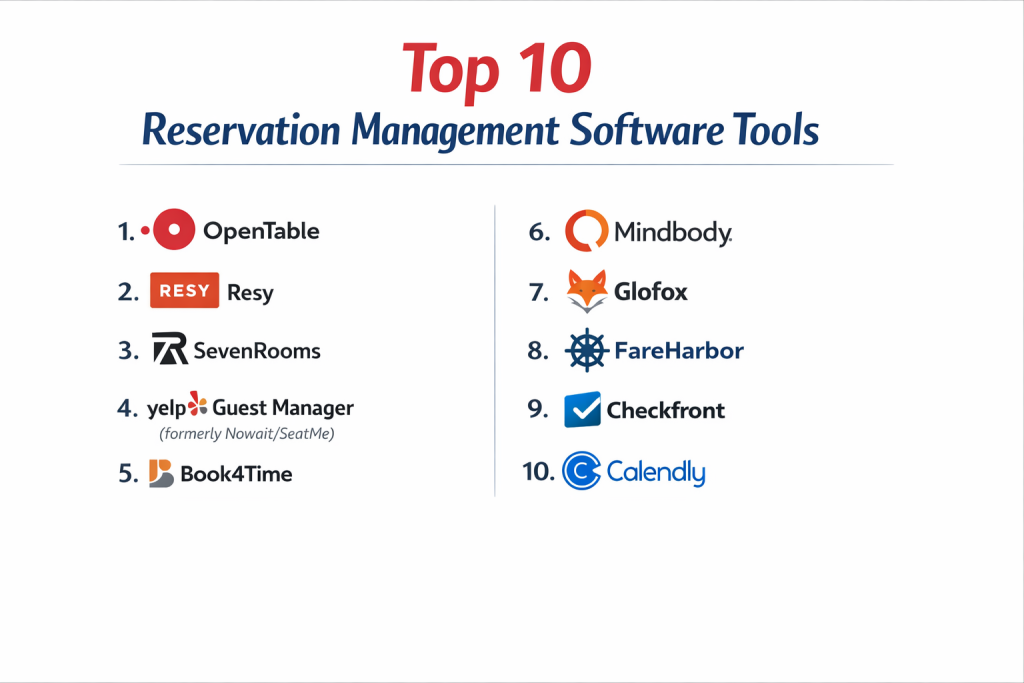
Top 10 Reservation Management Software Tools
Here is an in-depth look at the leading platforms that help businesses fill their seats, rooms, and calendars efficiently.
1 — OpenTable
OpenTable is the dominant player in restaurant reservation management, especially in North America. It combines a powerful backend management system with access to its massive consumer network of diners.
Key features:
- Consumer Network Access: Puts your restaurant in front of millions of active diners on the OpenTable website and app.
- Integrated Floor Plan Management: Visual table management with drag-and-drop functionality for easy seating.
- Diner Profiles & CRM: Tracks guest history, preferences, and special occasions for personalized service.
- Waitlist Management: Efficiently manages walk-in guests and notifies them via text when a table is ready.
- Marketing Tools: Email marketing to past guests and integration with review sites.
- POS Integrations: Connects with major POS systems like Micros, Aloha, and Toast.
Pros:
- Unmatched for driving new guest traffic through its vast diner network.
- Extremely robust and feature-rich for high-volume, full-service restaurants.
- The industry standard, which many customers are already comfortable using.
Cons:
- Expensive, with a cost-per-cover pricing model that can add up quickly for busy restaurants.
- Primarily focused on the North American market.
- Can be complex to set up and may require training.
Security & compliance: Handles sensitive customer data and payment information, adhering to PCI DSS standards. Specific SOC 2 or GDPR details should be confirmed.
Support & community: Provides 24/7 phone support and has a large network of account managers. A vast community of restaurant professionals uses it.
2 — Resy (by American Express)
Resy is a major competitor to OpenTable, known for its sleek, modern design and strong focus on premium restaurant brands and hospitality groups. It emphasizes both consumer experience and powerful backend tools.
Key features:
- Premium Brand Positioning: Attracts a discerning clientele, ideal for high-end and trendy restaurants.
- Sophisticated Table Management: Advanced tools for managing complex seating configurations and reservation pacing.
- Guest CRM & Notes: Detailed guest profiles with notes and preferences accessible across a restaurant group.
- Prepaid Experiences & Tickers: Ability to sell ticketed events, tasting menus, or require deposits.
- Integrated with AmEx Global Dining Network: Provides access to exclusive reservations for American Express cardholders.
- Clean, Intuitive Interface: For both staff and guests.
Pros:
- Excellent for building and managing a premium brand reputation.
- Powerful tools for maximizing revenue through prepaid bookings and strategic seating.
- Strong integration and benefits through the American Express ecosystem.
Cons:
- Pricing is at a premium, similar to OpenTable.
- Market penetration is strongest in major metropolitan areas.
- May offer fewer marketing levers for driving volume compared to OpenTable’s vast network.
Security & compliance: As part of American Express, it operates with high security and compliance standards for payments and data. Specific certifications should be verified.
Support & community: Known for high-touch, white-glove support for its partner restaurants. Serves a curated community of hospitality businesses.
3 — SevenRooms
SevenRooms is a comprehensive guest experience and retention platform built specifically for the hospitality industry (restaurants, hotels, nightlife). It goes beyond reservations to focus on the entire guest journey.
Key features:
- End-to-End Guest Journey: Manages reservations, waitlists, online ordering, and feedback in one platform.
- Powerful Guest Profiles: Aggregates data from all touchpoints to build rich, actionable guest profiles.
- Marketing Automation: Automated, personalized email campaigns based on guest behavior (e.g., win-back lapsed guests).
- Hotel & Venue Management: Tools for managing hotel restaurant bookings, pool cabanas, and other venue-specific reservations.
- Revenue Management: Insights and tools to increase spend per guest (like suggesting bottle service).
- Deep POS Integrations: Seamless integration with systems like Micros and Oracle.
Pros:
- Unparalleled focus on leveraging data to drive repeat business and increase guest lifetime value.
- Excellent for multi-venue hospitality groups (restaurants, hotels, clubs) wanting a unified view.
- Moves beyond simple booking to become a true CRM and marketing engine.
Cons:
- A premium product with premium pricing, aimed at larger or growth-focused operations.
- The depth of features requires commitment and process changes to realize full value.
- Can be overkill for a simple, single-location restaurant.
Security & compliance: Enterprise-grade security with a focus on data protection. Likely complies with standards like SOC 2 and GDPR, which should be confirmed.
Support & community: Offers dedicated account management and 24/7 support. Used by a sophisticated segment of the hospitality industry.
4 — Yelp Reservations
Yelp Reservations leverages Yelp’s massive consumer platform, integrating reservation booking directly into a business’s Yelp profile. It’s a straightforward solution for restaurants that want to capture the Yelp user base.
Key features:
- Yelp Integration: Turns your Yelp business page into a booking engine, capturing users at the point of discovery.
- Table Management: Basic backend tools for managing reservations and floor plans.
- Waitlist Management: Manage walk-in guests via a tablet.
- Guest Feedback: Integrated tools to solicit reviews from guests who booked through Yelp.
- Cost-Effective: Often a lower-cost alternative to OpenTable and Resy.
- Simple Setup: Designed to be easy to get started with.
Pros:
- Excellent for capturing the large audience of diners who use Yelp to choose where to eat.
- More affordable than many competitors, with simple, transparent pricing.
- Very easy to implement and use.
Cons:
- Feature set is less comprehensive than dedicated restaurant platforms.
- Less effective for fine-dining or complex reservation needs.
- Ties you closely to the Yelp ecosystem, which some businesses have mixed feelings about.
Security & compliance: As a large public company, Yelp adheres to standard data security and payment processing compliance (PCI DSS).
Support & community: Standard customer support. Benefits from the enormous Yelp user community, though direct user community for the software is smaller.
5 — Tock
Tock revolutionized reservation software by introducing a ticketing model for restaurants. It’s designed for establishments with fixed-price, pre-paid experiences like tasting menus, culinary events, and pop-ups.
Key features:
- Ticketing System: Requires full or partial payment at the time of booking, securing revenue and eliminating no-shows.
- Experiences & Events: Perfectly suited for selling timed tickets to unique dining events.
- Dynamic Pricing: Ability to adjust pricing based on demand, day, or time.
- Customer Data Ownership: The platform emphasizes that the restaurant owns all customer data.
- Flexible Formats: Supports traditional reservations, tickets, takeout, and retail.
- Founder-Led: Founded by Nick Kokonas (Alinea, Next), built with deep industry insight.
Pros:
- Eliminates the financial loss from no-shows and last-minute cancellations.
- The best platform for restaurants selling premium, experience-driven dining.
- Puts control and customer data directly in the hands of the restaurant.
Cons:
- The pre-pay model can be a barrier for some casual diners.
- Less about driving volume and more about maximizing revenue per seat.
- May not be suitable for high-turnover, à la carte restaurants.
Security & compliance: Handles significant transaction volume and pre-paid funds, requiring robust security and PCI compliance.
Support & community: Known for excellent, responsive support. Has a loyal following among innovative and high-end restaurants.
6 — Bookeo
Bookeo is a versatile platform designed for tours, activities, classes, and appointments. It’s a strong all-in-one solution for businesses that need to sell bookable spots for time-based services.
Key features:
- Multi-Service Support: Handles appointments, classes, tours, and equipment rental from one system.
- Online Booking & Payments: Customizable booking website and secure payment processing.
- Customer Management: Database for clients, with email/SMS marketing tools.
- Calendar & Resource Management: Manages staff and resource availability (like boats or bikes).
- Voucher & Gift Certificate Sales: Sell and redeem digital vouchers.
- Reporting: Detailed reports on bookings, revenue, and customer trends.
Pros:
- Extremely flexible for a wide range of “experience” based businesses.
- Comprehensive feature set that covers booking, payments, and marketing.
- Good value for the breadth of tools offered.
Cons:
- The interface can feel busy and less modern than some competitors.
- Customization, while possible, can require some technical understanding.
- May have more features than a very simple operation needs.
Security & compliance: Provides standard security for online payments and data. GDPR compliant. Specific high-level certifications should be checked.
Support & community: Offers email and phone support. Has a broad, international user base across many activity sectors.
7 — FareHarbor
FareHarbor is a leading reservation and business management system specifically for the tours and activities industry. It’s known for its robust features and scalability, used by everything from small operators to large attractions.
Key features:
- Channel Management: Distributes inventory to hundreds of online travel agencies (OTAs) like Viator and Expedia.
- Dynamic Packaging: Allows customers to build and book custom multi-activity packages.
- Point of Sale (POS): In-person checkout and kiosk software for walk-up sales.
- Operations Dashboard: Real-time dashboard for managing daily operations and guide assignments.
- Advanced Reporting: Deep business intelligence and performance analytics.
- Waiver Management: Digital waiver signing integrated into the booking flow.
Pros:
- The gold standard for serious tour and activity operators needing OTA distribution.
- Extremely powerful for managing complex, high-volume operations.
- Strong focus on the entire business workflow, not just online booking.
Cons:
- Can be expensive and complex for very small operators.
- Implementation and training are significant due to the feature depth.
- Best suited for dedicated tour/activity businesses, not general appointment booking.
Security & compliance: Must be PCI compliant and secure for handling high transaction volumes. Specific enterprise security standards should be confirmed.
Support & community: Provides dedicated account management and 24/7 support. A major player with a large community in the global tours sector.
8 — SimplyMeet.me
While it sounds similar to SimplyBook.me, SimplyMeet.me is a distinct tool from the same company, focusing on streamlined team scheduling and meeting management, particularly for sales and business services.
Key features:
- Team Scheduling & Round Robin: Distribute meetings evenly among team members or route to specific people based on rules.
- Meeting Polls: Find the best time for group meetings with internal or external participants.
- CRM & Zapier Integrations: Strong connections to sales and marketing tools.
- Customizable Booking Pages: Brandable pages with conditional logic for questions.
- Workflow Automation: Automate tasks before and after meetings (send agendas, create tasks).
- Dashboard Analytics: Track team performance and meeting metrics.
Pros:
- Excellent for sales, support, and consulting teams that need to manage high volumes of external meetings.
- Strong automation and integration capabilities for business workflows.
- More affordable than many enterprise sales scheduling tools.
Cons:
- Not designed for hospitality, tours, or table/room reservations.
- The name can cause confusion with its sibling product, SimplyBook.me.
- Less focused on payment processing or complex inventory management.
Security & compliance: Standard security for a SaaS scheduling tool. GDPR compliant. Likely has SOC 2 Type II certification (common for this category).
Support & community: Good support and documentation. Caters to a business professional audience.
9 — Checkfront
Checkfront is an online booking system built for rental and experience-based businesses. It excels at managing mixed inventories, like renting equipment while also booking guided tours or lessons.
Key features:
- Unified Inventory Management: Manages bookings for tours, equipment, accommodations, and rental items in one system.
- Rate Engine: Handles complex pricing (seasonal rates, duration-based pricing, add-ons).
- Channel Manager: Connects to major OTAs and distributes availability.
- Customer Portal: Allows customers to view and manage their own bookings.
- Integrated Payments & Invoicing: Secure payment processing and automated invoicing.
- Mobile App: For managing operations on the go.
Pros:
- Ideal for hybrid businesses that both rent things and sell guided experiences.
- Highly flexible rate and inventory management for complex pricing models.
- Scales well from small outfitters to larger operations.
Cons:
- Can be overwhelming for a business with a simple, single-service model.
- Setup requires careful configuration to model your business rules correctly.
- The interface is functional but not the most modern.
Security & compliance: PCI Level 1 compliant for payments. States GDPR compliance. A credible platform for commercial booking.
Support & community: Offers 24/7 support and has an active user community, particularly in the outdoor and rental sectors.
10 — Hostfully
Hostfully is a property management platform designed specifically for vacation rentals, boutique hotels, and property managers. It focuses on creating digital guidebooks and automating the guest communication journey.
Key features:
- Digital Guidebooks: Create beautiful, customized digital guidebooks for guests with house manuals and local recommendations.
- Multi-Channel Distribution: Syncs availability and rates across Airbnb, Vrbo, Booking.com, and a direct booking website.
- Automated Messaging: Sends automated, personalized messages to guests before, during, and after their stay.
- Direct Booking Website: Provides a professional, bookable website to capture direct bookings and avoid OTA fees.
- Operations Management: Tools for coordinating cleanings, maintenance, and key exchange.
- Unified Inbox: Manages messages from all booking channels in one place.
Pros:
- Transforms the guest experience with professional digital guidebooks and communication.
- Effectively balances OTA distribution with the ability to drive profitable direct bookings.
- Excellent for property managers who want to automate operations and provide a premium stay.
Cons:
- Tailored for vacation rentals; not suitable for restaurants, tours, or appointments.
- Pricing is oriented towards professional hosts with multiple properties.
- The PMS features may be light for a large hotel compared to dedicated enterprise hotel PMS software.
Security & compliance: Handles guest data and payment information securely. Specific compliance certifications should be verified with the vendor.
Support & community: Provides dedicated support. Popular among professional vacation rental hosts and boutique property managers.
Comparison Table
| Tool Name | Best For (Target User or Scenario) | Platform(s) Supported | Standout Feature | Rating |
|---|---|---|---|---|
| OpenTable | Full-service restaurants wanting volume & network access | Web, Mobile, POS | Largest Diner Network & Restaurant Feature Depth | N/A |
| Resy | Premium restaurants & hospitality groups | Web, Mobile | Premium Brand Tools & AmEx Integration | N/A |
| SevenRooms | Hospitality groups focused on guest data & retention | Web, Mobile, POS | End-to-End Guest Experience Platform & CRM | N/A |
| Yelp Reservations | Restaurants wanting to capture Yelp’s user base | Web, Tablet | Deep Yelp Integration & Simplicity | N/A |
| Tock | Restaurants with ticketed, pre-paid dining experiences | Web, Mobile | Ticketing/Pre-Pay Model & Experience Sales | N/A |
| Bookeo | Tours, activities, classes & multi-service businesses | Web, Mobile | Versatility for Experience-Based Bookings | N/A |
| FareHarbor | Professional tour & activity operators (OTA focused) | Web, Mobile, POS | OTA Channel Management & Operational Power | N/A |
| SimplyMeet.me | Sales, support & business teams for external meetings | Web, Mobile | Team Scheduling & Meeting Workflow Automation | N/A |
| Checkfront | Rental businesses & hybrid tour/rental operations | Web, Mobile | Unified Inventory for Rentals & Experiences | N/A |
| Hostfully | Vacation rental hosts & boutique property managers | Web, Mobile | Digital Guidebooks & Direct Booking Website | N/A |
Evaluation & Scoring of Reservation Management Software
Use this rubric to compare platforms objectively. Score each from 1 (Poor) to 5 (Excellent) based on your specific operational needs.
| Evaluation Criteria | Weight | Score (1-5) | Weighted Score | Notes on What to Look For |
|---|---|---|---|---|
| Core Features | 25% | Does it manage your specific inventory (tables, rooms, seats)? Does it have waitlist, prepay, CRM? | ||
| Ease of Use | 15% | Is it intuitive for your staff on a busy Friday night? Is the guest booking process smooth? | ||
| Integrations & Ecosystem | 10% | Does it connect to your POS, payment processor, OTAs, and other essential tools? | ||
| Security & Compliance | 10% | How does it handle customer payment data? Is it PCI compliant? What about data privacy (GDPR)? | ||
| Performance & Reliability | 15% | Can it handle peak booking volume without crashing? Is uptime guaranteed? | ||
| Support & Community | 10% | Can you get help during your operating hours (which may be nights/weekends)? | ||
| Price / Value | 15% | Does the pricing model (per cover, subscription, %) align with your revenue and provide clear ROI? | ||
| TOTAL SCORE | 100% | /100 |
Which Reservation Management Software Is Right for You?
The industry you’re in and your business model are the most important filters.
- Restaurants:
- For driving new customer volume, choose OpenTable or Yelp Reservations.
- For a premium brand and guest experience, choose Resy or SevenRooms.
- For pre-paid ticketed events/tasting menus, choose Tock.
- Tours, Activities & Classes:
- For a versatile, all-in-one system, choose Bookeo.
- For a serious operator using online travel agencies (OTAs), choose FareHarbor.
- For a business that also rents equipment, choose Checkfront.
- Accommodations (Vacation Rentals, Boutique Hotels):
- For vacation rentals and creating a great guest journey, choose Hostfully.
- For larger hotels, you would look at a full Property Management System (PMS) which is a related but deeper category.
- Business Services & Sales Teams:
- For managing high volumes of client meetings, choose SimplyMeet.me.
- Budget-Conscious vs. Premium: Yelp Reservations and Bookeo can offer good value. OpenTable, Resy, SevenRooms, and FareHarbor are premium investments. Tock changes the cost structure via prepayment.
- Feature Depth vs. Ease of Use: OpenTable and Resy are powerful but can be complex. Yelp Reservations is simpler. SevenRooms offers immense depth in guest data. Choose based on your team’s tech-savviness and needs.
- Integration Needs: If you use a specific POS (like Toast or Micros), verify compatibility. If you rely on OTAs (Viator, Expedia), ensure the software has a channel manager. For vacation rentals, Airbnb/Vrbo sync is mandatory.
- Security & Compliance Requirements: Any system taking payments must be PCI DSS compliant. For businesses in Europe, GDPR compliance is key. For larger enterprises, ask about SOC 2 reports.
Frequently Asked Questions (FAQs)
1. What’s the difference between reservation software and a waitlist app?
Reservation software manages confirmed future bookings and inventory. A waitlist app only manages walk-in guests for immediate or same-day seating. Most comprehensive reservation platforms (like OpenTable) include a waitlist feature, but a stand-alone waitlist app is cheaper and simpler for businesses that take mostly walk-ins.
2. How do online travel agencies (OTAs) fit in?
OTAs like Viator, Expedia, and Airbnb are marketing and distribution channels. Reservation software with channel management (like FareHarbor or Hostfully) syncs your real-time availability to these sites, preventing double-bookings and letting you manage all bookings from one central system.
3. Can I take deposits or require prepayment?
Yes, and it’s a best practice to reduce no-shows. Platforms like Tock are built on prepayment. Others like Bookeo, Checkfront, and FareHarbor allow you to set deposit rules. This protects your revenue, especially for high-value or time-sensitive bookings.
4. Is it worth paying for a platform with its own consumer network (like OpenTable)?
It depends on your marketing needs. If you’re new, in a competitive area, or need to fill seats, the exposure can be invaluable. If you’re an established destination with a strong regular clientele, you might prioritize a system that focuses on your direct website bookings and guest management.
5. How difficult is it to switch reservation systems?
It can be a significant project. You must migrate existing bookings, train staff, and potentially reconfigure integrations. It’s crucial to choose carefully from the start or plan the migration during a slow season with ample time for testing.
6. Can customers book directly on my website?
Absolutely. Every professional system provides an embed code or booking widget to place on your website. This is critical for building your direct booking channel and avoiding third-party commission fees.
7. What about managing group bookings?
Look for specific group booking features. This includes blocking out multiple inventory items (e.g., 10 seats on a tour), setting special group rates, and collecting information for multiple guests. FareHarbor and Bookeo handle this well.
8. How do I handle last-minute cancellations or no-shows?
Software automates the policy. You can set rules to charge a cancellation fee if a guest cancels within a set window (e.g., 24 hours) or to automatically charge a no-show fee. This is enforced through the payment card on file, a key reason to collect one.
9. What reporting features are most important?
Key reports include: Daily booking summaries, Revenue reports, No-show/cancellation rates, Channel performance (where are bookings coming from?), and Customer source tracking. Good data helps you make smarter business decisions.
10. What’s the biggest mistake businesses make?
Choosing software that doesn’t match their operational flow. A fast-paced casual restaurant needs a different tool than a multi-day tour operator. Before you buy, list your non-negotiable daily processes and ensure the software can handle them seamlessly.
Conclusion
Selecting the right reservation management software is a strategic decision that touches every part of your customer-facing operation. It’s not just a booking tool; it’s your digital host, your revenue optimizer, and your memory for guest preferences. The right system should feel like a natural extension of your team.
Your choice must be dictated by your industry’s unique rhythms. The cadence of a restaurant’s dinner service is worlds apart from the planning cycle of a vacation rental or the guided schedule of a tour company. The best software understands and automates the specific challenges of your field.
Remember, there is no single “best” platform. The winner is the one that vanishes into the background, working so smoothly that your staff focuses on service and your guests enjoy a flawless booking experience. By prioritizing the features that address your core operational and revenue challenges, you invest in a system that doesn’t just manage reservations—it helps grow your business, one perfectly booked seat at a time.