Introduction
Requirements Management Tools are specialized software platforms designed to document, track, analyze, and manage the specific needs and constraints of a project from inception to delivery. In complex engineering and software development environments, a “requirement” is more than just a task; it is a foundational rule that defines what a system must do or how it must perform. These tools replace the “document-based” approach—where requirements live in stagnant Word files or spreadsheets—with a “data-centric” approach. This allows teams to maintain a living record of every specification, ensuring that developers, testers, and stakeholders are always aligned on the project’s scope.
The importance of these tools is most visible in safety-critical and highly regulated industries. Without a dedicated system, “scope creep” can derail budgets, and a lack of traceability can lead to catastrophic failures in product compliance. Key real-world use cases include an aerospace firm tracing a single bolt’s specifications through thousands of design documents, a medical device manufacturer proving to the FDA that every safety requirement was tested, and an automotive company managing the complex software-hardware dependencies in electric vehicles. When choosing a tool, users should prioritize end-to-end traceability, version control, collaborative reviewing capabilities, and the ability to generate compliance-ready documentation at the touch of a button.
Key Real-World Use Cases
- Compliance Auditing: Medical device companies use these tools to create “Traceability Matrices” that prove to regulators that every requirement has a corresponding test case and result.
- Change Impact Analysis: When a client changes a core requirement halfway through a project, these tools instantly flag every affected design element, test script, and downstream task.
- Complex Systems Engineering: In satellite or automotive manufacturing, tools manage the thousands of sub-system requirements that must work in perfect harmony.
- Stakeholder Alignment: Product managers use these platforms to gather conflicting requirements from different departments and facilitate a formal approval process.
- Risk Management: Integrating risk assessments directly with requirements to ensure that high-risk features have more rigorous testing and documentation.
What to Look For (Evaluation Criteria)
- End-to-End Traceability: The ability to link a high-level business requirement to a functional spec, then to a line of code, and finally to a test result.
- Version Control & Baselines: Robust history tracking that allows you to see exactly what changed between “Version A” and “Version B” and roll back if necessary.
- Review & Approval Workflows: Built-in electronic signatures and commenting systems that satisfy regulatory requirements for formal sign-offs.
- Requirements Modeling: Support for visual diagrams (UML, SysML) to help stakeholders understand complex logic.
- Scalability: The capacity to handle tens of thousands of individual requirements without significant performance degradation.
Best for: Systems Engineers, Business Analysts, Quality Assurance (QA) Managers, and Compliance Officers in industries like Aerospace, Defense, Automotive, Medical Devices, and Enterprise Software. It is essential for teams working under strict regulatory frameworks like ISO, FDA, or DO-178C.
Not ideal for: Small creative agencies, simple website builders, or early-stage startups using “Move Fast and Break Things” methodologies. For these teams, a standard project management tool like Trello or a shared document is more efficient than the heavy-duty rigor of a requirements management platform.
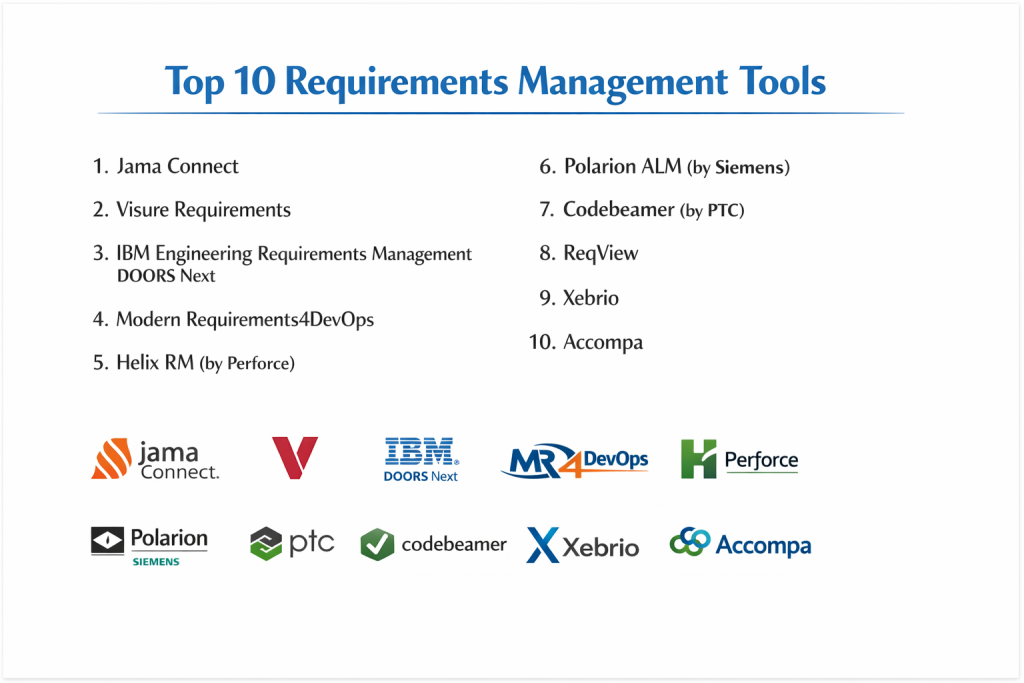
Top 10 Requirements Management Tools
1 — Jama Connect
Jama Connect is a leader in the space, particularly for product development teams in highly regulated industries. It focuses on reducing risk and improving cycle times through “Live Traceability.”
- Key features:
- Live Traceability across the entire development lifecycle.
- Relationship Rules Engine to ensure data integrity.
- Review Center for formal stakeholder feedback and sign-offs.
- Risk Management integration (FMEA, ISO 14971).
- Test Management and verification tracking.
- Extensive library of compliance templates (Automotive, Medical, etc.).
- Pros:
- Exceptionally strong for passing regulatory audits with minimal stress.
- The user interface is much more modern and intuitive than legacy competitors.
- Cons:
- Premium pricing makes it difficult for mid-market companies to adopt.
- Configuration can be complex and usually requires professional services.
- Security & compliance: SOC 2 Type II, ISO 27001, HIPAA, GDPR, and 21 CFR Part 11.
- Support & community: Jama User Community, extensive technical documentation, and premium enterprise support tiers.
2 — Visure Requirements
Visure is an all-in-one ALM (Application Lifecycle Management) platform known for its flexibility and its powerful “Traceability Matrix” features.
- Key features:
- End-to-end traceability across requirements, risks, and tests.
- Automated document generation for compliance (MS Word/PDF).
- Integration with MS Office (Import/Export while maintaining links).
- Support for various methodologies (Agile, V-Model, Waterfall).
- Multi-level attribute tracking for granular requirement data.
- Reusability of requirements across different projects.
- Pros:
- Offers a high degree of customization to fit specific engineering workflows.
- Strong integration with engineering tools like MATLAB and Jira.
- Cons:
- The desktop client can feel a bit “heavy” compared to web-only tools.
- The sheer number of features leads to a steep learning curve for new analysts.
- Security & compliance: SOC 2, GDPR, ISO 26262, and IEC 62304.
- Support & community: Personal technical support, webinars, and on-site training availability.
3 — IBM Engineering Requirements Management DOORS Next
As the evolution of the classic “DOORS” tool, DOORS Next is the “heavyweight” choice for the world’s largest defense and aerospace projects.
- Key features:
- Strategic scale capable of handling millions of requirements.
- Visual requirements modeling and diagramming.
- Lean, web-based interface for global collaboration.
- Integration with the IBM Jazz platform for full lifecycle visibility.
- Powerful configuration management and versioning.
- Advanced reporting via IBM Engineering Insights.
- Pros:
- The “Gold Standard” for massive, multi-decade government and defense contracts.
- Incredible depth of data—if a requirement can be tracked, DOORS can track it.
- Cons:
- Extremely expensive and requires significant IT infrastructure to manage.
- Often considered “overly complex” for anything other than massive-scale engineering.
- Security & compliance: ISO 27001, FedRAMP (Varies), GDPR, and SOC 2.
- Support & community: Massive global user base, extensive IBM certification programs, and enterprise support.
4 — Modern Requirements4DevOps
This tool is unique because it is built directly into Azure DevOps, making it the perfect choice for teams already using the Microsoft stack.
- Key features:
- Fully integrated with Azure Boards and Test Plans.
- Smart Docs feature for creating “living” requirement documents.
- Automated Traceability Matrices within the Azure environment.
- FAQ-based requirements elicitation.
- Baseline and version comparison tools.
- Diagramming and mock-up tools directly in the browser.
- Pros:
- No need to learn a new tool if your team is already in Azure DevOps.
- Provides the “missing” requirements rigor that standard DevOps tools lack.
- Cons:
- Strictly tied to the Microsoft ecosystem; not ideal if you use Jira or GitLab.
- Some features feel like “add-ons” rather than a unified core platform.
- Security & compliance: Inherits Azure DevOps security (SOC 2, ISO, HIPAA, GDPR).
- Support & community: Direct support from Microsoft partners and a robust help center.
5 — Helix RM (by Perforce)
Helix RM is part of the Helix ALM suite, focusing on helping teams manage requirements at scale while keeping a close eye on testing and issue tracking.
- Key features:
- Graphical traceability browser to visualize links.
- Requirement reusability and “Branching” (similar to code).
- Advanced search and filtering via custom attributes.
- Automated workflow transitions for approval processes.
- Impact analysis reports to see what a change will break.
- Seamless integration with Helix IM (Issue Management) and Helix TCM (Test Case Management).
- Pros:
- Excellent for teams that need to “branch” requirements for different product versions.
- Very reliable performance even with large volumes of concurrent users.
- Cons:
- The UI feels more functional than modern/pretty.
- Requires the full Helix suite to get the most value out of the traceability features.
- Security & compliance: SOC 2, GDPR, and 21 CFR Part 11.
- Support & community: Perforce is known for high-quality technical support and deep documentation.
6 — Polarion ALM (by Siemens)
Polarion is a unified platform for requirements, quality, and application lifecycle management. It is particularly strong in the automotive and manufacturing sectors.
- Key features:
- Live Docs: Requirements documents that act like a wiki but have data-centric tracking.
- 100% web-based interface for easy deployment.
- Real-time collaboration with shared portals.
- Automated audit trails and electronic signatures.
- Open API for building custom extensions.
- Support for “Round-trip” editing in MS Excel and Word.
- Pros:
- The “Live Docs” feature is perhaps the best way to bridge the gap between documents and data.
- Very strong for multi-disciplinary teams (Hardware, Software, Mechanical).
- Cons:
- Licensing can be confusing with various “modules” to purchase.
- Initial setup and workflow design are time-consuming.
- Security & compliance: ISO 27001, GDPR, and SOC 2.
- Support & community: Backed by Siemens’ global support network and an active extension marketplace.
7 — Codebeamer (by PTC)
Codebeamer is a modern ALM tool that has gained massive traction in the automotive (ISO 26262) and medical (IEC 62304) spaces due to its high speed and “All-in-One” nature.
- Key features:
- Integrated Requirements, Risk, and Test Management.
- High-performance tracker for managing millions of items.
- Advanced “Suspect Link” management (flags links when a source changes).
- DevOps integration with Git, Jira, and Jenkins.
- Template-based compliance for safety-critical standards.
- Review Hub with flexible approval workflows.
- Pros:
- One of the fastest and most responsive enterprise tools on the market.
- Excellent for managing the hardware-software divide in modern products.
- Cons:
- It is a “heavy” tool that might be overkill for software-only teams.
- High cost of ownership for smaller engineering firms.
- Security & compliance: SOC 2, GDPR, and ISO 27001.
- Support & community: Strong presence in the European engineering market and growing global support.
8 — ReqView
ReqView is a lean, powerful, and affordable requirements management tool that is ideal for teams that want the power of DOORS without the enterprise price tag.
- Key features:
- Offline-first desktop application (highly secure).
- Simple, document-like grid for requirement editing.
- Automatic Traceability Matrix generation.
- Version control via Git-like local files.
- Custom attributes and requirement types.
- Export to Word, Excel, and PDF.
- Pros:
- Much more affordable than Jama, Polarion, or DOORS.
- Extremely fast because it runs locally on your machine rather than in a heavy cloud.
- Cons:
- Lacks the advanced “Live Collaboration” of web-native tools.
- Not suitable for massive teams needing complex database-level permissions.
- Security & compliance: GDPR compliant; data stays local or on your chosen Git server.
- Support & community: Direct developer support and clear, concise documentation.
9 — Xebrio
Xebrio is a project management tool that places requirements at the very center of the process, ensuring that tasks are always linked back to a core need.
- Key features:
- Requirements elicitation and drafting phase.
- Stakeholder approval workflows.
- Requirements-to-Task linking.
- Integrated Test Management and Bug Tracking.
- Milestone tracking and release management.
- Collaborative document co-authoring.
- Pros:
- Much more user-friendly for “non-engineers” than DOORS or Jama.
- Great for high-growth startups that need rigor but want to move fast.
- Cons:
- Lacks the deep “Systems Engineering” (SysML) features of legacy tools.
- Newer to the market, so the integration ecosystem is still growing.
- Security & compliance: SOC 2, GDPR, and data encryption.
- Support & community: Responsive chat support and a growing knowledge base.
10 — Accompa
Accompa is a specialized, cloud-based requirements management tool designed specifically to be easy to implement and use across a distributed team.
- Key features:
- 100% cloud-based; no installation required.
- Automatic requirement versioning.
- Customizable alerts when requirements change.
- User-defined views and custom fields.
- Requirement-to-Test Case traceability.
- Centralized discussion threads for every requirement.
- Pros:
- One of the fastest “Time-to-Value” tools; you can be up and running in a day.
- Very simple pricing compared to the “Negotiation-heavy” enterprise tools.
- Cons:
- Lacks advanced visualization and modeling (diagrams).
- May struggle with extremely large-scale projects (100,000+ requirements).
- Security & compliance: SOC 2, HIPAA (Varies), and GDPR.
- Support & community: High-touch customer service and straightforward online help.
Comparison Table
| Tool Name | Best For | Platform(s) Supported | Standout Feature | Rating |
| Jama Connect | Regulatory Compliance | Cloud / Web | Live Traceability | 4.6 / 5 |
| Visure Req | Flexible Engineering | Desktop / Cloud | Powerful Trace Matrix | 4.5 / 5 |
| IBM DOORS Next | Massive Defense Projects | Web / Hybrid | Industrial-Grade Scale | 4.2 / 5 |
| Modern Req | Azure DevOps Users | Web (Azure Plug-in) | Microsoft Ecosystem | 4.4 / 5 |
| Helix RM | Requirement Branching | Desktop / Web | Branching & Merging | 4.3 / 5 |
| Polarion ALM | Unified Manufacturing | Web / Cloud | Live Docs Wiki-style | 4.5 / 5 |
| Codebeamer | Automotive / Med-Tech | Web / Hybrid | High-Performance Speed | 4.7 / 5 |
| ReqView | Lean/Offline Teams | Windows / Mac / Linux | Fast Offline Client | 4.8 / 5 |
| Xebrio | Startups / Small Teams | Web / Cloud | Requirement-to-Task | 4.3 / 5 |
| Accompa | Ease of Use | Cloud / Web | 24-hour Implementation | 4.1 / 5 |
Evaluation & Scoring of Requirements Management Tools
| Criteria | Weight | Evaluation Rationale |
| Core Features | 25% | Depth of traceability, versioning, and document generation. |
| Ease of Use | 15% | Onboarding time and UI modernness. |
| Integrations | 15% | Connectivity with Jira, Azure DevOps, and Engineering tools. |
| Security & Compliance | 10% | SOC 2 status and regulatory template availability. |
| Performance | 10% | Handling of high volumes of requirements without lag. |
| Support & Community | 10% | Technical documentation and user community depth. |
| Price / Value | 15% | ROI for team size and industry requirements. |
Which Requirements Management Tool Is Right for You?
Small to Mid-Market vs. Enterprise
For small teams and high-growth startups, the goal is often to add “just enough” rigor without slowing down. Xebrio and Accompa are excellent for this. ReqView is perfect for small hardware teams that want local control. Enterprises (Boeing, Siemens, Pfizer) have no choice but to use high-rigor platforms like IBM DOORS Next, Jama Connect, or Codebeamer, as the cost of a single compliance failure far outweighs the software’s price tag.
Budget and Value
If you are on a tight budget, ReqView offers the best “Price-to-Feature” ratio, though you sacrifice cloud collaboration. If you have a premium budget, Jama Connect provides the most polished experience and the best “peace of mind” for upcoming regulatory audits.
Technical Depth vs. Simplicity
If your team is made up of Systems Engineers who live in SysML and complex logic, IBM DOORS and Visure provide the technical depth required. If your team is primarily Product Managers and Software Developers, the simplicity of Modern Requirements (inside Azure DevOps) or Canny/Productboard (though they are more ‘Feedback’ focused) might be a better fit.
Integration and Scalability Needs
If you are a Microsoft shop, Modern Requirements4DevOps is the only logical choice. If you need to manage Branching (e.g., maintaining requirements for ‘Model Year 2026’ and ‘Model Year 2026’ simultaneously), Helix RM and Jama have the best versioning logic.
Security and Compliance Requirements
If your data cannot leave your local network due to national security or extreme IP sensitivity, ReqView or a self-hosted instance of Codebeamer are the top choices. For standard SOC 2 and GDPR cloud needs, almost all tools on this list meet the requirements, but Jama and Polarion lead in providing pre-certified templates for specific safety standards.
Frequently Asked Questions (FAQs)
What is requirements management?
It is the process of documenting, tracking, and managing all needs for a product development project to ensure that the final result meets the original goals.
Why shouldn’t I just use Excel?
Excel lacks traceability. You cannot easily see how a change in Row 5 affects a test case in a separate spreadsheet, leading to “broken links” and failed audits.
What is a Traceability Matrix?
It is a report that shows the relationship between different items, such as which requirement is verified by which test case.
Can these tools integrate with Jira?
Yes, most top-tier tools (Jama, Visure, Codebeamer) have two-way syncs with Jira so developers can stay in Jira while analysts stay in the RM tool.
What is “Scope Creep”?
Scope creep is when a project’s requirements grow uncontrollably without proper documentation or approval, leading to budget and schedule overruns.
How long does implementation take?
For enterprise tools like DOORS, it can take months. For simpler cloud tools like Xebrio or Accompa, it can take less than a week.
What is the difference between RM and PLM?
RM (Requirements Management) focuses on specifications and logic, while PLM (Product Lifecycle Management) focuses on the physical parts and manufacturing.
Do these tools support Agile?
Yes. While traditionally used for Waterfall, modern tools like Polarion and Jama support User Stories and Sprints.
What is a “Functional Requirement”?
It defines a specific behavior of the system (e.g., “The system must send an email alert when the temperature exceeds 100 degrees”).
Are there free versions of these tools?
Most offer free trials, but professional-grade requirements management is rarely free due to the complexity and security required.
Conclusion
The transition from “managing documents” to “managing data” is a defining moment for any engineering or product team. While spreadsheets might work for a simple app, they fail under the weight of regulatory audits and complex system dependencies.
The “best” tool is defined by your industry and your existing tech stack. If you are a Microsoft-heavy team, Modern Requirements is a natural extension of your workflow. If you are building a life-saving medical device or a fighter jet, the rigor of Jama Connect or IBM DOORS Next is non-negotiable. Ultimately, a requirements management tool is an insurance policy: it ensures that what you build is exactly what was intended, every time.