Introduction
Remote Monitoring and Management (RMM) tools are the central nervous system for modern IT operations. These software platforms allow IT professionals and Managed Service Providers (MSPs) to remotely monitor, manage, and secure a vast network of endpoints—including laptops, desktops, servers, and mobile devices—from a single dashboard. By installing a small “agent” on each device, administrators can perform complex tasks like patching software, running scripts, and troubleshooting issues without ever having to touch the physical hardware.
The importance of RMM cannot be overstated in our world of hybrid and remote work. It shifts IT from being “reactive”—waiting for something to break—to being “proactive.” With RMM, an IT manager is alerted the moment a server’s temperature rises or a hard drive nears capacity, allowing them to fix the problem before the user even notices. This automation saves thousands of hours in manual labor and drastically reduces downtime for businesses.
Key real-world use cases include:
- Automated Patch Management: Ensuring every computer in a 500-person company has the latest Windows security updates installed overnight.
- Remote Background Troubleshooting: Fixing a registry error or ending a hung process on a user’s machine without interrupting their screen session.
- Mass Software Deployment: Silently installing a new VPN client or antivirus software across an entire global fleet simultaneously.
- Real-time Alerting: Receiving a text message the instant a critical database server goes offline.
When evaluating RMM tools, users should look for scripting flexibility, patching reliability, third-party integrations, and a user-friendly mobile app.
Best for: Managed Service Providers (MSPs) who look after multiple clients, internal IT departments at mid-sized to large enterprises, and system administrators who need to manage more than 25 devices efficiently.
Not ideal for: Very small businesses with only 2–5 computers, or home users. In those cases, simple remote desktop software or built-in OS management tools are usually sufficient and more cost-effective.
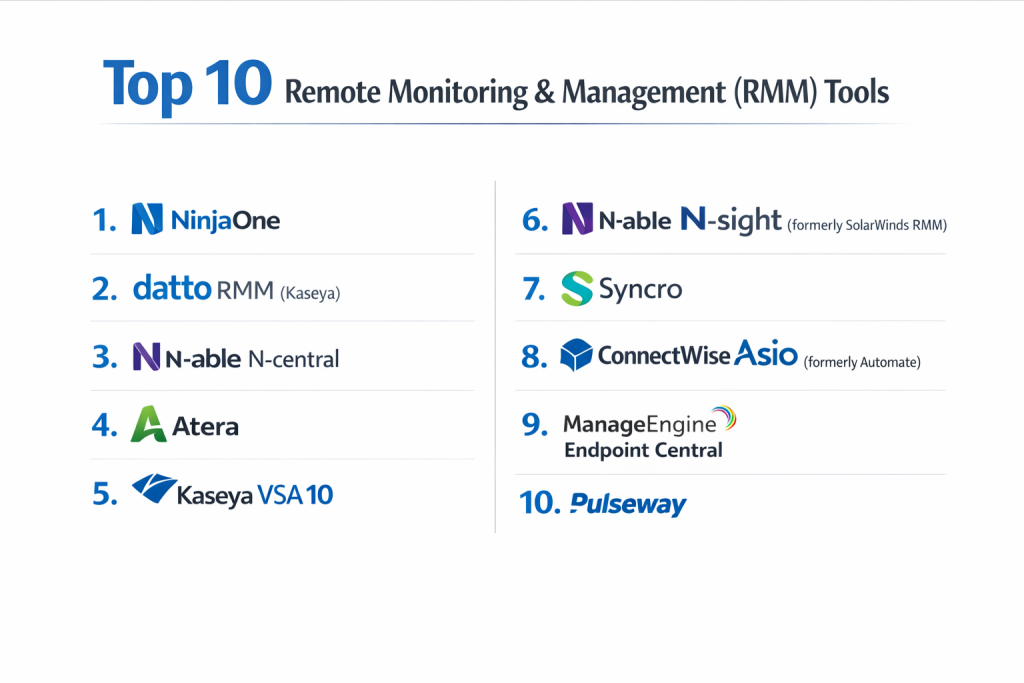
Top 10 Remote Monitoring & Management (RMM) Tools
1 — NinjaOne (formerly NinjaRMM)
NinjaOne is widely regarded as the most user-friendly RMM on the market. It is a cloud-native platform designed for both MSPs and internal IT departments who want a modern, fast, and intuitive interface.
- Key Features:
- Unified Endpoint Management: Manage Windows, macOS, and Linux from one screen.
- Automated Patching: Advanced OS and third-party application patching for over 120 apps.
- Powerful Scripting: Support for PowerShell, VBScript, Batch, Shell, and more with a library of pre-built scripts.
- Integrated Backup: Native cloud-to-cloud and local backup solutions built directly into the RMM.
- Real-time Asset Inventory: Automatically updated hardware and software tracking.
- One-Click Remote Access: Seamlessly integrated remote control (TeamViewer, Splashtop, or Ninja Remote).
- Pros:
- The interface is incredibly fast and requires very little training to master.
- Customer support is consistently rated as the best in the industry.
- Cons:
- Can be more expensive than legacy “per-technician” models as it scales.
- Some advanced reporting features are not as deep as older enterprise competitors.
- Security & compliance: SOC 2 Type II, GDPR, HIPAA compliant, SSO/MFA, and TLS 1.2 encryption.
- Support & community: High-quality documentation, a dedicated account manager for every client, and a very active “Ninja Dojo” user community.
2 — Datto RMM (Kaseya)
Datto RMM is an enterprise-grade, cloud-based platform that is highly focused on automation and security. Since being acquired by Kaseya, it has become part of a massive ecosystem of IT tools.
- Key Features:
- Policy-Based Management: Create “set and forget” policies for new devices.
- Network Topology Mapping: Automatically visualizes how devices are connected to the network.
- Ransomware Detection: Monitors for unauthorized file encryption and alerts the admin.
- ComStore: A massive library of thousands of community-built scripts and automation components.
- Patching Automation: Robust Windows and macOS update management.
- Autotask Integration: Deep, native integration with the Autotask PSA system.
- Pros:
- The ComStore makes it easy to find automations for almost any task imaginable.
- Excellent visibility into networking hardware (switches, routers) via SNMP.
- Cons:
- The user interface can feel cluttered and has a steeper learning curve than NinjaOne.
- Account management and billing have faced criticism following the Kaseya merger.
- Security & compliance: SOC 2, HIPAA, GDPR, ISO 27001, and 2FA.
- Support & community: Extensive knowledge base, 24/7 technical support, and the Datto Community forums.
3 — N-able N-central
N-central is built for scale. It is one of the few RMMs that offers an on-premise version, making it a favorite for large enterprises and MSPs managing thousands of endpoints.
- Key Features:
- On-Premise or Cloud: One of the only major RMMs that doesn’t force you into the cloud.
- Automation Manager: A “drag-and-drop” builder for scripts that requires no coding knowledge.
- Device Discovery: Scans networks to find unmanaged devices and “push” the RMM agent.
- Customizable Dashboards: Create different views for different tiers of technicians.
- Patch Management: Granular control over “pilot” groups and rollback procedures.
- Deep Mobile Management: Specialized tools for MDM (Mobile Device Management).
- Pros:
- Exceptional for massive environments where “automation without coding” is a priority.
- Deeply customizable; you can tweak almost every alert and threshold.
- Cons:
- Setting it up correctly requires a significant time investment and technical skill.
- The interface feels like a “legacy” application and isn’t as snappy as modern web apps.
- Security & compliance: ISO 27001, SOC 2, GDPR, HIPAA, and data encryption at rest.
- Support & community: Comprehensive “N-able University” for training and an enterprise-level support desk.
4 — Atera
Atera disrupted the market with its “per-technician” pricing model. Unlike most RMMs that charge per device, Atera allows you to manage an unlimited number of computers for one flat monthly fee.
- Key Features:
- Unlimited Endpoints: Add as many devices as you want without increasing your bill.
- AI-Powered IT: Features like “AI Script Generator” and automated ticket summaries.
- Integrated PSA: Help desk ticketing and billing are built directly into the same app.
- Network Discovery: Finds every device on a subnet and assesses its health.
- Work from Home: A dedicated portal for end-users to remote into their office PCs.
- App Center: Native integrations with Chocolatey, Homebrew, and AnyDesk.
- Pros:
- By far the most predictable and affordable pricing for growing companies.
- The “All-in-One” nature means you don’t have to jump between different software apps.
- Cons:
- The monitoring agent can be less stable on macOS than on Windows.
- Lacks some of the “deep” enterprise features found in N-central or Datto.
- Security & compliance: SOC 2 Type II, HIPAA, GDPR, and ISO 27001.
- Support & community: Very active Facebook group, great documentation, and 24/7 live chat.
5 — Kaseya VSA 10
Kaseya VSA is a “power user” tool. It is known for its ability to handle extremely complex scripting and management tasks across diverse global networks.
- Key Features:
- Agent Procedures: A highly advanced scripting engine for complex, multi-step tasks.
- VSA 10 UI: A completely redesigned modern interface that is much faster than the older version.
- Software Management: Advanced module for managing third-party app updates.
- Policy Management: Automate the configuration of servers and workstations at scale.
- Integrated Backup: Direct links to Spanning and Unitrends for data protection.
- Mobile App: One of the most functional RMM mobile apps for on-the-go management.
- Pros:
- Unrivaled for managing thousands of servers with complex requirements.
- The new VSA 10 version has significantly improved the speed of the platform.
- Cons:
- The complexity can be overwhelming for small teams; it requires a “Kaseya expert.”
- The company’s brand took a hit after a major security incident in 2021, though they have since doubled down on security.
- Security & compliance: FedRAMP authorized (VSA 10), SOC 2, HIPAA, and GDPR.
- Support & community: Large global presence, enterprise-level support teams, and annual user conferences.
6 — N-able N-sight (formerly SolarWinds RMM)
N-sight is the “entry-level” sibling to N-central. It is a cloud-only platform designed for speed and ease of use, perfect for smaller MSPs or IT departments.
- Key Features:
- Unified Dashboard: Combines RMM, Take Control (Remote Access), and MSP Manager.
- Prescriptive Monitoring: Pre-configured checks for common hardware and software.
- Automated Patching: Simplified patch management for Windows and macOS.
- Risk Intelligence: Scans for vulnerabilities and sensitive data (like credit card numbers).
- Built-in Remote Control: High-speed remote access with chat and file transfer.
- Flexible Pricing: Combines a low base fee with a small per-node cost.
- Pros:
- Very quick to deploy; you can have a network monitored in under an hour.
- Includes great remote access tools that are faster than many third-party options.
- Cons:
- Lacks the deep automation and “self-healing” logic of N-central.
- Scripting is less flexible than other top-tier tools.
- Security & compliance: SOC 2, HIPAA, GDPR, and SSO support.
- Support & community: Good knowledge base and the “N-able Partner Success” program.
7 — Syncro
Syncro is a direct competitor to Atera, offering unlimited endpoint pricing with a heavy focus on the “business” side of IT, including advanced invoicing and contract management.
- Key Features:
- Unlimited RMM: No per-asset fees; unlimited agents included.
- Embedded PSA: Includes full ticketing, billing, and recurring contract management.
- Customer Portal: A white-label site where users can see their tickets and invoices.
- SNMP Monitoring: Monitor printers, routers, and NAS devices.
- One-Click Scripting: Run scripts on one machine, a group, or an entire company.
- Third-Party Integrations: Connects with Pax8, Quickbooks, and Xero.
- Pros:
- The integration between the RMM and the billing system is the best in the business.
- Very transparent “per-tech” pricing makes it easy for startups to budget.
- Cons:
- The UI can feel a bit “busy” and less refined than NinjaOne.
- Automation features are not as deep as Datto or N-central.
- Security & compliance: SOC 2, HIPAA, GDPR, and 2FA.
- Support & community: Dedicated “Syncro Community” and a very responsive support team.
8 — ConnectWise Asio (formerly Automate)
ConnectWise is a titan in the MSP world. Their new Asio platform is a modernized, cloud-first architecture that aims to bring their legacy power into the 2020s.
- Key Features:
- Extreme Automation: Known for “self-healing” where the RMM detects a failure and runs a script to fix it.
- Intelligent Patching: Uses “Patch Health” scores to show which machines are at risk.
- ConnectWise Ecosystem: Part of the massive suite that includes ScreenConnect and Manage.
- Script Library: One of the largest repositories of pre-built scripts in the industry.
- Asio Platform: A new, much faster back-end for more reliable agent communication.
- Unified Management: Manage physical, virtual, and cloud assets in one place.
- Pros:
- If you use ConnectWise Manage (PSA), the integration is second to none.
- ScreenConnect (included) is widely considered the best remote access tool in the world.
- Cons:
- The platform is notoriously complex and usually requires a dedicated administrator.
- Legacy components can still feel slow and “heavy.”
- Security & compliance: SOC 2 Type II, ISO 27001, GDPR, and HIPAA.
- Support & community: Enormous global community (IT Nation) and extensive university training.
9 — ManageEngine Endpoint Central
ManageEngine is unique because it bridges the gap between traditional RMM and Enterprise Mobility Management (EMM). It is perfect for teams that have to manage as many iPhones as they do Windows Servers.
- Key Features:
- Unified Endpoint Management (UEM): Manage laptops, mobile phones, and tablets.
- Automated OS Deployment: Remote imaging of new computers across the network.
- Browser Management: Manage extensions and security settings for Chrome, Edge, and Firefox.
- USB Security: Block unauthorized USB drives from being used on corporate PCs.
- Vulnerability Assessment: Built-in scanning for weak passwords and open ports.
- Remote Desktop with Voice: Includes integrated voice and video for user training.
- Pros:
- The best tool for companies with a heavy “mobile-first” or BYOD workforce.
- Offers a “Free Edition” for up to 25 devices, which is great for small startups.
- Cons:
- The interface can be overwhelming with hundreds of different menus.
- It is more of a “management” tool than a “monitoring” tool; its alerting isn’t as sharp as Ninja’s.
- Security & compliance: ISO 27001, SOC 2, GDPR, HIPAA, and PCI DSS.
- Support & community: Global 24/5 support and a very large library of video tutorials.
10 — Pulseway
Pulseway was built from the ground up as a “mobile-first” RMM. It is designed for the IT admin who wants to fix a server from their phone while they are at a coffee shop.
- Key Features:
- Native Mobile App: The most powerful mobile RMM app available.
- Cloud & On-Premise: Supports both deployment models.
- Third-Party Patching: Extensive support for non-Windows apps (Adobe, Java, etc.).
- Built-in Remote Control: High-performance desktop sharing.
- Network Discovery: Real-time scanning for new hardware.
- Automation Workflows: Create logical “If This, Then That” rules for your infrastructure.
- Pros:
- If you need to manage your network from a smartphone or tablet, this is the winner.
- Very easy to install; the agents are lightweight and “just work.”
- Cons:
- Reporting and PSA features are not as advanced as the industry leaders.
- Scaling to thousands of devices can feel a bit more difficult than with N-central.
- Security & compliance: SOC 2, HIPAA, GDPR, and SSO/MFA.
- Support & community: Good documentation and a friendly, active user base.
Comparison Table
| Tool Name | Best For | Platform(s) Supported | Standout Feature | Rating (Gartner) |
| NinjaOne | Modern SMB/Ease of Use | Win, Mac, Linux | Ultra-fast Modern UI | 4.8 / 5 |
| Datto RMM | Automation-Heavy MSPs | Win, Mac, Linux, SNMP | ComStore Automations | 4.3 / 5 |
| N-able N-central | Large Enterprise | Win, Mac, Linux, Mobile | On-Prem Deployment | 4.2 / 5 |
| Atera | Cost-Conscious Growth | Win, Mac, Linux | Per-Technician Pricing | 4.6 / 5 |
| Kaseya VSA 10 | High Complexity | Win, Mac, Linux | Advanced Scripting | 4.0 / 5 |
| N-able N-sight | Small MSPs | Win, Mac, Linux | Prescriptive Monitoring | 4.2 / 5 |
| Syncro | Business-Focused MSPs | Win, Mac | Integrated Billing/PSA | 4.5 / 5 |
| ConnectWise | Ecosystem Power | Win, Mac, Linux | ScreenConnect Integration | 4.1 / 5 |
| ManageEngine | Mobile & UEM | Win, Mac, iOS, Android | Full Mobile/UEM Support | 4.4 / 5 |
| Pulseway | On-the-Go Admins | Win, Mac, Linux | Industry-Leading Mobile App | 4.5 / 5 |
Evaluation & Scoring of RMM Tools
We evaluated these tools based on the needs of a 2026 IT department.
| Criteria | Weight | What We Looked For |
| Core Features | 25% | Reliability of patching, scripting flexibility, and remote access. |
| Ease of Use | 15% | Speed of the interface and intuitive navigation. |
| Integrations | 15% | Connectivity with PSAs, Backup, and Security tools. |
| Security | 10% | Presence of MFA, SSO, SOC 2 auditing, and encryption. |
| Performance | 10% | Lightweight agents and fast dashboard load times. |
| Support | 10% | Responsiveness of help desk and quality of documentation. |
| Price / Value | 15% | ROI for the specific target market (MSP vs Internal). |
Which RMM Tool Is Right for You?
Solo users vs. SMB vs. Mid-market vs. Enterprise
- Solo Admins / Small MSPs: Atera or Syncro are the best choices because of their flat-fee pricing.
- Mid-Market IT: NinjaOne provides the best balance of power and simplicity for a 20-person IT team.
- Large Enterprise: N-able N-central or Kaseya VSA 10 are the only tools with the deep customization and on-premise options needed for 10,000+ endpoints.
Budget-conscious vs. Premium solutions
- Budget: Atera and Syncro are the clear winners, as you can add thousands of devices without your price increasing.
- Premium: NinjaOne and ConnectWise are premium investments, but they provide a level of “polish” and ecosystem support that justifies the cost for many.
Feature depth vs. Ease of use
- If you want depth and don’t mind a complex interface, choose N-central.
- If you want ease of use so your new hires can use it on Day 1, choose NinjaOne.
Frequently Asked Questions (FAQs)
1. What is the difference between RMM and MDM?
RMM is mainly for computers and servers (Windows/Mac/Linux) and focuses on monitoring and scripting. MDM (Mobile Device Management) is for phones and tablets, focusing on “enrolling” devices and enforcing screen locks or wiping data.
2. Can RMM tools monitor my home network?
Yes, but they are designed for business use. An RMM agent can monitor your home server or PC, but it is generally overkill for personal use.
3. Is an RMM agent a security risk?
If a hacker gains access to your RMM dashboard, they can run scripts on every computer you manage. This is why MFA (Multi-Factor Authentication) and SSO are mandatory for any reputable RMM tool.
4. How much do RMM tools cost?
Most charge $1 to $5 per device per month. Others, like Atera, charge $100 to $200 per technician per month regardless of how many devices they manage.
5. Do these tools work on Apple Mac computers?
Yes, though some (like NinjaOne and N-able) have much better Mac support than others. Always check if the tool supports Apple’s modern “MDM framework.”
6. Can I use an RMM to fix a computer that won’t turn on?
No. RMM requires the operating system to be running so the “agent” can communicate. If a computer is off or has a hardware failure, you would need “Out-of-Band” management like Intel vPro or Dell iDRAC.
7. What is “Patch Management”?
It is the process of automatically finding, downloading, and installing security updates for Windows, macOS, and apps like Chrome or Zoom to keep the device safe from hackers.
8. Can RMM tools help with hardware inventory?
Yes. RMMs automatically pull the serial number, CPU type, RAM amount, and warranty status for every machine they are installed on.
9. Do I need a dedicated server to run an RMM?
Not usually. Most modern RMMs are “Cloud-SaaS,” meaning the vendor hosts the server and you just log in through a website. Only tools like N-central offer an on-premise option.
10. What is a “PSA” and why do I see it mentioned with RMM?
PSA stands for Professional Services Automation. It’s the “business” side—ticketing, billing, and time tracking. Many RMMs either include a PSA or integrate deeply with one.
Conclusion
Choosing the right RMM tool is a foundational decision for any IT professional. In 2026, the market has matured to the point where there is a perfect tool for every niche. If you value simplicity and speed, NinjaOne is the current industry leader. If you are scaling a new MSP on a budget, Atera or Syncro provide a path to profitability. If you are managing a global infrastructure, the depth of N-able N-central or Kaseya is unmatched.
The “best” tool is the one that your team will actually use every day without frustration. Automation only works if you trust the scripts and the patching engine. We recommend picking two tools from our comparison table and running a 14-day trial in a “sandbox” environment to see which agent performs best on your specific mix of hardware.