Introduction
Remote Backup for SaaS (Software as a Service) tools are specialized data protection solutions designed to capture, encrypt, and store data generated within cloud-based applications like Microsoft 365, Google Workspace, Salesforce, and Zendesk. While many users assume that cloud providers are responsible for their data, most operate under a “Shared Responsibility Model.” This means the vendor ensures the infrastructure is available, but the user is responsible for the actual data stored within it. Remote backup tools act as an insurance policy, creating an independent copy of your cloud data in a separate, secure location to prevent total loss.
The importance of these tools has skyrocketed as businesses migrate their entire operations to the cloud. Without a dedicated backup solution, a simple accidental deletion, a disgruntled employee wiping a drive, or a ransomware attack on a cloud account could lead to permanent data loss. Modern SaaS backup tools provide granular recovery, allowing users to restore a single email or a specific row in a CRM, rather than performing a destructive full-system rollback. In an era where data is the primary asset of most organizations, having an off-site, immutable backup of your SaaS ecosystem is no longer optional—it is a foundational requirement for business continuity.
Key Real-World Use Cases
- Ransomware Recovery: If a user’s cloud drive is encrypted by malware, the backup tool allows the administrator to restore all files to their state immediately preceding the infection.
- Accidental Deletion: Recovering specific emails, calendar invites, or Slack messages that were deleted by a user beyond the 30-day “trash” retention period of the native app.
- Employee Offboarding: Preserving the data of a departed employee without having to keep their expensive SaaS license active indefinitely.
- Regulatory Compliance: Meeting legal requirements (like those in finance or healthcare) that mandate data be archived and searchable for several years.
- Data Migration: Moving data between different cloud tenants or consolidating accounts during a company merger or acquisition.
What to Look For (Evaluation Criteria)
When selecting a SaaS backup provider, you should evaluate them based on several critical factors:
- Automation and Frequency: Does the tool perform at least daily backups? Can you trigger manual “on-demand” backups before major changes?
- Granularity of Restore: Can you search for and restore a single file or email, or are you forced to restore an entire folder?
- Point-in-Time Recovery: Does the tool allow you to see “versions” of your data from different dates and times?
- Security & Encryption: Is data encrypted both while it is moving (in transit) and while it is stored (at rest)? Does the provider offer “MFA” for the backup admin account?
- Storage Independence: Does the provider store your backups on a different cloud infrastructure (e.g., storing Google data on AWS) to ensure “cloud redundancy”?
Best for:
IT Managers, Compliance Officers, and Managed Service Providers (MSPs). These tools are essential for small-to-mid-sized businesses (SMBs) and large enterprises that rely on Microsoft 365, Google Workspace, or Salesforce for their daily operations.
Not ideal for:
Individual consumers with very little data or those using only free versions of SaaS apps with no critical business information. It may also be redundant for organizations that have no regulatory requirements and operate purely on local, physical infrastructure with no cloud footprint.
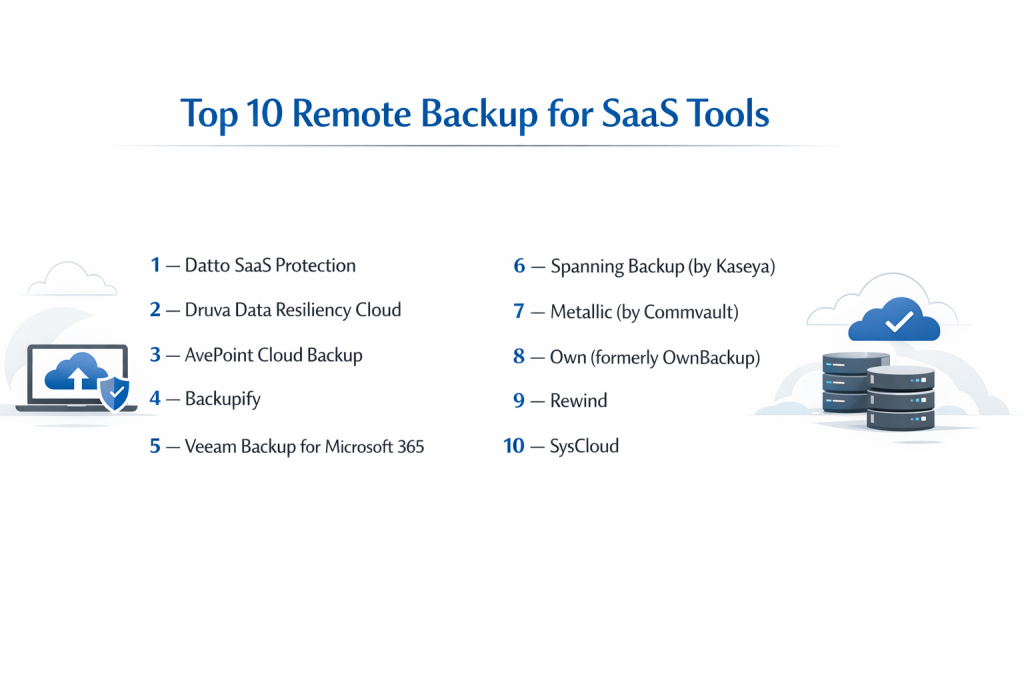
Top 10 Remote Backup for SaaS Tools Tools
1 — Datto SaaS Protection
Datto SaaS Protection is a comprehensive backup solution specifically designed for Microsoft 365 and Google Workspace. It is a favorite among Managed Service Providers because of its streamlined dashboard and the ability to protect data across Exchange, OneDrive, SharePoint, and Teams.
- Key features: Automated 3x daily backups, point-in-time recovery, granular search functions, non-destructive restores, and protection for Microsoft Teams (including chat).
- Pros: Very easy to manage multiple clients from one dashboard; lightning-fast search for lost emails.
- Cons: Primarily sold through partners/MSPs, which can make direct purchase difficult for some small businesses.
- Security & compliance: SOC 2 Type II compliant, HIPAA ready, and uses AES-256 encryption at rest.
- Support & community: 24/7/365 global tech support; extensive documentation and a dedicated partner portal.
2 — Druva Data Resiliency Cloud
Druva is a “cloud-native” backup giant that offers a unified platform for protecting SaaS apps, endpoints, and cloud workloads. It is built on AWS and is designed for enterprise-scale data management, offering advanced deduplication to save on storage costs.
- Key features: Unified backup for Salesforce, M365, and Google Workspace; automated compliance monitoring; eDiscovery support; and ransomware recovery dashboards.
- Pros: Highly scalable for companies with tens of thousands of users; superior data deduplication technology.
- Cons: Can be complex to configure initially; the interface is geared toward advanced IT professionals.
- Security & compliance: FedRAMP authorized, HIPAA, GDPR, SOC 2, and FIPS 140-2 compliant.
- Support & community: High-end enterprise support; comprehensive training certifications and a global user community.
3 — AvePoint Cloud Backup
AvePoint is widely regarded as one of the most powerful tools for Microsoft 365 backup, particularly for complex SharePoint and Teams environments. It offers a unique “multi-geo” support feature, allowing companies to store backups in specific countries to meet residency laws.
- Key features: Multi-cloud backup (M365, Google, Salesforce, Dynamics 365), end-user restore via a virtual assistant, unlimited storage options, and granular object recovery.
- Pros: Unmatched depth for Microsoft Teams and SharePoint configurations; allows users to restore their own files via a chat bot.
- Cons: The sheer number of options can make the UI feel cluttered for simple users.
- Security & compliance: ISO 27001, SOC 2 Type II, and GDPR compliant; supports “Bring Your Own Key” (BYOK) encryption.
- Support & community: 24/7 support; extensive webinars, white papers, and a strong presence at industry conferences.
4 — Backupify
Backupify (now a Datto company) was one of the first dedicated SaaS backup tools on the market. It specializes in simple, automated protection for Google Workspace and Microsoft 365, focusing on ease of use for small business owners.
- Key features: Zero-touch setup, automated daily backups, protection against “man-in-the-cloud” attacks, and independent storage separate from the SaaS provider.
- Pros: Extremely simple onboarding; “one-click” restore functionality that is very intuitive.
- Cons: Less feature-rich for complex Salesforce or Dynamics 365 environments compared to Druva.
- Security & compliance: HIPAA compliant, SOC 2, and utilizes SSL encryption in transit.
- Support & community: Solid documentation; standard technical support via chat and email.
5 — Veeam Backup for Microsoft 365
Veeam is a household name in the backup world. Their M365 specific tool is designed for organizations that want total control over where their backup data is stored—whether that is on-premises, in AWS S3, or Azure Blob storage.
- Key features: Over 50 recovery options, support for multi-tenant environments, advanced search via “Explorers,” and flexible storage destination choices.
- Pros: Maximum flexibility; you aren’t forced to use the vendor’s storage.
- Cons: Not a “pure” SaaS tool; usually requires you to manage the backup server yourself (unless using a managed version).
- Security & compliance: Supports S3 Object Lock (immutability), AES-256 encryption, and GDPR compliance.
- Support & community: One of the largest user communities in the world; massive library of third-party tutorials and professional support.
6 — Spanning Backup (by Kaseya)
Spanning focuses heavily on a “native” feel, meaning its interface looks and acts like the applications it protects. It is a top choice for Salesforce administrators because it handles the complex relationships between data objects better than almost anyone else.
- Key features: Daily automated backups, metadata backup for Salesforce, end-user self-service restores, and detailed audit logs.
- Pros: The Salesforce backup is incredibly robust; very “set-and-forget” for Google Workspace.
- Cons: The reporting features can be a bit basic for large enterprises needing deep analytics.
- Security & compliance: SOC 2 Type II, HIPAA, and GDPR compliant; encrypted with 256-bit AES.
- Support & community: Professional support team; good knowledge base and active blog.
7 — Metallic (by Commvault)
Metallic is the SaaS-delivered arm of Commvault, a long-time leader in data management. It offers “enterprise-grade” protection with the simplicity of a cloud subscription, covering everything from M365 to specialized SAP HANA data.
- Key features: Rapid recovery, flexible retention policies, “eDiscovery” search across all backups, and integration with the broader Commvault ecosystem.
- Pros: Inherits Commvault’s legendary reliability; very strong security features against ransomware.
- Cons: Pricing can be higher than competitors for smaller seat counts.
- Security & compliance: FedRAMP High, ISO 27001, and SOC 2 compliant.
- Support & community: High-level enterprise support and a global network of certified engineers.
8 — Own (formerly OwnBackup)
Own is the premier choice for organizations that live and breathe in Salesforce. While they have expanded into other SaaS apps, their specialty lies in maintaining the data integrity and complex relationships within high-end CRM platforms.
- Key features: High-frequency backups, data seeding (for sandboxes), proactive data corruption alerts, and “Smart Selection” restores.
- Pros: The best tool for visual data relationship mapping; excellent for sandbox management.
- Cons: Very expensive if you only need simple email backup; heavily focused on the Salesforce ecosystem.
- Security & compliance: HIPAA, GDPR, SOC 2 Type II, and ISO 27001 compliant.
- Support & community: Exceptional customer success teams; highly rated in the Salesforce AppExchange community.
9 — Rewind
Rewind is unique because it focuses on SaaS tools that others often ignore, such as Shopify, BigCommerce, QuickBooks Online, and Trello. It is the “safety net” for the e-commerce and finance world.
- Key features: Real-time backup for e-commerce stores, QuickBooks Online protection, undo button for bulk changes, and multi-store management.
- Pros: The only major player supporting niche apps like Shopify and Trello with deep granularity.
- Cons: Not designed for massive Microsoft 365 or Google Workspace enterprise fleets.
- Security & compliance: SOC 2 Type II compliant; GDPR and HIPAA ready.
- Support & community: Very responsive support for small business owners and e-commerce merchants.
10 — SysCloud
SysCloud is an AI-powered backup solution that focuses on detecting threats within your data as it is being backed up. It is designed for Google Workspace and Microsoft 365 users who want to combine backup with basic security scanning.
- Key features: AI-driven ransomware detection, sensitive data discovery (DLP), support for Slack and HubSpot, and automated backup scheduling.
- Pros: Included security scanning helps identify PII (Personally Identifiable Information) in backups.
- Cons: The interface can be slightly slower when processing very large data volumes.
- Security & compliance: SOC 1, SOC 2, and SOC 3 compliant; HIPAA and PCI-compliant storage.
- Support & community: Standard technical support; good documentation for IT admins.
Comparison Table
| Tool Name | Best For | Platform(s) Supported | Standout Feature | Rating |
| Datto SaaS | MSPs / SMBs | M365, Google | Teams Chat Backup | 4.7 / 5 |
| Druva | Large Enterprise | M365, Google, Salesforce | Global Deduplication | 4.8 / 5 |
| AvePoint | SharePoint / Teams | M365, Google, Salesforce | End-user Chatbot Restore | 4.9 / 5 |
| Backupify | Small Business | M365, Google | One-Click Restore | 4.4 / 5 |
| Veeam | Storage Flexibility | M365 Only | Choose Your Own Storage | 4.6 / 5 |
| Spanning | Salesforce Admins | M365, Google, Salesforce | Metadata Relationship Restore | 4.5 / 5 |
| Metallic | Hybrid Cloud | M365, Dynamics, Salesforce | Enterprise Security Heritage | 4.7 / 5 |
| Own | High-end CRM | Salesforce, ServiceNow | Sandbox Seeding | 4.8 / 5 |
| Rewind | E-commerce | Shopify, QuickBooks | Real-time Store Backup | 4.6 / 5 |
| SysCloud | AI Threat Detection | M365, Google, Slack | AI Malware Scanning | 4.3 / 5 |
Evaluation & Scoring of Remote Backup for SaaS Tools
| Category | Weight | Datto | Druva | AvePoint | Veeam | Own |
| Core Features | 25% | 23/25 | 24/25 | 25/25 | 24/25 | 24/25 |
| Ease of Use | 15% | 15/15 | 12/15 | 11/15 | 8/15 | 13/15 |
| Integrations | 15% | 14/15 | 15/15 | 15/15 | 14/15 | 15/15 |
| Security | 10% | 10/10 | 10/10 | 10/10 | 10/10 | 10/10 |
| Performance | 10% | 9/10 | 10/10 | 9/10 | 10/10 | 10/10 |
| Support | 10% | 10/10 | 9/10 | 9/10 | 10/10 | 10/10 |
| Price / Value | 15% | 14/15 | 12/15 | 13/15 | 13/15 | 9/15 |
| Total Score | 100% | 95/100 | 92/100 | 92/100 | 89/100 | 91/100 |
Which Remote Backup for SaaS Tools Tool Is Right for You?
Small to Mid-Market vs. Enterprise
For SMBs, the primary goal is often ease of use and low management overhead. Datto SaaS Protection or Backupify are perfect because they require very little configuration and “just work” in the background. Enterprise organizations, however, need the advanced auditing, deduplication, and multi-geo storage features offered by Druva, Metallic, or AvePoint. These tools integrate with complex corporate security stacks and can handle tens of thousands of users across global locations.
Budget and Value
If you are strictly budget-conscious, Backupify and SysCloud offer very competitive per-user pricing. However, “value” isn’t just about the monthly bill—it’s about the cost of failure. For a Salesforce-heavy company, Own might seem expensive, but the cost of losing a complex database relationship could be hundreds of thousands of dollars, making its high-end price tag a smart investment.
Technical Depth vs. Simplicity
If you are a “hands-on” IT pro who wants to control every aspect of the backup, including where the physical data sits, Veeam is your best bet. If you are a business owner or an HR manager who just wants to ensure the company’s emails are safe without learning about “Object Lock” or “S3 buckets,” a pure SaaS solution like Spanning or Datto is much more appropriate.
Integration and Scalability Needs
For companies that are rapidly growing, scalability is king. Druva is built on a cloud-native architecture that scales infinitely without you ever needing to provision new hardware. For companies that use niche software like Shopify or QuickBooks, Rewind is the only tool that will provide the specialized integration needed to protect those specific platforms.
Security and Compliance Requirements
If you operate in a highly regulated industry (like healthcare or finance), security is the non-negotiable factor. You must choose a tool that is HIPAA and SOC 2 Type II compliant. Metallic and AvePoint stand out here for their ability to meet FedRAMP and various international data residency requirements, allowing you to prove to auditors exactly where your backup data is stored.
Frequently Asked Questions (FAQs)
1. Doesn’t Microsoft/Google already back up my data?
No. They provide “High Availability” to ensure their service stays online, but they do not protect you against user error, accidental deletion, or ransomware. Their internal “recycle bins” are only temporary.
2. What is the “Shared Responsibility Model”?
It is a security framework where the cloud provider (SaaS vendor) manages the security of the infrastructure, but you are responsible for the security and backup of your data within that infrastructure.
3. Can I just use a local hard drive to back up my cloud data?
Technically, you could try to sync files and copy them, but this is prone to failure, doesn’t capture metadata (like email read/unread status or calendar invites), and is almost impossible to manage at scale.
4. How often should SaaS backups run?
Most professional tools run backups at least once a day, with premium versions running three times a day or even in near real-time (like Rewind for e-commerce).
5. What happens to my backups if I cancel my SaaS subscription?
A major benefit of these tools is that they keep your data even after you close the original SaaS account. This allows you to archive an employee’s data without paying for their M365 license.
6. Can these tools protect against ransomware?
Yes. By keeping an “immutable” or independent copy of your data, you can simply restore your files to the state they were in before the ransomware encrypted them.
7. Is the backup storage included in the price?
In most pure SaaS tools (like Datto or Druva), the cloud storage is included. For “software-only” tools like Veeam, you must pay for your own storage on AWS or Azure separately.
8. Can I restore data to a different user account?
Yes. Most of these tools allow you to “Cross-User Restore,” which is helpful if an employee leaves and you want to move their important files to their manager’s account.
9. Do these tools backup “Metadata”?
Yes. High-quality tools back up not just the file, but the permissions, folder structures, and relationships (especially critical for Salesforce and SharePoint).
10. How long does a restore take?
Individual files can be restored in seconds. For an entire account with hundreds of gigabytes, it can take several hours, depending on the SaaS provider’s “throttling” limits.
Conclusion
The transition to cloud computing has changed the way we work, but it hasn’t changed the fundamental rule of IT: data that isn’t backed up isn’t your data. Remote Backup for SaaS tools bridge the dangerous gap in the shared responsibility model, ensuring that a single malicious act or accidental click doesn’t result in the permanent loss of business-critical information.
When choosing a tool, the “best” option is the one that aligns with your specific software stack. If you are a Microsoft 365 shop, Datto or AvePoint provide incredible depth. If you are a Salesforce-driven organization, Own or Spanning are the clear leaders. For e-commerce entrepreneurs, Rewind is an essential safeguard. Ultimately, the cost of a monthly backup subscription is a tiny fraction of the cost associated with data loss.