Introduction
A Relational Database Management System (RDBMS) is a special type of computer program used to store and manage information. Imagine a very large, digital version of a filing cabinet where everything is kept in tidy tables. These tables have rows and columns, much like a spreadsheet. In a relational system, these tables can “talk” to each other. For example, a table of “Customers” can be linked to a table of “Orders” using a shared ID number. This way, the computer knows exactly which person bought which item without having to write the person’s name over and over again.
These systems are very important because they keep data safe and accurate. They follow a set of strict rules called ACID. These rules make sure that if you are moving money from one bank account to another, the money is either fully sent or fully kept—it never disappears in the middle if the power goes out. Most of these systems use a simple language called SQL (Structured Query Language) to ask questions, like “Show me all customers who lived in New York last month.”
Key Real-World Use Cases
- Online Shopping: Keeping track of what is in stock, who is buying what, and where to send the packages.
- Banking: Safely moving money between accounts and keeping a perfect record of every penny.
- School Records: Storing student names, their grades, and which classes they are taking.
- Hospital Systems: Managing patient files so doctors can quickly see a person’s health history.
What to Look For (Evaluation Criteria)
When picking a tool, you should look at:
- Speed: How fast can it find the information you need?
- Safety: How well does it protect the data from being lost or stolen?
- Growth: Can it handle more data as your business gets bigger?
- Ease of Use: Is it easy for your team to learn and fix?
Best for:
These tools are best for large companies, banks, and government offices that have lots of organized information. They are perfect for Data Experts and Software Builders who need a system that follows strict rules and never makes mistakes with numbers.
Not ideal for:
They are not the best choice for messy data, like a giant pile of photos, social media posts, or videos. For those things, different types of databases (called NoSQL) work better. They might also be too much work for a simple personal website that only has a few pages.
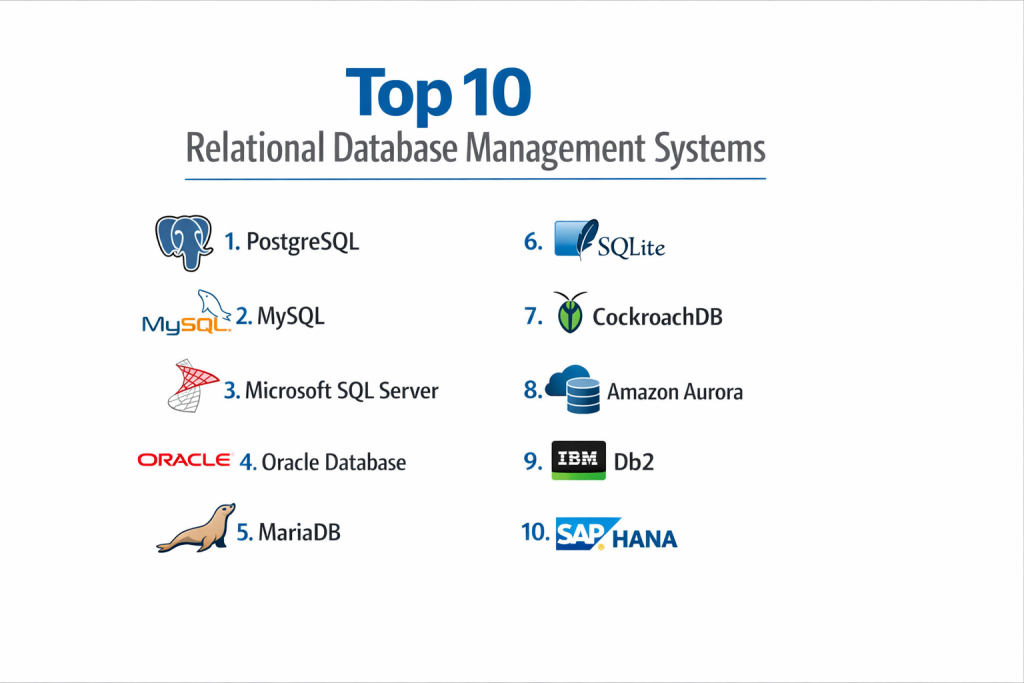
Top 10 Relational Database Management Systems
1 — PostgreSQL
PostgreSQL is often called “the most advanced” free database in the world. It has been around for a long time and is very good at handling complex tasks that other free tools cannot do.
- Key features:
- Works on almost any computer (Windows, Mac, or Linux).
- Can store complicated types of data, like map locations or big blocks of text.
- Allows you to add your own new features easily.
- Keeps data very safe even if the computer crashes.
- Can handle many people using it at the exact same time.
- Supports “JSON,” which helps it work with modern web apps.
- Pros:
- It is completely free to use for any purpose.
- It is famous for being very reliable and hard to break.
- Cons:
- It can be a bit slow if you are only doing very simple tasks.
- It takes more time to learn how to set it up perfectly.
- Security & compliance: High. It uses strong locks and passwords to keep data safe and meets big global rules like GDPR.
- Support & community: Excellent. There is a huge group of people online who help each other for free.
2 — MySQL
MySQL is the most popular free database for the internet. If you use a website like Facebook or YouTube, you are likely using MySQL behind the scenes.
- Key features:
- Very fast at showing information to users on a website.
- Easy to set up on almost any web server.
- Allows you to choose different ways to save data depending on your needs.
- Works well with common website tools like WordPress.
- Can make copies of itself so the data is always available.
- Includes a “Workbench” tool to help you see your data visually.
- Pros:
- It is very simple for beginners to start using.
- Because it is so popular, it is easy to find help or hire experts.
- Cons:
- It is not as good at handling very complex math or data.
- Some of the best features are only in the version you have to pay for.
- Security & compliance: Good. It has many safety features, though some extra security tools cost money.
- Support & community: Very Large. You can find thousands of guides and videos online.
3 — Microsoft SQL Server
This is a powerful tool made by Microsoft. It is designed to work perfectly with other Microsoft products, like Windows and Excel.
- Key features:
- Includes “Intelligent” tools that help the database run faster on its own.
- Can connect directly to Microsoft’s cloud (Azure).
- Has built-in tools for making pretty charts and reports.
- Supports high-level security that hides data from hackers.
- Can run on Linux computers now, not just Windows.
- Includes tools for “Machine Learning” to predict future trends.
- Pros:
- The tools for managing the data are very professional and easy to use.
- It comes with great help from Microsoft’s official support team.
- Cons:
- The “Enterprise” version is very expensive.
- It works best only if you are already using other Microsoft software.
- Security & compliance: Top-tier. It is used by many of the world’s biggest banks because it is so secure.
- Support & community: Very strong. Microsoft provides official training and 24/7 help.
4 — Oracle Database
Oracle is the “heavy-duty” choice. It is made for the world’s biggest companies that have massive amounts of data and cannot afford even a single second of downtime.
- Key features:
- “Self-driving” technology that fixes and updates itself.
- Can handle thousands of users at once without slowing down.
- Highest level of protection for very secret information.
- Can be split across many servers to stay running if one breaks.
- Includes many advanced tools for analyzing business data.
- Works on many different types of hardware.
- Pros:
- It is incredibly fast and can grow to any size.
- It is the most powerful database money can buy.
- Cons:
- It is often much more expensive than any other option.
- You usually need to hire a very smart expert just to run it.
- Security & compliance: Best in class. It meets every major security rule used by governments.
- Support & community: Professional. You pay for high-quality, fast help from Oracle.
5 — MariaDB
MariaDB was made by the same people who created MySQL. They wanted to make sure there was always a version that stayed completely free and open for everyone.
- Key features:
- Fully compatible with MySQL—you can switch easily.
- Faster than MySQL for many types of tasks.
- Includes “Temporal Tables” which let you see what data looked like in the past.
- Better at handling a huge number of connections at once.
- Offers many different ways to store and organize data.
- Completely open, so anyone can see how it works.
- Pros:
- It is free and always will be.
- It gets new and exciting features more often than MySQL.
- Cons:
- Not as many big companies use it compared to MySQL.
- Some specialized tools might not work with it perfectly.
- Security & compliance: Very good. It has built-in features to hide sensitive data.
- Support & community: Active. There is a strong group of developers keeping it updated.
6 — SQLite
SQLite is different because it is “embedded.” This means it doesn’t run on a big server; instead, it lives inside your phone app or computer program like a small file.
- Key features:
- The entire database is just one single file.
- No need to “install” or “start” a server.
- Very small and uses very little power.
- Found inside almost every iPhone, Android, and web browser.
- Very fast for reading data on a single device.
- Great for testing out new ideas quickly.
- Pros:
- It is zero-cost and requires zero maintenance.
- It is the easiest database to use for simple projects.
- Cons:
- It cannot handle many people writing to it at the same time.
- It lacks the big security features of server-based tools.
- Security & compliance: Basic. It relies on your phone or computer’s own security to stay safe.
- Support & community: Massive. Since it is in every phone, everyone knows how it works.
7 — CockroachDB
As the name suggests, this database is built to be “hard to kill.” It is designed for the cloud and works across many different locations at once.
- Key features:
- If a whole data center loses power, the database keeps running.
- Can be spread across the whole world (like the USA, Europe, and Asia).
- Automatically moves data closer to the users who need it.
- Easy to scale up by just adding more servers.
- Talks to apps just like PostgreSQL does.
- Ensures that everyone sees the exact same data at the same time.
- Pros:
- Great for apps that must never go offline.
- Makes it easy to grow from a small app to a global one.
- Cons:
- It can be a little slower for small tasks because of its design.
- Setting it up for the first time can be confusing.
- Security & compliance: High. It includes tools to keep data in specific countries to follow local laws.
- Support & community: Growing. They have great documentation and a helpful team.
8 — Amazon Aurora
This is a database made by Amazon for their cloud (AWS). It takes the best parts of MySQL and PostgreSQL and makes them run faster on Amazon’s servers.
- Key features:
- Up to 5 times faster than regular MySQL.
- Automatically fixes itself and makes 6 copies of your data.
- Grows in size automatically as you add more info.
- Comes with “Serverless” options that you only pay for when you use them.
- Managed by Amazon, so they do the updates and backups for you.
- Connects easily to other Amazon cloud tools.
- Pros:
- You don’t have to worry about the technical “under the hood” work.
- It is much cheaper than buying your own big servers for a large app.
- Cons:
- It only works on Amazon’s cloud. You cannot take it with you easily.
- The price can go up quickly if your app gets very busy.
- Security & compliance: Excellent. It uses Amazon’s high-level security systems.
- Support & community: Great. You get professional help from Amazon.
9 — IBM Db2
IBM Db2 is a classic choice for big businesses. It is very stable and has been used for many years by banks and insurance companies.
- Key features:
- Includes AI tools that help it find data faster.
- Can store both regular tables and “XML” or “JSON” data.
- Uses special technology to shrink the data so it takes up less space.
- Works very well on “Mainframes” (giant enterprise computers).
- Can connect to many other types of databases at once.
- Keeps running even while you are making updates to it.
- Pros:
- It is famous for being incredibly stable and solid.
- It is very good at handling massive amounts of data for big corporations.
- Cons:
- It is not very popular with younger developers.
- It can be difficult and expensive to set up.
- Security & compliance: Very high. It is built to meet the strictest business rules.
- Support & community: Good. IBM offers strong professional support for its customers.
10 — SAP HANA
SAP HANA is a “super-speed” database. Instead of reading data from a slow hard drive, it keeps everything in the computer’s fast memory (RAM).
- Key features:
- Lightning-fast because it works entirely in memory.
- Can do both regular tasks and big data analysis at the same time.
- Works perfectly with SAP’s other business software.
- Includes tools for “Predictive Analytics” to help businesses plan ahead.
- Can handle many different types of data, like maps and graphs.
- Allows you to see reports on your business in “Real-Time.”
- Pros:
- It is the fastest way to get answers from your data.
- It simplifies your system by doing two jobs in one tool.
- Cons:
- It requires very expensive computer hardware with lots of RAM.
- Mainly used only by companies that already use SAP software.
- Security & compliance: Very high. Built for the world’s most sensitive business data.
- Support & community: Specialized. High-quality support from SAP.
Comparison Table
| Tool Name | Best For | Platform | Standout Feature | Rating |
| PostgreSQL | Complex Tasks | All | Most Advanced Free Tool | 4.8 / 5 |
| MySQL | Websites | All | Super Fast for Web | 4.6 / 5 |
| SQL Server | Windows Users | Win/Linux | Works with Microsoft Tools | 4.5 / 5 |
| Oracle DB | Huge Enterprises | All | Automatic Fixing | 4.5 / 5 |
| MariaDB | Open Source | All | Historical Data Tables | 4.4 / 5 |
| SQLite | Phone Apps | Embedded | No Server Needed | N/A |
| CockroachDB | Global Apps | Cloud | Stays Up if Center Fails | 4.7 / 5 |
| Amazon Aurora | Cloud Apps | AWS | Fast and Managed | 4.6 / 5 |
| IBM Db2 | Old-School Biz | All | Incredibly Stable | 4.3 / 5 |
| SAP HANA | Real-Time Info | All | Fast Memory (In-RAM) | 4.5 / 5 |
Evaluation & Scoring of Relational Database Management Systems
| Criteria | Importance | How we scored it |
| Main Features (25%) | High | Does it have all the basic and advanced tools? |
| Ease of Use (15%) | Medium | Can a regular person learn to use it quickly? |
| Connections (15%) | Medium | Does it work well with other apps and tools? |
| Security (10%) | Medium | How well does it keep hackers out and data safe? |
| Performance (10%) | Medium | Is it fast when lots of people use it? |
| Help & Support (10%) | Medium | Can you find answers easily if you get stuck? |
| Price (15%) | High | Is it a good deal for what you get? |
Which Relational Database Management System Is Right for You?
Small to Mid-Market vs. Enterprise
If you are a small business or just starting out, you should look at PostgreSQL or MySQL. They are free and can do almost everything you need. Big Enterprises usually pick Oracle or SQL Server because they need the extra safety and the professional help that comes with a paid product.
Budget and Value
For those with no budget, PostgreSQL is the best value because it gives you “pro” features for zero dollars. If you have some money but want to save time, Amazon Aurora is great because it manages itself, so you don’t have to hire as many experts.
Technical Depth vs. Simplicity
If your project is simple, like a basic website, MySQL is the easiest choice. If your project is very technical, like a complex data app, PostgreSQL has the “depth” you will eventually need.
Security and Compliance Requirements
If you work in Banking or Government, you likely need Oracle or IBM Db2. They have spent decades making sure they follow every strict rule in the book. If you need to follow rules about where data is stored geographically, CockroachDB is the best choice.
Frequently Asked Questions (FAQs)
1. What does “Relational” mean?
It means the data is kept in tables that can be linked or “related” to each other through common pieces of information, like an ID number.
2. Is SQL hard to learn?
No, SQL is one of the easiest computer languages to learn. Most people can learn the basics, like how to find or add data, in just a few days.
3. Why would I pay for a database if some are free?
Paid databases often come with better security, automatic tools that save you time, and a professional team you can call if things go wrong.
4. Can I use more than one database?
Yes, many companies use one for their website (like MySQL) and another for their big data analysis (like SAP HANA).
5. What is a “Cloud” database?
It is a database that runs on a big company’s servers (like Amazon or Google) instead of a computer in your own office.
6. Is PostgreSQL better than MySQL?
PostgreSQL is better for complex data and rules. MySQL is often better for simple websites because it is very fast at showing pages.
7. Can I move my data from one to another?
Yes, but it can be a bit like moving to a new house—you have to pack everything up and make sure it fits in the new place.
8. What happens if my database crashes?
Most good RDBMS tools have “Backups” and “Logs” that let you bring your data back to exactly how it was before the crash.
9. Is SQLite safe for my phone apps?
Yes, it is very safe and reliable. It is used by almost every major app you have on your phone right now.
10. Do I need a special computer to run these?
Most can run on a regular laptop while you are learning, but for a real business, you usually use a powerful “Server.”
Conclusion
Choosing the right Relational Database Management System is about finding the right tool for the job. If you want something powerful and free, PostgreSQL is the top pick. If you are building a website, MySQL is a classic choice. For big companies that need the most power, Oracle is still the leader.
The “best” tool isn’t always the one with the most features—it’s the one that fits your budget and is easiest for your team to use. Start by looking at what you need today, but choose a tool that can grow with you tomorrow.