Introduction
Records Management & Retention Tools are software solutions that help organizations systematically capture, store, organize, and manage records throughout their lifecycle—from creation to secure disposal. These tools ensure that critical business information, including contracts, emails, financial documents, HR records, and regulatory filings, are retained according to legal and organizational policies.
Effective records management is crucial for compliance, operational efficiency, and risk mitigation. Organizations handling large volumes of data must adhere to industry regulations such as HIPAA, GDPR, ISO standards, or SEC guidelines. Without structured retention policies, businesses face data loss, security breaches, or legal penalties. Records management tools not only streamline storage but also automate retention schedules, classify documents, and provide audit trails for accountability.
Real-world use cases include legal firms managing case files, hospitals handling patient records, financial institutions retaining transaction logs, corporate offices maintaining contracts and HR records, and government agencies ensuring public record compliance. Proper implementation ensures operational continuity, regulatory adherence, and efficient retrieval of critical documents.
When selecting a records management and retention tool, organizations should evaluate document classification, retention scheduling, automated workflows, compliance capabilities, security, search and retrieval efficiency, scalability, and integration with existing systems.
Best for:
Enterprises, SMBs, legal, healthcare, financial services, and government organizations that need structured, compliant, and automated record retention practices.
Not ideal for:
Small teams or organizations with minimal documentation needs may not require full-featured records management tools; simple document storage systems may suffice.
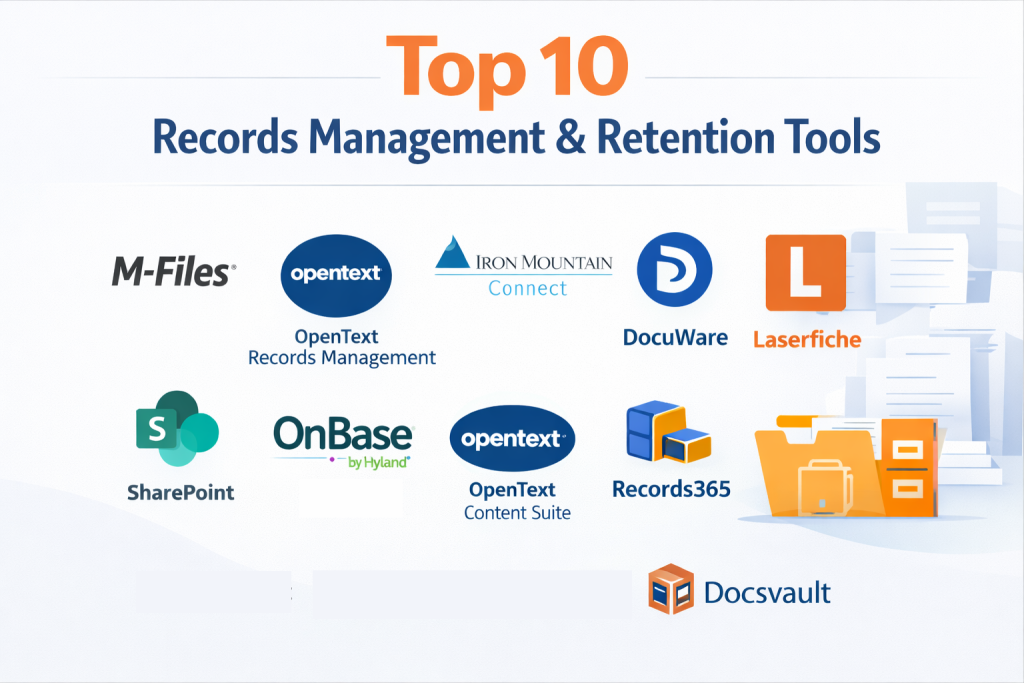
Top 10 Records Management & Retention Tools
1 — M-Files
M-Files is an intelligent records management system designed to organize documents and records using metadata instead of folder hierarchies. It is ideal for enterprises and SMBs seeking automated retention policies, version control, and compliance adherence. M-Files enhances visibility, reduces manual errors, and allows users to locate records instantly.
Key features:
- Metadata-driven document organization
- Automated retention scheduling
- Version control and audit trails
- Workflow automation for approvals and archiving
- Integration with Microsoft 365, Salesforce, ERP systems
- Cloud and on-premise deployment
- Compliance with industry standards
Pros:
- Improves retrieval speed and accuracy
- Reduces compliance risk
- Streamlines workflows with automation
Cons:
- Steep learning curve for new users
- Premium pricing for advanced features
- Requires IT support for integration
Security & compliance:
SSO, encryption, SOC 2, GDPR, ISO compliance
Support & community:
Comprehensive documentation, training webinars, community forums, and enterprise support.
2 — OpenText Records Management
OpenText Records Management provides robust, enterprise-grade solutions to manage structured and unstructured content. Designed for large organizations and regulated industries, it supports automated retention, compliance monitoring, and lifecycle management. The platform ensures that records are secure, easily retrievable, and disposed of according to legal mandates.
Key features:
- Automated records lifecycle management
- Regulatory compliance support
- Integration with ECM and ERP systems
- Audit trails and reporting
- Policy-based retention and deletion
- Cloud and on-premise deployment
- Metadata and classification tools
Pros:
- Enterprise-grade scalability
- Strong compliance features
- Advanced search and analytics
Cons:
- High cost for SMBs
- Complex deployment and configuration
- Requires trained administrators
Security & compliance:
SSO, encryption, HIPAA, GDPR, ISO, SOC 2
Support & community:
Documentation, training, enterprise support, and active user community.
3 — Iron Mountain Connect
Iron Mountain Connect is a comprehensive records management and retention solution designed for secure document storage, tracking, and retrieval. It caters to businesses requiring strict compliance, controlled access, and physical and digital record integration. Iron Mountain enhances security while maintaining accessibility for authorized personnel.
Key features:
- Digital and physical records management
- Automated retention and disposal
- Secure access and audit trails
- Integration with cloud storage and business applications
- Workflow and approval management
- Compliance monitoring tools
Pros:
- Strong security and compliance controls
- Handles both physical and digital records
- Trusted by regulated industries
Cons:
- Premium pricing
- Less flexibility for small teams
- Integration setup may require IT support
Security & compliance:
Encryption, audit logs, HIPAA, GDPR, SOC 2
Support & community:
Documentation, dedicated support, and enterprise-level training.
4 — DocuWare
DocuWare is a versatile platform combining document management and records retention. Targeted at SMBs and mid-market organizations, it provides workflow automation, secure archiving, and easy retrieval. DocuWare supports regulatory compliance, enabling teams to manage records efficiently without risking data breaches or legal penalties.
Key features:
- Cloud and on-premise deployment
- Automated retention and archiving
- Workflow automation for approvals
- Secure document storage
- OCR and full-text search
- Integration with ERP, CRM, and productivity tools
Pros:
- Simplifies document and records management
- Scalable for growing businesses
- User-friendly interface
Cons:
- Limited advanced analytics
- Cloud storage limitations on basic plans
- Setup may require training
Security & compliance:
SSO, encryption, GDPR, HIPAA, ISO
Support & community:
Comprehensive documentation, tutorials, and responsive customer support.
5 — Laserfiche
Laserfiche provides enterprise-focused records management and retention, including automated workflows, policy-based retention, and compliance monitoring. Ideal for organizations with complex regulatory requirements, it ensures secure storage, version control, and efficient retrieval of sensitive documents.
Key features:
- Policy-based retention and disposal
- Workflow automation
- Audit trails and reporting
- Document versioning
- Compliance with HIPAA, GDPR, and ISO
- Cloud and on-premise options
Pros:
- Advanced automation and compliance
- Scalable for large enterprises
- Strong reporting capabilities
Cons:
- High cost for smaller organizations
- Steep learning curve
- Requires technical expertise for configuration
Security & compliance:
SSO, encryption, HIPAA, GDPR, ISO, SOC 2
Support & community:
Extensive documentation, webinars, and enterprise-level support.
6 — SharePoint
Microsoft SharePoint is a widely-used platform for document and records management, designed for collaboration and compliance. It allows organizations to automate retention policies, track document versions, and centralize secure access across teams.
Key features:
- Centralized document repository
- Version control and audit trails
- Workflow automation with Power Automate
- Policy-based retention
- Integration with Microsoft 365
- Advanced search and metadata features
Pros:
- Enterprise-grade collaboration
- Deep Microsoft integration
- Scalable for large organizations
Cons:
- Complex setup and administration
- Learning curve for end-users
- Performance may vary with large datasets
Security & compliance:
SSO, encryption, HIPAA, GDPR, ISO
Support & community:
Microsoft documentation, forums, and enterprise support.
7 — OnBase by Hyland
OnBase is a comprehensive enterprise content and records management system. It enables organizations to automate retention schedules, secure sensitive records, and maintain regulatory compliance. OnBase is ideal for healthcare, finance, and government sectors requiring robust governance.
Key features:
- Document capture and storage
- Automated retention policies
- Workflow management and approvals
- Regulatory compliance tools
- Secure access and audit trails
- Integration with ERP and CRM systems
Pros:
- Strong compliance features
- Flexible workflow automation
- Enterprise-scale support
Cons:
- Costly for smaller businesses
- Requires technical expertise
- Interface can feel complex
Security & compliance:
SSO, encryption, HIPAA, GDPR, ISO
Support & community:
Training, documentation, and enterprise support resources.
8 — OpenText Content Suite
OpenText Content Suite is an enterprise content and records management platform focused on compliance, retention, and automation. Designed for regulated industries, it offers secure storage, policy-based retention, and advanced search capabilities.
Key features:
- Policy-driven retention management
- Secure content storage
- Workflow and document lifecycle automation
- Integration with enterprise systems
- Audit trails and reporting
- Cloud and on-premise deployment
Pros:
- Enterprise-grade compliance
- Scalable for large organizations
- Strong workflow automation
Cons:
- High cost
- Complexity for initial setup
- Requires trained administrators
Security & compliance:
SSO, encryption, HIPAA, GDPR, SOC 2, ISO
Support & community:
Documentation, training, and dedicated enterprise support.
9 — Records365
Records365 is a cloud-native records management system that automates retention and compliance across enterprise content. Designed for organizations with complex digital records, it provides automated classification, retention scheduling, and audit-ready reporting.
Key features:
- Cloud-based automated retention
- AI-powered classification
- Audit trails and compliance reporting
- Integration with Microsoft 365, SharePoint, and Teams
- Real-time monitoring of records
- Policy-based governance
Pros:
- Modern cloud-native solution
- Automation reduces manual effort
- Strong compliance reporting
Cons:
- Subscription-based pricing
- Requires Microsoft ecosystem for full benefits
- Limited offline functionality
Security & compliance:
SSO, encryption, HIPAA, GDPR, SOC 2
Support & community:
Documentation, community support, and enterprise-level services.
10 — Docsvault
Docsvault is a flexible records management solution for SMBs and mid-sized enterprises. It offers secure storage, automated retention, workflow management, and compliance tools for effective governance of physical and digital records.
Key features:
- Secure document storage
- Retention policy automation
- Workflow and approvals
- Version control and audit trails
- Integration with Office and email systems
- Cloud and on-premise deployment
Pros:
- Affordable for SMBs
- Easy-to-use interface
- Supports compliance and governance
Cons:
- Limited advanced analytics
- Smaller community compared to enterprise tools
- Complex workflows may require training
Security & compliance:
SSO, encryption, GDPR, HIPAA
Support & community:
Documentation, tutorials, and responsive support.
Comparison Table
| Tool Name | Best For | Platform(s) Supported | Standout Feature | Rating |
|---|---|---|---|---|
| M-Files | Enterprises & SMBs | Windows, Web, Mobile | Metadata-driven retention | N/A |
| OpenText Records Management | Regulated Enterprises | Windows, Web | Compliance & lifecycle | N/A |
| Iron Mountain Connect | Enterprise | Web, Desktop | Physical + digital records | N/A |
| DocuWare | SMBs & Mid-market | Web, Desktop | Workflow automation | N/A |
| Laserfiche | Enterprises | Web, Desktop | Advanced automation | N/A |
| SharePoint | Enterprises | Windows, Web, Mobile | Microsoft integration | N/A |
| OnBase | Healthcare & Finance | Windows, Web | Regulatory compliance | N/A |
| OpenText Content Suite | Large Enterprises | Web, Desktop | Enterprise-scale retention | N/A |
| Records365 | Cloud-first Enterprises | Web, Desktop | Automated cloud retention | N/A |
| Docsvault | SMBs & Mid-market | Windows, Web | Flexible governance | N/A |
Evaluation & Scoring of Records Management & Retention Tools
| Criteria | Weight |
|---|---|
| Core features | 25% |
| Ease of use | 15% |
| Integrations & ecosystem | 15% |
| Security & compliance | 10% |
| Performance & reliability | 10% |
| Support & community | 10% |
| Price / value | 15% |
Which Records Management & Retention Tools Tool Is Right for You?
- Solo users / SMBs: Docsvault, DocuWare, M-Files offer cost-effective, cloud options.
- Mid-market: Laserfiche, SharePoint, DocuWare balance scalability and automation.
- Enterprise / Regulated industries: OpenText, Iron Mountain, OnBase provide compliance, security, and robust governance.
- Consider workflow complexity, team size, budget, and compliance requirements when choosing a solution.
Frequently Asked Questions (FAQs)
- What is a records management tool?
A platform to store, organize, and retain documents in compliance with policies. - Why is retention management important?
It ensures legal compliance, operational efficiency, and reduces risk of data loss. - Can SMBs benefit?
Yes, cloud-based DMS like Docsvault or DocuWare are affordable and scalable. - Are records management tools secure?
Yes, most provide encryption, SSO, audit logs, and compliance features. - Can multiple users collaborate?
Many tools support workflow automation and multi-user access. - Do these tools support retention scheduling?
Yes, automated retention and deletion policies are core features. - Can DMS integrate with other software?
Yes, most integrate with Microsoft Office, ERP, CRM, and cloud apps. - Are there free options?
Limited free versions exist, but enterprise-grade features usually require subscription. - Can physical records be managed digitally?
Tools like Iron Mountain Connect integrate digital and physical record management. - How long does implementation take?
Depends on organization size, complexity, and migration requirements; enterprise systems may take months.
Conclusion
Records Management & Retention Tools are essential for organizations aiming to manage documents efficiently, ensure compliance, and streamline operations. Selection depends on team size, workflow complexity, compliance requirements, and budget. Evaluating features, integrations, security, and support ensures effective governance and long-term productivity.