Introduction
RAW photo processing tools are specialized software applications designed to develop and edit RAW image files captured by digital cameras. Unlike JPEGs, RAW files contain unprocessed sensor data, offering far greater flexibility in adjusting exposure, white balance, colors, shadows, highlights, and noise without degrading quality. These tools act as digital darkrooms, allowing photographers to unlock the full potential of their shots during post-production.
The importance of RAW processing lies in its ability to deliver professional-grade results, preserving maximum detail and dynamic range that compressed formats lose. In an era where image quality defines portfolios, social media presence, and client deliverables, mastering RAW workflow is essential for serious photographers. Key real-world use cases include landscape photography for recovering blown skies, portrait retouching with precise skin tones, wedding editing for consistent color grading across thousands of images, and commercial work requiring non-destructive adjustments for client revisions.
When choosing a RAW processor, consider lens profile corrections, noise reduction quality, local adjustment tools (brushes, gradients), AI-powered features (subject masking, denoising), batch processing speed, cataloging capabilities, and export options. Also evaluate non-destructive editing, plugin ecosystem, tethering support, and whether it’s subscription-based or perpetual license.
Best for: Professional photographers, studio owners, wedding and portrait specialists, landscape artists, and creative agencies benefit most from dedicated RAW tools. They suit solo freelancers managing large shoots, small to mid-sized studios needing efficient workflows, and enterprises in advertising, publishing, or e-commerce requiring consistent high-volume output.
Not ideal for: Casual smartphone shooters who stick to JPEGs or in-camera processing. Beginners overwhelmed by complexity may prefer simpler apps like mobile editors. Those needing only basic tweaks might find built-in OS viewers or free online tools sufficient.
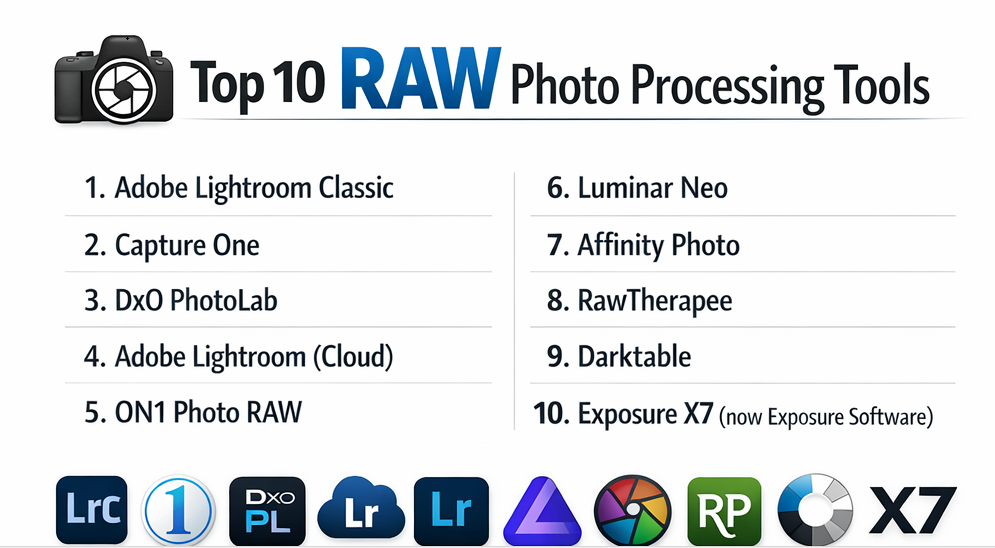
Top 10 RAW Photo Processing Tools
1 — Adobe Lightroom Classic
Lightroom Classic is the industry-standard desktop RAW processor and photo organizer, built for photographers handling large libraries with non-destructive editing and powerful batch tools. It combines catalog-based management with deep RAW development, ideal for pros who need organization alongside editing in one workflow.
Key features:
- AI-powered masking (subject, sky, adaptive presets).
- Advanced noise reduction and lens profile corrections.
- Local adjustments with brushes, gradients, and radial filters.
- Batch processing and sync edits across multiple images.
- Tethered shooting support.
- Integration with Photoshop for layered work.
- Map and book modules for creative output.
Pros:
- Unmatched organization and search for massive libraries.
- Constant AI improvements enhance speed and precision.
- Seamless ecosystem with mobile and cloud syncing.
Cons:
- Subscription-only model increases long-term cost.
- Can feel bloated for users who only need editing.
- Steeper learning curve for advanced features.
Security & compliance: Encryption for cloud sync; GDPR compliant; enterprise SSO available.
Support & community: Excellent tutorials, Adobe help center, active forums, and enterprise support options.
2 — Capture One
Capture One is a premium tethered RAW processor favored by studio and fashion photographers for its superior color accuracy, layering, and speed. it is Known for tethered shooting and precise color control, it’s the choice of high-end studios needing immediate feedback and exceptional RAW rendering.
Key features:
- Layer-based local adjustments (up to 16 layers).
- Advanced color editor with skin tone tools.
- Industry-leading tethering with live view overlays.
- Custom workspace and keyboard shortcuts.
- Style brushes and preset packs.
- Session-based or catalog organization.
- Keystone and distortion correction.
Pros:
- Best-in-class color science and tethering performance.
- Layer system rivals Photoshop for targeted edits.
- One-time purchase option available.
Cons:
- Expensive upfront cost.
- Interface less intuitive for beginners.
- Smaller plugin ecosystem.
Security & compliance: N/A – Primarily local; enterprise licensing available.
Support & community: Detailed guides, webinars, responsive support, strong pro user community.
3 — DxO PhotoLab
DxO PhotoLab excels in optical corrections and noise reduction, making it ideal for photographers prioritizing technical perfection in RAW files. It leverages deep lens and camera profiles for automatic corrections, paired with powerful PRIME denoising technology.
Key features:
- DeepPRIME XD AI noise reduction.
- Automatic optical corrections via lab-tested modules.
- ClearView Plus for haze removal.
- Local adjustments with U Point technology.
- Smart Lighting and selective tone controls.
- Perspective tools with volume deformation correction.
- FilmPack and ViewPoint add-ons.
Pros:
- Unrivaled noise reduction at high ISOs.
- Best automatic lens corrections available.
- Clean, focused interface.
Cons:
- Limited cataloging compared to Lightroom.
- Local adjustments less flexible than layers.
- Add-ons increase cost.
Security & compliance: N/A – Desktop application.
Support & community: Good documentation, email support, active forums.
4 — Adobe Lightroom (Cloud)
Lightroom (cloud-based) is a modern, cross-device RAW editor focused on simplicity and AI-driven enhancements for creators on the go. It stores images in the cloud with streamlined editing, perfect for mobile-first photographers who want access anywhere.
Key features:
- AI subject and sky masking.
- Adaptive presets and one-tap enhancements.
- Cloud storage and sync across devices.
- Collaborative albums and sharing.
- Generative AI remove/fill tools.
- Batch editing from mobile.
- Integration with Photoshop on iPad.
Pros:
- Seamless mobile-to-desktop workflow.
- Always-updated AI features.
- Simple interface for faster editing.
Cons:
- Requires internet for full functionality.
- Storage limits unless upgraded.
- Less powerful than Classic version.
Security & compliance: Cloud encryption; GDPR compliant; SSO for enterprise.
Support & community: Adobe resources, community forums.
5 — ON1 Photo RAW
ON1 Photo RAW is an all-in-one RAW processor with AI tools and layered editing, aimed at photographers wanting Lightroom alternative without subscription. It combines browsing, RAW processing, effects, and layers in a single perpetual-license app.
Key features:
- AI masking and noise reduction.
- Noiseless AI and Resize AI modules.
- Layered editing with blend modes.
- Effects and portrait retouching tools.
- Sky replacement and focus stacking.
- Plugin support for Photoshop/Lightroom.
- Browse module with keyword AI.
Pros:
- Perpetual license with frequent major updates.
- Strong AI tools at lower long-term cost.
- Creative effects built-in.
Cons:
- Cataloging slower with large libraries.
- Occasional stability issues.
- Interface can feel cluttered.
Security & compliance: N/A – Local software.
Support & community: Video tutorials, forums, responsive support.
6 — Luminar Neo
Luminar Neo is an AI-heavy creative RAW editor designed for fast, dramatic enhancements with minimal manual work. It emphasizes one-click AI transformations and creative tools, appealing to enthusiasts and pros wanting artistic results quickly.
Key features:
- Generative AI expand/remove/erase.
- Sky AI and portrait bokeh.
- Relight AI for 3D lighting control.
- Supersharp and focus stacking.
- Layer-based workflow.
- Extensions marketplace.
- Batch processing.
Pros:
- Fast, impressive AI-driven results.
- Creative tools inspire experimentation.
- One-time purchase model.
Cons:
- Less precise for technical editing.
- AI can produce artifacts.
- Slower with complex projects.
Security & compliance: N/A – Desktop with optional cloud.
Support & community: Tutorials, community gallery.
7 — Affinity Photo
Affinity Photo is a professional-grade raster editor with strong RAW development capabilities, favored by those avoiding subscriptions. While primarily a Photoshop alternative, its Develop persona handles RAW processing with non-destructive layers.
Key features:
- Full RAW development with lens corrections.
- Live filter layers and macros.
- Panorama and HDR merging.
- Frequency separation for retouching.
- Astrophotography tools.
- Inpainting and clone brushes.
- PSD compatibility.
Pros:
- One-time purchase at low cost.
- Powerful layered editing post-RAW.
- Fast performance.
Cons:
- No cataloging or library management.
- RAW tools less refined than dedicated processors.
- Steeper curve for photography workflow.
Security & compliance: N/A – Local application.
Support & community: Forums, tutorials, active user base.
8 — RawTherapee
RawTherapee is a free, open-source RAW converter focused on technical control and high-quality demosaicing. It offers deep manual adjustments for enthusiasts who prioritize precision over speed.
Key features:
- Advanced demosaicing algorithms.
- Wavelet-based noise reduction.
- Local adjustments via retouch tool.
- Lensfun corrections.
- Batch queue processing.
- CIECAM02 color appearance model.
- Film simulation profiles.
Pros:
- Completely free with pro-level tools.
- Excellent detail retention.
- Highly customizable.
Cons:
- Dated interface.
- Slow processing speed.
- No cataloging.
Security & compliance: N/A – Open-source.
Support & community: Forums, wiki, dedicated users.
9 — Darktable
Darktable is a free, open-source RAW workflow application mimicking Lightroom’s modular pipeline. It provides non-destructive editing with a darkroom-inspired module system for advanced users.
Key features:
- Masking with drawn and parametric tools.
- Lens correction and perspective tools.
- Tethering and filmic RGB module.
- Color zones and tone equalizers.
- Styles and preset sharing.
- Export queue management.
- Geotagging support.
Pros:
- Powerful and free alternative to paid tools.
- Flexible module-based workflow.
- Active development.
Cons:
- Complex for beginners.
- Performance can lag on large files.
- Interface not intuitive.
Security & compliance: N/A – Open-source.
Support & community: Mailing lists, forums, tutorials.
10 — Exposure X7 (now Exposure Software)
Exposure offers film-emulation-focused RAW processing with creative presets and organized browsing.It blends accurate RAW handling with authentic film looks for photographers seeking vintage aesthetics.
Key features:
- Extensive film emulation presets.
- Non-destructive layering.
- Bokeh and light effects.
- Grain and vignette controls.
- Virtual copies and ratings.
- Keyword and metadata tools.
- Plugin for Lightroom/Photoshop.
Pros:
- Beautiful film looks out of the box.
- Clean, fast interface.
- Perpetual license.
Cons:
- Fewer AI tools.
- Limited local adjustments.
- Smaller community.
Security & compliance: N/A.
Support & community: Tutorials, email support.
Comparison Table
| Tool Name | Best For | Platform(s) Supported | Standout Feature | Rating |
|---|---|---|---|---|
| Adobe Lightroom Classic | Large library management | Windows, Mac | AI masking & organization | N/A |
| Capture One | Studio tethering & color | Windows, Mac | Layer-based adjustments | N/A |
| DxO PhotoLab | Noise reduction & optics | Windows, Mac | DeepPRIME XD denoising | N/A |
| Adobe Lightroom (Cloud) | Mobile & cloud workflow | Windows, Mac, Mobile | Generative AI tools | N/A |
| ON1 Photo RAW | Subscription-free all-in-one | Windows, Mac | Layered AI editing | N/A |
| Luminar Neo | Creative AI transformations | Windows, Mac | Relight & GenErase AI | N/A |
| Affinity Photo | Layered raster editing | Windows, Mac, iPad | Live filters & macros | N/A |
| RawTherapee | Technical precision | Windows, Mac, Linux | Advanced demosaicing | N/A |
| Darktable | Open-source workflow | Windows, Mac, Linux | Module-based pipeline | N/A |
| Exposure | Film emulation | Windows, Mac | Authentic film presets | N/A |
Evaluation & Scoring of RAW Photo Processing Tools
Scoring based on current capabilities, user feedback, and expert reviews.
| Tool Name | Core Features (25%) | Ease of Use (15%) | Integrations & Ecosystem (15%) | Security & Compliance (10%) | Performance & Reliability (10%) | Support & Community (10%) | Price / Value (15%) | Total Score |
|---|---|---|---|---|---|---|---|---|
| Lightroom Classic | 10 (2.5) | 8 (1.2) | 10 (1.5) | 8 (0.8) | 9 (0.9) | 10 (1.0) | 7 (1.05) | 8.95 |
| Capture One | 10 (2.5) | 7 (1.05) | 8 (1.2) | 6 (0.6) | 9 (0.9) | 9 (0.9) | 8 (1.2) | 8.35 |
| DxO PhotoLab | 9 (2.25) | 8 (1.2) | 7 (1.05) | 5 (0.5) | 9 (0.9) | 8 (0.8) | 9 (1.35) | 8.05 |
| Lightroom (Cloud) | 9 (2.25) | 9 (1.35) | 9 (1.35) | 8 (0.8) | 8 (0.8) | 9 (0.9) | 7 (1.05) | 8.5 |
| ON1 Photo RAW | 9 (2.25) | 8 (1.2) | 8 (1.2) | 5 (0.5) | 8 (0.8) | 8 (0.8) | 9 (1.35) | 8.1 |
| Luminar Neo | 8 (2.0) | 9 (1.35) | 7 (1.05) | 5 (0.5) | 7 (0.7) | 7 (0.7) | 9 (1.35) | 7.65 |
| Affinity Photo | 9 (2.25) | 7 (1.05) | 8 (1.2) | 5 (0.5) | 9 (0.9) | 8 (0.8) | 10 (1.5) | 8.2 |
| RawTherapee | 8 (2.0) | 5 (0.75) | 6 (0.9) | 5 (0.5) | 8 (0.8) | 7 (0.7) | 10 (1.5) | 7.15 |
| Darktable | 9 (2.25) | 5 (0.75) | 6 (0.9) | 5 (0.5) | 7 (0.7) | 8 (0.8) | 10 (1.5) | 7.4 |
| Exposure | 8 (2.0) | 8 (1.2) | 7 (1.05) | 5 (0.5) | 8 (0.8) | 7 (0.7) | 9 (1.35) | 7.6 |
Which RAW Photo Processing Tool Is Right for You?
Choosing depends on your workflow, budget, and priorities.
Solo users: Lightroom Classic or ON1 Photo RAW for comprehensive tools; Affinity Photo or Luminar Neo for creative freedom without subscription.
SMBs: Capture One or DxO PhotoLab for studio precision; Lightroom ecosystem for team sharing.
Mid-market: Lightroom Classic dominates for library scale; Capture One for tethered fashion/commercial.
Enterprises: Adobe solutions for collaboration and compliance; enterprise licensing ensures consistency.
Budget-conscious: Affinity Photo, RawTherapee, or Darktable offer pro features free or low-cost; ON1 and Exposure provide perpetual value.
Premium solutions: Capture One or Lightroom Classic justify cost with tethering, color accuracy, and support.
Feature depth vs. ease of use: Capture One/DxO for depth; Lightroom Cloud/Luminar for simplicity.
Integration and scalability: Adobe ecosystem excels in mobile/cloud; ON1 and Affinity as plugins.
Security and compliance: Adobe leads with cloud encryption and enterprise features; most others are local and N/A.
Match to your genre—portraits favor Capture One, landscapes DxO, creative work Luminar or Exposure.
Frequently Asked Questions (FAQs)
Why shoot and process RAW instead of JPEG? RAW retains all sensor data for greater recovery of highlights/shadows and non-destructive edits. JPEGs are compressed and baked-in.
How much do RAW processors cost? Free (RawTherapee, Darktable) to $150–300 one-time (Affinity, ON1) or $10–20/month subscriptions (Adobe, Capture One).
Is subscription worth it for Adobe tools? Yes for constant updates, cloud sync, and mobile access; no if you prefer owning software forever.
Can these tools replace Photoshop? Some (Affinity, ON1) handle layers well, but Photoshop remains king for complex composites.
What about mobile RAW editing? Lightroom mobile is strongest; others have limited or no apps.
How to migrate from one tool to another? Export edited XMP sidecars or use intermediate formats; catalog transfer varies by tool.
Common mistake when starting RAW processing? Over-editing—subtle adjustments often look best. Best practice: Calibrate monitor and use soft proofing.
Do all tools support my camera’s RAW format? Most major ones update regularly, but check compatibility lists for new models.
AI features—hype or helpful? Helpful for masking and denoising; they save time but shouldn’t replace manual skill.
Best free option? Darktable for full workflow; RawTherapee for pure processing.
Batch processing important? Very for weddings/events—Lightroom Classic and Capture One lead here.
Alternatives to dedicated RAW tools? Camera manufacturer software (Canon DPP, Nikon NX) or mobile apps for light work.
Conclusion
The RAW processing landscape offers incredible choice—from Adobe’s dominant ecosystem to innovative AI-driven options and powerful free tools. Standouts include Lightroom Classic for organization, Capture One for color and tethering, DxO for technical excellence, and Affinity for value.
What matters most is matching the tool to your workflow: volume of images, need for tethering, creative vs. technical focus, and budget preference. There’s no universal winner—professionals often use multiple tools for different strengths. Test trials, understand your priorities, and choose the one that enhances your vision without hindering creativity. The right RAW processor will elevate your photography for years to come.