Introduction
Queue Management Software is a digital solution designed to organize and manage the flow of people in service-oriented environments. It replaces traditional physical lines with “virtual queues,” allowing customers to join a line via a kiosk, mobile app, or QR code. The software tracks wait times, manages service priorities, and notifies customers via SMS or digital displays when it is their turn to be served. By digitizing the waiting experience, businesses can eliminate crowded lobbies and reduce the “perceived wait time,” which is a critical factor in customer satisfaction.
The importance of these systems lies in their ability to transform a frustrating bottleneck into an efficient, data-driven process. In the modern service economy, time is the ultimate commodity. Businesses that force customers to stand in physical lines risk losing them to more tech-savvy competitors. Furthermore, queue management software provides management with granular data on staff performance, peak arrival times, and average service durations. This allows for optimized staffing levels and improved operational throughput, directly impacting the bottom line.
Key Real-World Use Cases
- Healthcare Clinics & Hospitals: Managing patient arrivals for walk-ins and appointments while ensuring privacy and reducing congestion in waiting rooms.
- Government Offices (DMVs): Organizing large volumes of citizens for various permit and licensing tasks, allowing them to wait in their cars or nearby cafes.
- Retail & Banks: Enabling “concierge-style” service where customers can browse the aisles or relax in a lounge while waiting for a specialized consultant.
- Educational Institutions: Managing student services, financial aid offices, and registrar queues during high-traffic enrollment periods.
What to Look For (Evaluation Criteria)
When choosing a tool, you should prioritize Omnichannel Access—the ability for customers to join the queue via web, app, or on-site kiosk. Real-time Analytics are essential for managers to adjust staffing on the fly. You should also evaluate Communication Capabilities, ensuring the system supports automated SMS and WhatsApp notifications. Finally, consider Integration Potential; the software must work with your existing CRM or Appointment Scheduling tools to provide a seamless user journey.
Best for: Customer experience managers, operations directors, and department heads in retail, healthcare, government, and banking. It is ideal for high-traffic environments where wait times exceed 10 minutes and service efficiency is a priority.
Not ideal for: Small businesses with predictable, low-volume walk-in traffic where a simple “take-a-number” paper roll or a verbal “I’ll be right with you” is sufficient. It is also not a replacement for purely digital helpdesk ticketing systems used in remote IT support.
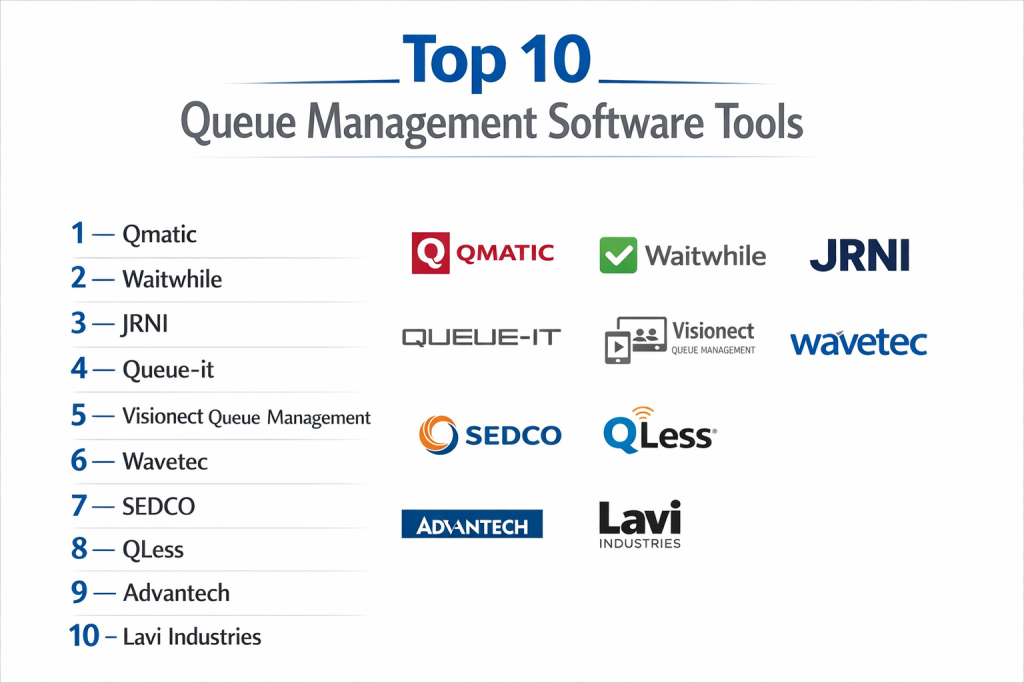
Top 10 Queue Management Software Tools
1 — Qminder
Qminder is a cloud-based queue management system that focuses on a “name-based” approach to make service feel more personal and less like a transaction.
- Key features
- iPad-based self-service kiosks for easy check-in.
- Name-based calling to improve the human connection in service.
- Real-time service dashboard for managers to monitor wait times.
- Automated SMS notifications to keep customers informed.
- Granular performance analytics by individual staff member.
- Open API for integration with CRMs like Salesforce.
- Remote queue monitoring via a dedicated Apple TV app for lobby displays.
- Pros
- Extremely easy for both staff and customers to learn (minimal training required).
- The “name-based” system significantly improves customer satisfaction scores.
- Cons
- Heavily reliant on the Apple ecosystem for kiosk and display hardware.
- Pricing is per-location, which can become expensive for large franchises.
- Security & compliance: SOC 2 Type II compliant, GDPR ready, and features data encryption at rest and in transit.
- Support & community: 24/5 live chat support, dedicated success managers for enterprise, and a robust online “Service Excellence” blog.
2 — Qudini (by Verint)
Qudini offers a sophisticated, enterprise-grade suite that manages not just queues, but also appointments and “Buy Online, Pick Up In Store” (BOPIS) flows.
- Key features
- Advanced virtual queuing via QR codes and mobile web.
- Appointment booking and scheduling integration.
- Event management and workshop booking capabilities.
- Staff “Task Management” linked to customer arrivals.
- Multi-language support for global retail deployments.
- Highly customizable branding for kiosks and SMS.
- AI-driven predictive wait times based on historical data.
- Pros
- Excellent for large-scale retailers needing a unified “store operations” platform.
- Deeply customizable to match specific corporate brand guidelines.
- Cons
- The vast feature set can result in a complex setup process.
- Higher price point designed for enterprise budgets.
- Security & compliance: ISO 27001 certified, GDPR compliant, and supports SSO (Single Sign-On).
- Support & community: Global enterprise support, 24/7 technical helpdesk, and professional implementation services.
3 — Qmatic
Qmatic is a global leader in the space, offering a hybrid of hardware and software solutions for complex, high-volume public environments.
- Key features
- Orchestra 7 enterprise platform for multi-branch management.
- Supports physical ticket printers and digital mobile tickets.
- Linear queuing and distributed queuing management.
- Sophisticated “Customer Journey” mapping.
- Hardware-agnostic software that runs on various kiosks.
- Extensive digital signage integration for multi-screen lobbies.
- Real-time staff mobile app for managing lines on the floor.
- Pros
- The most robust choice for massive government or hospital installations.
- Decades of experience in managing complex logic like “multi-step” service.
- Cons
- User interface can feel “corporate” and less modern than SaaS rivals.
- Often requires professional installation by certified partners.
- Security & compliance: GDPR, HIPAA, and ISO 27001 compliant.
- Support & community: Massive global network of partners and distributors; extensive technical training.
4 — Waitwhile
Waitwhile is a modern, flexible SaaS platform that has gained popularity for its “no-app-required” mobile queuing and powerful automation features.
- Key features
- Unified waitlist and appointment scheduling in one view.
- Two-way SMS chat between staff and customers.
- Automated “Follow-up” messages for surveys or reviews.
- Public waitlist pages that customers can view from their mobile browser.
- Integration with Google Maps (Join the line directly from Search).
- Capacity management tools for venues and events.
- Extensive library of pre-built integrations via Zapier.
- Pros
- Very fast to set up; businesses can go live in under 30 minutes.
- “Google Maps” integration is a powerful way to capture foot traffic.
- Cons
- The interface can become cluttered when managing multiple complex queues.
- Heavy SMS usage can lead to unexpected costs on basic plans.
- Security & compliance: SOC 2 compliant, GDPR, and HIPAA (with BAA) support.
- Support & community: 24/7 email support, live chat, and a highly active product roadmap.
5 — Lavi Industries (Qtrac)
Qtrac is a specialist in virtual queuing that focuses on “Queue Management as a Service,” offering deep consulting alongside their tech.
- Key features
- Completely virtual queuing (no physical line required).
- Interactive SMS-based communication.
- Dynamic media displays to entertain customers while they wait.
- Sophisticated reporting on “abandonment rates.”
- Mobile concierge app for “roaming” staff members.
- Integration with physical barriers and gates for crowd control.
- Customizable workflow logic for triage-based environments.
- Pros
- Excellent for environments where physical space is at a premium.
- Consultative approach helps businesses redesign their actual service flow.
- Cons
- Less focus on the “Appointment Scheduling” side than some competitors.
- Website and sales process are geared toward larger contracts.
- Security & compliance: ISO 27001 and GDPR compliant; uses high-level AES encryption.
- Support & community: Professional service teams for on-site setup and long-term optimization.
6 — Wavetec
Wavetec specializes in “Customer Experience Solutions,” integrating queue management with digital signage and customer feedback loops.
- Key features
- Spectra enterprise software for centralized control.
- WhatsApp Queuing (Join the line via a WhatsApp message).
- Online appointment booking with QR code check-in.
- Real-time NPS (Net Promoter Score) collection at the point of service.
- High-definition LED displays for directional queuing.
- Supports both virtual and paper-ticket environments.
- Dashboard for multi-site KPIs and benchmarking.
- Pros
- The “WhatsApp” integration is a major differentiator for global markets.
- Very strong hardware durability for kiosks and ticket printers.
- Cons
- The software ecosystem can feel fragmented between different modules.
- Can be overkill for a single-location small business.
- Security & compliance: ISO 9001 and 27001 certified; GDPR compliant.
- Support & community: Global presence in 70+ countries; excellent on-site support.
7 — Junior (formerly QLess)
Junior is a veteran in the industry, widely used by universities and government agencies to eliminate physical waiting.
- Key features
- “Flex-scheduling” that blends appointments and walk-ins.
- Mass-notification system for facility-wide alerts.
- Student/Citizen-centric mobile experience.
- Detailed “No-show” tracking and management.
- Predictive analytics to forecast peak volume days.
- Integration with student information systems (SIS).
- Browser-based command center for staff.
- Pros
- Specifically tuned for the unique needs of higher education and public sector.
- Strong focus on accessibility and multi-channel entry.
- Cons
- The user interface feels slightly dated compared to modern SaaS apps.
- Implementation can take longer due to complex institutional requirements.
- Security & compliance: FERPA compliant (crucial for schools), HIPAA, and GDPR.
- Support & community: Dedicated account managers and specialized “Higher Ed” user groups.
8 — Nexa (formerly Skiplino)
Nexa is a cloud-based solution that emphasizes mobile-first queuing and ease of deployment for businesses of all sizes.
- Key features
- Skiplino mobile app that lists nearby businesses and their wait times.
- “Remote Join” capabilities from several miles away.
- Staff productivity tracking with real-time alerts for “Long Waits.”
- Customer feedback collection immediately after service.
- Customizable SMS templates for status updates.
- Branch-level and global-level reporting.
- Plug-and-play kiosk software for Android/iOS tablets.
- Pros
- The “consumer-facing app” acts as a marketing tool for your business.
- One of the most affordable options for businesses just starting with virtual queues.
- Cons
- Lacks the deep enterprise “Unification” features of Genetec or Qmatic.
- Support is primarily digital-only for lower tiers.
- Security & compliance: Standard encryption protocols; GDPR compliant.
- Support & community: Strong online documentation and 24/5 email support.
9 — SafeWait (by DynaTouch)
SafeWait focuses on secure, self-service kiosks and queue management for sensitive government and healthcare environments.
- Key features
- Highly secure, “hardened” kiosk hardware and software.
- Integration with ID scanners and card readers for check-in.
- Priority-based queuing for triage or urgent cases.
- ADA (Americans with Disabilities Act) compliant interface.
- On-premise or cloud deployment options.
- Real-time data visualization for floor managers.
- Automated document printing for queue status.
- Pros
- Top-tier choice for government facilities requiring extreme security and accessibility.
- Very reliable hardware that can withstand high-traffic, public use.
- Cons
- Not as “feature-rich” in terms of marketing and CRM integrations.
- Sales process and pricing are opaque, usually requiring a custom RFP.
- Security & compliance: HIPAA, PCI DSS, and FIPS compliant.
- Support & community: Professional maintenance plans and 24/7 technical support.
10 — NoteBowl (Queue)
NoteBowl’s Queue platform is a specialized tool designed specifically for office hours and academic support in universities.
- Key features
- Integrated with Canvas and Blackboard LMS.
- Virtual “Sign-in” for TAs and professors’ office hours.
- Remote/Hybrid queue support (Zoom/Teams integration).
- Real-time “Wait Status” shared with the whole class.
- Analytics on student engagement and common questions.
- Mobile-friendly for students on the move.
- Easy “One-click” join for students.
- Pros
- The best choice for academic environments; no other tool integrates as well with LMS.
- Very simple and focused, avoiding the “bloat” of retail systems.
- Cons
- Not suitable for retail or healthcare; strictly an education tool.
- Lacks hardware kiosk support (intended for personal device use).
- Security & compliance: FERPA and GDPR compliant.
- Support & community: Strong academic community and dedicated educational support staff.
Comparison Table
| Tool Name | Best For | Platform(s) Supported | Standout Feature | Rating |
| Qminder | Retail & Personal Service | iOS, Web, Apple TV | Name-based Queuing | 4.8 / 5 |
| Qudini | Enterprise Retail | Web, iOS, Android | Task Management Sync | 4.7 / 5 |
| Qmatic | Large Public Facilities | Web, Kiosk, Mobile | Orchestrated Journeys | 4.6 / 5 |
| Waitwhile | SMB & Flexibility | Web, Mobile | Google Maps Integration | 4.9 / 5 |
| Qtrac | Consultative CX | Web, SMS, Mobile | Abandonment Analytics | 4.5 / 5 |
| Wavetec | Global Hubs | Web, WhatsApp | WhatsApp Queuing | 4.4 / 5 |
| Junior | Higher Ed / Govt | Web, Mobile | Student SIS Integration | 4.3 / 5 |
| Nexa | Budget / Mobile-First | iOS, Android, Web | Consumer Skipping App | 4.2 / 5 |
| SafeWait | Secure Govt / Health | Kiosk, Web | ADA/FIPS Compliance | N/A |
| NoteBowl | Universities / TAs | Web, Mobile | LMS Integration | N/A |
Evaluation & Scoring of Queue Management Software
| Category | Weight | Score (1-10) | Evaluation Rationale |
| Core Features | 25% | 9 | Most tools excel at virtualizing the line; differentiation is in AI/Tasks. |
| Ease of Use | 15% | 8 | SaaS tools are very intuitive; enterprise hubs have a steeper curve. |
| Integrations | 15% | 7 | Improving, but “vertical-specific” tools still struggle with general APIs. |
| Security & Compliance | 10% | 9 | High scores due to the sensitivity of HIPAA/GDPR in health and govt. |
| Performance | 10% | 8 | Uptime is critical; cloud reliability has become very consistent in 2026. |
| Support & Community | 10% | 7 | Varies from 24/7 enterprise teams to basic email/forum support. |
| Price / Value | 15% | 8 | Great ROI across the board by reducing staff stress and abandonment. |
Which Queue Management Tool Is Right for You?
Solo Users vs SMB vs Mid-Market vs Enterprise
If you are a small business or solo operator (like a high-end barbershop), Waitwhile or Nexa provide the best “self-service” setup with minimal cost. Mid-market companies with several locations will thrive with Qminder, which offers a perfect balance of data and user experience. Large Enterprises and public institutions should almost exclusively look at Qmatic or Qudini, as these platforms are built to handle the complex security, multi-site hierarchy, and high data volumes of a global operation.
Budget-Conscious vs Premium Solutions
For those on a strict budget, the “Basic” tiers of Waitwhile or Nexa allow you to get started for under $100/month. If you are looking for a premium, all-encompassing solution, Qudini and Qtrac provide high-level consulting and deep task-management features that justify their higher price point by fundamentally improving store productivity.
Feature Depth vs Ease of Use
If you need Feature Depth (e.g., the ability to link a customer’s wait time to a staff member’s payroll or a complex CRM workflow), Qmatic and Junior are the powerhouses. If you prioritize Ease of Use and want your staff to be experts in 10 minutes, Qminder is the undisputed leader in intuitive design.
Integration and Scalability Needs
If your business lives in Salesforce or HubSpot, check for tools with native connectors like Qminder or Waitwhile. For Scalability, look for platforms with a “Federated” architecture like Qmatic, which allows individual branches to have autonomy while the head office maintains global reporting standards.
Security and Compliance Requirements
This is non-negotiable for Healthcare and Government. If you fall into this category, you must select a tool like SafeWait or Junior that provides HIPAA/FERPA compliance and a BAA (Business Associate Agreement). These tools ensure that customer data is not just stored, but handled according to legal privacy mandates.
Frequently Asked Questions (FAQs)
1. Does queue management software require a physical kiosk?
No. While kiosks are helpful for walk-ins, most modern systems allow customers to join the queue via a QR code on a poster or a link on your website, using their own smartphones.
2. Can I use these tools if I don’t have a reliable internet connection?
Most SaaS tools require the internet. However, enterprise systems like Qmatic offer on-premise deployments that can function on a local network if your external connection is unstable.
3. Will this software help me reduce my actual wait times?
Indirectly, yes. While the software doesn’t make people work faster, the data identifies “bottlenecks,” and the “virtual” nature of the queue reduces customer stress, making them feel like the wait is shorter.
4. How do customers know when it’s their turn?
The software sends an automated SMS, WhatsApp message, or push notification. Most also support “Lobby Displays” that show a visual list of who is next.
5. Is it hard for elderly or non-tech-savvy customers to use?
Good software accounts for this. You should always have a “Concierge” mode where a staff member can manually add a customer to the list, or a simple physical ticket printer as a backup.
6. Can I manage multiple service types (e.g., Returns vs. Sales)?
Yes. You can set up “Multiple Queues” within the software. You can even prioritize certain queues so that high-value sales tasks are addressed faster than simple inquiries.
7. Does the software store customer data?
Yes, but you control how much. You can ask for a name and phone number, or just a first name. Ensure your software has a “Data Retention Policy” to delete this info after the service is complete.
8. Can I use the data for staff performance reviews?
Yes. Most systems track “Service Time” (how long a staff member spent with a customer), which is a valuable KPI for identifying top performers or those needing more training.
9. Can I integrate the queue with my existing appointments?
Yes, the best tools (like Qudini or Waitwhile) “blend” appointments and walk-ins into a single master list for your staff to manage easily.
10. What is the typical “Return on Investment” for these tools?
Most businesses see an ROI through reduced “Walk-aways” (customers leaving because the line is too long) and improved staff efficiency, often paying for the software within the first three months.
Conclusion
Finding the right Queue Management Software is about more than just organizing a line; it’s about respecting your customer’s time and empowering your staff with data. If you are a modern retail brand, the name-based simplicity of Qminder or the flexible automation of Waitwhile will likely serve you best. For high-stakes government or medical facilities, the rigorous security and hardware-depth of Qmatic or SafeWait are the necessary choices.
The “best” tool is the one that removes friction from your specific customer journey. When evaluating your options, remember that the software is a reflection of your brand—choose the one that makes your customers feel valued, informed, and free to spend their “wait time” however they choose.