Introduction
Public Key Infrastructure (PKI) Tools refer to a suite of software, hardware, and policies used to manage digital certificates and public-key encryption. At its core, PKI is the framework that allows for the secure exchange of information over increasingly hostile networks. By binding a public key with an identity (such as a person, device, or server) through a digital certificate issued by a Certificate Authority (CA), PKI provides the three pillars of digital security: authentication, encryption, and non-repudiation.
In the current landscape of 2026, PKI is the bedrock of digital trust. It is what allows your browser to show the padlock icon for HTTPS websites, enables software developers to sign their code, and ensures that IoT devices can communicate without being intercepted. Without these tools, the modern internet would lack the foundational proof of identity required for e-commerce, remote work, and secure communications. As we move toward a “Zero Trust” architecture, PKI tools have evolved from simple certificate managers into complex automation engines capable of handling millions of short-lived identities for cloud-native applications and microservices.
Key Real-World Use Cases
- Securing Web Traffic (SSL/TLS): Managing the certificates that encrypt traffic between web browsers and servers to prevent man-in-the-middle attacks.
- IoT Device Authentication: Ensuring that only authorized smart devices can connect to an organization’s network, preventing rogue hardware from acting as entry points for hackers.
- Email and Document Signing (S/MIME): Providing verifiable digital signatures on sensitive legal documents and ensuring that email contents have not been tampered with.
- Code Signing: Allowing software publishers to digitally sign their installers so users can be certain the code is legitimate and safe to run.
- Multi-Factor Authentication (MFA): Using certificate-based authentication for employee logins to eliminate the risks associated with static passwords.
What to Look For (Evaluation Criteria)
When choosing a PKI tool, it is critical to prioritize Certificate Lifecycle Management (CLM)—the ability to automate issuance, renewal, and revocation. Manual certificate management is a leading cause of costly outages. You should also look for Crypto-Agility, which ensures the tool can transition to new cryptographic standards, such as Post-Quantum Cryptography (PQC), which is becoming essential in 2026. Finally, check for Integration Breadth; a PKI tool must work seamlessly with your existing cloud providers, DevOps pipelines (Kubernetes, Jenkins), and directory services (Active Directory).
Best for:
PKI tools are a necessity for Enterprise Security Architects, DevOps Engineers, and Compliance Managers. Large organizations in finance, healthcare, and government sectors—as well as tech companies with high-volume IoT or cloud deployments—benefit most from the centralized control and automation these tools provide.
Not ideal for:
Small businesses with minimal web presence or those who only manage one or two websites. For these users, basic, free services like Let’s Encrypt (often integrated into hosting providers) are typically sufficient without the need for a dedicated, high-cost PKI management suite.
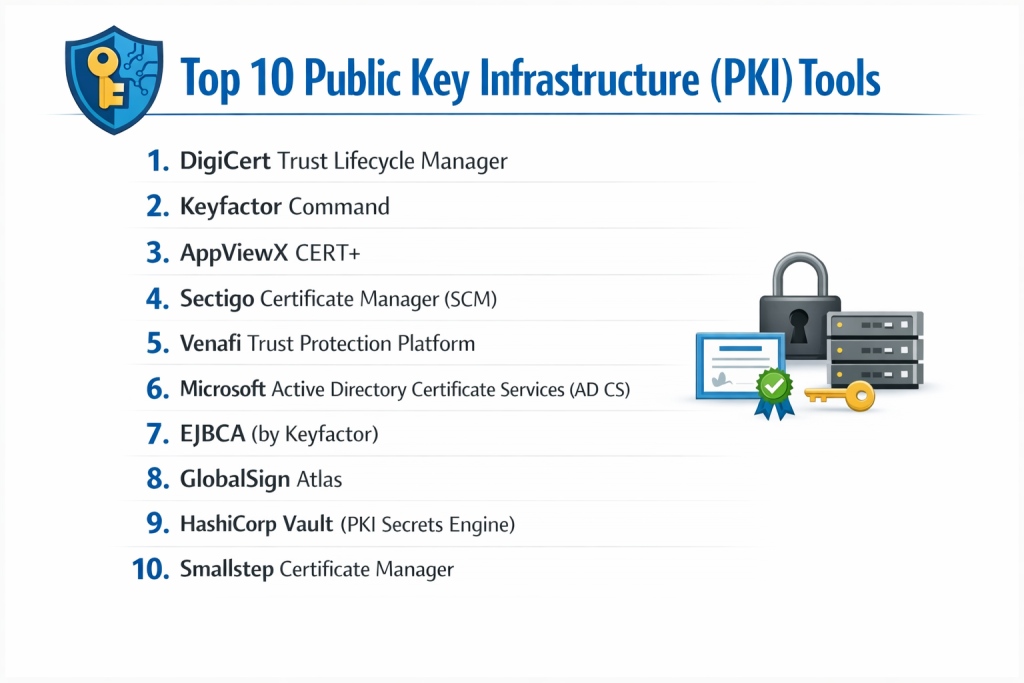
Top 10 Public Key Infrastructure (PKI) Tools
1 — DigiCert Trust Lifecycle Manager
DigiCert is widely recognized as a global leader in the digital trust space. Their Trust Lifecycle Manager is a comprehensive platform that combines certificate management with a robust private CA to provide a “single pane of glass” for all digital identities.
- Key features:
- Centralized management of both public and private certificates.
- Automated discovery of all certificates across the network, including “rogue” or expired ones.
- Support for the ACME protocol for automated, high-volume issuance.
- Robust policy enforcement to ensure all certificates meet corporate standards.
- Advanced reporting and real-time alerting for upcoming expirations.
- Ready for Post-Quantum Cryptography (PQC) standards.
- Pros:
- Unmatched reliability and high-assurance security backed by a globally trusted brand.
- Highly scalable, making it perfect for the largest global enterprises.
- Cons:
- Premium pricing that may be out of reach for smaller budgets.
- The feature set is vast, which can lead to a steeper learning curve for new administrators.
- Security & compliance: SOC 2 Type II, ISO 27001, HIPAA, GDPR, and WebTrust certified.
- Support & community: 24/7 global enterprise support; extensive technical documentation; proactive account management for large clients.
2 — Keyfactor Command
Keyfactor Command is built specifically for “crypto-agility.” It is designed for organizations that need to manage millions of identities across complex environments, from cloud-native apps to massive IoT fleets.
- Key features:
- Visual dashboard for a total overview of the entire cryptographic landscape.
- “AnyCA” gateway that integrates with public, private, and cloud-based CAs.
- Automated certificate renewal and one-click revocation across the fleet.
- Native integration with popular DevOps tools like Ansible, Terraform, and Kubernetes.
- Advanced IoT identity management for securing device manufacturing lines.
- Sophisticated role-based access control (RBAC) for delegated administration.
- Pros:
- Exceptional at managing certificates in heterogeneous environments (multi-cloud/hybrid).
- Strong focus on automation reduces the manual “to-do” list for IT teams significantly.
- Cons:
- Requires a significant initial configuration time to map out existing infrastructure.
- Primarily geared toward large-scale deployments rather than simple use cases.
- Security & compliance: FIPS 140-2 Level 3 HSM support, SOC 2, and GDPR compliant.
- Support & community: High-quality whitepapers and webinars; responsive technical support; dedicated customer success managers.
3 — AppViewX CERT+
AppViewX CERT+ focuses on visual workflow automation. It is designed to help IT teams transition from manual, error-prone processes to automated, policy-driven certificate management.
- Key features:
- Drag-and-drop workflow designer for automating certificate lifecycles.
- Zero-touch certificate renewal and installation on load balancers and web servers.
- Inventory management for SSH keys alongside X.509 certificates.
- Self-service portal for developers to request certificates without filing tickets.
- Real-time monitoring and compliance drift detection.
- Seamless integration with F5, Citrix, AWS, and Azure.
- Pros:
- The visual workflow builder is incredibly intuitive and reduces configuration errors.
- Excellent for reducing outages caused by human error during certificate updates.
- Cons:
- The user interface can feel cluttered due to the depth of available options.
- Some niche integrations may require custom scripting.
- Security & compliance: SOC 2, HIPAA, and PCI-DSS compliant; robust audit logs and SSO integration.
- Support & community: 24/7 global support; active blog; comprehensive training through AppViewX Academy.
4 — Sectigo Certificate Manager (SCM)
Sectigo is a cloud-native platform that prides itself on simplicity and universal compatibility. SCM is designed to manage every certificate in an organization, regardless of where it was issued.
- Key features:
- Universal platform for SSL, S/MIME, Code Signing, and SSH keys.
- Cloud-based architecture—no hardware or on-prem software to maintain.
- Integration with Active Directory via SCEP and WSTEP protocols.
- Automated discovery engine that finds certificates hidden in internal networks.
- Multi-tenant support for service providers or large conglomerates.
- Full support for ACME and other automation protocols.
- Pros:
- Very fast deployment since it is a managed SaaS solution.
- Pricing models are generally more flexible for mid-market companies.
- Cons:
- As a cloud-first tool, organizations with strict “air-gapped” requirements may find it less suitable.
- Reporting features, while good, are less customizable than Keyfactor or DigiCert.
- Security & compliance: ISO 27001, SOC 2, WebTrust, and GDPR compliant.
- Support & community: 24/7 phone and chat support; extensive video tutorials; active LinkedIn community.
5 — Venafi Trust Protection Platform
Venafi is often considered the pioneer of the machine identity management category. Their platform is built for high-security environments where “zero-touch” automation is the goal.
- Key features:
- Machine Identity Management (MIM) for keys and certificates.
- Integration with virtually all public CAs and enterprise HSMs.
- Automated provisioning to a massive list of network devices and cloud instances.
- “Intelligence” engine that identifies weak configurations or compromised keys.
- Dedicated module for securing SSH keys and preventing unauthorized access.
- Strong focus on DevOps and Kubernetes (via Jetstack/cert-manager).
- Pros:
- Deepest integration list in the industry for networking and security hardware.
- Powerful for organizations moving toward a mature “Zero Trust” security model.
- Cons:
- One of the most expensive solutions on the market.
- Can be overly complex for organizations that don’t have a dedicated security team.
- Security & compliance: FIPS 140-2, SOC 2 Type II, ISO 27001, HIPAA.
- Support & community: Industry-leading support; “Warrior” community for users; extensive professional services.
6 — Microsoft Active Directory Certificate Services (AD CS)
A staple in Windows-centric environments, AD CS is the “free” (included with Windows Server) way to manage an internal PKI. It is designed for businesses already running on the Microsoft stack.
- Key features:
- Native integration with Windows Active Directory and Group Policy.
- Auto-enrollment for domain-joined users and computers.
- Support for smart card logon and VPN authentication.
- Web enrollment pages for manual certificate requests.
- Hierarchical CA structure (Root and Intermediate CAs).
- Integration with Network Device Enrollment Service (NDES) for mobile devices.
- Pros:
- Zero additional licensing cost if you already have Windows Server.
- Deeply integrated into the Windows ecosystem, making it the default for many SMBs.
- Cons:
- Lacks the advanced automation and multi-CA management of modern third-party tools.
- Managing AD CS at a large scale becomes a massive manual burden for IT staff.
- Security & compliance: Compliance depends entirely on your server configuration; supports HSMs for key storage.
- Support & community: Massive community of Windows admins; Microsoft Learn documentation; no dedicated “PKI support” line.
7 — EJBCA (by Keyfactor)
EJBCA is a powerful, open-source-based CA and PKI solution. It is known for its incredible flexibility and is often used by governments and large corporations to build their own custom PKI.
- Key features:
- Multi-tenant CA capable of managing hundreds of sub-CAs.
- Support for almost every protocol: ACME, SCEP, EST, CMP, and REST.
- Capable of issuing over 1,000 certificates per second.
- Hardware Security Module (HSM) support for high-assurance roots.
- Flexible deployment: On-prem, cloud, or as a hardware appliance.
- Available in both Community (free) and Enterprise (paid) editions.
- Pros:
- The Community edition is one of the most powerful free tools available for security experts.
- Infinite customization options for specialized technical requirements.
- Cons:
- The interface is dated and can be very difficult for non-specialists to navigate.
- Setting it up correctly requires deep expertise in cryptography and Java.
- Security & compliance: FIPS 140-2 Level 3, Common Criteria certified, SOC 2 (Enterprise).
- Support & community: Large GitHub community; professional enterprise support available through Keyfactor.
8 — GlobalSign Atlas
GlobalSign Atlas is a high-speed, managed PKI platform designed for the automation needs of the modern, cloud-first enterprise.
- Key features:
- High-throughput CA capable of supporting massive IoT and cloud volumes.
- Simplified portal for managing SSL, S/MIME, and document signing.
- Auto-enrollment gateway for seamless Windows and macOS management.
- Cloud-native architecture ensures high availability and low latency.
- Support for the Matter protocol for smart home device security.
- Strong focus on S/MIME for enterprise email encryption.
- Pros:
- Excellent for businesses that want a “managed” experience with zero infrastructure.
- Strong reputation for security and reliability in the European and Asian markets.
- Cons:
- Fewer pre-built “connectors” for niche hardware compared to Venafi.
- The platform is focused on speed, sometimes at the expense of granular policy customization.
- Security & compliance: WebTrust, ISO 27001, SOC 2, and eIDAS (EU) compliant.
- Support & community: 24/5 global support with emergency 24/7 lines; multilingual documentation.
9 — HashiCorp Vault (PKI Secrets Engine)
HashiCorp Vault is primarily a secrets management tool, but its PKI engine has become a favorite for DevOps teams needing to issue short-lived certificates for microservices.
- Key features:
- Dynamic certificate issuance: Certificates are created on-the-fly and expire quickly.
- API-first design makes it the gold standard for CI/CD pipeline integration.
- Integration with Kubernetes for automated pod-to-pod TLS.
- Role-based access control (RBAC) to restrict who can issue certificates.
- Supports both internal CA and acting as an intermediate for a public CA.
- No-nonsense “Infrastructure as Code” approach.
- Pros:
- The absolute best tool for “Ephemeral PKI” in cloud-native environments.
- Integrates perfectly with the rest of the HashiCorp ecosystem (Terraform, Consul).
- Cons:
- Not a full-service CLM; it doesn’t provide the same visibility into “public” SSL as DigiCert.
- Requires a “DevOps mindset” to manage—not suitable for traditional IT generalists.
- Security & compliance: FIPS 140-2/3 support (Enterprise), SOC 2, HIPAA.
- Support & community: Massive open-source community; premium support for Enterprise users.
10 — Smallstep Certificate Manager
Smallstep is an “opinionated” PKI platform built on the popular step-ca open-source tool. It is designed to make modern, high-security PKI accessible to smaller, fast-moving teams.
- Key features:
- Modern, CLI-first experience for developers and admins.
- Automated certificate issuance via ACME, SCEP, and OAuth/OIDC.
- Short-lived certificates by default to reduce the risk of compromised keys.
- SaaS-based management with zero infrastructure to host.
- Integration with SSO (Okta, Google, Azure) for user-based certificates.
- Lightweight and high-performance, even in resource-constrained environments.
- Pros:
- Makes advanced concepts like “Short-lived certs” very easy to implement.
- Excellent documentation that explains the why as well as the how.
- Cons:
- Lacks the heavy “Enterprise” features like HSM management found in Thales or Venafi.
- Relatively new compared to the established giants of the industry.
- Security & compliance: SOC 2 compliant; focuses on modern cryptographic best practices.
- Support & community: Very active Discord community; direct access to engineers for paid users.
Comparison Table
| Tool Name | Best For | Platform(s) Supported | Standout Feature | Rating (Gartner/TrueReview) |
| DigiCert TLM | Global Enterprises | Win, Mac, Linux, Cloud | Discovery of Rogue Certs | 4.7 / 5 |
| Keyfactor | Crypto-Agility / IoT | Win, Mac, Linux, Cloud | AnyCA Gateway Integration | 4.8 / 5 |
| AppViewX | Workflow Automation | Linux, Cloud, On-Prem | Visual Drag-and-Drop UX | 4.6 / 5 |
| Sectigo SCM | Cloud-First SMBs | SaaS / Cloud-Native | One-Stop S/MIME & SSL | 4.5 / 5 |
| Venafi | Zero Trust MIM | All Major Platforms | Deep Hardware Integrations | 4.4 / 5 |
| Microsoft AD CS | Windows Environments | Windows Server Only | Native AD Integration | 4.0 / 5 |
| EJBCA | Custom Gov/Finance | Java-based / OS Indep. | High-Throughput Performance | 4.2 / 5 |
| GlobalSign Atlas | Speed & Automation | SaaS / Multi-Cloud | High-Performance Cloud CA | 4.6 / 5 |
| HashiCorp Vault | DevOps / Microservices | Docker, K8s, Cloud | Ephemeral Cert Issuance | 4.9 / 5 |
| Smallstep | Fast-Moving Dev Teams | SaaS / CLI | Short-Lived Cert Automation | 4.7 / 5 |
Evaluation & Scoring of PKI Tools
| Criteria | Weight | Evaluation Rationale |
| Core features | 25% | Presence of automated discovery, renewal, and broad protocol support (ACME, SCEP). |
| Ease of use | 15% | Intuition of the dashboard, quality of the CLI, and speed of initial setup. |
| Integrations | 15% | Compatibility with existing CAs, cloud providers (AWS/Azure), and DevOps pipelines. |
| Security & compliance | 10% | Certification status (SOC 2, ISO) and support for high-security hardware (HSMs). |
| Performance | 10% | Issuance latency, uptime guarantees (SLAs), and global availability. |
| Support & community | 10% | Access to experts, response times, and the presence of a healthy user community. |
| Price / value | 15% | Transparency of pricing and whether the tool pays for itself by preventing outages. |
Which PKI Tool Is Right for You?
Small to Mid-Market vs. Enterprise
For Small to Mid-Market companies, the priority is usually ease of setup and low maintenance. Sectigo SCM or Smallstep are excellent choices because they offer managed services that don’t require a dedicated “PKI Administrator.” If you are strictly a Windows shop, Microsoft AD CS is the default, though you may quickly outgrow its manual limitations. Enterprises, on the other hand, need the industrial-strength automation of DigiCert or Venafi to manage the risk of having thousands of identities spread across a global workforce and massive IoT deployments.
Budget and Value
If budget is the primary driver, Microsoft AD CS and the Community Edition of EJBCA are the winners, though you must factor in the “human cost” of the expertise required to manage them. For those with a moderate budget, GlobalSign Atlas offers a great balance of features and predictable pricing. Premium solutions like Keyfactor may seem expensive upfront, but for a large organization, they offer immense value by preventing a single expired certificate from causing a multi-million dollar business outage.
Technical Depth vs. Simplicity
If your team is comprised of DevOps engineers who prefer APIs and code, HashiCorp Vault or Smallstep will feel like a natural extension of their workflow. They prioritize technical depth and high-frequency automation. If your team is made up of IT generalists who need a graphical dashboard to manage compliance, AppViewX or Sectigo provide simplicity through visual workflows and intuitive portals.
Security and Compliance Requirements
For those in highly regulated industries like Banking or Government, the choice must lean toward tools that support high-assurance hardware. EJBCA, DigiCert, and Venafi all have long histories of supporting Hardware Security Modules (HSMs) and meeting the most stringent global standards like FIPS 140-2 Level 3 and Common Criteria.
Frequently Asked Questions (FAQs)
1. What is the difference between PKI and an SSL certificate?
An SSL certificate is just one product of a PKI. PKI is the entire underlying system—the software, keys, and authorities—that makes it possible to issue that SSL certificate in a way that others can trust.
2. Is PKI required for a Zero Trust architecture?
Yes. Zero Trust relies on the principle of “never trust, always verify.” PKI provides the digital identities (certificates) that allow systems to verify exactly who or what is trying to access a resource before granting permission.
3. Can I automate PKI with open-source tools?
Absolutely. Tools like step-ca (Smallstep) and EJBCA Community allow for high levels of automation. However, they usually lack the centralized “dashboard” and enterprise support that large companies require for audit compliance.
4. What is the ACME protocol?
ACME (Automated Certificate Management Environment) is a protocol that allows web servers to automatically request and renew certificates without human intervention. It was made famous by Let’s Encrypt and is now supported by most top-tier PKI tools.
5. How often should certificates be renewed?
In 2026, the trend is toward “short-lived” certificates. While many public SSL certificates still last 90 days, many DevOps teams now use certificates that last only hours or minutes to minimize the window of risk if a key is stolen.
6. What is “Certificate Discovery”?
Discovery is a feature where a PKI tool scans your entire network to find every certificate in use. This is vital because “forgotten” certificates are a leading cause of unexpected website and application outages.
7. Do I need an HSM for my PKI?
An HSM (Hardware Security Module) is recommended for storing your “Root Key.” If your Root Key is stolen, your entire PKI is compromised. For high-security environments, an HSM is a mandatory requirement.
8. Is Microsoft AD CS still relevant in 2026?
It is still widely used, but mostly as an “Intermediate CA” that connects to more modern automation platforms. On its own, it lacks the agility needed for modern cloud and IoT security.
9. What is “Post-Quantum Cryptography” (PQC)?
PQC refers to new encryption algorithms that are designed to be secure against attacks from future quantum computers. Top PKI tools like DigiCert are already beginning to support these new standards.
10. How long does it take to implement a new PKI tool?
Managed SaaS solutions like Sectigo or Smallstep can be up in a few days. Large-scale enterprise deployments involving HSMs and global discovery can take several months to fully configure.
Conclusion
The “best” Public Key Infrastructure (PKI) Tool is not a one-size-fits-all solution; it is a choice dictated by your organization’s technical maturity and security requirements. For the modern DevOps-heavy team, the API-first simplicity of HashiCorp Vault or Smallstep is often the right fit. For the global enterprise managing a legacy of diverse hardware, the high-automation power of DigiCert, Keyfactor, or Venafi is indispensable.
As we navigate the complexities of 2026—from quantum threats to the explosion of machine identities—having a robust PKI is no longer just a technical checkbox. It is the core of your organization’s digital integrity. Prioritize automation and visibility, and you will build a foundation that is secure, compliant, and resilient against the outages that plague those still relying on manual spreadsheets and calendar reminders.