Introduction
Proteomics analysis tools are specialized software suites designed to interpret the complex data generated by mass spectrometry (MS) and other protein-profiling technologies. While genomics provides the “blueprint” of an organism, proteomics reveals the actual “machinery” at work—the proteins. These tools perform the Herculean task of identifying peptide sequences from raw spectral data, quantifying their abundance, and mapping their biological functions. By converting raw mass-to-charge ($m/z$) ratios into identifiable protein lists, these platforms allow scientists to understand cellular behavior in real-time. In an era of high-throughput biology, proteomics tools are the primary gateway to discovering how proteins interact, how they are modified after translation (PTMs), and how their dysregulation leads to disease.
The importance of these tools lies in their ability to bridge the gap between raw data and biological meaning. Without advanced algorithms, the millions of spectra produced in a single liquid chromatography-mass spectrometry (LC-MS) run would be impossible to decode. Key real-world use cases include biomarker discovery for early cancer detection, drug target validation in pharmaceutical R&D, and clinical diagnostics where protein signatures are used to predict patient response to therapy. When choosing a tool, users should evaluate identification sensitivity, quantitative accuracy, computational speed, and the ability to handle various data acquisition modes like DDA (Data-Dependent Acquisition) and DIA (Data-Independent Acquisition).
Best for: Bioinformaticians, core facility managers, clinical researchers, and pharmaceutical scientists. These tools are essential for any lab utilizing mass spectrometry for protein identification, quantification, or structural characterization.
Not ideal for: General biologists without access to mass spectrometry data or those primarily focused on DNA/RNA sequencing who do not require protein-level validation. Organizations without computational infrastructure (HPC or Cloud) may find local installation of these tools challenging.
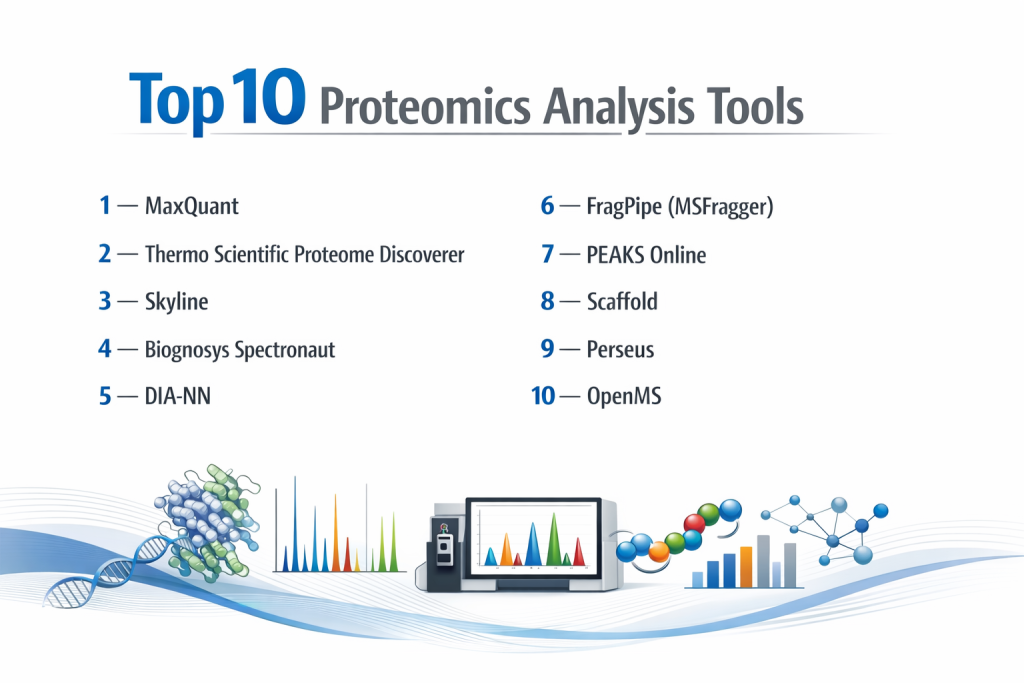
Top 10 Proteomics Analysis Tools
1 — MaxQuant
MaxQuant is arguably the most famous open-source software for quantitative proteomics. Developed by the Cox Lab, it is specifically designed for high-resolution MS data and is world-renowned for its MaxLFQ algorithm for label-free quantification.
- Key features:
- Andromeda Search Engine: A built-in, robust peptide search engine.
- MaxLFQ Algorithm: Highly accurate label-free quantification that minimizes the “missing value” problem.
- Match Between Runs (MBR): Increases protein identification across samples by transferring IDs based on retention time.
- Support for Various Labeling: Native support for SILAC, TMT, and iTRAQ.
- Integrated Quality Control: Detailed reports on mass accuracy and contamination.
- Pros:
- Completely free and open-source with an massive user community.
- High accuracy and precision, especially for label-free and SILAC workflows.
- Cons:
- Can be very slow and resource-heavy on large datasets.
- The user interface, while functional, is less intuitive than modern commercial suites.
- Security & compliance: GDPR compliant; supports detailed audit logs for data provenance.
- Support & community: Extensive Google Group, yearly summer schools, and hundreds of tutorials.
2 — Thermo Scientific Proteome Discoverer
Proteome Discoverer (PD) is a comprehensive commercial platform designed to handle large-scale discovery proteomics. It is the “official” software for users of Thermo Orbitrap instruments but supports multi-vendor raw data.
- Key features:
- Node-Based Workflows: Users can drag and drop “nodes” to build custom analysis pipelines.
- Sequest HT Integration: Access to the legendary Sequest search engine for identification.
- Multi-Consensus Analysis: Allows combining results from multiple search engines for higher confidence.
- PTM Analysis: Specialized tools for identifying phosphorylation, acetylation, and more.
- TMT/Isobaric Labeling: Optimized for high-plex quantitative workflows.
- Pros:
- Extremely user-friendly with a visual, graphical workflow builder.
- Industry-standard performance with dedicated enterprise support.
- Cons:
- High licensing costs can be a barrier for small academic labs.
- Proprietary nature means less transparency in underlying code compared to open-source.
- Security & compliance: SOC 2, HIPAA-ready in cloud deployments, and 21 CFR Part 11 compliant features.
- Support & community: Professional technical support, global training centers, and a large professional user base.
3 — Skyline
Skyline is a free, open-source Windows client application for building and analyzing targeted proteomics methods. It is the gold standard for PRM (Parallel Reaction Monitoring) and SRM (Selected Reaction Monitoring).
- Key features:
- Targeted Method Building: Create transition lists for Triple Quadrupole and Orbitrap instruments.
- Chromatogram Visualization: Best-in-class tools for inspecting peak integration and quality.
- Multi-Vendor Support: Works with raw data from Agilent, Bruker, Sciex, Shimadzu, Thermo, and Waters.
- Skyline Panorama: A companion web server for sharing and publishing targeted results.
- Library Integration: Import spectral libraries from DDA experiments to guide targeted analysis.
- Pros:
- Absolute best tool for targeted proteomics and method development.
- Highly responsive and frequently updated by a dedicated team at the University of Washington.
- Cons:
- Not designed for “unbiased discovery” or large-scale protein identification.
- Limited to Windows operating systems, which can be an issue for Mac/Linux users.
- Security & compliance: Varies; compliant when used in conjunction with Panorama’s secure server environments.
- Support & community: Exceptional documentation, active support forums, and “Skyline User Meetings” globally.
4 — Biognosys Spectronaut
Spectronaut is the leading commercial software for Data-Independent Acquisition (DIA) proteomics. It utilizes “Spectral Libraries” or “Library-Free” (directDIA) approaches to identify and quantify thousands of proteins.
- Key features:
- BGS Factory Settings: Optimized “one-click” analysis for standard workflows.
- directDIA: Analyze DIA data without the need for a previously built spectral library.
- Deep Learning Integration: Uses neural networks to improve peak picking and scoring.
- Pulsar Search Engine: A high-speed engine designed specifically for DIA and DDA.
- Post-Translational Modification (PTM) Site Localization: High-confidence mapping of modifications.
- Pros:
- Fastest and most accurate tool for DIA data on the market.
- Excellent visualization of data consistency and “Match Between Runs.”
- Cons:
- Very expensive; primarily used by well-funded biotech and pharma.
- Requires powerful hardware (high-end CPUs and significant RAM).
- Security & compliance: SOC 2 Type II, GDPR, and ISO 27001; enterprise-grade security protocols.
- Support & community: Premium customer success managers, 24/7 technical support, and extensive webinars.
5 — DIA-NN
DIA-NN is a revolutionary, free software that uses deep neural networks to process DIA proteomics data. It has quickly become a favorite due to its speed and high sensitivity.
- Key features:
- Neural Network Scoring: Advanced ML models for separating true signals from noise.
- Ultra-Fast Processing: Optimized code that can process massive files in minutes.
- Library-Free Mode: Capable of high-depth analysis using only a FASTA file.
- Command-Line & GUI: Accessible for both beginners and bioinformaticians.
- Integrated Statistical Validation: Reliable False Discovery Rate (FDR) control.
- Pros:
- Currently one of the most sensitive tools for DIA, often outperforming older commercial tools.
- Completely free for academic and commercial use.
- Cons:
- Visualization tools are minimal compared to Spectronaut or Skyline.
- Less “hand-holding” for novice users during setup.
- Security & compliance: GDPR compliant; standard open-source security profile.
- Support & community: Very active GitHub community and direct support from the developer (Vadim Demichev).
6 — FragPipe (MSFragger)
FragPipe is an integrated suite centered around MSFragger, an ultra-fast database search engine. It is designed for searching massive datasets and identifying complex modifications.
- Key features:
- Ultra-Fast Search: Capable of searching a human proteome with hundreds of modifications in minutes.
- IonQuant: A high-performance tool for label-free and isobaric quantification.
- Crystal-C: Corrects systematic errors in isolation windows for improved identification.
- Philosopher: An integrated toolkit for FDR validation and reporting.
- Open Search: Ability to search for unknown modifications (mass shifts) across the entire proteome.
- Pros:
- Speed is unmatched; ideal for “Big Data” proteomics projects.
- Powerful “Open Search” allows for the discovery of unexpected protein modifications.
- Cons:
- Complex interface with many moving parts can be intimidating for new users.
- Requires careful configuration to avoid “false positives” during open searches.
- Security & compliance: Varies/NA; depends on the local server or cloud environment used.
- Support & community: Highly active GitHub and Gitter channels; frequent workshops at major conferences (ASMS).
7 — PEAKS Online
PEAKS is famous for its de novo sequencing capabilities—identifying protein sequences directly from spectra without a database. PEAKS Online is the high-performance, scalable version for enterprise labs.
- Key features:
- De Novo Sequencing: The industry gold standard for sequencing unknown or mutated proteins.
- Database-Assisted Identification: Combines de novo and database search for maximum coverage.
- PEAKS PTM: Advanced discovery of hidden modifications using a spider-like search algorithm.
- Antibody Sequencing: Specialized workflows for characterization of therapeutic proteins.
- Real-time Monitoring: Watch processing progress on large cohorts in a web interface.
- Pros:
- Essential for researchers working on non-model organisms or protein engineering.
- Very polished user interface and high-quality reporting.
- Cons:
- High cost of ownership; licensing is significantly more expensive than open-source.
- Resource-intensive due to the complexity of de novo algorithms.
- Security & compliance: ISO 27001, SOC 2, and 21 CFR Part 11 compliant.
- Support & community: Dedicated scientific support team, webinars, and on-site training.
8 — Scaffold
Scaffold focuses on the validation, visualization, and comparison of proteomics results. It doesn’t perform the search itself but integrates results from engines like Mascot, Sequest, and MaxQuant.
- Key features:
- Meta-Analysis: Compare protein expression across multiple experiments and search engines.
- Probabilistic Scoring: Uses PeptideProphet and ProteinProphet for high-confidence validation.
- Gene Ontology (GO) Annotation: Automatically maps proteins to biological pathways.
- Publication-Ready Figures: Simple tools to create Venn diagrams, bar charts, and heatmaps.
- Scaffold PTM: Specialized viewer for site-specific modification analysis.
- Pros:
- Simplifies the complex job of explaining results to non-bioinformaticians.
- Excellent for collaborative projects where different labs use different search engines.
- Cons:
- It is an “additional” cost on top of your primary search software.
- Primarily a viewer/validator, not a primary data processor.
- Security & compliance: GDPR and HIPAA compliant; standard password protection and audit logs.
- Support & community: Strong US-based support team and very helpful “How-to” video library.
9 — Perseus
Perseus is the “sister” application to MaxQuant, specifically designed for the downstream statistical analysis of proteomics data.
- Key features:
- Advanced Statistics: T-tests, ANOVA, PCA, and multi-dimensional scaling.
- Imputation Tools: Sophisticated methods to handle missing values (NAs) in datasets.
- Pathway Analysis: Integrated tools for enrichment analysis using KEGG and Reactome.
- Plugin System: Users can write their own C# or Python plugins to extend functionality.
- Interactive Volcano Plots: Instantly identify significantly regulated proteins.
- Pros:
- The most powerful free statistical tool designed specifically for the unique “shape” of proteomics data.
- No coding required; all functions are accessible via a menu-driven interface.
- Cons:
- Only runs on Windows (unless using a virtual machine).
- Can be unstable with extremely large datasets (millions of rows).
- Security & compliance: Varies/NA (Standalone tool).
- Support & community: Large community of MaxQuant users; excellent documentation on the MaxQuant website.
10 — OpenMS
OpenMS is an open-source C++ framework for MS data management and analysis. It is designed as a set of modular tools that can be piped together to create custom bioinformatic workflows.
- Key features:
- Modular Architecture: Over 185 individual tools for processing every stage of MS data.
- KNIME & Nextflow Integration: Can be used to build graphical workflows in KNIME or scalable cloud pipelines in Nextflow.
- TOPPView: A powerful viewer for raw MS data ($m/z$ and retention time).
- Cross-Platform: Runs natively on Windows, macOS, and Linux.
- Python Bindings (pyOpenMS): Allows developers to write Python scripts using the powerful OpenMS library.
- Pros:
- Ultimate flexibility for bioinformaticians who want to build their own unique pipelines.
- Completely free and supports almost every data format in existence.
- Cons:
- Extremely steep learning curve; requires significant computational knowledge.
- Not suitable for laboratory biologists looking for a “ready-to-go” solution.
- Security & compliance: Varies/NA; depends on the host infrastructure.
- Support & community: Active developer mailing list, GitHub issues, and annual developer retreats.
Comparison Table
| Tool Name | Best For | Platform(s) Supported | Standout Feature | Rating |
| MaxQuant | Label-free Discovery | Windows / Linux | MaxLFQ Algorithm | 4.8 / 5 |
| Proteome Discoverer | High-Plex TMT Labs | Windows | Visual Node Workflows | 4.7 / 5 |
| Skyline | Targeted Proteomics | Windows | Peak Integration View | 4.9 / 5 |
| Spectronaut | DIA Analysis | Windows | directDIA Library-free | 4.8 / 5 |
| DIA-NN | Fast, Sensitive DIA | Windows / Linux | Neural Network Scoring | 4.7 / 5 |
| FragPipe | Huge Databases/PTMs | Win / Mac / Linux | MSFragger Speed | 4.6 / 5 |
| PEAKS Online | De Novo Sequencing | Linux / Web | Unknown Protein ID | 4.6 / 5 |
| Scaffold | Validation/Sharing | Win / Mac / Linux | Multi-Engine Integration | 4.5 / 5 |
| Perseus | Statistical Analysis | Windows | No-code Bio-statistics | 4.7 / 5 |
| OpenMS | Custom Pipelines | Win / Mac / Linux | Modular C++ Library | N/A |
Evaluation & Scoring of Proteomics Analysis Tools
| Category | Weight | Score | Reasoning |
| Core Features | 25% | 9.6/10 | Identification and quantification have reached near-perfect reliability in top tools. |
| Ease of Use | 15% | 7.2/10 | Most tools are still designed for experts; GUI-based tools (PD, Spectronaut) lead here. |
| Integrations | 15% | 8.8/10 | Excellent support for multi-vendor raw data and cloud-based workflow engines. |
| Security & Compliance | 10% | 8.0/10 | Commercial tools are highly compliant; open-source depends on implementation. |
| Performance | 10% | 9.2/10 | FragPipe and DIA-NN have set new speed standards for the industry. |
| Support | 10% | 8.5/10 | Strong communities exist, though professional support is a paid luxury. |
| Price / Value | 15% | 8.4/10 | Open-source tools (MaxQuant, DIA-NN) provide incredible value for zero cost. |
Which Proteomics Analysis Tool Is Right for You?
Solo Users vs SMB vs Mid-Market vs Enterprise
For solo researchers or PhD students, the combination of MaxQuant and Perseus is the default path. They are free, scientifically rigorous, and run on a high-end desktop. SMBs and biotech startups often prefer Spectronaut or FragPipe because the time saved in processing speed and ease of setup often outweighs the licensing fees. Enterprises and multi-national pharmaceutical companies usually require the standardized stability of Proteome Discoverer or PEAKS Online, where they can ensure that every lab across the globe is following the exact same validated workflow.
Budget-conscious vs Premium Solutions
If you are budget-conscious, you are in luck—proteomics has some of the best open-source software in science. DIA-NN (for DIA) and MaxQuant (for DDA) are world-class. However, Premium solutions like Biognosys Spectronaut are worth the investment if your project relies on absolute reproducibility and the highest possible protein coverage, as their proprietary neural networks are often months or years ahead of open-source counterparts.
Feature Depth vs Ease of Use
If you need Ease of Use, stick to Proteome Discoverer. Its visual flowchart style makes it hard to “break” an analysis. If you need Feature Depth—specifically for discovering new protein modifications or sequencing antibodies—PEAKS is indispensable. It provides depth in areas (de novo) where most other tools simply cannot compete.
Integration and Scalability Needs
Do you need to process 1,000 samples a week? If so, Scalability is your priority. Look for PEAKS Online or build a custom Nextflow pipeline using OpenMS modules. These are designed to be deployed on high-performance clusters (HPC) or the cloud. If you are a core facility that takes data from three different types of mass specs, Skyline and Scaffold are your best friends because of their universal vendor support.
Security and Compliance Requirements
Labs working on clinical trials or human diagnostics must prioritize tools with strong audit trails and role-based access control. Proteome Discoverer and Spectronaut offer the most robust documentation for regulatory compliance. Open-source tools like MaxQuant are safe for research but may require a custom “LIMS” wrapper to meet strict clinical data integrity standards.
Frequently Asked Questions (FAQs)
1. What is the difference between DDA and DIA?
DDA (Data-Dependent Acquisition) picks the tallest peaks to analyze, making it simpler but potentially missing low-abundance proteins. DIA (Data-Independent Acquisition) analyzes everything in a mass range, providing better quantification but requiring more complex software like Spectronaut.
2. Can I run MaxQuant on a Mac?
While natively a Windows application, you can run MaxQuant on a Mac using Mono or a virtual machine (like Parallels), but it is generally recommended to use a powerful Windows PC for maximum stability.
3. Why is “Match Between Runs” (MBR) important?
In large cohorts, a protein might be identified in Sample A but not Sample B due to noise. MBR allows the software to “look back” at Sample B at the same time and mass to see if the signal is actually there, reducing “missing data.”
4. Does proteomics software require a GPU?
Most standard tools (MaxQuant, Skyline) are CPU-bound. However, newer tools like DIA-NN and Spectronaut can utilize GPUs to speed up their deep-learning models significantly.
5. How much RAM do I need for proteomics analysis?
For discovery proteomics, 64GB of RAM is the minimum for professional work. Large projects with 100+ samples often require 128GB or even 256GB to avoid software crashes.
6. What is “de novo” sequencing?
It is the process of determining a protein’s amino acid sequence without comparing it to a known database. This is vital for discovering new antibodies or studying species that haven’t had their genomes sequenced.
7. Can these tools analyze metabolomics too?
Some can. Tools like OpenMS have metabolomics modules. However, proteomics-specific tools like MaxQuant are optimized for the “fragmentation patterns” of peptides and aren’t ideal for small molecules.
8. Is Skyline only for targeted proteomics?
Yes, primarily. While it has some discovery features, its main strength is in the high-precision quantification of specific, pre-determined proteins.
9. What is a “Spectral Library”?
It is a “searchable dictionary” of previously identified protein signals. Software like Spectronaut uses these libraries to identify proteins in new, complex samples with higher confidence.
10. How do I handle “Missing Values” in my data?
Tools like Perseus offer “imputation” methods, where the software intelligently fills in missing data points based on the noise level of the instrument, allowing for more robust statistical testing.
Conclusion
The field of proteomics is moving faster than ever, transitioning from a niche research interest into a cornerstone of clinical diagnostics and drug discovery. Choosing the right tool is a strategic decision: MaxQuant and Perseus provide the open-source rigor needed for academic publication, while Proteome Discoverer and Spectronaut offer the speed and user-friendly workflows necessary for high-stakes industrial research.
Ultimately, the “best” tool depends on your data acquisition strategy (DDA vs. DIA) and your team’s computational comfort level. By leveraging the power of these Top 10 tools, you can transform the chaotic signals of mass spectrometry into the clear, actionable insights that drive the next generation of biological discovery.