Introduction
Proposal and RFP (Request for Proposal) management tools are specialized software platforms designed to streamline the creation, collaboration, and submission of business bids. In many industries, winning new business requires responding to complex questionnaires or drafting high-stakes proposals that involve multiple departments, from legal and finance to engineering and sales. These tools act as a central repository for “vetted” content, allowing teams to quickly pull pre-approved answers into new documents. By automating the repetitive parts of the bidding process, these platforms help organizations increase their “win rate” while drastically reducing the time spent on manual drafting.
The importance of these tools lies in their ability to eliminate the “mad scramble” that often occurs when a major RFP is due. Instead of hunting through old emails or outdated Word documents for the correct technical specifications, teams can access a verified library of responses. Key real-world use cases include managing complex government bids, responding to security questionnaires, and creating visually stunning sales proposals that track when a client opens the file. When choosing a tool, users should evaluate the quality of the content library, the robustness of the collaboration features, and the strength of the analytics—knowing exactly which sections a prospect spent the most time reading is a massive competitive advantage.
Key Real-World Use Cases
- Responding to Complex RFPs: A global software company uses a management tool to store 5,000+ technical answers, allowing their bid team to populate 80% of a 200-question RFP in minutes rather than days.
- Security Questionnaire Automation: Security teams use these platforms to answer recurring questions about data encryption and SOC 2 compliance, ensuring consistency across all client audits.
- Interactive Sales Proposals: A marketing agency sends a web-based proposal that includes embedded videos and pricing tables, receiving an alert the second the prospect views the document.
- Collaborative Bidding: Large construction firms use these tools to allow architects, engineers, and legal teams to edit different sections of a multi-million dollar bid simultaneously without version-control issues.
- Content Auditing: Organizations use the “expiration” feature to ensure that company statistics and bios are reviewed and updated by subject matter experts every six months.
What to Look For (Evaluation Criteria)
- Content Library (The Knowledge Base): The heart of any RFP tool. It should have powerful search capabilities, tagging, and an “owner” for every piece of content to ensure it stays current.
- Automation and AI: Look for “auto-fill” capabilities that use machine learning to suggest the best answer for a new question based on historical wins.
- Collaboration Tools: The ability to assign tasks to subject matter experts (SMEs), leave comments, and track deadlines within the platform is essential.
- Analytics and Tracking: For proactive sales teams, knowing how many times a proposal was opened and which pages were viewed is a game-changer.
- Integration: The tool must connect with your CRM (Salesforce, HubSpot) and document editors (Microsoft Word, Google Docs) to be truly effective.
Best for: Proposal managers, sales operations, and security teams in B2B technology, healthcare, construction, and professional services. It is essential for organizations that respond to more than 10 RFPs or security questionnaires per year.
Not ideal for: B2C companies or freelancers with very simple, one-page service agreements. If your “proposals” are just a standard price list, the complexity of a full RFP management suite will likely hinder rather than help your workflow.
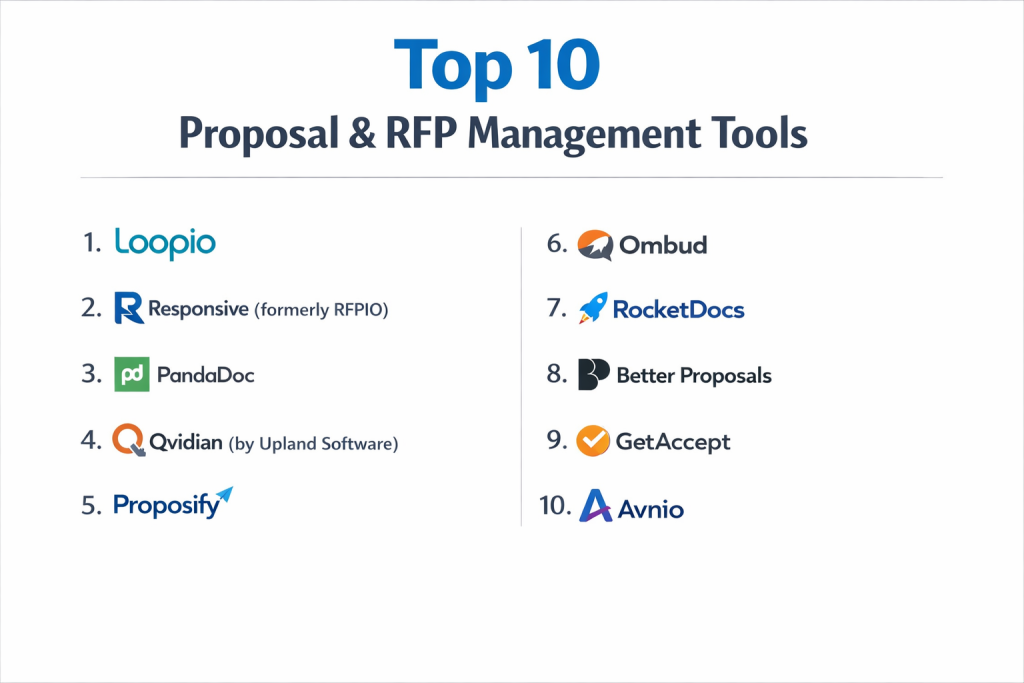
Top 10 Proposal & RFP Management Tools
1 — Loopio
Loopio is a leading RFP response platform that focuses on helping teams collaborate more effectively. It is known for its “Magic” automation and its highly intuitive interface that simplifies the knowledge-sharing process.
- Key features:
- “Magic” automated response engine that suggests answers from your library.
- Multi-language support for global teams.
- Intelligent search that understands context and keywords.
- Robust project tracking with clear task assignments for SMEs.
- Direct integrations with Slack, Salesforce, and Microsoft Dynamics.
- Content “freshness” tracking to ensure data stays up to date.
- Pros:
- Excellent user interface that leads to fast adoption by non-technical teams.
- The automation accuracy is consistently rated higher than many competitors.
- Cons:
- Pricing is generally on the higher end, making it an investment for mid-to-large firms.
- The document export formatting can sometimes require manual cleanup in Word.
- Security & compliance: SOC 2 Type II, GDPR, and HIPAA compliant; SSO and audit logs included.
- Support & community: High-touch onboarding, a dedicated customer success manager for larger accounts, and a comprehensive “Loopio Academy.”
2 — Responsive (formerly Strategic Proposals/RFPIO)
Responsive is an enterprise-grade platform designed for high-volume RFP, RFI, and security questionnaire responses. It is a powerhouse for large organizations that need deep technical capabilities.
- Key features:
- AI-enabled auto-response that learns from every submission.
- Browser extensions for Chrome and Edge to answer questions directly in the portal.
- Advanced project management with gantt-style timelines.
- Support for complex document types, including Excel-based RFPs.
- In-depth business intelligence and win-loss reporting.
- Huge ecosystem of integrations (Jira, Slack, Google Workspace).
- Pros:
- Handles massive, multi-tab Excel RFPs better than almost any other tool.
- The most feature-rich platform on the market for technical power users.
- Cons:
- The sheer amount of features creates a steep learning curve for new users.
- Can feel “over-engineered” for teams with simpler proposal needs.
- Security & compliance: ISO 27001, SOC 2 Type II, GDPR, and HIPAA compliant.
- Support & community: 24/7 global support, an active user community, and extensive technical documentation.
3 — PandaDoc
PandaDoc is a versatile document automation tool that excels in the “Sales Proposal” side of the market. It is the go-to choice for companies that want to send beautiful, interactive, and trackable proposals.
- Key features:
- Drag-and-drop document builder with professional templates.
- Built-in e-signature for legally binding contracts.
- Interactive pricing tables that allow clients to choose add-ons.
- Real-time document analytics (who opened it and for how long).
- Integrated payments (Stripe/PayPal) directly from the proposal.
- Content library for reusable “blobs” of text and media.
- Pros:
- Best-in-class aesthetic; proposals look professional and modern.
- Makes the transition from “Proposal” to “Signed Contract” seamless.
- Cons:
- Not built for the “question-and-answer” format of traditional RFPs.
- Some advanced branding and custom CSS features are restricted to higher tiers.
- Security & compliance: SOC 2 Type II, HIPAA (with add-on), and GDPR compliant.
- Support & community: 24/7 chat support, a large library of templates, and a strong online learning center.
4 — Qvidian (by Upland Software)
Qvidian is one of the longest-standing players in the proposal management space. It is a highly reliable, robust tool used by many Fortune 500 companies in finance and healthcare.
- Key features:
- Deep integration with Microsoft Word and Excel (lives where you work).
- Sophisticated content filtering based on product line or region.
- Automated document assembly for complex, multi-part bids.
- Advanced workflow rules for multi-level approvals.
- Comprehensive audit trails for every change made to a document.
- Strong reporting on team productivity and content usage.
- Pros:
- Unrivaled for teams that prefer to stay within the Microsoft Office ecosystem.
- Excellent for highly regulated industries that require strict version control.
- Cons:
- The interface feels dated compared to “SaaS-native” tools like Loopio.
- Configuration and setup can be complex and time-consuming.
- Security & compliance: SOC 2 Type II, ISO 27001, and HIPAA compliant.
- Support & community: Enterprise-level support with dedicated account managers and professional services.
5 — Proposify
Proposify is a sales-focused proposal tool that prioritizes design and the “closing” experience. It is particularly popular with creative agencies and professional service firms.
- Key features:
- Design-centric editor that allows for pixel-perfect layouts.
- “Total Rewards” and interactive pricing options.
- Automatic follow-up reminders based on client behavior.
- Integrated e-signatures and payment processing.
- Role-based permissions to prevent reps from changing legal language.
- Detailed analytics on which sections are being skipped by prospects.
- Pros:
- Empowers sales reps to create beautiful documents without needing a designer.
- The mobile-responsive view for clients is one of the best in the industry.
- Cons:
- The editor can occasionally be “finiticky” compared to a standard word processor.
- Not suitable for high-volume technical RFP questionnaires.
- Security & compliance: SOC 2 Type II and GDPR compliant.
- Support & community: Responsive customer support and a helpful blog focused on “closing” strategies.
6 — Ombud
Ombud focuses on “Decision Management.” It is designed for large enterprises that need to manage the collective intelligence of their subject matter experts across the entire sales cycle.
- Key features:
- Machine learning that curates the best content automatically.
- Collaboration workspaces designed for cross-functional teams.
- Advanced “Response Engineering” for complex technical queries.
- Real-time co-authoring capabilities.
- Strong integration with CRM and cloud storage (Box, OneDrive).
- Dashboards focused on “Sales Effectiveness” metrics.
- Pros:
- Excellent for large-scale, complex technical sales environments.
- Focuses on the “quality” of the answer rather than just the speed of the fill.
- Cons:
- Can be overkill for organizations with straightforward products.
- Smaller user community compared to industry giants like Responsive.
- Security & compliance: SOC 2 Type II, GDPR, and ISO standards.
- Support & community: High-touch implementation and professional services support.
7 — RocketDocs
RocketDocs (formerly known as Proposal Software) is a versatile platform that has been in the market for decades. It is known for its “LaunchPad” interface that streamlines the response process.
- Key features:
- Content library that integrates directly with Word, Excel, and Outlook.
- Automated questionnaire responding via browser plugins.
- Multi-channel content delivery (print, web, and email).
- Robust user permissions and security controls.
- Smart “Tags” for rapid content discovery.
- Competitive pricing for mid-market companies.
- Pros:
- Very flexible; can handle everything from a 1-page bio to a 1,000-page bid.
- One of the best tools for managing content across different departments.
- Cons:
- Some of the legacy features can feel a bit clunky in the modern web version.
- The reporting suite is not as visual as some of the newer competitors.
- Security & compliance: SOC 2 Type II and HIPAA compliant.
- Support & community: Solid documentation and a responsive support team.
8 — Better Proposals
Better Proposals is a lightweight, high-speed proposal tool designed for small businesses and freelancers who want to move away from PDF attachments.
- Key features:
- Simplified, web-based editor that produces clean, modern documents.
- Automated tracking: see when they open, read, and sign.
- “Digital Brochure” style that is optimized for mobile viewing.
- Integrated e-signatures and instant payment collection.
- Smart “Buy Now” buttons inside the proposal.
- One-click PDF generation for clients who still want a hard copy.
- Pros:
- Extremely fast to set up; you can send your first proposal in 15 minutes.
- Affordable pricing makes it accessible to startups and solos.
- Cons:
- Very limited in terms of RFP questionnaire automation.
- Not designed for complex collaboration between many departments.
- Security & compliance: GDPR compliant and uses standard SSL encryption.
- Support & community: Friendly, fast chat support and a helpful “University” for proposal writing.
9 — GetAccept
GetAccept combines proposal management with “Sales Enablement” and video. It is designed to add a personal touch to the digital sales process to help deals move faster.
- Key features:
- Personalized video introductions embedded in proposals.
- Real-time chat/messaging directly inside the document.
- Automated “Reminders” that nudge prospects via email or SMS.
- Contract management and legally binding e-signatures.
- Advanced analytics showing “Prospect Heatmaps” (what they read).
- Document “Deal Score” based on engagement metrics.
- Pros:
- The video feature significantly increases engagement and “humanizes” the bid.
- Great for high-velocity sales teams that need to stay top-of-mind.
- Cons:
- The interface can be a bit busy with all the different “enablement” features.
- Not a traditional “RFP” tool; more of a “Deal Room.”
- Security & compliance: SOC 2 Type II, GDPR, and ISO 27001 compliant.
- Support & community: Global support teams and a strong focus on “Sales Design” training.
10 — Avnio
Avnio is a specialized RFP tool built natively on the Salesforce platform. It is designed specifically for organizations that want their entire sales and proposal process to live in one CRM.
- Key features:
- Native Salesforce functionality (no data syncing needed).
- AI-powered “Avnio Assistant” for auto-filling responses.
- Integrated knowledge management within the CRM workflow.
- Real-time collaboration using Salesforce Chatter.
- Advanced ROI tracking linked directly to Salesforce Opportunities.
- Automated document generation based on CRM data.
- Pros:
- If you live in Salesforce, there is no better tool for data integrity.
- Extremely powerful automation that leverages your existing CRM data.
- Cons:
- Only useful if your organization is already a heavy Salesforce user.
- Implementation requires someone with Salesforce administrator skills.
- Security & compliance: Inherits Salesforce’s world-class security (FedRAMP, SOC, HIPAA).
- Support & community: Strong presence in the Salesforce ecosystem and AppExchange support.
Comparison Table
| Tool Name | Best For | Platform(s) Supported | Standout Feature | Rating |
| Loopio | Mid-Market Teams | Web / Cloud | “Magic” Auto-Response | 4.7 / 5 |
| Responsive | Enterprise Technical RFPs | Web / Cloud | Excel Handling | 4.6 / 5 |
| PandaDoc | SMB Sales Proposals | Web, iOS, Android | Interactive Pricing | 4.7 / 5 |
| Qvidian | Regulated Industries | Web / MS Office | MS Word/Excel Native | 4.2 / 5 |
| Proposify | Creative Agencies | Web / Cloud | Design-First Editor | 4.4 / 5 |
| Ombud | Decision Management | Web / Cloud | SME Collaboration | 4.5 / 5 |
| RocketDocs | Multi-Department | Web / MS Office | LaunchPad Workflow | 4.1 / 5 |
| Better Proposals | Freelancers / Startups | Web / Mobile | Speed of Creation | 4.8 / 5 |
| GetAccept | High-Velocity Sales | Web, iOS, Android | Embedded Sales Video | 4.6 / 5 |
| Avnio | Salesforce Orgs | Native Salesforce | CRM-Native Automation | 4.8 / 5 |
Evaluation & Scoring of Proposal & RFP Management Tools
| Criteria | Weight | Description |
| Core Features | 25% | Quality of content library, AI auto-fill, and e-signatures. |
| Ease of Use | 15% | The intuitiveness of the editor and the “Magic” search functionality. |
| Integrations | 15% | How well it talks to Salesforce, HubSpot, Slack, and MS Office. |
| Security & Compliance | 10% | SOC 2 status, GDPR compliance, and encryption standards. |
| Performance | 10% | System uptime and speed of large document generation. |
| Support & Community | 10% | Quality of onboarding and availability of proposal templates. |
| Price / Value | 15% | Overall ROI based on “Win Rate” increase and time saved. |
Which Proposal Management Tool Is Right for You?
Solo Users vs SMB vs Mid-Market vs Enterprise
Solo users and freelancers should stick to Better Proposals or the basic tier of PandaDoc; you need speed and professional looks without the technical overhead. SMBs with a growing sales team will find Proposify or Loopio to be the best “next step” in professionalizing their bids. Mid-market and Enterprise firms that deal with massive questionnaires must choose between Responsive (for feature depth) or Qvidian (for strict Microsoft Office compliance).
Budget-Conscious vs Premium Solutions
If you are on a budget, Better Proposals offers a low entry point. However, in the RFP world, “Premium” usually pays for itself. A tool like Loopio or Responsive can save a $150k/year Proposal Manager 20 hours a week, making the software “free” in terms of reclaimed productivity and increased win rates.
Feature Depth vs Ease of Use
If you want simplicity, PandaDoc is hard to beat; it feels like using a modern website builder. If you need feature depth—such as handling 10-tab Excel spreadsheets with 500 security questions—you must sacrifice some simplicity for the raw power of Responsive.
Integration and Scalability Needs
For Salesforce power-users, Avnio is the clear winner for scalability. If your team lives in Slack and Microsoft Word, Loopio or RocketDocs will feel like a natural extension of your existing workflow. Always ensure the tool can scale with you; moving a 5,000-item knowledge base to a new platform later is a significant project.
Security and Compliance Requirements
If you are in FinTech, Healthcare, or Government Contracting, do not compromise. You need a platform with SOC 2 Type II and ISO 27001 certifications. Responsive, Qvidian, and Loopio are the leaders in this regard, offering the detailed audit logs and permission structures your IT department will demand.
Frequently Asked Questions (FAQs)
What is the difference between a proposal tool and an RFP tool?
Proposal tools (like PandaDoc) focus on design and closing sales. RFP tools (like Loopio) focus on answering massive questionnaires and managing a knowledge base.
Can these tools help me win more deals?
Yes, by giving you more time to personalize the “Value Proposition” section of a bid rather than spending hours copy-pasting technical specs.
Do I need an RFP tool if I only do 5 RFPs a year?
Probably not. You can manage 5 a year with a good “Answer Bank” in a shared document. Once you hit 10–12 a year, the manual effort becomes a liability.
How does “Auto-Fill” or “Magic” work?
The AI looks at the text in the new RFP, searches your library for the closest match, and populates the answer, often with a “confidence score” for you to review.
Are e-signatures included?
In sales-focused tools like PandaDoc and Proposify, yes. In pure RFP tools, they often integrate with DocuSign or Adobe Sign instead.
Can I track if a prospect has read my proposal?
Yes, tools like PandaDoc, Proposify, and GetAccept send you a notification the moment a prospect opens the link and show you exactly which pages they viewed.
Is my data safe in these platforms?
Enterprise tools use bank-level encryption. Since your RFP library contains sensitive company secrets, always check for SOC 2 Type II certification.
How long does implementation take?
For small tools, a few hours. For enterprise RFP tools, expect 4–8 weeks to properly clean, tag, and upload your existing knowledge base.
What is the most common mistake when buying these tools?
Uploading “dirty” content. If you put 500 outdated or poorly written answers into the tool, the AI will just give you 500 bad suggestions.
Can I use these for security questionnaires?
Absolutely. In fact, many companies (like Datadog or Okta) use Loopio or Responsive primarily for security and legal questionnaires rather than sales.
Conclusion
A winning proposal is a blend of two things: a beautiful presentation and accurate, persuasive content. In the past, you had to choose between a tool that looked good and a tool that managed data well. Today’s top platforms, from the design-rich PandaDoc to the data-heavy Responsive, allow you to have both.
When choosing your tool, remember that the software is only as good as the content you put into it. The “best” tool for your company is the one that fits into your team’s existing workflow—whether that’s inside Salesforce, Microsoft Word, or a web browser. By automating the “busy work” of bidding, you empower your team to focus on what actually wins deals: building relationships and solving customer problems.