Introduction
Prompt Engineering Tools have evolved from simple text playgrounds into sophisticated integrated development environments (IDEs) designed to manage the lifecycle of an AI prompt. These tools provide the necessary infrastructure to draft, version-control, test, and optimize the instructions sent to Large Language Models (LLMs). As AI models become more capable yet sensitive to nuances, these platforms act as a bridge between raw human intent and the specific “tokens” that trigger the most accurate, safe, and efficient responses from the AI. They replace the manual trial-and-error approach with systematic, data-driven engineering.
The importance of these tools lies in the transition from “AI as a toy” to “AI as enterprise infrastructure.” In a professional setting, a single prompt change can have cascading effects on performance and cost. Prompt engineering tools ensure that teams can iterate on AI features without breaking production systems, much like Git does for traditional software code. They address critical needs such as reducing “hallucinations,” managing model-specific nuances (like the differences between GPT-4o and Claude 3.5), and providing a “human-in-the-loop” interface for non-technical domain experts to contribute to AI behavior.
Key Real-World Use Cases
- Enterprise RAG Optimization: Tuning prompts to ensure Retrieval-Augmented Generation systems pull the correct context and answer in the corporate brand voice.
- A/B Testing Model Performance: Comparing how a marketing copy prompt performs across multiple models (e.g., Gemini vs. Llama 3) to find the best cost-to-quality ratio.
- Regression Testing: Ensuring that a new prompt designed to fix one edge case doesn’t break the AI’s ability to handle five other common scenarios.
- Cost and Latency Management: Monitoring how prompt length and complexity impact API bills and user response times in real-time.
- Dynamic Content Personalization: Managing complex “prompt templates” that inject user data while maintaining strict constraints on output format (like JSON or Markdown).
What to Look For (Evaluation Criteria)
When selecting a tool, prioritize Collaborative Workspaces if you have non-coders (like product managers or legal experts) involved in the prompting process. Multi-Model Support is essential to avoid vendor lock-in. Look for Evaluation Frameworks that offer automated “grading” of AI responses, and Version Control that allows for instant rollbacks if a prompt update degrades performance in production.
Best for: AI engineers, product managers, and marketing operations teams in startups and enterprises who need to move AI prototypes into reliable production environments.
Not ideal for: Casual users who only need a single answer from ChatGPT, or for organizations that have not yet integrated LLMs into their core business workflows.
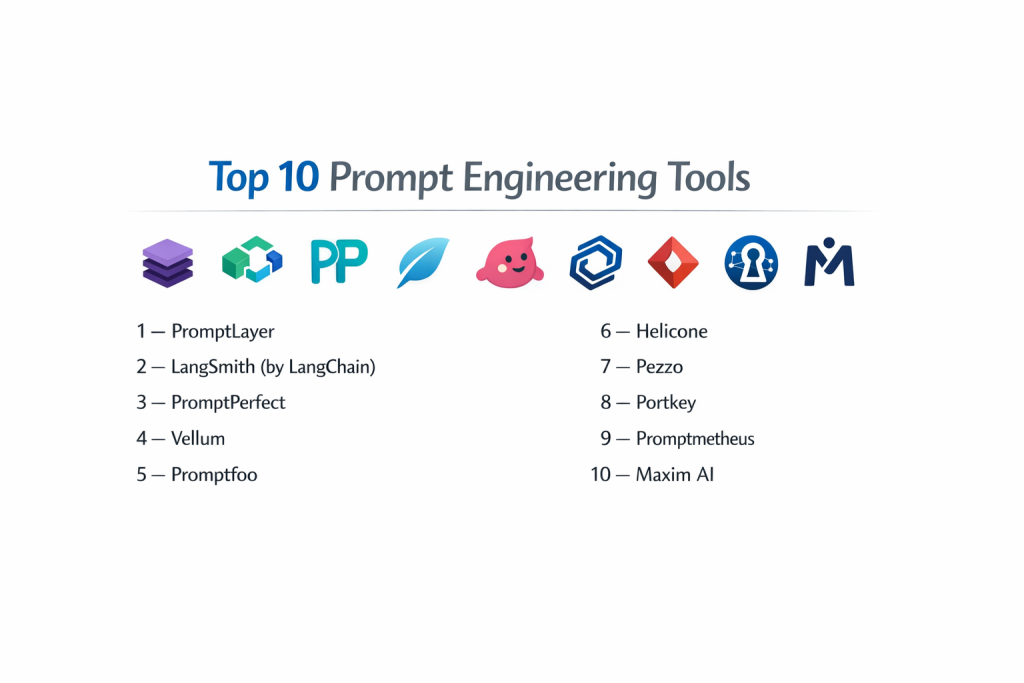
Top 10 Prompt Engineering Tools
1 — PromptLayer
PromptLayer is a middleware platform that acts as a bridge between your code and the LLM, logging every request for better visibility and management.
- Key features:
- Visual Prompt Management: A dashboard to organize and edit prompts without touching application code.
- Version Control: Track history and switch between prompt versions instantly.
- Request Logging: Full traceability of every prompt, response, and metadata point.
- Evaluations: Tools to run A/B tests and manual “scoring” of outputs.
- Provider Agnostic: Supports OpenAI, Anthropic, Google, and others through a unified interface.
- Pros:
- Exceptional for collaboration between engineers and non-technical stakeholders.
- One of the fastest ways to add “observability” to an existing AI application.
- Cons:
- Adds a slight latency overhead as it acts as a proxy for your API calls.
- The UI can become cluttered for teams with thousands of active prompts.
- Security & compliance: SOC 2 Type II compliant; provides data encryption at rest and in transit.
- Support & community: Very responsive support team and an active community of professional prompt engineers.
2 — LangSmith (by LangChain)
LangSmith is a specialized platform for debugging, testing, and monitoring LLM applications, deeply integrated with the LangChain ecosystem.
- Key features:
- Tracing: Visualizes the entire chain of thought and tool-calling for complex prompts.
- Dataset Management: Easily convert production logs into test cases for future prompts.
- Automated Evals: Built-in “heuristics” and model-based graders to check for correctness.
- Collaborative Hub: A central repository for teams to share and iterate on prompt templates.
- Playground: Integrated environment to test prompts against various models before deployment.
- Pros:
- Unrivaled for developers already using the LangChain framework.
- Excellent for deep-dive debugging of “multi-step” autonomous agent logic.
- Cons:
- Can feel overly complex for teams not using LangChain.
- Higher pricing tiers can be expensive for high-volume production logs.
- Security & compliance: SOC 2 compliant; offers PII masking and enterprise-grade SSO.
- Support & community: Massive community backing and extensive documentation.
3 — PromptPerfect
PromptPerfect is a high-level optimization tool designed to automatically “tune” your prompts for better results across different AI models.
- Key features:
- Auto-Tune: Automatically re-writes your prompt to be more effective for a specific target model.
- Multi-Model Arena: Compare outputs from up to 5 models side-by-side in real-time.
- Optimization Settings: Fine-tune length, quality, and creativity constraints.
- Batch Processing: Optimize hundreds of prompts at once for large-scale migrations.
- Prompt API: Deploy your optimized prompts directly as an API endpoint.
- Pros:
- Best-in-class for non-technical users who need professional results quickly.
- Saves significant time on manual “prompt hacking” and trial-and-error.
- Cons:
- The “black box” nature of the optimization can sometimes remove specific nuances you intended to keep.
- Primarily focused on generation rather than long-term management and monitoring.
- Security & compliance: GDPR compliant; data privacy controls available for enterprise users.
- Support & community: Solid documentation and active user base in the marketing and content sectors.
4 — Vellum
Vellum is an enterprise-grade platform that combines prompt engineering with complex RAG (Retrieval-Augmented Generation) workflows.
- Key features:
- Visual Workflow Builder: Drag-and-drop interface for complex multi-prompt logic.
- Semantic Search: Built-in tools to manage the “context” and documents sent to the prompt.
- Regression Testing: Sophisticated test suites to ensure prompt updates don’t break existing features.
- Environment Management: Separate “Production,” “Staging,” and “Dev” environments for prompts.
- Model Sandbox: Swap models (e.g., GPT to Claude) to compare cost and latency instantly.
- Pros:
- Highly reliable for engineering teams building customer-facing AI products.
- Strong focus on the “entire” AI feature, not just the text instructions.
- Cons:
- Higher cost of entry compared to lighter “logging-only” tools.
- Requires a more significant integration effort for existing projects.
- Security & compliance: SOC 2 Type II, HIPAA, and GDPR compliant; emphasizes enterprise data residency.
- Support & community: White-glove enterprise support and technical onboarding.
Promptfoo is a popular open-source CLI tool and library for systematic, test-driven prompt evaluation.
5 — Promptfoo
- Key features:
- Matrix Testing: Run a grid of multiple prompts against multiple test cases and models.
- Red Teaming: Specialized tests to check for prompt injection and safety violations.
- CI/CD Integration: Run your prompt evals as part of your automated code deployment.
- Custom Assertions: Define success via Javascript, Python, or AI-graded metrics.
- Local Execution: Runs entirely on your machine, keeping your data private.
- Pros:
- Free and open-source, providing immense value without licensing fees.
- The fastest way for developers to implement “unit testing” for prompts.
- Cons:
- Lacks a high-end collaborative UI for non-technical team members.
- Requires comfort with the command line and YAML configuration files.
- Security & compliance: N/A (Local execution means you control all security and data privacy).
- Support & community: Active GitHub community and developer-centric documentation.
6 — Helicone
Helicone is an open-source observability platform that provides an “AI Gateway” for logging, managing, and caching prompts.
- Key features:
- AI Gateway: A single endpoint that handles all your model requests and logs them automatically.
- Prompt Versioning: Change your prompt in the Helicone UI and see it update in your app instantly.
- Cost Tracking: Detailed breakdowns of spend per user, per prompt, and per model.
- Semantic Caching: Reduces costs by identifying and serving cached responses for similar prompts.
- User-Level Analytics: See which prompts are causing errors for specific customers.
- Pros:
- Extremely low-friction setup; just change one line of code (the base URL).
- Powerful cost-saving features for high-traffic applications.
- Cons:
- Less focus on the “creation” and “optimizing” side than tools like PromptPerfect.
- Visual dashboard is clean but less feature-rich than enterprise competitors.
- Security & compliance: SOC 2 compliant; supports data masking and custom retention policies.
- Support & community: Growing open-source community and reliable technical support.
7 — Pezzo
Pezzo is a developer-first, open-source GraphQL-based prompt management platform designed for speed and reliability.
- Key features:
- Prompt IDE: A sophisticated browser-based editor for creating and testing prompts.
- Instant Deployment: Publish prompt changes to production without redeploying your code.
- Observability: Track execution time, token usage, and costs for every prompt call.
- GraphQL API: Modern, type-safe way to integrate prompts into your application stack.
- Collaboration: Role-based access for teams to work together on prompt libraries.
- Pros:
- Makes the “developer experience” of working with AI significantly smoother.
- Open-source core allows for high customization and self-hosting.
- Cons:
- Younger ecosystem with fewer third-party integrations than LangChain.
- Documentation is good but still evolving alongside the product.
- Security & compliance: SOC 2 compliant (Cloud version); self-hosting allows for custom security.
- Support & community: Very active Discord and rapid development cycle.
8 — Portkey
Portkey provides a “Control Plane” for LLM apps, focusing on gateway reliability and prompt orchestration.
- Key features:
- Unified API: A single standard for interacting with 100+ different AI models.
- Fallbacks & Retries: Automatically switch models if your primary provider is down.
- Enterprise Prompt Management: Version, test, and deploy prompts from a central dashboard.
- Security Guardrails: Real-time checking for PII or unsafe content in prompts and responses.
- Load Balancing: Distributes traffic across multiple API keys to prevent rate limiting.
- Pros:
- Best-in-class for production “uptime” and reliability.
- Exceptional security features for regulated industries.
- Cons:
- Can feel like “overkill” for simple, low-traffic apps.
- Setup is more involved than simple logging-only proxies.
- Security & compliance: ISO 27001, SOC 2, and GDPR compliant; HIPAA ready.
- Support & community: Dedicated account management for enterprise tiers and professional support.
9 — Promptmetheus
Promptmetheus is a specialized IDE for prompt engineering that treats prompts like “LEGO blocks” for better composability.
- Key features:
- Block-Based Composition: Break prompts into reusable sections (Context, Task, Samples).
- Evaluation Suite: Rate outputs and see visual statistics on model performance.
- Cost Calculation: Real-time estimation of what each prompt iteration will cost.
- Traceability: Detailed changelogs for every single modification to a prompt.
- Data Export: Seamlessly export your prompt data into CSV, JSON, or Python code.
- Pros:
- The most intuitive tool for building “complex” prompts with many variables.
- Excellent visual feedback on the quality of your prompt iterations.
- Cons:
- Smaller user community compared to industry giants like LangChain.
- High memory usage reported for very large datasets and long prompt histories.
- Security & compliance: Standard web encryption; local data storage options available for privacy.
- Support & community: Discord-based support and a helpful resource hub for beginners.
10 — Maxim AI
Maxim AI is an end-to-end platform that focuses on the entire lifecycle of AI agents, from prompt simulation to production observability.
- Key features:
- Agent Simulation: Test prompts across hundreds of user “personas” to find failure points.
- Bifrost Gateway: Unified access to 250+ providers with automatic fallbacks.
- Comprehensive Evaluation: Pre-built evaluators for accuracy, relevance, and safety.
- Observability & Alerts: Get notified if your AI starts producing low-quality responses in production.
- Collaborative Playgrounds: High-end visual interface for cross-functional teams.
- Pros:
- The most “complete” lifecycle tool on this list for complex agentic AI.
- Significant productivity gains for teams building autonomous AI products.
- Cons:
- Enterprise-focused pricing may be out of reach for small startups.
- Steeper learning curve due to the sheer number of integrated features.
- Security & compliance: SOC 2 Type 2 and ISO 27001 certified; offers private cloud deployment.
- Support & community: Professional enterprise support and extensive technical documentation.
Comparison Table
| Tool Name | Best For | Platform(s) Supported | Standout Feature | Rating (TrueReview) |
| PromptLayer | Team Collaboration | Web, API | Code-Free Prompt Updates | 4.8 / 5 |
| LangSmith | LangChain Users | Web, SDK | Multi-Step Chain Tracing | 4.7 / 5 |
| PromptPerfect | Fast Optimization | Web, API | Automatic Prompt Tuning | 4.6 / 5 |
| Vellum | Reliable AI Features | Web, SDK | Integrated RAG & Testing | N/A |
| Promptfoo | Developers / CI/CD | CLI, Local | Open-Source Matrix Testing | 4.9 / 5 |
| Helicone | Cost & Monitoring | Web, Proxy | AI Gateway & Caching | 4.8 / 5 |
| Pezzo | GraphQL Frameworks | Web, GraphQL | Instant Cloud Deployment | 4.7 / 5 |
| Portkey | Enterprise Reliability | Web, API | Automatic Model Fallbacks | 4.8 / 5 |
| Promptmetheus | Complex Prompts | Web, Local | Block-Based IDE | N/A |
| Maxim AI | AI Agents & Lifecycle | Web, Private Cloud | Agentic Simulation Engine | N/A |
Evaluation & Scoring of Prompt Engineering Tools
| Category | Weight | Score (1-10) | Evaluation Rationale |
| Core features | 25% | 9.4 | Most tools now offer excellent versioning and side-by-side comparison. |
| Ease of use | 15% | 8.2 | Visual builders (PromptPerfect) are much easier than CLI tools (Promptfoo). |
| Integrations | 15% | 9.0 | High marks for tools that support 100+ models via a single API. |
| Security & compliance | 10% | 8.5 | Enterprise tools are strong; open-source tools rely on local execution. |
| Performance | 10% | 8.8 | Modern AI gateways have minimized latency to negligible levels. |
| Support & community | 10% | 9.2 | Community-driven innovation in this space is incredibly fast-paced. |
| Price / value | 15% | 8.7 | Open-source options provide massive value for budget-conscious devs. |
Which Prompt Engineering Tool Is Right for You?
Small to Mid-Market vs. Enterprise
For solo developers or small teams, open-source and freemium tools like Promptfoo or Helicone are often the best starting point. They provide professional-grade logging and testing without the need for a large budget. Mid-market companies that need to collaborate between departments should look at PromptLayer or Pezzo, as they offer the best “middle ground” of ease of use and developer control. Enterprises must prioritize governance and security; Maxim AI, Vellum, and Portkey are the standard choices here due to their SOC 2 certifications, private cloud options, and advanced audit logs.
Budget and Value
If your primary goal is to save money on API costs, Helicone and Portkey are high-value choices because of their semantic caching. If you want to save developer time, PromptPerfect offers the most immediate “ROI” by automating the tuning process. For those with a zero-dollar software budget, Promptfoo is the undisputed king of open-source value.
Technical Depth vs. Simplicity
If your team is mostly non-technical marketers or content creators, PromptPerfect and Promptmetheus offer the most intuitive visual interfaces. If your team is comprised of backend engineers, you will likely prefer the programmatic control of LangSmith or the CLI-first nature of Promptfoo.
Security and Compliance Requirements
In highly regulated sectors like Finance, Healthcare, or Legal, you cannot afford to send your data through a third-party proxy without strict guarantees. In these cases, look for tools that offer Self-Hosting (like Pezzo or n8n) or those with HIPAA and SOC 2 Type 2 certifications (like Vellum or Maxim AI). These platforms ensure your prompt data and PII remain protected according to industry standards.
Frequently Asked Questions (FAQs)
1. Is “Prompt Engineering” still a necessary skill?
Yes. While models are getting better, they are also getting more complex. Engineering the right instructions is the difference between a generic answer and a high-performing business automation tool.
2. Can I use these tools with open-source models (like Llama 3)?
Yes. Most platforms on this list (especially Helicone, Portkey, and Promptfoo) support “Local” or self-hosted models via integrations with tools like Ollama or vLLM.
3. What is a “Prompt Gateway”?
It is a single URL you use in your code that manages all your AI traffic. It handles things like logging, cost tracking, and switching models automatically if one goes down.
4. How do automated evaluations work?
The tool uses a “Judge” model (usually a high-end model like GPT-4o) to look at the response from a “Worker” model and score it based on criteria you define, like “helpfulness” or “safety.”
5. Do these tools increase the latency of my app?
Slightly. Most “proxy” based tools add between 10ms and 50ms of latency, which is usually unnoticeable compared to the 2–5 seconds it takes for the AI model to actually generate a response.
6. Can I version-control my prompts?
Yes. All top tools offer “Git-like” versioning, allowing you to see exactly what changed in a prompt and roll back to a previous version if the new one causes issues.
7. What is “Prompt Injection,” and can these tools stop it?
Prompt injection is an attack where a user tries to trick the AI into ignoring its rules. Tools like Portkey and Promptfoo have specialized “Red Teaming” features to help detect and block these attacks.
8. Is there a way to test prompts before paying for the API?
Most tools have a “Playground” where you can test prompts. However, you still usually need to provide your own API key, meaning you will pay for the tokens used during testing.
9. What is “Semantic Caching”?
It is a feature that stores previous AI answers. If a new user asks a question that is semantically similar to an old one, the tool provides the cached answer for free instead of calling the expensive AI API again.
10. How do these tools help with “hallucinations”?
They allow for rigorous “Regression Testing.” By running your prompt against 100 “known good” examples, you can see if a prompt change causes the AI to start giving incorrect or made-up information.
Conclusion
The selection of a Prompt Engineering Tool is no longer just a luxury for experimental teams; it is a fundamental requirement for any organization serious about shipping reliable AI. The market has split into two clear paths: Developer-centric tools like Promptfoo and LangSmith that prioritize testing and code integration, and Enterprise-centric platforms like Vellum and Maxim AI that prioritize collaboration and security.
The “best” tool for your team depends on where you sit on the spectrum of technical depth vs. the need for speed. However, the common thread among all successful AI teams is the move toward systematic evaluation. By choosing a tool that offers robust logging and testing, you ensure that your AI remains an asset to your business rather than a liability.