Introduction
Production Scheduling Tools are specialized software solutions designed to coordinate the “when” and “where” of manufacturing operations. Unlike general project management software, these tools account for the granular constraints of the factory floor—machine availability, labor shifts, material lead times, and maintenance windows. By utilizing Advanced Planning and Scheduling (APS) algorithms, these systems transform a chaotic list of sales orders into a streamlined, chronological roadmap that maximizes throughput while minimizing idle time.
The importance of these tools cannot be overstated in today’s “Just-In-Time” economy. A delay of just one hour on a critical machine can ripple through a weekly schedule, causing missed delivery dates and inflated labor costs. Production scheduling tools provide the visibility needed to perform “What-If” analysis, allowing planners to see the impact of a rush order or an unexpected machine breakdown before it happens. By optimizing the sequence of jobs, companies can significantly reduce setup times (changeovers) and ensure that expensive capital equipment is being utilized to its highest potential.
Key Real-World Use Cases
- High-Mix, Low-Volume Manufacturing: Sequencing hundreds of custom orders to ensure that machines with similar setups are grouped together, reducing downtime.
- Food & Beverage Processing: Managing complex sanitation cycles and allergen “wash-downs” between production runs to ensure safety and compliance.
- Automotive Parts Supply: Synchronizing production with the specific delivery windows required by OEM assembly lines to avoid steep penalties.
- Electronics Assembly: Balancing labor-intensive manual assembly stations with high-speed automated SMT (Surface Mount Technology) lines.
- Pharmaceutical Batching: Scheduling expensive chemical reactors and ensuring that temperature-sensitive intermediate goods move to the next stage before expiring.
What to Look For (Evaluation Criteria)
When evaluating production scheduling software, the most critical feature is Finite Capacity Scheduling (FCS); the tool must understand that a machine cannot do two things at once. Look for Drag-and-Drop Gantt Charts that allow for manual overrides when “real life” happens. Integration Capabilities with your existing ERP or MES systems are vital to prevent manual data entry. Finally, evaluate the Algorithm Sophistication—can the tool automatically optimize for the shortest lead time, lowest cost, or highest machine utilization based on your current business goals?
Best for: Production planners, plant managers, and operations directors in mid-sized to enterprise manufacturing firms where complex constraints make manual scheduling via spreadsheets impossible.
Not ideal for: Very small artisan shops with one or two machines, or pure service businesses that do not have physical resource constraints or complex material dependencies.
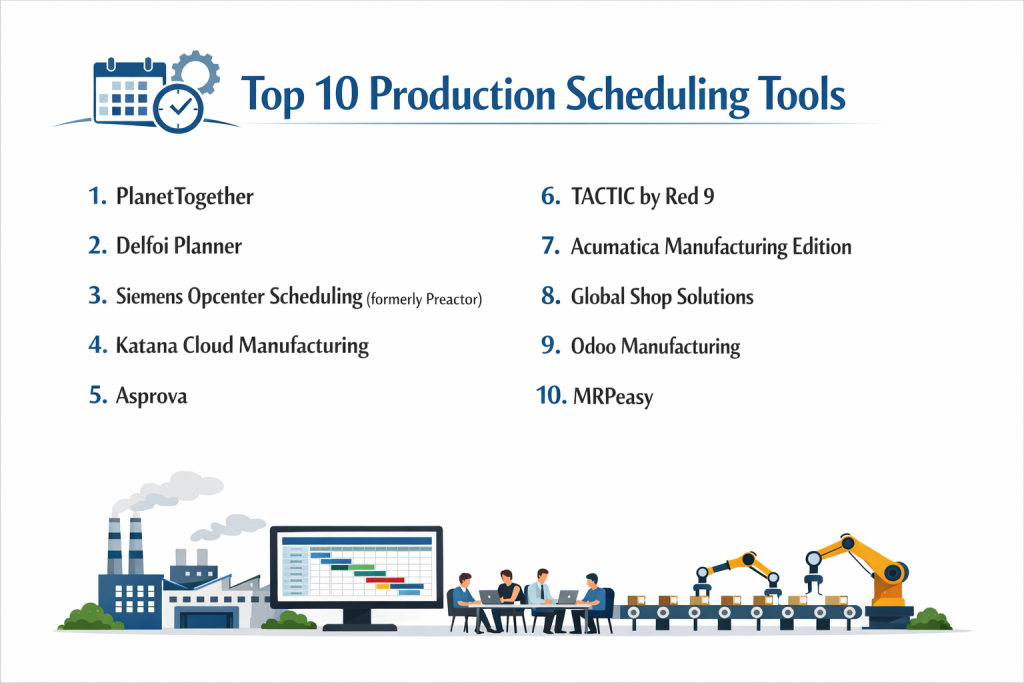
Top 10 Production Scheduling Tools
1 — PlanetTogether
PlanetTogether is a premier Advanced Planning and Scheduling (APS) solution that specializes in multi-plant optimization and complex constraint management.
- Key features:
- What-If Browser: Run multiple schedule scenarios in a sandbox environment to see the impact of changes.
- Multi-Plant Sync: Coordinate production across different geographical sites within a single view.
- Drag-and-Drop Gantt: Highly interactive visual interface for real-time manual adjustments.
- Dynamic Bottleneck Detection: Automatically identifies the “constraining resource” in any given schedule.
- KPI Dashboards: Real-time tracking of on-time delivery, utilization, and inventory turns.
- Pros:
- Exceptional at handling “deep” constraints like labor skills and tool availability simultaneously.
- Robust integration bridge for major ERPs like SAP, Microsoft Dynamics, and Oracle.
- Cons:
- The high level of sophistication comes with a steeper learning curve for new planners.
- Implementation typically requires significant clean-up of master data.
- Security & compliance: SOC 2 Type II compliant, SSO integration, and role-based access control (RBAC).
- Support & community: High-touch onboarding, dedicated success managers, and an extensive technical knowledge base.
2 — Delfoi Planner
Delfoi Planner is a cloud-based APS system known for its user-friendly interface and strong emphasis on visual transparency and collaboration.
- Key features:
- Visual Production Control: Simplified Gantt views designed for shop-floor transparency.
- Nesting Integration: Specialized tools for fabrication industries (cutting, punching, etc.).
- Web-Based Accessibility: Accessible via any browser, making it ideal for remote operations management.
- Automated Scheduling Rules: Pre-set logic for “Earliest Due Date” or “Minimize Setups.”
- Collaborative Planning: Allows multiple users to view and interact with the schedule in real-time.
- Pros:
- Much faster to implement than traditional on-premise APS suites.
- Very intuitive UI that feels more like a modern SaaS app than industrial software.
- Cons:
- May lack the “extreme” mathematical depth required for the most complex chemical batching processes.
- Limited offline functionality.
- Security & compliance: GDPR compliant, data encryption at rest and in transit, and secure API gateways.
- Support & community: Reliable customer support with a strong presence in the European and Nordic markets.
3 — Siemens Opcenter Scheduling (formerly Preactor)
Siemens Opcenter is perhaps the most widely recognized name in the scheduling world, offering deep functionality for discrete and process manufacturing.
- Key features:
- Finite Capacity Scheduling: Models resources with 100% accuracy, including secondary constraints like tools.
- Advanced Sequence Optimization: Sophisticated algorithms to minimize changeover times.
- Material Explorer: Visualizes the relationship between material stock and production demand.
- Customizable Logic: Allows for the programming of unique business rules into the scheduling engine.
- Order Board: A simplified view for sales teams to see the status of specific customer orders.
- Pros:
- Unmatched flexibility; it can be tailored to almost any unique manufacturing environment.
- Backed by the massive Siemens Xcelerator ecosystem for end-to-end digitalization.
- Cons:
- Can be very expensive when adding custom logic and specialized integrations.
- Often requires a third-party consultant for initial setup and “tuning.”
- Security & compliance: IEC 62443 certified, ISO 27001, and robust enterprise-grade security protocols.
- Support & community: Global network of certified partners and a massive user community across every industry.
4 — Katana Cloud Manufacturing
Katana offers an all-in-one MRP and scheduling solution designed for small to mid-market manufacturers who value simplicity and visual clarity.
- Key features:
- Visual Prioritization: Move orders up or down the list to automatically reallocate materials and time.
- Real-Time Material Availability: Instantly see if you have the parts needed to start a scheduled job.
- Shop Floor App: Digital task lists for operators that sync directly with the master schedule.
- Contract Manufacturing Management: Schedule work across your own shop and outsourced partners.
- E-commerce Sync: Direct links to Shopify and WooCommerce to schedule orders as they arrive.
- Pros:
- The most “approachable” tool on this list; users can be productive within hours.
- Affordable for smaller companies that are outgrowing spreadsheets.
- Cons:
- Lacks the complex “infinite” vs “finite” capacity toggles found in high-end APS tools.
- Not suitable for extremely large, multi-stage industrial plants.
- Security & compliance: SOC 2 compliant, GDPR ready, and hosted on secure AWS infrastructure.
- Support & community: Excellent chat support, clear documentation, and a helpful “DTC” manufacturing community.
5 — Asprova
Asprova is a high-speed APS system from Japan that focuses on “Ultra-High-Speed” scheduling for massive, complex production lines.
- Key features:
- High-Speed Engine: Can schedule 100,000 tasks in seconds, making it ideal for large-scale ops.
- Total Lead Time Reduction: Algorithms specifically tuned to eliminate “wait time” between stations.
- Solver Options: Includes a variety of logic solvers for different optimization goals.
- Graphical Results: Detailed charts showing load, inventory, and cost projections.
- Standard Connectors: Native pipes to SAP and other major ERP systems.
- Pros:
- Probably the most mathematically powerful scheduling engine currently on the market.
- Highly effective for lean manufacturing environments focusing on “Flow.”
- Cons:
- The user interface is very traditional and can feel dated to younger users.
- High technical barrier to entry for the person configuring the system.
- Security & compliance: ISO 9001, standard encryption, and deep audit logs.
- Support & community: Strong support in Asia and Europe with specialized engineering teams for implementation.
6 — TACTIC by Red 9
TACTIC is a highly specialized scheduling tool designed for manufacturers with highly variable demand and “make-to-order” environments.
- Key features:
- What-If Scheduling: Rapidly test the impact of adding a new “rush” job to the current load.
- Resource Management: Tracks labor, machines, and tooling in one unified constraint model.
- Capacity Planning: Identifies exactly when you need to add a second shift or buy a new machine.
- Delivery Performance: Specifically optimizes for “On-Time-In-Full” (OTIF) metrics.
- Data Integration Tool: Easily pulls data from diverse, non-standard legacy systems.
- Pros:
- Exceptional customer service and “white-glove” implementation.
- Very strong at handling the “chaos” of custom job shops.
- Cons:
- Less focus on “Process” manufacturing (liquids, chemicals) than some competitors.
- Smaller third-party integrator network compared to Siemens.
- Security & compliance: Standard industrial security; usually deployed in secure local or private cloud environments.
- Support & community: Known for deep industry expertise and direct access to the developers during setup.
7 — Acumatica Manufacturing Edition
Acumatica is a cloud-native ERP that includes a robust scheduling module, providing a seamless flow from sales quote to shop floor execution.
- Key features:
- Visual Scheduling Board: GANTT-based view for managing machine and labor utilization.
- Capable-to-Promise (CTP): Checks the schedule during the sales call to give the customer a real date.
- Finite and Infinite Capacity: Easily switch between modes for long-term and short-term planning.
- Native Mobile App: Managers can view and adjust the schedule from a phone or tablet.
- Work Center Management: Group similar machines to allow for flexible task routing.
- Pros:
- The integrated nature means no “syncing” issues between your ERP and your scheduler.
- Unique pricing model based on resources used rather than “per-user” seats.
- Cons:
- The scheduling module is part of a larger ERP; it may not be sold as a standalone tool.
- Advanced sequence optimization isn’t as deep as specialized APS tools like PlanetTogether.
- Security & compliance: SOC 2 Type II, PCI DSS, and FIPS 140-2 compliant.
- Support & community: Strong network of Value Added Resellers (VARs) and a very active user forum.
8 — Global Shop Solutions
Global Shop Solutions is a comprehensive ERP for manufacturers that features a highly integrated “Advanced Planning and Scheduling” (APS) module.
- Key features:
- APS Graphical Schedule: Drag-and-drop jobs across work centers in real-time.
- Labor Tracking: Synchronizes actual labor hours with the schedule to improve future accuracy.
- Inventory Sync: Only schedules jobs once the required raw materials are in the building.
- Scheduling Priority Rules: Set rules for specific customers (e.g., “Always prioritize Boeing”).
- Machine Integration: Can pull data from machine sensors to update the schedule automatically.
- Pros:
- All-in-one system—perfect for companies that want to avoid “software silos.”
- Excellent at tracking the financial cost of scheduling decisions.
- Cons:
- The interface is functional but has a steeper learning curve for non-technical staff.
- Implementation is a major, multi-month project for the whole company.
- Security & compliance: ISO 27001 ready, secure cloud hosting options, and detailed audit trails.
- Support & community: Backed by “Fast Track” implementation services and a dedicated US-based support team.
9 — Odoo Manufacturing
Odoo is an open-source suite of business apps with a modular “PLM & MRP” approach that includes flexible scheduling capabilities.
- Key features:
- Work Order Planning: Visual GANTT charts for every work center in the factory.
- Maintenance Integration: Automatically blocks out time in the schedule for machine repairs.
- Tablet View: Operators can “Start” and “Stop” jobs, updating the master schedule live.
- Customizable Workflow: Easily add stages (e.g., “Quality Inspection”) to any production route.
- IoT Box: Connects the schedule to hardware triggers (like a light turning on when a job starts).
- Pros:
- Extremely cost-effective for companies that have internal IT resources for customization.
- Very modern, “clean” aesthetic that increases employee adoption.
- Cons:
- The base scheduling logic is “Infinite” by default; “Finite” capacity requires extra configuration.
- Advanced math for sequence optimization often requires third-party “Odoo Apps.”
- Security & compliance: GDPR compliant, 2FA support, and secure cloud hosting (Odoo.sh).
- Support & community: Massive global community of developers and thousands of forum contributors.
10 — MRPeasy
MRPeasy is a cloud-based MRP specifically designed for small manufacturers (10-200 employees) who need professional scheduling without the enterprise price tag.
- Key features:
- Gantt Chart Scheduling: Simple, effective visualization of production orders.
- Workstation Loading: See the load percentage of every machine for the next 30 days.
- Material Requirements Planning: Direct link between the schedule and the purchase orders.
- Backward Scheduling: Plan from the delivery date backward to find the latest possible start date.
- Serial & Lot Tracking: Critical for food and medical device scheduling compliance.
- Pros:
- One of the most affordable professional-grade tools on the market.
- Very transparent “self-service” implementation—you can be up and running in a week.
- Cons:
- Lacks the high-end optimization solvers found in Siemens or Asprova.
- Limited flexibility for highly custom, non-standard manufacturing workflows.
- Security & compliance: GDPR compliant, data encryption, and regular security audits.
- Support & community: Strong online documentation and reliable email support; widely used in SMB markets.
Comparison Table
| Tool Name | Best For | Platform(s) Supported | Standout Feature | Rating (TrueReview) |
| PlanetTogether | Multi-plant Enterprise | Windows / Cloud | “What-If” Multi-Scenario | 4.8 / 5 |
| Delfoi Planner | Collaborative Planning | Cloud / Web | Modern, Visual Interface | 4.7 / 5 |
| Siemens Opcenter | Discrete/Complex Mfg | Windows / On-Prem | Industrial-Grade Solver | 4.6 / 5 |
| Katana | SMB / DTC Brands | Cloud (SaaS) | E-commerce Integration | 4.8 / 5 |
| Asprova | Ultra-High-Speed | Windows / On-Prem | 100k Tasks in Seconds | N/A |
| TACTIC | Make-to-Order Shops | Windows / Cloud | Custom Job Variability | 4.5 / 5 |
| Acumatica | Integrated ERP Users | Cloud (SaaS) | Capable-to-Promise (CTP) | 4.6 / 5 |
| Global Shop | All-in-One Efficiency | Windows / Cloud | Deep Financial Integration | 4.3 / 5 |
| Odoo | High Customization | Cloud / Open Source | Modular App Ecosystem | 4.5 / 5 |
| MRPeasy | Small Manufacturers | Cloud (SaaS) | Transparent Pricing / Ease | 4.7 / 5 |
Evaluation & Scoring of Production Scheduling Tools
| Category | Weight | Evaluation Logic |
| Core Features | 25% | Presence of FCS, GANTT visuals, and multi-constraint logic. |
| Ease of Use | 15% | Drag-and-drop intuitiveness and administrative dashboard clarity. |
| Integrations | 15% | Strength of API and native links to ERP/MES/WMS systems. |
| Security & Compliance | 10% | Support for SOC 2, ISO, GDPR, and data residency options. |
| Performance | 10% | Calculation speed for complex plans and cloud uptime reliability. |
| Support & Community | 10% | Quality of documentation, forums, and consultant availability. |
| Price / Value | 15% | TCO (Total Cost of Ownership) relative to optimization gains. |
Which Production Scheduling Tool Is Right for You?
Solo Users vs SMB vs Mid-Market vs Enterprise
If you are a Small Business (SMB) with 10–50 employees, Katana or MRPeasy are the most logical choices. They provide the “visual” scheduling you need without requiring a full-time IT person to maintain the system. Mid-Market firms with 50–500 employees should look at Acumatica or Delfoi Planner, which offer more sophisticated constraint handling while remaining agile. For Enterprises with multiple plants and global supply chains, only a dedicated APS like PlanetTogether or Siemens Opcenter can handle the sheer mathematical complexity of their operations.
Budget-Conscious vs Premium Solutions
If you are Budget-Conscious, Odoo (if you can self-host) or MRPeasy offer the best price-to-performance ratio. You get professional GANTT charts for a low monthly fee. If you have the budget for a Premium Solution, PlanetTogether and Asprova offer ROI by squeezing an extra 5–10% of capacity out of your existing machines—which in a multi-million dollar plant, pays for the software in months.
Feature Depth vs Ease of Use
There is a trade-off here. Siemens Opcenter and Asprova have incredible Feature Depth, allowing you to model everything from the temperature of a furnace to the specific certifications of a welder. However, they are complex. If you prioritize Ease of Use to ensure that your plant floor staff actually follows the schedule, Katana or Delfoi Planner are significantly more intuitive.
Integration and Scalability Needs
If you already have a “Modern Tech Stack” and use software like Shopify or Xero, Katana is built for that world. If your business is an Integrated Enterprise and you want one single database for everything, Global Shop Solutions or Acumatica are the best choices. Regarding Scalability, choose a cloud-native provider so you can add more “Work Centers” and “Plants” without having to buy new servers.
Security and Compliance Requirements
For manufacturers in Defense or High-Security sectors, Acumatica and Siemens provide the most robust compliance frameworks (SOC 2, FIPS, etc.). If you are based in the EU, ensure your choice (like Delfoi or MRPeasy) is explicitly GDPR compliant and offers data residency in European data centers.
Frequently Asked Questions (FAQs)
1. What is Finite Capacity Scheduling (FCS)?
FCS is a method of scheduling that recognizes that resources (machines, people) have a limit. It will not allow you to schedule more work in a day than the resource can actually handle.
2. Can these tools replace my ERP?
Usually no. Most are “best-of-breed” tools that sit on top of an ERP. However, systems like Acumatica and Global Shop are full ERPs that happen to have great scheduling modules.
3. How long does it take to implement scheduling software?
Small systems like Katana can be live in a week. Large APS systems like PlanetTogether usually take 3–6 months because they require deep integration and data “clean-up.”
4. What is “What-If” analysis?
It is the ability to create a “shadow” schedule to see what would happen if, for example, a major machine broke for three days, without affecting the actual live schedule.
5. How much do these tools typically cost?
SMB tools range from $100 to $500 per month. Enterprise-grade APS systems can cost $20,000 to $100,000+ for the initial license and implementation.
6. Do I need an internet connection for cloud-based scheduling?
Yes. If your factory has poor Wi-Fi, you may prefer an on-premise solution like Siemens Opcenter, which can run entirely on your local network.
7. Can these tools handle labor shifts?
Yes. Most allow you to define specific “Calendar Patterns” for each resource, accounting for 2nd/3rd shifts, holidays, and breaks.
8. What is “Sequence Optimization”?
It is the process of arranging jobs to minimize changeovers. For example, scheduling all “Blue Paint” jobs together before switching to “Red Paint” to save cleaning time.
9. Can I schedule maintenance in these tools?
Yes. Professional tools allow you to create “Maintenance Orders” that block out the machine, preventing the scheduler from assigning production work during that time.
10. What is the biggest challenge in implementation?
Data accuracy. If the software thinks a machine takes 1 hour to make a part, but it actually takes 2 hours, the schedule will be wrong. “Garbage in, garbage out.”
Conclusion
The transition from a static spreadsheet to a dynamic Production Scheduling Tool is one of the most impactful moves a manufacturer can make. The “best” tool isn’t necessarily the one with the most complex math—it’s the one that accurately reflects the reality of your shop floor. If you are a growing e-commerce brand, the visual simplicity of Katana is hard to beat. If you are a global industrial giant, the deep mathematical rigor of PlanetTogether or Siemens is a necessity.
Ultimately, your goal is to find a system that balances on-time delivery with machine efficiency. By selecting a tool that integrates with your existing data and provides clear, actionable visuals for your team, you can turn your production schedule from a source of stress into a competitive advantage.