Introduction
Product Lifecycle Management (PLM) is the strategic process of managing the entire journey of a product from its initial conception, through design and manufacture, to service and final disposal. A PLM system serves as the “single source of truth” for all product-related data, integrating people, data, processes, and business systems. By centralizing information such as Computer-Aided Design (CAD) files, Bills of Materials (BOM), engineering change orders, and compliance documents, PLM software enables cross-functional teams to collaborate seamlessly regardless of their geographic location.
The importance of PLM lies in its ability to shorten time-to-market and drive innovation. In an era of rapid technological shifts and complex global supply chains, manual data management leads to costly errors and missed deadlines. PLM tools provide the visibility needed to optimize product development costs and ensure regulatory compliance. Key real-world use cases include managing complex multi-level BOMs in automotive manufacturing, tracking chemical formulations in the pharmaceutical industry, and coordinating global design changes for consumer electronics. When choosing a tool, users should evaluate CAD integration depth, BOM management flexibility, workflow automation capabilities, and scalability.
Best for: Engineering teams, product managers, and R&D departments in mid-sized to enterprise-level organizations within the automotive, aerospace, electronics, fashion, and medical device industries.
Not ideal for: Service-based businesses, pure retailers who do not design their own products, or very small startups that can manage simple product data via basic document storage or CAD-integrated PDM (Product Data Management) systems.
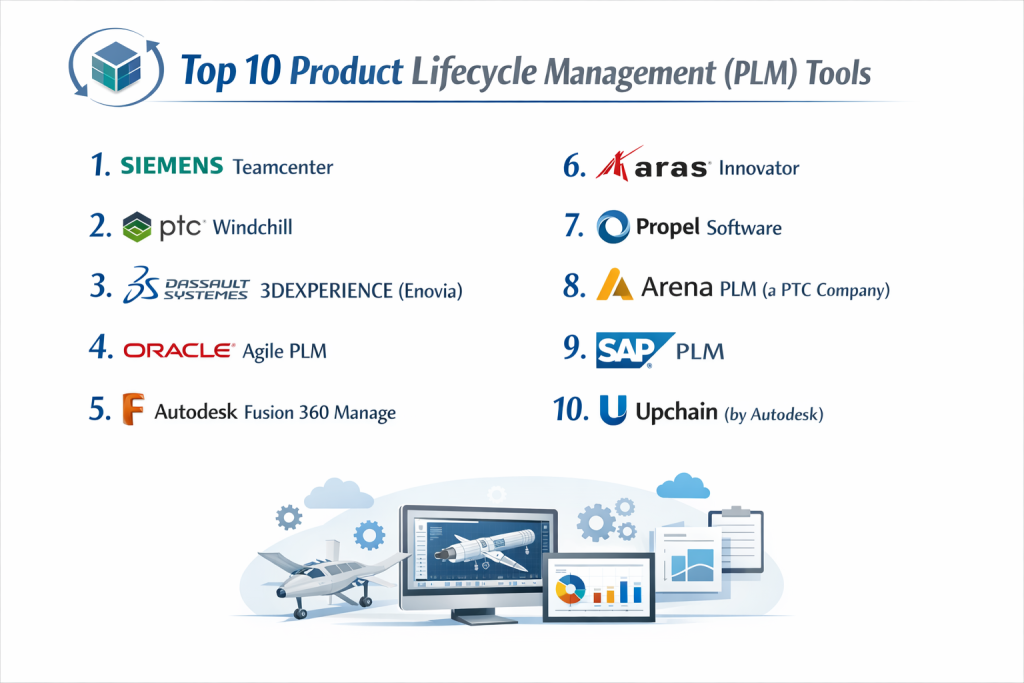
Top 10 Product Lifecycle Management (PLM) Tools
1 — Siemens Teamcenter
Siemens Teamcenter is a world-leading, highly scalable PLM suite that offers a deep set of capabilities for managing complex products throughout their entire lifecycle.
- Key features:
- Systems Engineering: Integrated requirements management to ensure products meet design goals.
- Active Workspace: A modern, browser-based interface that provides easy access for non-technical users.
- Advanced BOM Management: Comprehensive control over engineering, manufacturing, and service BOMs.
- CAD-Neutral Visualization: Allows stakeholders to view 3D designs without needing native CAD software.
- Digital Twin Support: Seamless integration with simulation and manufacturing execution systems.
- Pros:
- Unrivaled scalability for massive global enterprises with thousands of users.
- Deepest integration with Siemens’ broader industrial software portfolio (Xcelerator).
- Cons:
- High cost of ownership and complex implementation process.
- Can be overwhelming for smaller teams due to its sheer breadth of features.
- Security & compliance: ISO 27001, SOC 2, ITAR support, GDPR, and robust encryption protocols.
- Support & community: Extensive global partner network, professional training, and a massive user community.
2 — PTC Windchill
PTC Windchill is a pioneer in web-based PLM, known for its powerful data management capabilities and its strong focus on Industrial IoT and Augmented Reality integration.
- Key features:
- Product Data Management (PDM): High-performance management of CAD data from multiple vendors.
- Change & Configuration Management: Automated workflows for engineering change requests and orders.
- Quality Management: Integrated CAPA and risk management tools.
- Manufacturing Process Planning: Links engineering designs directly to shop floor instructions.
- ThingWorx Integration: Connects physical product performance data back into the PLM environment.
- Pros:
- Superior multi-CAD management capabilities compared to many competitors.
- Strong cloud-native options (Windchill+ SaaS) that reduce IT maintenance overhead.
- Cons:
- The user interface, while improved, can still feel “industrial” and dense.
- Customizations often require specialized development expertise.
- Security & compliance: FedRAMP authorized, SOC 2, HIPAA, and ISO 27001.
- Support & community: Dedicated PTC University, global support centers, and a large ecosystem of third-party integrators.
3 — Dassault Systèmes 3DEXPERIENCE (Enovia)
The 3DEXPERIENCE platform by Dassault Systèmes is a holistic business platform that provides PLM capabilities through the Enovia brand, focusing on high-fidelity 3D collaboration.
- Key features:
- Unified Logic: A single platform for design (CATIA/SolidWorks), simulation, and PLM.
- Social Collaboration: Tools for team communication within the context of the product data.
- Global Product Development: Specialized tools for managing international regulatory requirements.
- Project Management: Direct links between project tasks and physical product deliverables.
- IP Classification: Robust tools for protecting and categorizing intellectual property.
- Pros:
- The most powerful ecosystem for companies already using CATIA or SolidWorks.
- Exceptional 3D visualization and simulation-driven design capabilities.
- Cons:
- Significant learning curve for users migrating from legacy or simpler PDM systems.
- Platform updates can be complex for on-premise deployments.
- Security & compliance: ISO 27001, SOC 2 Type II, GDPR, and industry-specific security certifications.
- Support & community: Massive global network of Value Added Resellers (VARs) and active online forums.
4 — Oracle Agile PLM
Oracle Agile is a veteran in the PLM space, particularly strong in the electronics, high-tech, and consumer goods sectors due to its robust supply chain integration.
- Key features:
- Product Cost Management: Detailed tracking of material and labor costs throughout the lifecycle.
- Compliance Management: Automated tracking of REACH, RoHS, and other environmental standards.
- Enterprise PLM Strategy: Deeply integrated with Oracle ERP and Supply Chain Management.
- Quality Management: Links quality issues directly to product design revisions.
- BOM Transformation: Seamlessly converts Engineering BOMs (EBOM) to Manufacturing BOMs (MBOM).
- Pros:
- Excellent for companies with complex, global supply chains and strict cost requirements.
- Strong “out-of-the-box” features for high-tech manufacturing.
- Cons:
- The legacy user interface feels dated compared to newer SaaS PLM tools.
- Oracle is shifting focus toward their newer “Cloud PLM,” leaving Agile in a legacy state for some.
- Security & compliance: SOC 2, HIPAA, ISO 27001, and world-class enterprise data protection.
- Support & community: Global Oracle support network and a large base of experienced consultants.
5 — Autodesk Fusion 360 Manage (formerly Fusion Lifecycle)
Autodesk Fusion 360 Manage is a cloud-native PLM solution designed for agility and ease of use, making it popular with mid-market manufacturers.
- Key features:
- Cloud-First Architecture: No servers to maintain; accessible via any web browser.
- Visual Workflow Designer: Easy drag-and-drop tool for creating approval processes.
- Item and BOM Management: Centralized control over product structures and metadata.
- Supplier Collaboration: Secure portals for external vendors to participate in the design process.
- App Store: Pre-configured apps for quality, change management, and NPI (New Product Introduction).
- Pros:
- Fast implementation times compared to traditional enterprise PLM suites.
- Modern, intuitive user interface that requires less user training.
- Cons:
- Lacks some of the “deep” systems engineering tools found in Siemens or PTC.
- Integration with non-Autodesk CAD tools is not as seamless as native CAD integration.
- Security & compliance: SOC 2 Type II, GDPR, and ISO 27001.
- Support & community: Extensive online documentation, video tutorials, and a vibrant community forum.
6 — Aras Innovator
Aras Innovator is a unique “low-code” PLM platform that provides high-end enterprise functionality with a flexible, subscription-based model.
- Key features:
- Open Architecture: Highly customizable without breaking the upgrade path.
- Digital Thread: Connects data across the entire lifecycle, from requirement to service.
- Low-Code Platform: Allows business analysts to build custom apps within the PLM.
- Configuration Management: Robust tracking of product variations and revisions.
- Multi-CAD Integration: Connects with virtually every major CAD tool on the market.
- Pros:
- The software is “free” to download; you pay for the subscription and support.
- Unmatched flexibility for companies with unique, non-standard business processes.
- Cons:
- Requires a high level of internal technical expertise to manage the customizations.
- Lacks the pre-built industry “out-of-the-box” templates of some competitors.
- Security & compliance: ITAR, ISO 27001, and SOC 2 support; highly customizable security permissions.
- Support & community: Excellent documentation and an active developer-focused community.
7 — Propel Software
Propel is a modern PLM built natively on the Salesforce platform, designed to connect product development directly with customer feedback.
- Key features:
- Product-to-Customer (P2C): Uniquely links PLM, QMS, and PIM on a single platform.
- Salesforce Integration: Directly connects design data to sales and service teams.
- Training Records: Integrated training management within the quality module.
- Commercialization Tools: Managing product marketing data alongside engineering data.
- Compliance Tracking: Real-time visibility into global regulatory requirements.
- Pros:
- Perfect for companies already using Salesforce for CRM.
- Exceptionally fast deployment and a very high ease-of-use rating.
- Cons:
- Being Salesforce-native means you are limited to the Salesforce UI and infrastructure.
- Not as well-suited for heavy engineering firms with massive 3D data needs.
- Security & compliance: Benefits from Salesforce’s world-class security: SOC 2, HIPAA, GDPR, etc.
- Support & community: Highly responsive customer success and a growing user community.
8 — Arena PLM (a PTC company)
Arena PLM is a cloud-native solution that pioneered the “SaaS PLM” model, specifically focused on high-tech and electronics manufacturers.
- Key features:
- Bill of Materials Management: Simplifies the management of complex, multi-level BOMs.
- Change Management: Streamlined engineering change orders (ECO) and requests (ECR).
- Quality Management: Integrated CAPA and non-conformance tracking.
- Supplier Collaboration: Securely share design files with global contract manufacturers.
- Product Compliance: Tools for tracking RoHS, REACH, and conflict mineral compliance.
- Pros:
- Very strong in the “electronics” space with native component database integrations.
- Very easy to set up and manage compared to on-premise enterprise solutions.
- Cons:
- CAD integration is not as deep as tools owned by CAD vendors (like Siemens or Autodesk).
- Reporting features are functional but can be less flexible than custom-built suites.
- Security & compliance: SOC 2 Type II, ITAR, ISO 27001, and GDPR.
- Support & community: Robust help center, training webinars, and a professional user community.
9 — SAP PLM
SAP PLM is part of the broader SAP S/4HANA ecosystem, making it the top choice for companies that want no gap between design and enterprise resource planning.
- Key features:
- Seamless ERP Integration: Direct flow from engineering BOM to manufacturing BOM in SAP.
- Product Costing: Highly accurate financial modeling based on ERP data.
- Recipe Management: Specialized tools for process industries (food, chemicals, pharma).
- Engineering Record: A unified history of all changes and approvals.
- Portfolio and Project Management: Links product R&D to the corporate financial portfolio.
- Pros:
- Eliminates data silos between the engineering office and the factory floor.
- World-class financial and supply chain transparency.
- Cons:
- Requires a significant investment and usually a full SAP environment.
- The interface can be complex and intimidating for non-SAP users.
- Security & compliance: Top-tier enterprise security: ISO 27001, SOC 1/2, GDPR, etc.
- Support & community: Massive global partner network and enterprise-level support agreements.
10 — Upchain (by Autodesk)
Upchain is a “cloud-PDM” and PLM solution acquired by Autodesk that focuses on making CAD data management easy for small and medium-sized manufacturers.
- Key features:
- Instant PDM: Cloud-based vaulting for CAD files that works across different CAD brands.
- Workflow Automation: Pre-built workflows for common engineering tasks.
- BOM Management: Easy tools for building and exporting product structures.
- Microsoft Office Integration: Edit and manage documents within the PLM environment.
- API Access: Open architecture for connecting to other business systems.
- Pros:
- Very easy to deploy; can be up and running in days rather than months.
- Cost-effective for smaller engineering teams looking to move beyond folders and emails.
- Cons:
- Lacks the deep quality and compliance modules of more mature PLM systems.
- May struggle with the complexity of very large, multi-discipline enterprise projects.
- Security & compliance: SOC 2 Type II, standard cloud encryption, and GDPR.
- Support & community: Online help center and access to the Autodesk support ecosystem.
Comparison Table
| Tool Name | Best For | Platform(s) Supported | Standout Feature | Rating (Gartner) |
| Teamcenter | Global Enterprises | Cloud, On-Prem | Digital Twin Depth | 4.6 / 5 |
| Windchill | Multi-CAD Environments | Cloud (SaaS), On-Prem | Industrial IoT Integration | 4.4 / 5 |
| 3DEXPERIENCE | Dassault CAD Users | Cloud, On-Prem | Unified Design Platform | 4.3 / 5 |
| Agile PLM | Electronics / High-Tech | On-Prem | Supply Chain Visibility | 4.2 / 5 |
| Fusion Manage | Mid-Market / Agile | Cloud (SaaS) | No-Code Configuration | 4.5 / 5 |
| Aras Innovator | Custom Workflows | Cloud, On-Prem | Open Low-Code Model | 4.6 / 5 |
| Propel | Salesforce Users | Cloud (SaaS) | Product-to-Customer Loop | 4.7 / 5 |
| Arena PLM | High-Tech SaaS | Cloud (SaaS) | Component Database Sync | 4.4 / 5 |
| SAP PLM | Large ERP Users | Cloud, On-Prem | Design-to-ERP Sync | 4.1 / 5 |
| Upchain | SMB Engineering | Cloud (SaaS) | Rapid PDM Deployment | 4.3 / 5 |
Evaluation & Scoring of PLM Tools
| Category | Weight | Evaluation Criteria |
| Core Features | 25% | BOM depth, Change management, CAD integration, and NPI tools. |
| Ease of Use | 15% | UI modernness, navigation speed, and accessibility for non-engineers. |
| Integrations | 15% | Strength of API, native ERP links, and multi-CAD support. |
| Security & Compliance | 10% | Encryption, ISO certifications, ITAR, and regulatory tracking. |
| Performance | 10% | Handling of large 3D assemblies and global cloud uptime. |
| Support & Community | 10% | Training quality, forum activity, and consultant availability. |
| Price / Value | 15% | TCO (Total Cost of Ownership) relative to functionality. |
Which PLM Tool Is Right for You?
Solo Users vs SMB vs Mid-Market vs Enterprise
If you are an SMB or a small engineering firm, starting with a heavy enterprise system like Teamcenter will likely hinder you. Instead, look at Upchain or Autodesk Fusion Manage. These tools offer rapid deployment and lower initial costs. Mid-market companies that need flexibility and scalability should consider Aras Innovator or Arena PLM. Enterprises with complex global operations and multi-disciplinary teams (mechanical, electrical, software) will find the necessary depth in Siemens Teamcenter, PTC Windchill, or SAP PLM.
Budget-conscious vs Premium Solutions
If you are Budget-conscious, Aras Innovator offers a unique “try before you buy” approach where the software itself is free to use, and you only pay for enterprise services and upgrades. Upchain also offers affordable entry tiers. If you have the budget for a Premium Solution, the ROI on Siemens Teamcenter or 3DEXPERIENCE comes from the massive efficiencies gained through advanced simulation, digital manufacturing, and total lifecycle control.
Feature Depth vs Ease of Use
There is often a trade-off here. PTC Windchill and Teamcenter offer incredible Feature Depth but require dedicated administrators and significant training. If you prioritize Ease of Use to ensure that all departments (not just engineering) actually use the system, Propel and Fusion Manage are the leaders. They use modern, browser-native interfaces that feel like consumer applications.
Integration and Scalability Needs
If your primary goal is to Connect Design to Manufacturing, SAP PLM is unbeatable if you already use SAP ERP. If your priority is Multi-CAD Flexibility, Aras and Windchill have the best track records. Regarding Scalability, cloud-native tools like Arena and Propel make it much easier to add users and sites without worrying about server capacity.
Security and Compliance Requirements
Companies in Aerospace & Defense must prioritize ITAR and FedRAMP compliance, making Windchill and Teamcenter (and the government-cloud versions of Arena) the primary candidates. For those in Consumer Electronics, focus on tools like Agile or Arena that have built-in “RoHS” and “REACH” compliance tracking to manage environmental regulations.
Frequently Asked Questions (FAQs)
1. What is the difference between PDM and PLM?
PDM (Product Data Management) focuses on managing CAD files and engineering data within a team. PLM (Product Lifecycle Management) is broader, managing the product across the whole company, including quality, supply chain, and marketing.
2. How long does it take to implement a PLM system?
Cloud-SaaS tools like Upchain can be live in a few weeks. Enterprise-wide implementations of tools like Teamcenter usually take 6 to 18 months depending on complexity.
3. Can PLM software help with sustainability?
Yes. Modern PLM tools track material composition and carbon footprints, helping engineers choose more sustainable materials during the design phase.
4. Is cloud PLM as secure as on-premise?
In many cases, yes. Major cloud providers spend more on security than individual companies can. However, certain defense contracts may still require on-premise or specialized “GovCloud” hosting.
5. Does PLM replace ERP?
No. PLM manages the design and process of a product, while ERP manages the execution (orders, inventory, finance). They are most effective when integrated.
6. What is “Digital Thread”?
It is a communication framework that allows data to flow seamlessly throughout the product lifecycle, from initial requirement to the customer’s hands and back to design.
7. Can PLM manage software code?
Yes, advanced PLM systems now include “ALM” (Application Lifecycle Management) integrations to manage the software embedded in modern “smart” products.
8. What are the common pitfalls in PLM adoption?
Over-customizing the software, lack of clean data before migration, and failing to get buy-in from non-engineering departments are the most common mistakes.
9. Do these tools handle product recalls?
Yes. By providing full traceability of every part and batch, a PLM system allows a company to identify exactly which products are affected by a specific defect.
10. Is training necessary for PLM?
Absolutely. Because PLM changes how a company works, training is essential not just for the software, but for the new business processes it introduces.
Conclusion
Choosing the right Product Lifecycle Management (PLM) tool is a transformative decision that can define a company’s ability to compete in a fast-paced global market. The “best” tool is not the one with the most features, but the one that aligns most closely with your specific industry needs and technical maturity. For those in the ultra-complex world of aerospace or automotive, the depth of Siemens Teamcenter or PTC Windchill is essential. For smaller, agile teams looking for speed, Autodesk Fusion Manage or Propel provide the modern flexibility required to grow.
Ultimately, PLM is about more than just software; it is about creating a culture of data-driven innovation. By selecting a system that integrates your engineering, quality, and supply chain teams, you ensure that your products are not just well-designed, but also profitable, compliant, and sustainable.