Introduction
Product feedback and roadmap tools are specialized platforms designed to help software teams bridge the gap between user requests and product development. At their core, these tools act as a central hub where ideas are collected, organized, and eventually prioritized into a visual strategy. Instead of letting feature requests die in scattered Slack messages or endless email threads, these platforms provide a structured environment for “voter portals,” where users can upvote their favorite ideas. By connecting these insights to a visual roadmap, companies can show their customers and stakeholders exactly what is being built, what is planned for the future, and why certain decisions were made.
The importance of these tools lies in their ability to eliminate guesswork. For product managers, trying to figure out which feature to build next can be overwhelming without centralized data. Key real-world use cases include managing a high volume of feature requests for a SaaS startup, aligning sales and engineering teams on a mid-market product’s direction, and closing the “feedback loop” by automatically notifying users when their requested feature has been launched. When evaluating these tools, users should look for strong prioritization frameworks (like RICE scoring), seamless integration with task managers like Jira, and the ability to maintain both private internal roadmaps and public-facing ones.
Key Real-World Use Cases
- Feature Prioritization: A product lead uses an “upvote” board to see that 200 customers want a dark mode, helping justify the development cost to the executive team.
- Closing the Feedback Loop: When a new integration is released, the software automatically emails every user who originally requested it, increasing feature adoption and customer loyalty.
- Internal Alignment: The sales team uses a private roadmap to see exactly when a specific security feature will be ready, allowing them to close a deal with a high-value enterprise client.
- Changelog Communication: A marketing team uses the built-in changelog feature to announce weekly updates in a beautiful, branded sidebar within their app.
- Beta Group Management: Product teams use feedback boards to gather detailed bug reports and UI suggestions from a specific group of early-adopter “Power Users.”
What to Look For (Evaluation Criteria)
- Centralized Feedback Portal: A dedicated space (usually a URL or widget) where users can submit ideas and upvote others without needing a login.
- Prioritization Frameworks: Built-in tools for scoring features based on effort, impact, and reach to ensure data-driven decision-making.
- Visual Roadmap Flexibility: The ability to toggle between different views, such as “Now-Next-Later” or a traditional “Gantt Chart” timeline.
- Integration Ecosystem: Direct two-way sync with engineering tools (Jira, GitHub) and communication tools (Slack, Intercom).
- Communication Tools: Built-in changelogs, automated email updates, and “status” labels to keep users informed of progress.
Best for: Product Managers, Product Owners, Founders, and Customer Success leads in B2B and B2C software companies. It is especially valuable for organizations that want to be “product-led” and transparent with their user base.
Not ideal for: Service-based businesses, internal IT departments with fixed project lists, or very small teams that only handle 1-2 feedback items a month. For these groups, a simple spreadsheet or a shared Trello board is usually more than enough.
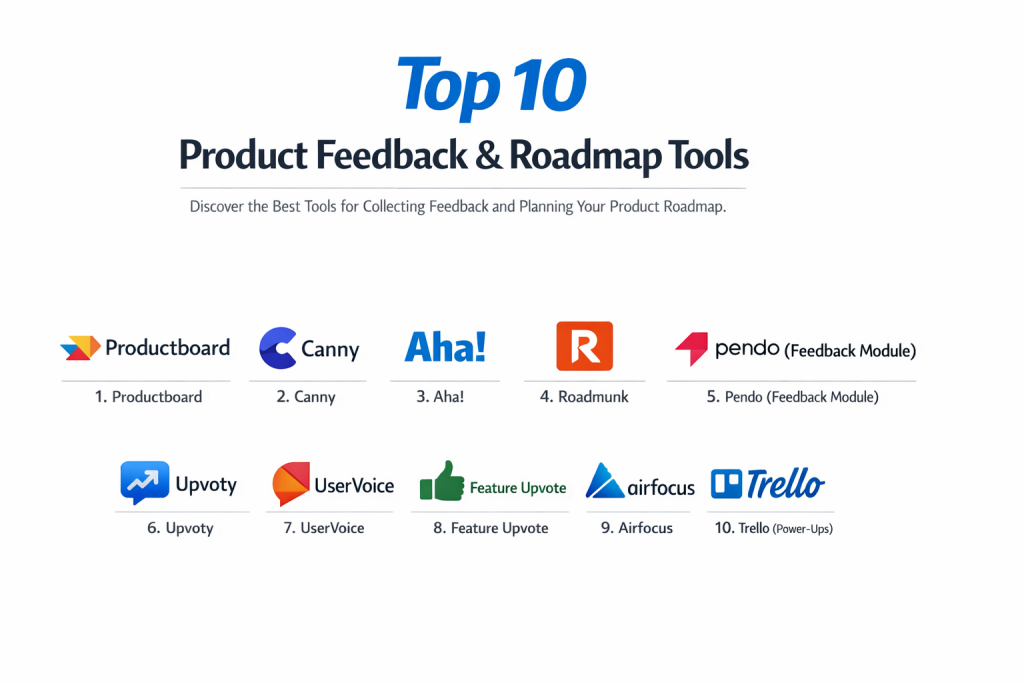
Top 10 Product Feedback & Roadmap Tools
1 — Productboard
Productboard is widely considered the enterprise standard for product management. It is designed to help teams understand what users need, prioritize what to build next, and rally everyone around a common roadmap.
- Key features:
- “Insights Board” that aggregates feedback from Slack, Zendesk, and Intercom.
- Advanced prioritization matrix with custom scoring formulas.
- Multiple roadmap views tailored for different audiences (executives vs. engineers).
- “User Segmentation” to see what your highest-paying customers specifically want.
- Two-way Jira and Azure DevOps integration for seamless development.
- Portal for public voting and feature validation.
- Pros:
- Unrivaled for handling high volumes of feedback across many different channels.
- The most sophisticated prioritization features for complex, data-heavy products.
- Cons:
- Can be quite expensive for smaller startups.
- The interface is dense and requires a significant amount of time to set up and master.
- Security & compliance: SOC 2 Type II, GDPR compliant, SSO (SAML), and data encryption at rest.
- Support & community: Extensive “Productboard Academy,” active community forum, and dedicated success managers for larger accounts.
2 — Canny
Canny is a clean, highly intuitive tool focused on simplicity and closing the feedback loop. It is a favorite for mid-market SaaS companies that want a polished, user-facing experience.
- Key features:
- Beautifully designed public and private feedback boards.
- Automated “status” updates that email users when a post moves on the roadmap.
- Built-in Changelog to announce new feature releases.
- Basic prioritization tools based on “estimated effort” and “impact.”
- “User Identification” to track which specific customers are asking for what.
- Integrations with Slack, Jira, GitHub, and Discord.
- Pros:
- One of the best user interfaces on the market; very easy for customers to use.
- Excellent at “automating” the communication part of the feedback process.
- Cons:
- Lacks the deep analytical “Insight” processing of Productboard.
- Customization of the board design is limited on lower-tier plans.
- Security & compliance: SOC 2 Type II, GDPR compliant, and SSO support.
- Support & community: Responsive chat support, clear documentation, and a helpful blog for product leads.
3 — Aha!
Aha! is a massive, “all-in-one” product suite that covers everything from initial strategy and whiteboarding to detailed roadmapping and idea management.
- Key features:
- Comprehensive strategy tools (Vision, Goals, Initiatives).
- Ideas portals with custom fields and workflow automation.
- Robust roadmapping with “Drill-down” capabilities into specific Jira tasks.
- “Aha! Whiteboards” for visual brainstorming before features are added.
- Powerful reporting engine with hundreds of pre-built templates.
- Capacity planning to see if your team actually has time to build a feature.
- Pros:
- The most feature-rich tool on this list; you likely won’t need any other product tool.
- Great for connecting high-level business goals to daily engineering tasks.
- Cons:
- Notoriously steep learning curve due to the sheer volume of features.
- The UI can feel a bit “clunky” and corporate compared to modern competitors.
- Security & compliance: SOC 2 Type II, HIPAA (on certain plans), ISO 27001, and GDPR.
- Support & community: 24/7 support from “Product Experts” and a massive library of knowledge base articles.
4 — Roadmunk
Roadmunk is a roadmap-first tool that focuses on creating “boardroom-ready” visualizations. It is perfect for teams that need to present their strategy to stakeholders frequently.
- Key features:
- Easy “Timeline” and “Swimlane” roadmap views.
- “Masterview” to combine multiple roadmaps into one high-level view.
- Feedback collection via a Chrome extension and email integration.
- Data-driven prioritization scoring based on Value vs. Effort.
- One-click “Presentation Mode” for meetings.
- Native Jira and Azure DevOps integrations.
- Pros:
- Makes creating beautiful, professional roadmaps faster than any other tool.
- Very flexible in how you visualize data (dates vs. no-dates).
- Cons:
- Feedback management is not as robust as tools like Canny or Productboard.
- Collaboration features for the feedback board are somewhat basic.
- Security & compliance: SOC 2 Type II, ISO 27001, and GDPR compliant.
- Support & community: Solid documentation and reliable email/chat support.
5 — Pendo (Feedback Module)
Pendo is primarily known for product analytics and in-app guides, but its Feedback module allows teams to capture and analyze requests directly where the users are: inside the app.
- Key features:
- In-app feedback widgets that capture requests without the user leaving the product.
- Deep integration with Pendo’s analytics to see the “Revenue at Risk” for each request.
- Automated prioritization based on actual user behavior data.
- Internal and external roadmap views.
- “Segment” based analysis (e.g., what do my ‘At Risk’ customers want?).
- Syncing with Salesforce to show feedback value to sales teams.
- Pros:
- Unique ability to see the actual usage data of people who are requesting features.
- Reduces “feedback friction” by keeping the portal inside your software.
- Cons:
- Very expensive, as it usually requires purchasing the full Pendo platform.
- Overkill for teams that just want a simple feature request board.
- Security & compliance: SOC 2 Type II, HIPAA, ISO 27001, and GDPR.
- Support & community: Global enterprise support, Pendo Neighborhood community, and annual “Pendomonium” conference.
6 — Upvoty
Upvoty is a “middle-ground” tool that offers the simplicity of Canny but with a more flexible pricing model for smaller and mid-sized teams.
- Key features:
- Public and private feedback boards with upvoting.
- Roadmap views with “drag-and-drop” status changes.
- Built-in Changelog for user updates.
- Custom CSS to make the board match your brand perfectly.
- Intercom and Slack widgets for internal feedback capture.
- Single Sign-On (SSO) to keep the board private for your users.
- Pros:
- Very clean, modern interface that is easy for both admins and users.
- More affordable than the “Enterprise” tools while still offering the core features.
- Cons:
- Lacks advanced prioritization frameworks like RICE or capacity planning.
- Integration list is smaller than Productboard or Aha!.
- Security & compliance: GDPR compliant, encryption at rest, and SSO available.
- Support & community: Quick chat support and a very straightforward help center.
7 — UserVoice
UserVoice is one of the original pioneers in the feedback space. It is built for massive, high-traffic consumer and enterprise products that need to manage thousands of suggestions.
- Key features:
- “SmartVote” feature to help users compare and rank ideas against each other.
- Advanced analytics on user sentiment and request frequency.
- Sales and Support tools to capture feedback on behalf of customers.
- Automated email follow-ups and status updates.
- Robust API for custom integrations and white-labeling.
- Full internal “Discovery” suite for product research.
- Pros:
- Built to handle massive scale; it won’t slow down with 100,000+ users.
- Excellent for large organizations where Sales and Success need to “log” feedback easily.
- Cons:
- The interface feels a bit dated and “legacy” compared to Canny or Upvoty.
- Can be very expensive for small and mid-sized businesses.
- Security & compliance: SOC 2 Type II, GDPR, and enterprise-grade SSO.
- Support & community: High-touch enterprise support and a long-standing user community.
8 — Feature Upvote
Feature Upvote lives up to its name by being the simplest, most straightforward tool on this list. It is designed for teams that hate complexity and just want an upvote board.
- Key features:
- Instant setup with no “learning” required.
- Multi-language support (over 10 languages).
- Private boards for internal team brainstorming.
- Simple roadmap view with “Planned,” “Doing,” and “Done.”
- Spam protection and moderation tools.
- CSV export for manual data analysis.
- Pros:
- The most “un-cluttered” tool; users can submit ideas in seconds.
- Very affordable and transparent pricing with no hidden “Enterprise” traps.
- Cons:
- No native two-way sync with Jira (only via Zapier).
- No changelog, internal prioritization scoring, or user segmentation.
- Security & compliance: GDPR compliant and SSL encryption.
- Support & community: Friendly email support and a very clear knowledge base.
9 — Airfocus
Airfocus is a “modular” product management tool. It allows you to build your own workspace by picking and choosing the specific apps (like Feedback or Roadmaps) you need.
- Key features:
- “Priority Poker” for collaborative team scoring of features.
- Modular architecture so you only pay for what you use.
- Flexible roadmapping with “Now-Next-Later” and “Timeline” views.
- “Insights” app to centralize feedback from multiple sources.
- Unique “Strategy” app to define and track product goals.
- Deep, two-way integrations with Jira, Trello, and Asana.
- Pros:
- Highly customizable; you can build a workflow that fits your specific team culture.
- “Priority Poker” is one of the best features for getting team alignment on roadmap items.
- Cons:
- Setting up the “modular” system can take a bit of trial and error.
- The feedback portal is not as polished as Canny’s for end-users.
- Security & compliance: SOC 2 Type II and GDPR compliant.
- Support & community: Excellent onboarding videos, chat support, and a “Product Strategy” blog.
10 — Trello (with Power-Ups)
While Trello is a general-purpose project management tool, many teams use it for feedback and roadmapping by adding specific “Power-Ups” like the “Voting” or “Roadmap” cards.
- Key features:
- Familiar “Kanban” style board for roadmapping.
- “Voting Power-Up” to allow team members (or users) to vote on cards.
- “Butler” automation to move cards when status changes.
- Public board settings for user-facing transparency.
- Massive integration list through the Atlassian ecosystem.
- Attachment support for screenshots and mockups.
- Pros:
- Free for small teams and extremely easy to get started with.
- If you already use Trello for tasks, there is no “new” tool to learn.
- Cons:
- Not a “purpose-built” feedback tool; it lacks changelogs and automated user emails.
- Managing high volumes (100+) of feedback items becomes messy very quickly.
- Security & compliance: SOC 2, ISO 27001, GDPR, and SSO (via Atlassian).
- Support & community: Massive global community, endless tutorials, and enterprise support via Atlassian.
Comparison Table
| Tool Name | Best For | Platform(s) Supported | Standout Feature | Rating |
| Productboard | Enterprise Strategy | Web / Cloud | Revenue-based Insights | 4.8 / 5 |
| Canny | Mid-Market SaaS | Web / Cloud | Automated Feedback Loop | 4.7 / 5 |
| Aha! | “All-in-One” Planning | Web / Cloud | Strategic Goal Linking | 4.6 / 5 |
| Roadmunk | Executive Presentations | Web / Cloud | Masterview Timelines | 4.5 / 5 |
| Pendo Feedback | In-App Engagement | Web / Mobile | Usage-Data Integration | 4.4 / 5 |
| Upvoty | Simple & Polished | Web / Cloud | Custom Branded Boards | 4.6 / 5 |
| UserVoice | High-Traffic Scale | Web / Cloud | SmartVote Comparison | 4.3 / 5 |
| Feature Upvote | No-Fuss Voting | Web / Cloud | Multi-Language Support | 4.7 / 5 |
| Airfocus | Modular Teams | Web / Cloud | Priority Poker Scoring | 4.6 / 5 |
| Trello | Budget/Simple Teams | Web, Desktop, Mobile | Kanban Simplicity | 4.4 / 5 |
Evaluation & Scoring of Product Feedback & Roadmap Tools
| Criteria | Weight | Evaluation Rationale |
| Core Features | 25% | Presence of feedback portals, visual roadmaps, and changelogs. |
| Ease of Use | 15% | How quickly customers can vote and how fast PMs can organize. |
| Integrations | 15% | Two-way sync with Jira, Slack, and Salesforce. |
| Security & Compliance | 10% | SOC 2 status and ability to keep feedback data private. |
| Performance | 10% | Page load speeds for public boards with high traffic. |
| Support & Community | 10% | Quality of product management educational resources. |
| Price / Value | 15% | ROI for the product team’s time and developer efficiency. |
Which Product Feedback & Roadmap Tool Is Right for You?
Solo Users vs SMB vs Mid-Market vs Enterprise
If you are a solo founder or a small startup, Upvoty or Feature Upvote are the best starting points—they are affordable and won’t overwhelm you with features. Mid-market companies that need a balance of polish and power will thrive with Canny or Airfocus. Enterprises with complex product portfolios and multiple departments should look at Productboard or Aha! as they provide the governance and data depth required for scale.
Budget-conscious vs Premium Solutions
For those with no budget, Trello is the best “DIY” solution. If you are looking for a Premium solution where price is not the primary concern but revenue impact is, Pendo and Productboard are the top contenders. They help you build the features that actually drive the most money, which justifies their higher price tag.
Feature Depth vs Ease of Use
If you want simplicity, Feature Upvote is unrivaled; it does one thing and does it well. If you want feature depth, Aha! is the most comprehensive tool on the market, but be prepared to spend weeks training your team on how to use it correctly.
Integration and Scalability Needs
If you live in Jira, you need a tool with a “two-way” sync, meaning when an engineer finishes a task in Jira, the roadmap status in your feedback tool updates automatically. Productboard, Aha!, and Roadmunk have the most robust Jira integrations. For scalability, UserVoice is the proven leader for products with millions of users.
Security and Compliance Requirements
If you are in a highly regulated industry like Healthcare or Fintech, Aha! and Pendo are the strongest choices due to their HIPAA compliance and advanced security certifications. Always ensure the tool allows for a “Private Portal” that requires a login, so your competitors can’t see your roadmap.
Frequently Asked Questions (FAQs)
What is a product feedback tool?
It is a platform where users can submit feature requests and ideas. It usually includes a “voting” feature so the product team can see which ideas are the most popular.
What is the difference between a project manager and a roadmap tool?
Project managers (like Jira or Asana) are for the “How” and “When” (tasks and deadlines). Roadmap tools are for the “Why” and “What” (strategy and vision).
Should my roadmap be public or private?
Most teams maintain a “Public” roadmap for customers that shows high-level themes (Planned, In Progress) and a “Private” internal roadmap with specific dates and technical details.
How do I stop people from asking for the same feature twice?
Good tools have “Auto-suggest” features. When a user starts typing “Dark Mode,” the tool shows them the existing “Dark Mode” post and encourages them to upvote it instead of creating a new one.
Is voting the only way to prioritize?
No. Popularity is just one factor. You should also consider “Strategic Value,” “Revenue Impact,” and “Engineering Effort” (often using a RICE score).
Can these tools help with bug tracking?
While you can use them for bugs, it’s usually better to use a tool like Jira or GitHub for bugs and keep the feedback tool for “Feature Requests” and “Ideas.”
Do I need a changelog?
Yes. A changelog is the best way to show your customers that you are actually listening to them. It builds trust and encourages more people to give feedback.
What is a RICE score?
It stands for Reach, Impact, Confidence, and Effort. It’s a formula used in many roadmap tools to calculate a numerical “Priority Score” for every feature.
Can I export my roadmap to a PDF?
Yes, tools like Roadmunk and Aha! are specifically designed to export high-resolution roadmap images for presentations and board meetings.
How much do these tools cost?
Prices range from $15/month for simple tools like Upvoty to $50,000+/year for enterprise-scale platforms like Productboard or Pendo.
Conclusion
The “best” product feedback and roadmap tool is the one that actually gets used by your customers and your team. There is no point in having a sophisticated enterprise platform if your customers find it too hard to leave a suggestion, or if your engineers ignore it because it doesn’t sync with Jira.
If you are looking for a beautiful, automated experience that “just works,” Canny is a fantastic choice. If you are a large organization that needs to connect strategy to every single line of code, Aha! or Productboard will provide the structure you need. Ultimately, these tools are about transparency and data. By listening to your users and showing them where you are going, you build a loyal community that feels like they are part of your product’s journey.