Introduction
Process Mining is a specialized branch of data analytics that looks at the “digital footprints” left behind by your employees in systems like ERPs, CRMs, and databases. Every time someone clicks “Approve,” sends an invoice, or closes a support ticket, a log is created. Process mining tools take these millions of logs and turn them into a visual map of your business. This allows you to see the “happy path” (how work should happen) versus the “reality” (how work actually happens, including all the messy detours and delays).
This is important because it removes the guesswork from business improvement. Instead of guessing that the billing department is slow, you can see exactly which step is taking three days instead of three hours. Real-world use cases include streamlining “Order-to-Cash” cycles, discovering fraud in procurement, and improving the patient journey in hospitals. When choosing a tool, you should evaluate its ability to connect to your existing data, the clarity of its visual maps, and whether it offers “predictive” features to warn you of trouble before it happens.
Best for: Large enterprises with complex workflows, Supply Chain Managers, COOs, and Digital Transformation teams. It is ideal for industries like manufacturing, banking, and healthcare where small delays cost millions.
Not ideal for: Small startups or businesses with very simple, manual workflows. If your “process” mostly happens in verbal conversations or on physical paper that isn’t logged into a computer, these tools won’t have the data they need to help you.
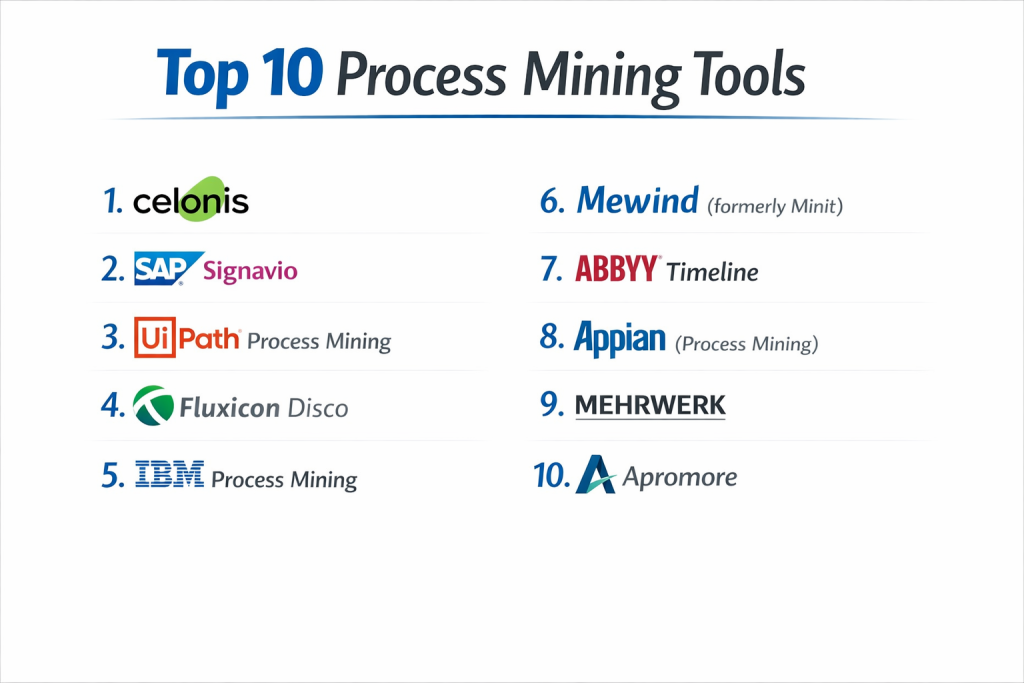
Top 10 Process Mining Tools
1 — Celonis
Celonis is widely considered the market leader in the process mining world. It offers a massive “Execution Management System” (EMS) that doesn’t just show you what is wrong, but actively helps you fix it with automation.
- Key features:
- Process Sphere: A 3D view that allows you to see how different processes (like sales and shipping) affect one another.
- Action Flows: Built-in automation that can trigger tasks in other apps based on process data.
- Execution Apps: Specialized templates for common business areas like accounts payable or procurement.
- Digital Twin: Create a virtual replica of your company to test changes before making them.
- Real-time Data Processing: Connects to systems like SAP or Oracle to show you live updates.
- Task Mining: Watches how individual users click and type to find tiny efficiency gains.
- Pros:
- It is the most powerful tool available, capable of handling the largest data sets in the world.
- It has a very large library of “pre-built” connectors, making it easier to plug into big systems.
- Cons:
- It is very expensive and is generally only affordable for “Fortune 500” type companies.
- The system is so large that it requires a dedicated team of experts to manage it.
- Security & compliance: Top-tier security; includes SOC 1/2/3, GDPR, HIPAA, and ISO 27001. It uses strong encryption and SSO.
- Support & community: Excellent support, a huge “Celonis Academy” for training, and a massive global user group.
2 — SAP Signavio
Since many processes live inside SAP systems, SAP bought Signavio to create a seamless experience. It focuses heavily on “collaboration,” allowing everyone in the company to comment on and improve processes together.
- Key features:
- Process Manager: A tool for drawing and documenting how processes should look.
- Process Intelligence: The mining engine that shows how processes actually look.
- Collaboration Hub: A “social” space where employees can share feedback on process maps.
- Process Governance: Workflows to manage who can approve changes to a company rule.
- One Process Observation: Correlates mining data with “human” experience data (how employees feel).
- SAP Integration: Deep, native links to S/4HANA and other SAP products.
- Pros:
- If your company runs on SAP, the integration is smoother than any other tool.
- It is very user-friendly for “non-technical” managers who just want to see a clear map.
- Cons:
- It can feel a bit limited if your business uses mostly non-SAP software.
- Some of the advanced mining features aren’t as deep as Celonis.
- Security & compliance: Backed by SAP’s global security standards, including GDPR, SOC 2, and ISO certifications.
- Support & community: Strong enterprise support and a wide network of SAP consultants worldwide.
3 — UiPath Process Mining
UiPath is famous for its robots (RPA), but they bought a tool called ProcessGold to add mining. This tool is unique because it is designed to find tasks that robots can take over.
- Key features:
- Automation Hub: Links mining data directly to a list of ideas for new robots.
- Root Cause Analysis: Helps you dig into “why” a process is failing, not just “where.”
- Continuous Monitoring: Keeps watching your data logs 24/7 to alert you of new bottlenecks.
- Customizable Dashboards: Allow you to build views specific to different roles (CEO vs. Manager).
- Tagging System: Mark specific cases for manual review by a human.
- Desktop Task Mining: Records user clicks to discover undocumented steps.
- Pros:
- It is the best choice if your goal is to use more automation and robots in your office.
- It provides a very clear “bridge” between discovering a problem and fixing it with software.
- Cons:
- The interface can be a bit more technical and less “pretty” than Signavio.
- It works best when you are already using the rest of the UiPath software suite.
- Security & compliance: SOC 2 Type 1 and 2, GDPR compliant, and supports high-level SSO and encryption.
- Support & community: Huge community of automation experts and a very active “UiPath Community” forum.
4 — Fluxicon Disco
Disco is a bit of a “cult favorite” in the industry. It was built by some of the original inventors of process mining. It focuses on being fast, simple, and very good at the core math of mining.
- Key features:
- High-Speed Mining Engine: It can process very large CSV or Excel files in seconds.
- Interactive Filter: Allows you to “drill down” into data just by clicking on parts of the map.
- Animation: Watch “dots” move across the process map to see where work piles up over time.
- Case Management: Easily group different events into single “cases” to track them.
- Performance Metrics: Shows waiting time vs. active time for every single step.
- Pros:
- It is much easier to use than Celonis; you can learn the basics in about an hour.
- It is a “standalone” tool, meaning you don’t need a massive IT project to start using it.
- Cons:
- It doesn’t have the “automation” features or live dashboards of the bigger platforms.
- It is a desktop-based tool, which makes real-time collaboration harder.
- Security & compliance: Varies; as a desktop tool, security often depends on your own computer’s safety.
- Support & community: Small but highly expert community; they host the popular “Process Mining Camp” every year.
5 — IBM Process Mining
IBM entered the race by acquiring myInvenio. Their tool focuses heavily on “simulation,” allowing you to play “what if” games with your business data.
- Key features:
- Digital Twin of an Organization (DTO): Creates a highly detailed virtual model of your work.
- Simulation Engine: Predicts what will happen if you hire 10 more people or buy a new software.
- Multi-level Mining: Links different processes together (like Sales and HR) to see overlaps.
- Task Mining Integration: Combines high-level system logs with low-level user clicks.
- Social Network Analysis: Shows how different teams are interacting and communicating.
- Pros:
- The simulation features are among the best in the market for planning big changes.
- It is integrated into IBM’s “Cloud Pak for Business Automation.”
- Cons:
- It can be quite complex to configure and set up.
- It is definitely an “enterprise” tool with an enterprise-level price tag.
- Security & compliance: Follows IBM’s strict global standards, including ISO, SOC 2, HIPAA, and GDPR.
- Support & community: Professional enterprise support and a large network of IBM consulting partners.
6 — Mewind (formerly Minit)
Now owned by Microsoft, Minit (often rebranded under the Power Automate umbrella) is designed to make process mining accessible to everyone who already uses Windows and Office.
- Key features:
- Hierarchical Process Maps: Allow you to zoom in and out of different layers of a process.
- Process Simulation: Test how changes affect your KPIs before you make them live.
- RPA Recommendations: Specifically points out which steps can be automated by Microsoft Power Automate.
- Visual Comparisons: Compare how two different offices do the same task side-by-side.
- Cloud-Native: Works perfectly within the Microsoft Azure environment.
- Pros:
- If your company uses Microsoft 365, this will eventually be the most integrated option.
- It is very affordable compared to Celonis or IBM.
- Cons:
- As a newer part of the Microsoft family, some features are still being moved around.
- It might not be as powerful for non-Microsoft data sources yet.
- Security & compliance: Uses Microsoft’s world-class Azure security, including GDPR, HIPAA, and SOC certifications.
- Support & community: Rapidly growing community and massive support resources from Microsoft.
7 — ABBYY Timeline
ABBYY is famous for its document-reading tech (OCR). Their Timeline tool is unique because it focuses on “case-based” mining, which is perfect for industries like healthcare or law.
- Key features:
- Timeline View: Shows every case as a horizontal line to help you find “weird” outliers.
- Protocol Mapping: Set “rules” and get alerted the second a process breaks those rules.
- Multi-Process Mining: Connects different data sources into one single “story.”
- Predictive Alerts: Uses machine learning to predict if a case will be late or fail.
- No-Code Analysis: Designed for business analysts, not data scientists.
- Pros:
- It is the best tool for “unstructured” processes where every case might look different.
- It is very good at identifying compliance risks and “illegal” process steps.
- Cons:
- It doesn’t have the heavy automation features of Celonis or UiPath.
- The interface is more focused on “lists and lines” than “circles and arrows.”
- Security & compliance: SOC 2 Type 2, GDPR, and HIPAA compliant.
- Support & community: Good professional support and a strong history in the document management world.
8 — Appian (Process Mining)
Appian is a leader in “low-code” work. They bought Lana Labs to add process mining, creating a system where you can discover a problem and build a new app to fix it in the same day.
- Key features:
- Unified Workflow: Connects mining, automation, and app-building in one platform.
- Conformance Checking: Automatically compares your “real” process to your “ideal” map.
- Easy Data Prep: Includes tools to help clean up messy data before you mine it.
- Global Visibility: Monitor processes across different countries and languages.
- Task Mining: Discover how people use their desktops to supplement system logs.
- Pros:
- Excellent for companies that want to “build their way out” of process problems.
- The interface is modern, clean, and very fast.
- Cons:
- It is a premium product that is most valuable if you use the entire Appian platform.
- The community of specialized “process miners” is smaller than Celonis.
- Security & compliance: High-grade security; meets SOC 2, HIPAA, GDPR, and ISO standards.
- Support & community: Strong support for enterprise clients and a helpful “Appian Community” portal.
9 — Mehrwerk
Mehrwerk is built on top of Qlik, a famous data visualization tool. If your company already uses Qlik for its charts and graphs, Mehrwerk is the logical choice.
- Key features:
- Qlik Integration: Uses the “Associative Engine” of Qlik to allow for very fast data searching.
- Value Stream Mapping: Specifically designed for “Lean” manufacturing processes.
- Process Lead Time Analysis: Highly detailed breakdowns of where time is spent.
- Self-Service Mining: Allows regular workers to create their own mining reports.
- Advanced Filtering: Use complex logic to hide or show specific parts of the data.
- Pros:
- It has some of the most beautiful and interactive dashboards in the industry.
- It is very flexible for companies that have very specific, custom data needs.
- Cons:
- You really need to have Qlik already for this to make sense.
- It is more of a “data tool” and less of a “management platform.”
- Security & compliance: Inherits Qlik’s enterprise security, including SOC 2 and GDPR.
- Support & community: Strong German-based support with a growing international presence.
10 — Apromore
Apromore is an “open-source” tool that came out of university research. It is the best choice for organizations that want high-end features without the massive “corporate” price tags.
- Key features:
- No-Code Advanced Mining: High-level math features that are usually only in Celonis.
- Process Simulation: Very deep tools for testing “what if” scenarios.
- Automated Process Discovery: Instantly creates maps from CSV or XES files.
- Comparison Tool: Overlay two maps to see exactly where they differ.
- Compliance Checking: Flags any step that doesn’t follow your company’s official rules.
- Pros:
- It offers a “Community Edition” which is free for personal or academic use.
- It uses the very latest scientific methods for process mining.
- Cons:
- The interface isn’t quite as “polished” as the multi-billion dollar companies.
- It has fewer pre-built connectors for systems like SAP or Salesforce.
- Security & compliance: GDPR compliant; enterprise version offers SSO and audit logs.
- Support & community: Excellent academic community and professional support for enterprise customers.
Comparison Table
| Tool Name | Best For | Platform Supported | Standout Feature | Rating (Gartner) |
| Celonis | Massive Enterprises | Cloud / On-Prem | Execution Management | 4.8 / 5 |
| SAP Signavio | SAP-heavy offices | Cloud | Collaboration Hub | 4.6 / 5 |
| UiPath | Automation/RPA fans | Cloud / Windows | Automation Hub | 4.6 / 5 |
| Fluxicon Disco | Fast, simple audits | Windows / Mac | Speed and Simplicity | N/A |
| IBM Process Mining | Change management | Cloud / Hybrid | Digital Twin (DTO) | 4.5 / 5 |
| Minit (MSFT) | Microsoft users | Cloud / Azure | Power Automate Link | 4.5 / 5 |
| ABBYY Timeline | Unstructured cases | Cloud / SaaS | Timeline / Outlier view | 4.5 / 5 |
| Appian | Low-code developers | Cloud | Unified App Platform | 4.7 / 5 |
| Mehrwerk | Data analysts (Qlik) | Cloud / Qlik | Associate Data Search | N/A |
| Apromore | Research & Budget | Cloud / Open Source | Advanced Simulation | 4.7 / 5 |
Evaluation & Scoring of Process Mining Tools
Choosing a tool isn’t just about looking at the shiny maps. You have to think about how it will fit into your company’s daily life. We use this weighted rubric to score tools:
| Category | Weight | Evaluation Criteria |
| Core features | 25% | Discovery, Conformance, and Simulation capabilities. |
| Ease of use | 15% | Can a non-coder understand the process maps? |
| Integrations | 15% | Does it connect to SAP, Oracle, and Salesforce easily? |
| Security & compliance | 10% | Encryption, SSO, and global privacy standards. |
| Performance | 10% | How fast can it handle 100 million rows of data? |
| Support & community | 10% | Quality of documentation and user forums. |
| Price / value | 15% | Is the efficiency gain worth the license cost? |
Which Process Mining Tool Is Right for You?
Choosing the right tool is a big decision. Here is how you should think about it:
Company Size and Budget
- Small Businesses / Solo Projects: Start with Fluxicon Disco or the free version of Apromore. You can get answers in hours without a big budget.
- Mid-Market: Look at Minit (Microsoft) or Kissflow. They offer great value without the “million-dollar” price tag.
- Large Enterprises: You really only have three choices: Celonis, SAP Signavio, or IBM. These are built for the scale of a global corporation.
Feature Depth vs. Ease of Use
If you want the absolute best math and don’t care about a learning curve, choose Celonis or Apromore. If you want your managers to actually use it without training, choose Signavio or Disco.
Integration Needs
- If your life is in SAP, go with Signavio.
- If you love Microsoft, go with Minit.
- If you want to build custom apps, go with Appian.
- If you want to use Robots, go with UiPath.
Frequently Asked Questions (FAQs)
1. Is process mining the same as data mining?
No. Data mining looks for patterns in any data (like “customers who buy milk also buy bread”). Process mining specifically looks at steps in time to map how work flows.
2. Do I need a clean database to start?
Not perfectly clean, but you do need “Event Logs.” This means you need a list that shows a Case ID, an Activity Name, and a Timestamp.
3. Will process mining replace my managers?
No. It gives your managers a “map,” but they still have to decide how to lead the team and make the changes. It makes them smarter, not unnecessary.
4. How long does a project take?
You can get your first “map” in a few days. However, a full project to fix a big process usually takes 2 to 3 months.
5. Is my data safe on these platforms?
Most (like Celonis or Microsoft) use the highest level of bank-grade security. If you are very worried, look for a tool that can run on your own “On-Prem” servers.
6. Can it handle manual work (like phone calls)?
Only if the phone call is logged in a system. If no digital record is made, the process mining tool is “blind” to that step.
7. Does it work with Excel?
Yes! Most tools allow you to upload a CSV or Excel file to see an instant map of your work.
8. What is “Conformance Checking”?
This is when you upload your “official” company rules and the tool flags every single time a worker broke those rules.
9. Why is Celonis so expensive?
Because it doesn’t just “show” you the map; it uses AI to tell you how much money you are losing and provides the tools to automate the fix.
10. What is a “Digital Twin”?
It is a virtual copy of your company. You can “change” things in the twin to see if they work before you actually change them in real life.
Conclusion
Process mining is no longer a “nice to have” for big companies; it is a necessity for staying competitive. If you aren’t looking at your digital footprints, you are likely wasting thousands of hours on hidden bottlenecks and “re-work.”
Choosing the right tool comes down to your ecosystem. If you are an SAP shop, Signavio is your champion. If you want the absolute best technology and have the budget, Celonis is the gold standard. For those who want speed and simplicity, Fluxicon Disco remains a top choice.
The most important step is to simply start. Pick one process—like “Hire to Retire” or “Purchase to Pay”—and look at the data. You will be shocked at what you find.