Introduction
Privileged Access Management (PAM) is a specialized category of cybersecurity technology designed to protect, monitor, and audit “privileged” accounts. These are accounts that possess elevated permissions—often referred to as the “keys to the kingdom”—such as IT administrator accounts, root users, or service accounts that control critical infrastructure and databases. Unlike standard identity management, PAM focuses on securing the most sensitive access points within an organization to prevent unauthorized changes or data exfiltration.
PAM is vital because privileged credentials are the primary targets for cybercriminals. If an attacker gains access to a standard user account, the damage is limited; if they steal a privileged credential, they can disable security systems, delete backups, and hold the entire organization hostage. Real-world use cases include securing remote access for third-party contractors, managing automated passwords used by software scripts (Secrets Management), and recording administrative sessions to meet strict regulatory audits. When evaluating tools, users should look for features like Just-in-Time (JIT) access, automated password rotation, session recording, and multi-factor authentication (MFA) integration.
Best for: PAM tools are essential for mid-market to enterprise-level organizations, particularly those in highly regulated sectors like finance, healthcare, government, and critical infrastructure. IT Directors, Security Operations Center (SOC) teams, and compliance officers benefit most from these tools to ensure “Least Privilege” access across their networks.
Not ideal for: Very small businesses (SMBs) with fewer than 10-20 employees and simple IT environments may find a full-scale PAM suite too expensive and complex. In these cases, a robust Business Password Manager with MFA may be a better, more cost-effective alternative.
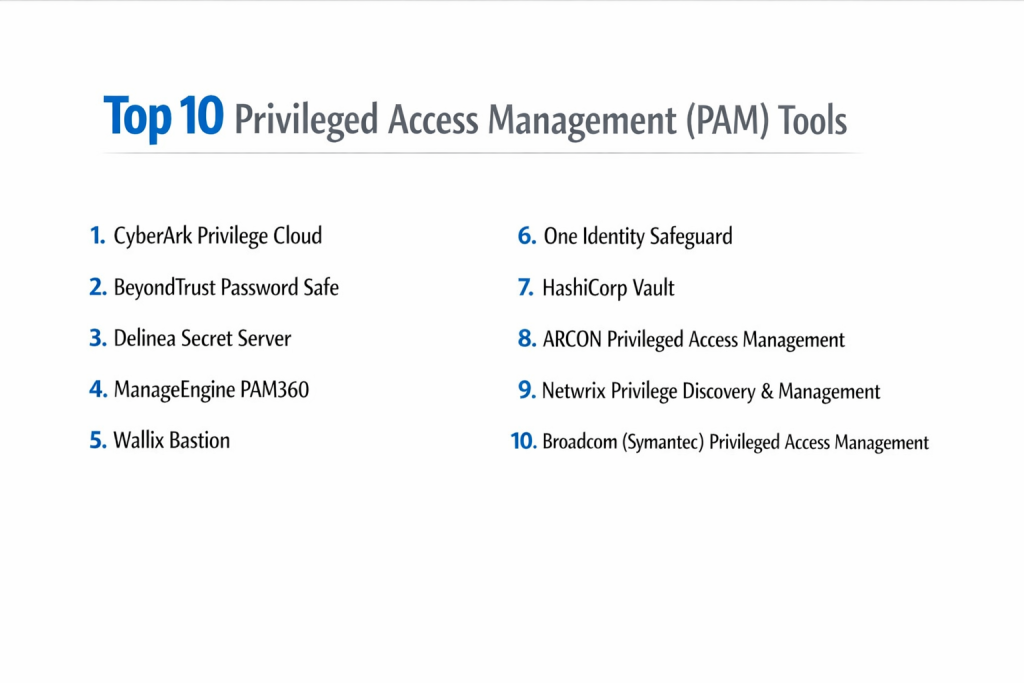
Top 10 Privileged Access Management (PAM) Tools
1 — CyberArk Privilege Cloud
CyberArk is widely considered the industry leader in the PAM space, offering a comprehensive, cloud-based platform that secures privileged access across hybrid, cloud, and on-premise environments. It is designed for large-scale enterprises with complex security requirements.
- Key Features:
- Automated credential vaulting and rotation.
- Real-time session monitoring and recording with risk scoring.
- Just-in-Time (JIT) access to reduce the attack surface.
- Specialized secrets management for DevOps pipelines.
- Threat analytics to detect anomalous administrative behavior.
- Remote access security for third-party vendors without VPNs.
- Pros:
- Extremely deep feature set that can handle almost any technical edge case.
- Trusted by a majority of Fortune 500 companies, ensuring high industry credibility.
- Cons:
- Known for being one of the most expensive solutions on the market.
- Higher complexity requires dedicated administrators to manage effectively.
- Security & Compliance: SOC 2 Type II, ISO 27001, GDPR, HIPAA, and FedRAMP compliant.
- Support & Community: Extensive global partner network, 24/7 enterprise support, and a massive community forum for knowledge sharing.
2 — BeyondTrust Password Safe
BeyondTrust focuses on “Universal Privilege Management,” combining password vaulting with endpoint privilege management. It is designed for organizations that want to eliminate local admin rights across their entire workstation fleet.
- Key Features:
- Automated discovery of all privileged accounts across the network.
- Session recording with the ability to search for specific typed commands.
- Integrated remote support tools for IT help desks.
- Fine-grained delegation of permissions (Least Privilege).
- Smart Rules to automate access requests based on time or risk.
- Pros:
- Excellent reporting and audit capabilities that simplify compliance checks.
- Stronger workstation and endpoint management compared to many competitors.
- Cons:
- The licensing model can be confusing as it is split into multiple modules.
- Initial implementation can be time-consuming due to the discovery phase.
- Security & Compliance: HIPAA, GDPR, PCI DSS, and SOC 2 compliant. Uses AES-256 encryption.
- Support & Community: High-quality documentation and a dedicated “University” for user training and certification.
3 — Delinea Secret Server
Delinea (formerly Thycotic and Centrify) offers Secret Server, which is highly regarded for its ease of use and rapid deployment. It is built for IT teams that need powerful protection without a steep learning curve.
- Key Features:
- Rapid, automated discovery of service and admin accounts.
- Heartbeat checks to ensure passwords remain synced.
- Custom approval workflows for high-risk access requests.
- “Secret” sharing with granular permissions for team collaboration.
- Native mobile app for administrators to approve requests on the go.
- Pros:
- Often cited as the most intuitive user interface in the PAM market.
- Faster “Time-to-Value” with many out-of-the-box configurations.
- Cons:
- Some advanced reporting features require custom SQL knowledge.
- Can become sluggish in extremely large environments with millions of secrets.
- Security & Compliance: FIPS 140-2 validated, SOC 2, HIPAA, and GDPR compliant.
- Support & Community: Responsive customer support and a very active online user community.
4 — ManageEngine PAM360
ManageEngine is known for providing enterprise-grade tools at a price point accessible to mid-sized businesses. PAM360 is an integrated solution that covers vaulting, monitoring, and governance.
- Key Features:
- Centralized vault for passwords, SSH keys, and SSL certificates.
- Agentless remote terminal for RDP and SSH sessions.
- Just-in-Time (JIT) privilege elevation.
- Integration with other ManageEngine IT management tools.
- Compliance reports specifically mapped to GDPR and PCI DSS.
- Pros:
- Exceptional value for money with transparent, per-admin pricing.
- Very easy to integrate for organizations already using the ManageEngine ecosystem.
- Cons:
- Lacks some of the advanced AI-driven threat detection found in CyberArk.
- The interface can feel a bit cluttered compared to more modern SaaS designs.
- Security & Compliance: GDPR, HIPAA, and ISO 27001 reporting. AES-256 encryption.
- Support & Community: Robust documentation and a 24/5 support model that is reliable for standard business needs.
5 — Wallix Bastion
Wallix is a European-based leader that focuses on simplicity and non-intrusive session management. It is popular for organizations that need to monitor third-party contractors without installing agents on target systems.
- Key Features:
- Proxy-based architecture that doesn’t require agents on endpoints.
- Real-time session “takeover” to stop suspicious admin actions.
- Optical Character Recognition (OCR) for searching video recordings.
- Password vaulting with automated rotation.
- Multi-tenant support for Managed Service Providers (MSPs).
- Pros:
- Very lightweight footprint that does not impact system performance.
- Excellent for highly regulated European industries (GDPR/ANSSI).
- Cons:
- Secrets management for developers (DevOps) is not as mature as competitors.
- Smaller presence in the North American market compared to CyberArk or Delinea.
- Security & Compliance: ANSSI certification, GDPR, and ISO 27001 compliant.
- Support & Community: Strong professional services and 24/7 technical support for enterprise tiers.
6 — One Identity Safeguard
One Identity Safeguard provides a unified platform for privileged access, combining a secure vault with deep session analytics. It is designed for organizations that want to merge Identity Governance (IGA) with PAM.
- Key Features:
- Integrated session recording and vaulting in one appliance (virtual or physical).
- Approval workflows via email or mobile app.
- Behavioral analytics to detect “account takeover” signs.
- Automatic discovery of Windows, Unix, and Linux accounts.
- Integration with Active Directory and Azure AD.
- Pros:
- The integration between identity governance and PAM is industry-leading.
- Reliable appliance-based deployment makes it easy to maintain for IT teams.
- Cons:
- Can be complex to set up if you are not using other One Identity products.
- The mobile app functionality is somewhat limited compared to the desktop portal.
- Security & Compliance: GDPR, HIPAA, and SOC 2 compliant. Strong hardware-based security options.
- Support & Community: Extensive global support and a well-structured training academy.
7 — HashiCorp Vault
HashiCorp Vault is fundamentally different from other PAM tools. It is a “secrets management” tool built for developers and cloud-native environments, focusing on API keys and service-to-service communication.
- Key Features:
- Dynamic secrets: Generates temporary passwords that expire in minutes.
- “Encryption-as-a-Service” to secure data within applications.
- Multi-cloud support (AWS, Azure, GCP) from a single interface.
- Identity-based access instead of traditional IP-based rules.
- Large library of plugins for database and cloud integrations.
- Pros:
- The gold standard for DevOps teams and automated CI/CD pipelines.
- Open-source version allows companies to test before buying enterprise.
- Cons:
- Not a traditional PAM tool; it lacks a native user-friendly session recording UI.
- Requires high technical expertise (coding/CLI) to implement.
- Security & Compliance: FIPS 140-2, SOC 2, and GDPR compliant.
- Support & Community: Massive developer community and high-end enterprise support via HashiCorp.
8 — ARCON Privileged Access Management
ARCON is a leading PAM provider in the Asian and Middle Eastern markets, known for its high-performance session monitoring and “risk-predictive” analytics.
- Key Features:
- Command-level filtering (prevents admins from typing dangerous commands).
- Biometric authentication support for admin logins.
- Virtual Vault for secure document storage.
- Just-in-Time (JIT) access for emergency scenarios.
- Comprehensive reporting dashboards for CISOs.
- Pros:
- Highly granular control—it can stop a specific command without ending the session.
- Very stable in large-scale environments with legacy infrastructure.
- Cons:
- The user interface feels a bit dated compared to modern SaaS platforms.
- Documentation and support are not as widely available in North America.
- Security & Compliance: ISO 27001, HIPAA, and GDPR compliant.
- Support & Community: Strong in-person professional services and 24/7 global support.
9 — Netwrix Privilege Discovery & Management
Netwrix provides a PAM solution that focuses on visibility and risk reduction. It is often used by companies that are just starting their PAM journey and need to find where their privileged accounts are hiding.
- Key Features:
- Powerful account discovery engine for finding local admins.
- Monitoring of changes to administrative groups (like Domain Admins).
- Lightweight vaulting for securing shared credentials.
- User behavior analytics for identifying insider threats.
- Automated alerts for unauthorized privilege elevation.
- Pros:
- One of the best tools for “Discovery”—it finds accounts other tools miss.
- Much easier to deploy than the massive enterprise suites like CyberArk.
- Cons:
- Lacks the deep “Secrets Management” needed for complex software development.
- Session recording is not as feature-rich as BeyondTrust.
- Security & Compliance: GDPR, HIPAA, and PCI DSS compliance reporting.
- Support & Community: Excellent knowledge base and a very high customer satisfaction rating for support.
10 — Broadcom (Symantec) Privileged Access Management
Broadcom’s PAM solution (formerly CA Technologies) is an enterprise-grade platform built for the most complex global infrastructures, including mainframes and physical data centers.
- Key Features:
- Support for mainframes, physical servers, and cloud instances.
- Integrated Multi-Factor Authentication (MFA).
- Threat analytics with automatic session termination.
- Privilege management for Unix/Linux root accounts.
- Scalable architecture for millions of credentials.
- Pros:
- One of the few solutions that handles “old-school” mainframes effectively.
- Extremely scalable for the world’s largest government and banking institutions.
- Cons:
- Since the Broadcom acquisition, some users report a focus only on top-tier customers.
- High cost and complex implementation process.
- Security & Compliance: FIPS 140-2, SOC 2, and GDPR compliant.
- Support & Community: Global enterprise support with specialized field engineers.
Comparison Table
| Tool Name | Best For | Platform(s) Supported | Standout Feature | Rating (Gartner) |
| CyberArk | Global Enterprises | Cloud, On-prem, Hybrid | Behavioral Risk Scoring | 4.6 / 5 |
| BeyondTrust | Endpoint Security | Win, Mac, Linux, Cloud | Commmand-level Search | 4.5 / 5 |
| Delinea | Ease of Use | Cloud, On-prem | Rapid Discovery | 4.5 / 5 |
| ManageEngine | Mid-Market / Value | Cloud, On-prem | Integration Ecosystem | 4.4 / 5 |
| Wallix | Third-party Access | Cloud, On-prem | Agentless Proxy | 4.3 / 5 |
| One Identity | Identity Governance | Appliance, Cloud | Governance-led PAM | 4.3 / 5 |
| HashiCorp | Developers / DevOps | Multi-cloud, API | Dynamic Secrets | 4.7 / 5 |
| ARCON | Command Filtering | Hybrid, Legacy | Predictive Analytics | 4.4 / 5 |
| Netwrix | Discovery & Auditing | Win, Linux, Cloud | Account Visibility | 4.4 / 5 |
| Broadcom | Mainframes | Mainframe, Cloud | Infrastructure Depth | 4.1 / 5 |
Evaluation & Scoring of [Privileged Access Management (PAM)]
To provide a fair assessment, we evaluated these tools against a standardized scoring rubric. This helps prioritize the technical requirements while also considering the “human” factor of using the software.
| Metric | Weight | Evaluation Criteria |
| Core Features | 25% | Presence of Vaulting, Session Recording, JIT, and MFA. |
| Ease of Use | 15% | Intuitiveness of UI for both admins and end-users. |
| Integrations | 15% | Ability to talk to Active Directory, SIEM, and Cloud APIs. |
| Security & Compliance | 10% | Encryption standards, SOC/ISO certifications, and audit log quality. |
| Performance | 10% | Latency during remote sessions and vault search speed. |
| Support & Community | 10% | Documentation quality, community health, and support response times. |
| Price / Value | 15% | Transparency of pricing and ROI for the specific business size. |
Which [Privileged Access Management (PAM)] Tool Is Right for You?
Choosing a PAM tool is a critical security decision. Here is how to navigate the market based on your specific needs:
Small Teams & SMBs
For smaller teams, complexity is the enemy. You likely do not have a dedicated “PAM Administrator.” In this scenario, ManageEngine PAM360 or Delinea Secret Server are the best fits. They provide the necessary security without requiring a six-month implementation project.
The Budget-Conscious Mid-Market
If you need to pass an audit (like SOC 2 or HIPAA) but have a limited budget, Netwrix or Wallix Bastion offer great value. They focus on the core requirements—visibility and session recording—at a lower total cost of ownership.
Global Enterprises & High-Security Industries
For banks, healthcare systems, and government agencies, the risk of a breach outweighs the cost of the tool. CyberArk or BeyondTrust are the recommended options here. These tools offer the deepest security features, such as “threat analytics” that can automatically kill a session if it detects a hacker moving laterally.
Developer-Led Organizations
If your company is “software-first” and your primary concern is securing API keys and passwords within your code, skip the traditional PAM tools and go with HashiCorp Vault. It is the clear winner for automation and won’t slow down your engineering teams.
Frequently Asked Questions (FAQs)
1. Is PAM just a more expensive password manager?
No. While a password manager stores credentials, PAM manages the entire session. It can rotate passwords automatically every time they are used, record a video of what the user did, and grant access that expires automatically in 30 minutes.
2. What is “Just-in-Time” (JIT) access?
JIT access means a user has zero permissions by default. When they need to perform a task, they request access, and the tool grants them administrative rights only for the specific time needed to finish that task.
3. Does PAM slow down my IT administrators?
It can add a small step to the login process, but modern “agentless” tools like Delinea or Wallix are designed to be almost invisible. The trade-off—preventing a catastrophic data breach—is always worth the few extra seconds.
4. Is it better to have an on-premise or cloud-based PAM?
Most organizations are moving to SaaS (Cloud) PAM because it is easier to update and manage. However, if you have highly sensitive “air-gapped” servers, an on-premise appliance like One Identity may be required.
5. How does PAM help with compliance?
Regulations like GDPR, HIPAA, and PCI DSS require organizations to prove who accessed sensitive data. PAM provides a “paper trail” including video recordings and logs that prove exactly what an admin did during their session.
6. What is “Session Recording”?
Session recording is like a security camera for your servers. It captures a video of everything an administrator sees and does on a remote screen, which can be reviewed later if a security incident occurs.
7. Can PAM manage social media or non-IT accounts?
Yes. While built for IT, PAM can also secure high-stakes corporate accounts like a company’s main Twitter/X account or marketing dashboards to prevent “brand hijacking.”
8. What is “Least Privilege”?
This is the security principle that users should only have the minimum level of access required to do their job. PAM tools automate this by ensuring no one has “permanent” admin rights.
9. How long does a PAM implementation take?
A basic cloud setup can take 2-4 weeks. A full enterprise deployment across a global network with thousands of servers can take 6 months to a year.
10. What is a “Service Account”?
Service accounts are used by software to talk to other software. Because they are “non-human,” they often have weak passwords that are never changed. PAM tools like CyberArk specialize in automatically rotating these hidden passwords.
Conclusion
Choosing a Privileged Access Management (PAM) tool is one of the smartest moves you can make to protect your business. In today’s world, passwords for your most important systems are the biggest targets for hackers. By using a PAM solution, you are essentially putting a high-tech lock on your most valuable digital doors and making sure you have a record of every person who enters.
As we have seen, there is a tool for every type of organization:
- For Large Corporations: CyberArk and BeyondTrust offer the most power and protection for massive, complex networks.
- For Growing Businesses: Delinea and ManageEngine are excellent because they are easier to set up and offer great value for your money.
- For Tech Teams: HashiCorp Vault is the top pick for developers who need to secure automated code and cloud apps.
The “best” tool is the one that fits your team’s skills and your company’s budget. The most important thing is to move away from sharing passwords and start using a system that follows the Principle of Least Privilege—giving people only the access they need, exactly when they need it. By doing this, you keep your data safe and make your IT team’s job much easier.