Introduction
Presentation software is a category of digital tools used to create visual presentations that communicate ideas, data, and stories in a structured and engaging format. These tools allow users to combine text, images, charts, animations, videos, and interactive elements into slides that support spoken or recorded communication.
Presentation software is important because visual communication has become central to business, education, and digital collaboration. A well-designed presentation helps simplify complex ideas, improve audience understanding, and increase retention. Whether presenting a sales pitch, delivering a lecture, sharing project updates, or explaining data insights, presentations play a key role in decision-making and knowledge transfer.
Real-world use cases include business meetings, sales and investor pitches, classroom teaching, online learning, corporate training, marketing campaigns, webinars, conferences, and internal reporting. Presentation software is used across industries such as education, IT, finance, healthcare, marketing, consulting, and enterprise operations.
When choosing presentation software, users should evaluate ease of use, design flexibility, collaboration features, template quality, multimedia support, performance, export options, and integration with other tools. Security, scalability, and pricing are also important considerations, especially for teams and enterprises.
Best for:
Presentation software is ideal for students, educators, trainers, business professionals, marketers, consultants, sales teams, startup founders, SMBs, and large enterprises that rely on visual storytelling and structured communication.
Not ideal for:
Users who only need simple text documents or informal notes may not require full presentation software. In such cases, basic document editors or note-taking tools may be sufficient.
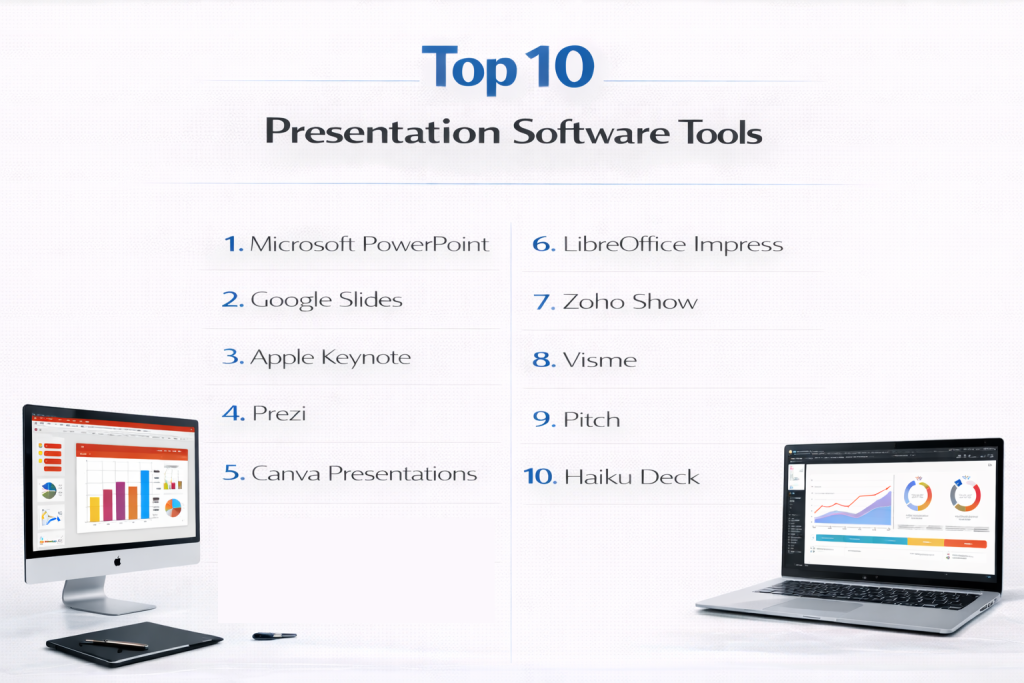
Top 10 Presentation Software Tools
1 — Microsoft PowerPoint
Microsoft PowerPoint is one of the most widely used presentation tools in the world and is considered a standard for business, education, and enterprise communication. It is designed for users who need flexibility, reliability, and compatibility across teams and organizations. PowerPoint supports everything from simple slide decks to complex, data-driven presentations with animations and multimedia.
PowerPoint is commonly used for business meetings, academic lectures, corporate training, and executive presentations. Its familiarity, strong feature set, and integration with productivity suites make it suitable for individuals as well as large organizations.
Key features:
- Slide-based presentation creation
- Rich text, image, and shape tools
- Charts, tables, and data visuals
- Animations and transitions
- Presenter view and speaker notes
- Export to multiple formats
Pros:
- Industry-standard and widely accepted
- Very flexible and feature-rich
- Strong offline and online support
Cons:
- Can be overwhelming for beginners
- Design quality depends on user skill
- Advanced features require learning
Security & compliance:
Encryption, SSO, audit logs, GDPR, ISO, enterprise security controls
Support & community:
Extensive documentation, tutorials, certifications, enterprise support, and a massive global user community.
2 — Google Slides
Google Slides is a cloud-based presentation software designed for real-time collaboration and easy sharing. It is ideal for teams and educators who want a simple, accessible tool that works across devices without installation. Presentations are stored online, allowing multiple users to edit and comment simultaneously.
Google Slides is widely used in education, startups, and remote teams due to its simplicity and collaborative features. While it may not offer the same design depth as desktop tools, it excels in speed and teamwork.
Key features:
- Cloud-based slide editing
- Real-time collaboration
- Automatic version history
- Simple design and layout tools
- Easy sharing and permissions
- Integration with productivity apps
Pros:
- Easy to use
- Excellent collaboration
- No installation required
Cons:
- Limited advanced design features
- Requires internet for full functionality
- Basic animation options
Security & compliance:
Encryption, SSO, audit logs, GDPR, SOC 2
Support & community:
Good documentation, help center, and a large education-focused user base.
3 — Apple Keynote
Apple Keynote is a presentation software designed for users within the Apple ecosystem who value visual polish and smooth performance. It focuses on clean design, high-quality animations, and ease of use, making it popular among creatives, educators, and professionals using macOS and iOS devices.
Keynote is often used for product launches, keynote speeches, and visually driven presentations. While it is less common in cross-platform enterprise environments, it offers a refined experience for Apple users.
Key features:
- Elegant design templates
- Advanced animations and transitions
- Real-time collaboration
- Media-rich presentations
- Presenter tools and notes
- Seamless Apple device integration
Pros:
- High-quality visuals
- Easy to use
- Free for Apple users
Cons:
- Limited to Apple ecosystem
- Compatibility issues with other platforms
- Smaller template library
Security & compliance:
Encryption, GDPR compliance, Apple ecosystem security
Support & community:
Official documentation, tutorials, and Apple support services.
4 — Prezi
Prezi is a presentation software known for its non-linear, zoom-based presentation style. Instead of traditional slide-by-slide navigation, Prezi allows users to create dynamic presentations that visually connect ideas. It is designed for presenters who want to engage audiences with storytelling and motion.
Prezi is often used in marketing, education, and public speaking where engagement and visual flow are more important than structured slide layouts.
Key features:
- Non-linear presentation canvas
- Zoom and motion effects
- Visual storytelling tools
- Reusable templates
- Cloud-based access
- Multimedia support
Pros:
- Highly engaging presentation style
- Strong storytelling capabilities
- Visually memorable
Cons:
- Can be distracting if overused
- Learning curve for new users
- Less suitable for data-heavy decks
Security & compliance:
Encryption, GDPR compliance
Support & community:
Documentation, tutorials, and a creative user community.
5 — Canva Presentations
Canva Presentations is a design-focused presentation tool aimed at users who want visually appealing slides without professional design skills. It offers drag-and-drop editing and a large library of templates, making it popular among marketers, students, and small businesses.
Canva is often used for marketing presentations, social media decks, and visually driven storytelling. While it is not as powerful for complex data or animations, it excels in ease of use and design quality.
Key features:
- Drag-and-drop slide creation
- Large template library
- Built-in design elements
- Team collaboration
- Cloud-based access
- Export and sharing options
Pros:
- Very easy to use
- Strong visual design
- No design expertise required
Cons:
- Limited advanced animations
- Less control over data visualization
- Internet dependency
Security & compliance:
Encryption, GDPR compliance
Support & community:
Help center, tutorials, and a large creative community.
6 — LibreOffice Impress
LibreOffice Impress is an open-source presentation software designed for users who prefer free and offline-capable tools. It offers a traditional slide-based workflow similar to enterprise presentation tools and supports a wide range of file formats.
Impress is commonly used by students, educators, and organizations that rely on open-source software or need cost-effective alternatives.
Key features:
- Slide-based presentation creation
- Animation and transition support
- Offline functionality
- Broad file format compatibility
- Open-source flexibility
Pros:
- Completely free
- Works offline
- Good format support
Cons:
- Outdated interface
- Limited collaboration features
- Fewer modern templates
Security & compliance:
Varies / N/A
Support & community:
Community-driven documentation and open-source support.
7 — Zoho Show
Zoho Show is a cloud-based presentation software designed for business users and teams working within a broader productivity ecosystem. It focuses on collaboration, simplicity, and business-friendly workflows.
Zoho Show is often used for internal meetings, sales presentations, and team collaboration, especially by organizations already using integrated business tools.
Key features:
- Cloud-based slide creation
- Real-time collaboration
- Presenter view and notes
- Media and chart support
- Team sharing and permissions
Pros:
- Good for team collaboration
- Clean interface
- Cost-effective
Cons:
- Limited advanced design features
- Smaller template library
- Less popular ecosystem
Security & compliance:
Encryption, GDPR compliance, access controls
Support & community:
Documentation, help center, and business-focused support.
8 — Visme
Visme is a presentation and visual content tool designed for marketers, educators, and business professionals who want interactive and data-driven presentations. It supports charts, infographics, and interactive elements beyond traditional slides.
Visme is commonly used for reports, training materials, and marketing decks where engagement and visual storytelling are key.
Key features:
- Interactive presentation elements
- Data visualization tools
- Templates for business use
- Media and animation support
- Cloud-based access
Pros:
- Strong data visualization
- Interactive features
- Professional templates
Cons:
- Learning curve for advanced features
- Performance depends on browser
- Premium features cost extra
Security & compliance:
Encryption, GDPR compliance
Support & community:
Documentation, tutorials, and professional support resources.
9 — Pitch
Pitch is a modern presentation software designed for fast-moving teams that want clean design and collaboration. It focuses on consistency, templates, and real-time teamwork, making it suitable for startups and creative teams.
Pitch is often used for product demos, investor decks, and internal team updates where speed and alignment matter.
Key features:
- Collaborative slide editing
- Design consistency tools
- Templates and layouts
- Version control
- Cloud-based access
Pros:
- Clean and modern design
- Strong collaboration
- Fast workflow
Cons:
- Smaller feature set
- Limited offline support
- Newer ecosystem
Security & compliance:
Encryption, GDPR compliance
Support & community:
Documentation and growing user community.
10 — Haiku Deck
Haiku Deck is a presentation tool designed for simplicity and storytelling. It encourages minimal text and strong visuals, making it suitable for educators, speakers, and users who want clean, focused presentations.
Haiku Deck is often used for lectures, talks, and narrative presentations where clarity and simplicity are priorities.
Key features:
- Simple slide layouts
- Visual-first design approach
- Easy content creation
- Cloud-based sharing
- Template-driven workflow
Pros:
- Very easy to use
- Strong storytelling focus
- Clean design
Cons:
- Limited customization
- Not suitable for complex data
- Restricted advanced features
Security & compliance:
Varies / N/A
Support & community:
Basic documentation and user resources.
Comparison Table
| Tool Name | Best For | Platform(s) Supported | Standout Feature | Rating |
|---|---|---|---|---|
| Microsoft PowerPoint | Enterprises | Windows, macOS, Web | Industry standard | N/A |
| Google Slides | Teams | Web | Real-time collaboration | N/A |
| Apple Keynote | Apple users | macOS, iOS | Visual polish | N/A |
| Prezi | Storytelling | Web, Desktop | Non-linear presentations | N/A |
| Canva Presentations | Marketing | Web | Design templates | N/A |
| LibreOffice Impress | Open-source users | Windows, macOS, Linux | Free & offline | N/A |
| Zoho Show | Business teams | Web | Team collaboration | N/A |
| Visme | Data storytelling | Web | Interactive visuals | N/A |
| Pitch | Startups | Web | Modern collaboration | N/A |
| Haiku Deck | Educators | Web | Simplicity | N/A |
Evaluation & Scoring of Presentation Software
| Criteria | Weight |
|---|---|
| Core features | 25% |
| Ease of use | 15% |
| Integrations & ecosystem | 15% |
| Security & compliance | 10% |
| Performance & reliability | 10% |
| Support & community | 10% |
| Price / value | 15% |
Which Presentation Software Tool Is Right for You?
Solo users should focus on simplicity and cost. SMBs benefit from tools with collaboration and templates. Mid-market teams need scalability and integrations. Enterprises should prioritize security, compliance, and compatibility. The right choice depends on presentation complexity, audience, and collaboration needs.
Frequently Asked Questions (FAQs)
- What is presentation software used for?
It is used to create visual slides for communication and storytelling. - Are cloud-based tools better than desktop tools?
They are better for collaboration, not always for offline use. - Can presentation software handle data?
Many tools support charts and data visualization. - Is design skill required?
Some tools offer templates that reduce design effort. - Are presentations secure?
Security depends on the platform and plan. - Can presentations be shared easily?
Most tools support sharing and export. - Do these tools support collaboration?
Many tools allow real-time collaboration. - Are free tools sufficient?
Free tools work for basic needs but have limitations. - Which tool is best for business use?
Business tools prioritize reliability and security. - Can I switch tools later?
Most formats allow migration with adjustments.
Conclusion
Presentation software is essential for communicating ideas clearly, visually, and effectively in today’s digital world. From classrooms to boardrooms, these tools support learning, persuasion, and collaboration.
There is no single best presentation software for everyone. The ideal choice depends on your role, audience, collaboration needs, design expectations, and security requirements. By understanding your priorities and comparing tools carefully, you can choose a presentation solution that delivers long-term value and impact.