Introduction
PLC Programming Tools are specialized software suites used by engineers and technicians to design, test, and deploy the logic that controls industrial machinery. These tools act as the bridge between human intent and machine action, allowing users to write code in standardized languages such as Ladder Diagram (LD) or Structured Text (ST). Once written, this code is downloaded to a Programmable Logic Controller (PLC)—the “brain” of the factory—to monitor inputs like sensors and trigger outputs like motors or valves.
In the high-stakes environment of modern manufacturing, these tools are indispensable for ensuring operational reliability and safety. They provide the necessary environment for simulating processes before physical implementation, which significantly reduces the risk of expensive equipment damage or worker injury. Furthermore, modern PLC software has evolved into “integrated engineering frameworks,” often combining motion control, HMI (Human-Machine Interface) design, and safety protocols into a single workspace. This integration is vital for the rapid troubleshooting and scalability required in the era of Industry 4.0.
Key Real-World Use Cases
- Automotive Assembly: Coordinating hundreds of robotic arms and conveyor belts to ensure precise welding and painting sequences.
- Pharmaceutical Processing: Managing exact chemical ratios and temperature controls in batch processing to meet strict FDA compliance.
- Water Treatment Plants: Automating pump stations and filtration cycles based on real-time flow sensors across a municipal grid.
- Packaging and Bottling: Running high-speed labeling and filling lines where a millisecond of lag can result in hundreds of wasted products.
- Food & Beverage: Regulating ovens, freezers, and mixing vats to maintain product consistency and food safety standards.
What to Look For (Evaluation Criteria)
When selecting a PLC programming tool, the most critical factor is Hardware Compatibility—most platforms are vendor-specific, so your software must match your controller brand. Support for IEC 61131-3 Standards is equally important, ensuring you have access to the five standard languages (Ladder, FBD, ST, SFC, and IL). You should also evaluate the Simulation Capabilities; a robust “Digital Twin” or virtual PLC environment allows for debugging without needing physical hardware. Finally, consider Scalability and Licensing; look for tools that offer modular pricing or unlimited tags if you plan to expand your operations significantly.
Best for: Automation engineers, maintenance technicians, and system integrators working in manufacturing, energy, and infrastructure sectors where high-reliability machine control is mandatory.
Not ideal for: Pure IT developers or software engineers who do not interact with physical hardware, or very small-scale DIY hobbyists where a simple microcontroller (like Arduino) might be more cost-effective.
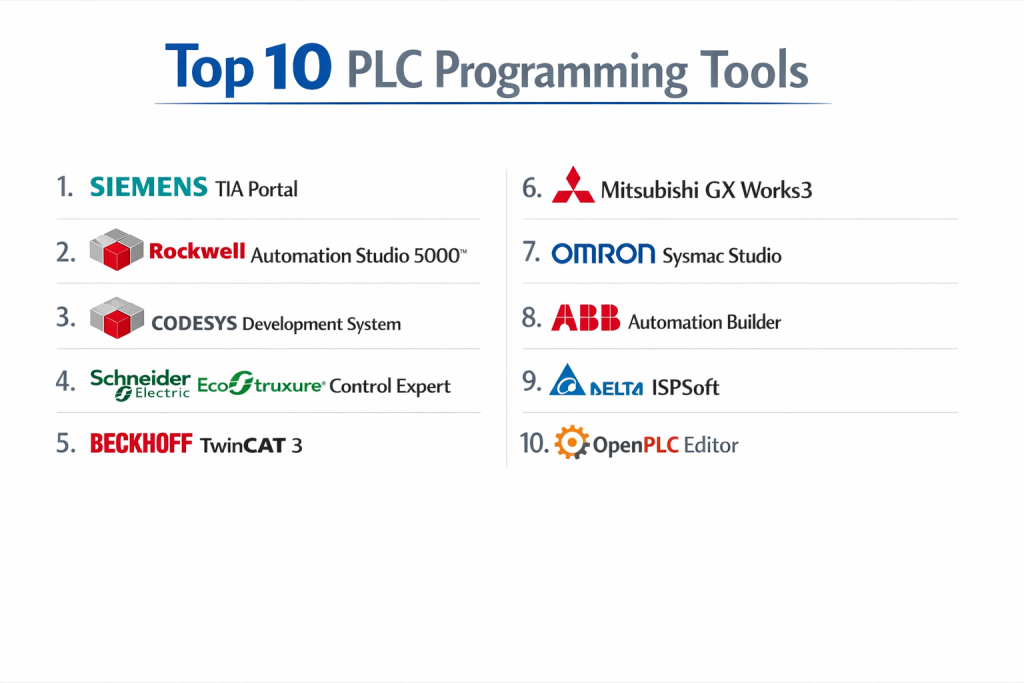
Top 10 PLC Programming Tools
1 — Siemens TIA Portal
The Totally Integrated Automation (TIA) Portal is the flagship engineering framework from Siemens, designed to unify PLC programming, HMI design, and drive configuration.
- Key features:
- Unified Interface: Single environment for S7-1200, S7-1500, and legacy controllers.
- PLCSIM Advanced: High-end simulation for testing logic without physical hardware.
- Multi-User Engineering: Allows several engineers to work on the same project simultaneously.
- Library Management: Centralized storage for reusable code blocks and hardware configurations.
- Integrated Safety: Specialized editors for Fail-Safe (F-CPU) programming.
- Pros:
- Extremely powerful for large-scale, complex plant integrations.
- Superb diagnostics that pinpoint hardware faults down to the specific I/O module.
- Cons:
- High hardware requirements for the PC (requires significant RAM and SSD space).
- Complex licensing structure can be expensive for smaller firms.
- Security & compliance: IEC 62443 certified, supports encrypted communication, and features comprehensive audit logs.
- Support & community: Massive global user base, extensive “Industry Online Support” portal, and 24/7 enterprise assistance.
2 — Rockwell Automation Studio 5000
Studio 5000 is the premier software for Allen-Bradley Logix5000 controllers, serving as the dominant platform in the North American industrial market.
- Key features:
- Logix Designer: The core module for building ladder logic and structured text.
- Add-On Instructions (AOI): Create custom, reusable instructions to encapsulate complex code.
- Tag-Based Memory: Uses meaningful names instead of rigid register addresses.
- Integrated Motion: Simplifies the setup of servo drives and multi-axis movement.
- Application Code Manager: Speeds up development through bulk generation of code.
- Pros:
- The industry standard in the US; finding skilled labor for this tool is very easy.
- Excellent integration with FactoryTalk HMI and industrial data software.
- Cons:
- Subscription-based pricing can lead to high long-term costs.
- Simulation (Echo) often requires additional expensive licenses.
- Security & compliance: SOC 2 compliant, features centralized security via FactoryTalk Services, and supports 21 CFR Part 11.
- Support & community: Extensive “Knowledgebase” and a vast network of distributors and system integrators.
3 — CODESYS Development System
CODESYS is a hardware-independent, manufacturer-neutral PLC programming environment used by over 400 different hardware brands.
- Key features:
- Vendor Neutrality: Programs controllers from WAGO, Eaton, Beckhoff, and many others.
- Full IEC 61131-3 Support: Native implementation of all five standard languages.
- Integrated Visualization: Create web-based HMIs directly within the PLC project.
- Object-Oriented Programming (OOP): Supports classes and interfaces for modern software design.
- CODESYS Store: A marketplace for downloading pre-built function blocks and add-ons.
- Pros:
- Free to download the core IDE; you only pay for specific runtime licenses.
- Maximum flexibility—you aren’t locked into a single hardware manufacturer.
- Cons:
- Support varies depending on which hardware vendor you are using.
- Can be more complex to set up communication drivers compared to “all-in-one” tools.
- Security & compliance: Supports X.509 certificates, file encryption, and user management; ISO 9001 certified.
- Support & community: Very strong developer forum and “CODESYS Forge” for open-source collaboration.
4 — Schneider Electric EcoStruxure Control Expert
Formerly known as Unity Pro, this is the core software for Schneider’s Modicon M340, M580, and Quantum controllers.
- Key features:
- Achilles Level 2 Certification: High-end cybersecurity built into the communication stack.
- Process-Oriented Libraries: Specialized templates for the water and chemical industries.
- Hot Standby Support: Simplified configuration for redundant “High Availability” systems.
- Implicit Messaging: Efficient data exchange between controllers without complex code.
- Simulator: Built-in tool for testing logic on a virtual M580 controller.
- Pros:
- One of the best choices for “Process” automation (oil, gas, water).
- Stable and proven platform with a very long lifecycle.
- Cons:
- The user interface feels slightly dated compared to TIA Portal or Studio 5000.
- Limited flexibility for high-speed “discrete” manufacturing like robotics.
- Security & compliance: Achilles Level 2 certified for M580; GDPR compliant data handling.
- Support & community: Strong global presence with specialized support for large infrastructure projects.
5 — Beckhoff TwinCAT 3
TwinCAT (The Windows Control and Automation Technology) turns almost any PC into a real-time PLC, making it a favorite for high-speed, data-heavy applications.
- Key features:
- Visual Studio Integration: Allows engineers to write PLC code alongside C++ or C#.
- Real-Time Kernel: Ensures deterministic control even while running on standard Windows.
- EtherCAT Focus: Optimized for the world’s fastest industrial communication protocol.
- Modular Architecture: Individual tasks can run on different processor cores.
- Big Data Support: Direct integration with MQTT and cloud databases.
- Pros:
- Incredible performance; ideal for complex robotics and high-speed scientific equipment.
- Software is free to install and use for engineering; licensing only applies to runtime.
- Cons:
- Steep learning curve for those not familiar with the Microsoft Visual Studio environment.
- Hardware is generally restricted to PC-based controllers.
- Security & compliance: Supports Secure Boot, file encryption, and integrated Windows security.
- Support & community: Growing community of “Power Users” and excellent technical documentation.
6 — Mitsubishi GX Works3
GX Works3 is the latest generation of software for Mitsubishi Electric’s iQ-R and iQ-F series, widely used in high-speed electronics assembly.
- Key features:
- Module Labeling: Automatically assigns tags to hardware modules to reduce manual entry.
- Integrated Motion Setup: Dedicated tool for configuring multi-axis servo systems.
- Global/Local Labels: Clear separation of data to prevent variable name conflicts.
- Simulation: Real-time logic simulation with built-in monitoring windows.
- Hardware Diagnostic: Visual “map” of the PLC rack showing real-time module status.
- Pros:
- Extremely fast execution times; excellent for high-cycle-rate machines.
- Lower cost of ownership compared to the high-end European and American brands.
- Cons:
- Terminology and workflow can be a bit different from Western-style IDEs.
- Market share (and thus community support) is smaller in North America.
- Security & compliance: Password protection for project files and hardware lock features.
- Support & community: Strong support in Asia and Europe; reliable technical help for electronics manufacturing.
7 — Omron Sysmac Studio
Sysmac Studio provides a “One Controller, One Software” experience, unifying logic, motion, safety, and vision in a single environment.
- Key features:
- 3D Simulation: Visualizes robot and machine movements in real-time within the IDE.
- One Connection: Configure the entire machine over a single EtherCAT network.
- Integrated Safety: Program safety controllers using the same tags as the standard PLC.
- Version Control: Built-in integration with Git for managing code changes.
- Vision Integration: Directly calibrate Omron cameras within the automation project.
- Pros:
- The most modern and “clean” user interface in the PLC world.
- Unrivaled for machines that combine robotics, vision, and logic.
- Cons:
- Proprietary to Omron’s NJ/NX hardware series.
- The 3D simulation features require high-end PC graphics cards.
- Security & compliance: 32-digit security passwords and hardware-based encryption.
- Support & community: High-quality local support and a growing library of YouTube tutorials.
8 — ABB Automation Builder
ABB’s integrated software suite is designed for machine builders and system integrators who need to manage PLCs, drives, and robots in a single project.
- Key features:
- Multi-Hardware Support: Manages AC500 PLCs, CP600 HMIs, and ABB drives.
- Virtual Commissioning: High-end tools for simulating entire machine lines.
- Fieldbus Integration: Excellent support for Profinet, EtherCAT, and CANopen.
- Safety Programming: Integrated safety logic for SIL 3 applications.
- Bulk Configuration: Tools for managing hundreds of drive parameters at once.
- Pros:
- The best choice if your plant uses a lot of ABB motors and drives.
- Very robust and reliable for heavy industrial environments (mining, marine).
- Cons:
- The installation process is notoriously large and time-consuming.
- Can be overkill for a simple, standalone PLC application.
- Security & compliance: ISO 9001 certified; supports industrial security standards like NERC CIP.
- Support & community: Backed by ABB’s massive global infrastructure and service teams.
9 — Delta ISPSoft
ISPSoft is a highly cost-effective tool designed for Delta’s wide range of PLCs, popular in budget-sensitive automation projects.
- Key features:
- Task Management: Easy organization of cyclic, I/O interrupt, and timer tasks.
- Function Block Support: Allows for modular and reusable programming.
- Tag Editor: Simple, spreadsheet-like interface for managing variables.
- Simulation: Built-in PLC simulator that supports most instructions.
- Ladder/ST Toggle: Easily switch between languages within the same project.
- Pros:
- Very lightweight; runs well even on older laptops.
- Excellent price-to-performance ratio for SMBs.
- Cons:
- Lacks the advanced “Enterprise” features like multi-user collaboration.
- Documentation can sometimes be poorly translated in certain sections.
- Security & compliance: Basic project and hardware password protection.
- Support & community: Strong presence in the Asian market; good online forum support.
10 — OpenPLC Editor
The only truly open-source tool on this list, OpenPLC is an IEC 61131-3 compliant editor that is completely free to use.
- Key features:
- Hardware Agnostic: Can deploy code to Raspberry Pi, Arduino, ESP32, or standard PCs.
- Standardized Languages: Supports all five IEC languages natively.
- Web Dashboard: Monitor your PLC status via a standard web browser.
- Modbus Support: Native integration with Modbus TCP and RTU for I/O expansion.
- Extensible: Users can write their own drivers and extensions.
- Pros:
- The absolute best tool for learning and academic research.
- Zero licensing costs—ever.
- Cons:
- Not recommended for high-safety industrial environments (no SIL certification).
- Lacks the “integrated motion” or “safety” modules of commercial tools.
- Security & compliance: Community-driven security; varies depending on the hardware board used.
- Support & community: Very active community on Discord and GitHub; excellent for DIY and prototyping.
Comparison Table
| Tool Name | Best For | Platform(s) Supported | Standout Feature | Rating (TrueReview) |
| Siemens TIA Portal | Plant-Wide Integration | Windows | Unified HMI/PLC/Drive | 4.6 / 5 |
| Studio 5000 | North American Market | Windows | Tag-Based Programming | 4.5 / 5 |
| CODESYS | Hardware Flexibility | Windows, Linux | Vendor Neutrality | 4.7 / 5 |
| Control Expert | Process Industries | Windows | Achilles Security Certified | 4.3 / 5 |
| TwinCAT 3 | High-Speed / PC-Based | Windows | Visual Studio Integration | 4.6 / 5 |
| GX Works3 | Electronics Assembly | Windows | Fast Execution Times | 4.4 / 5 |
| Sysmac Studio | Robotics & Vision | Windows | 3D Machine Simulation | 4.8 / 5 |
| Automation Builder | Heavy Industry | Windows | ABB Ecosystem Synergy | 4.2 / 5 |
| Delta ISPSoft | Budget Automation | Windows | Lightweight / Cost-Effective | 4.1 / 5 |
| OpenPLC Editor | Learning & Prototyping | Win, Linux, Mac | Open Source / Free | 4.9 / 5 |
Evaluation & Scoring of PLC Programming Tools
| Criteria | Weight | Evaluation Logic |
| Core Features | 25% | Multi-language support, simulation quality, and motion/safety integration. |
| Ease of Use | 15% | Intuitiveness of the UI, tag management, and hardware configuration speed. |
| Integrations | 15% | Synergy with HMIs, SCADA, and third-party communication protocols. |
| Security & Compliance | 10% | Presence of IEC 62443, encryption, and audit trail features. |
| Performance | 10% | Compile times, code execution speed, and software stability. |
| Support & Community | 10% | Availability of training, forums, and enterprise-level technical help. |
| Price / Value | 15% | Licensing model (Subscription vs. Permanent) and overall TCO. |
Which PLC Programming Tool Is Right for You?
Solo Users vs SMB vs Mid-Market vs Enterprise
If you are a Solo User or student, OpenPLC or the free version of CODESYS are your best options to learn without financial risk. SMBs looking for a balance of cost and reliability should look at Mitsubishi GX Works3 or Delta ISPSoft. For Mid-Market manufacturers, Omron Sysmac Studio provides a modern, high-value alternative to the bigger names. Finally, Enterprises with complex, multi-site plants will almost always choose Siemens TIA Portal or Rockwell Studio 5000 for their superior long-term support and workforce availability.
Budget-Conscious vs Premium Solutions
For those on a tight Budget, CODESYS is the clear winner as it allows you to choose cheaper hardware from vendors like WAGO or Turck while using a world-class IDE. On the Premium side, Siemens TIA Portal and Rockwell Studio 5000 command high prices, but they offer “peace of mind” with guaranteed hardware availability and specialized modules for motion and safety that can save hundreds of engineering hours.
Feature Depth vs Ease of Use
If you need Feature Depth, particularly for high-end IT/OT integration, TwinCAT 3 is unrivaled because it lives inside Visual Studio. However, if you prioritize Ease of Use so that your maintenance team can quickly troubleshoot a machine, Omron Sysmac Studio and Siemens TIA Portal offer the most visual, intuitive workflows for navigating complex logic and hardware networks.
Integration and Scalability Needs
If you plan to scale from a single machine to an entire production line, Rockwell Studio 5000 and Siemens TIA Portal are built for this. Their ability to share tags instantly between the PLC and the HMI/SCADA system prevents errors and significantly reduces commissioning time. For scalability across different hardware brands, only CODESYS can provide a consistent experience.
Security and Compliance Requirements
In the Pharmaceutical or Oil & Gas sectors, Security is the top priority. Schneider Electric Control Expert (with Achilles certification) and Siemens TIA Portal (with IEC 62443 compliance) are the gold standards. These tools provide the necessary audit trails and encrypted user roles required to meet strict government and industry safety regulations.
Frequently Asked Questions (FAQs)
1. Can I use these tools on a Mac?
Most industrial software is Windows-native. Aside from OpenPLC and certain web-based managers, you will typically need to run Windows via Parallels or a virtual machine to use these tools on a Mac.
2. What is the most popular language for PLC programming?
Ladder Diagram (LD) remains the most popular, especially in North America, because it resembles electrical schematics. However, Structured Text (ST) is gaining ground for complex mathematical tasks.
3. Do I have to pay for updates?
It depends. Siemens and Rockwell usually require an active support contract for major updates, while Beckhoff and CODESYS often provide the engineering environment updates for free.
4. Can I program a PLC without the physical hardware?
Yes. Tools like TIA Portal (PLCSIM) and Sysmac Studio include powerful simulators that allow you to run and test your code entirely on your laptop.
5. How much RAM do I need for these tools?
For modern suites like TIA Portal, 16GB is the absolute minimum, but 32GB is highly recommended to prevent crashes and slow compile times.
6. What is IEC 61131-3?
It is the international standard for PLC programming. It defines the five languages (Ladder, FBD, ST, SFC, IL) to ensure a level of consistency across different software brands.
7. Is it hard to switch from Rockwell to Siemens?
There is a learning curve (usually 3-6 months to reach proficiency), as the terminology and hardware configuration workflows differ, but the core logic principles remain the same.
8. Is open-source software safe for factories?
While OpenPLC is great for learning, it lacks the industrial certifications (like SIL 3 for safety) that commercial tools have. Most factories stick to certified commercial platforms for liability reasons.
9. What is a “Tag-based” system?
Older PLCs used rigid addresses (like %I0.1). Modern “Tag-based” systems like Studio 5000 allow you to name variables (like “Emergency_Stop_Button”), making the code much easier to read.
10. How do I get started with PLC programming?
The best way is to download OpenPLC or the free version of CODESYS and follow online tutorials. Many manufacturers also offer free “Basic” versions of their software for small controllers.
Conclusion
The “best” PLC Programming Tool is ultimately the one that matches your hardware and the skill set of your team. If you are operating in a high-density manufacturing environment in North America, Rockwell Studio 5000 is the logical choice. If you are building a futuristic, high-speed machine that requires deep IT integration, TwinCAT 3 or Omron Sysmac Studio will serve you better.
When choosing, remember that the software license is only a small part of the Total Cost of Ownership (TCO). Consider the cost of training, the availability of local support, and how well the tool integrates with your existing HMI and SCADA systems. By choosing an IEC 61131-3 compliant tool with robust simulation and security features, you are not just programming a machine—you are building a reliable foundation for your business’s future.