Introduction
A plagiarism detection tool is a piece of software designed to find matches between a submitted piece of writing and a vast database of existing sources. Think of it as a digital detective that scans essays, articles, reports, or code against billions of web pages, academic journals, books, and previously submitted student papers. Its job is to highlight text that appears elsewhere, helping to ensure the work is original.
The importance of these tools is immense in today’s digital world. For educators, they uphold academic integrity by discouraging copying and teaching students about proper citation. For publishers and content creators, they protect copyright and brand reputation by ensuring work is unique before it goes live. In business, they safeguard against unintentional duplication in marketing or legal documents. Essentially, they are a critical checkpoint for originality.
Key real-world uses include university professors checking student theses, website managers vetting freelance writer submissions, researchers ensuring their manuscripts are novel, and companies verifying the uniqueness of their internal reports or website content.
When choosing a plagiarism tool, you should look for accuracy, database size and quality, speed, how easy it is to understand the results, whether it checks for paraphrasing, integration with other platforms you use, and, of course, the cost.
Best for: These tools are essential for educators at all levels, students wanting to self-check their work, publishers, editors, and content managers, researchers and academics, and business professionals in marketing, legal, and consulting who produce original written content.
Not ideal for: Individuals writing purely personal, informal content. Very small teams or individuals on an extreme budget might rely on free but limited tools, though with trade-offs. They are also not a substitute for human judgment—they detect matches, not the intent to plagiarize.
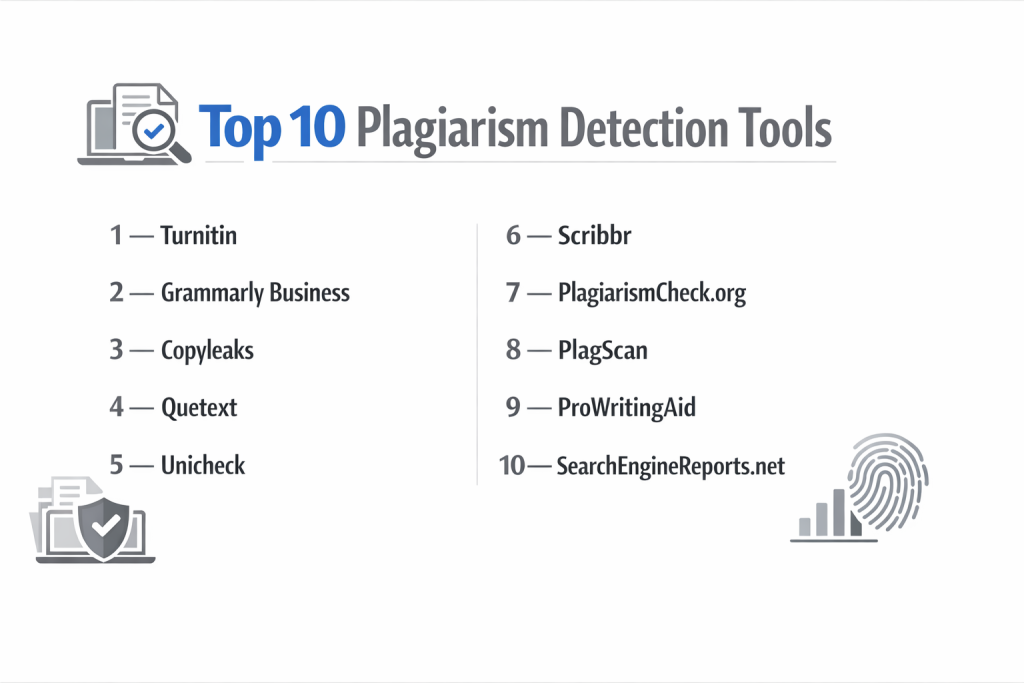
Top 10 Plagiarism Detection Tools
Here is a detailed look at ten of the most effective and widely-used plagiarism checkers available.
1 — Turnitin
Turnitin is the industry standard in academic integrity. It is used by thousands of educational institutions worldwide to check student submissions against its massive proprietary database.
Key features:
- Comprehensive Databases: Checks against web content, academic publications, and its exclusive database of student papers.
- Feedback Studio: Provides a rich grading environment where instructors can leave comments, use rubrics, and review similarity reports side-by-side.
- Originality Check: Generates a detailed Similarity Report with color-coded highlights and links to suspected sources.
- Authorship Investigation: Advanced features use forensic stylistics to help investigate if a submitted work matches a student’s prior writing style.
- Direct LMS Integration: Deeply integrates with major Learning Management Systems.
- GradeMark: Allows for digital grading and feedback within the same platform.
Pros:
- Unmatched Academic Database: Its repository of student papers is its gold standard, catching copying between students at different schools.
- Deep Institutional Integration: It’s built for the workflow of schools and universities, not just as a standalone checker.
- Pedagogical Tools: It’s more than a plagiarism detector; it’s a full suite for teaching writing and citation.
Cons:
- Very Expensive for Individuals: Pricing is almost exclusively institutional, making it inaccessible for solo students or freelancers.
- Can Be Opaque and Stressful for Students: The similarity score can sometimes be misinterpreted as a guilt score, causing anxiety over properly cited quotes.
- Complex Interface: The full feature set can be overwhelming for new instructors.
Security & compliance: Turnitin takes data security extremely seriously. It is compliant with major global standards including GDPR, FERPA, and SOC 2. Student papers are typically added to its private database to protect future originality.
Support & community: Provides dedicated account management and support for institutions. Extensive online training resources, webinars, and a large user community in the education sector.
2 — Grammarly Premium
Grammarly is best known as a writing assistant, but its Premium and Business plans include a powerful plagiarism checker that scans against billions of web pages and academic databases.
Key features:
- Integrated Writing & Plagiarism Check: Combines grammar, tone, and clarity suggestions with plagiarism detection in one workflow.
- Web & Database Scan: Checks against billions of web pages and academic databases.
- Real-Time Detection: Highlights potential plagiarism as you write within its editor or browser extension.
- Citation Alerts: Flags text that may need a citation and helps generate proper citations.
- Genre-Specific Writing Style Checks: Can be set for academic, business, or casual writing contexts.
- Multiple Format Support: Works with text pasted into its editor or directly within major word processors and web browsers.
Pros:
- Exceptional User Experience: The interface is clean, intuitive, and the suggestions are easy to understand and apply.
- Proactive Writing Aid: It helps you avoid plagiarism by improving your writing and citing in real-time, not just catching mistakes after.
- Great for Individuals & Teams: Offers clear plans for solo writers, students, and businesses.
Cons:
- Database Limitations: Lacks a private database of student papers, so it may miss peer-to-peer plagiarism common in schools.
- Subscription Model: Requires an ongoing paid subscription for plagiarism features; the free version only does basic grammar.
- Can Be Overly Suggestive: Some users find its grammar and style suggestions intrusive or unnecessary.
Security & compliance: Grammarly uses enterprise-grade encryption and is GDPR compliant. It offers admin controls for Business plans. Data is processed securely, but as a cloud-based tool, users should review its privacy policy.
Support & community: Email support for all users, with priority support for Premium and Business. A comprehensive help center and an active user forum.
3 — Copyscape
Copyscape is a veteran tool beloved by webmasters, content writers, and digital marketers for protecting online content. It’s focused on scanning the live web for duplicate content.
Key features:
- Batch Search & Comparison: Its premium service automatically monitors the web for copies of your specified pages at regular intervals.
- Side-by-Side Comparison: Shows your original and the matched copy side-by-side for precise analysis.
- Private Index: Allows you to add your own original content to a private database to ensure future uniqueness.
- API Access: Offers an API for developers to integrate plagiarism checking directly into their own applications.
- CMS Integration: A dedicated plugin allows direct checking from within popular content management dashboards.
- Focus on Web Content: Optimized for finding content scraped, republished, or copied across websites.
Pros:
- Web-Focused Accuracy: Exceptionally good at finding content that has been duplicated or lightly paraphrased across the internet.
- Proactive Protection: Its monitoring service is a standout for ongoing content protection, not just one-off checks.
- Simple, Purpose-Built: It does one job very well without extra features.
Cons:
- Not for Academic Use: Does not check against academic journals or student paper databases.
- Pricing Per Search: While there’s a free entry, professional use operates on a credit system, which can add up.
- Basic Interface: The design is functional but not as polished or modern as some competitors.
Security & compliance: Security focuses on protecting your search queries and results. It uses standard web security protocols. Specific compliance certifications are not its primary marketing focus.
Support & community: Provides standard email support. Documentation is straightforward. Its user base is largely in the web publishing industry.
4 — Quetext
Quetext is a user-friendly plagiarism checker that balances robust detection with a simple, accessible interface. It’s popular with students and professionals who need a reliable check without complexity.
Key features:
- DeepSearch Technology: Uses contextual analysis to detect paraphrased plagiarism, not just exact matches.
- ColorGrid Feedback: Presents results in an easy-to-scan visual grid, showing the distribution of potential plagiarism.
- Citation Assistant: Helps generate citations in major academic formats directly from the flagged sources.
- Fuzzy Matching: Catches small changes like synonym swaps, which simpler tools miss.
- Bulk Uploads: Allows checking of multiple documents at once, saving time for teachers or editors.
- Grammar & Spell Check Integration: Includes basic writing feedback alongside plagiarism results.
Pros:
- Excellent Detection of Paraphrasing: Its contextual analysis engine is particularly good at finding poorly rewritten content.
- Very Intuitive Design: The report is one of the easiest to understand quickly, even for first-time users.
- Good Free Tier: Offers a meaningful number of free checks with full features, unlike many others.
Cons:
- Database Size: While good, its database may not be as extensive as top-tier competitors for academic work.
- Limited Integrations: Lacks deep integrations with major LMS or word processors compared to enterprise tools.
- Branding on Free Reports: Free reports include tool branding, which may not be suitable for professional submission.
Security & compliance: Employs secure connections and states that documents are not stored or added to a public database after checking. It is GDPR aware.
Support & community: Support is primarily via email. It has a helpful FAQ and blog.
5 — Unicheck (Now Part of Ouriginal)
Unicheck, now merged under the Ouriginal brand, is a fast, cloud-based plagiarism detector favored by educational institutions for its speed and seamless integration.
Key features:
- Blazing Fast Speed: Known for generating similarity reports in seconds, even for long documents.
- Multilingual Support: Effectively checks documents in over 30 languages.
- Extensive Integration: Plugins and integrations for major classroom and productivity platforms.
- Student Empowerment: Allows institutions to let students run drafts through the system for self-check before final submission.
- Paraphrase Detection: Uses algorithms to identify intelligently reworded content.
- Live Chat Support: Offers real-time chat support directly within the web application.
Pros:
- Speed and Performance: Its processing speed is a major advantage in busy classroom environments.
- Modern, Clean Interface: The dashboard and reports are visually appealing and easy for educators and students to navigate.
- Strong Educational Focus: Built with the teacher-student workflow in mind, promoting learning over punishment.
Cons:
- Brand Transition: The shift from Unicheck to Ouriginal has caused some confusion and interface changes for existing users.
- Less Brand Recognition: While growing, it doesn’t have the decades-long institutional presence of some competitors.
- Pricing Structure: Like most institutional tools, it’s priced for schools, not individual consumers.
Security & compliance: Compliant with GDPR and adheres to strict data protection regulations. It uses secure cloud infrastructure and offers data processing agreements for institutions.
Support & community: Provides customer support with live chat. Offers extensive training resources and webinars.
6 — Scribbr
Scribbr is tailored specifically for academia, offering plagiarism checking combined with premium editing and proofreading services, primarily targeting students.
Key features:
- Academic Database Focus: Partners with a leading academic database provider, making it powerful for theses and dissertations.
- Integrated Editing Service: Allows students to get a plagiarism check and professional editing in one place.
- Clear, Educational Reports: Provides a detailed report that educates on different types of plagiarism and how to fix them.
- Citation Generator: A robust, free tool that complements its plagiarism service.
- Pay-Per-Check Model: No subscription required; users pay for a single, in-depth check.
- Targets Student Anxiety: The language and service are designed to be supportive and reduce student stress.
Pros:
- High Academic Accuracy: Access to a premier academic database gives it strong credibility for university-level work.
- Student-Centric Approach: The entire experience is built to guide and help students, not just flag errors.
- No Commitment: The pay-per-check model is perfect for students who only need to verify a major paper like a thesis.
Cons:
- Expensive for Multiple Checks: The per-check cost is high, making it impractical for regular use on smaller assignments.
- Narrow Focus: Primarily useful only for students, not for professionals or educators managing a class.
- Limited to Checking: While it offers editing, its core tool is for detection, not classroom management.
Security & compliance: It uses strong data security protocols. It is GDPR compliant and clearly states that documents are not stored in a public database.
Support & community: Offers email support with a focus on student queries. Has an extensive knowledge base of academic writing and citation guides.
7 — Plagscan
Plagscan is a tool known for its strong data privacy and customizable solutions, serving educational institutions, publishers, and businesses.
Key features:
- High Data Privacy: Hosting options with a strong emphasis on GDPR compliance and data sovereignty.
- Flexible Deployment: Offers cloud, on-premise, and hybrid hosting models to meet strict institutional IT policies.
- Detailed Customization: Allows organizations to customize exclusion rules, sensitivity settings, and report formats.
- API-First Design: Built with a powerful API for easy integration into existing document management systems.
- Source Library: Enables organizations to build and scan against their own private reference libraries.
- Multiple File Format Support: Handles a wide array of formats.
Pros:
- Privacy and Control: A top choice for organizations with stringent data privacy requirements.
- Integration Flexibility: Its API and various deployment options make it adaptable to complex tech environments.
- Customizable Workflow: Can be finely tuned to match an organization’s specific policies and needs.
Cons:
- Less Polished UI: The interface can feel technical and less user-friendly than consumer-focused tools.
- Complex Setup: The flexibility and on-premise options can lead to a more involved implementation process.
- Pricing Opacity: Requires a custom quote, which can be a barrier for small teams.
Security & compliance: A major strength. Compliant with GDPR, ISO certified. Provides detailed data processing agreements and audit logs.
Support & community: Provides professional support with options for dedicated account management. Documentation is comprehensive.
8 — PlagiarismCheck.org
This tool is a versatile checker used by educators, students, and businesses. It emphasizes ease of use, affordability, and reliable integration with educational platforms.
Key features:
- LMS Integration: Offers seamless, direct integration as a tool within popular LMS platforms.
- Dual Database Check: Scans against both general web content and a scholarly database.
- Assignment Workflow: Teachers can create assignments, set deadlines, and review student submissions with similarity scores directly within their familiar LMS.
- Student Self-Check: Allows students to check their own work before final submission.
- Affordable Institutional Plans: Often positioned as a cost-effective alternative to larger enterprise solutions.
- Paraphrase Detection: Identifies text that has been structurally altered.
Pros:
- LMS-Native Experience: The integration feels like a natural part of the learning platform, improving teacher adoption.
- Good Value: Provides robust plagiarism checking at a competitive price point for schools.
- Balanced Feature Set: Covers the essential needs of an educational institution without unnecessary complexity.
Cons:
- Brand Awareness: It’s a smaller player compared to giants in the industry.
- Interface Variability: The experience is highly dependent on the LMS.
- Limited to Education & General Use: May not have specialized features for publishing or corporate content protection.
Security & compliance: GDPR compliant and follows standard data protection practices for educational software.
Support & community: Offers support via email and within the LMS. Provides setup guides and training materials.
9 — DupliChecker
DupliChecker is a popular free online tool that provides basic plagiarism detection alongside a suite of other writing utilities, targeting bloggers, freelancers, and students on a budget.
Key features:
- Completely Free Basic Check: Offers a free check without requiring a user account.
- Multi-Tool Platform: Also provides grammar checking, and other writing tools.
- Simple Upload/Paste Interface: As straightforward as it gets: paste text and click a button.
- Batch Processing: Paid plans allow checking of multiple documents at once.
- Source Highlighting: Shows the specific URLs where matched text was found.
- Percentage Score: Provides a quick overall originality percentage.
Pros:
- Zero-Cost Entry: The free tier is genuinely usable for quick, small checks.
- Extremely Simple: No learning curve; ideal for a one-off, urgent check.
- Additional Utilities: The suite of other free tools can be handy for content creators.
Cons:
- Limited Free Quota: The word limit and daily restrictions are limiting for serious use.
- Ad-Supported & Upsell Pressure: The free interface is crowded with ads and prompts to upgrade.
- Basic Detection Only: Lacks advanced paraphrase detection, deep databases, and any educational or integration features.
Security & compliance: As a free web tool, security is basic. There is no mention of formal compliance certifications. Users should be cautious about submitting highly sensitive documents.
Support & community: Limited to FAQ pages and email support for paid users.
10 — iThenticate
iThenticate is the professional and scholarly plagiarism checker. It is the tool of choice for researchers, publishers, and corporations to screen manuscripts, grant proposals, and reports before publication.
Key features:
- Premium Scholarly Database: Checks against the world’s largest collection of scientific and scholarly content from publishers, journals, and databases.
- Service for Publishers: The service used by major publishing houses as part of their editorial workflow.
- High-Volume Screening: Designed for organizations that need to check hundreds or thousands of documents.
- Custom Repository Building: Allows companies to create and scan against proprietary internal document libraries.
- Detailed Reporting for Editors: Provides reports tailored to the needs of journal editors and peer reviewers.
- Seamless Publisher Integration: Often integrated directly into online manuscript submission systems.
Pros:
- Gold Standard for Publishing: The most trusted tool in academic and professional publishing to ensure manuscript originality.
- Unrivaled Database for Research: Has access to content not indexed on the public web, crucial for cutting-edge research.
- Enterprise-Grade Scalability: Built for the volume and workflow of large publishers and R&D departments.
Cons:
- Extremely Expensive: Pricing is strictly enterprise-level, far beyond the reach of individuals or even most universities for student work.
- Not for Classroom Use: It is not designed with grading or student feedback features.
- Complex Sales Process: Access is typically obtained through institutional sales contracts, not self-service.
Security & compliance: Highest security and compliance standards, including SOC 2, GDPR, and strict confidentiality agreements tailored for pre-publication content.
Support & community: Provides dedicated account management and support for enterprise clients.
Comparison Table
| Tool Name | Best For | Platform(s) Supported | Standout Feature | Rating |
|---|---|---|---|---|
| Turnitin | Universities & K-12 Schools | Web, LMS Integrations | Largest private database of student papers | 4.4/5 |
| Grammarly | Students, Writers, Businesses | Web, Desktop, Browser, Word Processors | Real-time writing assistant + plagiarism check | 4.7/5 |
| Copyscape | Webmasters & Content Marketers | Web, CMS, API | Proactive web content monitoring | 4.5/5 |
| Quetext | Students & Professionals | Web | Best-in-class paraphrasing detection | 4.3/5 |
| Unicheck (Ouriginal) | Schools wanting speed & modern design | Web, LMS Integrations | Blazing fast processing & clean interface | 4.2/5 |
| Scribbr | University Students | Web | Academic accuracy + editing services | 4.6/5 |
| Plagscan | Institutions & Privacy-Conscious Orgs | Web, On-Premise, API | High data privacy & flexible deployment | 4.1/5 |
| PlagiarismCheck.org | Schools using specific LMS | Web, LMS | Cost-effective, native LMS integration | 4.0/5 |
| DupliChecker | Casual users needing a free, quick check | Web | 100% free tier for small checks | 3.5/5 |
| iThenticate | Academic Publishers & Research Orgs | Web, Publisher Systems | Premier scholarly database for publishing | 4.8/5 |
Evaluation & Scoring of Plagiarism Detection Tools
To find the right tool, weigh its performance in these key areas based on your priorities.
| Evaluation Category | Weight | What to Look For | Top Performer Example |
|---|---|---|---|
| Core Features | 25% | Accuracy, database breadth, paraphrase detection, report clarity, citation help. | iThenticate, Turnitin |
| Ease of Use | 15% | Intuitive interface, speed of report generation, clarity of highlights and sources. | Grammarly, Quetext |
| Integrations & Ecosystem | 15% | Works with your LMS, Word Processors, or CMS. | Turnitin, Unicheck |
| Security & Compliance | 10% | Data encryption, GDPR/FERPA compliance, data sovereignty options, certifications. | Plagscan, iThenticate |
| Performance & Reliability | 10% | Check speed, uptime, ability to handle long documents or batch uploads. | Unicheck, Plagscan |
| Support & Community | 10% | Quality of help docs, responsiveness of support, training resources. | Grammarly, Turnitin |
| Price / Value | 15% | Cost relative to features. Is it a fair price for a student or a justifiable enterprise investment? | PlagiarismCheck.org, Quetext |
Which Plagiarism Detection Tool Is Right for You?
Your ideal tool depends entirely on who you are and what you need to protect.
- Solo Users (Students, Freelancers): You need affordability and simplicity. Start with Grammarly Premium for an all-in-one writing aid, Quetext for great paraphrasing detection, or Scribbr for a one-off, high-stakes thesis check. Use DupliChecker only for casual, non-critical checks.
- Small to Mid-Sized Businesses/Blogging Teams: You need to protect web content and marketing copy. Copyscape is the specialist here, especially with its monitoring service. Grammarly Business is excellent for teams that also want to improve writing quality.
- Mid-Market to Enterprise (Educational Institutions): You need integration, scale, and academic rigor. Turnitin is the comprehensive leader. Unicheck offers a faster, modern alternative. PlagiarismCheck.org provides great value for specific LMS users.
- Enterprise (Publishers, Research & Development): You need the highest level of security and specialized databases. iThenticate is the undisputed choice for scholarly publishing. Plagscan is ideal for corporations with strict data privacy requirements.
Budget-conscious vs. premium solutions: Free tools have severe limits. For serious use, Quetext and PlagiarismCheck.org offer strong value. Premium solutions like Turnitin and iThenticate command high prices for their unparalleled databases and institutional features.
Feature depth vs. ease of use: iThenticate and Plagscan offer immense depth for experts but require setup. Grammarly and Quetext prioritize a seamless user experience for immediate productivity.
Integration and scalability needs: If your school uses a specific Learning Management System, choose a tool built for it. For scaling to thousands of checks, you need an enterprise API.
Security and compliance requirements: For EU data laws, Plagscan is a top contender. For academic data, Turnitin and Unicheck are standards. For pre-publication confidential manuscripts, iThenticate is built for that trust.
Frequently Asked Questions (FAQs)
1. What’s the difference between a free and a paid plagiarism checker?
Free checkers often have small word limits, scan only the public web, show ads, and may have less accurate results. Paid tools access larger databases, detect paraphrasing better, offer detailed reports, and provide customer support.
2. Can these tools detect paraphrasing or just direct copying?
Advanced tools use contextual analysis to detect poorly paraphrased content. Simple word-swappers are easy to catch; sophisticated rewriting is harder but not impossible for good algorithms.
3. Is my document safe when I upload it to a plagiarism checker?
Reputable tools clearly state their privacy policy. Educational tools often add papers to a private database to protect future originality. For highly sensitive documents, use enterprise tools with strict confidentiality agreements.
4. What is a good or bad similarity score?
There’s no universal number. A low score could be problematic if it’s uncopied core ideas. A higher score could be fine if it’s properly cited quotes. The report must be interpreted by a human in context.
5. Can I use a plagiarism checker to check my own work for accidental plagiarism?
Absolutely. This is a best practice for students, researchers, and writers. It helps you find missing citations or areas where your paraphrasing is too close to the source.
6. Do these tools check against other languages?
Many support dozens of languages. However, the database strength for non-English content can vary, so check the tool’s specifications.
7. How do institutions handle false positives?
Good tools allow instructors to exclude quotes, bibliographies, or small matches. The reviewer must always examine highlighted text to see if it’s truly plagiarized or just common language.
8. What’s the best tool for checking code plagiarism?
Standard text plagiarism checkers are not ideal for code. Specialized tools are designed to detect similarities in programming assignments by comparing structure and logic, not just text.
9. Can a tool prove someone intentionally plagiarized?
No. Plagiarism detection tools can only show that text matches another source. Determining intent requires academic investigation and context that software cannot provide.
10. What’s the biggest mistake people make when using these tools?
Relying solely on the similarity percentage without reviewing the actual matches. The percentage is a starting point; the detailed report is where the real assessment happens.
Conclusion
Choosing the right plagiarism detection tool is less about finding the single best one and more about matching a tool’s specific strengths to your unique needs. The academic powerhouse of Turnitin is useless to a blogger protecting their website, just as the web-focused Copyscape would fail a university professor.
The key is to prioritize what matters most: Is it the depth of an academic database, the simplicity of a student-friendly interface, the rigor of data privacy, or the proactive protection of online content? By carefully weighing the core criteria of accuracy, usability, integration, security, and cost, you can move beyond the overwhelming list of options and select a tool that becomes a seamless and effective part of your workflow.
Remember, these tools are powerful aids for promoting originality and integrity, but they are not a replacement for human wisdom and judgment. The final decision on originality always rests with the educator, editor, or professional reviewing the work. Invest in a tool that empowers that decision, rather than one that attempts to automate it.