Introduction
A Personal Finance Budgeting App is a digital tool that helps you track your income, manage your spending, plan for future goals, and understand your overall financial health. Think of it as a digital financial coach that lives in your pocket. It connects to your bank accounts, credit cards, and loans to automatically gather your transactions, so you can see exactly where your money is going without manually entering every coffee purchase.
These apps are important because they bring clarity and control to your finances. They move you from guessing about your spending to knowing it with certainty. This helps you stop living paycheck-to-paycheck, build savings, pay off debt faster, and reduce the stress of money management. In real-world use, this means seeing at a glance if you can afford a vacation, getting an alert before you overspend on dining out, or watching your net worth grow over time as you save and invest.
When choosing an app, you should look for: Secure and reliable bank connections, intuitive and helpful budgeting method (envelope, zero-based, etc.), goal-setting tools, useful reporting and insights, multi-device access, and a cost that fits your budget.
Best for: These apps are designed for individuals, couples, and families who want to take an active role in managing their daily finances, getting out of debt, or saving for specific goals. They benefit anyone from financial beginners to savvy budgeters looking for more automation and insight.
Not ideal for: A dedicated budgeting app may be unnecessary for someone who already has a simple, effective system using spreadsheets or cash envelopes. They are also not substitutes for professional financial advisors handling complex investment or estate planning, or for small business owners who need dedicated accounting software with invoicing and payroll.
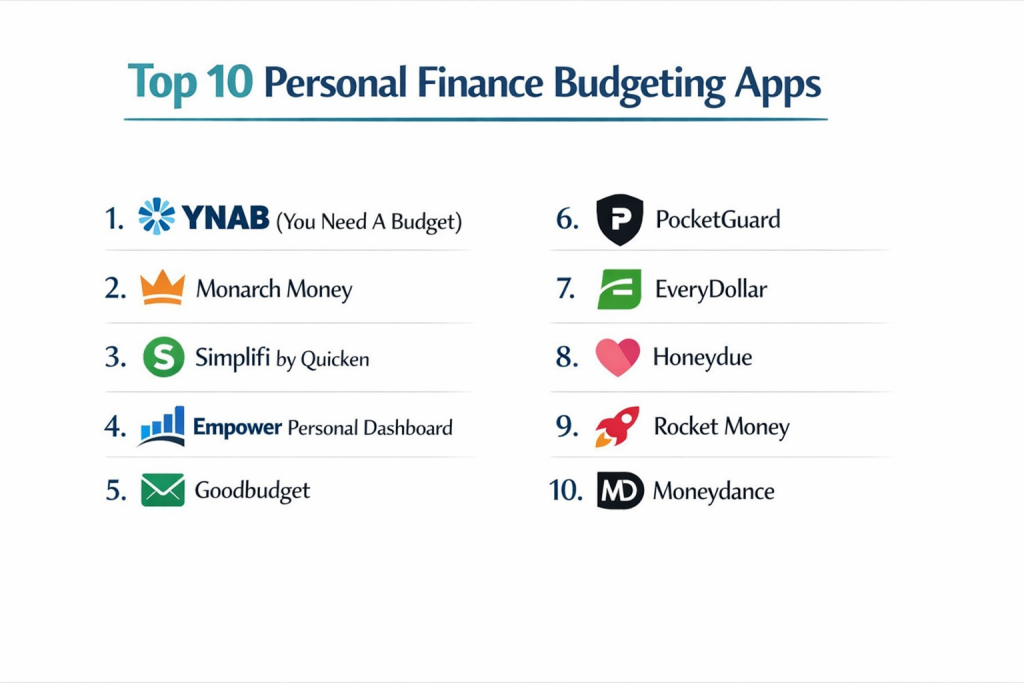
Top 10 Personal Finance Budgeting Apps
1 — YNAB (You Need A Budget)
YNAB is a proactive budgeting app based on the zero-based budgeting philosophy (giving every dollar a job). It’s designed for users who want to break the paycheck-to-paycheck cycle and gain total control of their money.
Key features:
- Zero-based budgeting framework: Assign every dollar of income to a specific category (budget, debt, savings).
- Real-time syncing across bank accounts with transaction import.
- Goal tracking for specific savings targets and debt payoff.
- Age of Money metric that shows how long your money sits before being spent.
- Robust reporting tools and debt payoff planning.
- Direct import from thousands of banks and manual entry options.
- Shared budgeting for partners or families.
Pros:
- Exceptional educational resources and philosophy that teaches powerful money habits.
- Highly effective for getting out of debt and breaking the cycle of living on last month’s income.
Cons:
- Steeper learning curve and requires more active, weekly engagement than “set-and-forget” apps.
- Higher annual subscription fee than many competitors.
Security & compliance: Bank-level 256-bit encryption, third-party audits, and read-only bank access. They do not store your banking credentials.
Support & community: Outstanding live workshops, extensive video tutorials, and an incredibly passionate, helpful user community. Email support is known for being thorough and educational.
2 — Monarch Money
Monarch Money is a modern, comprehensive financial app built as a collaborative tool for couples and families. It combines budgeting, net worth tracking, and long-term goal planning in a clean interface.
Key features:
- Unified dashboard for cash flow, net worth, and upcoming bills.
- Collaborative tools designed specifically for partners to budget together.
- Customizable rules for automatically categorizing transactions.
- Goal planning for retirement, home buying, and other major life events.
- Subscription tracking to identify and manage recurring charges.
- Investment account tracking and performance reporting.
- Recommendations for optimizing finances (like refinancing loans).
Pros:
- Best-in-class for couples, with features built for seamless shared money management.
- Beautiful, intuitive design that makes complex financial data easy to digest.
Cons:
- Relatively new on the market, so it’s still building out some advanced features.
- Priced as a premium app, which may not suit users looking for a free option.
Security & compliance: Uses Plaid for secure bank connections, with encryption and read-only access. SOC 2 compliant.
Support & community: Responsive email support, a detailed help center, and an active roadmap where users can suggest features.
3 — Simplifi by Quicken
Simplifi is a mobile-first app from Quicken designed for proactive spend tracking and saving. It focuses on giving you a clear picture of what’s safe to spend after accounting for bills, subscriptions, and goals.
Key features:
- “Safe-to-Spend” number as your central daily guide.
- Automated spending watchlists to monitor categories (e.g., Dining, Shopping).
- All-in-one dashboard for bills, subscriptions, and upcoming transactions.
- Customizable reports and income/expense tracking.
- Goal setting and progress tracking.
- Investment and loan account tracking.
- Bill and subscription management with cancellation links.
Pros:
- Excellent for people who want a clear, simple answer to “What can I spend today?”
- Powerful automated tracking for recurring bills and subscriptions.
Cons:
- Less about assigning every dollar a job (like YNAB) and more about tracking what’s left over.
- Some users desire more customization in reporting and budgeting views.
Security & compliance: 256-bit encryption, multi-factor authentication, and read-only bank access through secure partners.
Support & community: Offers chat and email support, a searchable help center, and video tutorials.
4 — Empower Personal Dashboard (formerly Personal Capital)
Empower is a powerful free tool best known for investment tracking and retirement planning, with budgeting features included. It’s ideal for users whose primary focus is growing net worth and long-term wealth.
Key features:
- Comprehensive investment tracking with fee analyzer and portfolio allocation.
- Retirement planner tool to forecast if you’re on track.
- Net worth tracker that aggregates all accounts (banking, investment, property, loans).
- Cash flow analyzer and spending by category.
- Monitoring for unusual spending or fees.
- Education planning tools.
- Access to financial advisors (for high-net-worth users).
Pros:
- Unbeatable free tool for investment tracking, portfolio analysis, and retirement planning.
- Provides a true, holistic view of your entire financial picture, not just daily spending.
Cons:
- Budgeting features are present but less robust and customizable than dedicated budgeting apps.
- The company makes money by offering wealth management services, so you may receive sales calls.
Security & compliance: Enterprise-grade security, 256-bit encryption, and multi-factor authentication. Accounts are FDIC-insured up to a certain amount for cash holdings.
Support & community: Phone and email support, with a detailed resource library. The advisor service is for premium clients.
5 — Goodbudget
Goodbudget is a digital adaptation of the classic envelope budgeting system. It’s great for people who love the cash envelope method but want the convenience of digital tracking and sharing.
Key features:
- Digital envelope system for allocating income to spending and savings categories.
- Sync and share budgets across devices with household members.
- Track debt payoff and savings goals within the envelope framework.
- Manual transaction entry (focuses on planning, not automated tracking).
- Reports on monthly spending and envelope history.
- Web and mobile app access.
Pros:
- Excellent for visual, hands-on budgeters and those who prefer not to connect bank accounts.
- Simple, effective philosophy that prevents overspending by design.
Cons:
- Relies on manual entry of transactions, which requires more discipline.
- The free version has limited envelopes and accounts, pushing serious users to a paid plan.
Security & compliance: Standard app security practices. Since it doesn’t connect to banks, the security model is simpler.
Support & community: Helpful email support, a blog with budgeting advice, and a community of envelope method enthusiasts.
6 — PocketGuard
PocketGuard takes an ultra-simplified approach, answering one primary question: “How much can I spend right now?” It’s designed for those who want to avoid overspending with minimal effort.
Key features:
- “In My Pocket” number showing disposable income after bills, goals, and necessities.
- Low-effort budgeting with automatic category spending limits.
- Bill tracking and negotiation service to help lower your bills.
- Subscription management and recurring charge identification.
- Automatic categorization of transactions.
- Debt payoff plan tool.
Pros:
- Arguably the simplest, most straightforward app for preventing overspending.
- Useful bill negotiation feature can actually save users money.
Cons:
- Too simplistic for users who want detailed budgeting, forecasting, or custom reports.
- The free version is very limited; you need Plus for core features.
Security & compliance: Uses bank-grade encryption and read-only access via partners like Plaid.
Support & community: In-app chat support and an online help center.
7 — EveryDollar
EveryDollar, created by Dave Ramsey, is a zero-based budgeting app that follows the “Baby Steps” financial philosophy. It’s built for users following Ramsey’s plan to get out of debt and build wealth.
Key features:
- Zero-based budget creator (EveryDollar gives every dollar a job).
- Free version with manual entry; Plus version connects to banks.
- Debt tracking and payoff tools aligned with the Debt Snowball method.
- Sync and share budgets with a spouse or partner.
- Integration with Ramsey’s Baby Steps progress tracking.
- Recommended fund allocation percentages (e.g., for housing, transportation).
Pros:
- Perfect for dedicated followers of the Dave Ramsey plan, with built-in guidance.
- Simple, no-frills interface that makes zero-based budgeting approachable.
Cons:
- The free version requires full manual entry, which is time-consuming.
- Lacks the depth of reporting and investment features found in other comprehensive apps.
Security & compliance: Standard data security for the app. Bank connections in the Plus version use encrypted, read-only links.
Support & community: Access to Ramsey Solutions’ vast library of articles and podcasts. Support is via standard channels.
8 — Honeydue
Honeydue is a budgeting app built specifically for couples. It focuses on transparency, communication, and shared responsibility for finances, without forcing complete merging of money.
Key features:
- Joint and individual account tracking in one view.
- Customizable category limits for shared spending (e.g., Groceries, Date Night).
- In-app chat to discuss transactions and bills directly.
- Bill tracking with reminders and notifications for who is paying what.
- Shows each partner’s individual spending and shared expenses clearly.
- Bank-level security for connecting accounts.
Pros:
- Uniquely designed to reduce money arguments by fostering transparency and communication.
- Allows couples to manage finances together while maintaining financial autonomy.
Cons:
- Budgeting tools are more basic than single-user-focused apps like YNAB or Monarch.
- Best for managing day-to-day cash flow, not for complex investment tracking or net worth.
Security & compliance: 256-bit encryption and read-only access. They state they use the same security as banks.
Support & community: In-app support and a help center focused on couples’ finance topics.
9 — Rocket Money (formerly Truebill)
Rocket Money is best known as a subscription cancellation and bill negotiation service, with budgeting features built around that core. It’s for users who want to slash recurring costs first.
Key features:
- Automatic subscription tracking and cancellation service (they call companies for you).
- Bill negotiation to lower monthly bills like cable, internet, and phone.
- Budget creation and spending insights.
- Credit score monitoring.
- Cancellation refunds for forgotten subscriptions.
- Smart savings account with automated transfers.
- Premium concierge service for financial tasks.
Pros:
- Highly effective at identifying and canceling unwanted subscriptions, often saving users hundreds per year.
- Bill negotiation can deliver significant, ongoing savings on essential services.
Cons:
- Takes a percentage of your annual savings as a fee for bill negotiation.
- Core budgeting and planning features are secondary to its subscription/bill focus.
Security & compliance: Bank-level security via Plaid for connections. A legitimate, established company.
Support & community: Support is tied to its concierge service model; help is available for managing tasks.
10 — Moneydance
Moneydance is a desktop-focused, one-time-purchase personal finance app with robust features. It’s a great choice for users who prefer not to pay a subscription and want data stored locally.
Key features:
- One-time purchase software (no subscription).
- Complete banking, budgeting, investment, and bill pay tracking.
- Powerful graphs and reports with extensive customization.
- Online bill payment directly from the app.
- Investment tracking and portfolio analysis.
- Encrypted data file stored locally on your computer.
- Supports multiple currencies.
Pros:
- Pay once, own it forever—excellent long-term value for anti-subscription users.
- High degree of power and customization for users who like deep data control.
Cons:
- Desktop-centric with mobile apps that are companions, not full-featured.
- Interface feels dated and has a steeper learning curve than modern, sleek apps.
Security & compliance: Your data is stored locally in an encrypted file. Security depends largely on your own computer practices.
Support & community: Support forums and email support from the independent developer.
Comparison Table
| Tool Name | Best For | Platform(s) Supported | Standout Feature | Rating |
|---|---|---|---|---|
| YNAB | Active budgeters wanting to break the paycheck-to-paycheck cycle and get out of debt. | Web, iOS, Android | Educational, proactive zero-based budgeting philosophy. | N/A |
| Monarch Money | Couples and families wanting a modern, collaborative, all-in-one financial hub. | Web, iOS, Android | Best-in-class collaboration tools for partners. | N/A |
| Simplifi | Individuals who want a simple, clear “Safe-to-Spend” number and proactive tracking. | Web, iOS, Android | “Safe-to-Spend” focus & subscription/bill tracking. | N/A |
| Empower | Investors and long-term planners focused on net worth, retirement, and investment fees. | Web, iOS, Android | Free, powerful investment & retirement planning tools. | N/A |
| Goodbudget | Fans of the envelope budgeting method who prefer manual tracking or don’t want to link accounts. | Web, iOS, Android | Digital envelope system for hands-on budgeting. | N/A |
| PocketGuard | Users wanting the simplest possible guardrail against overspending. | Web, iOS, Android | Ultra-simple “In My Pocket” spending limit. | N/A |
| EveryDollar | Followers of Dave Ramsey’s Baby Steps financial plan. | Web, iOS, Android | Zero-based budgeting aligned with the Debt Snowball method. | N/A |
| Honeydue | Couples who want to manage finances together while keeping some accounts separate. | iOS, Android | Built for couple communication & transparency. | N/A |
| Rocket Money | People who want to find and cancel subscriptions/lower bills first and foremost. | Web, iOS, Android | Subscription cancellation & bill negotiation service. | N/A |
| Moneydance | Anti-subscription users who prefer powerful, locally-stored desktop software. | Mac, Windows, Linux, iOS, Android | One-time purchase & local data control. | N/A |
Evaluation & Scoring of Personal Finance Budgeting Apps
| Evaluation Category | Weight | What to Look For |
|---|---|---|
| Core Features | 25% | Does it support your preferred budgeting style (zero-based, envelope, tracking)? Does it handle goal setting, debt tracking, and reporting well? |
| Ease of Use | 15% | Is the interface intuitive and pleasant to use daily? Does it make budgeting feel simpler, not more complicated? |
| Integrations & Ecosystem | 15% | Does it connect to all your banks, credit unions, and loan providers reliably? Does it sync quickly and accurately? |
| Security & Compliance | 10% | Does it use read-only access via reputable partners (like Plaid)? Is it transparent about its security practices? |
| Performance & Reliability | 10% | Are bank connections stable? Is the app fast? Is downtime rare? |
| Support & Community | 10% | Can you get help if you’re stuck? Are there good learning resources? Is there a user community for tips? |
| Price / Value | 15% | Does the cost (monthly/annual/subscription/one-time) deliver clear value based on the features you’ll actually use? |
Which Personal Finance Budgeting Apps Tool Is Right for You?
- Your Budgeting Philosophy: This is the #1 filter. Are you a proactive, hands-on planner (YNAB, EveryDollar)? Do you prefer a digital envelope system (Goodbudget)? Do you just want a spending guardrail (PocketGuard, Simplifi)? Or do you primarily track net worth and investments (Empower)? Match the app to your mindset.
- Your Relationship Status: Solo budgeters have the full range of options. Couples should strongly consider apps built for collaboration (Monarch Money, Honeydue), as they transform money management from a solo chore into a shared, communicative practice.
- Budget-Conscious vs. Premium Solutions: Free/low-cost options exist (Empower for investing, free tiers of PocketGuard/Goodbudget) but are limited. Premium subscriptions (YNAB, Monarch) offer more power, support, and automation. One-time purchase (Moneydance) offers long-term value but less ongoing innovation.
- Feature Depth vs. Ease of Use: This is a classic trade-off. Power-user apps (YNAB, Moneydance) offer incredible control but require learning and engagement. Simplified apps (PocketGuard, Honeydue) get you started in minutes but may lack detailed reporting. Be realistic about the time you’ll invest.
- Primary Financial Goal: Choose an app that excels at your current priority. Is it debt destruction? (YNAB, EveryDollar). Is it saving for a house? (Monarch, Simplifi). Is it tracking investment growth? (Empower). Is it stopping subscription bleed? (Rocket Money).
- Security and Data Preferences: Most apps use secure, read-only connections. If you are extremely privacy-focused and don’t want your data in the cloud, a local-only option like Moneydance is your choice. Always read the privacy policy.
Frequently Asked Questions (FAQs)
1. Are these apps safe? Do they have access to my money?
Reputable apps use read-only access via secure partners like Plaid. They can see your transactions but cannot move your money. Always use strong, unique passwords and enable two-factor authentication where offered.
2. What if my bank or credit union isn’t supported?
Most apps support thousands of institutions. If yours isn’t listed, you can usually add accounts manually by entering transactions yourself, though this is more work. Some smaller credit unions may not connect.
3. Can I use these apps with a partner/spouse?
Yes, but capability varies. Monarch Money and Honeydue are built for couples. YNAB and EveryDollar allow budget sharing. Others are single-user only. Look for multi-device sync and shared household features.
4. Do I have to pay a subscription forever?
Most modern apps are subscription-based (monthly or annual). Moneydance is a notable one-time purchase. Consider the subscription fee an investment in your financial health—if it saves you from one overdraft fee, it’s likely paid for itself.
5. What’s the biggest mistake people make when starting?
Over-complicating categories. Start with 5-10 broad categories (e.g., “Food,” “Transport,” “Fun Money”). You can always get more detailed later. The goal is consistency, not perfection.
6. Will these apps help me get out of debt?
Yes, especially those with a focused philosophy like YNAB or EveryDollar. They help you see your debt clearly, plan payments, and free up cash to throw at it. They are tools, but your commitment is the engine.
7. Can I track investments and retirement accounts?
Empower is best for this. Monarch, Simplifi, and Moneydance also offer investment tracking. Most pure budgeting apps (YNAB, Goodbudget) focus on cash flow, not portfolio performance.
8. What happens if I stop using the app?
Your data typically remains on the app’s servers for a period if you have a subscription. If you cancel, you may lose access. With Moneydance, your data is always locally on your computer. You can usually export your transaction data as a CSV file.
9. Are there good free options?
Empower is excellent and free for investment/net worth tracking. PocketGuard, Goodbudget, and EveryDollar have usable free tiers with limitations. You often get what you pay for in terms of features and bank connectivity.
10. How do I choose between two similar apps?
Use the free trials. Spend a week with each. Connect your accounts (or enter manual data), set up a basic budget, and see which interface you naturally open more often and which philosophy resonates with you. The best app is the one you’ll actually use.
Conclusion
Choosing the right Personal Finance Budgeting App is a deeply personal decision that can have a profound impact on your financial well-being. The right tool transforms budgeting from a dreaded chore into an empowering habit, providing clarity, control, and confidence with your money. The market offers a diverse range of philosophies, from YNAB’s proactive education to PocketGuard’s simple guardrails to Monarch’s collaborative couples’ approach.
The most critical insight is that the “best” app is not the one with the most features or the highest rating—it’s the one that aligns perfectly with your financial personality, your goals, and your life situation. An app that is perfect for a detailed-oriented debt fighter would frustrate someone who just wants a quick spending check-in, and vice versa.
Ultimately, the value of any app is unlocked through consistent use. By taking the time to match a tool to your mindset and committing to engaging with it regularly, you invest in building lasting financial skills. This investment pays dividends not just in a healthier bank balance, but in reduced stress and a greater sense of freedom with your money. Choose the app that makes that process feel sustainable and even rewarding for you.