Introduction
Payroll Software is a digital solution designed to automate the process of paying an organization’s employees. This includes calculating gross wages, withholding taxes and deductions, filing payroll taxes with government agencies, and delivering payments via direct deposit or check. Modern payroll platforms act as a bridge between a company’s bank account and its human capital, ensuring that the right amount of money reaches the right people at exactly the right time.
The importance of these tools lies in their ability to mitigate risk. Manual payroll is ripe for human error, which can lead to expensive IRS penalties or disgruntled staff. Real-world use cases include a growing startup needing to pay contractors in multiple countries, a retail chain managing complex shift differentials, or a non-profit handling specific tax-exempt benefit allocations. When evaluating tools, users should look for tax filing automation, user interface simplicity, integration depth, and compliance guarantees.
Best for: Small to medium business (SMB) owners, HR managers, and corporate accountants across all industries. It is essential for any business with at least one employee that wants to avoid manual tax calculations and government filing errors.
Not ideal for: Solopreneurs or single-member LLCs with no employees, where simple bookkeeping software or personal finance tools may suffice. It may also be overkill for very small businesses that prefer to outsource the entire function to a local CPA at a fixed annual cost.
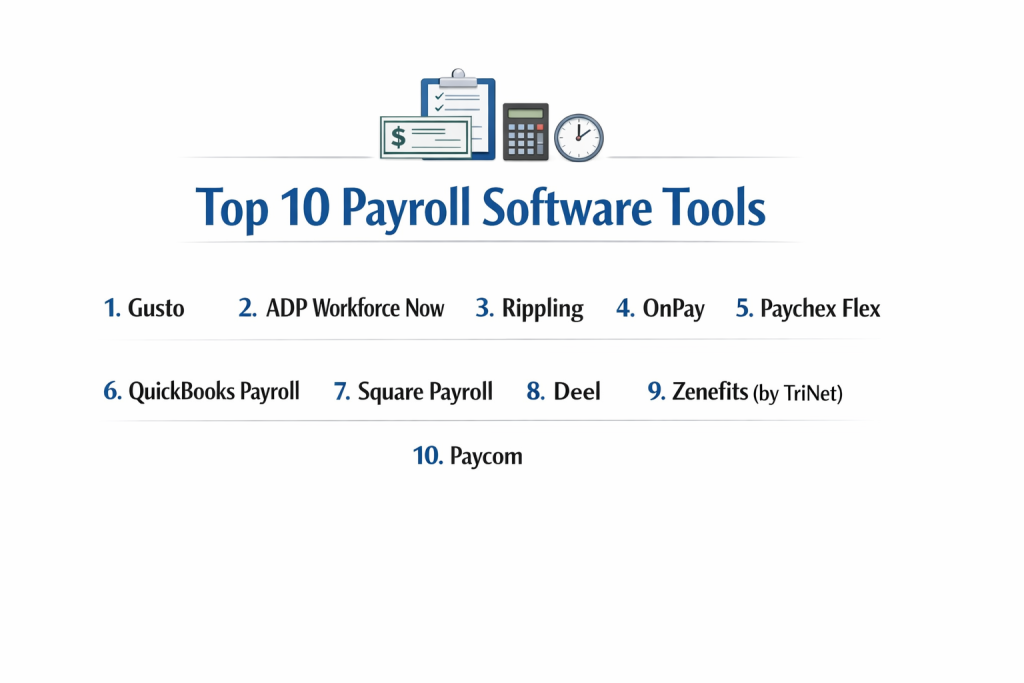
Top 10 Payroll Software Tools
1 — Gusto
Gusto has become the gold standard for small to mid-sized businesses that value a modern, “human-centric” design. It is famous for making complex tax filings feel approachable and even friendly.
- Key features:
- Full-Service Tax Filing: Automatically calculates, pays, and files local, state, and federal taxes.
- Lifetime Employee Access: Employees keep their portal access even if they leave the company.
- International Contractor Payments: Ability to pay contractors in over 120 countries.
- Integrated Benefits: Manage health insurance, 401(k), and workers’ comp in one place.
- Gusto Wallet App: An employee app for tracking pay and managing emergency savings.
- Auto-Pilot Mode: Run payroll automatically for salaried teams with no changes.
- Pros:
- The most intuitive user interface in the industry; requires almost zero training.
- Excellent automated onboarding for new hires, including digital I-9s and W-4s.
- Cons:
- Health insurance brokerage features are not available in all 50 states yet.
- Customer support response times can lag during peak tax seasons.
- Security & compliance: SOC 2 Type II, GDPR compliant, 256-bit SSL encryption, and two-factor authentication (2FA).
- Support & community: Extensive “Gusto Help Center,” phone/chat support for higher tiers, and a massive community of small business advocates.
2 — ADP Workforce Now
ADP is the “heavyweight” of the payroll world, managing pay for one in six workers in the US. Workforce Now is their flagship mid-market to enterprise solution.
- Key features:
- Scalable Infrastructure: Designed to grow with you from 50 to 5,000+ employees.
- Global Payroll Presence: Localized payroll support in over 140 countries.
- Advanced Reporting: High-level analytics for labor costs and turnover trends.
- Comprehensive HR Suite: Includes recruiting, performance management, and LMS modules.
- Regulatory Monitoring: A massive legal team ensures the software is always compliant with new laws.
- ADP Marketplace: Hundreds of native integrations with ERPs and time-tracking tools.
- Pros:
- Unmatched reliability and institutional knowledge of tax codes.
- Highly customizable for complex organizations with multiple legal entities.
- Cons:
- Pricing is not transparent and often requires a lengthy sales negotiation.
- The interface can feel corporate and “clunky” compared to modern SaaS rivals.
- Security & compliance: ISO 27001, SOC 2, HIPAA compliant, and multi-layered data encryption.
- Support & community: Dedicated account managers for enterprise clients and 24/7 global support availability.
3 — Rippling
Rippling has disrupted the market by treating payroll as an extension of a company’s IT stack. It is the best choice for tech-forward companies that want to automate everything.
- Key features:
- The “Unified” Database: One record for payroll, hardware, and software access.
- 90-Second Payroll: Syncs all changes (promotions, address changes) automatically.
- Global PEO/EOR: Hire and pay employees globally without setting up local entities.
- Device Management: Ship and manage employee laptops alongside their paychecks.
- Custom Workflow Creator: Build triggers like “If a person is promoted, increase their pay and give them Slack admin rights.”
- Automatic State Registrations: Rippling handles the paperwork for moving into new tax jurisdictions.
- Pros:
- Incredible speed; handles the administrative “grunt work” that usually takes days.
- Perfect for remote teams that need to manage both pay and hardware.
- Cons:
- Can be expensive if you only need payroll and none of the IT/HR features.
- The sheer number of features can lead to a steeper learning curve for non-tech users.
- Security & compliance: SOC 2, GDPR, HIPAA, and ISO 27001. Advanced SSO and identity management built-in.
- Support & community: High-quality documentation and responsive chat support, though it lacks the “personal” feel of smaller firms.
4 — OnPay
OnPay is the “honest” alternative for small businesses. It offers a single, all-inclusive pricing tier that includes many features that competitors charge extra for.
- Key features:
- Flat-Fee Pricing: No hidden costs for multiple states or year-end W-2s.
- Specialized Payroll: Custom workflows for farms, non-profits, and restaurants.
- HR Resource Library: Access to templates, handbooks, and compliance guides.
- Integration Suite: Deep sync with QuickBooks, Xero, and specialized time tools.
- Worker’s Comp: “Pay-as-you-go” insurance to help with cash flow.
- Report Designer: Create custom views of your payroll data without needing an analyst.
- Pros:
- One of the best values on the market; no “nickel and diming” for extra services.
- The customer support team is staffed by actual payroll experts, not just call center agents.
- Cons:
- Does not offer a mobile app for managers to run payroll on the go.
- Lacks the advanced enterprise features (like LMS or global EOR) found in ADP or Rippling.
- Security & compliance: SOC 2 compliant, 256-bit encryption, and multi-factor authentication.
- Support & community: Consistently rated as having the best customer service in the industry for SMBs.
5 — Paychex Flex
Paychex is ADP’s primary rival, offering a wide range of services that bridge the gap between small business ease and enterprise power.
- Key features:
- Flexible Platform: Three distinct tiers tailored to different company sizes.
- Dedicated Specialist: You get a single point of contact who knows your business history.
- Voice-Activated Payroll: Integration with Google Assistant for hands-free management.
- Tax Credit Services: Helps businesses identify and claim R&D or employee retention credits.
- Mobile App: One of the most robust mobile experiences for both managers and employees.
- Fintech Integrations: Connects payroll directly to business lending and 401(k) services.
- Pros:
- Excellent for companies that want a “high-touch” service model with a dedicated rep.
- Very strong for businesses that need both payroll and employee benefit administration.
- Cons:
- Many “basic” features (like general ledger reports) are paid add-ons in the lower tiers.
- Some users find the cancellation process to be difficult.
- Security & compliance: ISO 27001, SOC 2, and GDPR compliant. High-level cybersecurity monitoring.
- Support & community: 24/7/365 support availability and a vast network of local offices.
6 — QuickBooks Payroll
For businesses already using QuickBooks for their accounting, this is the path of least resistance. It provides the tightest integration possible between your ledger and your paychecks.
- Key features:
- Same-Day Direct Deposit: Process payroll in the morning, and the team is paid by the afternoon.
- Auto-Payroll: Runs the process for you based on set schedules.
- Tax Penalty Protection: QuickBooks will pay up to $25,000 if they make a mistake on your taxes.
- Integrated Time Tracking: Powered by QuickBooks Time (formerly TSheets).
- Cost Allocation: Automatically tags payroll costs to specific projects or jobs in the ledger.
- Health Benefits: Powered by SimplyInsured for easy SMB enrollment.
- Pros:
- Zero data entry if you already use QuickBooks for bookkeeping.
- The “Tax Penalty Protection” offers incredible peace of mind for new owners.
- Cons:
- The software can feel “bloated” if you only want payroll and not a full accounting suite.
- Advanced HR tools are lacking compared to specialists like Gusto or Paychex.
- Security & compliance: GDPR, SOC 2, and follows Intuit’s global security standards.
- Support & community: Large community of “QuickBooks ProAdvisors” available for hire; 24/7 chat support.
7 — Square Payroll
Square Payroll is built specifically for the retail and hospitality industries. It is designed to work perfectly with Square’s Point of Sale (POS) system.
- Key features:
- POS Integration: Syncs tips, commissions, and hours worked directly from the register.
- Contractor-Only Plan: A low-cost tier for businesses that don’t have W-2 employees.
- Square Cash App Sync: Employees can receive their pay instantly through the Cash App.
- Seasonal Pause: Allow businesses to stop paying the monthly fee during off-seasons.
- Automated Quarterly Filings: Square handles all the heavy lifting for state and federal returns.
- Post-Tax Deductions: Easily manage garnishments and other specific withholdings.
- Pros:
- The absolute best choice for restaurants and coffee shops using Square POS.
- Very transparent, low-cost pricing model with no hidden fees.
- Cons:
- Not suitable for large corporate offices or manufacturing firms.
- Lacks deep HR features like performance reviews or hiring workflows.
- Security & compliance: PCI compliant, SSL encryption, and GDPR compliant.
- Support & community: Helpful documentation and email/phone support during business hours.
8 — Deel
Deel has rapidly become the leader in global payroll. If your team is scattered across 50 different countries, Deel is the platform that makes that legal.
- Key features:
- Global EOR (Employer of Record): Hire in countries where you don’t have a legal entity.
- Localized Contracts: Ensure every hire is compliant with their local labor laws.
- Crypto Payments: Option to pay international contractors in various cryptocurrencies.
- Global Tax Filing: Handles complex international tax treaties and withholdings.
- Deel Card: A physical card for employees to spend their earnings instantly.
- Visa Support: Helps facilitate work visas for global relocations.
- Pros:
- Solves the massive headache of international compliance better than anyone else.
- Centralizes global labor costs into a single, easy-to-read dashboard.
- Cons:
- The cost per employee can be very high for the EOR service.
- Overkill for a local business with only domestic employees.
- Security & compliance: SOC 2, GDPR, and HIPAA. Deep expertise in international labor law.
- Support & community: 24/7 support in multiple languages and a dedicated “Global Hiring” blog.
9 — Zenefits (by TriNet)
Zenefits focuses on the intersection of payroll and high-end insurance benefits. It is a “Benefits-First” platform for companies that want to attract top talent.
- Key features:
- Benefit Sync: Deductions for health, dental, and vision are updated in real-time.
- Mobile Onboarding: New hires can sign all documents and pick benefits from their phone.
- Compliance Assistant: Automated alerts for ACA (Affordable Care Act) requirements.
- Business Intelligence: Visual maps showing how benefits impact your bottom line.
- Performance Management: Integrated goal tracking and 360-degree reviews.
- Time & Attendance: Built-in scheduling and clock-in tools.
- Pros:
- The best platform for managing complex employee benefits without a dedicated HR team.
- Beautiful, modern interface that employees find very easy to navigate.
- Cons:
- Payroll is technically an “add-on” to the HR platform, not always the core focus.
- Integration with external accounting software can sometimes be finicky.
- Security & compliance: SOC 2 Type II, HIPAA compliant, and GDPR compliant.
- Support & community: Extensive library of HR compliance tools and a responsive help desk.
10 — Paycom
Paycom is a comprehensive, single-database solution for mid-to-large companies. It is unique because it pushes the responsibility for payroll accuracy to the employees.
- Key features:
- Beti: An industry-first tool that lets employees review and approve their own payroll.
- Direct Data Exchange: Tracks the ROI of your HR activities in real-time.
- Position Management: Sophisticated tools for managing vacancies and hiring pipelines.
- Compensation Management: Link performance data directly to merit increases.
- Self-Service App: Employees handle their own address changes, tax forms, and leave requests.
- GL Sync: Powerful mapping to complex enterprise general ledgers.
- Pros:
- The “Beti” system significantly reduces payroll errors by having employees verify their own data.
- Excellent for large organizations that want a single tool for the entire “Hire-to-Retire” lifecycle.
- Cons:
- The sales process and implementation can be very intense.
- Not designed for small businesses; it requires a dedicated HR admin to manage.
- Security & compliance: ISO 27001, SOC 2, and HIPAA. Extremely high focus on data integrity.
- Support & community: One-on-one service model with a dedicated specialist for every client.
Comparison Table
| Tool Name | Best For | Platform(s) Supported | Standout Feature | Rating (Gartner) |
| Gusto | Small Businesses | Web, Mobile | Friendly UX / Auto-Pilot | 4.6 / 5 |
| ADP Workforce Now | Enterprise / Scale | Web, Mobile | Global Reliability | 4.2 / 5 |
| Rippling | Tech / Remote Teams | Web, Desktop | IT & Payroll Unified | 4.8 / 5 |
| OnPay | Value / Simplicity | Web | Flat-fee per state | 4.7 / 5 |
| Paychex Flex | High-Touch Service | Web, Mobile | Dedicated Reps | 4.0 / 5 |
| QuickBooks | QuickBooks Users | Web, Mobile | Same-Day Deposit | 4.5 / 5 |
| Square Payroll | Retail / Restaurants | Web, POS | POS & Tips Sync | 4.6 / 5 |
| Deel | International Hiring | Web | Global EOR / Crypto | 4.8 / 5 |
| Zenefits | Benefits-Focused | Web, Mobile | Benefit Admin Depth | 4.0 / 5 |
| Paycom | Mid-Market / Beti | Web, Mobile | Employee-Driven Payroll | 4.2 / 5 |
Evaluation & Scoring of Payroll Software
To provide an objective ranking, we have evaluated the market using the following weighted rubric based on the needs of a modern workforce.
| Category | Weight | Evaluation Criteria |
| Core Features | 25% | Tax filing, direct deposit, W-2 generation, and benefit deductions. |
| Ease of Use | 15% | Intuitiveness of the manager dashboard and employee self-service. |
| Integrations | 15% | Native connectivity with Accounting (GL), Time-tracking, and ERPs. |
| Security & Compliance | 10% | SOC 2 status, encryption, and tax penalty guarantees. |
| Performance | 10% | Calculation speed and mobile app stability. |
| Support & Community | 10% | Availability of experts and quality of documentation. |
| Price / Value | 15% | Transparent pricing vs. total feature set provided. |
Which Payroll Software Tool Is Right for You?
Selecting the right tool depends on your specific business stage and the “pain point” you are trying to solve.
Solo Users vs. SMB vs. Mid-market vs. Enterprise
Solo users hiring their first employee should stick to Gusto or OnPay; they provide enough hand-holding to prevent rookie mistakes. SMBs (10-50 employees) benefit from QuickBooks or Zenefits for their integrated benefits. Mid-market and Enterprise firms should look toward ADP or Paycom, as they provide the data-level granularity and international scale required at that level.
Budget-conscious vs. Premium Solutions
If budget is your primary concern, OnPay offers the most transparent, “no-surprise” pricing. Square Payroll is also very affordable for contractor-heavy teams. If you are a premium buyer who wants a high-tech “future-proof” system, Rippling is the clear winner, though you will pay a premium for the automation.
Feature Depth vs. Ease of Use
If you prioritize Ease of Use, Gusto is the gold standard—anyone can learn it in 15 minutes. If you need Feature Depth (e.g., job costing for construction or union-level compliance), ADP or Paychex provide the deepest functional “wells,” even if the interface takes longer to master.
Integration and Scalability Needs
For those whose business relies on a single ecosystem, QuickBooks Payroll (for accountants) or Square (for retailers) are the obvious choices. If you plan to scale globally, don’t start with a domestic-only provider; choose Deel or Rippling so you don’t have to switch platforms in two years when you hire your first overseas developer.
Frequently Asked Questions (FAQs)
1. Is payroll software worth the cost for just 1 or 2 employees?
Absolutely. The cost of a single filing error or a missed quarterly tax payment can be thousands of dollars in IRS penalties. The software pays for itself by providing an “insurance policy” against compliance mistakes.
2. What is “Full-Service” payroll?
Full-service means the software doesn’t just calculate the math; it actually sends the money to the IRS and state agencies on your behalf and files the quarterly/annual tax forms (like 941s and 940s).
3. Can I run payroll from my phone?
Most modern providers (Gusto, QuickBooks, Paychex) have mobile apps that allow you to review and submit payroll in a few taps. However, complex setups are still easier to manage on a desktop.
4. How long does it take to switch payroll providers?
Ideally, you should switch at the beginning of a quarter or year to keep tax records clean. The process usually takes 1-2 weeks as you have to verify bank accounts and enter historical year-to-date data.
5. Does payroll software handle contractor (1099) payments?
Yes, almost all of them do. Some (like Gusto and Square) have specific contractor-only plans that are cheaper if you don’t have traditional W-2 employees.
6. What is “EOR” and why do international tools mention it?
Employer of Record (EOR) means the software company officially “employs” your international worker on paper to comply with local laws, while they work for you. It’s the easiest way to hire globally.
7. Is my data safe with these companies?
Payroll companies handle the most sensitive data possible (SSNs, bank accounts). Look for SOC 2 Type II compliance and 256-bit encryption as non-negotiable standards.
8. Can payroll software help with Workers’ Comp?
Many platforms (Gusto, OnPay, Paychex) offer “pay-as-you-go” Workers’ Comp, which calculates your premiums based on actual payroll rather than estimates, helping your cash flow.
9. What is “Employee Self-Service”?
This allows employees to log in and download their own pay stubs, W-2s, and update their bank info without asking the owner or HR, saving everyone time.
10. Do these tools handle garnishments?
Yes, professional-grade software can automatically withhold court-ordered garnishments (like child support) and, in some cases, even remit them to the proper agency for you.
Conclusion
The “best” Payroll Software isn’t the one with the most features; it’s the one that removes the most anxiety from your specific workday. If you are a small business owner who wants to spend zero time thinking about taxes, Gusto or QuickBooks are your best bets. If you are a rapidly scaling tech firm, Rippling offers a level of automation that is unmatched. For global dreamers, Deel makes the world your talent pool.
Remember that payroll is the foundation of the relationship with your team. When people are paid accurately and on time, they trust the organization. By choosing a robust, automated tool, you aren’t just buying software—you are buying the time and mental energy to focus on growing your business.