Introduction
Payroll and benefits administration refers to the specialized software and processes used to manage the entire financial lifecycle of an employee within an organization. This includes calculating gross wages, withholding taxes, managing 401(k) contributions, and overseeing health insurance enrollments. While “payroll” ensures that people are paid the right amount on time, “benefits administration” ensures that the non-wage portions of their compensation—such as dental plans, life insurance, and disability coverage—are correctly handled and compliant with government regulations. Modern platforms combine these two functions into a single “source of truth,” automating the flow of data between the payroll engine and insurance carriers.
The importance of these tools cannot be overstated for a growing business. Managing payroll manually or via disconnected spreadsheets is a recipe for legal disaster, as tax laws and labor regulations change constantly. A unified payroll and benefits tool acts as a safeguard, automatically calculating local, state, and federal taxes while ensuring that benefit deductions match the plans employees have selected. This automation reduces human error, protects the company from expensive audits, and provides employees with a professional portal to view their pay stubs and manage their health plans, which is a major factor in employee retention.
Key Real-World Use Cases
- Automating State Tax Registration: When a company hires its first employee in a new state, modern payroll tools can automatically handle the tax registration and filing requirements for that specific jurisdiction.
- Open Enrollment Management: During the annual period when employees choose their health plans, the software provides a shopping-like experience, showing different plan costs and automatically updating payroll deductions once a choice is made.
- Onboarding New Hires: A manager can send a digital “invite” to a new hire. The employee enters their own bank details, signs tax forms (like W-4s), and selects their benefits before their first day of work.
- Managing Workers’ Compensation: Many platforms offer “pay-as-you-go” workers’ comp, where the premium is calculated based on actual payroll data each cycle, rather than an estimated annual lump sum.
- Compliance with the Affordable Care Act (ACA): For companies with more than 50 employees, these tools track hours worked to ensure the company offers the required health coverage and generates the necessary 1095-C forms for the IRS.
What to Look For (Evaluation Criteria)
When selecting a tool in this category, users should evaluate the following:
- Automation Level: Does the system run payroll automatically, or do you have to click “approve” every single time?
- Employee Self-Service: How easy is it for an employee to change their address, download a tax form, or view their insurance card on a mobile app?
- Integration Depth: Does the payroll data sync directly with your accounting software (like QuickBooks) and your time-tracking tool?
- Benefit Carrier Connections: Does the software talk directly to the insurance companies (Electronic Data Interchange), or do you have to manually update the insurance company’s website?
- Tax Filing Guarantee: Does the provider take full responsibility for any penalties or interest if they make a mistake on your tax filings?
Best for: Human Resources (HR) managers, business owners, and finance directors. It is essential for any company with one or more employees that wants to ensure legal compliance and offer professional benefits.
Not ideal for: Solo freelancers or independent contractors who do not have a formal payroll. They are usually better served by simple invoicing tools or basic accounting software until they incorporate and hire staff.
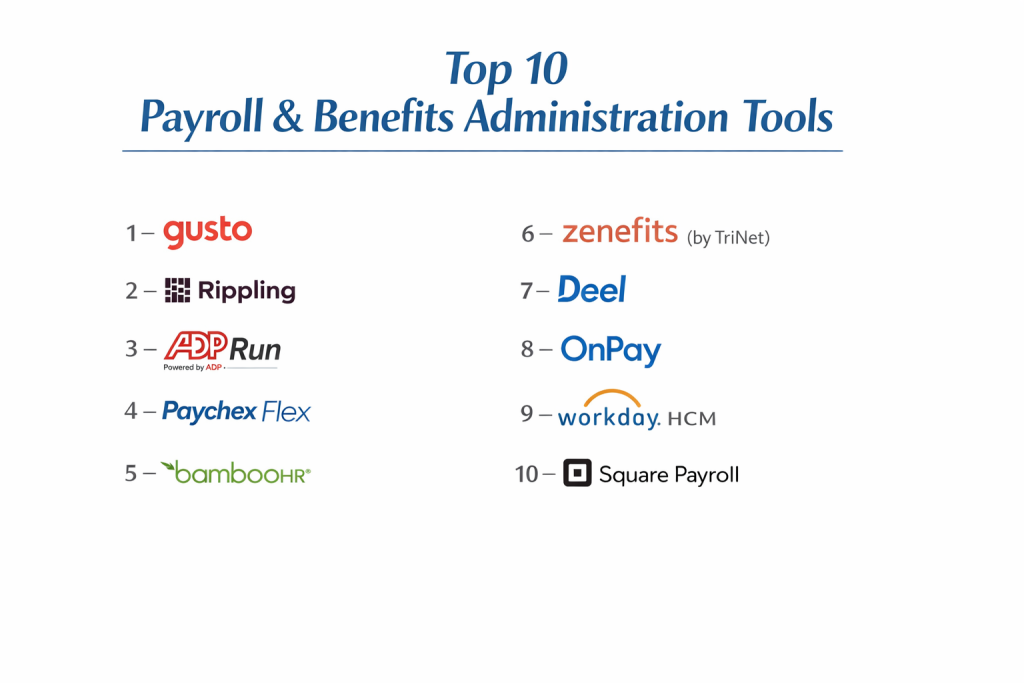
Top 10 Payroll & Benefits Administration Tools
1 — Gusto
Gusto is widely considered the gold standard for small to mid-sized businesses. It is famous for its “friendly” user interface and its ability to combine payroll, benefits, and HR into one easy-to-use platform.
- Key features:
- Full-service payroll in all 50 U.S. states.
- Automated tax filings and payments.
- Integrated health insurance, 401(k), and workers’ comp.
- Lifetime employee accounts (employees keep access after they leave).
- International contractor payments in 120+ countries.
- Robust employee onboarding and document e-signing.
- Pros:
- The most intuitive interface in the industry; very little training is required.
- Excellent “autopilot” feature for salaried employees.
- Cons:
- Customer support can be slow to respond during busy tax seasons.
- Some of the more advanced HR features are locked behind expensive tiers.
- Security & compliance: SOC 2 Type II, HIPAA compliant, and AES-256 encryption.
- Support & community: Extensive help center, phone/chat support during business hours, and a vibrant community of small business owners.
2 — Rippling
Rippling is a modern “Workforce Platform” that treats payroll and benefits as just one part of a company’s technology stack. It is built to manage everything from an employee’s paycheck to their company laptop.
- Key features:
- Global payroll that can pay employees and contractors in minutes.
- Automated benefits administration with 4,000+ carrier connections.
- Device management (shipping and managing company laptops).
- App provisioning (automatically creating Slack or Gmail accounts).
- PEO (Professional Employer Organization) option for better insurance rates.
- Advanced custom workflow builder.
- Pros:
- Unmatched speed; you can run payroll in literally 90 seconds.
- Perfect for tech-heavy companies that want to automate IT and HR together.
- Cons:
- The platform can feel overwhelming due to the sheer number of modules.
- Implementation can be complex if you use many of the advanced features.
- Security & compliance: SOC 2 Type II, GDPR, HIPAA, and ISO 27001.
- Support & community: Dedicated account managers for larger plans and a deep technical knowledge base.
3 — ADP Run
ADP is the biggest name in payroll globally. “Run” is their specific platform built for small businesses (1–49 employees), offering the reliability of a giant corporation with a simplified interface.
- Key features:
- 24/7 payroll support from certified specialists.
- Built-in HR tools and background checks.
- Integrated tax filing and W-2/1099 generation.
- Mobile app for both employers and employees.
- Multi-jurisdiction payroll for employees living in different states.
- Large-scale benefits packages usually reserved for big corporations.
- Pros:
- Massive infrastructure; you can trust them to never miss a tax deadline.
- High flexibility in creating custom pay types and deduction schedules.
- Cons:
- Pricing is not transparent; you usually have to talk to a salesperson.
- The interface feels more corporate and less “modern” than Gusto or Rippling.
- Security & compliance: ISO 27001, SOC 1, SOC 2, and NIST compliant.
- Support & community: 24/7 phone support and a massive network of local tax experts.
4 — Paychex Flex
Paychex Flex is a scalable solution that serves everyone from one-person shops to enterprise-level organizations. It is known for its strong emphasis on compliance and regulatory help.
- Key features:
- Comprehensive payroll and tax services.
- 401(k) and retirement plan administration.
- Health insurance agency services built-in.
- Employee financial wellness tools (early pay access).
- Time and attendance tracking that syncs with payroll.
- Dedicated payroll specialist assigned to your account.
- Pros:
- Having a dedicated specialist means you always have a human to call.
- Strongest retirement and 401(k) integration in the market.
- Cons:
- Additional fees for things that other platforms include for free (like W-2s).
- The software can feel “modular,” requiring you to navigate different areas for HR vs. Payroll.
- Security & compliance: SOC 1, SOC 2 Type II, and ISO 27001.
- Support & community: 24/7 U.S.-based support and a large library of compliance webinars.
5 — BambooHR
While BambooHR started as an HR tool, its payroll and benefits integration (specifically for the U.S.) has become a favorite for mid-market companies that prioritize company culture.
- Key features:
- Full-service payroll that pulls data directly from HR records.
- Benefit enrollment with a high-end “shopping” experience.
- Performance management and employee satisfaction surveys.
- Applicant tracking system (ATS) for hiring.
- Time-off tracking and approval workflows.
- Comprehensive employee database with custom fields.
- Pros:
- The “Employee Experience” is second to none; people love using this app.
- Excellent reporting tools that make it easy to see “Headcount” and “Turnover.”
- Cons:
- Payroll is only available for U.S.-based employees.
- Not as deep in “tax technicality” as a pure payroll engine like ADP.
- Security & compliance: SOC 2 Type II, GDPR, and HIPAA compliant.
- Support & community: Award-winning customer service and an active user community.
6 — Zenefits (by TriNet)
Zenefits was one of the first platforms to focus heavily on the “Benefits” side of the equation. Now part of TriNet, it offers a robust platform for companies that want to offer “Big Co” benefits.
- Key features:
- Automated benefits syncing with over 250 carriers.
- Compliance dashboards for ACA and COBRA.
- Integrated payroll with tax filing.
- Wellness tools and employee engagement features.
- Performance reviews and goal tracking.
- Advisory services for HR and legal questions.
- Pros:
- The benefits administration logic is extremely mature and reliable.
- Very easy for employees to compare insurance plans side-by-side.
- Cons:
- The transition to TriNet ownership has led to some changes in support quality.
- Pricing can get high once you add all the necessary HR modules.
- Security & compliance: SOC 2 Type II and HIPAA compliant.
- Support & community: Online help center and chat support; phone support available on higher tiers.
7 — Deel
Deel has disrupted the market by focusing on the “Global” workforce. It is the best choice for companies that have employees and contractors spread across many different countries.
- Key features:
- Global payroll in 100+ countries through local entities.
- Contractor management and automated compliance in 150+ countries.
- Deel Card for contractors to spend their earnings.
- Local benefits administration (pensions, health insurance) in each country.
- Immigration and visa support for international hires.
- Seamless integration with accounting tools like NetSuite.
- Pros:
- The only tool you need if you have a team across 10 different countries.
- Handles all the “Global Legal” headaches so you don’t have to.
- Cons:
- Can be very expensive if you only have a few local employees.
- Some of the “Employer of Record” fees are high.
- Security & compliance: SOC 2 Type II, GDPR, and ISO 27001.
- Support & community: 24/7 global support and a very active community of remote-work leaders.
8 — OnPay
OnPay is a “hidden gem” that offers simple, transparent, and affordable payroll and benefits for small businesses that don’t need the complex bells and whistles of a platform like Rippling.
- Key features:
- Flat monthly fee with no hidden costs for year-end forms.
- Unlimited payroll runs each month.
- Integrated benefits (health, 401k, life insurance).
- Specialized payroll for farms and non-profits.
- Automated tax filings with an accuracy guarantee.
- Simple HR tools and document storage.
- Pros:
- Extremely honest pricing; you won’t get “nickeled and dimed.”
- High-quality customer service that feels personal and local.
- Cons:
- Lacks some of the advanced automation (like device management) of competitors.
- The mobile app is not as feature-rich as ADP or Gusto.
- Security & compliance: SOC 2 Type II compliant and uses 256-bit SSL encryption.
- Support & community: U.S.-based phone, chat, and email support; high ratings for helpfulness.
9 — Workday HCM
Workday is the “Premium” choice for large enterprises. It is a massive, unified suite that handles payroll and benefits for thousands of employees across global locations.
- Key features:
- Unified Human Capital Management (HCM) and Financials.
- Advanced workforce analytics and “What-If” scenario planning.
- Global benefits management with deep compliance logic.
- Talent management and succession planning.
- High-end security permissions for different business units.
- Machine learning to identify “at-risk” employees.
- Pros:
- Unmatched power; it can handle the most complex corporate structures in the world.
- Total visibility for the CFO and HR Director in one system.
- Cons:
- Implementation costs can reach six or seven figures.
- Requires a dedicated team of IT professionals to manage the system.
- Security & compliance: SOC 1, SOC 2, ISO 27001, FedRAMP, and GDPR.
- Support & community: Top-tier enterprise support and an exclusive “Workday Community” for customers.
10 — Square Payroll
Square Payroll is the best choice for businesses that already use Square for their Point of Sale (POS). It is built for retail and restaurants where staff hours change constantly.
- Key features:
- Imports hours directly from the Square POS.
- “On-demand” pay, allowing employees to get paid early.
- Automated tax filings for W-2 and 1099 workers.
- Integrated health insurance and 401(k) for small teams.
- Simple mobile app for clocking in and out.
- Flat pricing for contractors and employees.
- Pros:
- If you use Square, this is the easiest possible way to pay people.
- Very affordable for businesses with a lot of seasonal or part-time staff.
- Cons:
- Very basic HR features; not ideal for a fast-growing tech company.
- Limited international capabilities.
- Security & compliance: PCI DSS compliant and uses standard industry encryption.
- Support & community: Phone and email support; well-integrated with the broader Square seller community.
Comparison Table
| Tool Name | Best For | Platform(s) Supported | Standout Feature | Rating |
| Gusto | Small Business | Web, iOS, Android | User-Friendly UI | 4.7 / 5 |
| Rippling | Tech-Forward | Web, iOS, Android | Unified IT & HR | 4.8 / 5 |
| ADP Run | Reliability | Web, iOS, Android | 24/7 Specialist Help | 4.5 / 5 |
| Paychex Flex | Retirement/401k | Web, iOS, Android | Dedicated Specialist | 4.4 / 5 |
| BambooHR | Mid-Market Culture | Web, iOS, Android | Employee Experience | 4.6 / 5 |
| Zenefits | Benefits Focus | Web, iOS, Android | Carrier Connections | 4.2 / 5 |
| Deel | Global Remote Teams | Web, iOS, Android | International Compliance | 4.8 / 5 |
| OnPay | Budget & Simplicity | Web, iOS, Android | Transparent Pricing | 4.7 / 5 |
| Workday | Global Enterprise | Web, iOS, Android | All-in-One Power | 4.5 / 5 |
| Square Payroll | Retail & Dining | Web, iOS, Android | POS Integration | 4.4 / 5 |
Evaluation & Scoring of Payroll & Benefits Administration
| Criteria | Weight | What it Evaluates |
| Core Features | 25% | Tax filing, benefits sync, and global reach. |
| Ease of Use | 15% | Employee self-service and admin dashboard speed. |
| Integrations | 15% | Syncing with QuickBooks, Xero, Slack, etc. |
| Security & Compliance | 10% | SOC 2 status and HIPAA data protection. |
| Performance | 10% | Calculation speed and system uptime. |
| Support & Community | 10% | Access to humans when payroll breaks. |
| Price / Value | 15% | Cost per employee vs. time saved. |
Which Payroll Is Right for You?
Solo Users vs. SMB vs. Mid-Market vs. Enterprise
Solo business owners who just incorporated should look at Gusto or OnPay for their simplicity. SMBs with 10–50 employees are often the best fit for Rippling (if tech-savvy) or ADP Run (if they want traditional support). Mid-market companies (50–500 employees) should choose BambooHR or Paychex Flex for deeper HR features. Enterprise giants need Workday or ADP Enterprise to manage global complexity.
Budget-Conscious vs. Premium Solutions
If you are on a strict budget, OnPay or Square Payroll offer the lowest total cost of ownership without hidden fees. If you are willing to pay for premium automation, Rippling is the leader, as it saves you hundreds of hours by automating your IT and HR tasks alongside payroll.
Feature Depth vs. Ease of Use
If you want simplicity, Gusto is the winner. It is hard to make a mistake in their system. If you need feature depth—such as managing union dues, complex prevailing wage rates, or international “Employer of Record” (EOR) services—you will need the power of Deel or ADP.
Integration and Scalability Needs
Think about where you will be in three years. If you plan to hire in Europe or Asia, starting with Deel or Rippling now will save you from a painful migration later. If you are a U.S.-based restaurant that plans to open five new locations, Square Payroll will scale perfectly with your POS.
Security and Compliance Requirements
If you handle sensitive medical data, ensure your provider is HIPAA compliant (like Gusto or Rippling). If you are a government contractor, you may need a provider with FedRAMP or high-level SOC 2 reporting to pass your own security audits.
Frequently Asked Questions (FAQs)
What is the difference between payroll and benefits administration?
Payroll is the act of paying wages and taxes. Benefits administration is the management of non-cash perks like health insurance, 401(k)s, and life insurance.
Do these tools file taxes for me?
Yes, all the “Full-Service” tools on this list automatically calculate, file, and pay your local, state, and federal taxes.
Can I pay contractors and employees in the same tool?
Most modern tools (like Gusto and Rippling) allow you to pay both W-2 employees and 1099 contractors in the same system.
What is a PEO?
A Professional Employer Organization (PEO) is a model where the provider “co-employs” your staff, allowing you to access much cheaper health insurance rates.
How long does it take to set up?
For a small business, setup takes about 2–5 hours if you have all your tax IDs ready. For large companies, it can take several months.
Is it safe to store employee data in the cloud?
Yes, these providers use bank-level encryption (AES-256) and undergo regular security audits (SOC 2) to protect sensitive data.
Do I need an accountant if I use this software?
While the software does the hard work, an accountant is still helpful for high-level strategy and checking that your journal entries sync correctly.
Can employees see their own pay stubs?
Yes, all these platforms provide an “Employee Portal” where staff can download their own pay stubs and tax forms (W-2s).
What happens if the software makes a tax mistake?
Most top-tier providers (OnPay, Gusto, ADP) offer a “Tax Penalty Guarantee” where they pay the fines if the error was their fault.
Can I switch providers in the middle of the year?
Yes, but it is easiest to switch at the start of a new quarter or a new year to keep your tax records clean.
Conclusion
Choosing a payroll and benefits platform is a decision that affects your company’s legal safety and your employees’ daily lives. There is no longer a reason to suffer through manual entries or paper checks. Whether you need the global reach of Deel, the simple charm of Gusto, or the “all-in-one” tech power of Rippling, there is a tool that matches your specific business goals.
What matters most is choosing a partner that can grow with you. A tool that feels perfect today but can’t handle a new employee in a different state or a new 401(k) plan next year will eventually slow you down. By investing in a robust platform now, you free your finance and HR teams to focus on strategy and culture, while the software handles the complex, ever-changing world of compliance.